- Home
- Forum
- Xamarin.Forms
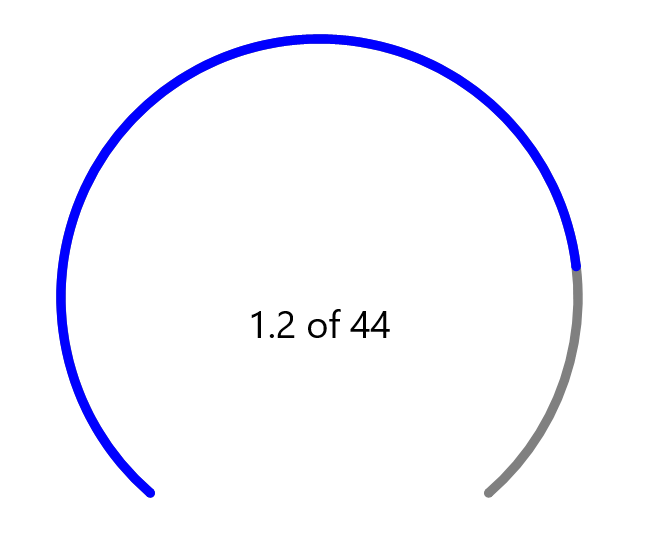
- Scale Rim Rounded Caps
Scale Rim Rounded Caps

|
<gauge:SfCircularGauge HorizontalOptions="Center" VerticalOptions="Center">
<gauge:SfCircularGauge.Annotations>
<gauge:GaugeAnnotation VerticalAlignment="Start">
<gauge:GaugeAnnotation.View>
<Label Text="1.2 of 44" TextColor="Black" FontSize="25"/>
</gauge:GaugeAnnotation.View>
</gauge:GaugeAnnotation>
</gauge:SfCircularGauge.Annotations>
<gauge:SfCircularGauge.Scales>
<gauge:Scale ShowRim="False" ShowLabels="False" ShowTicks="False">
<gauge:Scale.Pointers>
<gauge:RangePointer RangeStart="0" EnableAnimation="False" Value="100" Color="Gray" RangeCap="Both" />
<gauge:RangePointer RangeStart="0" Value="80" Color="Blue" RangeCap="Both" />
</gauge:Scale.Pointers>
</gauge:Scale>
</gauge:SfCircularGauge.Scales>
</gauge:SfCircularGauge> |
Hi Juan,
Rounded scale rims are usually handled at the rendering or styling level rather than through a simple built-in property, so checking custom draw methods, SVG paths, or canvas settings often gives more control over the cap shape. This approach is similar to how design details are handled in other fields, where the finish matters as much as the structure, like the smooth rim treatment seen on Dandy hats. Focusing on curves, border radius, and stroke endings helps keep the scale clean and readable without relying only on default range pointer options.
Hi Sam,
Thank you for your input. We recommend using the .NET MAUI SfCircularGauge, which provides axis customization options that allow you to style and control the appearance of the gauge axis to meet various design requirements.
For more details, please refer to our User Guide documentation.
Please feel free to check it out and let us know if you need any further assistance.
Regards,
Vidyalakshmi M.
- 5 Replies
- 4 Participants
-
JI Juan Ignacio Rodríguez
- Oct 22, 2019 11:36 AM UTC
- Jan 13, 2026 03:14 PM UTC

