










Transform your applications today by downloading our free evaluation version
Overview
The JavaScript Rich Text Editor is a powerful control designed for building blogs, CMS platforms, email composers, documentation tools, messaging applications, knowledge bases, and content management systems. It enables developers to create, edit, and format HTML and Markdown content with an intuitive rich text editing experience and clean HTML output.
Why choose the Syncfusion JavaScript Rich Text Editor component?
Powerful WYSIWYG Editor
It delivers rich HTML and Markdown editing with text formatting, tables, lists, hyperlinks, colors, media insertion, and optional iframe editing.
Easy interaction
You can easily format the text and paragraphs by setting the editor’s foreground and background colors; adding ordered and unordered custom lists; and specifying the font, italicization, underlining, strikethrough, and bolding.
Flexible editing
For a better editing experience, the JavaScript Rich Text Editor control offers a variety of tools and choices. You can quickly insert images, videos, hyperlinks, and tables; merge table cells; and configure keys.
Preview the HTML code
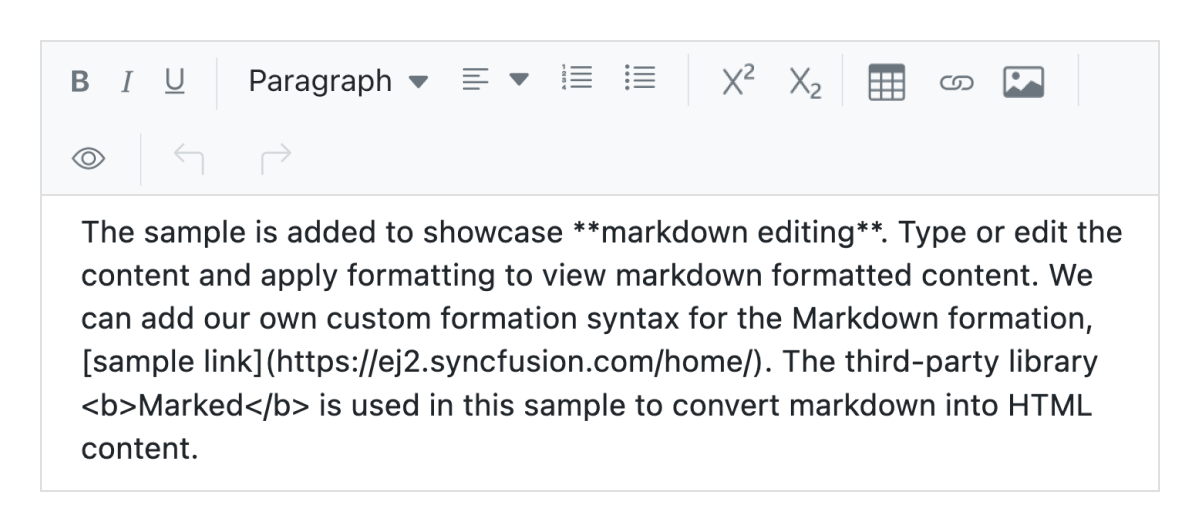
Use the JavaScript HTML Editor to edit content visually or switch to HTML source view for direct HTML editing with an instant live preview that ensures clean and accurate markup.
AI-Assisted Development
Build advanced content editing experiences faster with the Agentic UI Builder and Syncfusion Agent Skills. Generate formatting tools, editor layouts, templates, and media-rich workflows with minimal manual effort.
Adapts to any resolution
The Rich Text Editor features a highly responsive layout and an optimized design for desktops, tablets, and smartphones. It functions seamlessly across desktops, tablets, and smartphones, including devices powered by iOS, Android, and Windows.
Integrate with third-party libraries
It’s easy to integrate third-party libraries, like a spell checker or code mirror, with the Rich Text Editor to improve the content.
Globalization and localization
Enable users from different locales to use the Rich Text Editor by formatting dates, currency, and numbering to suit preferences.
AI-assisted development
Build feature-rich JavaScript Rich Text Editor experiences faster
Accelerate content editor development with Syncfusion AI tools that turn requirements into fully configured editing experiences with minimal manual setup.
Agent Skills
Accelerate development with Syncfusion AI Agent Skills for faster implementation and integration.
Example Prompt Generate a JavaScript rich text editor with Markdown support and custom toolbar actions.
MCP Server
Accelerate development with AI that generates, configures, and troubleshoots component code directly in your IDE.
Example Prompt Show how to enable autosave and image uploading in the Syncfusion JavaScript Rich Text Editor.
AI-ready Rich Text Editor
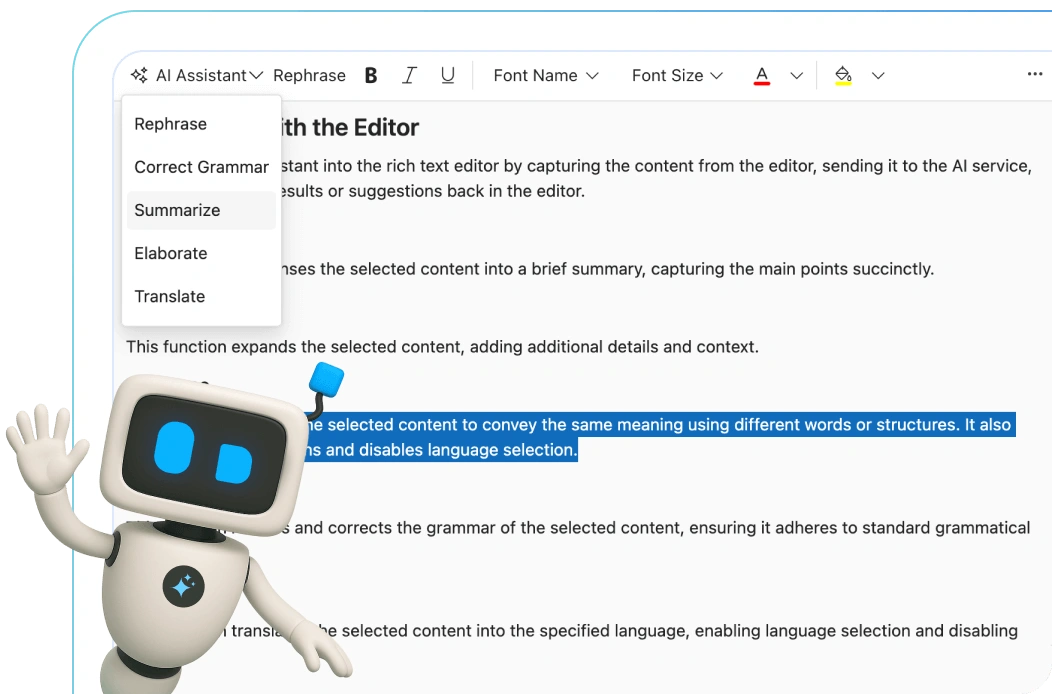
Transform your JavaScript applications with our AI-ready Rich Text Editor, featuring grammar correction, multilingual support, rephrasing, and summarization.
JavaScript Rich Text Editor code example
Easily get started with the JavaScript Rich Text Editor using a few simple lines of HTML and TypeScript code, as demonstrated below. Also explore this JavaScript Rich Text Editor example, which shows how to render and configure the control.
<div class="control-section">
    <div id="defaultRTE">
    </div>
</div>
import { enableRipple } from '@syncfusion/ej2-base';
enableRipple(true);
import {RichTextEditor, Toolbar, Link, Image, HtmlEditor
} from '@syncfusion/ej2-richtexteditor';
RichTextEditor.Inject(Toolbar, Link, Image, HtmlEditor);
let defaultRTE: RichTextEditor = new RichTextEditor({
value: `<p>The Rich Text Editor component is a WYSIWYG ("what you see is what you get") editor that provides the best user experience to create and update content. Users can format their content using standard toolbar commands.</p>
<p><b>Key features:</b></p>
<ul>
<li>
<p>Provides <IFRAME> and <DIV> modes</p>
</li>
<li>
<p>Capable of handling Markdown editing.</p>
</li>
</ul>`
});
defaultRTE.appendTo('#defaultRTE');HTML editor toolbar
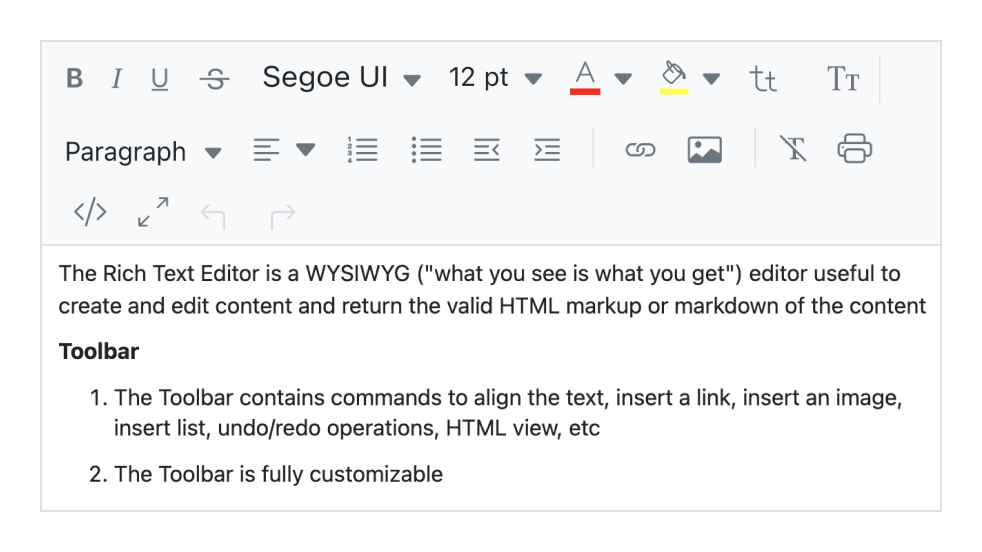
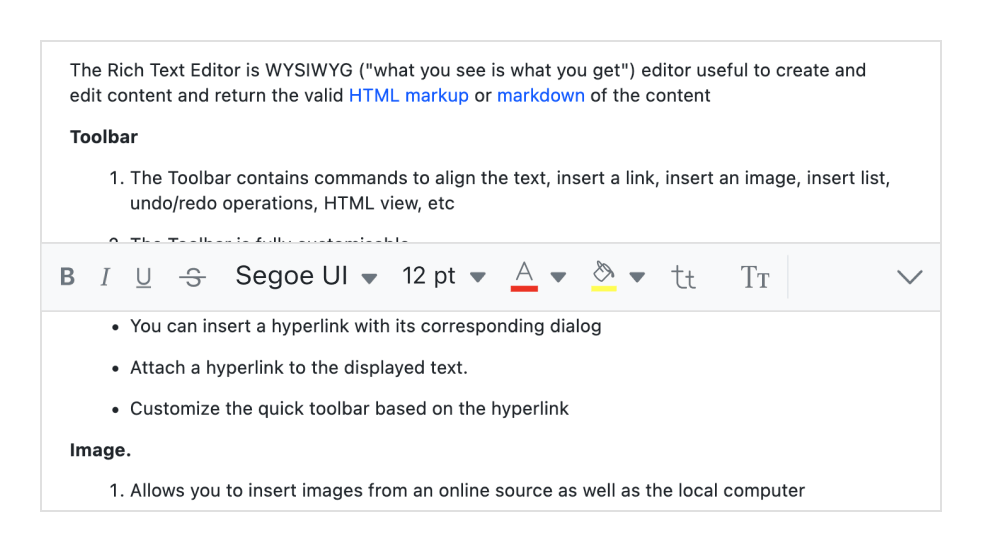
The WYSIWYG HTML editor toolbar provides a wide range of commands for editing and formatting content. It allows users to format text and paragraphs as well as insert images, hyperlinks, tables, and lists. The commands are organized into groups based on related functionality.
Multi-row toolbar
Toolbar commands that exceed the available space are automatically wrapped into additional rows within the toolbar.
Expand toolbar
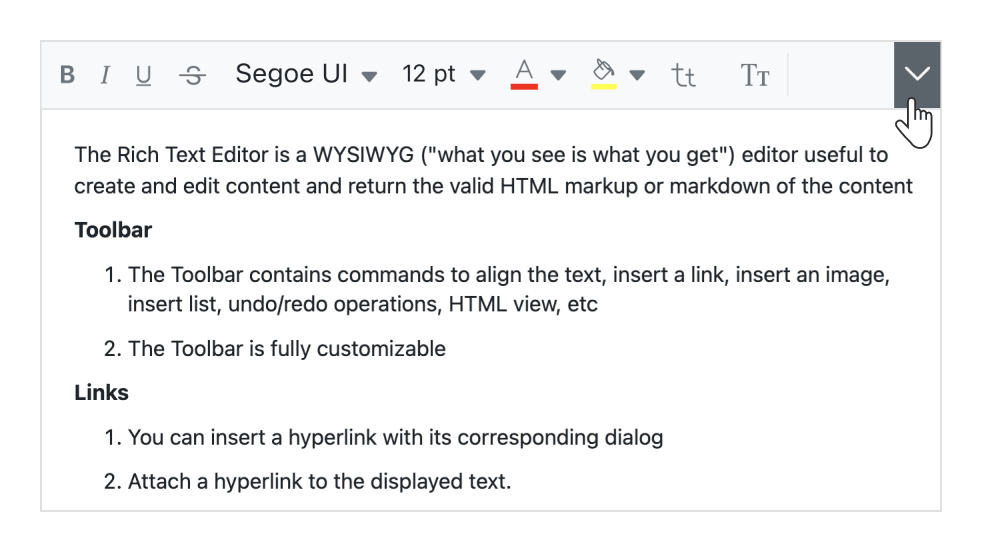
Overflow toolbar commands hidden in subsequent rows become visible when the toolbar is expanded using the expand icon.
Quick toolbar
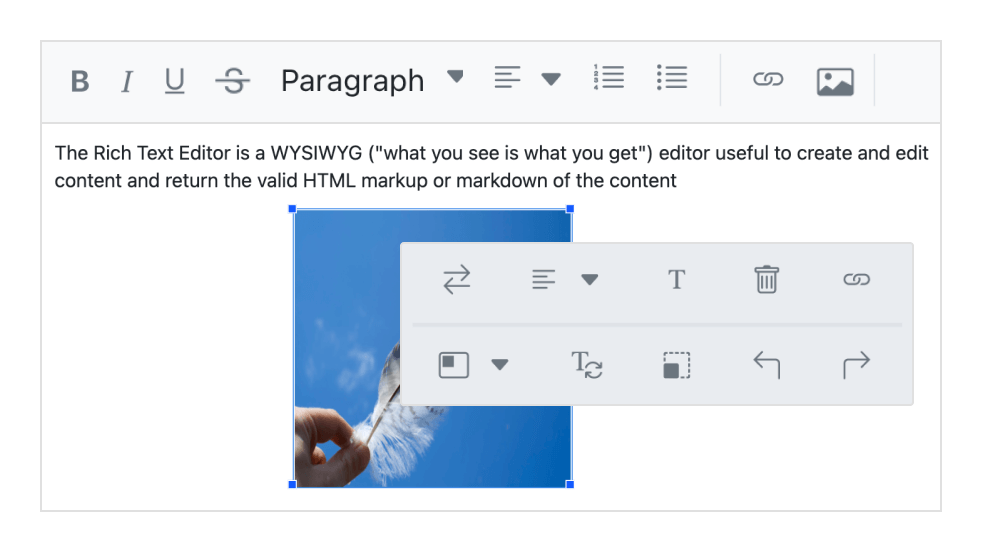
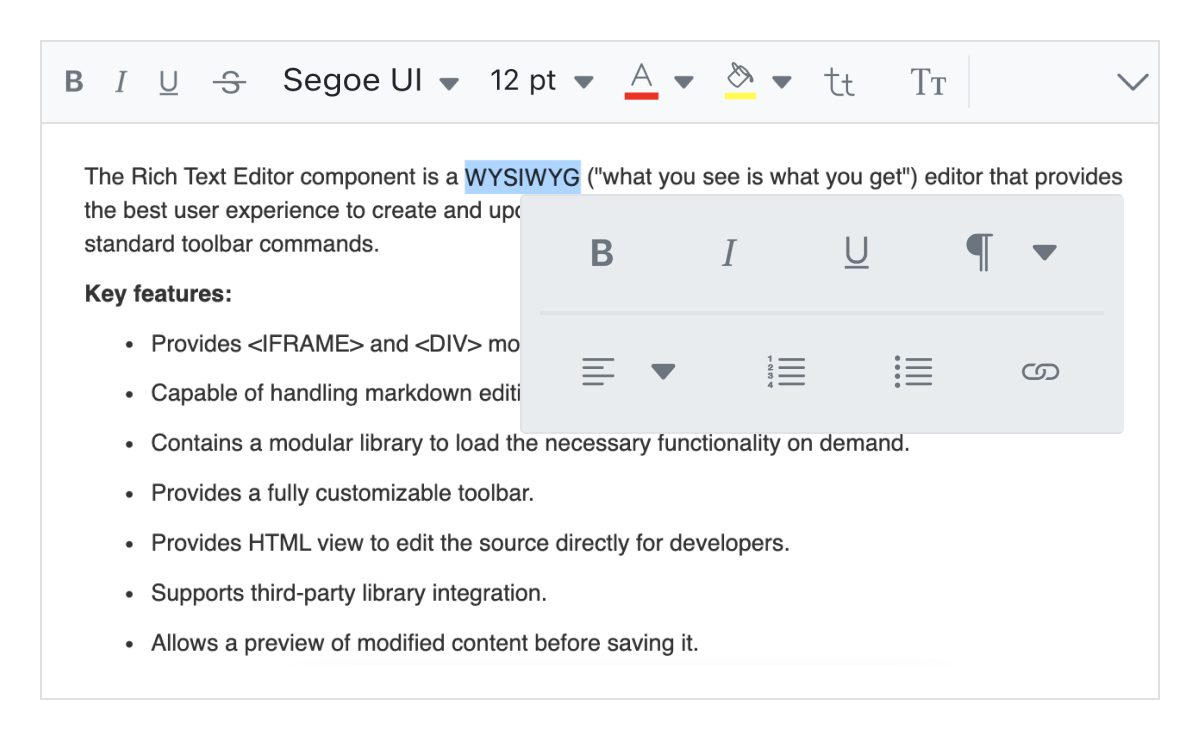
This toolbar includes commonly used commands for text, images, tables, and links, enabling quick access to format these elements.
Floating toolbar
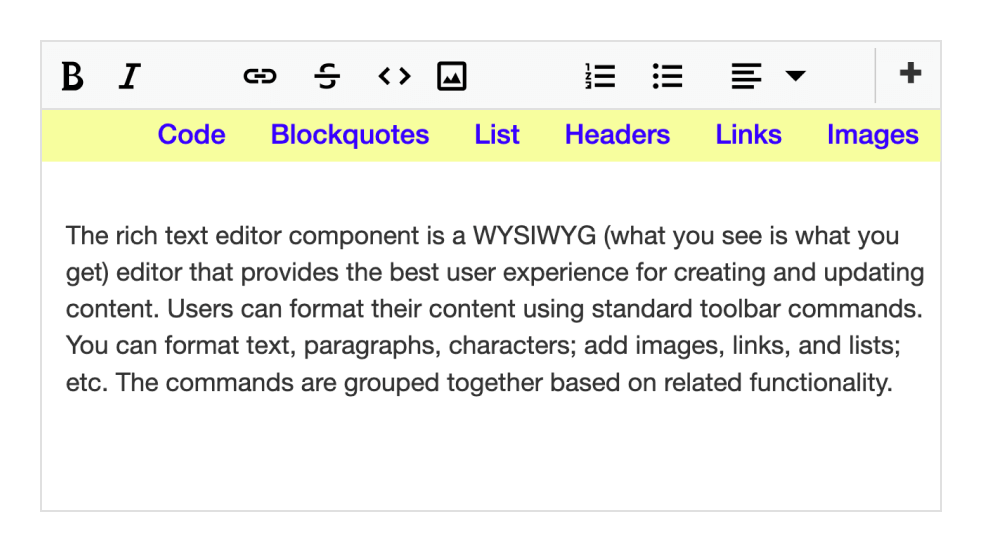
The HTML5 editor toolbar does not remain fixed at the top; instead, it floats within the editor area as the page scrolls.
Fully customizable
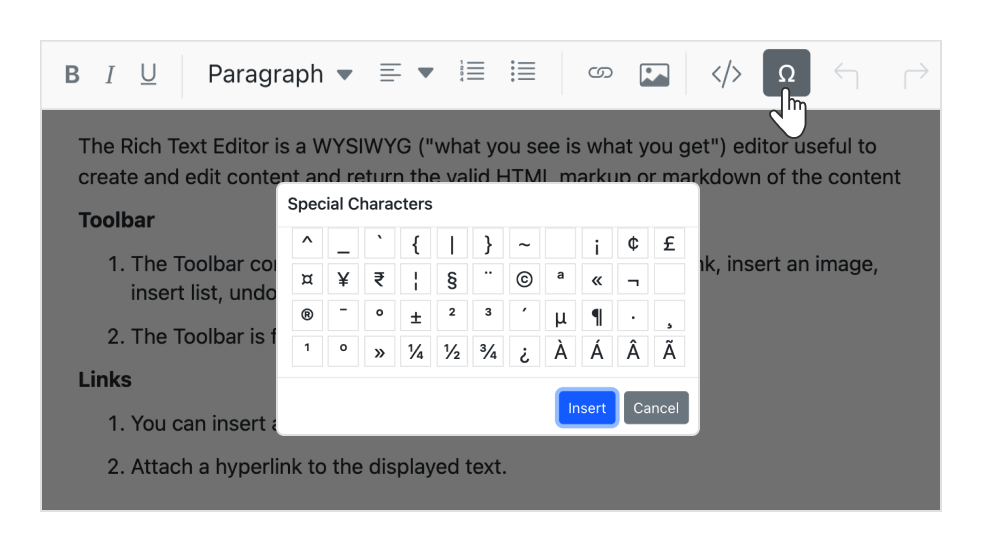
The HTML5 Rich Text Editor toolbar buttons are fully customizable. Users can add or remove buttons and group commands by category to tailor the toolbar to application needs, such as blog editing or email composing.
Custom tool
Custom commands with specific actions can be added to the toolbar along with the built-in tools.
Inline mode
The JavaScript Rich Text Editor shows an inline HTML editor when content within an editable area is clicked or selected.
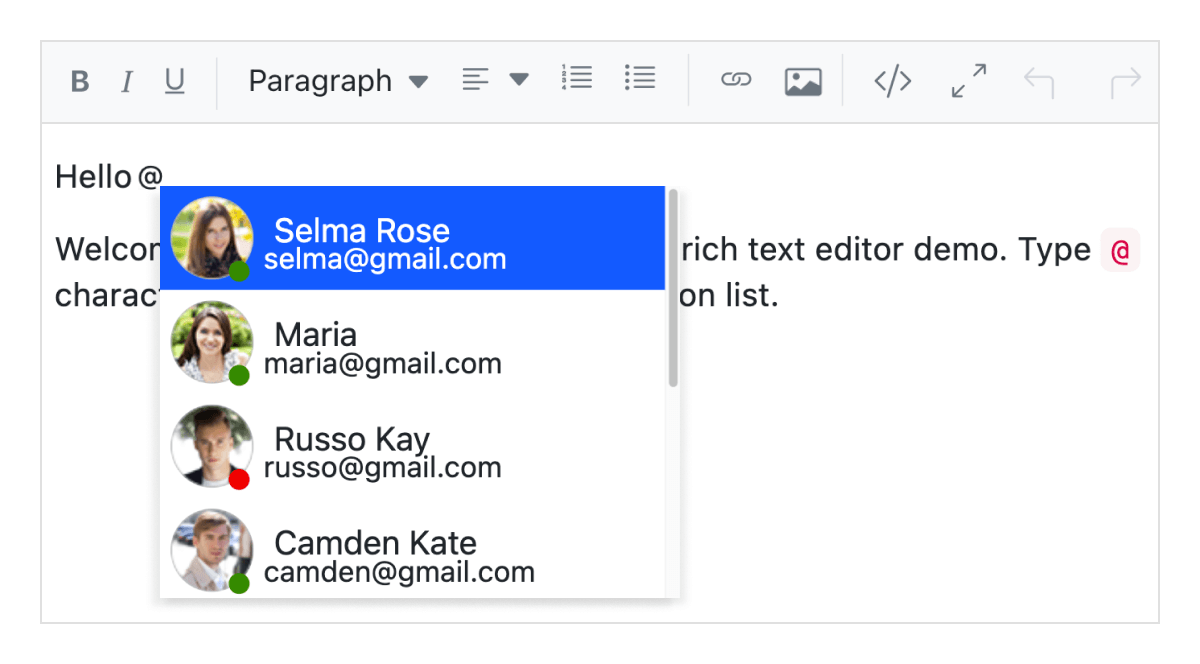
Mention and hashtag
While composing content in the JavaScript Rich Text Editor, users or groups can be tagged or chosen from a suggestion list.
Enter and Shift+Enter key configurations
Customize tags inserted when pressing the Enter key and the Shift + Enter keys. You can configure the control to insert specific tags like P, which creates a <p> tag; DIV, which creates a <div> tag; and BR, which creates a
tag when either key combination is used.
Editing experience
The JavaScript Rich Text Editor control provides a comprehensive range of tools and options for an enhanced editing experience.
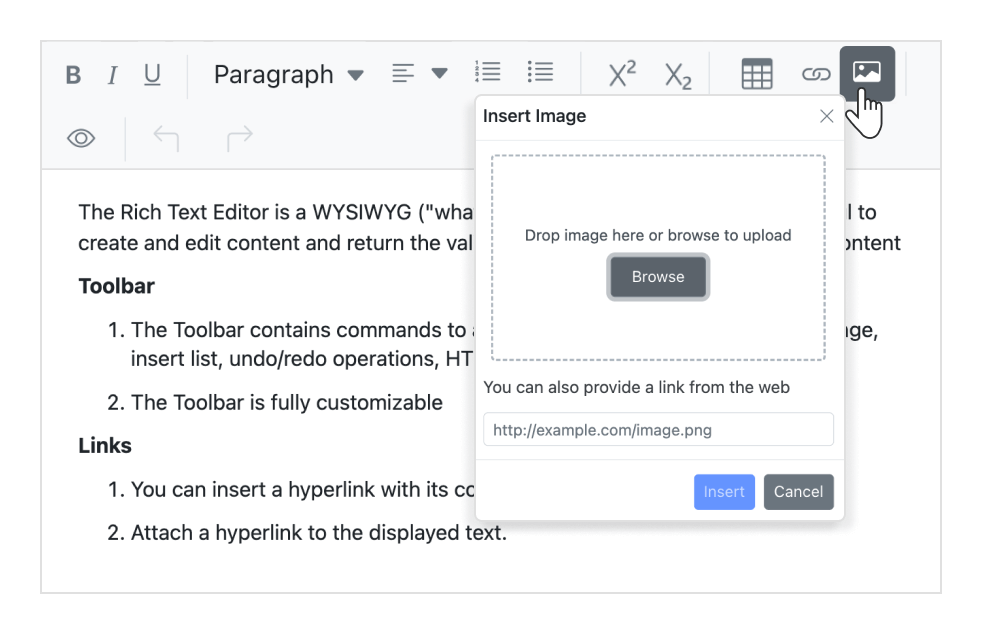
Insert images
Add images to content from local or server paths with captions and link URLs. Images can be uploaded to a server using drag-and-drop or file-upload functionality. The editor also supports inserting images in BLOB or Base64 formats.
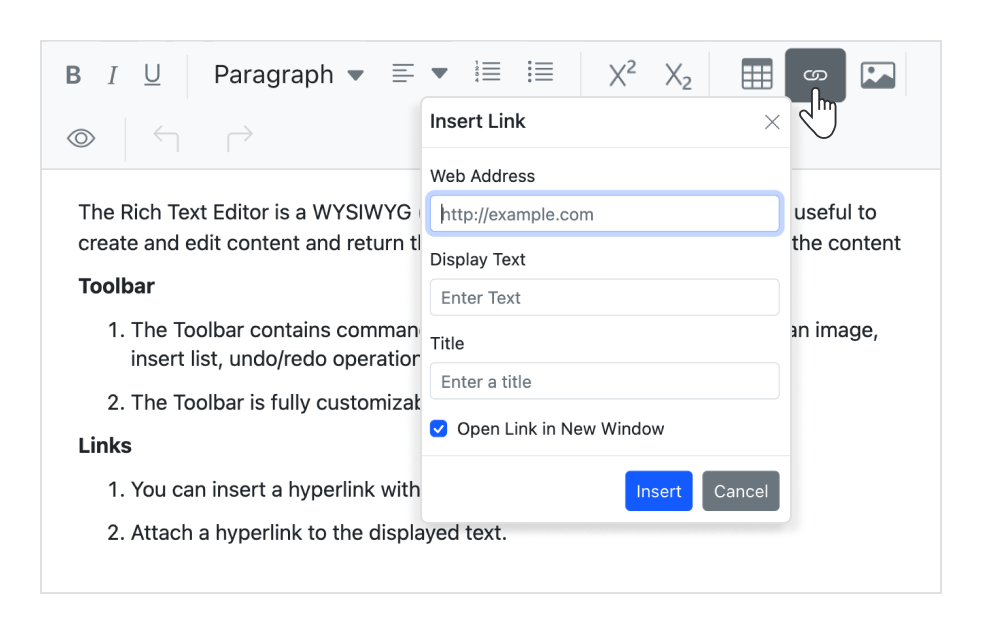
Insert hyperlinks
Add or modify hyperlinks with options such as display text, tooltips, and settings to open links in a new window.
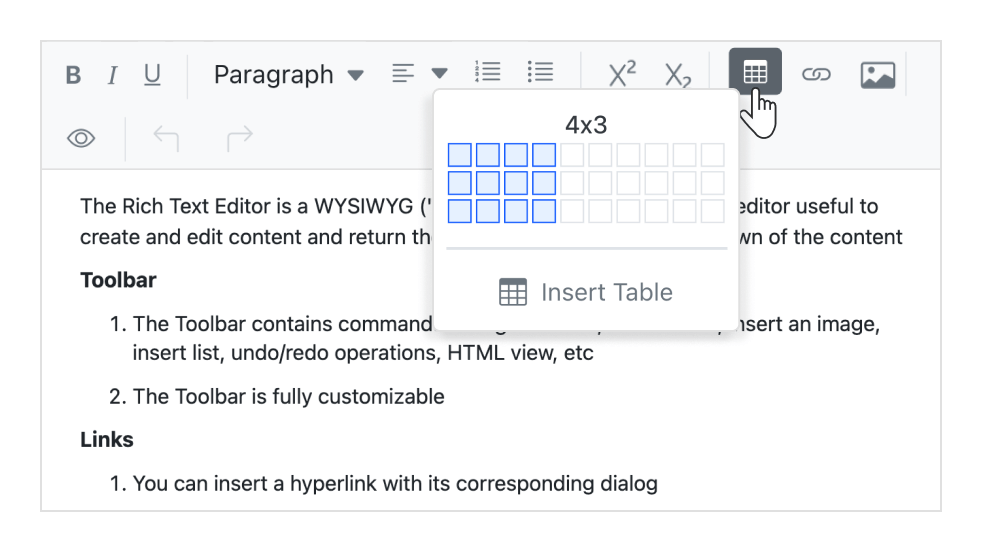
Insert tables
Insert and edit HTML tables to display structured tabular data. Dynamically manage tables by adding or removing rows and columns, resizing tables or cells, and deleting tables when needed.
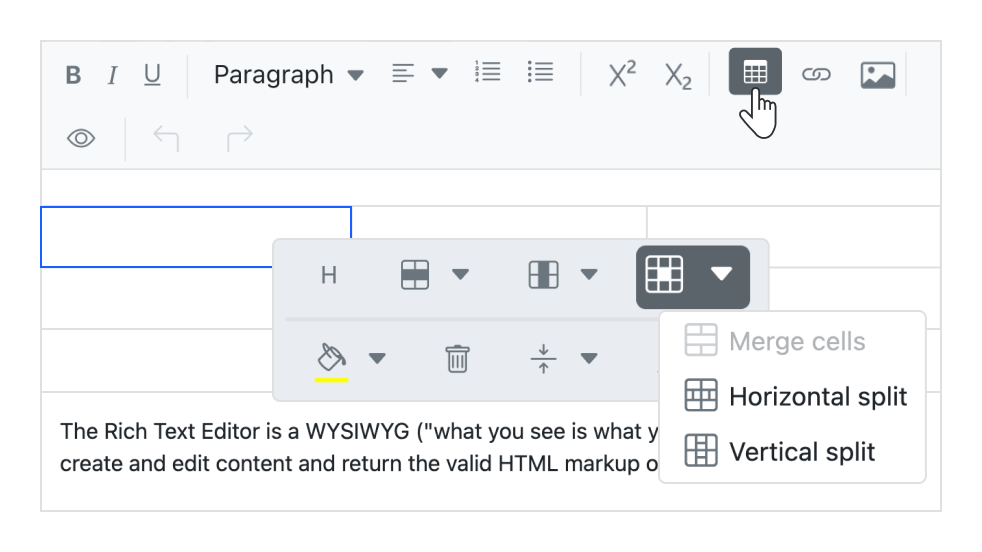
Table cell merge and split
Combine two or more rows or column cells into a single cell along with their content. A single cell can also be split horizontally or vertically.
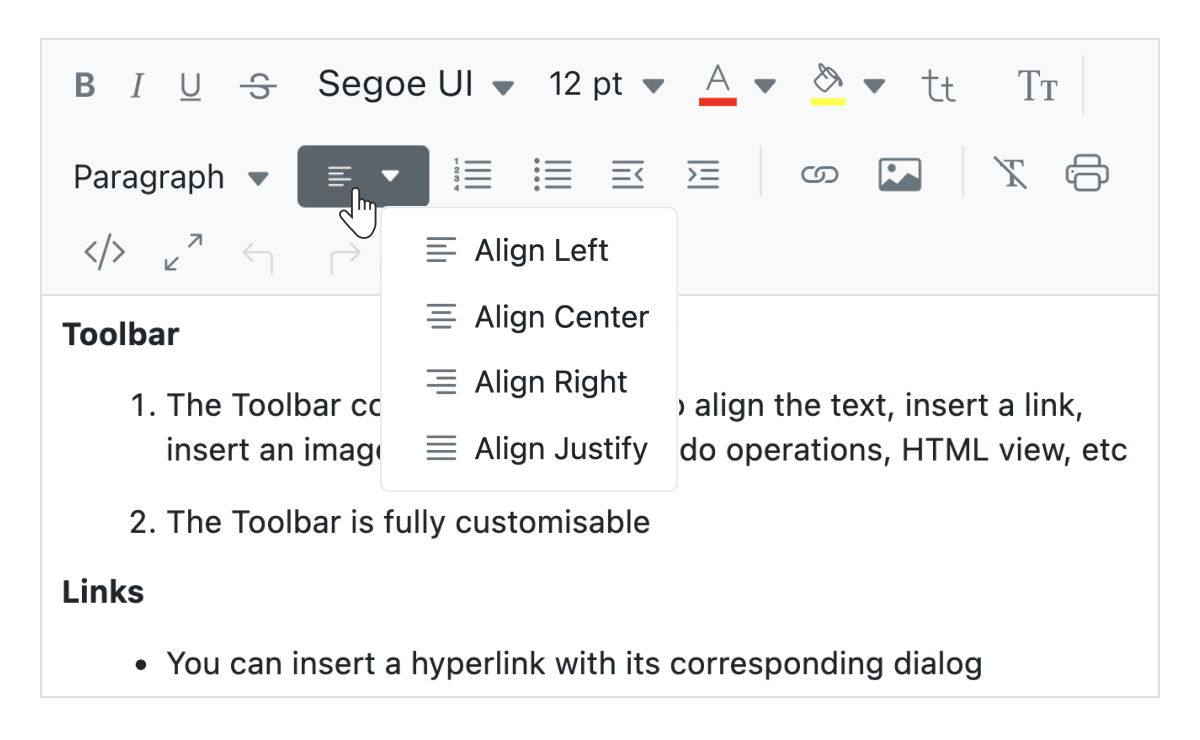
Text alignment
Built-in options allow content to be justified or aligned to the left, center, or right.
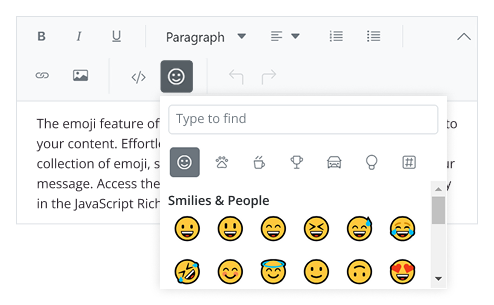
Insert emoji
Add emoji to your content using a wide collection. Search and select the ones that match your message, and access the emoji picker by pressing the colon (:) key.
Formatting text
- Apply formatting to selected content, entire paragraphs, or specific words and characters.
- Style headings, quotations, code blocks, paragraphs, and more.
- Use bold, italics, underline, strikethrough, or modify letter casing.
- Adjust paragraph indentation and spacing.
- Choose fonts and define font sizes.
- Apply subscript and superscript styles.
- Set font color and background color for content.
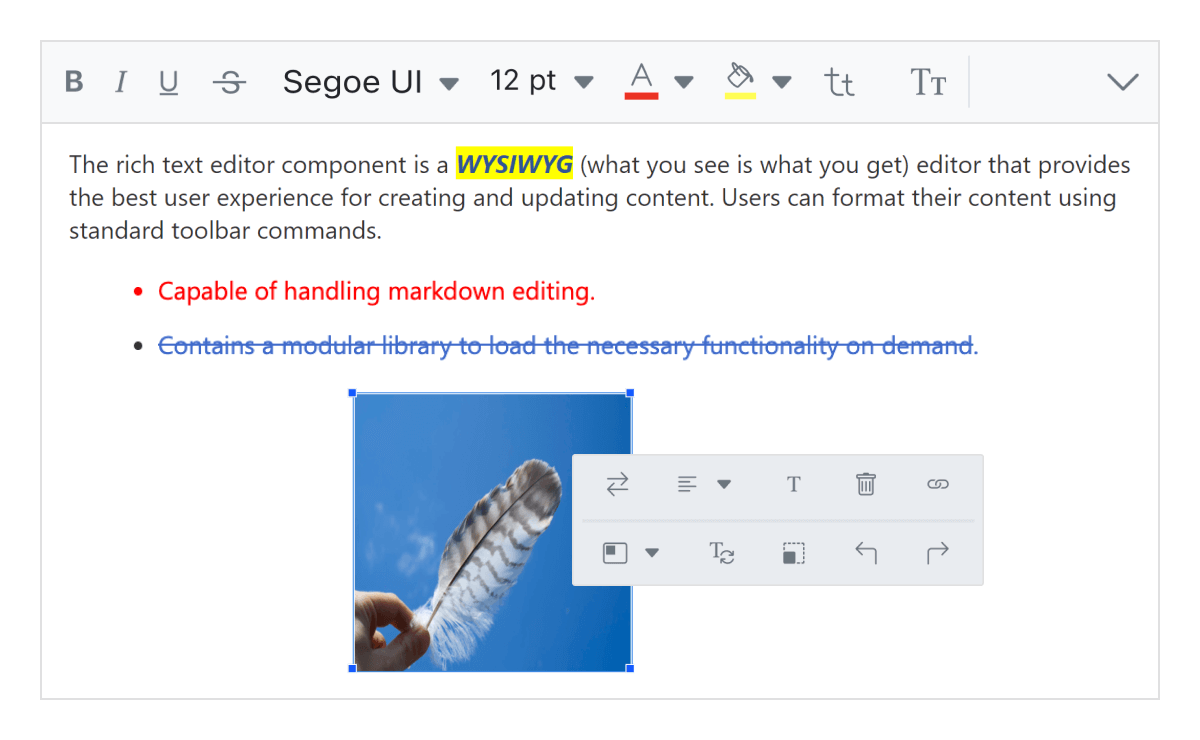
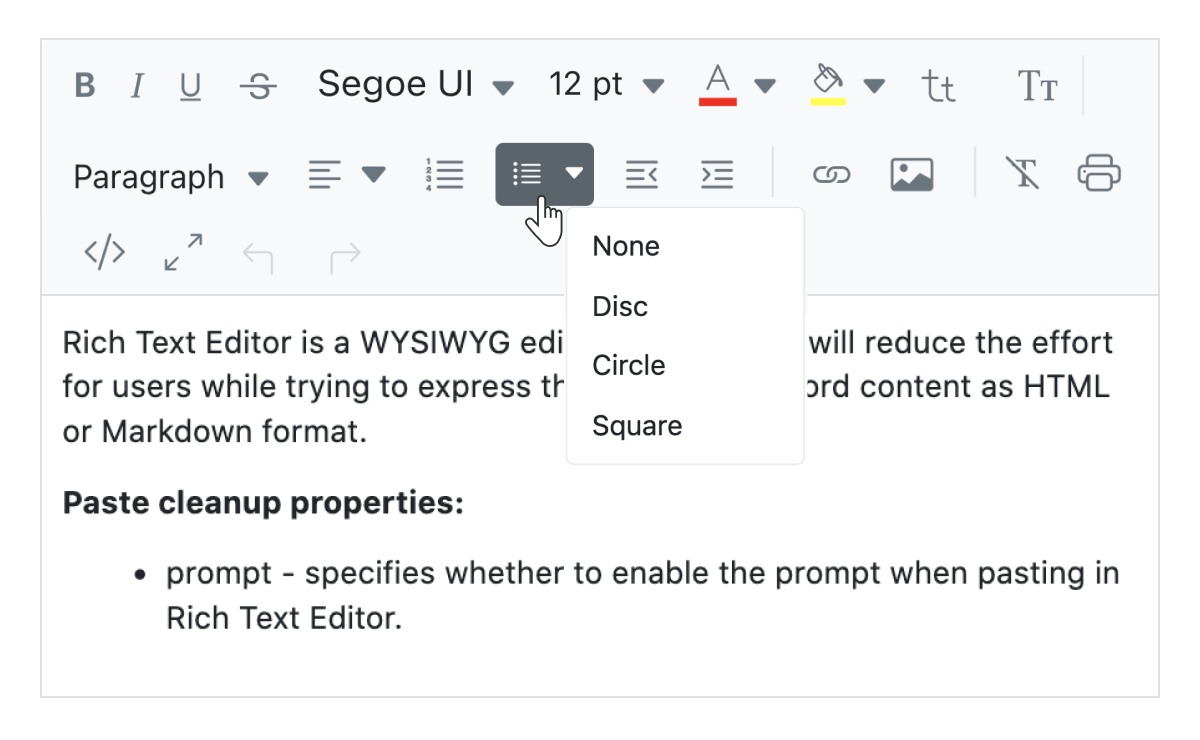
Adding custom lists
Create ordered (numbered) or unordered (bulleted) lists to organize content. Customize bullet styles for unordered lists with options such as circles or squares, and use different numbering formats like lowercase Greek or uppercase Roman for ordered lists.
Full-screen text editor
Expand the JavaScript Rich Text Editor to full-screen mode (full-page editor) for a more focused content editing experience.
Paste from Microsoft Word and Excel
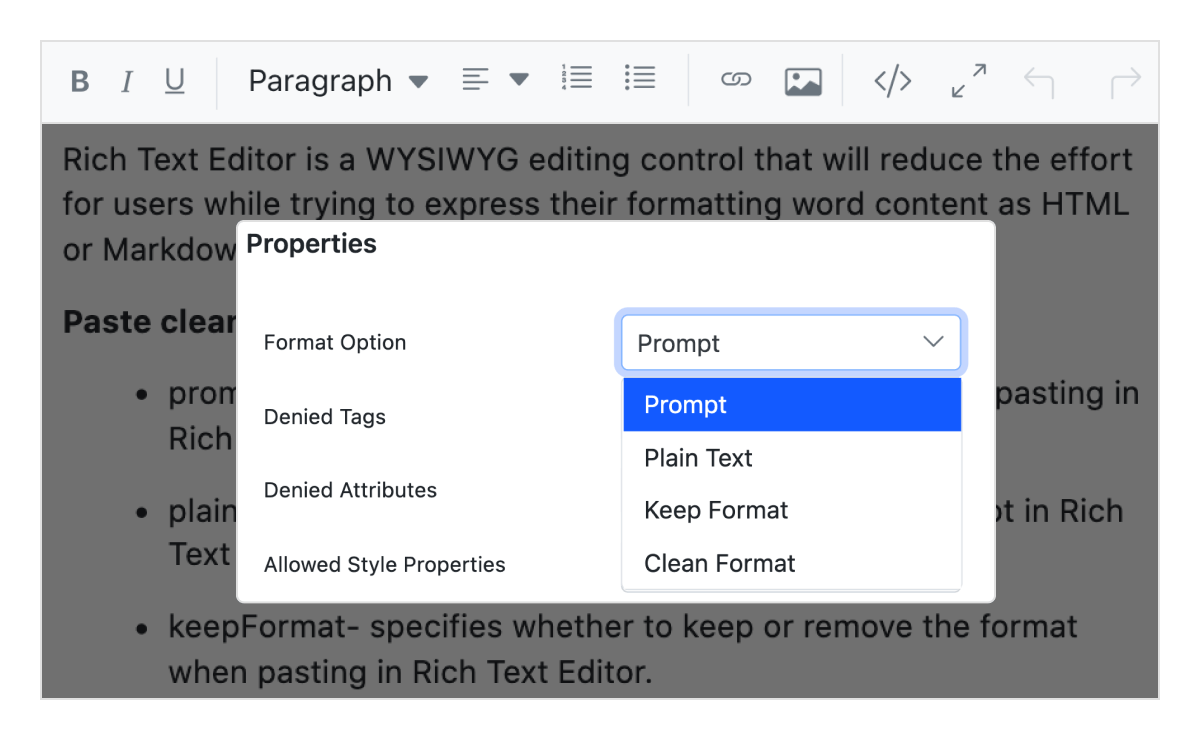
The editor includes built-in options to paste content, including images, from Microsoft Word, Outlook, and Excel while filtering unnecessary tags, attributes, and styles. Users can choose to paste content as plain text, with cleaned styles, or with source formatting retained.
Auto-hyperlinking of URL
Automatically converts plain text URLs into clickable hyperlinks as they are typed.
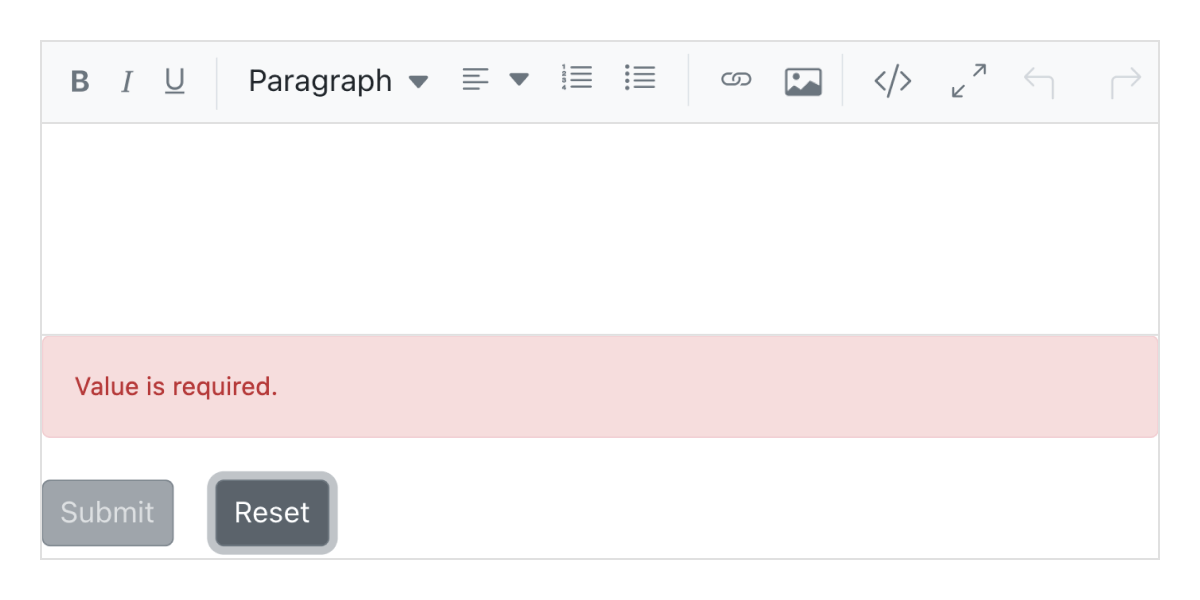
JavaScript form validations
The JavaScript Rich Text Editor functions as a form control that supports HTML forms and captures values during form submission. It includes the following validation types:
- Required validation
- Maximum length validation
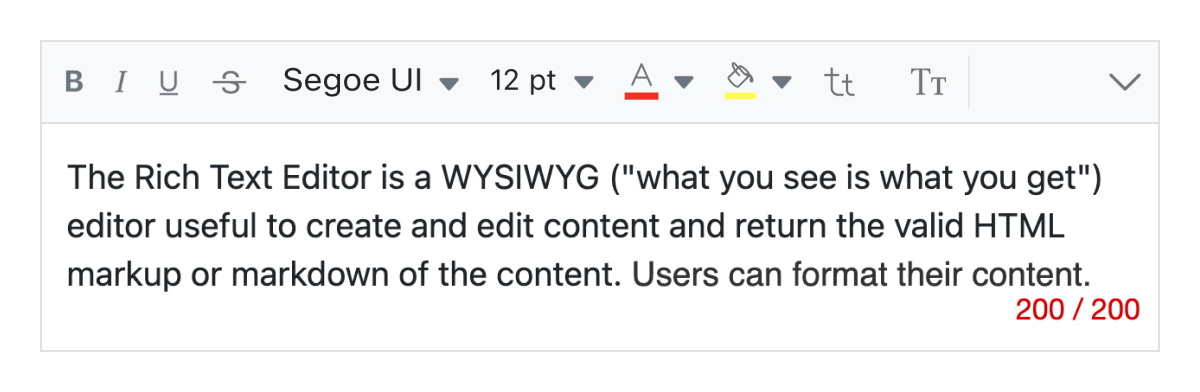
Limit content length
Set a maximum character limit for the content to control how much text can be entered.
Resizable editor
Includes built-in resizing support, allowing users to expand or shrink the content area as needed.
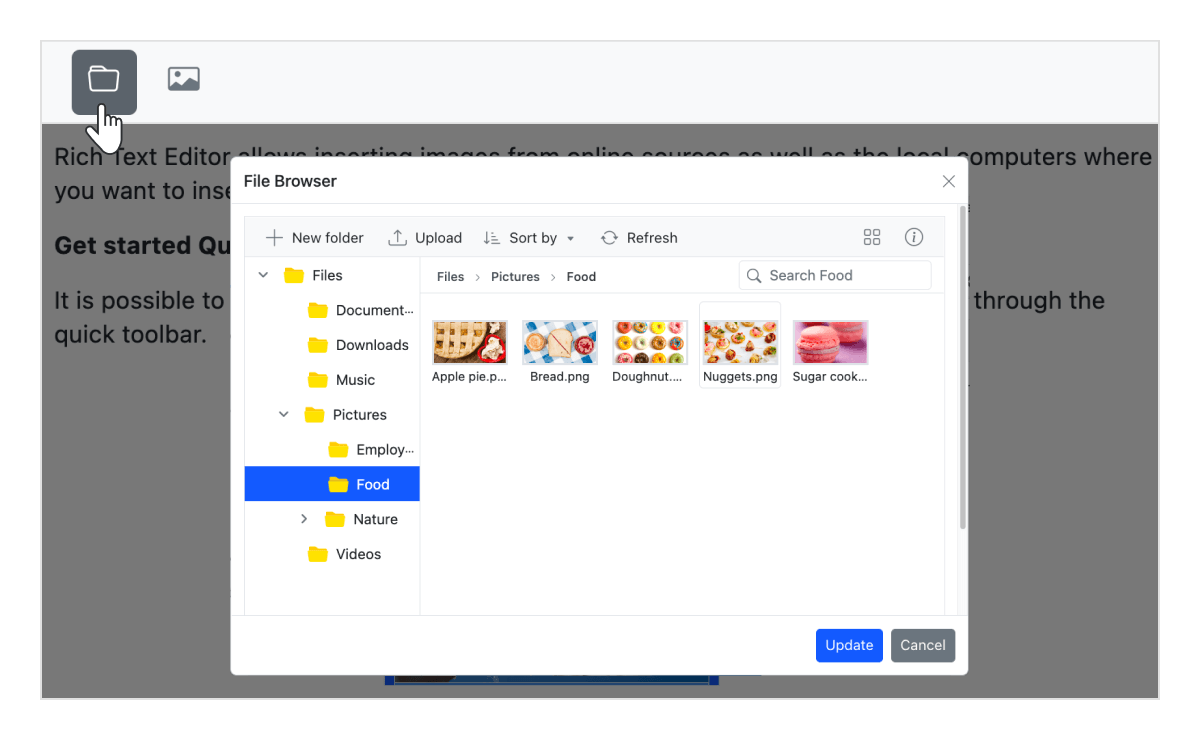
Insert an image through the file manager
The integrated file manager enables users to upload and insert images directly from cloud storage or a server.
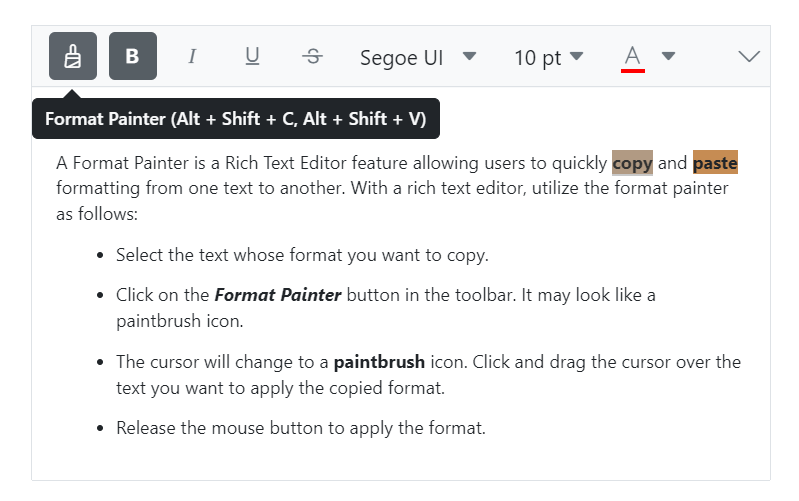
Format painter
The format painter allows users to copy formatting and apply it to other content easily. It can be accessed from the toolbar or through keyboard shortcuts for quick use. By double-clicking the toolbar button, sticky mode can be enabled to apply formatting across multiple sections continuously.

Cut, copy, and paste
Supports standard clipboard operations, allowing users to cut, copy, and paste content easily.

Undo/redo manager
Maintains a history of editing actions, enabling users to undo or redo changes as needed.

Print text editor content
Print content directly using the toolbar option or programmatically, with formatting preserved.

Responsive JavaScript Rich Text Editor
The editor recognizes touch gestures, allowing users to swipe left or right to move the toolbar. The responsive, mobile-friendly design provides the best user experience on all mobile, tablet, and desktop form factors.

Built-in and customizable themes
Includes multiple built-in themes such as Tailwind CSS, Bootstrap 5, Bootstrap 4, Bootstrap, Material, Fabric, Fluent, and high contrast.

Developer-friendly JavaScript Rich Text Editor APIs
There are sufficient client-side APIs available to optimize content editing.
HTML editor accessibility

Keyboard navigation
The JavaScript Rich Text Editor component ensures that every cell is accessible using the keyboard. Major features like sort, select, and edit can be performed using keyboard commands alone; no mouse interaction is required. This helps in creating highly accessible applications using this component.

Screen reader
The JavaScript Rich Text Editor view has complete WAI-ARIA accessibility support. Its UI includes high-contrast visual elements that help visually impaired people to have the best viewing experience. Also, valid UI descriptions are easily accessible through assistive technologies such as screen readers.

Right to Left (RTL)
The HTML5/JavaScript Rich Text Editor supports right-to-left rendering, allowing the text and layout of the text editor to be displayed from right to left. This improves the user experience and accessibility for users of RTL languages such as Arabic, Farsi, and Hebrew.
Other supported frameworks
The Rich Text Editor is also available for the Blazor, React, Angular, and Vue frameworks. Explore its platform-specific options through the following links:
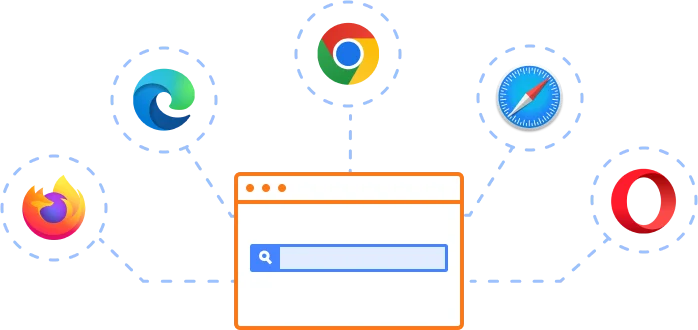
Supported browsers
The JavaScript Rich Text Editor works well with all modern web browsers, including Chrome, Firefox, Edge, Safari, and Opera.
Not sure how to create your first JavaScript Rich Text Editor? Our documentation can help.
I’d love to read it nowFrequently Asked Questions
Why should you choose the Syncfusion JavaScript Rich Text Editor?
The Syncfusion JavaScript Rich Text Editor component is designed for building modern content editing experiences in JavaScript applications. Key features:
Edit WYSIWYG HTML and Markdown content with a comprehensive set of formatting tools.
Integrate the component into blog editors, messaging applications, HTML email composers, documentation tools, CMS platforms, and discussion forums.
Use floating toolbar and inline editing modes to edit content directly on the page.
Customize the editor with simple configuration options and developer-friendly APIs.
- Build responsive applications that support all modern browsers and mobile devices.
Get started quickly with comprehensive documentation, demos, and enterprise support.
Where can I find the Syncfusion JavaScript Rich Text Editor demo?
You can find our JavaScript Rich Text Editor demo here.
Does Syncfusion provide a JavaScript Rich Text Editor library?
Yes. Syncfusion provides a production-ready JavaScript Rich Text Editor component that serves as a complete rich text editing solution for JavaScript applications. If you’re looking for a JavaScript Rich Text Editor library or an HTML editor JavaScript library, it offers WYSIWYG HTML and Markdown editing, customizable toolbars, image and media insertion, accessibility, and extensive APIs for building modern web applications.
Can I download and utilize the Syncfusion JavaScript Rich Text Editor for free?
No, this is a commercial product and requires a paid license. However, a free community license is also available for companies and individuals whose organizations have less than $1 million USD in annual gross revenue, 5 or fewer developers, and 10 or fewer total employees.
How do I get started with the Syncfusion JavaScript Rich Text Editor?
A good place to start would be our comprehensive getting started documentation.
Our Customers Love Us
Having an excellent set of tools and a great support team, Syncfusion® reduces customers’ development time.Here are some of their experiences.

Nice suite of components
A very complete set of components, that has an edge on other major vendors which offer components. A lot less code required to use and code samples for more complete components. Integrates well with other 3rd party components.

John A.

C# Developer (Contract)
Perfect for any developer
The Syncfusion Essential Studio has excellent features that are updated or added constantly on a regular basis. The support is exceptional—fast and professional responses. The support team provides you with code samples. As for the bugs, they always try to include the fix in the next release.

Dejan D.
Chief Executive Officer
See Real Success Stories
Developers around the world trust Syncfusion’s Essential Studio to simplify complex projects and speed up delivery. With a vast library of UI controls, powerful SDKs, and reliable support, Essential Studio helps teams build enterprise-ready applications with confidence.
Read Our Customer StoriesIndustry
Software development
75% Cost reduction
50% Faster development
Industry
Utilities (oil and gas)

450+ hours saved
Streamlined processes and hours of development effort saved.

Advanced, flexible features
Empowered users through robust and versatile functionality.
Industry
Software and technology
1000+ of hours saved
Accelerated development with enterprise-ready UI components.

Efficient file management
Streamlined workflows with document libraries without building them from scratch.
Industry
Software and technology

2 Years of delay avoided
Two years of delays prevented with proactive planning.

On-time delivery
Projects delivered on schedule using trusted controls.
Industry
IT services and IT consulting

Improved performance
Large datasets handled with easy customization and quick debugging.

Highly customizable
Plug-and-play controls with quick template integration.
Industry
Professional services
Instant access
Quick availability of features and resources.
Reduced dependencies
Fewer dependencies for faster development.
Rated by users across the globe
Syncfusion JavaScript Rich Text Editor resources


UI Kits
 Figma download
Figma download
Awards
Greatness—it’s one thing to say you have it, but it means more when others recognize it. Syncfusion® is proud to hold the following industry awards.









