
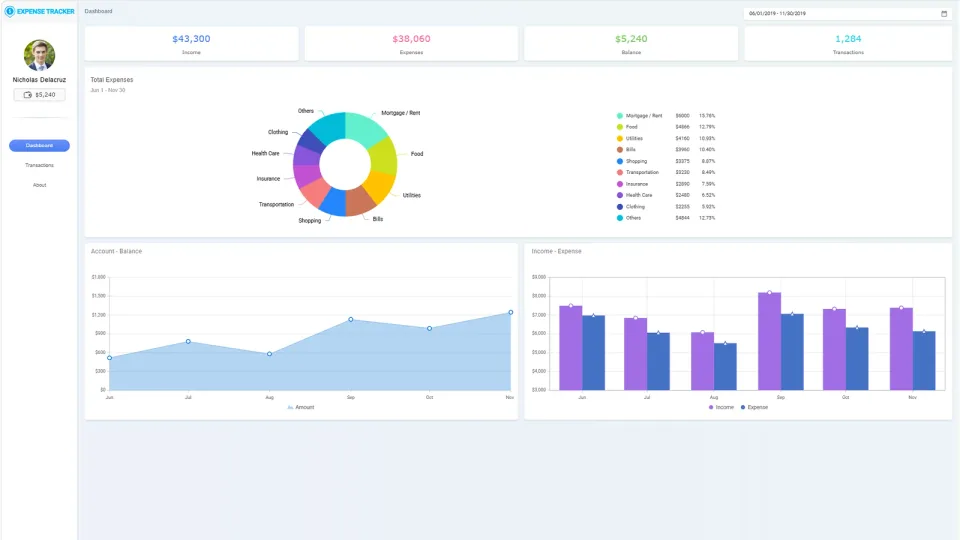
Expense Tracker
Record, categorize, and analyze daily expenses with clear insights into spending patterns.
AI-readyEssential Studio for ASP.NET MVC
The Syncfusion ASP.NET MVC UI control library gives you high-performance, responsive controls for enterprise apps in a single package. The Syncfusion AI Coding Assistant, an MCP server, brings the current docs and APIs into your own coding assistant, so the code it suggests matches them.
Trusted by the world’s leading companies

Popular ASP.NET MVC controls
Ask your assistant for a grid, a chart, or a scheduler. It configures a tested control in a few lines instead of generating thousands of lines you would maintain.
No controls match that search. Try another name, or browse the ASP.NET MVC demos.
Also available as standalone SDKs, licensed separately, so you can start with just what you need.
Standalone UI SDKs
See all Standalone UI SDKsDocument processing in ASP.NET MVC
Production-ready by default
When your coding assistant adds Syncfusion ASP.NET MVC controls, they bring tested support for large datasets, accessibility, theming, and localization, backed by a dedicated support team.
“I’ve recommended Syncfusion to other developers already. It’s simple to integrate and comes with great support.”
AI-powered components
Conversational, assistive, and voice features as ASP.NET MVC controls. Connect the AI model you already use; themes and accessibility come built in.
AI-assisted tools
The Syncfusion ASP.NET MVC MCP Server works inside VS Code, Cursor, JetBrains AI Assistant, and BoldCreate, so your coding assistant writes ASP.NET MVC code that matches the docs instead of guessing.
Sample apps
Four complete ASP.NET MVC apps for expense tracking, loans, email, and visual modeling. Run the demos in the browser, read the source, and see what your coding assistant can build with the same controls.
Record, categorize, and analyze daily expenses with clear insights into spending patterns.
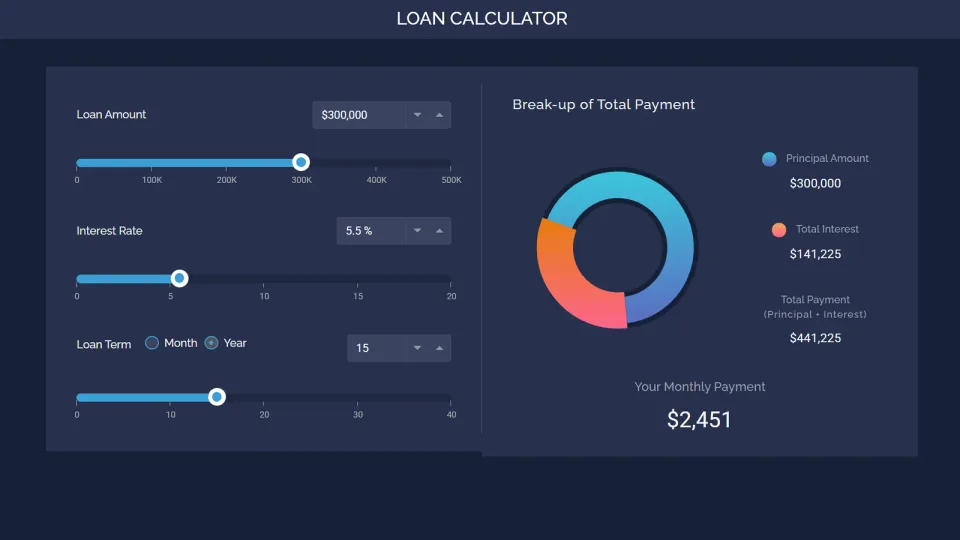
Compare loan scenarios with repayment schedules, interest forecasts, and payment plans.
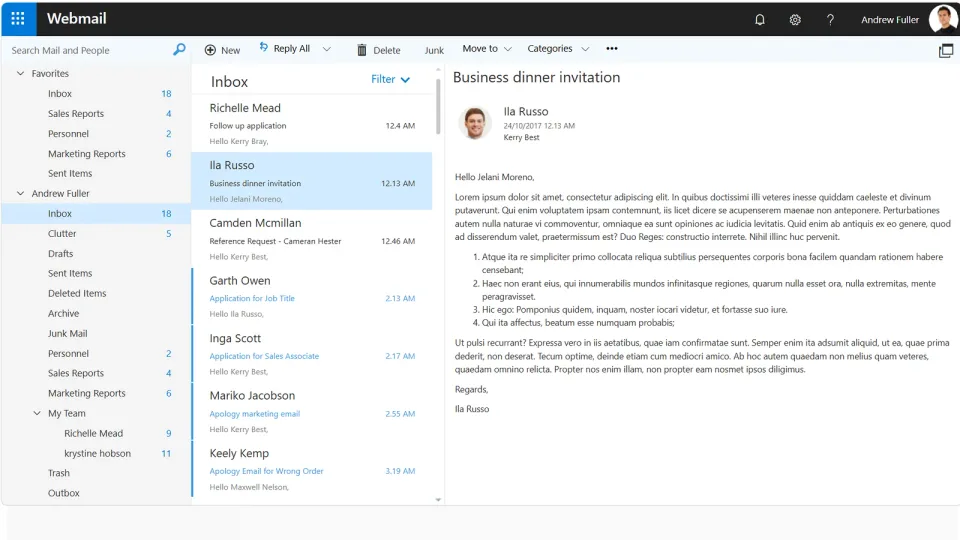
Manage folders, messages, and compose flows in an Outlook-style webmail experience in the browser.
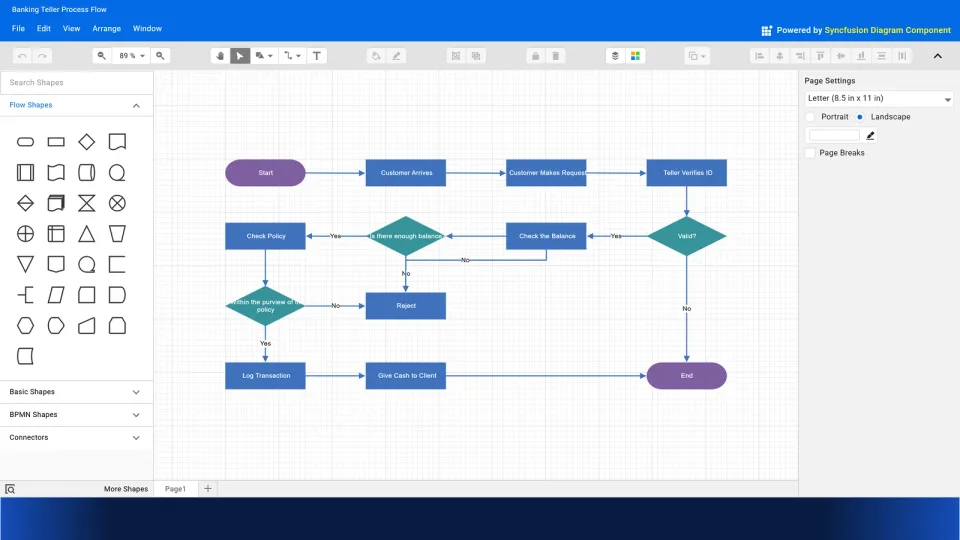
Create flowcharts, process models, mind maps, and org charts through drag-and-drop editing.
Questions and answers
Yes. The Syncfusion ASP.NET MVC MCP Server brings current documentation, APIs, and code examples into assistants such as VS Code, Cursor, JetBrains AI Assistant, and BoldCreate. You need a Syncfusion API key and an active license, which can be a commercial, Community, or trial license. Set up your coding assistant.
The controls support Visual Studio 2019, 2022, and 2026. See the system requirements.
No, this is a commercial product and requires a paid license. A free community license is also available. It covers companies and individuals whose organizations have under $1 million USD in annual gross revenue, five or fewer developers, and 10 or fewer total employees.
Start with the getting started documentation.
Browse the ASP.NET MVC demos to see every control running in the browser.
Yes, you can deploy an application that uses Syncfusion ASP.NET MVC controls to unlimited clients. We only license on a per-developer basis and do not charge any runtime, royalty, or deployment fees. For details on our licensing model, see our licensing page.
Resources
Docs, demos, tutorials, and help for building with Syncfusion ASP.NET MVC.
Getting started guides, API reference, and answers for ASP.NET MVC.
Every ASP.NET MVC control running in the browser, with source.
Articles and guides from the Syncfusion ASP.NET MVC team.
What shipped in each release and what is coming next.
Help from Syncfusion engineers and other developers.
UI kits for your design tools and prebuilt page blocks.
Essential Studio for ASP.NET MVC
All 140+ ASP.NET MVC controls and the MCP Server, free for 30 days.