Blazor UI Component Suite

microsoft-logo.svg

Syncfusion Collaborates with Microsoft to Advance .NET MAUI.

Looking for an alternative
Blazor UI
component suite?

Syncfusion provides a broad, enterprise-ready Blazor component platform with 145+ native components, advanced data visualization, AI-ready UI, agentic development tooling, accessibility, theming and developer productivity features.

No credit card required.

Trusted by the world's leading companies

Why choose Syncfusion® Blazor UI over Other Vendors?

Unique components

The Syncfusion® Blazor suite has 17 unique components, such as Diagram, Smith Chart, Bullet Chart, Kanban, Rating, Image Editor, Mention, AppBar, Dropdown Menu, Progress Button, Floating Action Button, Speed Dial, Message, Toast, Spinner, In-place Editor, and Query Builder. You won’t find with other vendors on the market.

Styles and performance

Compared to other Blazor component vendors, Syncfusion® progressing CRG to use specific component's scripts and CSS styles to improve the performance on initial loading.

Unique themes

Personalize your Blazor applications with our unique collection of standard themes. Choose from popular design systems like Fluent, Tailwind CSS, Bootstrap 4 & 5, and Material 3. Enhance accessibility and user experience with built-in high contrast and dark mode options.

Weekly NuGet updates

Syncfusion® provides individual NuGet packages by component and weekly NuGet releases for easy development process.

Free, unlimited support

Utilize direct support from our Blazor development team along with live chat support with no additional charges.

Interactive Blazor demos

1200+ interactive Blazor demos with problem-solving ideas that will reduce your development time.

Truly user-friendly

All the components are touch-friendly and render adaptively based on the device, providing an optimal user experience on phones, tablets, and desktops.

Localization

Easily build applications for global audiences with various languages and cultures.

Stay current

With our commitment to at least four major updates per year, in addition to monthly service packs and bug fixes, you receive the most up-to-date functionality and new controls. As needed, custom patches are available.

Free Community License

Get unlimited access to our 145+ Blazor components and you can also get free, unlimited access to over 1,600 controls in Syncfusion® Essential Studio® products through the Community License. No credit card required.

G2 Review

In G2 Review, more than 600 users reviewed Syncfusion®. Other vendors count is less.

Seamless data binding

Seamless data binding in your Blazor applications using a wide range of adaptors with RESTful web services, Web APIs, and URL adaptors, with full support for Entity Framework and other modern data sources.

Unique components

The Syncfusion® Blazor suite has 17 unique components, such as Diagram, Smith Chart, Bullet Chart, Kanban, Rating, Image Editor, Mention, AppBar, Dropdown Menu, Progress Button, Floating Action Button, Speed Dial, Message, Toast, Spinner, In-place Editor, and Query Builder. You won’t find with other vendors on the market.

Styles and performance

Compared to other Blazor component vendors, Syncfusion® progressing CRG to use specific component's scripts and CSS styles to improve the performance on initial loading.

Unique themes

Personalize your Blazor applications with our unique collection of standard themes. Choose from popular design systems like Fluent, Tailwind CSS, Bootstrap 4 & 5, and Material 3. Enhance accessibility and user experience with built-in high contrast and dark mode options.

Weekly NuGet updates

Syncfusion® provides individual NuGet packages by component and weekly NuGet releases for easy development process.

Free, unlimited support

Utilize direct support from our Blazor development team along with live chat support with no additional charges.

Interactive Blazor demos

1200+ interactive Blazor demos with problem-solving ideas that will reduce your development time.

Truly user-friendly

All the components are touch-friendly and render adaptively based on the device, providing an optimal user experience on phones, tablets, and desktops.

Localization

Easily build applications for global audiences with various languages and cultures.

G2 Review

In G2 Review, more than 600 users reviewed Syncfusion®. Other vendors count is less.

Stay current

With our commitment to at least four major updates per year, in addition to monthly service packs and bug fixes, you receive the most up-to-date functionality and new controls. As needed, custom patches are available.

Free Community License

Get unlimited access to our 145+ Blazor components and you can also get free, unlimited access to over 1,600 controls in Syncfusion® Essential Studio® products through the Community License. No credit card required.

Seamless data binding

Seamless data binding in your Blazor applications using a wide range of adaptors with RESTful web services, Web APIs, and URL adaptors, with full support for Entity Framework and other modern data sources.

The Syncfusion® Blazor suite versus other vendors’ components

Note: Other Vendors denotes Telerik[2026 Q3], DevExpress[V26.1], and Radzen[11.3.0]

Yes

Yes

No

No

Intermediate

Some of them not having

COMPONENTS

The Syncfusion® native Blazor component library offers 145+ UI and data visualization web controls that are responsive and lightweight for building modern web apps. It supports both server-side and client-side (WebAssembly) applications.

GRID

Components

Syncfusion®

Other Vendors
DataGrid

Yes

Yes

Tree Grid/Tree List

Yes

Yes

Pivot Table

Yes

yes

DATA VISUALIZATION

Components

Syncfusion®

Other Vendors
Charts

Yes

Yes

3D Charts

Yes

No

Sankey Diagram

Yes

Intermediate

Stock Chart

Yes

Intermediate

Circular Gauge

Yes

Intermediate

Linear Gauge

Yes

Yes

Diagram

Yes

Intermediate

Heatmap Chart

Yes

Intermediate

Map

Yes

Intermediate

Range Selector

Yes

Intermediate

Smith Chart

Yes

No

Sparkline Charts

Yes

Intermediate

Barcode Generator

Yes

Intermediate

TreeMap

Yes

Intermediate

Bullet Chart

Yes

Intermediate

Kanban

Yes

Intermediate

CHART TYPES

Components

Syncfusion®

Other Vendors
Line Chart

Yes

Yes

Column Chart

Yes

Yes

Area Chart

Yes

Yes

Bar Chart

Yes

Yes

Spline Chart

Yes

Intermediate

Spline Area Chart

Yes

Intermediate

Step line Chart

Yes

Intermediate

Step area Chart

Yes

Intermediate

Stacked line

Yes

Intermediate

Stacked Bar

Yes

Intermediate

Stacked Column

Yes

Intermediate

Stacked Area

Yes

Intermediate

100% Stacked line

Yes

Yes

100% Stacked Area

Yes

Yes

100% Stacked Bar

Yes

Yes

100% Stacked Column

Yes

Yes

Range area Chart

Yes

Yes

Spline range area Chart

Yes

Intermediate

Range column Chart

Yes

Yes

Scatter

Yes

Yes

Bubble

Yes

Yes

Combination Chart / Mixed chart

Yes

Yes

Pie Chart

Yes

Yes

Donut Chart

Yes

Yes

Pyramid Chart

Yes

No

Funnel Chart

Yes

Intermediate

Polar Chart

Yes

Intermediate

Radar Chart

Yes

Yes

Candle Chart

Yes

Yes

OHLC Chart

Yes

Yes

HighLow Chart

Yes

Intermediate

Box and Whisker Chart

Yes

Intermediate

Histogram Chart

Yes

Intermediate

Error Bar Chart

Yes

Intermediate

Pareto Chart

Yes

Intermediate

INPUT

Components

Syncfusion®

Other Vendors
TextBox

Yes

Yes

TextArea

Yes

Yes

Input Mask

Yes

Yes

Numeric Textbox

Yes

Yes

Radio Button

Yes

Yes

Checkbox

Yes

Yes

Color Picker

Yes

Yes

File Upload

Yes

Yes

Range Slider

Yes

Yes

Signature

Yes

Intermediate

Toggle Switch Button

Yes

Yes

Rating

Yes

Intermediate

Speech To Text

Yes

Intermediate

OTP Input

Yes

No

EDITORS
SMART COMPONENTS

Components

Syncfusion®

Other Vendors
Rich Text Editor

Yes

Yes

Image Editor

Yes

No

Components

Syncfusion®

Other Vendors

Smart Paste Button

Yes

Intermediate

Smart TextArea

Yes

No

CALENDARS

Components

Syncfusion®

Other Vendors
Scheduler

Yes

Yes

Gantt Chart

Yes

Intermediate

Calendar

Yes

Yes

DatePicker

Yes

Yes

DateRangePicker

Yes

Yes

DateTime Picker

Yes

Yes

TimePicker

Yes

Yes

DROPDOWNS

Components

Syncfusion®

Other Vendors
AutoComplete

Yes

Intermediate

ListBox

Yes

Yes

ComboBox

Yes

Yes

Dropdown List

Yes

Yes

Dropdown Tree

Yes

Intermediate

MultiSelect Dropdown

Yes

Yes

Mention

Yes

No

MultiColumn ComboBox

Yes

Intermediate

NAVIGATION

Components

Syncfusion®

Other Vendors

Ribbon

Yes

Intermediate

Accordion

Yes

Yes

AppBar

Yes

Intermediate

Breadcrumb

Yes

Intermediate

Carousel

Yes

Yes

Context Menu

Yes

Yes

Menu Bar

Yes

Yes

Sidebar

Yes

Yes

Tabs

Yes

Yes

Toolbar

Yes

Intermediate

TreeView

Yes

Yes

File Manager

Yes

Intermediate

Pager

Yes

Yes

Stepper

Yes

Intermediate

BUTTONS

Components

Syncfusion®

Other Vendors
Button

Yes

Yes

Button Group

Yes

Intermediate

Dropdown Menu

Yes

Yes

Progress Button

Yes

No

Split Button

Yes

Yes

Chips

Yes

Intermediate

Floating Action Button

Yes

Intermediate

Speed Dial

Yes

No

LAYOUT

Components

Syncfusion®

Other Vendors

Avatar

Yes

Intermediate

Dialog

Yes

Yes

ListView

Yes

Intermediate

Tooltip

Yes

Yes

Splitter

Yes

Yes

Dashboard

Yes

Intermediate

Card

Yes

Intermediate

Media Query

Yes

Intermediate

TimeLine

Yes

Intermediate

NOTIFICATIONS

Components

Syncfusion®

Other Vendors

Badge

Yes

Intermediate

Message

Yes

Intermediate

Toast

Yes

Yes

Progress Bar

Yes

Yes

Spinner

Yes

Intermediate

Skeleton

Yes

Intermediate

FORMS

Components

Syncfusion®

Other Vendors
In-place Editor

Yes

No

Query Builder

Yes

No

Data Form

Yes

Intermediate

AI COMPONENTS
Components

Syncfusion®

Other Vendors

AI Chat

Yes

Yes

Inline AI Assist

Yes

Intermediate

Smart Paste Button

Yes

Intermediate

Smart Text area

Yes

Intermediate

AI coding assistant

Yes

Yes

MCP server

Yes

Yes

Agent UI builder

Yes

Intermediate

HIGHLIGHTS

The Syncfusion® Blazor suite has a complete component set for building rich user interfaces. Our components are fast, easy to use, and their documentation contains lots of examples.

Highlights

Syncfusion®

Other Vendors
Native Blazor components

Yes

Yes

Individual component NuGet packages

Yes

No

Built-in Fluent, Bootstrap, Material and Tailwind themes

Yes

Intermediate

Built-in high contrast, and dark mode

Yes

Yes

Visual theme customization tool

Yes

Intermediate

CSS variable based theme customization

Yes

Yes

AI-ready / AI-powered Blazor components

Yes

Intermediate

AI developer tooling and MCP server

Yes

Intermediate

Custom resource generator that uses a specific component's scripts and CSS styles to improve performance on init

Yes

No

Visual Studio Code extensions: conversion and migration, snippets, code generator

Yes

Yes

EXCLUSIVE FEATURE SETS

Compared to competitors, Syncfusion® Blazor components have many unique features that benefit users.

Components

Unique Features

Syncfusion®

Other Vendors
Accordion/ExpansionPanelJson array binding

Accordion/ExpansionPanelNested accordions

Accordion/ExpansionPanelDynamic AJAX Content

AI AssistViewReal-time streaming

AutocompleteIgnore filter text casing

ButtonRepeat button

CalendarIslamic Calendar

CardTile view using cards

CardEasy integration

ChartsWrap data labels

ChartsAxis title rotation

ChartsCustomizing the exported Excel document

CheckboxCustom or fancy checkbox

Data GridLazy load group row expanding

DataGridImmutable Mode

Data GridAdd current selection option to filter checkbox

DiagramSwimlane

Gantt ChartParent predecessor

Gantt ChartAlphanumeric support for task field’s ID

Gantt ChartRight to left (RTL)

Gantt ChartShimmer loading placeholder

Gantt Chart/GanttImmutable Mode

Gantt Chart/GanttVirtual Scrolling

Gantt Chart/GanttCritical Path

HeatMap ChartSingle cell selection

KanbanVirtual scrolling

Pivot Table/PivotGridAggregation Method Labels

Pivot Table/PivotGridExport to Excel

Pivot Table/PivotGridConditional formatting

Pivot Table/PivotGridNumber formatting and date formatting

Pivot Table/PivotGridFrozen headers

Pivot Table/PivotGridServer-side Excel export

Pivot Table/PivotGridRTL

Rich Text EditorInsert audio and Video

Rich Text EditorSlash menu

Rich Text EditorImport/Export

Rich Text EditorMention Intergration

SchedulerBlock time interval

SkeletonShimmer

Tree Grid/TreeList/TreeTableLoad child records on-demand with virtualization

Tree Grid/TreeList/TreeTableShimmer loading placeholder

Tree Grid/TreeList/TreeTableStacked headers

TreeMapDrill-down

TreeMapLegends

TreeMapLegend Types: Default, Interactive

TreeMapLegend customization: Legend position, Legend item shape

DEMOS

Syncfusion provides a rich collection of interactive Blazor demos and showcase applications that help teams evaluate functionality, design patterns, and real-world implementations before development begins.

Features

Syncfusion®

Other Vendors
Interactive component demos

Yes

Yes

Eye catching UI with easy interaction

Yes

Yes

Real world examples for each component

Yes

Yes

Run demos locally

Yes

Yes

Problem solving ideas

Yes

Yes

Source code with Preview

Yes

Yes

AI powered scenarios

Yes

Yes

DOCUMENTATION

Comprehensive documentation with getting started guides, API references, feature based examples, tutorials, videos, knowledge base article, FAQs, release history and source code examples.

Features

Syncfusion®

Other Vendors
Getting started guides for each component

Yes

No

API references

Yes

Yes

Interactive examples

Yes

Yes

Individual NuGet Package documentation

Yes

No

Videos and tutorials

Yes

Yes

Knowledge base articles

Yes

Intermediate

Explained all features of the component

Yes

Intermediate

Every feature explained with well-crafted code examples

Yes

Intermediate

Upgrade/migration guides

Yes

Intermediate

Authentication and Authorization guides

Yes

Intermediate

Cross framework guides

Yes

Intermediate

Testing framework guides

Yes

Intermediate

Troubleshooting guides

Yes

Yes

EASY DEVELOPMENT

Easily integrate the tools to blend Syncfusion® Blazor components with your Blazor apps.

Features

Syncfusion®

Other Vendors
NuGet based installation

Yes

Yes

Visual studio / VS code and .NET CLI support

Yes

Yes

Project templates

Yes

Yes

AI coding assistants

Yes

Yes

MCP integration

Yes

Yes

Quick start guide

Yes

Yes

Playground experience

Yes

intermediate

Built-in CSS with easy customizations

Yes

Yes

Theme builder for styling components easily and interactively

Yes

Intermediate

Rapid prototyping

Yes

Yes

Industry-proven components

Yes

Yes

Localization/Globalization

Yes

Yes

RTL and Accessibility support

Yes

Yes

Our Customers Love Us

Having an excellent set of tools and a great support team, Syncfusion® reduces customers’ development time. Here are some of their experiences.

See Real Success Stories

Developers around the world trust Syncfusion’s Essential Studio to simplify complex projects and speed up delivery. With a vast library of UI controls, powerful SDKs, and reliable support, Essential Studio helps teams build enterprise-ready applications with confidence.

Explore Case Studies

Rated by users across the globe

Developers
0 M+
Companies
0 K+
Years in Business
0 +
Fortune 500 Companies
0 +

Contact us today to find out how much you can save by switching?

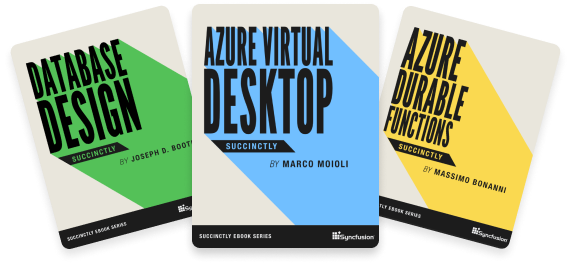
Succinctly® Series On The Go

Explore our 200+ free ebooks to learn about the latest trends in software development.

Awards

Up arrow icon

Greatness—it’s one thing to say you have it, but it means more when others recognize it. Syncfusion® is proud to hold the following industry awards.

mobile-recent-syncfusion-awards
recent-syncfusion-awards