
Overview
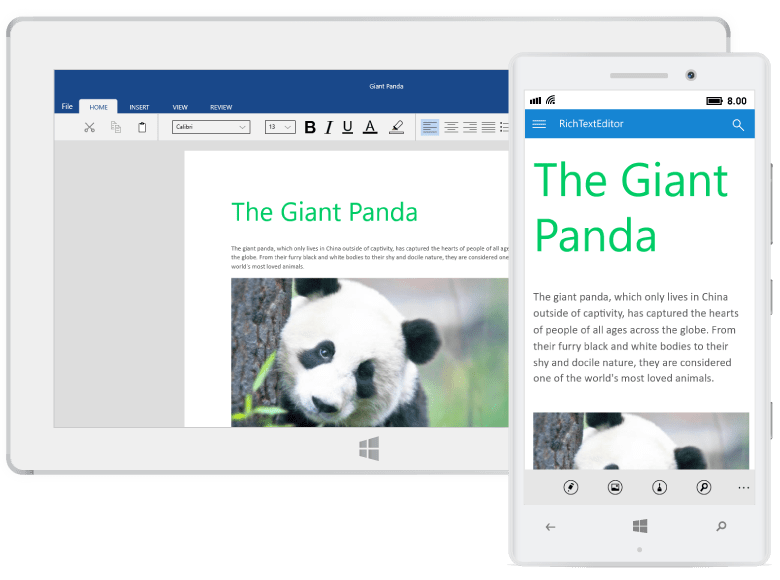
The feature-rich UWP RichTextBox control, a.k.a. WYSIWYG rich text editor, provides all the common Word processing features including editing text, formatting contents, resizing images and tables, finding and replacing text, spell checking, adding comments, printing, and importing and exporting Word documents. It helps you add a comprehensive word processor to your UWP applications.
High performance
The UWP RichTextBox control is designed and optimized for high performance in every aspect.

Instant loading
Loads documents with hundreds of pages instantly.

Fast editing
Edit and format content without any lag that helps the users to test their typing speed.

Virtualization
Renders the pages on demand. As a result, large documents are loaded faster with minimal memory consumption.
Compatible with Microsoft Word file formats
There is built-in support for working with Microsoft Word file formats (RTF, DOC, DOCX, XML). Therefore, you can seamlessly import, edit, and save documents to Microsoft Word format. You can also read and write password-protected Word documents.

Printing
Allows the user to print the entire document or a specific page interactively. While printing, the user can also choose page orientation, size etc.

User-friendly interactions
Enjoy a smooth and user-friendly experience for mouse, touch, and keyboard interfaces.

Selection
Flexible selection options using mouse, touch or Microsoft Word like keyboard shortcuts.

Scrolling
Rapidly scroll among the document pages.

Zooming
Interactively zoom in and zoom out the page contents. Users can easily change view to fit a page, multiple pages, or page width.
Seamless editing
Provides seamless editing experience and offers intuitive, and touch-friendly UI options like context menus, mini toolbar, dialogs, a navigation pane, and a reviewing pane.

Clipboard
Allows cut, copy, and paste of formatted content within the same document or to an external application.


Text prediction
Simply tap on a word from suggestions to insert it instead of typing it out on a soft keyboard.

Find and replace
The Microsoft Word-inspired navigation pane provides intuitive UI options to search text, navigate through search results, and modify it with other text.

Spell checker
Supports spell checking as you type and flags misspelled words with a red wavy underline. The built-in review pane allows you to interactively correct spelling mistakes.

Radial menu
Provides options to perform common editing actions. The list of actions is updated automatically based on the selection context.

Drag and drop
Allows drag and drop of selected content within the same document or to an external application.

Image resizing
Provides an awesome user experience to interactively resize an image using mouse or touch.

Table resizing
Adjust row height or column width interactively.
@Mentions
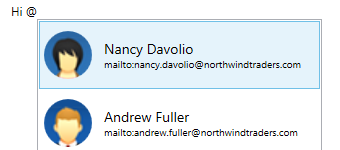
Show suggestions automatically on typing, similar to Outlook’s editor pop-up email list. This feature also allows customizing suggestion settings like the prefix symbol (@), search logic, and content inserted to the editor.
Rich Document Object Model
The rich document object model of UWP RichTextBox control supports text, hyperlinks, images, tables, comments, headers, and footers.

Text
Allows the user to create or edit documents with text seamlessly.

Image
Easily browse for an image file or online image URL and insert it in line with text. Common raster image formats like PNG, BMP, JPEG, and GIF, are supported.

Table
Create simple or complex nested tables using built-in dialog. Users can add or remove rows and columns, define header rows, merge, or resize cells depending on their contents.

Hyperlink
Links text for quick access to web page, file, email, bookmark, etc. Users can insert many links through built-in dialog and Microsoft Word-inspired automatic conversion of text to link. Moreover, navigation can be customized to open the target from other applications.

Comment
Markup your documents with Microsoft Word like comments.
Rich formatting options
The UWP RichTextBox control includes all the commonly used document formatting options.
Text formatting
Format text using bold, italics, underline, font family, size, color, highlight, subscript, superscript, etc.
Paragraph formatting
Format paragraphs with indentation, alignment, and spacing.
Bullets and numbering
Organize items or create an outline of the document with bullets and numbering. Both single and multilevel lists can be added.
Table formatting
Format the table with indent, alignment, cell margins and spacing, borders, shadings, row height, break row across pages, etc.
Page settings
Design the structure and layout of document pages in each section by customizing size, margins, header distance, footer distance, etc.
Foreign Language support
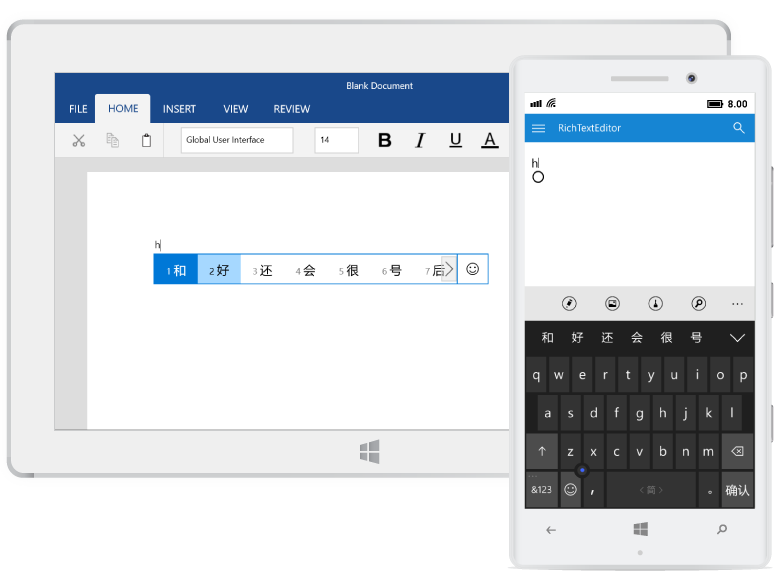
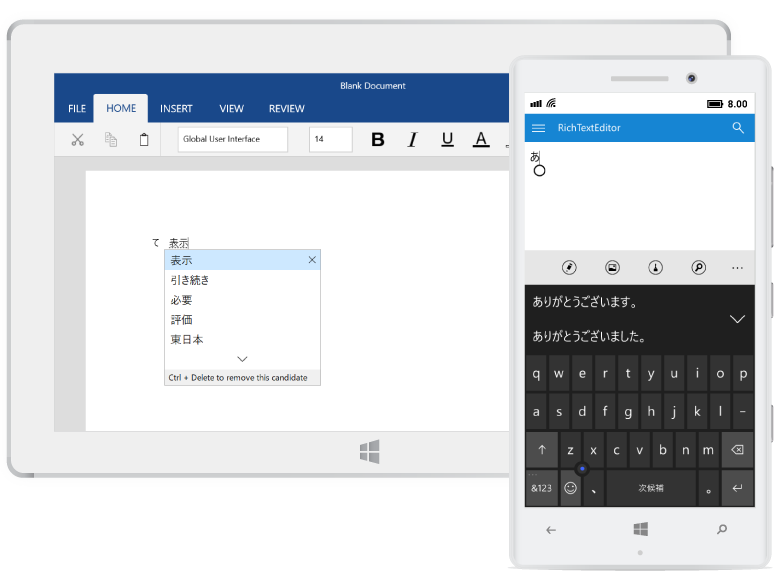
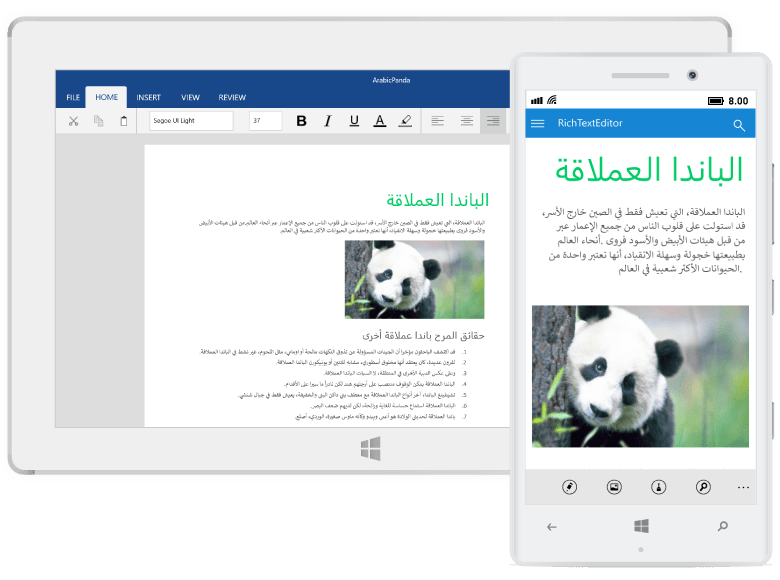
Allows users to text in various languages using built-in input method editor and right-to-left support.
HTML support
Allows the user to seamlessly import, edit, and save documents to HTML format.
Localization
All static text in the control can be localized to any desired language.

Our Customers Love Us





See Real Success Stories
Developers around the world trust Syncfusion’s Essential Studio to simplify complex projects and speed up delivery. With a vast library of UI controls, powerful SDKs, and reliable support, Essential Studio helps teams build enterprise-ready applications with confidence.
Read Our Customer StoriesIndustry
Software development
75% Cost reduction
50% Faster development

Industry
Utilities (oil and gas)

450+ hours saved
Streamlined processes and hours of development effort saved.

Advanced, flexible features
Empowered users through robust and versatile functionality.
Industry
Software and technology
1000+ of hours saved
Accelerated development with enterprise-ready UI components.

Efficient file management
Streamlined workflows with document libraries without building them from scratch.
Industry
Software and technology

2 Years of delay avoided
Two years of delays prevented with proactive planning.

On-time delivery
Projects delivered on schedule using trusted controls.
Industry
IT services and IT consulting

Improved performance
Large datasets handled with easy customization and quick debugging.

Highly customizable
Plug-and-play controls with quick template integration.
Industry
Professional services
Instant access
Quick availability of features and resources.
Reduced dependencies
Fewer dependencies for faster development.
Rated by users across the globe



Awards
Greatness—it’s one thing to say you have it, but it means more when others recognize it. Syncfusion® is proud to hold the following industry awards.









