









Transform your applications today by downloading our free evaluation version
Overview
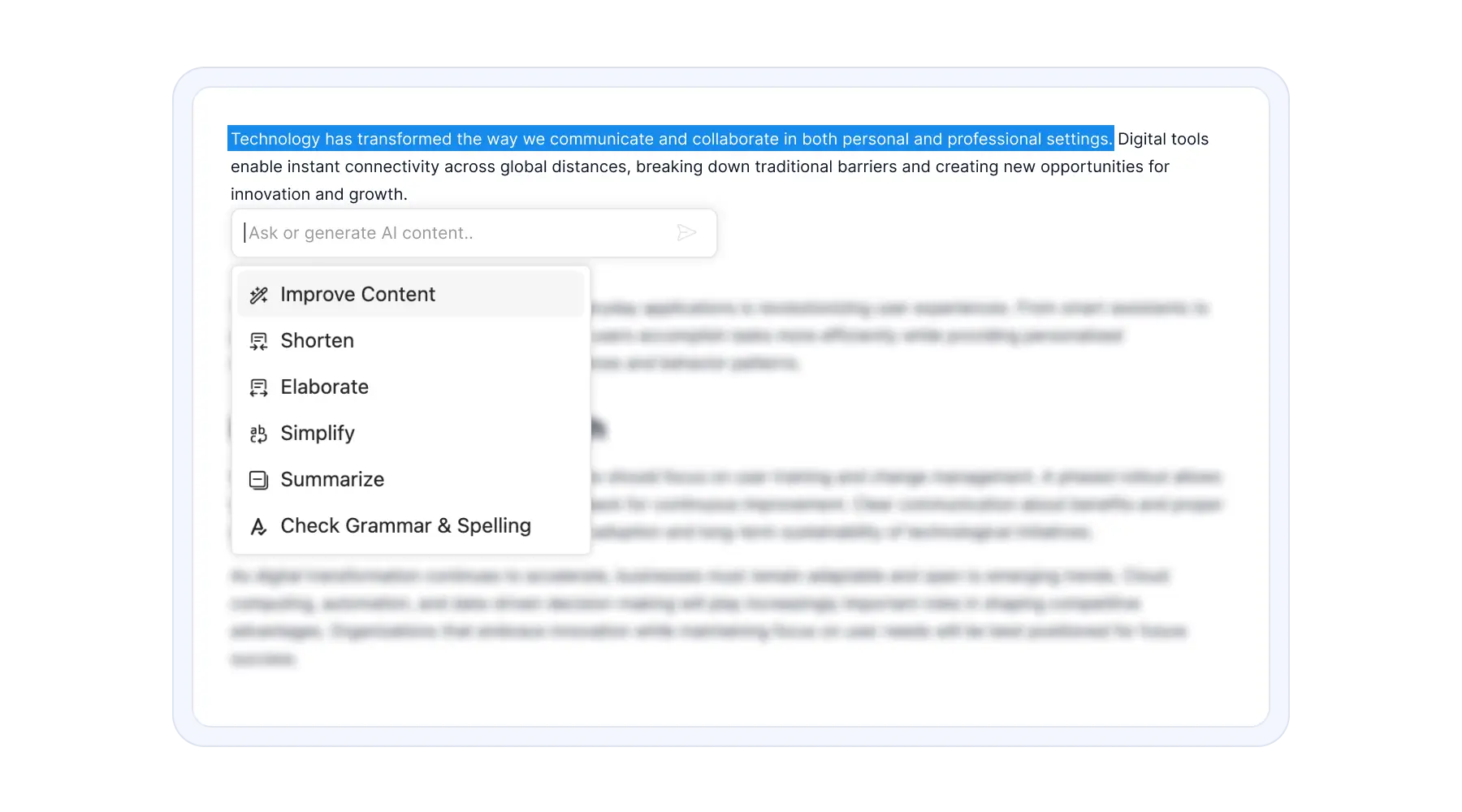
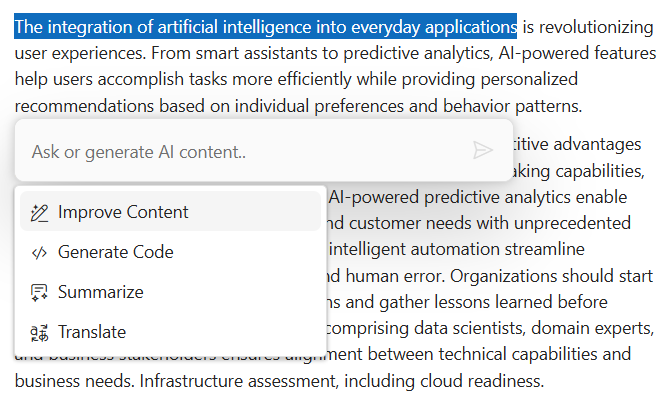
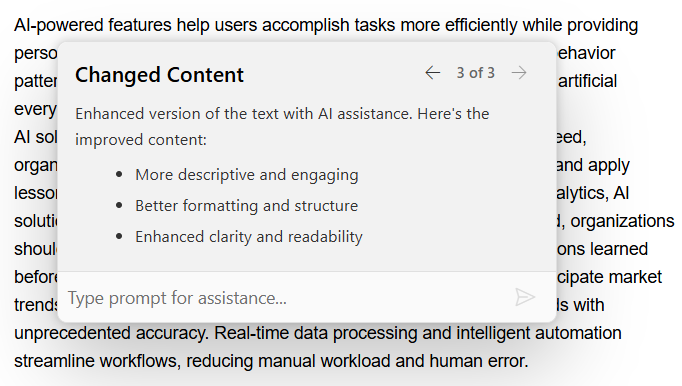
The Inline AI Assist component adds AI-powered interactions directly within editors, inputs, and other controls, enabling users to access assistance without leaving their workflow. It serves as a flexible interface for invoking configured AI actions such as rewriting, summarization, clarification, translation, grammar correction, and code generation.
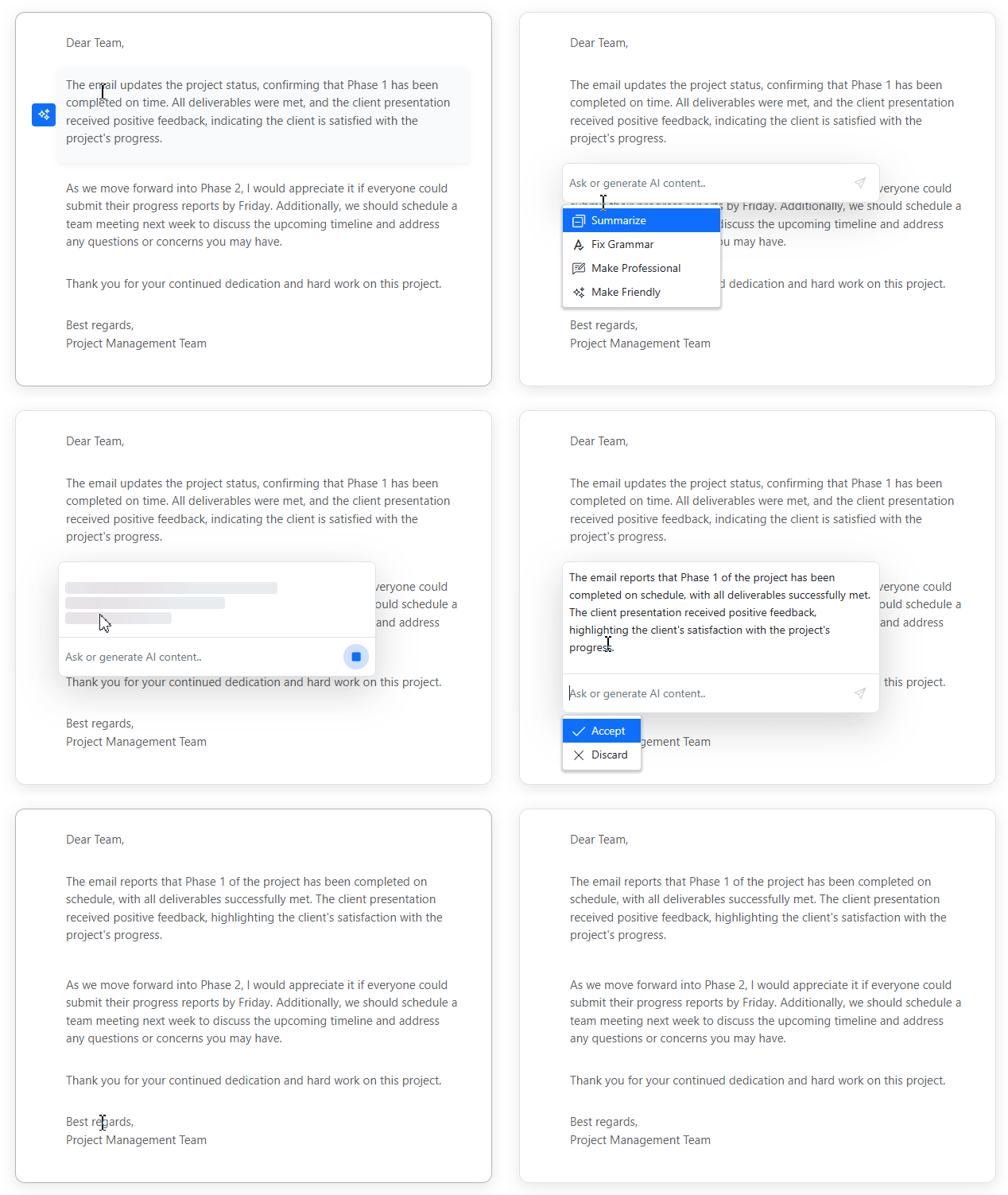
Inline micro-assistance
The component appears near the interaction point, such as beside a text selection or an editable element, for in-context usage. In some implementations, positioning behaviors like auto-placement or collision-handling may be used to keep the interface visible and usable within the available space.
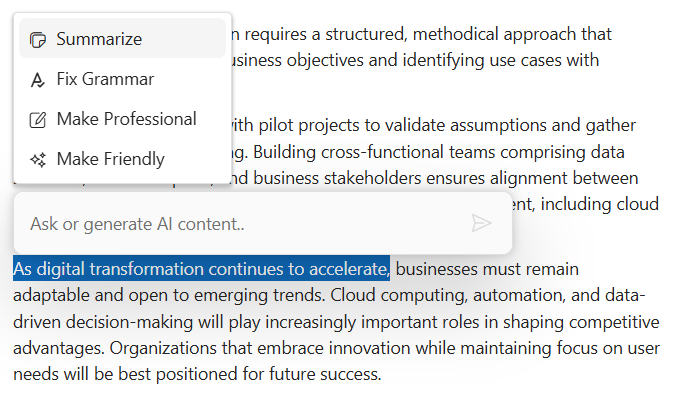
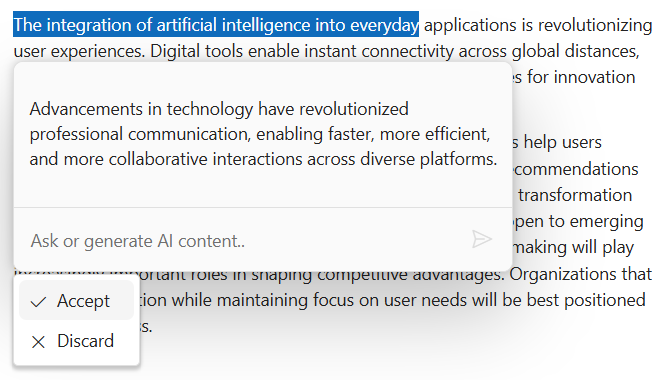
Pop-up mode for extended responses
Pop-up mode provides a larger display area for responses, including multi-paragraph text and extended code examples. This mode can be customized via the API.
Customizable commands
Users can define custom AI commands that use the selected text and editor context to generate prompts. These configurable commands enable domain-specific tasks such as content refinement, code generation, summarization, and translation.
Response actions
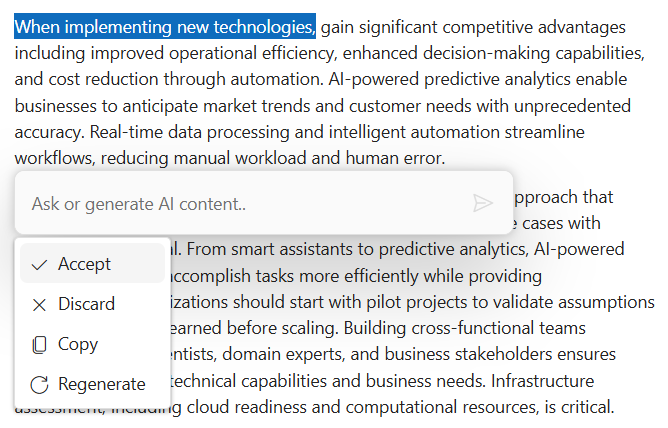
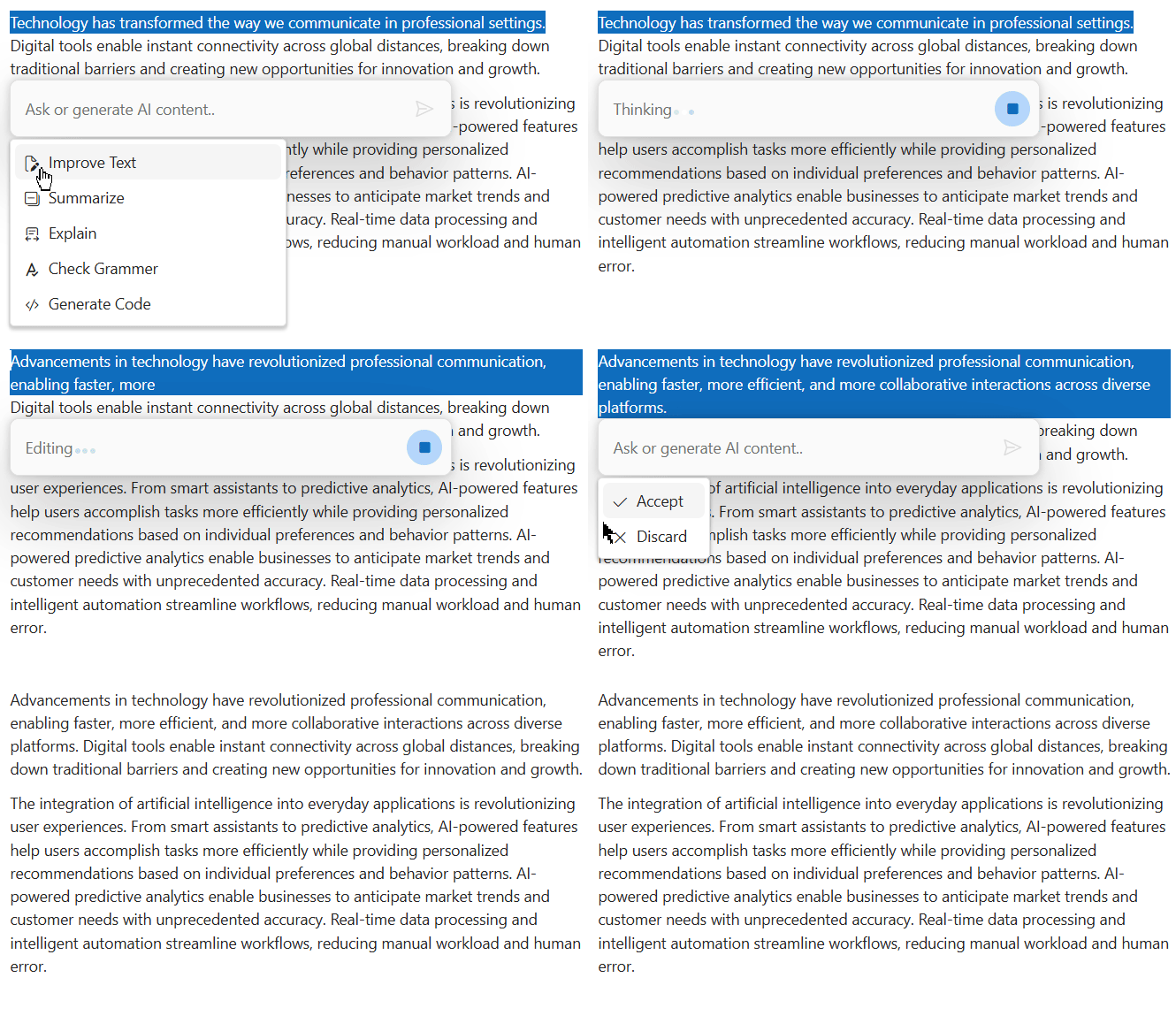
Response controls include default actions such as accept and discard, allowing users to apply or reject the generated output quickly. Additional custom actions, such as copy or regenerate, can be implemented to align with application-specific workflows.
Streaming responses
The component displays responses as a live stream with incremental rendering and progress indicators to provide progressive feedback during response generation. This allows the UI to update progressively rather than waiting for a complete response.
Adaptive inline AI Assist toolbar
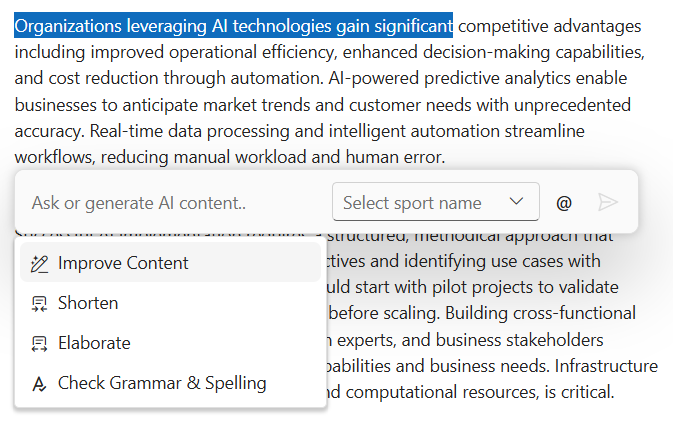
Flexible toolbar items appear next to or at the bottom of the input area, adapting seamlessly to different editing preferences.
Fully customizable with templates
Key parts of the component are customizable through templates, including the input area, command list, response rendering, and styling. This template-driven approach enables UI adaptation for specific use cases while aligning with existing design systems.
Extensible AI service integration
The component is back-end-independent and can be connected to major AI providers and private models. Integration with AI services is flexible and vendor-independent. The component enables customizable request and response handling through user-managed credentials for the chosen AI service.
Accessibility
Inline AI Assist offers keyboard support with Tab and Shift+Tab navigation, arrow-key movement, and screen-reader updates designed to support WCAG 2.2 AA requirements with high-contrast modes, ARIA labeling, and focus management.
Built-in themes
The Blazor Inline AI Assist supports built-in themes: Bootstrap 5, Bootstrap 4, Bootstrap, Material, Fabric, Fluent, Tailwind, and high contrast. These themes can be customized or extended by overriding Sass variables or by using Theme Studio.
Privacy and security
Inline AI Assist is designed with privacy and control in mind, making sure interactions are processed within the application architecture. All prompts, responses, and document content remain secure within your infrastructure. External processing and storage depend on the configured AI service.
 145+ UI components 1200+ interactive Blazor demos 9.7M+ downloads
Other supported frameworks
The Inline AI Assist is also available for JavaScript, React, Vue, ASP.NET Core, and ASP.NET MVC. See the platform-specific options via these links:
Supported browsers
The Inline AI Assist works in modern browsers such as Chrome, Firefox, Edge, Safari, and Opera.
Blazor Components – 145+ UI and DataViz Components
ALL COMPONENTS
SMART COMPONENTS
DATA VISUALIZATION
FILE VIEWERS & EDITORS
DROPDOWNS
NAVIGATION
INPUTS
BUTTONS
INTERACTIVE CHAT
Standalone UI SDKs
Integrate the DataGrid, Chart, Scheduler, Gantt, Rich Text Editor, File Manager, and Diagram UI components into applications to enable rich interaction and visualization, delivering a seamless user experience.
Document Solutions
Integrate the PDF Viewer, DOCX Editor, Spreadsheet Editor, and document-processing libraries into the Blazor applications to enable a smooth user experience.
Our Customers Love Us
Having an excellent set of tools and a great support team, Syncfusion® reduces customers’ development time.
Here are some of their experiences.
Here are some of their experiences.

Blazor components
The speed how they adding new Blazor controls and update theirs functionality. I am using Blazor components. Searching for Blazor components I found that Syncfusion very fast adopted theirs controls for new development platform. Tech support is fast and excellent. The best of best is that they provide free controls for small business.

Igor L,
CEO, Small-Business
Syncfusion objects with a Blazor
I have used some of the Syncfusion objects with a Blazor application. The support group has always been very helpful.

Kris B,
Software Development Consultant, Small-Business
See Real Success Stories
Developers around the world trust Syncfusion’s Essential Studio to simplify complex projects and speed up delivery. With a vast library of UI controls, powerful SDKs, and reliable support, Essential Studio helps teams build enterprise-ready applications with confidence.
Read Our Customer StoriesIndustry
Software development
75% Cost reduction
50% Faster development
Industry
Utilities (oil and gas)

450+ hours saved
Streamlined processes and hours of development effort saved.

Advanced, flexible features
Empowered users through robust and versatile functionality.
Industry
Software and technology
1000+ of hours saved
Accelerated development with enterprise-ready UI components.

Efficient file management
Streamlined workflows with document libraries without building them from scratch.
Industry
Software and technology

2 Years of delay avoided
Two years of delays prevented with proactive planning.

On-time delivery
Projects delivered on schedule using trusted controls.
Industry
IT services and IT consulting

Improved performance
Large datasets handled with easy customization and quick debugging.

Highly customizable
Plug-and-play controls with quick template integration.
Industry
Professional services
Instant access
Quick availability of features and resources.
Reduced dependencies
Fewer dependencies for faster development.
Rated by users across the globe
Syncfusion Blazor Resources
Learning  Documentation
 Documentation


Awards
Greatness—it’s one thing to say you have it, but it means more when others recognize it. Syncfusion® is proud to hold the following industry awards.









