




Transform your applications today by downloading our free evaluation version
Overview
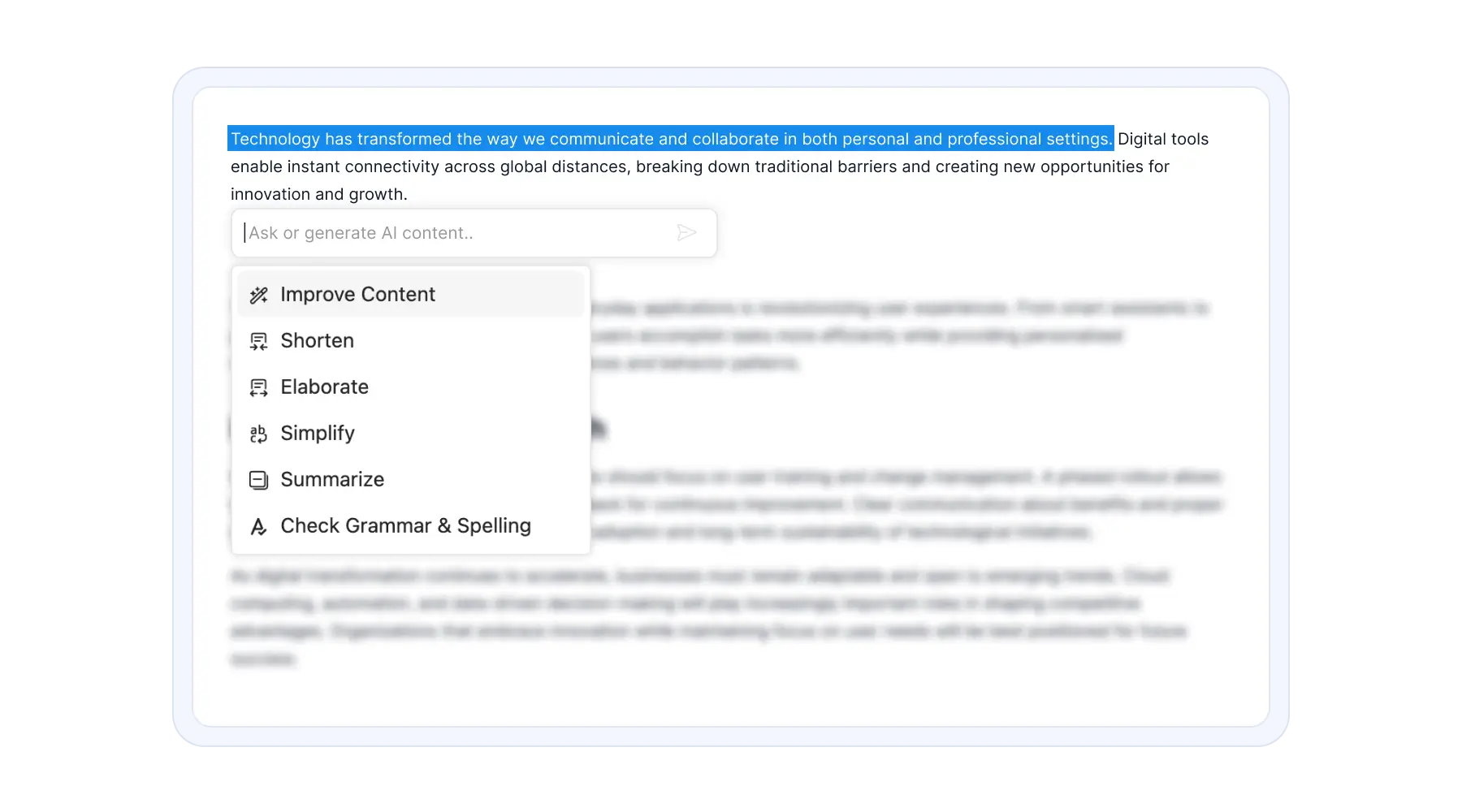
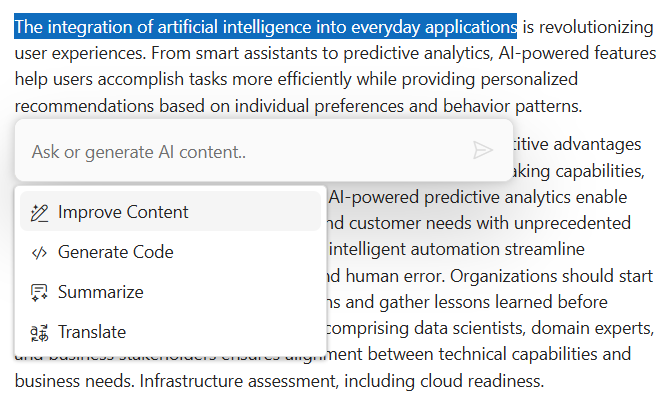
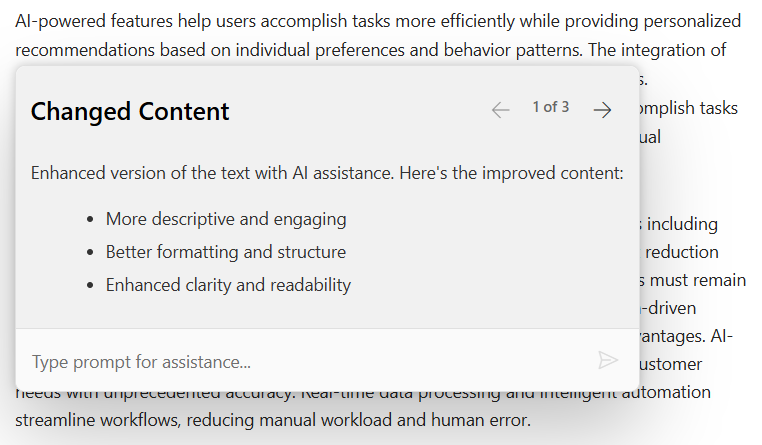
The Inline AI Assist component enables users to get quick, contextual AI assistance directly inside any editor, input field, or UI element, without switching to a full chat interface. It is optimized for micro‑tasks such as improving text, summarizing, explaining content, translating text, fixing grammar, generating code, and more.
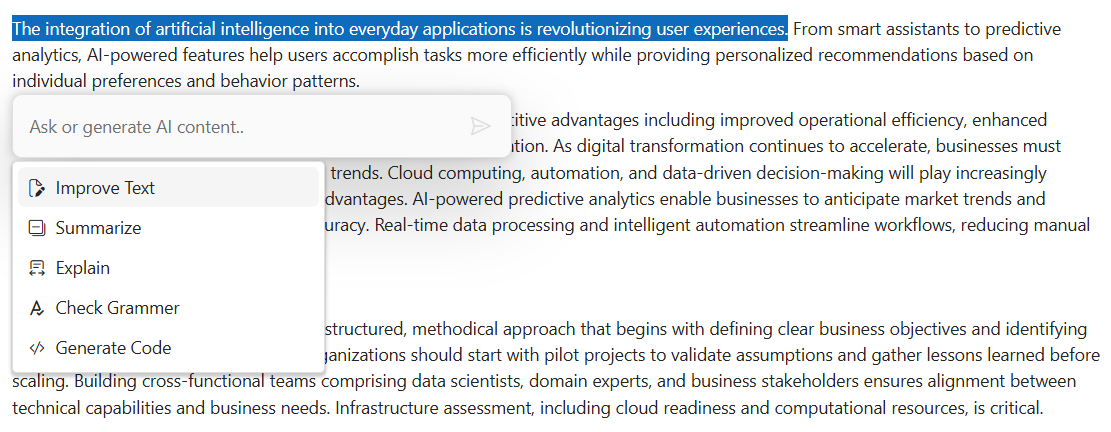
Inline micro-assistance
The component appears exactly where users are working, near a text selection or any UI element, with auto-positioning and smart boundary collision detection. This reduces context switching and provides a faster AI-powered workflow for editors, forms, grid cells, and code fields.
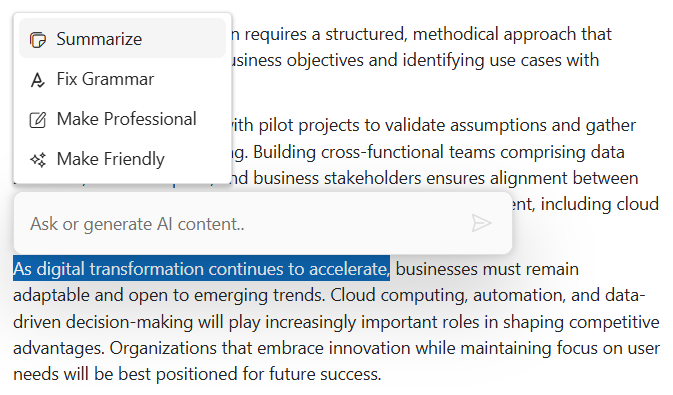
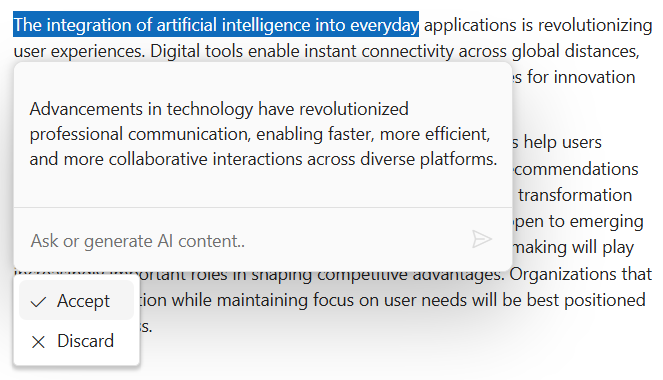
Pop-up mode for extended responses
For longer responses and expanded interactions, the component opens in pop-up mode with a larger dialog-style container that gracefully handles multi-paragraph outputs and long code blocks.
Customizable commands
Users can configure custom AI commands that automatically use selected text and editor context to build smart prompts. Commands are fully configurable, allowing domain-specific actions like text improvement, code generation, summarization, and translation, tailored to specific business needs.
Response actions
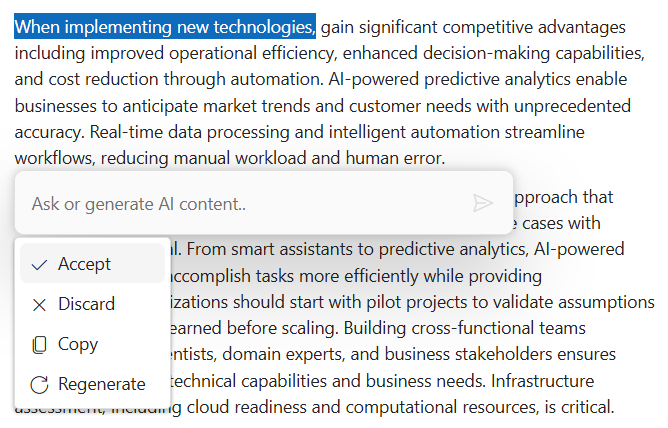
Built-in response actions include accept and discard options, with support for user-defined custom actions. Developers can customize with domain-specific actions like insert, copy, and feedback mechanisms to match application workflows.
Streaming response
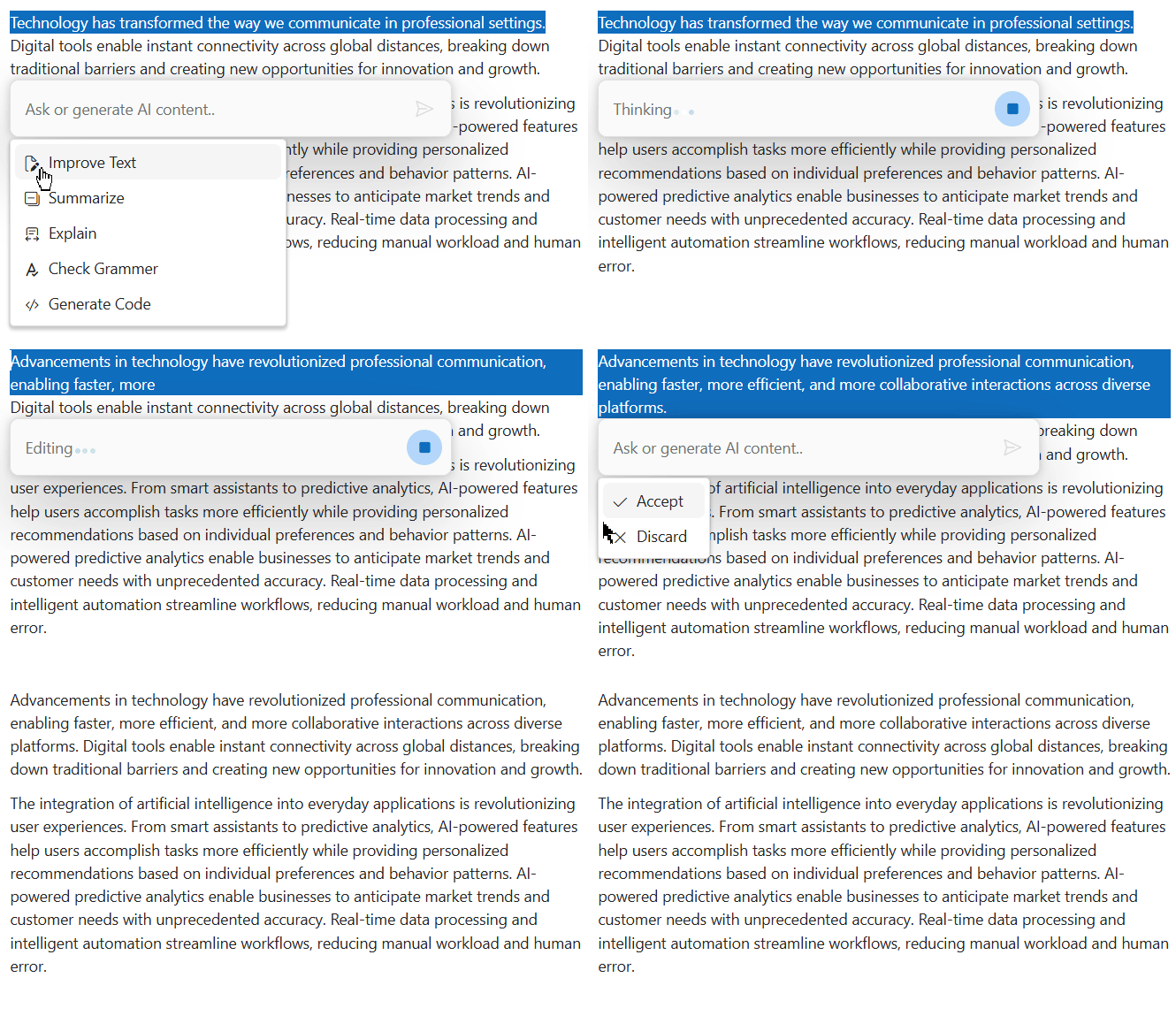
Stream output in real time with smooth incremental rendering and visual progress feedback for a conversational feel. Developers have full control over streaming logic, including the ability to abort or cancel requests, providing immediate visual feedback that reduces perceived latency.
Adaptive AI Assist toolbar
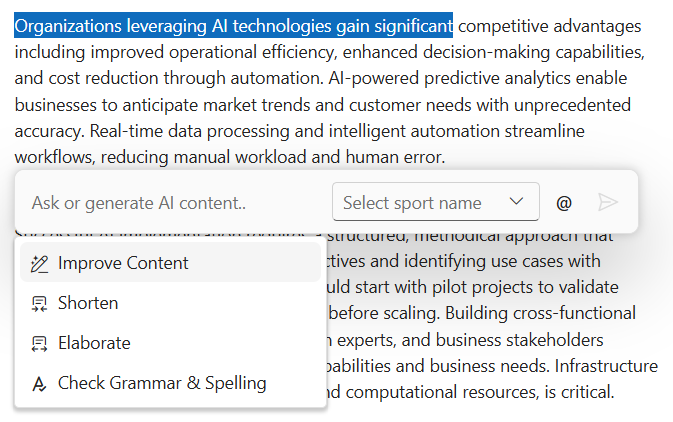
A flexible toolbar can appear either beside the editor in inline mode or below the editor in bottom mode. This adaptive layout helps match different UI designs, improves editing flow, and ensures a more intuitive AI experience.
Fully customizable with templates
Customize every aspect of the component, including the input editor, command list, response rendering, toolbar actions, pop-up size, theme, and styling. Template-based customization enables domain-specific UI adaptation and seamless integration with existing design systems while maintaining brand consistency.
Works with any AI service
The component is completely AI back-end-agnostic with full developer control over prompt resolution, streaming handling, and error management. It supports OpenAI, Google Gemini, Anthropic Claude, Azure OpenAI, and custom in-house models. It provides complete flexibility, no vendor lock-in, and cost optimization options through custom response injection mechanisms.
Accessibility
- Full keyboard navigation with Tab/Shift+Tab, arrow key movement, and screen-reader announcements for streaming responses.
- WCAG 2.2 AA-compliant with high contrast mode support, proper ARIA labels, and focus management.
Built-in themes
The React Inline AI Assist supports these built-in themes: Tailwind CSS, Bootstrap 5, Bootstrap 4, Bootstrap, Material, Fabric, Fluent, and high contrast. Users can customize these built-in themes or create new themes to achieve their desired look and feel by overriding SASS variables or using our Theme Studio application.
Developer-friendly APIs
The React Inline AI Assist component offers APIs and templates for customizing its appearance and behavior.
Explore all Syncfusion React components
Explore over 140+ React UI components featuring established, and production-ready controls built for modern web app development.
-
SMART COMPONENTSGRIDSDATA VISUALIZATIONDROPDOWNSFILE VIEWERS & EDITORSBUTTONSINTERACTIVE CHATINPUTSNAVIGATIONNOTIFICATIONS
Standalone UI SDKs
Integrate the DataGrid, Chart, Scheduler, Gantt, Rich Text Editor, File Manager, and Diagram UI components into applications to enable rich interaction and visualization, delivering a seamless user experience.
Document Solutions
Integrate the PDF Viewer, DOCX Editor, Spreadsheet Editor, and document-processing libraries into the React applications to enable a smooth user experience.
Our Customers Love Us
Having an excellent set of tools and a great support team, Syncfusion® reduces customers’ development time.Here are some of their experiences.

Aweseome, enough said. really
Easy usability, solving real life problems. easy to implement. most of the cases has the operators and settings possibilities you right away need. never fails to impress

Oliver O,

Geschäftsführung Kreation/Artdirektion, Small-Business
A giant framework with great pricing options
I have loved the components and options that Syncfusion has, besides, its documentation, demos, and Support are excellent.

Alejandro Javier V,
CEO, Small-Business
See Real Success Stories
Developers around the world trust Syncfusion’s Essential Studio to simplify complex projects and speed up delivery. With a vast library of UI controls, powerful SDKs, and reliable support, Essential Studio helps teams build enterprise-ready applications with confidence.
Read Our Customer StoriesIndustry
Software development
75% Cost reduction
50% Faster development
Industry
Utilities (oil and gas)

450+ hours saved
Streamlined processes and hours of development effort saved.

Advanced, flexible features
Empowered users through robust and versatile functionality.
Industry
Software and technology
1000+ of hours saved
Accelerated development with enterprise-ready UI components.

Efficient file management
Streamlined workflows with document libraries without building them from scratch.
Industry
Software and technology

2 Years of delay avoided
Two years of delays prevented with proactive planning.

On-time delivery
Projects delivered on schedule using trusted controls.
Industry
IT services and IT consulting

Improved performance
Large datasets handled with easy customization and quick debugging.

Highly customizable
Plug-and-play controls with quick template integration.
Industry
Professional services
Instant access
Quick availability of features and resources.
Reduced dependencies
Fewer dependencies for faster development.
Rated by users across the globe
Syncfusion React Resources
Learning
 Documentation
 Documentation


Awards
Greatness—it’s one thing to say you have it, but it means more when others recognize it. Syncfusion® is proud to hold the following industry awards.









