Diagram SDK
Turn complex ideas into clear, interactive workflow diagrams
No credit card required.
 React
React Blazor
 Angular
 JavaScript
 Vue
Vue ASP.NET Core
 .NET MAUI
 ASP.NET MVC
 WinForms
 UWP
UWPCreate connected visual workflows across major frameworks

Trusted by 41K+
organizations worldwide
25+ years
of UI component expertise
690+ Diagram
demos and examples
21.2M+ downloads
of the component libraries
Try Our Live Demo



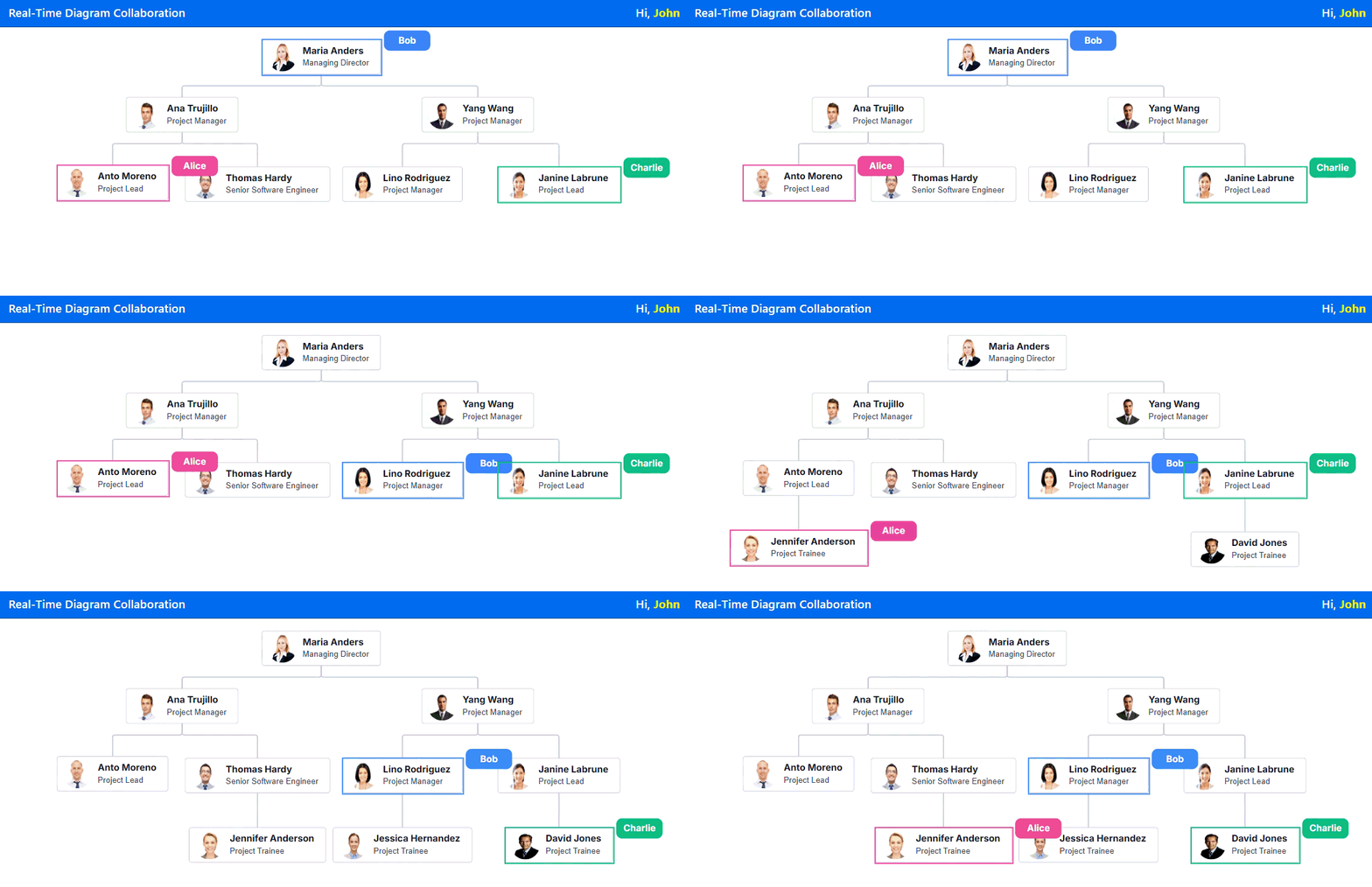
Build diagrams together without confusing versions
Support real-time diagram collaboration so teams can co-edit, review, and update in one shared visual workspace with live updates, user presence, and conflict-aware interactions.
Available on


Turn prompts into diagrams faster
Convert natural-language instructions into flowcharts, mind maps, and sequence diagrams so users can build and refine complex diagrams with less manual effort.
Everything teams need for complete diagramming experiences
Build interactive diagrams with automatic layouts, data binding, rich shapes, editing tools, export options, and flexible customization for workflows, processes, organization charts, and visual editors.

Automatic layouts
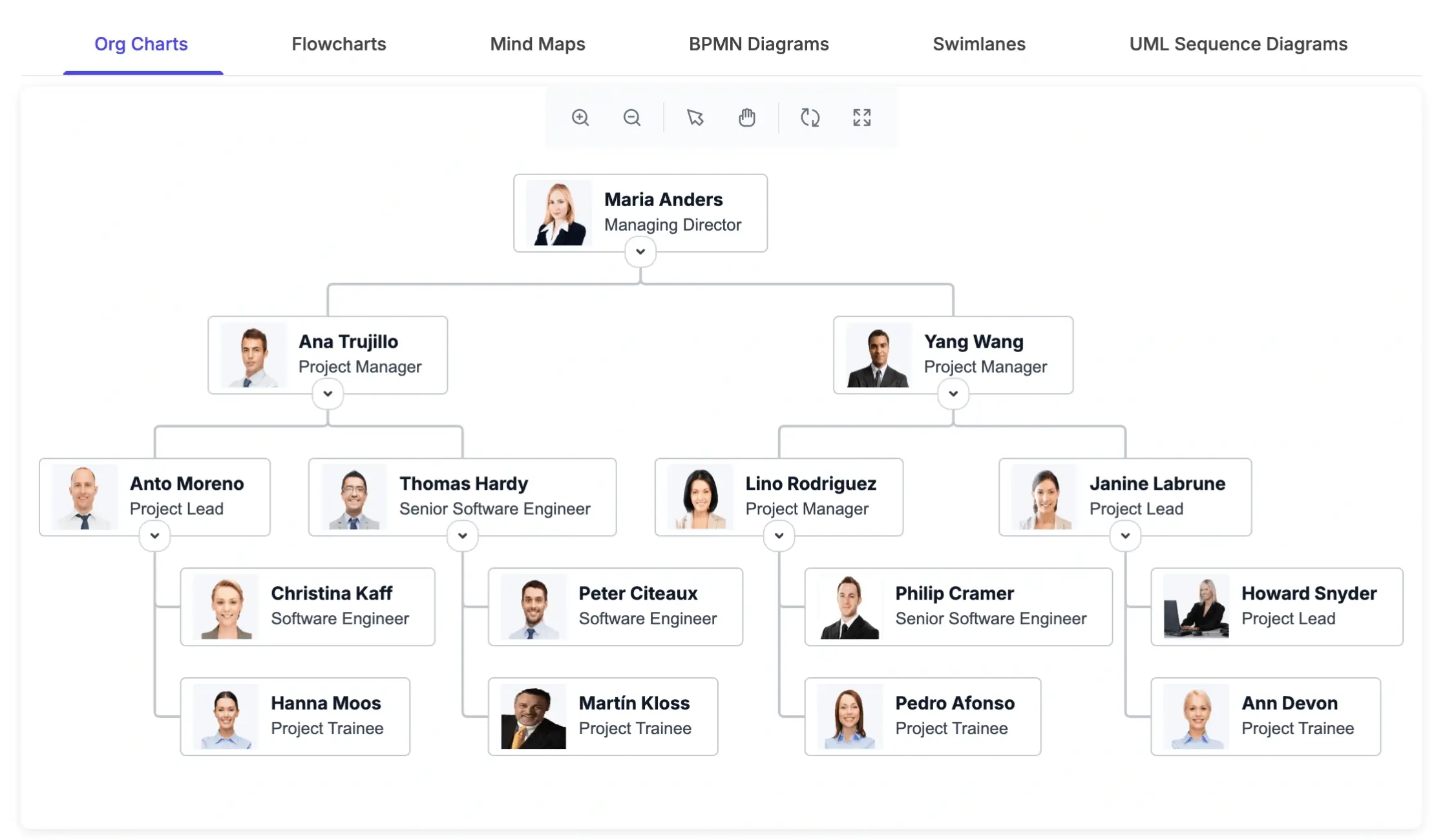
Arrange complex diagrams using built-in layout algorithms for flowcharts, organizational charts, mind maps, and hierarchical views.

Data binding
Connect diagrams to data sources and dynamically generate nodes and connectors.

Built-in shapes and symbols
Choose from ready-to-use shapes, symbols, connectors, BPMN elements, UML shapes, and flowchart objects.

Symbol palette
Drag and drop predefined shapes from palettes to create diagrams faster.

Interactive editing
Select, resize, rotate, move, and edit Diagram elements directly for an intuitive editing experience.

Connectors and ports
Create precise relationships using connectors, connection points, labels, and customizable routing behavior.

Swimlane diagrams
Organize business processes into lanes and phases to show responsibilities, workflows, and departments clearly.

Zooming and panning
Navigate large diagrams smoothly with zooming, panning, viewport controls, and interactive exploration.

Alignment and snapping
Align Diagram elements accurately with gridlines, rulers, snapping guides, and spacing controls.

Performance optimization
Handle large-scale diagrams with optimized rendering for smooth interaction and responsive editing.

Export and print
Export diagrams to supported formats and print them for documentation, collaboration, and reporting.

Serialization
Save and restore Diagram states in JSON format to support persistence, editing workflows, and application recovery.
Why choose the Syncfusion Diagram SDK
Choose the Syncfusion Diagram SDK to build interactive visual editors, workflow designers, and business diagramming experiences with flexible customization, platform support, and access to highly responsive customer support.

Dedicated SDK for visual workflows
Build flowcharts, BPMN diagrams, UML diagrams, organizational charts, mind maps, swimlanes, floor plans, and custom visual editors with a focused diagramming SDK.

Broad diagramming use cases
Use the Diagram for business process modeling, architecture diagrams, organizational structures, network visuals, decision flows, and domain-specific workflows.

Cross-platform development
Create diagramming experiences across React, Blazor, Angular, JavaScript, Vue, ASP.NET Core, ASP.NET MVC, WPF, WinForms, and UWP.

Enterprise-ready support
Build with Syncfusion documentation, technical support, product updates, accessibility, and long-term maintenance for enterprise applications.
Create Diagrams faster with AI
Leverage AI-powered tools to convert requirements and business processes into configured diagrams, workflows, and visual models, reducing manual setup and helping teams deliver solutions more quickly.

Agentic UI Builder
Describe the screen you need and generate a ready-to-use Diagram layout with Syncfusion components
Example Prompt: Generate a business dashboard with interconnected diagrams showing workflows, team hierarchy, and data flow. Include labeled nodes, connectors, grouped sections, and a clean, modern UI with smooth layout and navigation.

Agent Skills
Guide your AI coding agent with verified Syncfusion Diagram APIs, setup steps, and implementation patterns.
Example Prompt: Generate a React flowchart with custom nodes, connectors, and automatic layout.

AI Coding Assistant
Ask questions in your IDE to generate, configure, integrate, and debug Diagram code.
Example Prompt: Show how to create hierarchical layouts in the Syncfusion React Diagram.
Trusted by teams building diagramming apps







Frequently asked questions
What is the Syncfusion Diagram SDK?
The Syncfusion Diagram SDK is a focused diagramming solution for building interactive flowcharts, BPMN diagrams, UML diagrams, organizational charts, mind maps, swimlanes, floor plans, and custom visual editors.
Why should I use the Diagram SDK instead of building from scratch?
The Diagram SDK reduces development effort by providing ready-to-use diagramming tools, built-in interactions, automatic layouts, connectors, export capabilities, and cross-platform support.
How can I get pricing details for the Diagram SDK?
Please visit our pricing page to request a quote. Our sales team will contact you shortly to provide further assistance.
Which platforms does the Diagram SDK support?
The Diagram SDK supports React, Blazor, Angular, JavaScript, Vue, ASP.NET Core, ASP.NET MVC, WPF, WinForms, and UWP.
What types of diagrams can I create using the Diagram SDK?
You can create flowcharts, BPMN diagrams, UML diagrams, organizational charts, mind maps, swimlane diagrams, floor plans, network diagrams, and custom visual workflows.
Can the Diagram SDK support AI-driven Diagram generation?
Yes. The Diagram SDK can be integrated with AI services to transform natural-language prompts into structured diagrams such as flowcharts, mind maps, and UML sequence diagrams.
Resources
Learn more about our Diagram SDK
Explore demos, KB articles, and documentation to get the most out of our Diagram SDK.
Documentation
Explore guides, APIs, and quick-start tips
Knowledge base articles
Find solutions and best practices fast
Example demos
See live use cases in action
Contact support
Get expert help when you need it
Community forum
Ask, share, and connect with peers
Feature requests and bug reports
Track issues and suggest improvements
See real success stories
Developers around the world trust Syncfusion’s Essential Studio to simplify complex projects and speed up delivery. With a vast library of UI controls, powerful SDKs, and reliable support, Essential Studio helps teams build enterprise-ready applications with confidence.
Read Our Customer StoriesIndustry
Software development
75% Cost reduction
50% Faster development

Industry
Utilities (oil and gas)

450+ hours saved
Streamlined processes and hours of development effort saved.

Advanced, flexible features
Empowered users through robust and versatile functionality.
Industry
Software and technology
1000+ of hours saved
Accelerated development with enterprise-ready UI components.

Efficient file management
Streamlined workflows with document libraries without building them from scratch.
Industry
Software and technology

2 Years of delay avoided
Two years of delays prevented with proactive planning.

On-time delivery
Projects delivered on schedule using trusted controls.
Industry
IT services and IT consulting

Improved performance
Large datasets handled with easy customization and quick debugging.

Highly customizable
Plug-and-play controls with quick template integration.
Industry
Professional services
Instant access
Quick availability of features and resources.
Reduced dependencies
Fewer dependencies for faster development.
Build better diagramming experiences with Diagram SDK
Build interactive flowcharts, add BPMN, UML, organizational charts, and mind maps. Create scalable visual workflows with customization, automatic layouts, and export options.
No credit card required.| 21.2M+ downloads
 React
React Blazor
 Angular
 JavaScript
 Vue
Vue ASP.NET Core
 .NET MAUI
 ASP.NET MVC
 WinForms
 UWP
UWPRecent activities in Diagram SDK
Stay updated with the latest Diagram SDK videos and blogs from Syncfusion, including new content, product updates, and helpful resources.
Awards
Greatness—it’s one thing to say you have it, but it means more when others recognize it. Syncfusion® is proud to hold the following industry awards.









