



Why do you need our Blazor Spreadsheet Editor?
Building a Blazor spreadsheet from scratch is complex and difficult to scale, with challenges in formulas, formatting, performance, and security. Syncfusion addresses these issues by offering a complete, enterprise-ready Blazor Excel editor with built-in, Excel-compatible formulas, accurate importing and exporting, high-performance handling of large data, and a secure, flexible architecture. This results in faster development, a true Excel-like experience, improved scalability, and reduced maintenance effort.
Experience Excel-like editing in action. Upload your own Excel files, apply formulas and functions, analyze data, format cells, and export your work as Excel files again.
Get Started in minutes
Follow these four steps to integrate the Spreadsheet into your Blazor web application.
1
Install the Spreadsheet package
Install the Syncfusion Blazor Spreadsheet and Themes NuGet packages.
Install-Package Syncfusion.Blazor.Spreadsheet -Version XX.X.X
Install-Package Syncfusion.Blazor.Themes -Version XX.X.X
2
Register service
Register the Syncfusion® Blazor service in your Program.cs file.
....
using Syncfusion.Blazor;
....
builder.Services.AddSyncfusionBlazor();
....
3
Add stylesheet and script resources
Add the stylesheet and script references in Components/App.razor to apply proper layout and theme styling:
<link href="_content/Syncfusion.Blazor.Themes/bootstrap5.css" rel="stylesheet" />
....
<script src="_content/Syncfusion.Blazor.Spreadsheet/scripts/syncfusion-blazor-spreadsheet.min.js" type="text/javascript"></script>
4
Add the Spreadsheet component
Add the Spreadsheet component to your Razor page and start building instantly
@page "/"
@using Syncfusion.Blazor.Spreadsheet
<SfSpreadsheet>
    <SpreadsheetRibbon></SpreadsheetRibbon>
</SfSpreadsheet>Enterprise-ready Spreadsheet editing
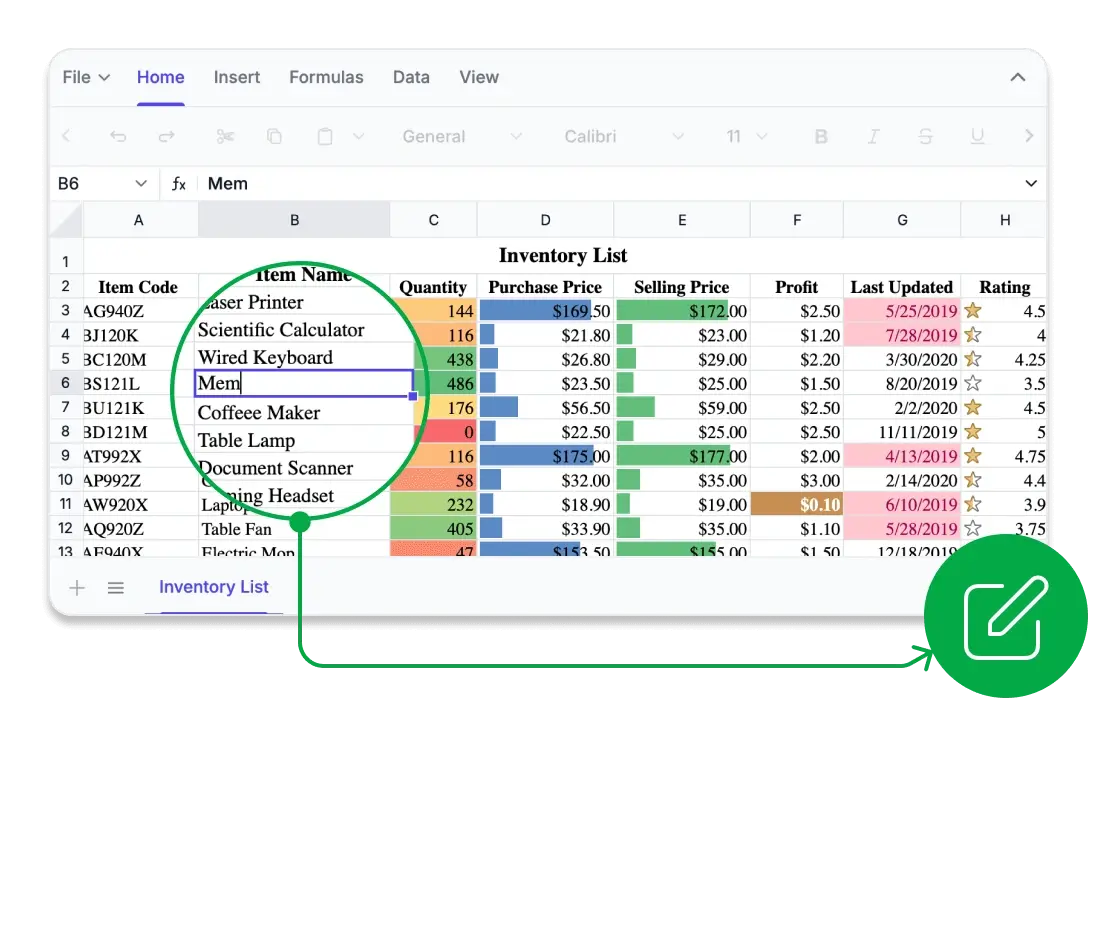
Every cell, perfectly aligned
Edit spreadsheets seamlessly in the browser with high visual fidelity and reliable formatting. Maintain accuracy in structure and styling, ensuring your data looks consistent and professional in different views and outputs.
Pixel perfect rendering of fonts, borders, and formulas across formats.
Support for exporting consistent output to Excel, CSV, and PDF.
Real-time editing with accurate formula rendering and updates.
Reliable formatting consistency across different file types.
Compute with confidence
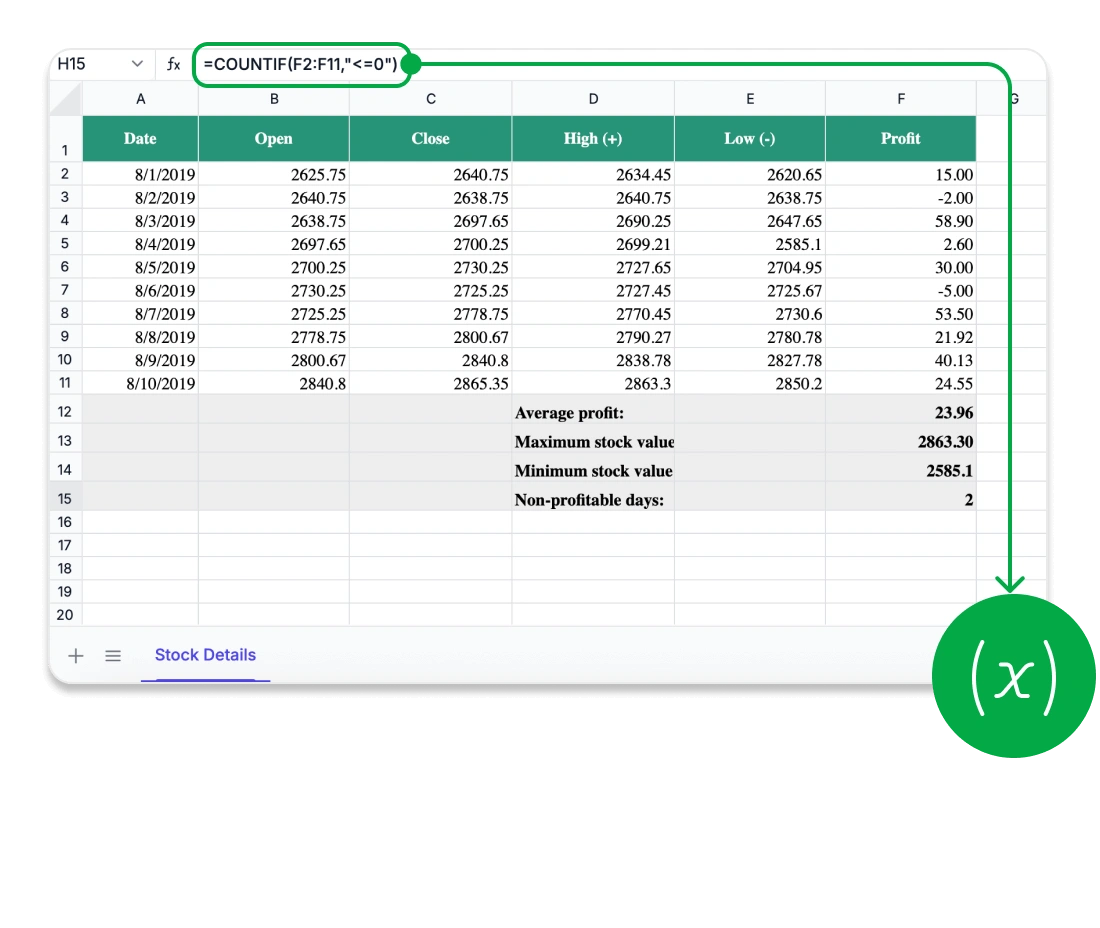
Unlock advanced analytics with a comprehensive, Excel-compatible formula engine. Perform everything from basic calculations to complex operations with accuracy and control.
Extensive Excel-compatible formula library for diverse analytical needs.
Support for cross-sheet references and named ranges.
Automatic and manual calculation modes for performance control.
Efficient handling of complex formulas in large datasets.
Security you can trust
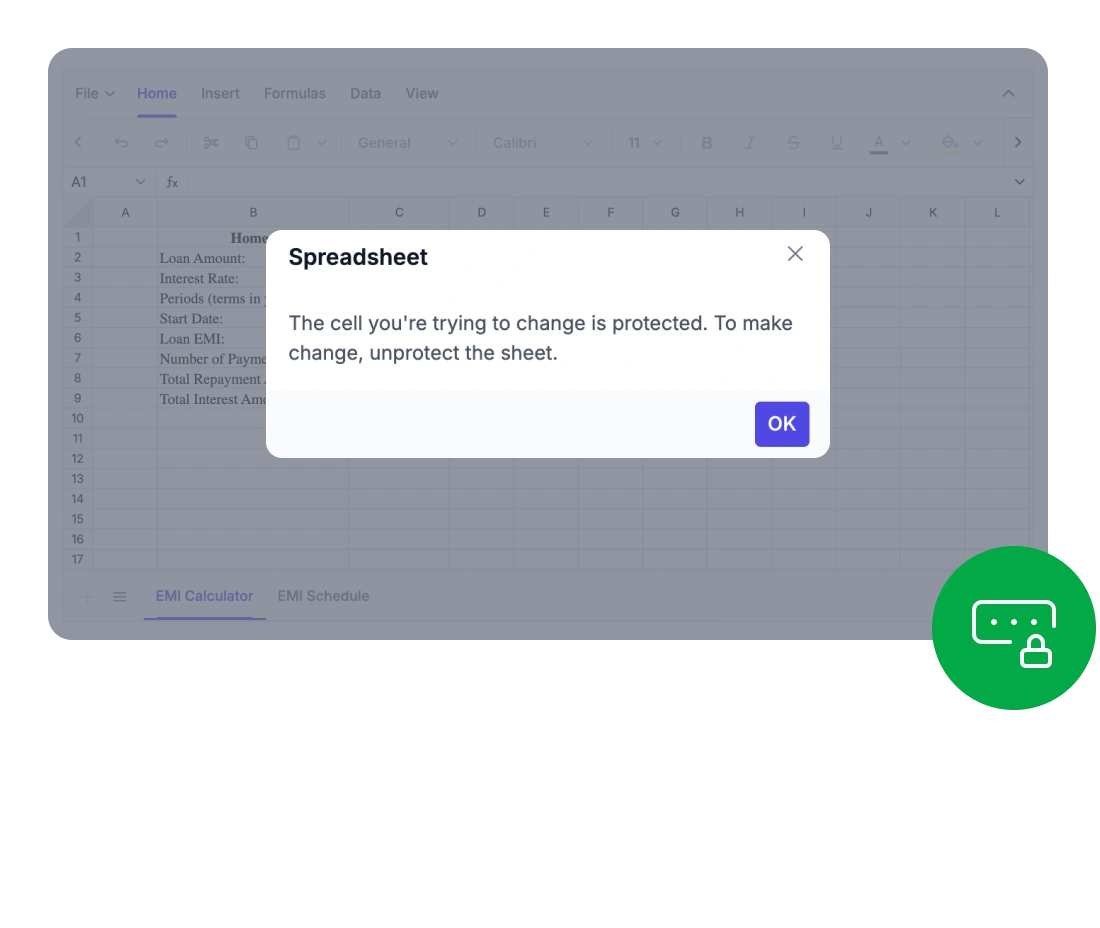
Protect your spreadsheet data with enterprise-grade security and advanced protection features. Maintain control over access and ensure integrity across your workbooks.
Complete data privacy with no exposure to third-party services.
Detailed sheet and cell-level security for full control.
Fine-grained access control for users and roles.
Password-based protection for sheets and workbooks.
Built for speed and scaling
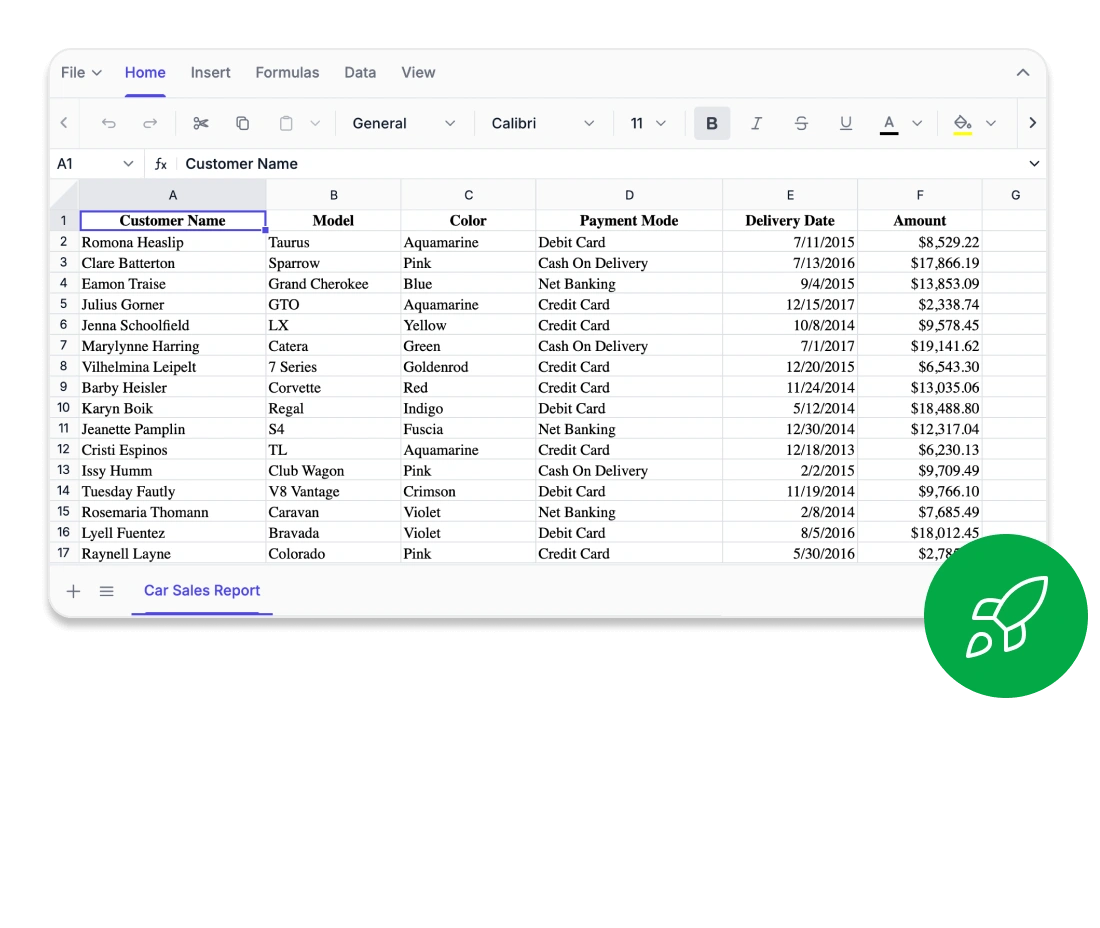
Enjoy exceptional performance while editing, calculating, or navigating even the largest spreadsheets.
Optimized virtualization for handling large datasets without lag.
Instant rendering and recalculation for smooth, real-time editing.
High-performance engine for fast editing and navigation.
Seamless handling of large datasets without memory strain.
Comprehensive spreadsheet capabilities
Data sorting and filtering
Quickly organize and analyze data with multi-level sorting and customizable filters. Simplify data exploration and manage structured datasets efficiently.
Image and chart embedding
Enhance spreadsheets by embedding images and customizable charts directly into worksheets. Improve data visualization, create more engaging reports, and present information with greater clarity and impact.
Interactive ribbon UI
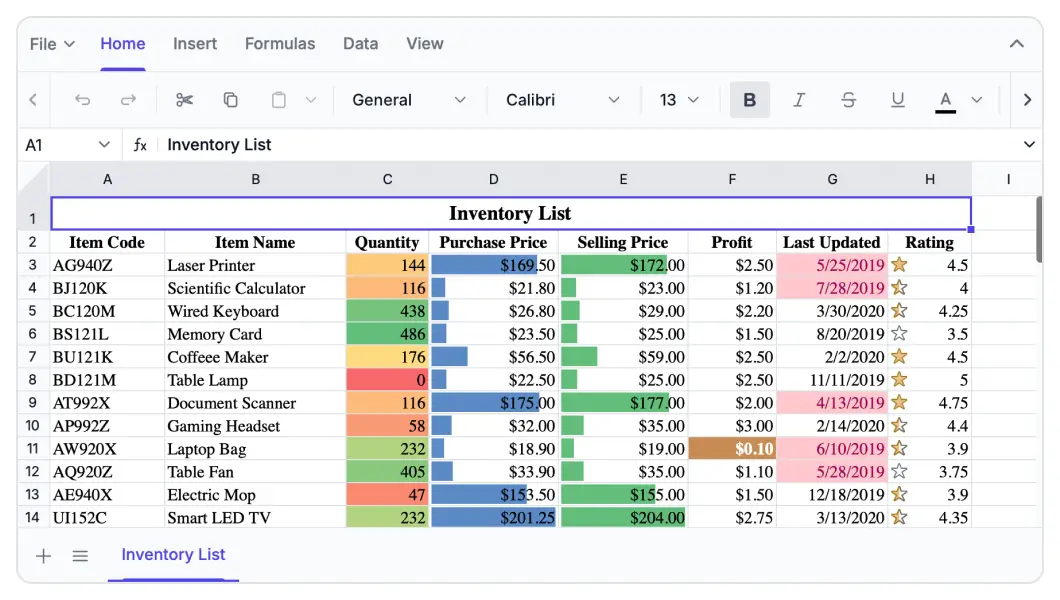
Deliver a familiar, Excel-like editing experience with a modern tabbed ribbon interface. Use contextual menus, keyboard navigation, and customizable commands for improved productivity.
Data connectivity and export
The Syncfusion Blazor Spreadsheet Library lets you build Excel-like spreadsheet experiences in Blazor applications, whether client-side (WebAssembly) or server-side. Seamlessly integrate and manage data from local files, APIs, or external sources. Use it as a Blazor Excel viewer or full-featured Blazor Excel editor to import and export Excel (XLSX), CSV, and PDF files while preserving formulas, formatting, and print-ready layouts.
Context menu
Boost productivity through right-click options and keyboard shortcuts for quick access to commonly used actions.
Find and replace
Quickly find and update data across worksheets and workbooks. Search for values, navigate matching cells, and replace individual or all occurrences. Advanced options such as case-sensitive and exact-match searches help improve accuracy and productivity.
Advanced Spreadsheet operations
With built-in protection, formula management, and dynamic data operations, the Blazor Spreadsheet Editor empowers both developers and users to efficiently and securely manage complex data workflows.
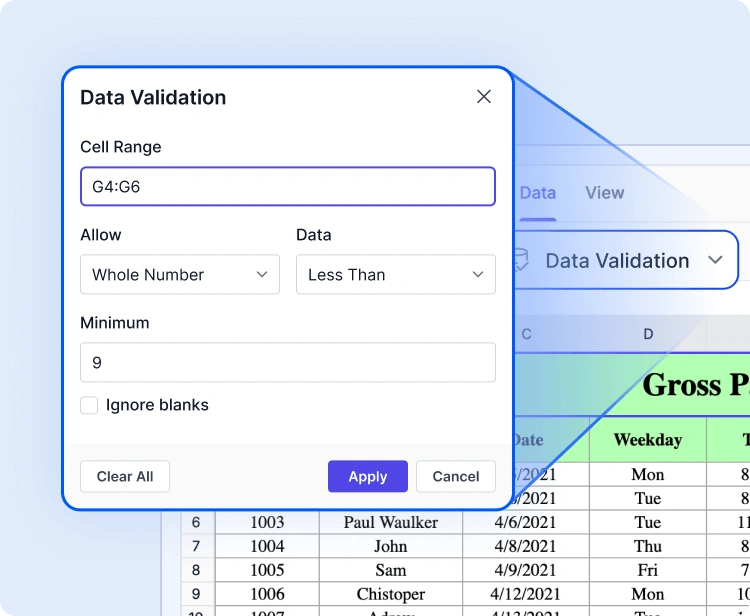
Data validation
Improve data accuracy and consistency by applying data validation rules to selected ranges, ensuring only valid data can be entered. Restrict input using criteria such as whole numbers, decimals, dates, times, text length, lists, and custom formulas to help maintain reliable spreadsheet data.
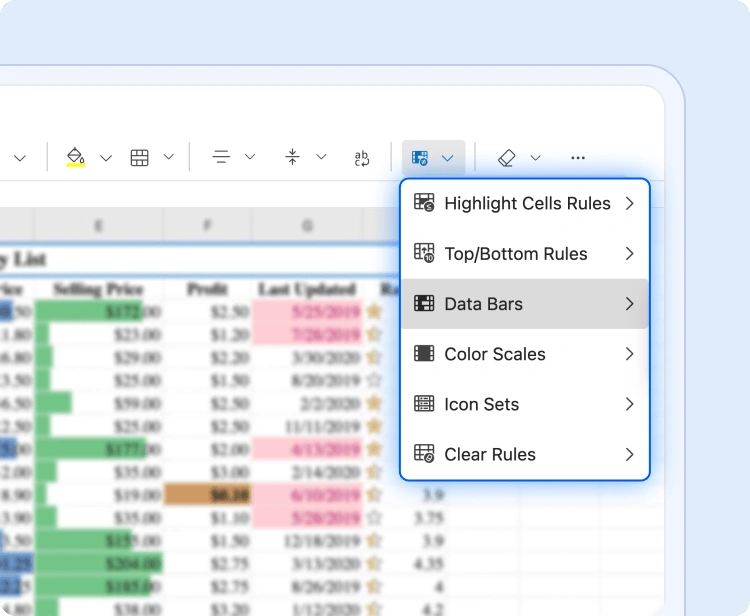
Conditional formatting
Maintain visual clarity by using conditional formatting to highlight trends, flag errors, and guide user input effectively.
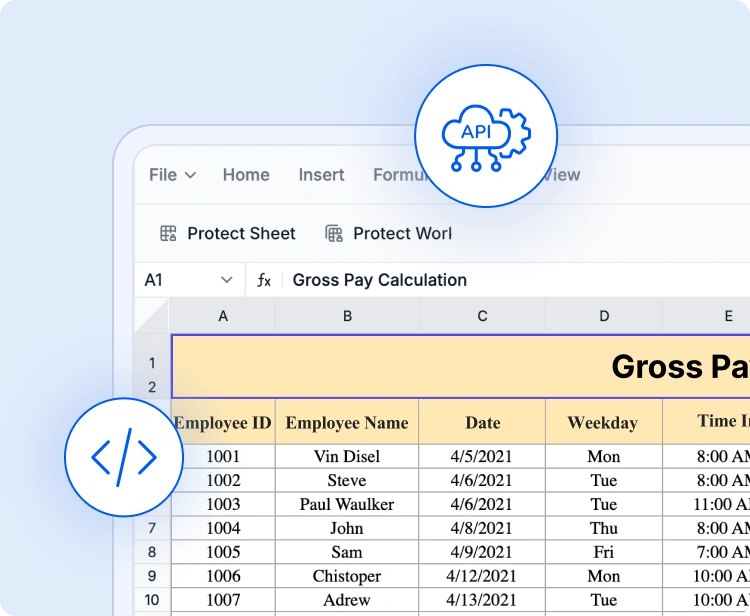
API-driven file operations
Programmatically manage spreadsheet content. Use built-in APIs to open and save files, load Excel or CSV data, bind dynamic content, and export results, streamlining backend-driven workflows.
Accessibility and global readiness
Keyboard navigation
Interact with every cell using keyboard shortcuts alone. Perform selections, edits, and clipboard actions without a mouse, supporting highly accessible workflows.
Accessibility
Fully compliant with WAI-ARIA standards, the Blazor Spreadsheet Editor ensures all UI elements and cell content are accessible to assistive technologies. High-contrast visuals enhance readability for users with low vision.
RTL and localization
Designed for global applications with localization, regional formats, and right-to-left (RTL) layout support.
Industry-tailored solutions
The Syncfusion® Blazor Spreadsheet Editor empowers professionals across a wide range of industries to organize, analyze, and share data directly in the browser. Engineered for precision, flexibility, and secure data handling, it facilitates team collaboration and streamlines spreadsheet workflows.
No credit card required.
Finance and accounting
Finance teams can manage complex models, budgets, and forecasts using built-in formula support and conditional formatting. The Spreadsheet Editor assures precision and compliance in every calculation.
Healthcare and research
Healthcare analysts can securely record and analyze patient metrics, medical statistics, and lab data with customizable sheets and HIPAA-ready protection features.
Education and academics
Educator and students can manage grades, attendance, and research data in an interactive spreadsheet environment, making tracking, reporting, and learning more intuitive.
Sales and marketing
Sales and marketing professionals can monitor KPIs, campaign performance, and revenue trends using rich formatting, Excel-compatible formulas, and sorting and filtering—making reporting faster and enabling data-driven decisions without switching tools.
AI-Assisted Development
Build feature-rich spreadsheet experiences faster
Build powerful spreadsheet applications faster with Syncfusion AI tools that convert requirements into seamless and scalable user experiences.
Agent Skills
Create accurate spreadsheet editor code with Syncfusion Agent Skills for faster development
Example Prompt Show me ways to get started with a Spreadsheet in Blazor.
MCP Server
Build spreadsheet with Syncfusion MCP Server through code generation and troubleshooting directly in your IDE.
Example Prompt Show me how to create a Spreadsheet in Blazor.
Trusted by the world’s leading companies

See Why Developers Love Syncfusion
These real-time stories shows the impact of our Spreadsheet Editor
The best way to showcase our commitment is through the experiences and stories of those who have used our Spreadsheet Editor.




Endless possibilities with one editor
Whether you’re building financial dashboards, managing inventory, analyzing research data, or designing interactive forms, the Blazor Spreadsheet Editor adapts to your needs. With powerful features, a flexible architecture, and enterprise-grade performance, it’s the ideal solution for data-driven applications across industries.
No credit card required.
Blazor Spreadsheet Editor FAQs
If you’re new to Spreadsheet Editor or have questions, our FAQ will help you learn more about its features and capabilities.
Why choose Syncfusion Blazor Spreadsheet Editor?
Syncfusion provides a complete Blazor Spreadsheet with Excel-like features, high performance, and enterprise-ready capabilities for modern web applications.
Is this a Blazor Excel editor or just a Excel viewer?
It works as both an editor and viewer, delivering a full Blazor Excel-like grid experience.
Can I apply formulas and formatting in Blazor Spreadsheet?
Yes, it supports Excel-compatible formula along with advanced formatting features.
Is the Blazor Spreadsheet secure for enterprise applications?
Yes, it supports client-side and server-side processing with full control over data and workbook protection.
Where can I find the Blazor spreadsheet GitHub examples?
You can explore implementation examples and integration guides through the official Blazor spreadsheet GitHub repository.
Does this component support both a Blazor Excel Viewer and editor?
Yes. You can use the component as a Blazor Excel viewer to open and display supported Excel files, or provide complete editing capabilities including formulas, formatting, data validation, charts, and export.
How do I get started with the Blazor Spreadsheet component?
Install the package via NuGet, configure services, and start building using a Blazor Spreadsheet component in minutes.
Can I import and export Excel files to the Blazor Spreadsheet Editor?
Yes. You can import Excel (XLS and XLSX) files while preserving formatting and formulas, and export spreadsheets to XLSX, XLS, CSV, and PDF formats with full structure and layout.
Can it handle large datasets efficiently in Blazor Spreadsheet?
Yes, the component is optimized for large datasets with smooth rendering and real-time performance.
Is this available as a Blazor spreadsheet NuGet package?
Yes, it is available as a Blazor spreadsheet NuGet package and can be easily integrated into any Blazor application.
Where can I try the Blazor Spreadsheet demo?
You can explore the live demo to test editing, formulas, and Excel import/export features directly in your browser.
Resources
Learn more about our Syncfusion Blazor Spreadsheet Editor
Explore demos, KB articles, and documentation to get the most out of our Spreadsheet Editor.
Explore guides, APIs, and quick-start tips
See live use cases in action
Ask, share, and connect with peers
Find solutions and best practices fast
Get expert help when you need it
Feature request and bugs reports
Track issues and suggest improvements







