Scheduler SDK
Make complex scheduling easier with flexible event calendars
No credit card required.
 React
React Blazor
 Angular
 JavaScript
 Vue
Vue ASP.NET Core
 .NET MAUI
 ASP.NET MVC
 WPF
WPF WinForms
 WinUI
WinUI UWP
UWPBuild flexible scheduling experiences across major frameworks
Trusted by 41K+
organizations worldwide
25+ years
of UI component expertise
1.1K+ Scheduler
demos and examples
29.3M+ downloads
of the component libraries
Try Our Live Demo
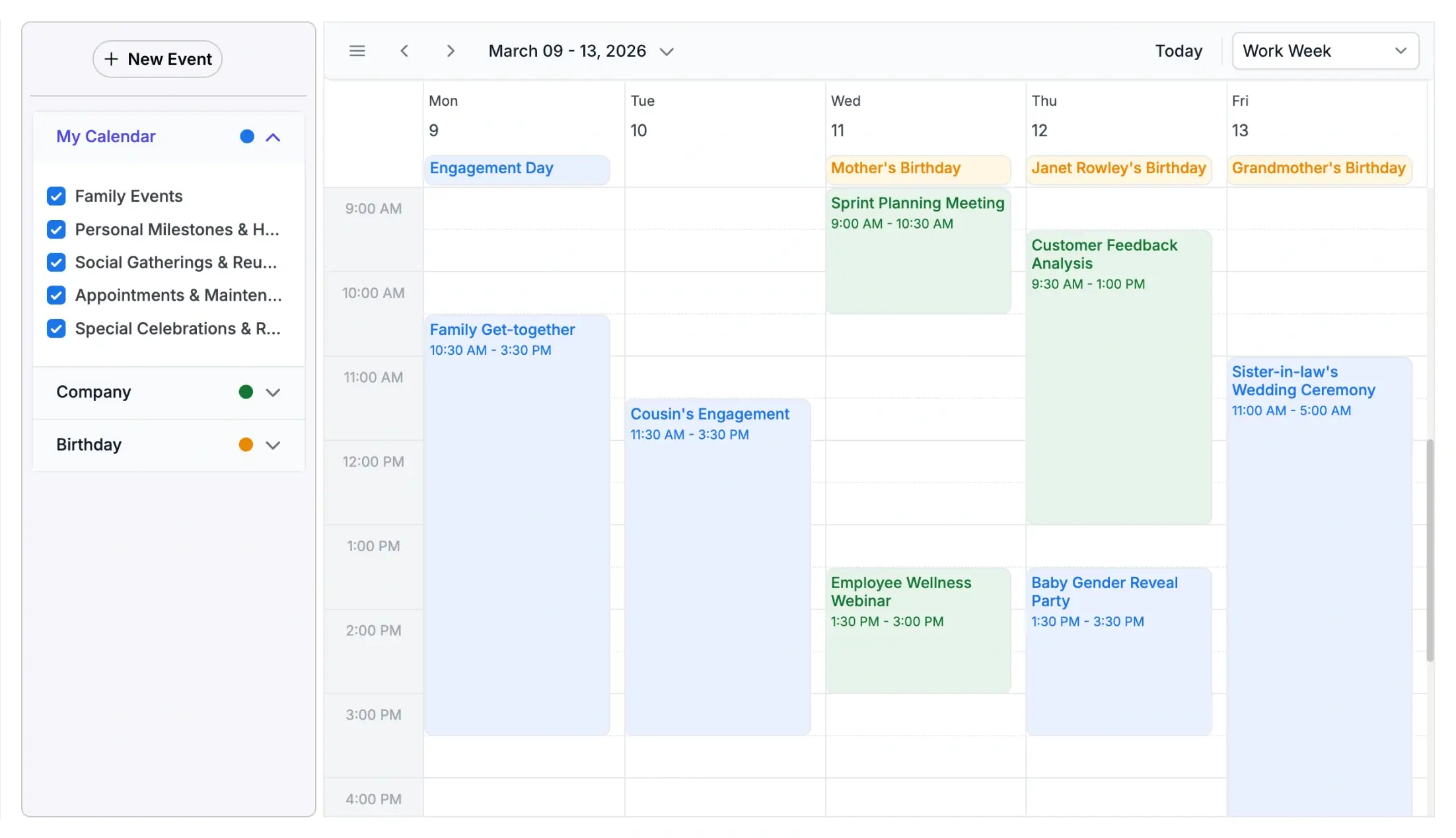



Schedule resources without conflicts
Manage appointments across people, rooms, equipment, projects, and departments in one Scheduler view, so users can see availability, group events by resource, and avoid booking conflicts.
Try Our Live Demo
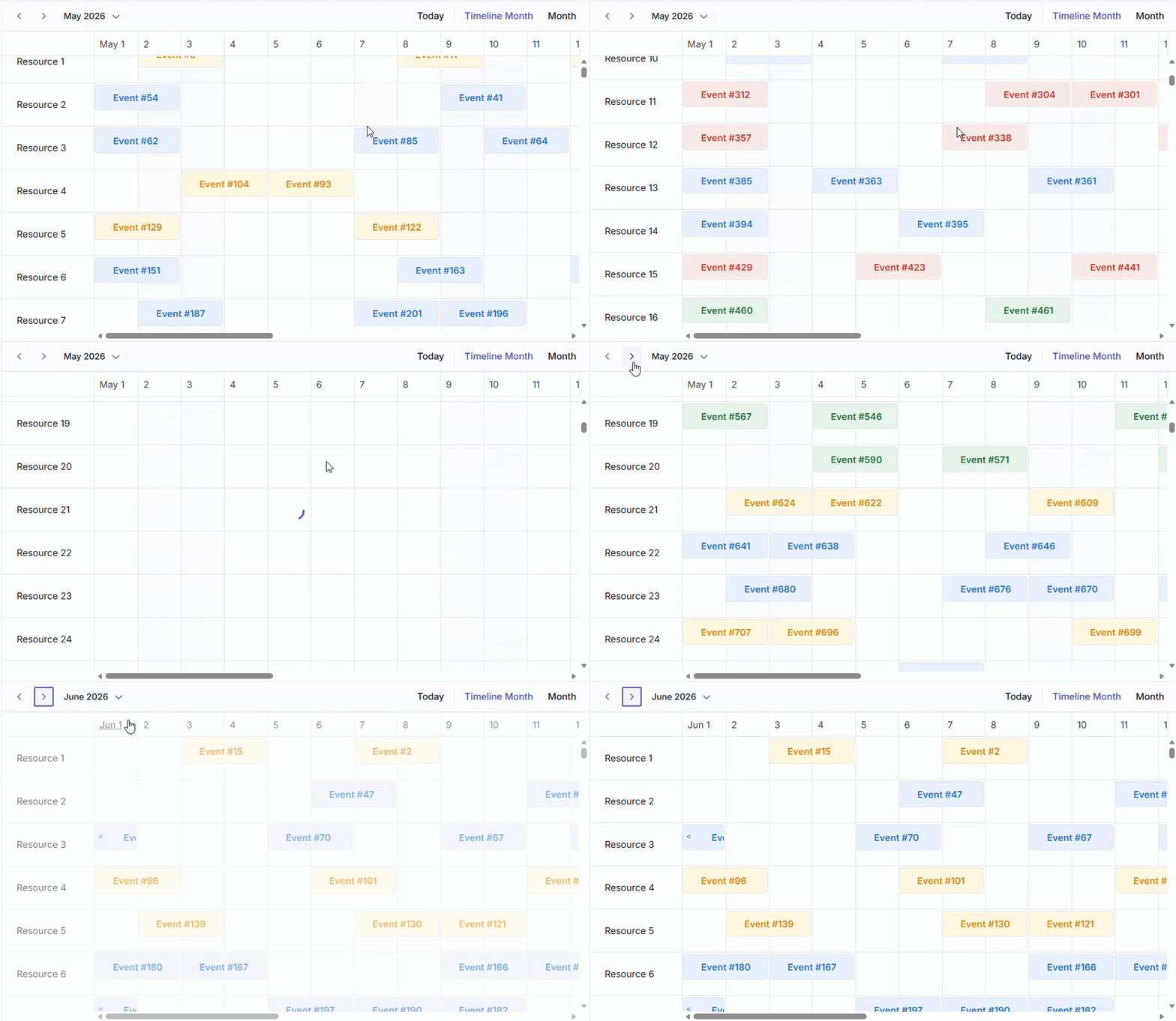
Keep complex calendars moving smoothly
Handle large scheduling datasets with smooth scrolling, virtualization, fast interactions, and responsive layouts across devices.
- Enable smooth scrolling and quick navigation across large schedules.
- Use virtualization to handle many events, resources, and timeline views efficiently.
- Support fast drag-and-drop, resizing, editing, and recurrence interactions.
- Deliver consistent scheduling performance across desktop, tablet, and mobile layouts.
Design Scheduler views that fit your app
Customize appointments, headers, resources, and tooltips so every calendar view reflects how your users plan, track, and manage events.
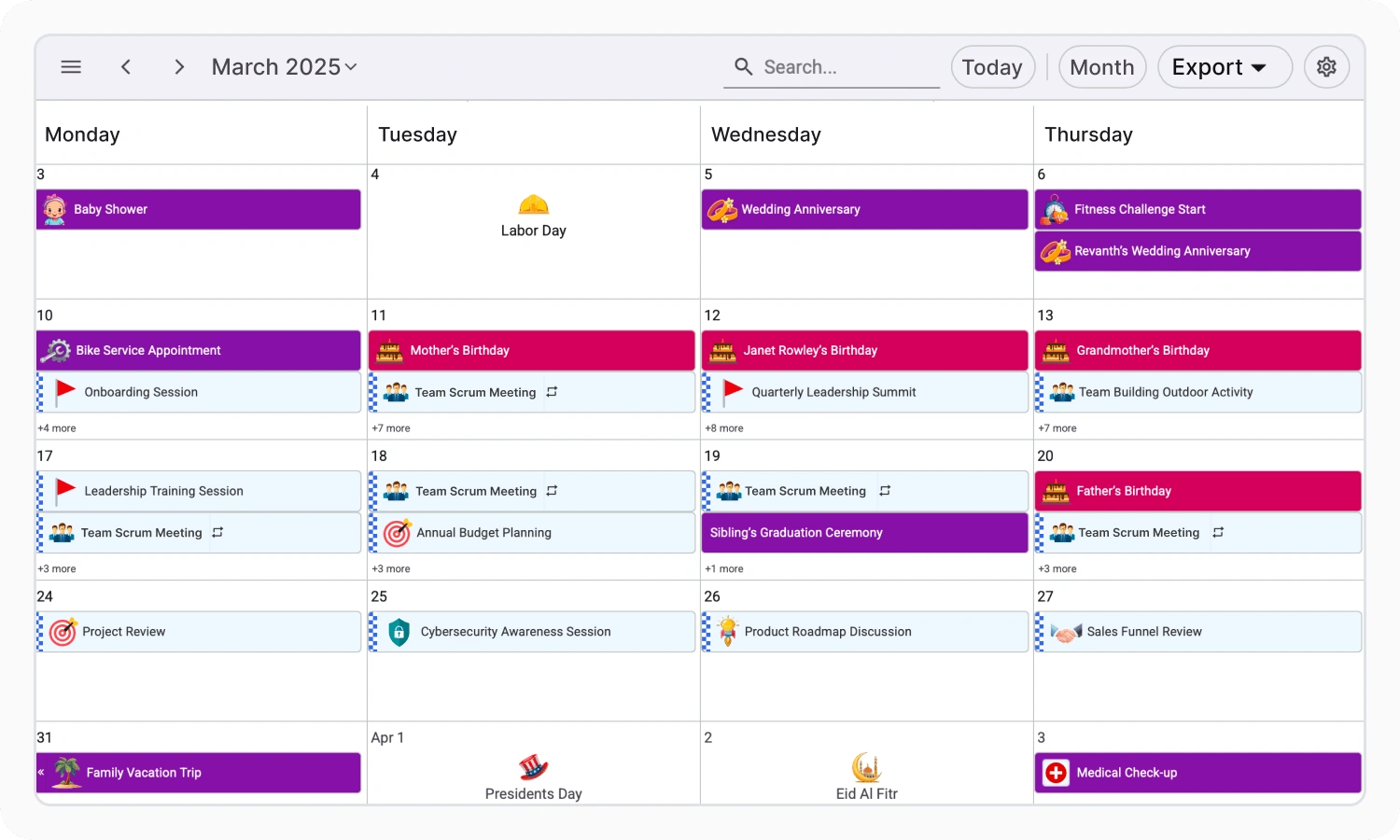
- Design appointment cards with icons, colors, statuses, and custom event details.
- Customize headers for dates, resources, views, and calendar navigation.
- Show staff, rooms, equipment, or assets with resource templates.
- Add tooltips that surface event details and quick actions in context.
Keep calendar screens visually consistent
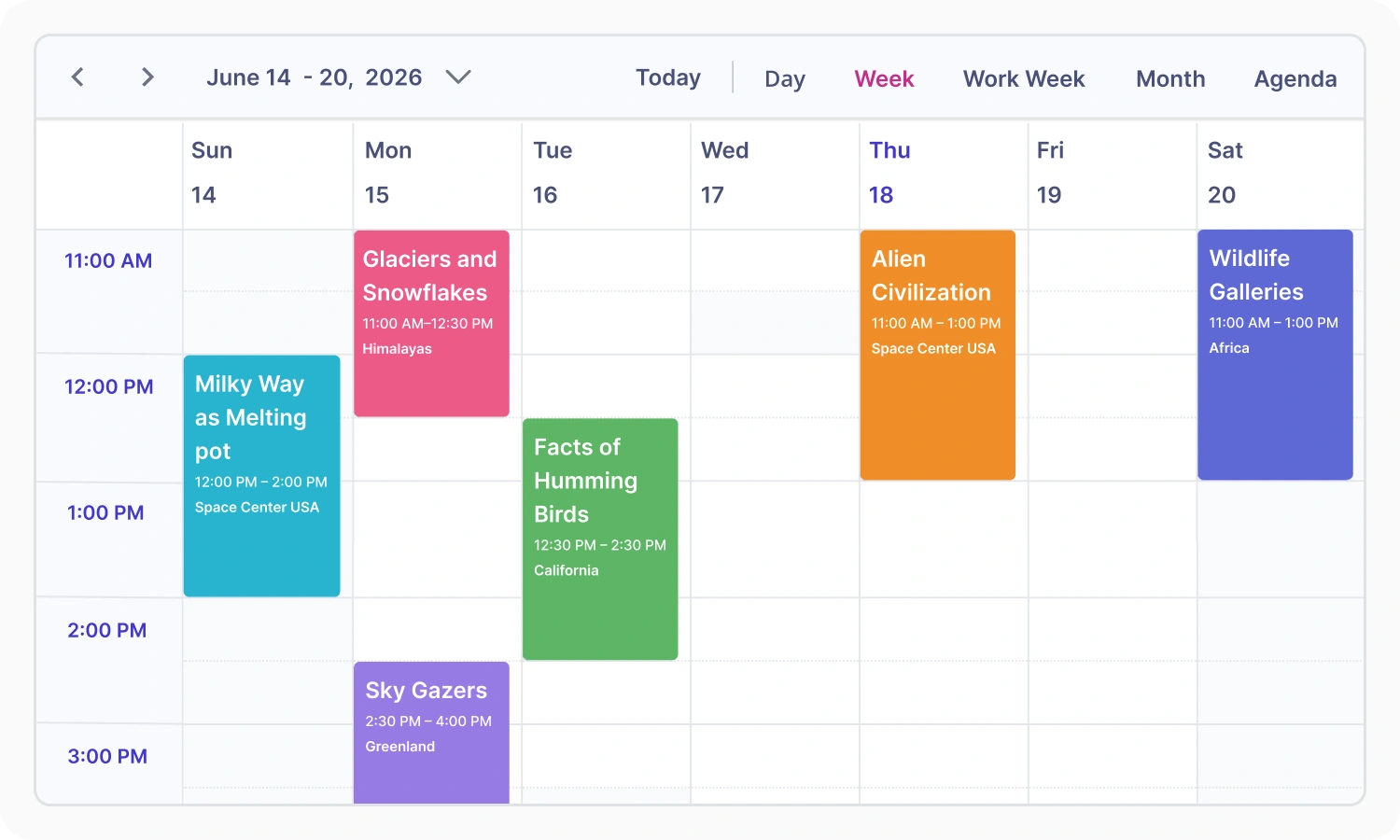
Use built-in themes and flexible styling to make Scheduler views feel consistent across calendars, appointments, resources, light and dark modes, and different screen sizes.
- Support light and dark modes across scheduling screens.
- Start with Material, Bootstrap, Tailwind, and Fluent-style themes.
- Match calendar colors, appointment styles, typography, and spacing to your product design.
- Keep Scheduler views consistent across desktop, tablet, and mobile layouts.
AI-ready Scheduler that turns prompts into appointments
Transform natural-language instructions into structured events with AI-powered scheduling. Create recurring meetings and appointments from simple prompts, reducing manual effort and streamlining event creation.
Scheduling capabilities for complex event calendars
Build scalable scheduling experiences with multiple calendar views, resource scheduling, recurring events, time zone support, performance optimization, and flexible customization.

Multiple calendar views
Switch between day, week, workweek, month, timeline, and agenda views to visualize schedules effectively.

Resource scheduling
Group appointments by employees, rooms, equipment, or departments for clear resource-based scheduling.

Event management
Create, edit, delete, resize, and organize appointments with flexible scheduling interactions.

Recurring events
Schedule repeating events with flexible daily, weekly, monthly, and yearly recurrence patterns.

Time-zone support
Manage global schedules accurately with built-in time zone conversion and display support.

High-performance scheduling
Handle large schedules with virtualization and lazy loading for smoother navigation and faster rendering.

Drag-and-drop scheduling
Reschedule appointments quickly with intuitive drag-and-drop and event resizing interactions.

Appointment editor
Customize event editor forms to capture appointment details, resources, recurrence, and business fields.

ICS import and export
Import and export calendar events using the standard ICS format for calendar interoperability.

Custom templates
Customize event cards, cells, headers, editor windows, and resource views using flexible templates.

Responsive design
Deliver scheduling experiences that adapt smoothly across desktop, tablet, and mobile screens.

Localization and globalization
Support regional formats, cultures, and localized Scheduler interfaces for global applications.
Everything needed to build complete scheduling experiences
Use Scheduler, Calendar, DatePicker, DateRangePicker, DateTimePicker, and TimePicker components to build connected scheduling and date selection experiences.

Scheduler
Create, edit, and manage appointments, meetings, events, resources, and timelines with a fully customizable event calendar.
Available on

Smart Scheduler
AI-powered .NET MAUI event calendar for appointments, conflict handling, free-time discovery, summaries, and resource scheduling.
Available on
Why choose Syncfusion Scheduler SDK

One scheduling SDK license
Access Scheduler, Calendar, DatePicker, DateTime Picker, DateRangePicker, and TimePicker in one focused SDK package for scheduling and date selection.

Cross-platform development
Build scheduling experiences across popular web, desktop, and mobile platforms with consistent Syncfusion support.

AI-ready scheduling experiences
Enhance scheduling workflows with Smart Scheduler capabilities that support natural-language appointment creation and updates.

Meet enterprise requirements
Support enterprise application needs with accessibility, globalization, secure configuration, export options, and scalable scheduling workflows.

Expert developer support
Access Syncfusion documentation, technical support, product updates, and implementation guidance to keep development and maintenance moving smoothly.
Create Scheduler experiences faster with AI
Use Syncfusion AI tools to turn scheduling requirements into configured calendar, appointment, and date selection experiences with less manual setup and faster implementation.

Agentic UI Builder
Describe the screen you need and generate a ready-to-use Scheduler layout with Syncfusion components
Example Prompt: Build a delivery route planner for assigning orders to drivers and managing conflict-free routes with Scheduler and table views.

Agent Skills
Guide your AI coding agent with verified Syncfusion Scheduler APIs, setup steps, and implementation patterns.
Example Prompt: Create a meeting room booking Scheduler for an organization.

AI Coding Assistant
Ask questions in your IDE to generate, configure, integrate, and debug Scheduler code.
Example Prompt: Show how to bind remote appointments and enable timeline views in the React Scheduler.
Trusted by teams building scheduling apps






Frequently asked questions
What is Scheduler SDK?
Scheduler SDK is a standalone scheduling and calendar UI package for building applications that create, display, manage, and organize appointments, meetings, tasks, bookings, and events. It supports day, week, month, agenda, and timeline views, with rich customization and high-performance rendering for web, desktop, and mobile applications.
Which platforms and frameworks are supported by the Scheduler SDK?
Scheduler SDK supports a broad set of platforms:
- Web: React, Blazor, Angular, JavaScript, Vue, ASP.NET Core, ASP.NET MVC
- Desktop: WPF, WinForms, WinUI, UWP
- Mobile and Cross-Platform: .NET MAUI (Android, iOS, macOS, Windows)
Can Scheduler SDK be purchased separately from the complete UI component suite?
Yes. Scheduler SDK is offered as a focused package for scheduling, calendar, and date selection requirements. It enables teams to use advanced scheduling capabilities without purchasing the complete UI component suite.
How can I get pricing details for the Scheduler SDK?
Please visit our pricing page to request a quote. Our sales team will contact you shortly to provide further assistance.
Resources
Learn more about our Scheduler SDK
Explore demos, KB articles, and documentation to get the most out of our Scheduler SDK.
Documentation
Explore guides, APIs, and quick-start tips
Knowledge base articles
Find solutions and best practices fast
Example demos
See live use cases in action
Contact support
Get expert help when you need it
Community forum
Ask, share, and connect with peers
Feature requests and bug reports
Track issues and suggest improvements
See real success stories
Developers around the world trust Syncfusion’s Essential Studio to simplify complex projects and speed up delivery. With a vast library of UI controls, powerful SDKs, and reliable support, Essential Studio helps teams build enterprise-ready applications with confidence.
Read Our Customer StoriesIndustry
Software development
75% Cost reduction
50% Faster development

Industry
Utilities (oil and gas)

450+ hours saved
Streamlined processes and hours of development effort saved.

Advanced, flexible features
Empowered users through robust and versatile functionality.
Industry
Software and technology
1000+ of hours saved
Accelerated development with enterprise-ready UI components.

Efficient file management
Streamlined workflows with document libraries without building them from scratch.
Industry
Software and technology

2 Years of delay avoided
Two years of delays prevented with proactive planning.

On-time delivery
Projects delivered on schedule using trusted controls.
Industry
IT services and IT consulting

Improved performance
Large datasets handled with easy customization and quick debugging.

Highly customizable
Plug-and-play controls with quick template integration.
Industry
Professional services
Instant access
Quick availability of features and resources.
Reduced dependencies
Fewer dependencies for faster development.
Build better scheduling experiences with Scheduler SDK
Start with a feature-rich event calendar, add calendar and date selection experiences, and enhance scheduling workflows with resource planning, recurring events, and AI-ready appointment creation.
No credit card required.| 29.3M+ downloads
 React
React Blazor
 Angular
 JavaScript
 Vue
Vue ASP.NET Core
 .NET MAUI
 ASP.NET MVC
 WPF
WPF WinForms
 WinUI
WinUI UWP
UWPRecent activities in Scheduler SDK
Stay updated with the latest Scheduler SDK videos and blogs from Syncfusion, including new content, product updates, and helpful resources.
Awards
Greatness—it’s one thing to say you have it, but it means more when others recognize it. Syncfusion® is proud to hold the following industry awards.









