


Overview
The .NET MAUI TreeGrid is a feature-rich control used to visualize self-referential, hierarchical data effectively in a tabular format (a tree-like structure). Its rich feature set includes many functionalities: data binding, virtualization, filtering, infinite scrolling, frozen rows and columns, and more.
Why choose Syncfusion’s Essential Studio® .NET MAUI TreeGrid?
High performance
Built with a highly optimized virtualization engine, the .NET MAUI TreeGrid efficiently renders and scrolls through millions of records with minimal memory overhead and lightning-fast load times.
Seamless data binding
Bind data efficiently to both local and remote data sources such as JSON, OData, WCF, and RESTful services using the built-in data manager for real-time, high-performance data updates.
Self-referential, hierarchical grid
The TreeGrid is designed to visualize self-referential and hierarchical in a tabular format. This in turns displays the relationship between parent and child records.
Adapts to any resolution
The TreeGrid has a highly responsive layout and an optimized design for desktops, tablets, and smartphones. It works well on all mobile phones that use iOS, Android, or Windows OS.
Attractive, customizable themes
The Material theme is built in, with full support for light and dark modes. Easily customize the grid’s appearance by using resource dictionaries to match the application’s branding.
.NET MAUI TreeGrid code example
Easily get started with the .NET MAUI TreeGrid control using a few simple lines of XAML code, as demonstrated below.
<?xml version="1.0" encoding="utf-8" ?>
<ContentPage xmlns="http://schemas.microsoft.com/dotnet/2021/maui"
             xmlns:x="http://schemas.microsoft.com/winfx/2009/xaml"
             xmlns:syncfusion="clr-namespace:Syncfusion.Maui.TreeGrid;assembly=Syncfusion.Maui.TreeGrid"
             xmlns:local="clr-namespace:GettingStarted"
             x:Class="GettingStarted.MainPage">
    <ContentPage.BindingContext>
        <local:OrderInfoRepository x:Name="viewModel" />
    </ContentPage.BindingContext>
    <ContentPage.Content>
        <syncfusion:SfTreeGrid  x:Name="treeGrid"
                                ItemsSource="{Binding EmployeeList}"
                                ChildPropertyName="ReportsTo"
                                ParentPropertyName="ID"
                                SelfRelationRootValue="-1">
        </syncfusion:SfTreeGrid>
    </ContentPage.Content>
</ContentPage>
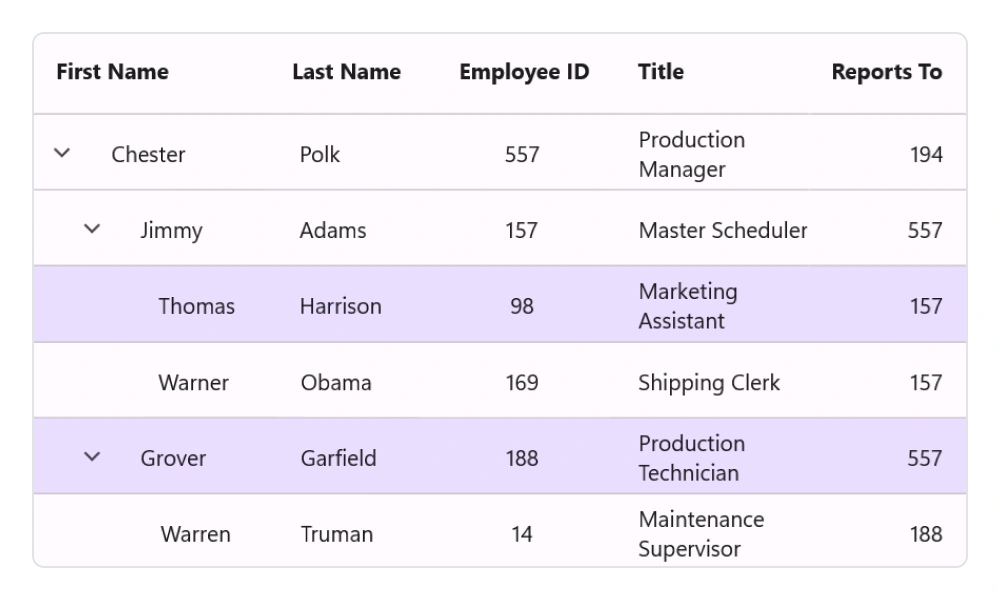
Selection
- Select one or more rows with built-in selection modes.
- Customize the background and text color for selected rows.
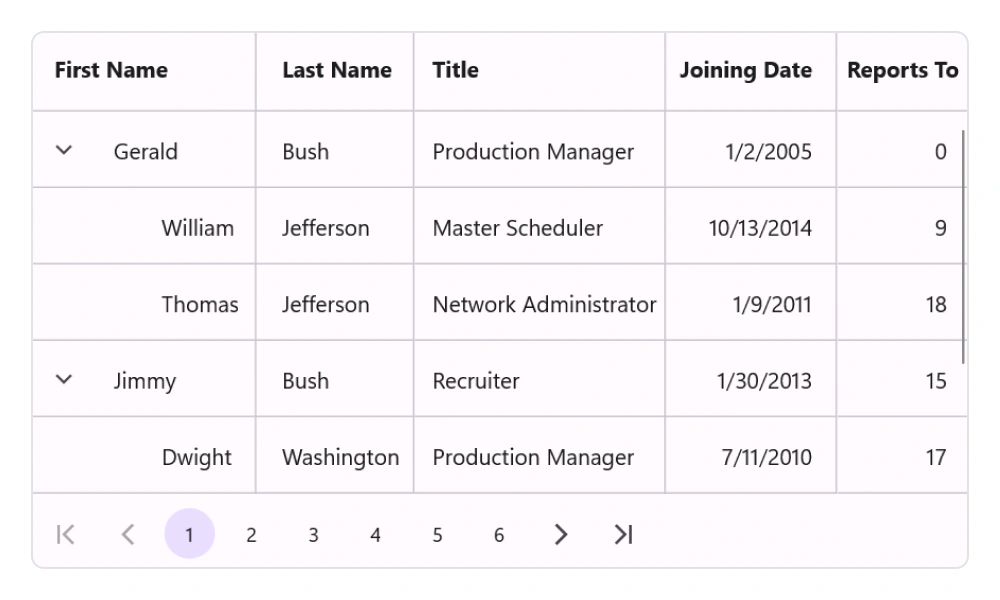
Paging
- Use the data pager control to view records on multiple pages.
- Customize styles based on device and application requirements.
- Load data to new pages on demand with options to maintain and reset the cache.
Data shaping and manipulation
Sorting
Sort one or more columns in ascending or descending order. Perform tri-state sorting and display sort numbers to indicate the sort order.
Filtering
Programmatically filter the rows by setting a predicate to the view.
Columns
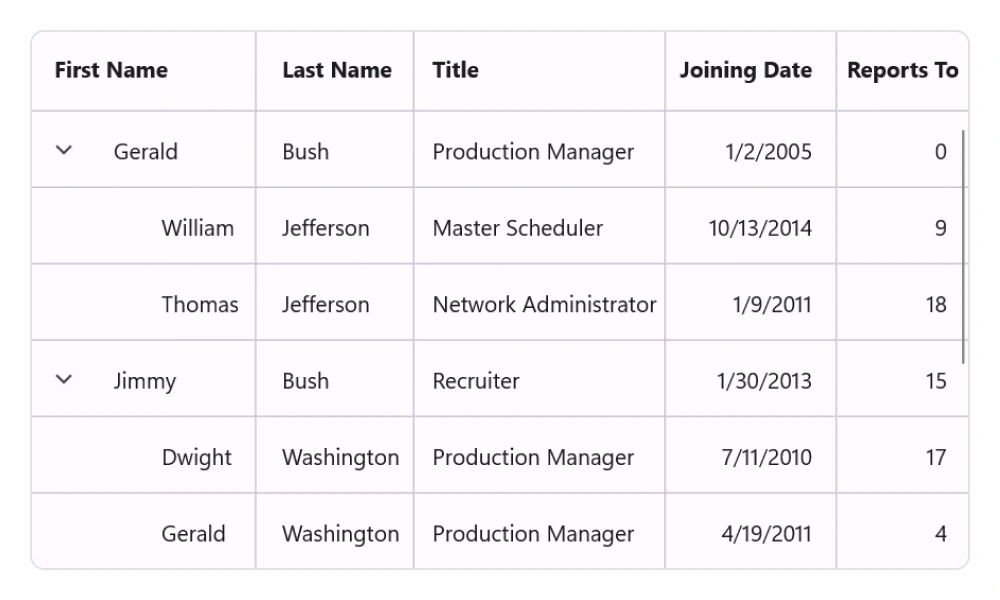
Column sizing
- The column width can be adjusted to fit the contents of its cells.
- All the columns can be adjusted to fit within the viewport.
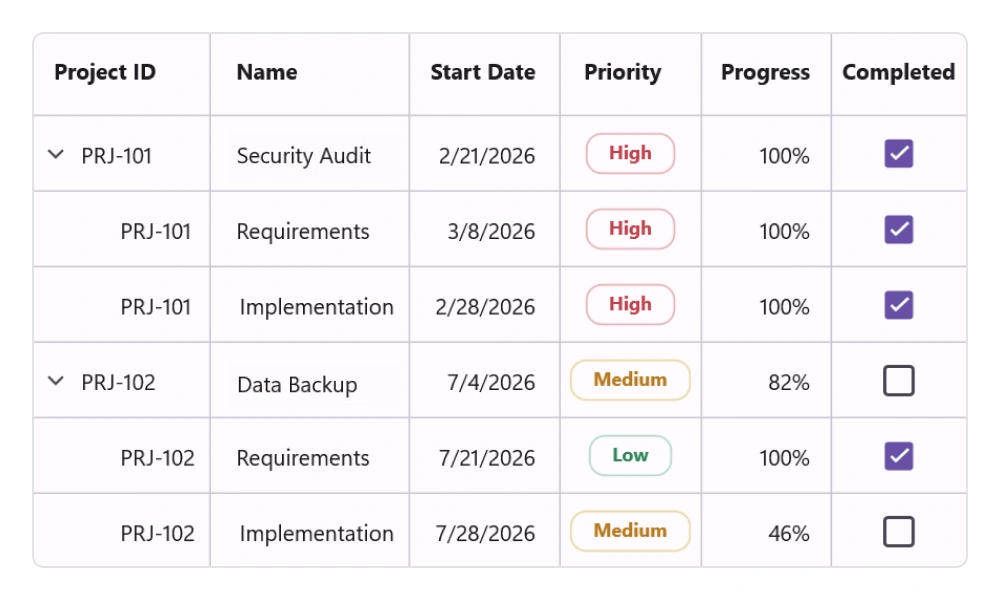
Column types
- Users can load different types of data using the built-in column types: text, numeric, date, and checkbox.
- Load custom or multiple views in the cells to display data using templated columns.
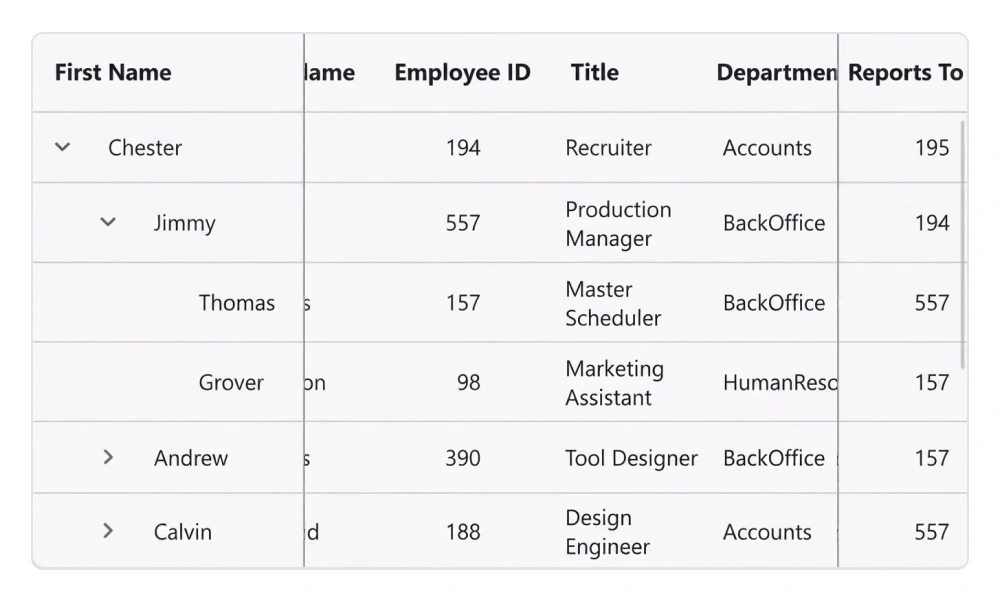
Freeze panes
Frozen columns are visible at the left, right, or both sides of the TreeGrid and leave the remaining grid content scrollable. A frozen column is mainly used to compare cell values. Users can include or exclude columns from being frozen by interacting with the line separators between the columns.
Appearance
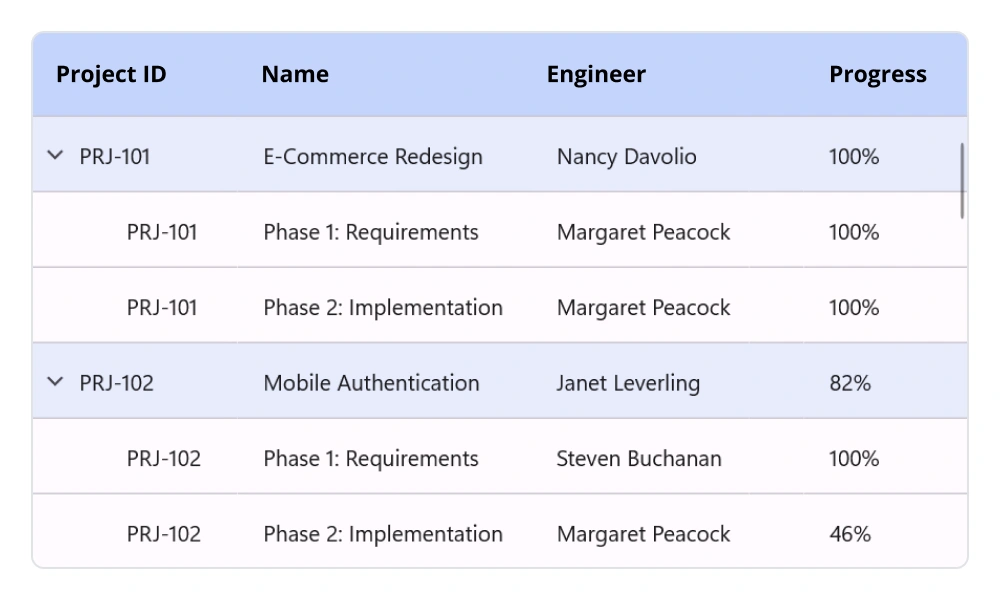
Styling
- Customize the style of each element in the MAUI TreeGrid to make your data visually appealing.
- Customize the text styles of rows for an elegant look and feel.
- Customize vertical, horizontal, or both gridline borders. Customize the color and thickness of the gridlines as well.
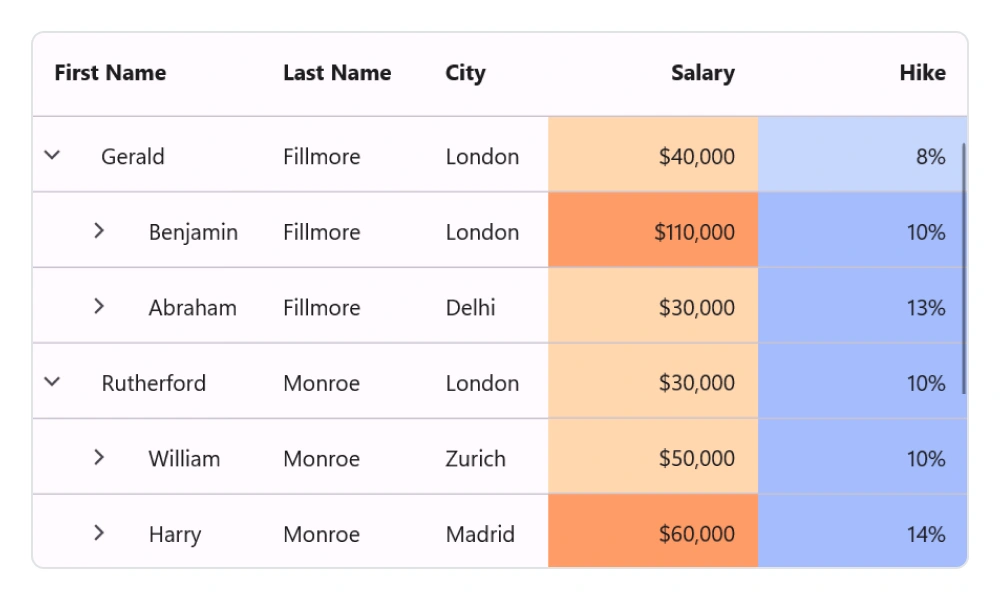
Conditional styling
- Customize cell and row appearances conditionally based on the data.
- Customize the styles and formatting of data in rows.
 95+ UI controls
200+ interactive .NET MAUI demos
3.5M+ downloads
95+ UI controls
200+ interactive .NET MAUI demos
3.5M+ downloads
.NET MAUI DataViz & UI Controls
Standalone UI SDKs
Integrate the DataGrid, Chart, Scheduler, and Rich Text Editor UI components into applications to enable rich interaction and visualization, delivering a seamless user experience.
Document Solutions
Integrate the PDF Viewer, DOCX Editor, Spreadsheet Editor, and document-processing libraries into the .NET MAUI applications to enable a smooth user experience.
Our Customers Love Us




See Real Success Stories
Developers around the world trust Syncfusion’s Essential Studio to simplify complex projects and speed up delivery. With a vast library of UI controls, powerful SDKs, and reliable support, Essential Studio helps teams build enterprise-ready applications with confidence.
Read Our Customer StoriesIndustry
Software development
75% Cost reduction
50% Faster development

Industry
Utilities (oil and gas)

450+ hours saved
Streamlined processes and hours of development effort saved.

Advanced, flexible features
Empowered users through robust and versatile functionality.
Industry
Software and technology
1000+ of hours saved
Accelerated development with enterprise-ready UI components.

Efficient file management
Streamlined workflows with document libraries without building them from scratch.
Industry
Software and technology

2 Years of delay avoided
Two years of delays prevented with proactive planning.

On-time delivery
Projects delivered on schedule using trusted controls.
Industry
IT services and IT consulting

Improved performance
Large datasets handled with easy customization and quick debugging.

Highly customizable
Plug-and-play controls with quick template integration.
Industry
Professional services
Instant access
Quick availability of features and resources.
Reduced dependencies
Fewer dependencies for faster development.
Rated by users across the globe



Syncfusion .NET MAUI Resources


Awards
Greatness—it’s one thing to say you have it, but it means more when others recognize it. Syncfusion® is proud to hold the following industry awards.









