

Overview
The Syncfusion .NET MAUI AI AssistView control is a component designed to facilitate the integration of AI services into .NET MAUI applications. It provides an intuitive and user-friendly interface that allows developers to create applications that interact seamlessly with AI services. This control simplifies the process of building intelligent and responsive applications by offering easy customization of its appearance and functionality. Developers can quickly adapt the control to match the application’s design and requirements while leveraging AI capabilities to enhance user experiences.
.NET MAUI AI AssistView code example
Get started with the .NET MAUI AI AssistView with a few simple lines of XAML code, as shown below. Also, explore our .NET MAUI AI AssistView example, which shows you how to render and configure the control.
<?xml version="1.0" encoding="utf-8" ?>
<ContentPage xmlns="http://schemas.microsoft.com/dotnet/2021/maui"
             xmlns:x="http://schemas.microsoft.com/winfx/2009/xaml"
              xmlns:syncfusion="clr-namespace:Syncfusion.Maui.AIAssistView;assembly=Syncfusion.Maui.AIAssistView" xmlns:local="clr-namespace:GettingStarted "
             x:Class="GettingStarted.MainPage">
    <ContentPage.BindingContext>
        <local:GettingStartedViewModel/>
    </ContentPage.BindingContext>
    <ContentPage.Content>
        <syncfusion:SfAIAssistView x:Name="assistView"
             AssistItems="{Binding Items}"/>
    </ContentPage.Content>
</ContentPage>
Content types
The .NET MAUI AI AssistView allows users to display items in various formats, such as text, images, hyperlinks, and cards, within their applications.

Text type
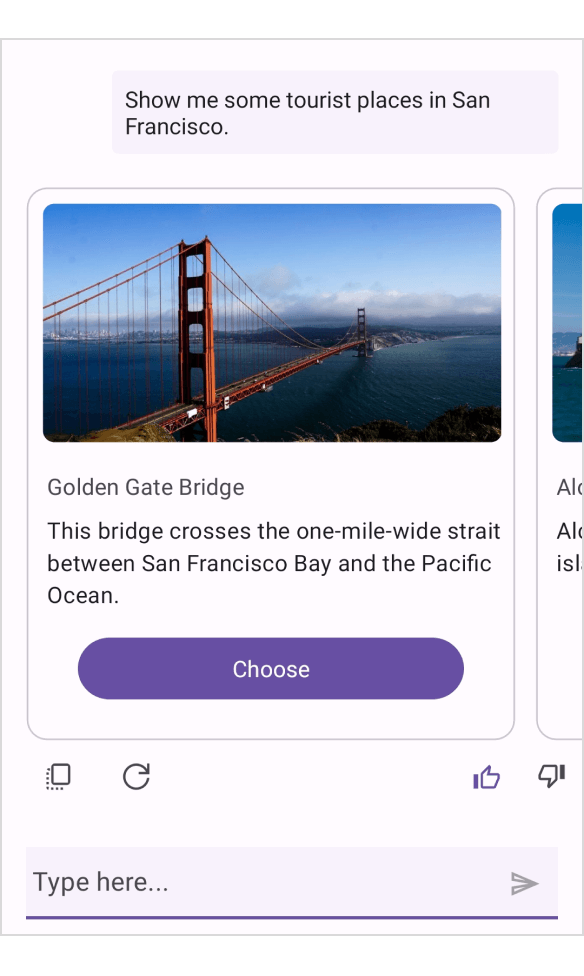
Card type

Image type

Hyperlink type
Control template
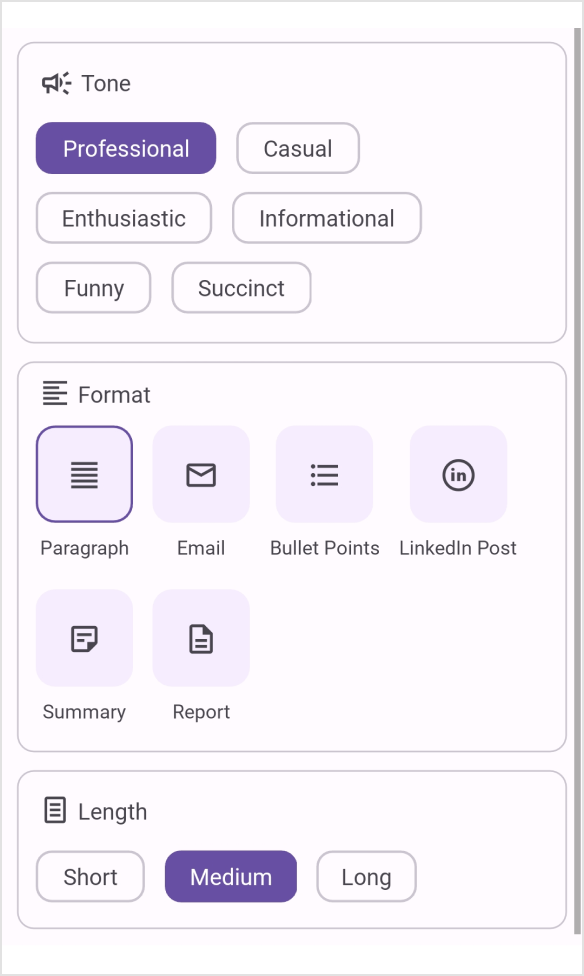
The .NET MAUI AI AssistView is a customizable control that allows developers to display any view or control within a template to meet their specific needs. It provides a flexible way to create an interactive UI that adapts to different scenarios, enhancing the application’s interactivity and user experience.

Markdown rendering and response streaming
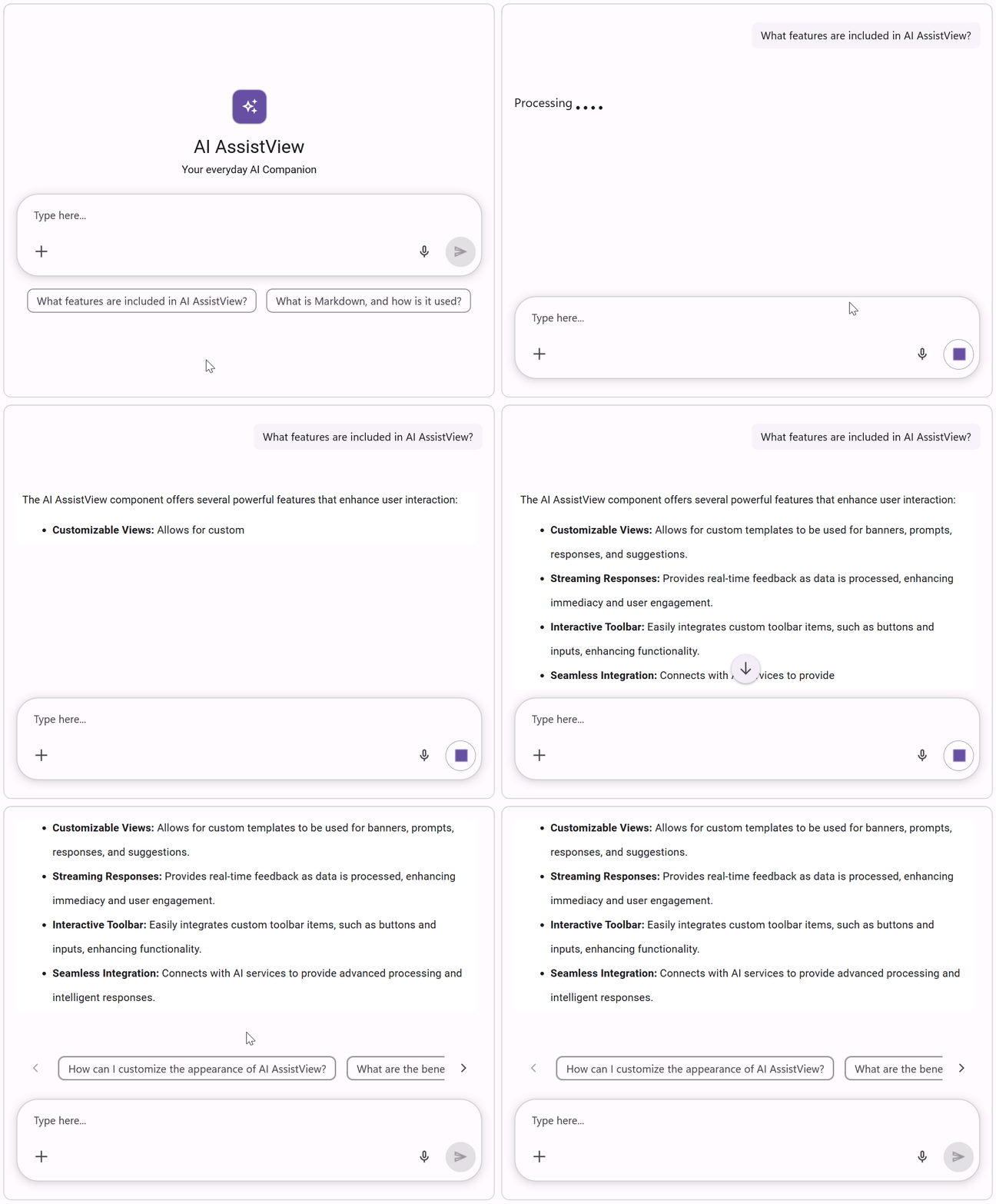
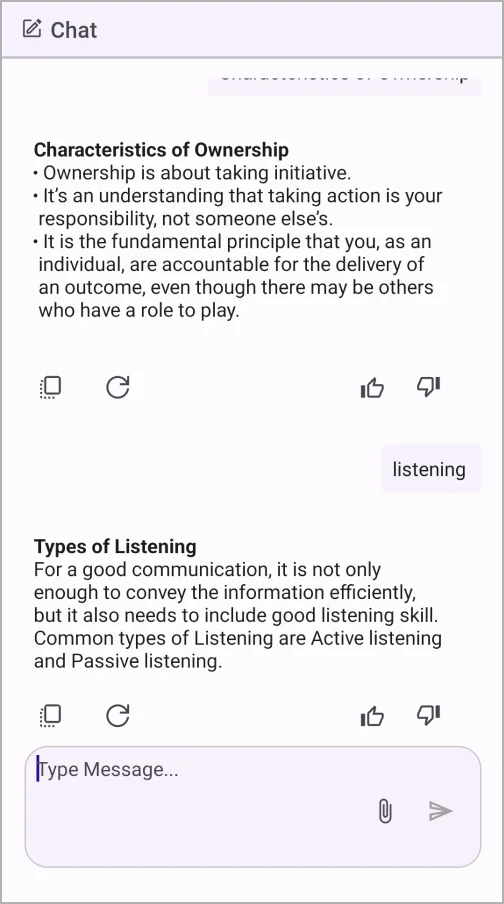
The .NET MAUI AI AssistView control supports displaying rich, formatted AI responses with real-time streaming, enabling users to view content as it is generated for improved readability, engagement, and a more interactive conversational experience.

Suggestions
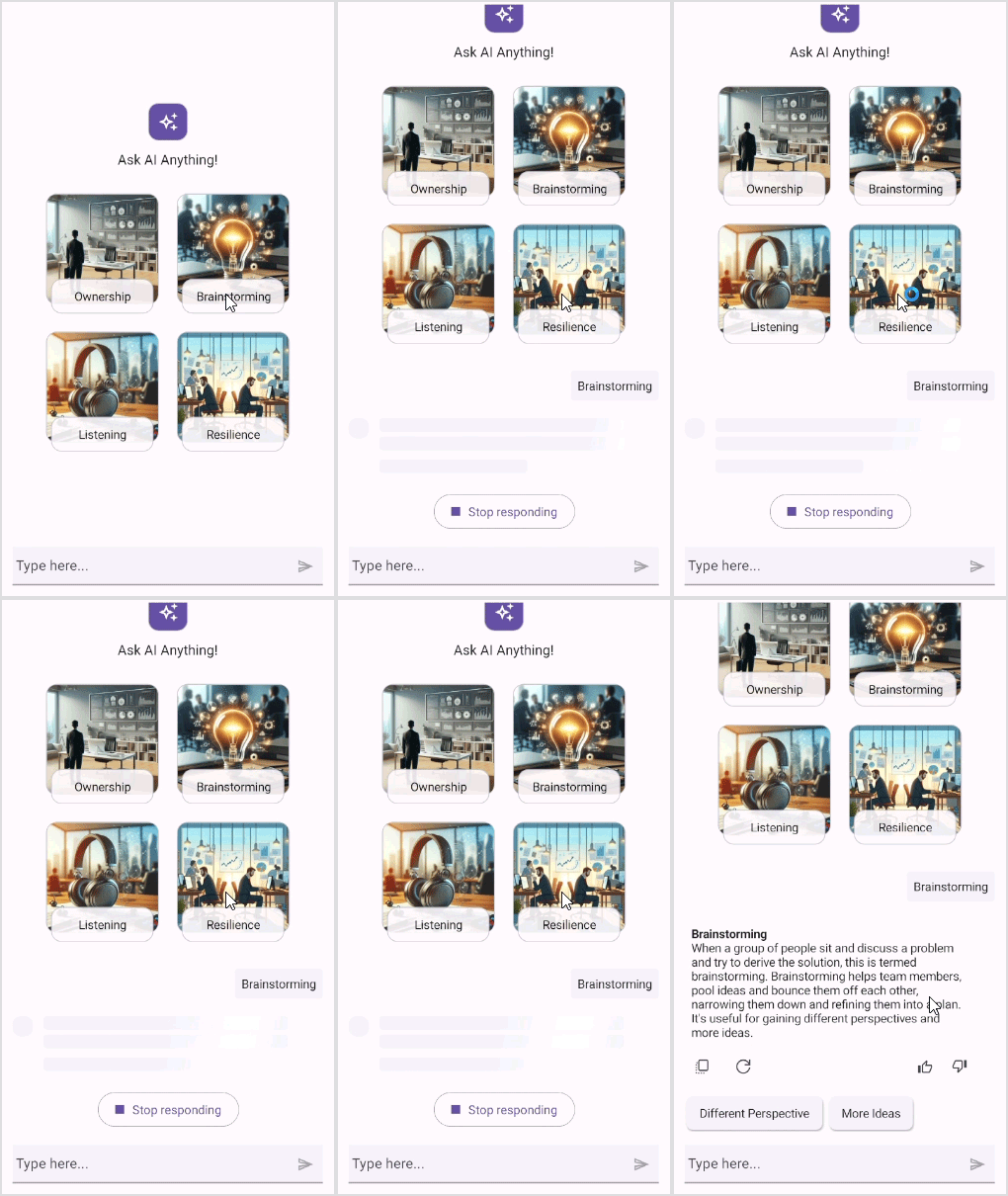
Users can display a list of suggestions under an AI-generated response to quickly continue a conversation. When a user selects a suggestion, it is automatically sent as a new request to the AI, enabling a more dynamic, interactive user experience. Suggestions can include images for better visualization, arranged vertically or horizontally.
Conversation management
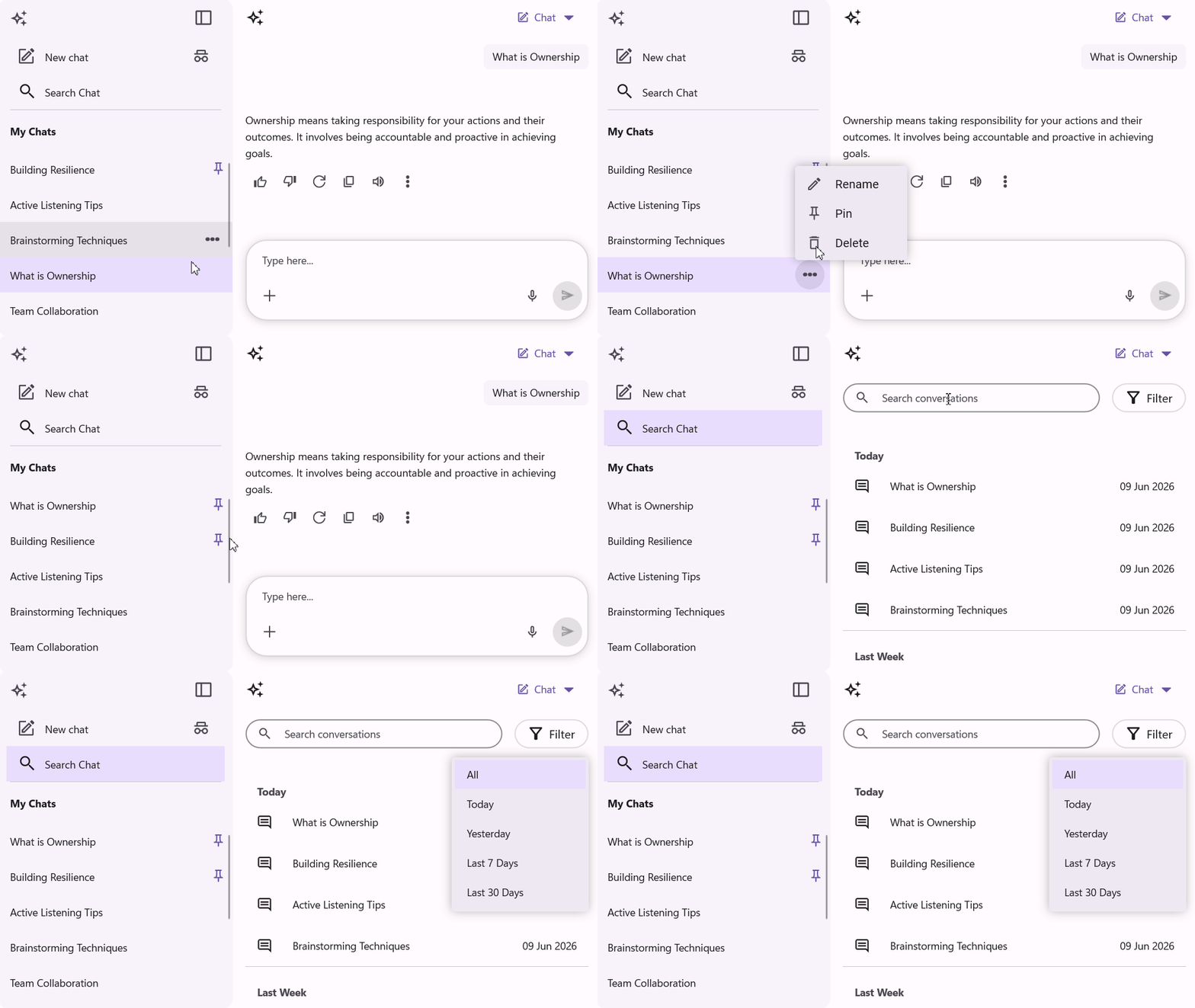
The control includes a conversation panel to manage chat interactions efficiently, allowing users to maintain conversations and easily filter, pin, rename, or delete them for an organized and seamless chat experience.
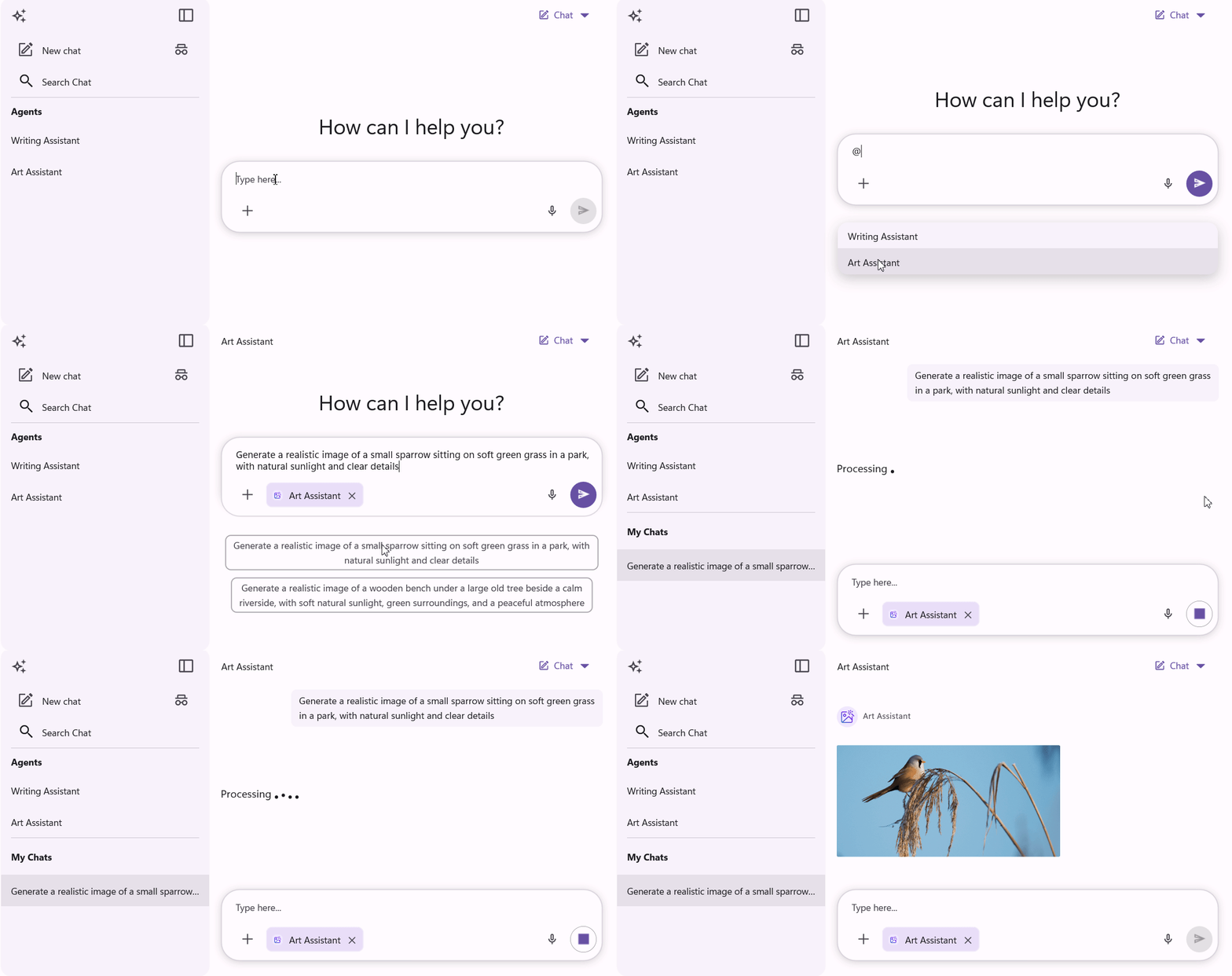
Agent mode
The AI AssistView supports switching between AI agents directly within the editor, displaying the selected agent as a chip with an icon and label. This lets users tailor the AI’s tone, behavior, and responses without custom input, delivering a more personalized conversational experience.
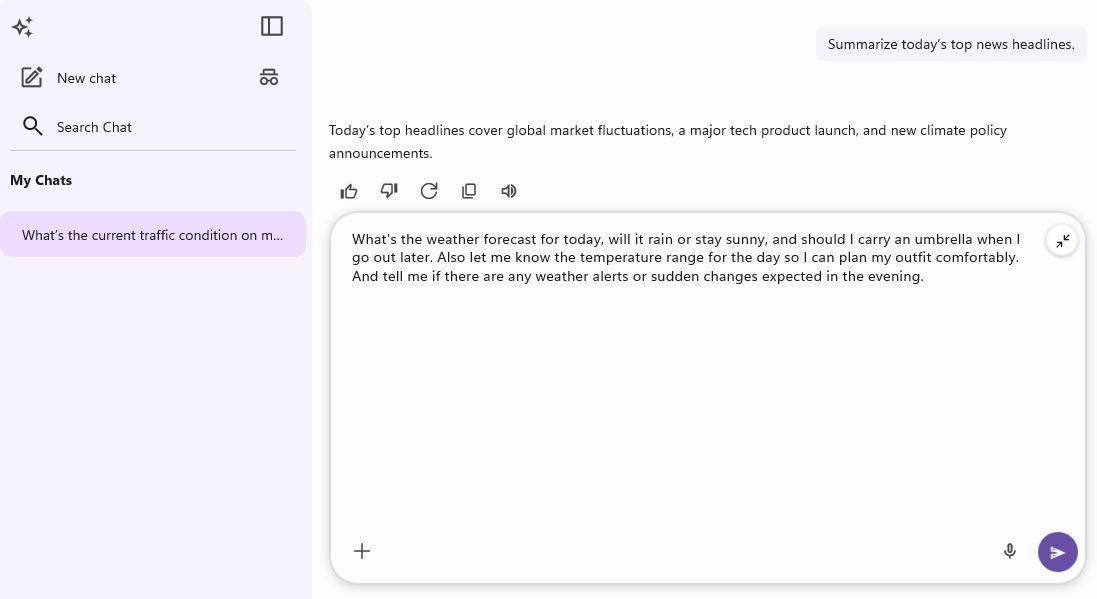
Multi-line prompt input
The .NET MAUI AI AssistView control includes an expanding input editor that automatically provides more space for longer, structured prompts, making it easier for users to compose detailed queries, instructions, and code snippets without compromising the writing experience.
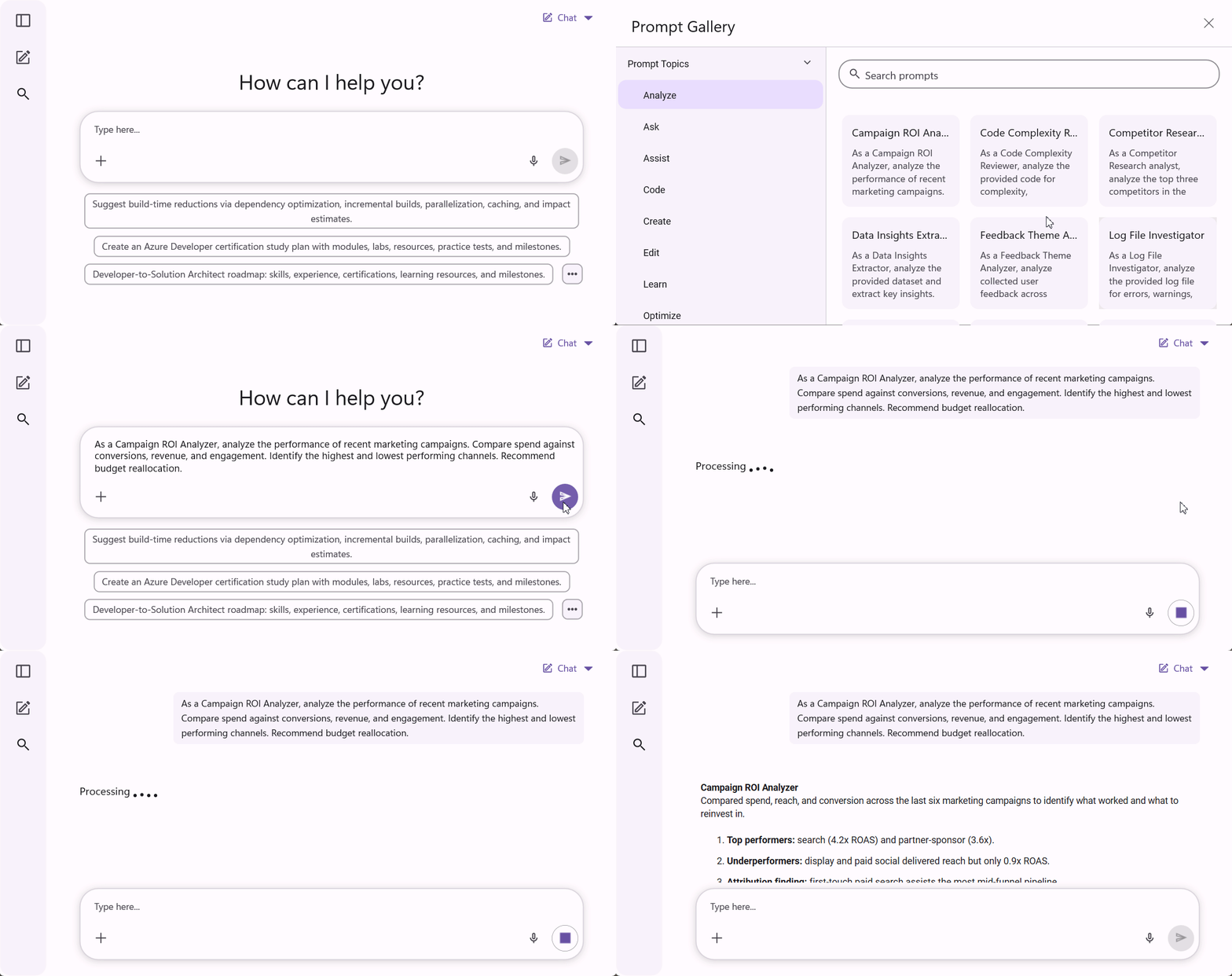
Prompt library
The AI AssistView control includes a centralized prompt library that lets users quickly discover, browse, and reuse predefined prompts, improving productivity and promoting consistent, efficient AI interactions across conversations.

Edit AI request
The .NET MAUI AI AssistView control allows users to review and refine the prompt, and resubmit it from the editor to get more accurate responses.
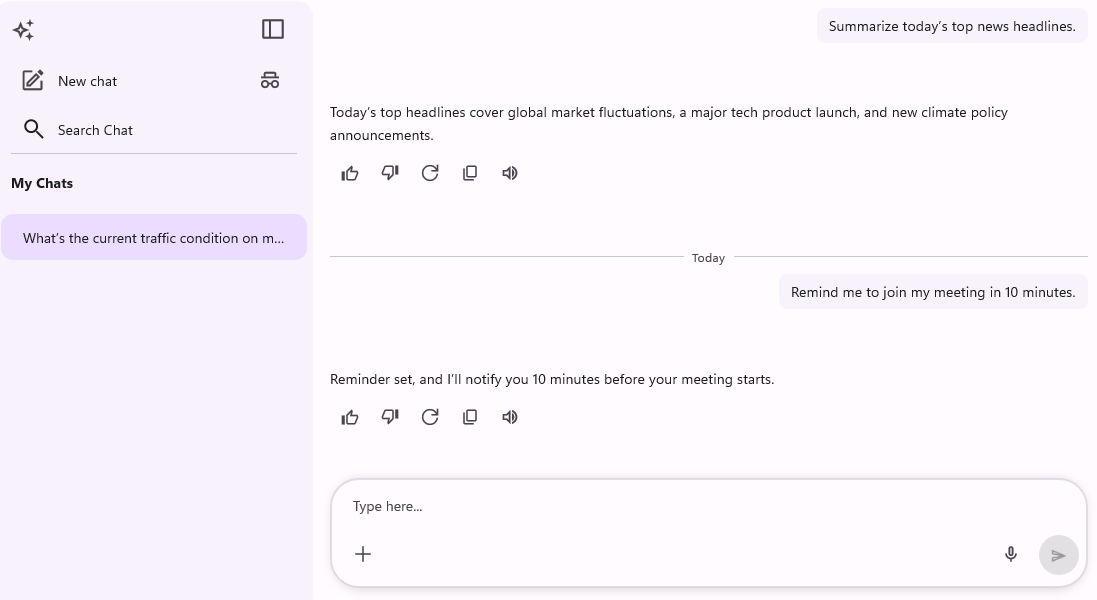
Time break
The .NET MAUI AI AssistView control includes time-based message separators that automatically add contextual labels such as Today, Yesterday, and earlier conversations within the chat history, making it easier for users to understand, organize, and follow conversations with improved clarity and context.
Action buttons in editor
Users can add customizable action buttons to the editor to perform common, AI-powered actions with a single click.
Image preview
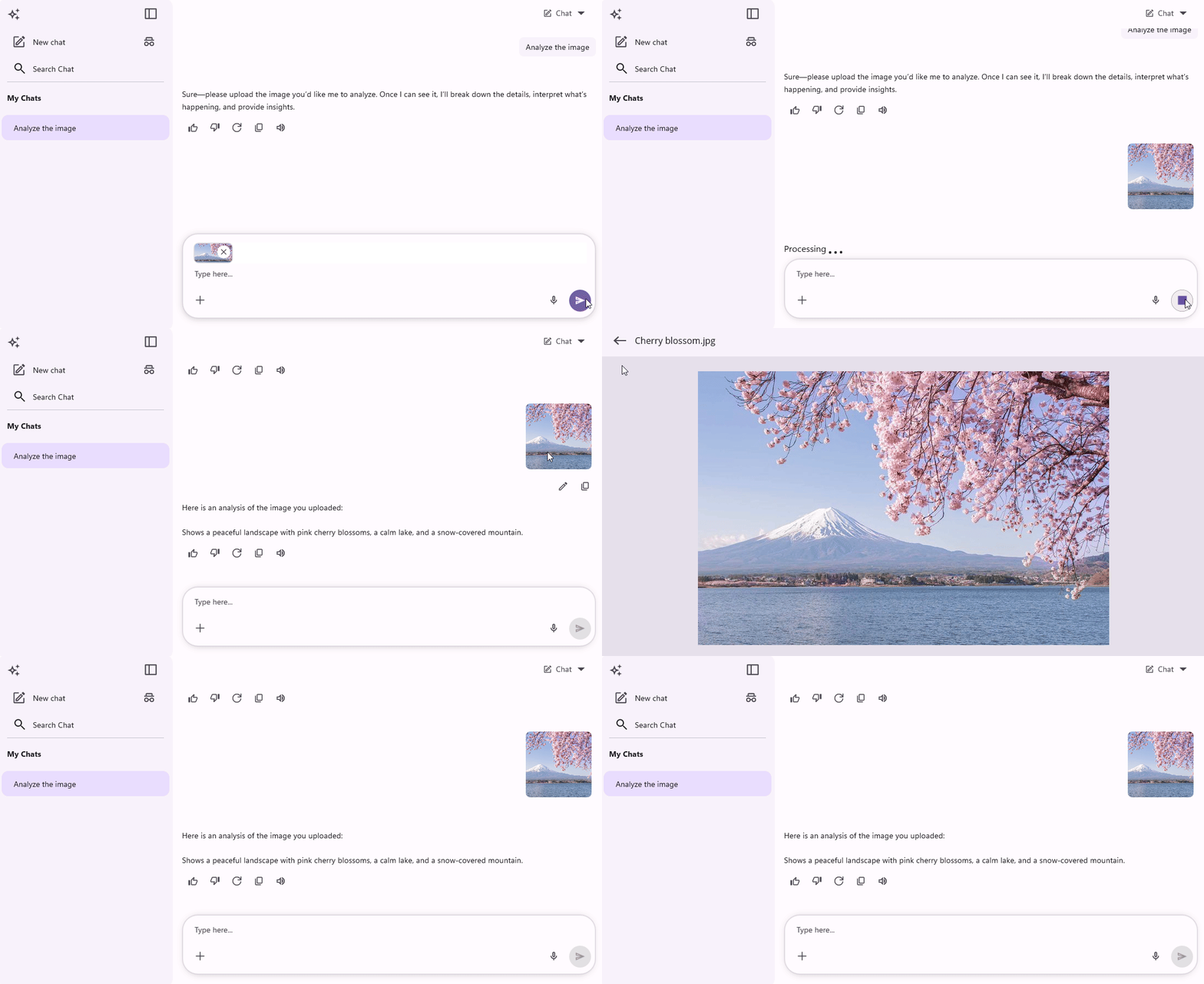
The control includes image preview support for attachments, allowing users to tap an image within a conversation to view it at full size for a more detailed viewing experience.
Stop responding
The AI AssistView control includes a stop-responding view that appears when a new request is initiated. Users can easily cancel or stop the response by clicking that view.
Editor view template
Customize the appearance and layout of the built-in editor view to enhance the user experience.

Appearance
Users can customize the appearance of the AI AssistView control, including all types of items, the editor, and the header, through styling options.
 95+ UI controls
200+ interactive .NET MAUI demos
3.5M+ downloads
95+ UI controls
200+ interactive .NET MAUI demos
3.5M+ downloads
Not sure how to create your first .NET MAUI AI AssistView? Our documentation can help.
I’d love to read it now.NET MAUI DataViz & UI Controls
Standalone UI SDKs
Integrate the DataGrid, Chart, Scheduler, and Rich Text Editor UI components into applications to enable rich interaction and visualization, delivering a seamless user experience.
Document Solutions
Integrate the PDF Viewer, DOCX Editor, Spreadsheet Editor, and document-processing libraries into the .NET MAUI applications to enable a smooth user experience.
Frequently Asked Questions
Why should you choose the Syncfusion® .NET MAUI AI AssistView?
The Syncfusion .NET MAUI AI AssistView control:
- Supports various content types such as text, images, hyperlinks, and cards.
- Allows users to customize its layout by defining their own templates and displaying any type of view or control.
- Provides quick response options to help users speed up conversations or interactions.
- Allows users to customize its appearance, including of items, editors, and headers, through styling options.
- Offers simple configuration and APIs.
- Has a touch-friendly interface.
Provides extensive demos and documentation to help you get started quickly with the control.
Where can I find the Syncfusion® .NET MAUI AI AssistView demo?
You can find our .NET MAUI AI AssistView demo here. It demonstrates how to render and configure the AI AssistView in .NET MAUI.
What is the .NET MAUI AI AssistView?
The .NET MAUI AI AssistView is a control provided by Syncfusion that facilitates the integration of AI services into .NET MAUI applications, offering a customizable and user-friendly interface.
Is the AI AssistView customizable?
Yes, it offers many customization options for appearance and functionality to suit specific application needs.
Can I customize the editor view in the AI AssistView?
The control allows the customization of the appearance and layout of the built-in editor view.
Can I download and utilize the Syncfusion .NET MAUI AI AssistView for free?
No, this is a commercial product and requires a paid license. However, a free community license is also available for companies and individuals whose organizations have less than $1 million USD in annual gross revenue, 5 or fewer developers, and 10 or fewer total employees.
How do I get started with Syncfusion® .NET MAUI AI AssistView?
A good place to start would be our comprehensive getting started documentation.
What are the features of the Syncfusion .NET MAUI AI AssistView?
Features include displaying text, images, hyperlinks, and cards; customizable templates; stop responding functionality; suggestions; headers; and editor view templates.
How do I get suggestions from the AI AssistView?
The AI AssistView supports displaying a list of AI-generated suggestions to help users continue conversations. Suggestions can include images and be arranged vertically or horizontally.
What platforms does the AI AssistView support?
The AI AssistView is part of .NET MAUI, which supports Android, iOS, macOS, and Windows platforms.
Our Customers Love Us




See Real Success Stories
Developers around the world trust Syncfusion’s Essential Studio to simplify complex projects and speed up delivery. With a vast library of UI controls, powerful SDKs, and reliable support, Essential Studio helps teams build enterprise-ready applications with confidence.
Read Our Customer StoriesIndustry
Software development
75% Cost reduction
50% Faster development

Industry
Utilities (oil and gas)

450+ hours saved
Streamlined processes and hours of development effort saved.

Advanced, flexible features
Empowered users through robust and versatile functionality.
Industry
Software and technology
1000+ of hours saved
Accelerated development with enterprise-ready UI components.

Efficient file management
Streamlined workflows with document libraries without building them from scratch.
Industry
Software and technology

2 Years of delay avoided
Two years of delays prevented with proactive planning.

On-time delivery
Projects delivered on schedule using trusted controls.
Industry
IT services and IT consulting

Improved performance
Large datasets handled with easy customization and quick debugging.

Highly customizable
Plug-and-play controls with quick template integration.
Industry
Professional services
Instant access
Quick availability of features and resources.
Reduced dependencies
Fewer dependencies for faster development.
Rated by users across the globe



Syncfusion .NET MAUI AI AssistView resources
 Documentation
 Contact support


Awards
Greatness—it’s one thing to say you have it, but it means more when others recognize it. Syncfusion® is proud to hold the following industry awards.









