
Overview
The .NET MAUI PDF Viewer control enables users to view PDF documents seamlessly across desktop and mobile devices, including iPhones, iPads, Android phones, and tablets. It has highly interactive and customizable features such as magnification, page navigation, text selection, text search, document link navigation, hyperlink navigation, outline view, form filling, and the ability to review PDF files with annotations.
.NET MAUI PDF Viewer code example
Get started with the .NET MAUI PDF Viewer using a few simple lines of XAML code, as demonstrated. Also, explore the .NET MAUI PDF Viewer example, which shows how to render and configure the .NET MAUI PDF Viewer.
<?xml version="1.0" encoding="utf-8" ?>
<ContentPage xmlns="http://schemas.microsoft.com/dotnet/2021/maui"
             xmlns:x="http://schemas.microsoft.com/winfx/2009/xaml"
             xmlns:syncfusion="clr-namespace:Syncfusion.Maui.PdfViewer;assembly=Syncfusion.Maui.PdfViewer"
             xmlns:local="clr-namespace:PdfViewerExample"
             x:Class="PdfViewerExample.MainPage">

        <syncfusion:SfPdfViewer x:Name="PdfViewer">
        </syncfusion:SfPdfViewer>

</ContentPage>
using System.Reflection;
public partial class MainPage : ContentPage
{
public MainPage()
{
InitializeComponent();
Stream? pdfStream = typeof(App).GetTypeInfo().Assembly.GetManifestResourceStream("PdfViewerExample.Assets.Tests.pdf");
PdfViewer.DocumentSource = pdfStream;
}
}High performance

Instant loading
Load PDF files with thousands of pages instantly with accuracy and reliability across mobile and desktop applications.

Less runtime memory
Lazy loading and virtualization render only the minimum required pages at runtime to reduce memory consumption.

Virtualized page rendering
Render pages on demand to help reduce initial load time when working with large documents.
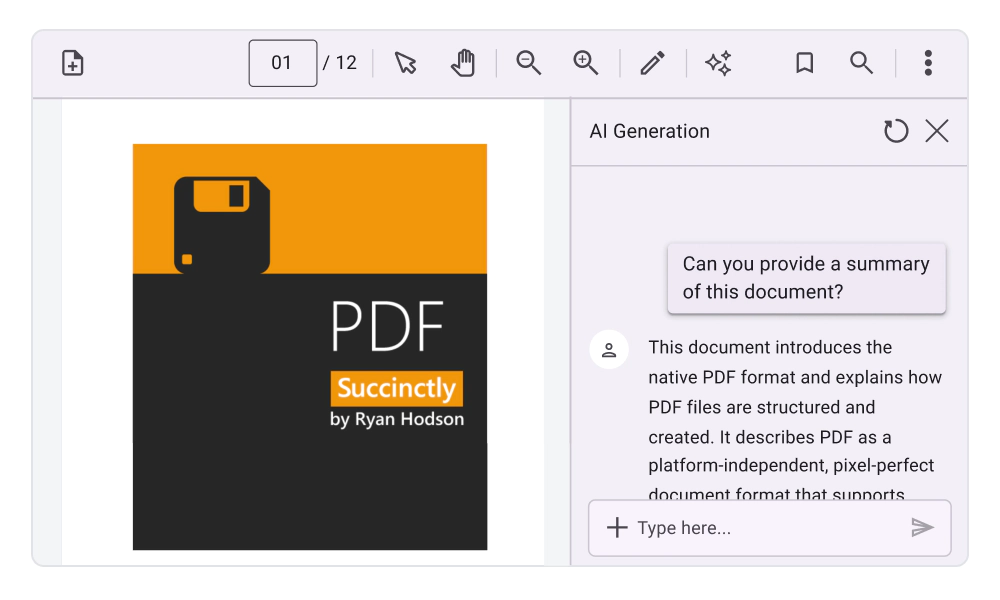
AI-Powered Smart PDF Viewer
Leverage built-in AI capabilities to process PDF documents more intelligently. Detect form fields, extract document data, and summarize the PDF content to understand the context to help automate document workflows directly within your .NET MAUI applications.
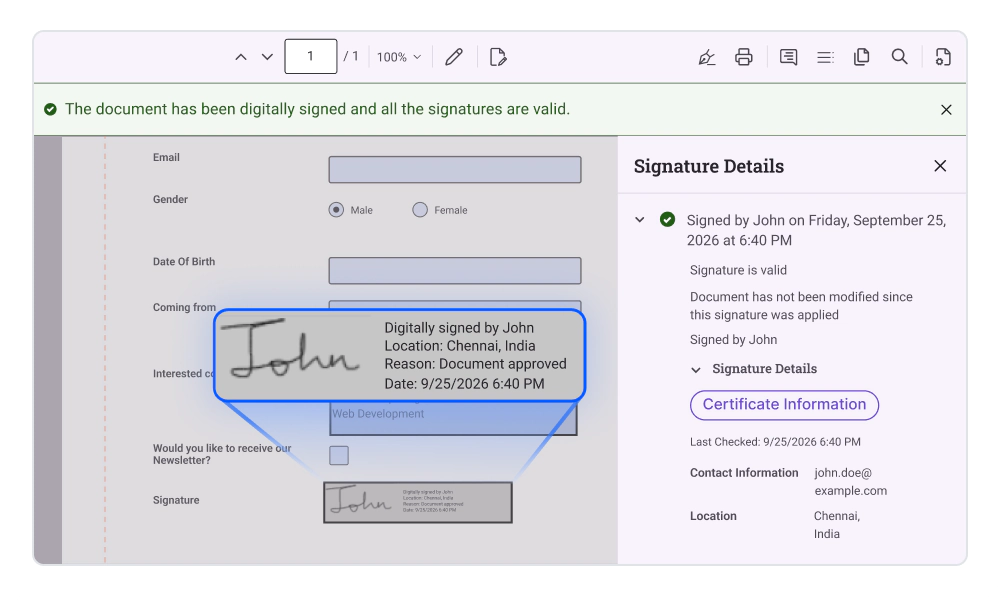
PDF digital signatures
Validate digital signatures, inspect signer certificates, and securely sign PDF documents within your .NET MAUI applications. View signature status, access certificate details, navigate signature fields through a dedicated signature panel, and apply certificate-based signatures while preserving existing signatures through incremental updates.
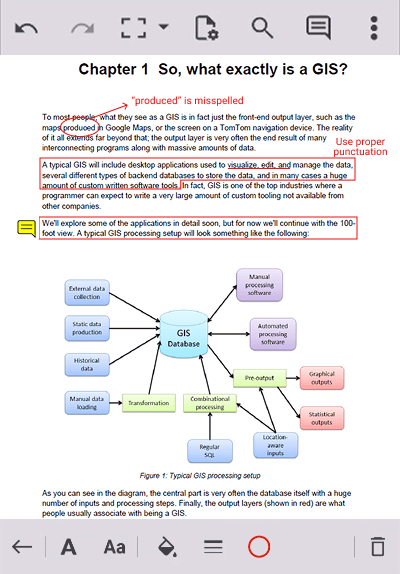
Annotations
Enhance the PDF editing experience. Use a comprehensive suite of advanced annotation tools to review, annotate, and mark up PDF files.
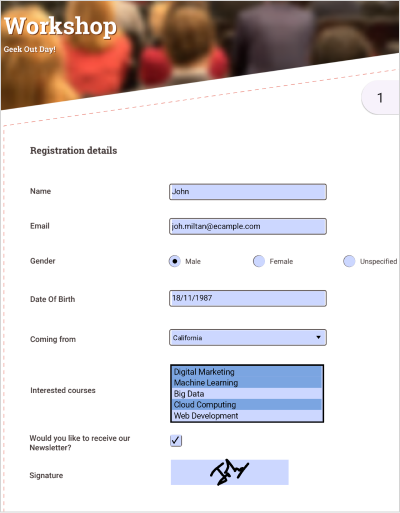
Form filling
The .NET MAUI PDF Viewer allows users to fill, edit, flatten, save, export, and import AcroForm field data in a PDF document. This feature can be used for filling out job applications, registration forms, medical forms, etc.
Password-protected PDFs
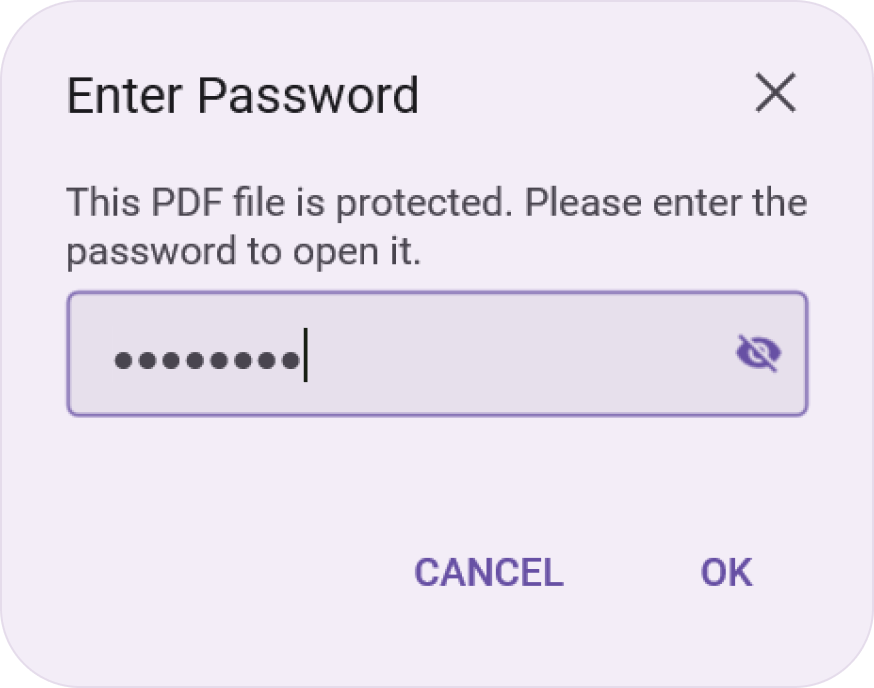
Load and view password-protected PDFs in a hassle-free way. Design a custom password request view and integrate the functionality easily with the options available.
Redaction
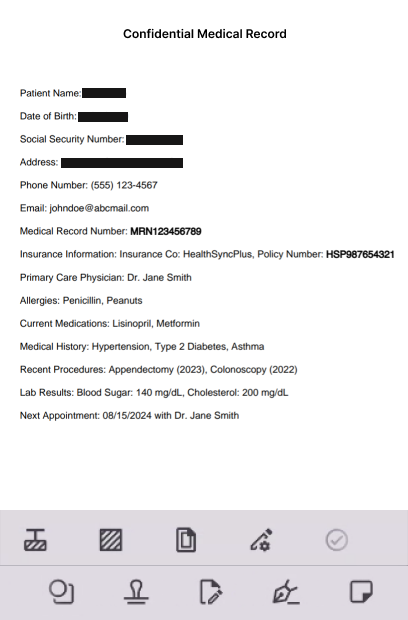
The PDF Viewer control permanently removes sensitive data from PDFs via redaction. Unlike annotations, redaction permanently removes the underlying content, making recovery impossible.
Navigation
The .NET MAUI PDF Viewer supports internal and external navigation. This enhances the document-viewing experience.
Page navigation
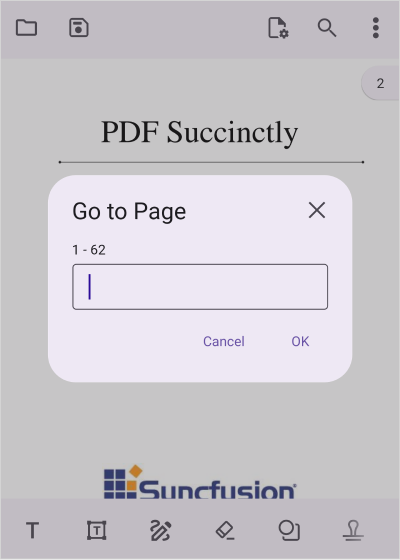
Navigate to desired pages instantly using the page navigation option programmatically or by dragging the scroll head in the UI.
Document link navigation
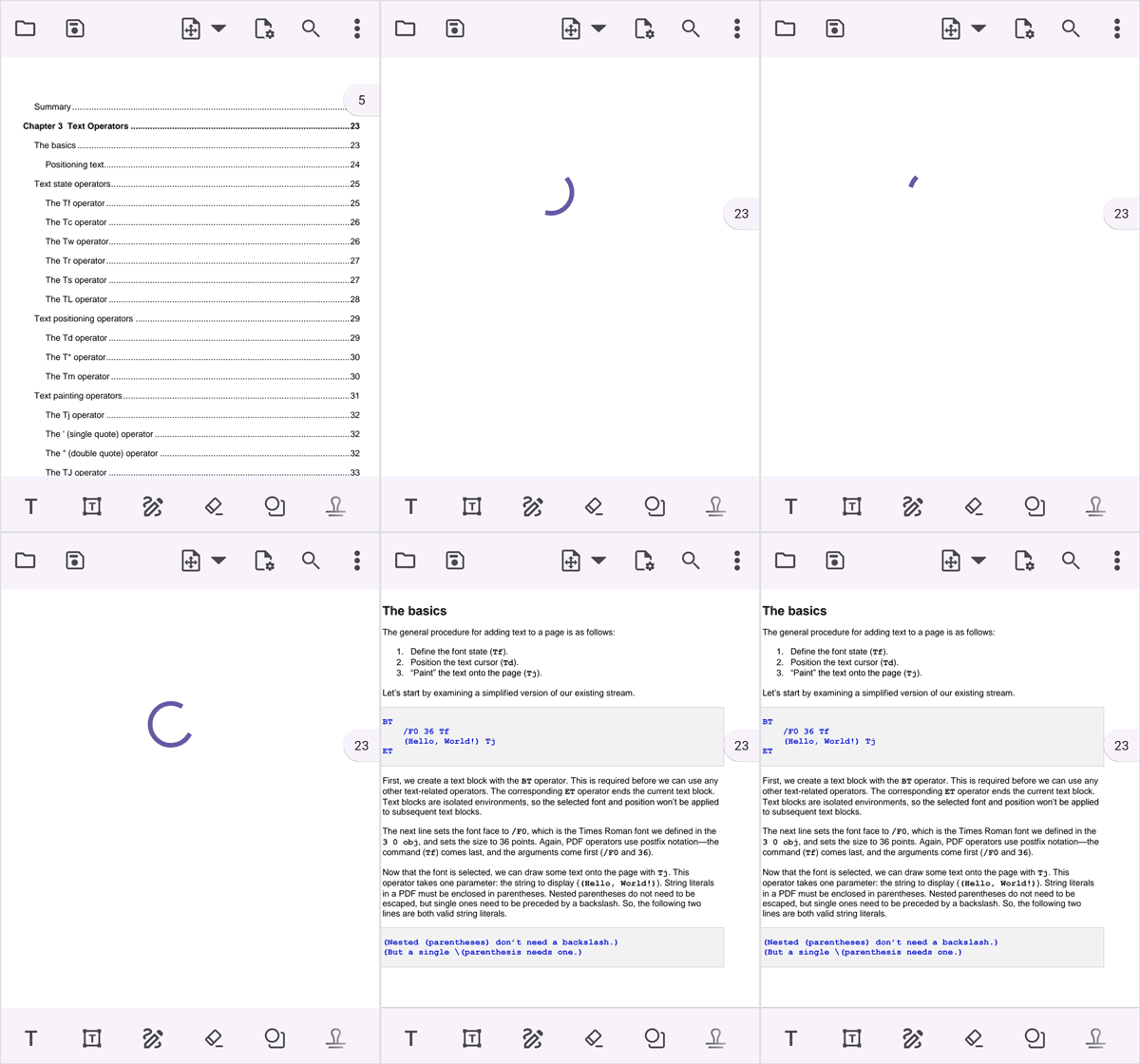
Navigate to the desired topic or position through document link annotations (tables of contents) in a PDF document.
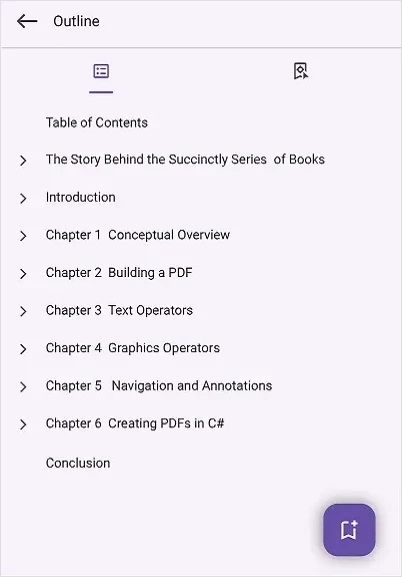
Document outline navigation
Display a document’s hierarchical list of headings and subheadings. Use them to navigate quickly through the different parts of the document. Users can also add custom bookmarks dynamically. Custom bookmarks can be renamed, deleted, and saved to the PDF file.
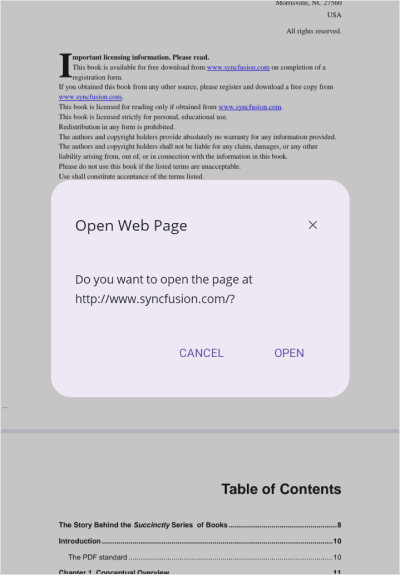
Hyperlink navigation
The .NET MAUI PDF Viewer allows users to open URLs or website links in the default browser. When a user taps or clicks a hyperlink on a PDF page, the hyperlink will open the URL in a browser.
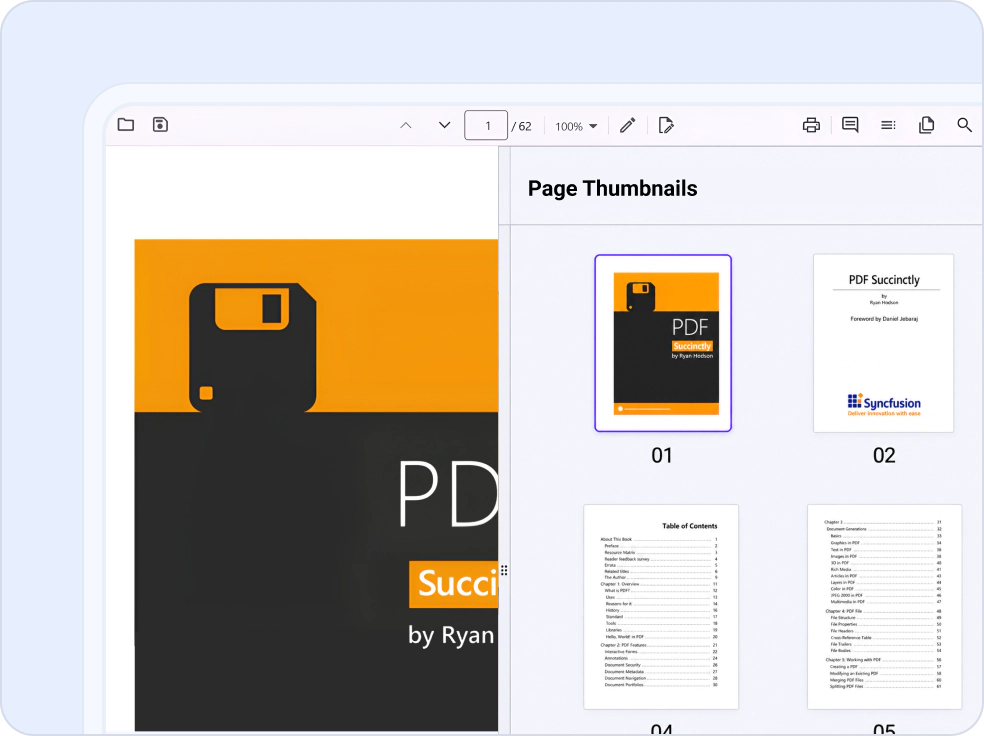
Thumbnail previews navigation
Navigate PDF documents more efficiently with thumbnail previews of pages. Browse page thumbnails in document order, quickly jump to any page, and access dedicated thumbnail views optimized for desktop, tablet, and mobile devices.
Magnification
PDF content can be zoomed in and out using pinch gestures or by changing the zoom factor programmatically, providing intuitive touch-enabled interactions for efficient navigation and viewing.

Pinch-to-zoom
Smoothly zoom in and out of a document by pinching the screen on touch devices.

Smart zoom
Double-tap on a page to zoom into a region instantly and double-tap again to zoom back out.

Restrict zoom factor
Zoom capabilities can be managed by refining the minimum and maximum zoom factors, thereby confining the extent of zooming to within predefined limits. This adjustment ensures that the magnification levels remain tailored to the specific requirements of the task at hand.
Single page layout mode
View PDF pages one by one horizontally. This mode provides a focused view, allowing readers to concentrate on one page at a time without distractions.

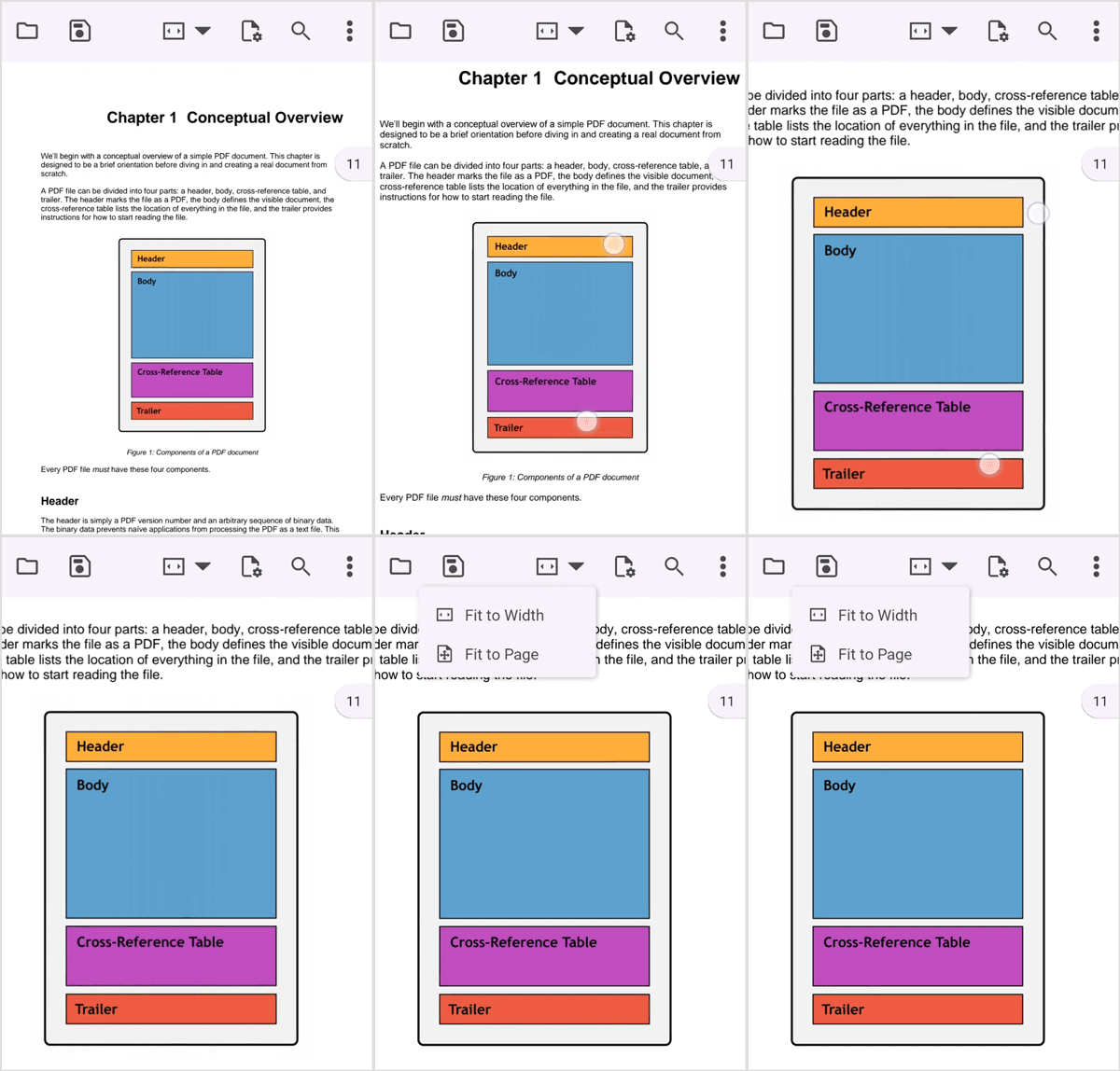
Page zoom modes
View PDF files in different page zoom modes, such as fit-width and fit-page. Fit-page ensures that users can see the entire page content for a quick overview without scrolling. Fit-width is helpful when reading documents with narrow columns, such as newspaper articles or other multicolumn layouts.
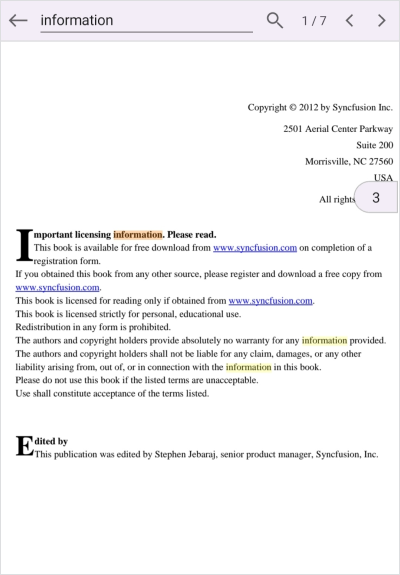
Search text
Users can search for a piece of text in a PDF document and navigate to all its occurrences. This method asynchronously searches the entire PDF for the specified text and highlights each match.
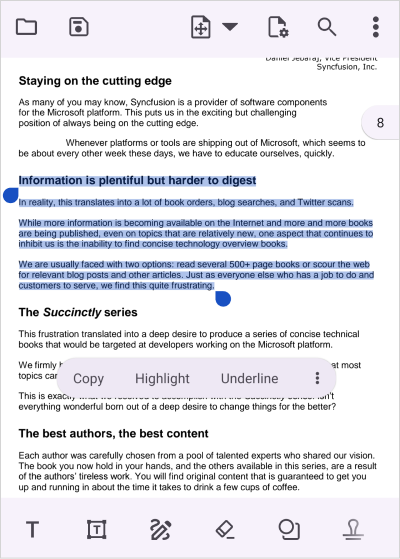
Select and copy text
Users can select the text to share, then copy it to the clipboard. Right-click the text and choose the ‘Copy’ option or use the keyboard shortcut Ctrl+C. Paste the copied content into another application or document to facilitate easy sharing and collaboration.
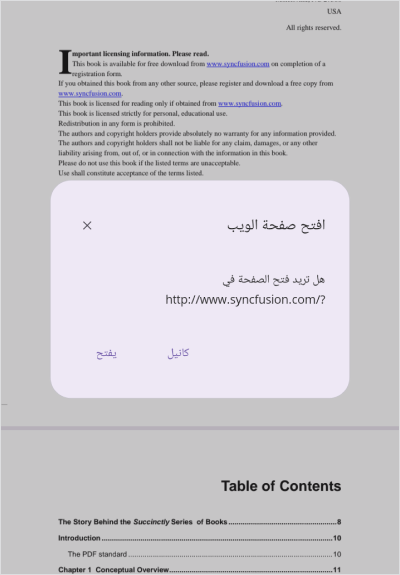
Right-to-left (RTL) rendering
The .NET MAUI PDF Viewer allows users to change the user interface to display from right to left. This will make sure that text and elements flow naturally for right-to-left languages.
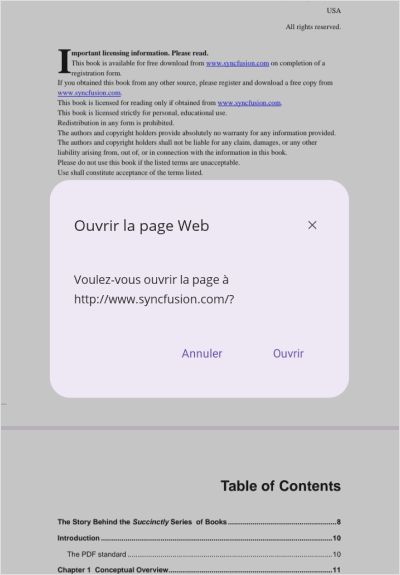
Localization
The process of localizing involves converting application resources into a different language for the target culture. All static text within the PDF Viewer can be localized to any supported language.
Not sure how to create your first .NET MAUI PDF Viewer? Our documentation can help.
I’d love to read it nowFrequently Asked Questions
Why should you choose the Syncfusion® .NET MAUI PDF Viewer?
The Syncfusion .NET MAUI PDF Viewer supports the following features:
- Accurate and reliable PDF rendering.
- A rich set of annotation tools for easy review of PDF files.
Easy navigation and interaction.
AcroForms can be filled and edited easily.
Simple configuration and APIs.
- A touch-friendly UI.
Extensive demos, documentation, and videos to let you get started quickly with the .NET MAUI PDF Viewer.
Where can I find the Syncfusion® .NET MAUI PDF Viewer demo?
You can find our .NET MAUI PDF Viewer demo here. It demonstrates how to render and configure the PDF Viewer.
What is the .NET MAUI PDF Viewer?
The .NET MAUI PDF Viewer is a control that allows users to view and interact with PDF documents in desktop and mobile applications. It supports various interactive features like text search, selection, copying, annotations, zooming, document navigation, opening password-protected files, and PDF printing.
Does the .NET MAUI PDF Viewer support annotations?
Yes, it supports various annotations, such as text markup, ink, shape, stamp, free text, and sticky note annotations. They can be added, modified, saved, imported, or exported.
What is continuous scrolling mode in the .NET MAUI PDF Viewer?
The continuous scrolling mode allows seamless navigation through pages without breaking the view.
Does the .NET MAUI PDF Viewer support mobile devices?
Yes. The .NET MAUI PDF Viewer supports PDF viewing, navigation, annotations, and form filling on Android phones, iPhones, iPads, and tablets, delivering a seamless experience with touch-enabled interactions.
Can I download and utilize the Syncfusion .NET MAUI PDF Viewer for free?
No, this is a commercial product and requires a paid license. However, a free community license is also available for companies and individuals whose organizations have less than $1 million USD in annual gross revenue, 5 or fewer developers, and 10 or fewer total employees.
How do I get started with Syncfusion .NET MAUI PDF Viewer?
A good place to start would be our comprehensive getting started documentation.
How do you implement text search in the .NET MAUI PDF Viewer?
Text search can be implemented using the built-in APIs or toolbar options. The control allows programmatic access to search for text, highlight results, and navigate to occurrences.
Can I open password-protected PDFs with the .NET MAUI PDF Viewer?
Yes, password-protected PDFs can be opened. By default, the control provides a built-in dialog for entering passwords to open protected PDF files. If you prefer a customized approach, you can design a custom password input dialog and integrate it with the PDF Viewer’s API.
Does the .NET MAUI PDF Viewer support document outlines?
Yes, it supports document outlines to allow for quick navigation within the document.
Our Customers Love Us





See Real Success Stories
Developers around the world trust Syncfusion’s Essential Studio to simplify complex projects and speed up delivery. With a vast library of UI controls, powerful SDKs, and reliable support, Essential Studio helps teams build enterprise-ready applications with confidence.
Read Our Customer StoriesIndustry
Software development
75% Cost reduction
50% Faster development

Industry
Utilities (oil and gas)

450+ hours saved
Streamlined processes and hours of development effort saved.

Advanced, flexible features
Empowered users through robust and versatile functionality.
Industry
Software and technology
1000+ of hours saved
Accelerated development with enterprise-ready UI components.

Efficient file management
Streamlined workflows with document libraries without building them from scratch.
Industry
Software and technology

2 Years of delay avoided
Two years of delays prevented with proactive planning.

On-time delivery
Projects delivered on schedule using trusted controls.
Industry
IT services and IT consulting

Improved performance
Large datasets handled with easy customization and quick debugging.

Highly customizable
Plug-and-play controls with quick template integration.
Industry
Professional services
Instant access
Quick availability of features and resources.
Reduced dependencies
Fewer dependencies for faster development.
Rated by users across the globe



Syncfusion .NET MAUI PDF Viewer resources


 Figma download
Awards
Greatness—it’s one thing to say you have it, but it means more when others recognize it. Syncfusion® is proud to hold the following industry awards.









