Overview
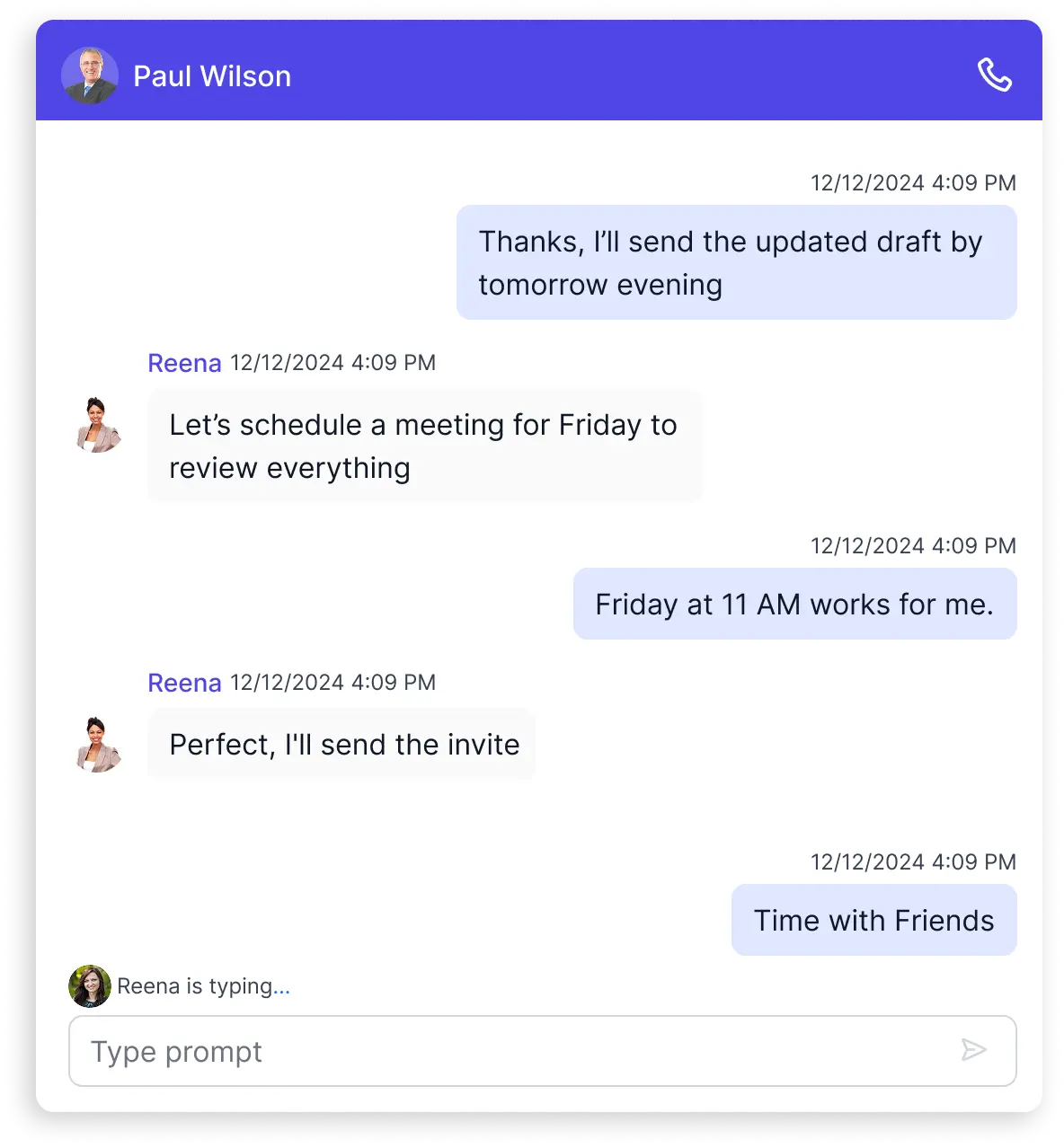
Deliver real time chats in React with a lightweight, customizable UI that’s compatible with SignalR and other back ends. Get built in typing indicators, message statuses, adaptive time breaks, lazy loading, and a responsive layout, plus deep control via templates for messages, headers, and footers.
Why choose Syncfusion React Chat UI?
Real-Time & Interactive Design
Native support for live messaging features like real-time typing indicators (single or group), message delivery statuses (sent/delivered/read with icons & tooltips), and smart message suggestions perfect for dynamic, engaging conversations.
AI-Assisted Development
Build modern messaging and conversational experiences faster with the Agentic UI Builder and Syncfusion Agent Skills. Generate chat layouts, message templates, and interaction workflows with minimal manual effort.
Accessibility compliant
Built with accessibility best practices, including keyboard navigation and screen reader support, ensuring inclusive user experiences.
Fully responsive
Adaptive layout delivers a consistent chatting experience across desktops, tablets, and mobile devices without additional configuration.
Customizable themes
Personalize the Chat UI’s appearance using built-in themes or custom styling to match your application’s design and branding. Utilize the online Theme Studio tool to customize themes of Chat UI easily.
Globalization support
Supports multiple languages, time zones, and regional formats, enabling developers to build chat conversation for global users.
React Chat UI Code Example
Easily get started with the React Chat UI using a few simple lines of React code example as demonstrated below. Also explore our React Chat UI Example that shows you how to render and configure the Chat UI in React.
import { ChatUIComponent } from '@syncfusion/ej2-react-interactive-chat';
import './App.css';
function App() {
    return (
        <div className="default-chatui">
            <ChatUIComponent headerText='Albert' user={% raw %}{{ id: 'user1', user: 'Reena' }}{% endraw %}></ChatUIComponent>
        </div>);
};
export default App;
Messages and avatar
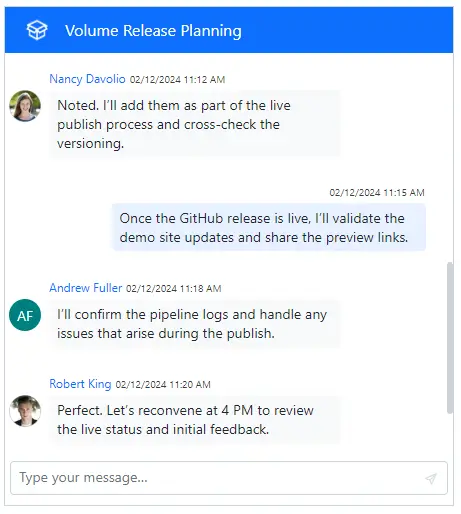
Display conversation participants with avatars or fallback initials. Current user messages align right by default. Bind your own schema to render custom or WhatsApp style layouts in the React Chat UI.
Message status
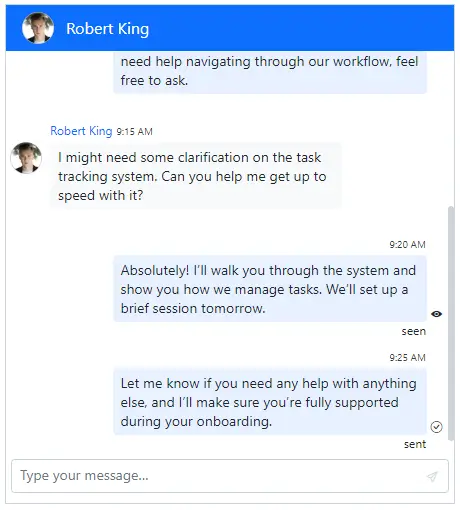
Add delivery clarity with sent, delivered, and read states. Customize icons and tooltips so users always know a message’s status.
Typing indicator
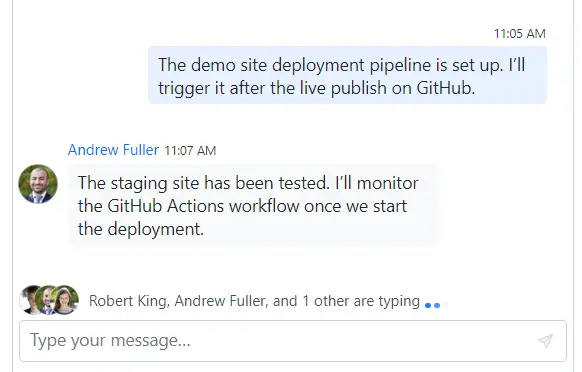
Make chats feel live with real time typing indicators for 1:1 and group threads. Position and style the animation to match your design.
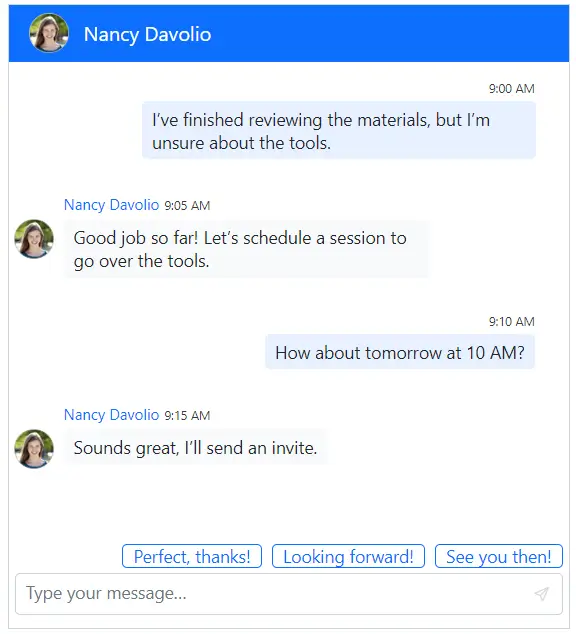
Smart suggestions
Speed up replies with quick reply buttons and predefined suggestions. Guide conversation flow and reduce typing effort.
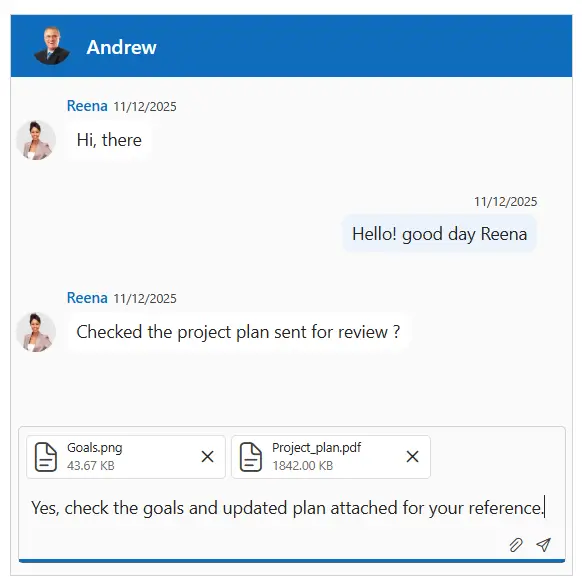
File attachments
Users can share their images, docs, and more without leaving the chat. Keep messages and files together to streamline collaboration.
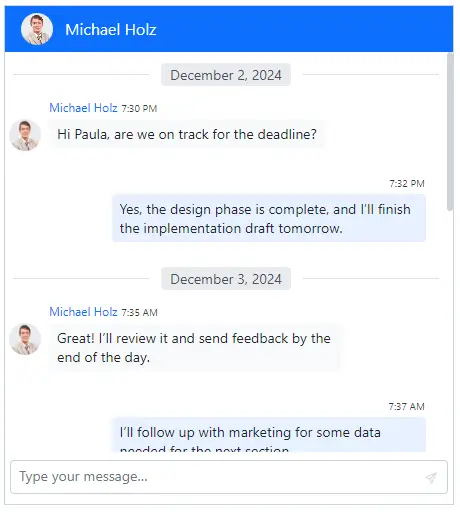
Adaptive time breaks
Improve readability with contextual separators like Today or Yesterday auto inserted from time stamps and fully customizable.
On-demand loading
Scroll back seamlessly with the lazy loading of older messages. Reduce initial payloads and keep long running chats fast.

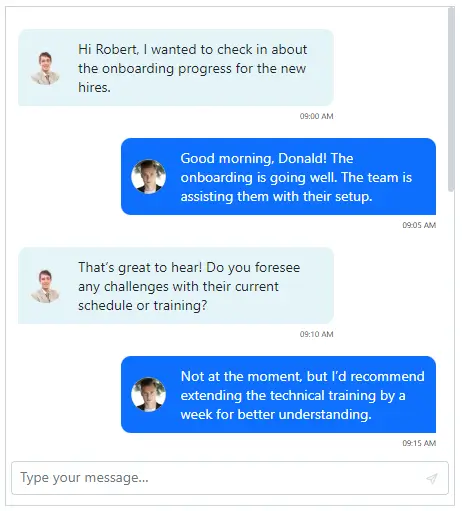
Message templates
Redesign bubbles with custom layouts, colors, fonts, and embedded content, from simple text to rich cards.
Header toolbar
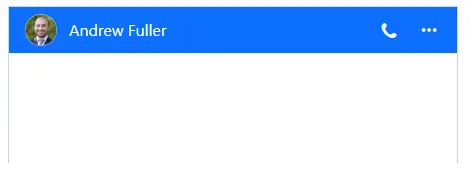
Add call buttons, settings, and new chat actions to a custom header toolbar. Control icons, alignment, and behaviors.
Footer customization
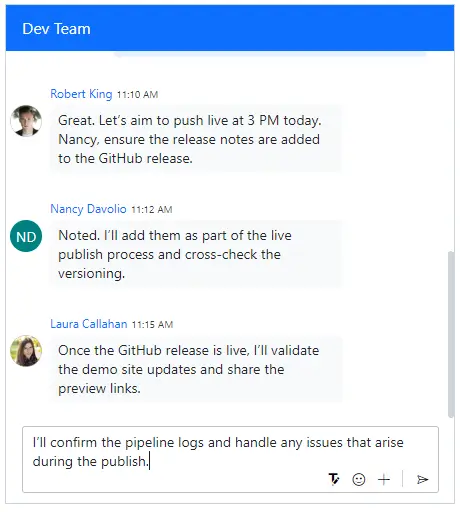
Replace the default composer with your own emoji pickers, rich text inputs, or attachment flows to fit your UX.
Empty Chat template
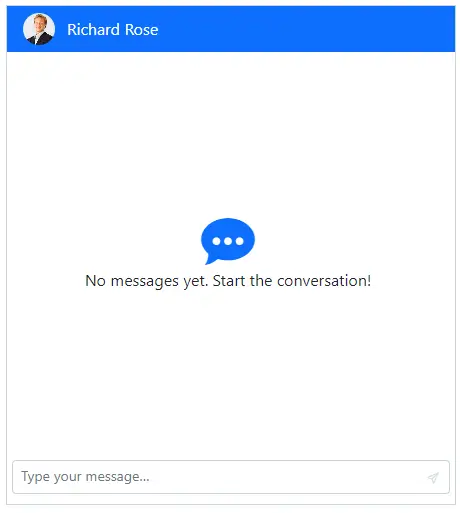
Welcome users with branded onboarding, intro text, graphics, or helpful prompts when the thread is empty.
AI-assisted development
Build feature-rich React Chat UI experiences faster
Accelerate messaging interface development with Syncfusion AI tools that turn requirements into fully configured chat experiences with minimal setup.
Agentic UI Builder
Turn prompts into ready-to-use UI screens, layouts, and workflows with Syncfusion React components.
Example Prompt Create a team messaging interface with reactions, typing indicators, and grouped conversations.
Agent Skills
Accelerate development with Syncfusion AI Agent Skills for faster implementation and integration.
Example Prompt Generate a React chat UI with grouped messages, timestamps, and typing indicators.
MCP Server
Accelerate development with AI that generates, configures, and troubleshoots component code directly in your IDE.
Example Prompt Show how to dynamically load chat history in the Syncfusion React Chat UI.
Not sure how to create your first React Chat UI? Our tutorial videos and documentation can help.
I’d love to watch it now I’d love to read it nowFrequently Asked Questions
What is the React Chat UI component used for?
It enables developers to create real-time messaging experiences within React applications using a fully customizable and lightweight Chat window.
Does the React Chat UI support WebSocket or SignalR for live messaging?
Yes, the React Chat UI can bind to any real-time messaging source, including WebSocket, SignalR, and custom pub/sub services to provide a live Chat experience.
Is the React Chat UI accessible and keyboard-friendly?
Yes, it conforms to WCAG 2.2 and ARIA best practices, with full keyboard navigation and screen-reader support.
Is RTL (Right-to-Left) layout supported in React Chat UI?
Yes. The React Chat UI fully supports RTL layouts , ensuring proper alignment, message flow, and text direction for languages such as Arabic, Hebrew, and Persian. It automatically flip layout and text direction when you enable RTL mode.
What theme options are available for customizing the React Chat UI?
Themes include tailwind3 CSS, Bootstrap, Material, Fluent, Fabric, and high contrast. You can also create custom themes using Sass or the Theme Studio.
Which features improve chat readability and UX in React Chat UI component?
Adaptive time breaks(e.g., Today or Yesterday), typing indicators, message statuses (sent, delivered, read), avatars, initials, and lazy loading are available.
How can I customize message data and collections in React Chat UI?
The Messages documentation explains message collections, properties (ID, text, author, time stamps), and advanced options like pinning.
How do I customize the look and feel of messages in the React Chat UI?
You can customize message templates to control the layout, styles, colors, and embedded content using powerful templating support.
Can I show message delivery status like sent, delivered, or read in React Chat UI?
Absolutely. You can show default message status or define your own with corresponding icons and tooltips in your Chat widget.
How does the typing indicator works in group chats of React Chat UI?
The typing indicator updates in real-time and can be customized per user or group context to show who is currently typing.
Can I lazy-load older messages in React Chat UI?
Yes. On-demand loading allows users to fetch older messages when scrolling upward, improving initial load performance in your Chat widget.
Can I use the React Chat UI for customer support?
Definitely. Its extensibility, real-time data binding, and accessibility make it ideal for building live chats for support systems within React applications.
Can I pair the React Chat UI with AI responses?
You can integrate Chat UI with other Syncfusion components, like AI AssistView, to display prompt/response flows and streaming outputs, then wire your AI backend.
Are file attachments supported in React Chat UI?
Yes — use the attachment configuration (e.g., attachmentSettings, enableAttachments) exposed in the Chat UI API to handle uploads and limits.
Trusted by the world’s leading companies

Our Customers Love Us




Transform your applications today by downloading our free evaluation version
No credit card required | 34K+ downloads
Syncfusion React Chat UI Resources


 Figma Download


Explore all Syncfusion React components
Explore over 140+ React UI components featuring established, and production-ready controls built for modern web app development.
-
SMART COMPONENTSGRIDSDATA VISUALIZATIONDROPDOWNSFILE VIEWERS & EDITORSBUTTONSINTERACTIVE CHATINPUTSNAVIGATIONNOTIFICATIONS
Standalone UI SDKs
Integrate the DataGrid, Chart, Scheduler, Gantt, Rich Text Editor, File Manager, and Diagram UI components into applications to enable rich interaction and visualization, delivering a seamless user experience.
Document Solutions
Integrate the PDF Viewer, DOCX Editor, Spreadsheet Editor, and document-processing libraries into the React applications to enable a smooth user experience.







