Overview
The Blazor Pivot Table can be connected to multidimensional data (OLAP) that is organized into dimensions, hierarchies, measures, named sets, etc. Its result can be visualized in both tabular (pivot table) and graphical (pivot chart) formats. End users can customize its report on the fly with the help of grouping bar and field list. Reports can be stored for later use.
OLAP cube
An OLAP cube is a multidimensional array of data formed by its elements such as dimensions, hierarchies, levels, members, measures, named sets, etc. With the help of the field list UI, end users can visualize and use the OLAP cube elements at runtime.

Drill down and drill up
Use drill-down (expand) and drill-up (collapse) actions to visualize data in both abstract and detailed views.
Slice and dice
With slice and dice, end users can create new views by selecting dimensions and measures from the OLAP cube and filtering them to provide useful information.


Virtualization
The Blazor Pivot Table supports bringing data to the browser with the help of paging MDX queries while scrolling and rendering the component without any performance constraints.
Calculated members and measures
Provides a built-in UI to create and display dimensions and measures according to your requirements. The dynamically created members and measures can be bound to the report and visualized in a pivot table.

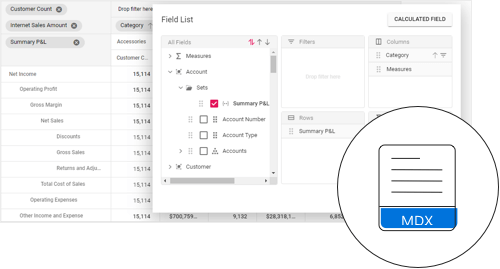
Named sets
Named sets are dimension members created from predefined MDX expressions in the OLAP cube.
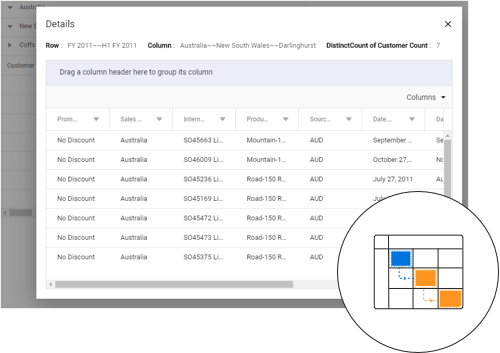
Drillthrough
Retrieve the underlying raw data of any aggregated value cell and visualize it in the Pivot Table component.
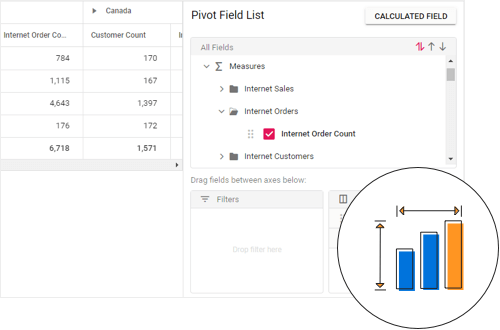
Measure groups
Organize measures belonging to the same underlying fact table in a group.
 145+ UI components
1200+ interactive Blazor demos
9.5M+ downloads
145+ UI components
1200+ interactive Blazor demos
9.5M+ downloads

Blazor Components – 145+ UI and DataViz Components







