
Blazor Rich Text Editor - Markdown Editor
- Bearbeiten von WYSIWYG-HTML mit Rich-Tools für Web- und Mobil-Apps.
- Integration in Blogs, News, E-Mail-Editoren und Foren einbinden.
- Als Inline‑Editor zum Bearbeiten von Elementen direkt vor Ort nutzen.
- Modernste UI und Toolbar-Anpassung.


Quick Overview Video
Vertrauen der weltweit führenden Unternehmen

Übersicht
Der Blazor Rich Text Editor ist ein funktionsreicher WYSIWYG-HTML-Editor und WYSIWYG-Markdown-Editor. Der Rich Text Editor wird verwendet, um Blogs, Forum-Posts, Notizbereiche, Support-Tickets (Vorfälle), Kommentarbereiche, Messaging-Anwendungen und mehr zu erstellen. Die Steuerung bietet eine effiziente Benutzeroberfläche für eine bessere Bearbeitungserfahrung mit mobiler Unterstützung. Sie verfügt über eine Vielzahl von Werkzeugen zur Bearbeitung und Formatierung von Rich Content und gibt gültiges HTML-Markup oder Markdown (MD) zurück. Sie ermöglicht Benutzern das Einfügen von Bildern, Links, Tabellen und Listen mit modularen Architekturen.
Warum Syncfusion Essential Studio® Blazor Rich Text Editor wählen?
WYSIWYG-Editor
Die Blazor Rich Text Editor Komponente kann als WYSIWYG HTML-Editor oder als Markdown-Editor verwendet werden und unterstützt auch die Iframe-Bearbeitung mit konfigurierbaren Iframe-Eigenschaften.
Einfache Interaktion
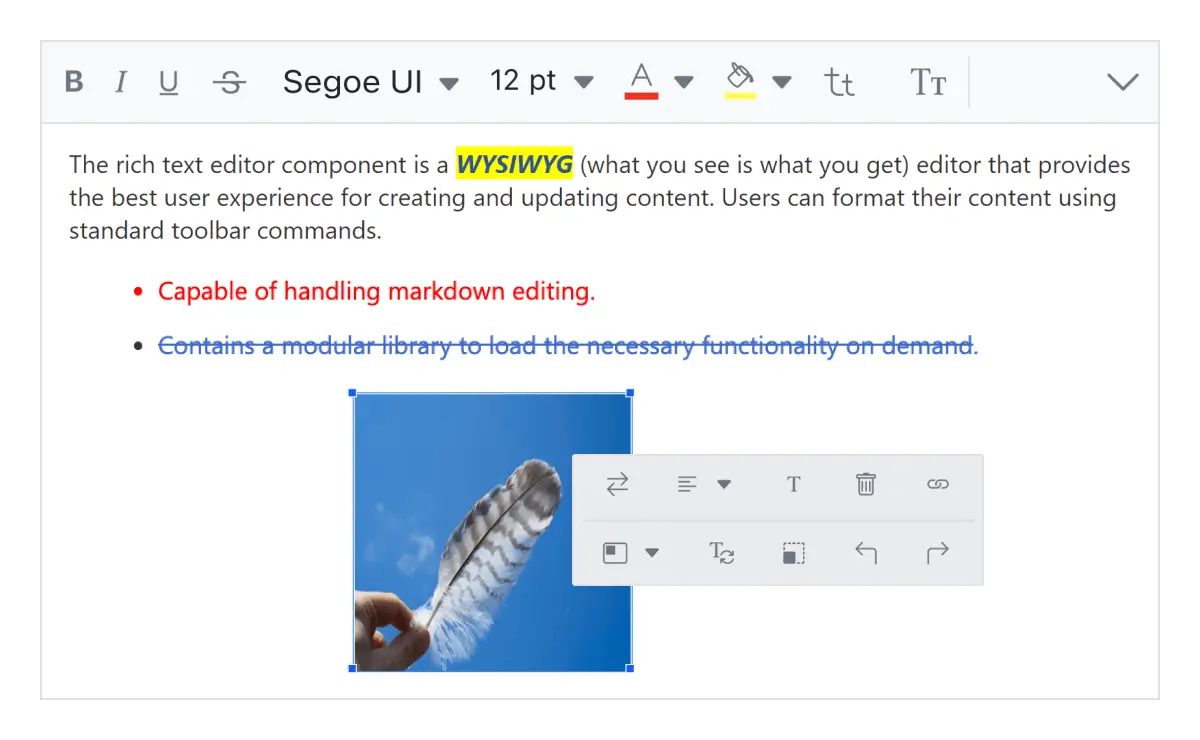
Sie können Text und Absätze einfach formatieren, indem Sie die Vordergrund- und Hintergrundfarben des Editors, die Schriftart, Kursivschrift, Unterstreichung, Durchstreichung und Fettdruck einstellen. Sie können auch geordnete (nummerierte) oder ungeordnete (Aufzählungszeichen) benutzerdefinierte Listen hinzufügen und die Größe des Editors ändern.
Flexible Bearbeitung
Für eine bessere Bearbeitungserfahrung bietet die Blazor Rich Text Editor Komponente eine Vielzahl von Werkzeugen und Optionen. So können Sie schnell Bilder, Videos, Hyperlinks und Tabellen einfügen; Tabellenzellen zusammenführen und teilen; und Tasten konfigurieren.
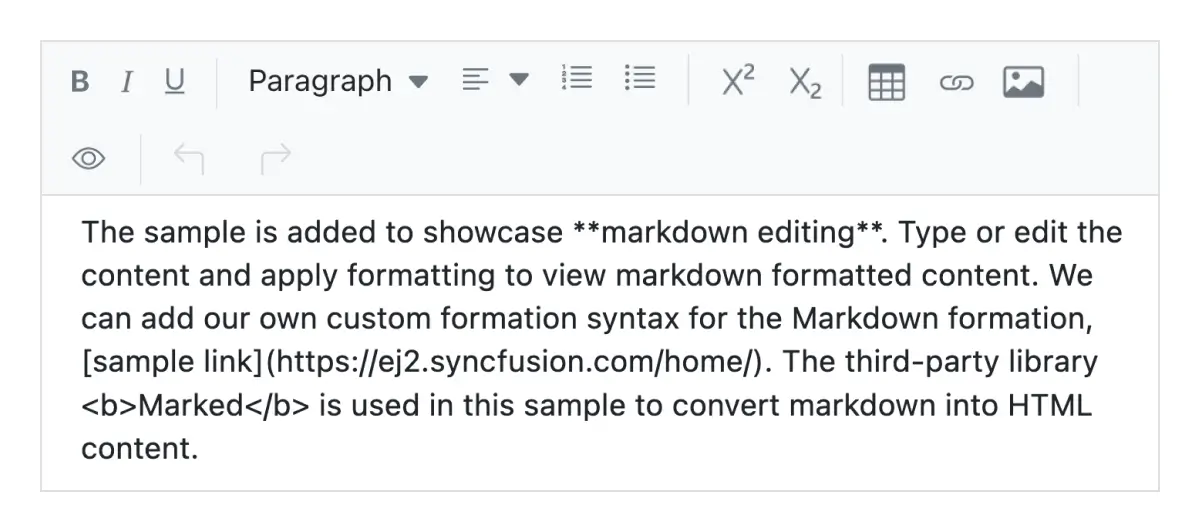
HTML-Code vorschauen
Untersuchen und bearbeiten Sie den HTML-Code direkt im Quellcode und zeigen Sie das Vorschauergebnis an (HTML Live-Editor).
Toolbar mit reichhaltigen Werkzeugen
Der WYSIWYG Rich Text Editor für Blazor bietet eine Vielzahl von Toolbar-Optionen, die vollständig anpassbar sind. Die Optionen ermöglichen mehrzeilige, erweiterbare, schnelle und schwebende Toolbars. Die Werkzeugbefehle sind nach verwandten Funktionen gruppiert.
Passt sich jeder Auflösung an
Der Rich Text Editor verfügt über ein hochgradig reaktionsfähiges Layout und ein optimiertes Design für Desktops, Touchscreens und Smartphones. Er funktioniert gut auf allen Mobiltelefonen mit iOS, Android oder Windows OS.
Integration mit Drittanbieterbibliotheken
Einfache Integration von Drittanbieterbibliotheken wie Rechtschreibprüfung, Code Mirror usw. in den Rich Text Editor, um den Inhalt im Blazor HTML-Texteditor zu verbessern.
Globalisierung und Lokalisierung
Erlaubt Nutzern aus vielen Regionen, den Rich Text Editor zu nutzen, indem Daten, Währungen und Zahlen nach lokalen Vorlieben formatiert werden.
Intelligenter Rich Text Editor mit KI-Integration
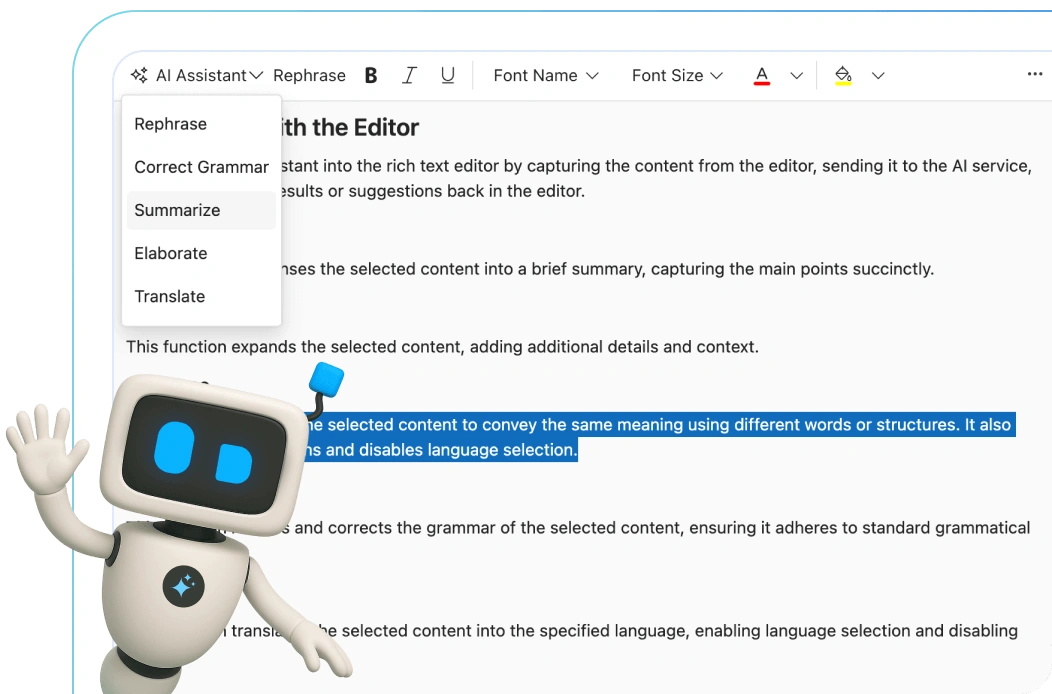
Erweitern Sie Ihre Schreibfähigkeiten mit dem KI-gestützten Blazor Rich Text Editor. Korrigieren Sie Grammatik, formulieren Sie Sätze neu, übersetzen Sie Sprachen und fassen Sie Inhalte sofort zusammen – alles innerhalb Ihrer App.
Blazor Rich Text Editor Code-Beispiel
Beginnen Sie einfach mit dem Blazor Rich Text Editor mit wenigen einfachen Zeilen C#-Code, wie unten gezeigt. Erkunden Sie auch unser Blazor Rich Text Editor Beispiel, das Ihnen zeigt, wie Sie den Rich Text Editor rendern und konfigurieren.
@using Syncfusion.Blazor.RichTextEditor

<SfRichTextEditor @bind-Value="rteValue">
    <RichTextEditorToolbarSettings Items="@Tools" />
</SfRichTextEditor>

@code {
    private string rteValue { get; set; } = @"<p>Die Rich Text Editor Komponente ist ein WYSIWYG-Editor ('what you see is what you get'), der die beste Benutzererfahrung für die Erstellung und Aktualisierung von Inhalten bietet. Benutzer können ihre Inhalte mit Standard-Toolbar-Befehlen formatieren.</p>
    <p><b> Hauptmerkmale:</b></p>
    <ul>
        <li><p> Bietet <b>IFRAME</b> und <b>DIV</b> Modi </p></li>
        <li><p> Fähig zur Bearbeitung von Markdown.</p></li>
    </ul>";

    private List<ToolbarItemModel> Tools = new List<ToolbarItemModel>()
{
    new ToolbarItemModel() { Command = ToolbarCommand.Bold },
    new ToolbarItemModel() { Command = ToolbarCommand.Italic },
    new ToolbarItemModel() { Command = ToolbarCommand.Underline },
    new ToolbarItemModel() { Command = ToolbarCommand.Separator },
    new ToolbarItemModel() { Command = ToolbarCommand.Formats },
    new ToolbarItemModel() { Command = ToolbarCommand.Alignments },
    new ToolbarItemModel() { Command = ToolbarCommand.Separator },
    new ToolbarItemModel() { Command = ToolbarCommand.CreateLink },
    new ToolbarItemModel() { Command = ToolbarCommand.Image },
    new ToolbarItemModel() { Command = ToolbarCommand.CreateTable },
    new ToolbarItemModel() { Command = ToolbarCommand.Separator },
    new ToolbarItemModel() { Command = ToolbarCommand.SourceCode },
    new ToolbarItemModel() { Command = ToolbarCommand.Separator },
    new ToolbarItemModel() { Command = ToolbarCommand.Undo },
    new ToolbarItemModel() { Command = ToolbarCommand.Redo }
};
}
HTML-Editor-Toolbar
Die WYSIWYG-HTML-Editor-Toolbar bietet eine Vielzahl von Befehlen zur Bearbeitung und Formatierung von Inhalten. Sie können Text und Absätze formatieren; Bilder, Hyperlinks, Tabellen und Listen usw. einfügen. Die Werkzeugbefehle sind nach verwandten Funktionen gruppiert.
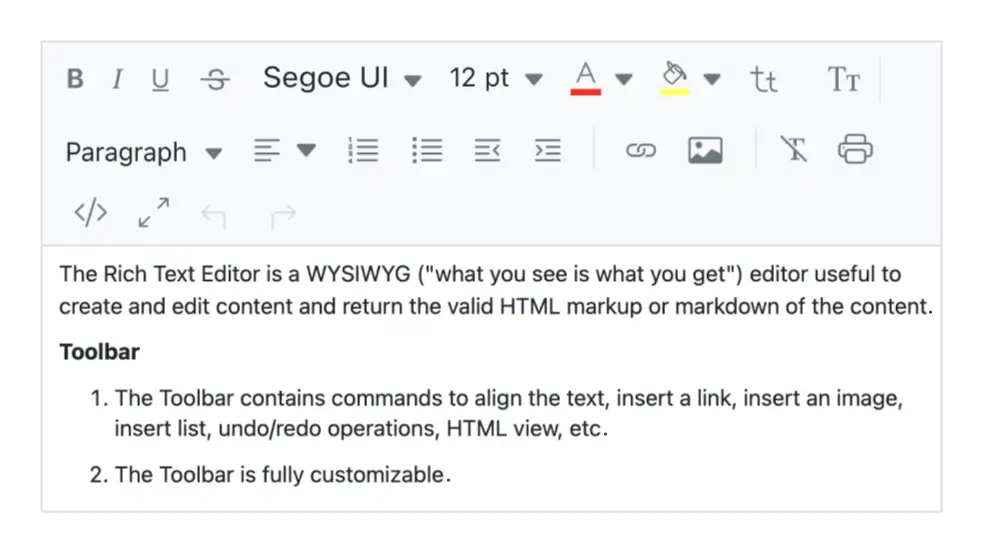
Mehrzeilige Toolbar
Die überlaufenden Toolbar-Befehle werden in den folgenden Zeilen innerhalb der Toolbar umgebrochen.
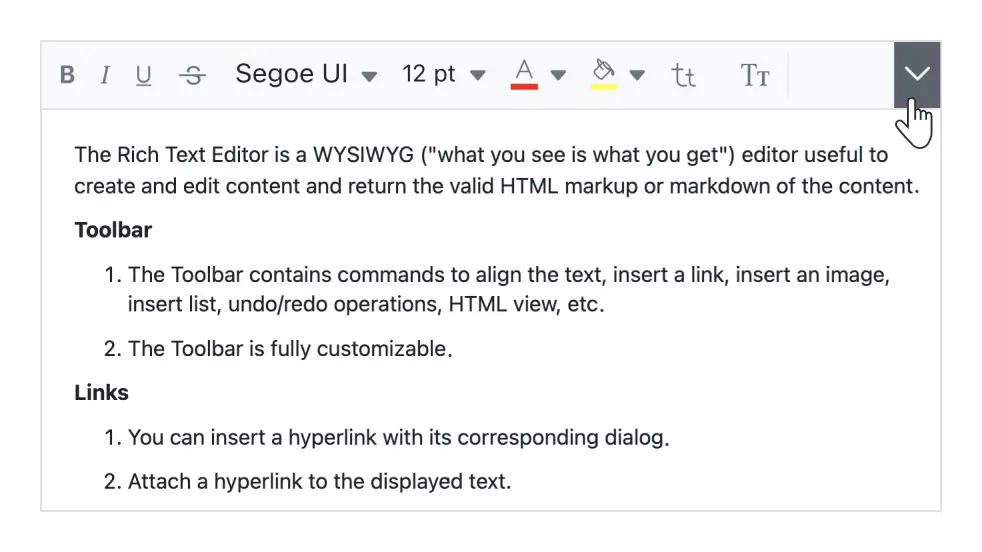
Toolbar erweitern
Die überlaufenden Toolbar-Befehle, die in der nächsten Zeile ausgeblendet sind, werden sichtbar, wenn die Toolbar über das Erweiterungssymbol erweitert wird.
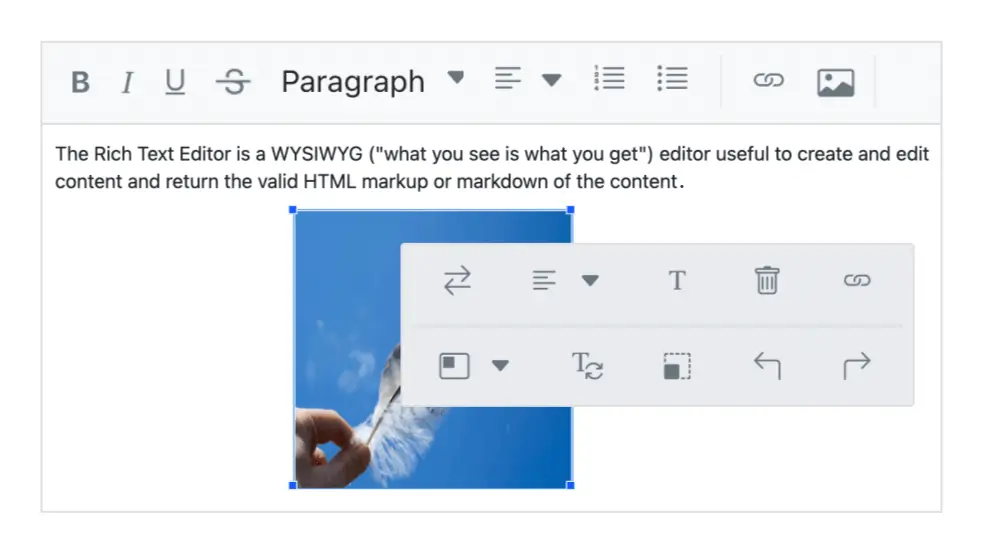
Schnelle Toolbar
Diese Toolbar enthält häufig verwendete Befehle für Text, Bilder, Tabellen und Links. Sie erleichtert den schnellen Zugriff und die Formatierung dieser Elemente. Sie können die Toolbar selbst anpassen.
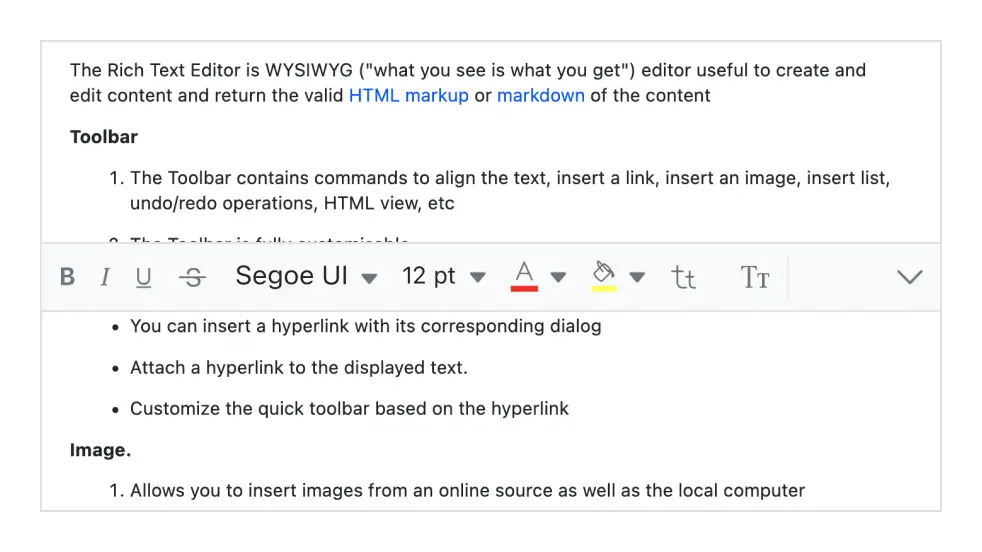
Schwebende Toolbar
Die HTML-WYSIWYG-Editor-Toolbar klebt nicht am oberen Rand des Editors, sondern schwebt beim Scrollen der Editor-Seite im Editor-Bereich.
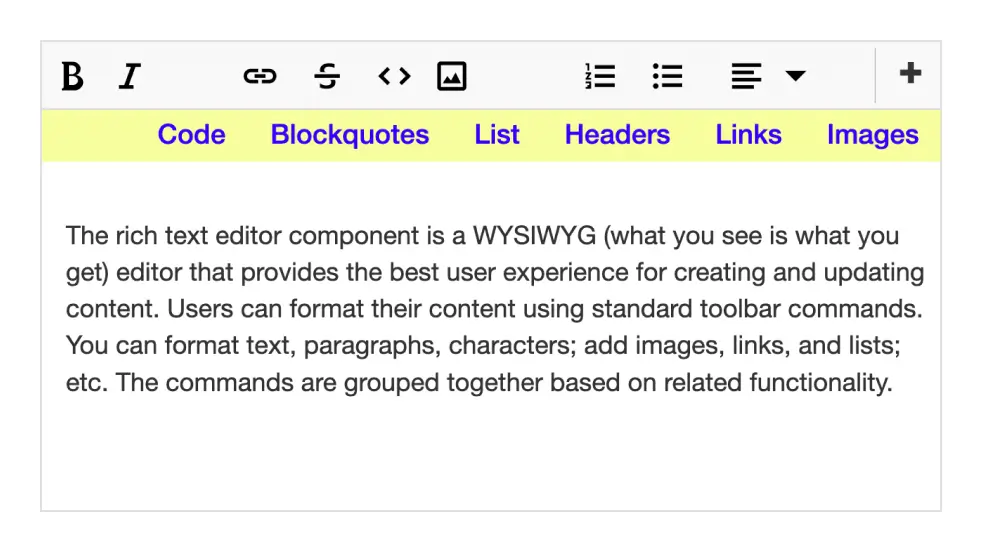
Vollständig anpassbar
Die Toolbar-Schaltflächen sind vollständig anpassbar. Sie können Schaltflächen hinzufügen oder entfernen und Befehle nach Kategorien gruppieren. Sie können die Toolbar so gestalten, wie Ihre Anwendung sie benötigt, z. B. als HTML-Blog-Editor oder HTML-E-Mail-Komponist.
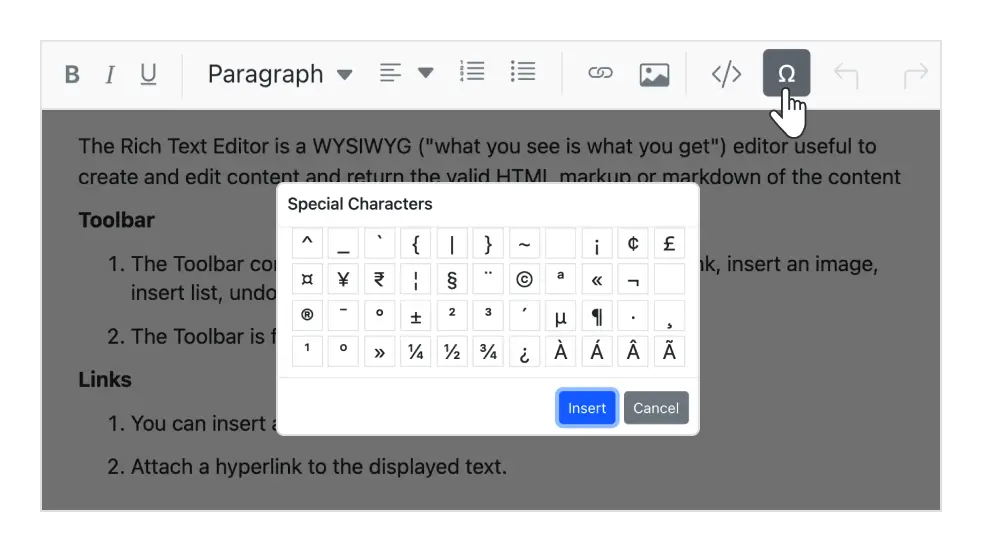
Benutzerdefinierte Werkzeuge
Fügen Sie Ihre eigenen Befehle (Werkzeuge) mit Aktionen zur Toolbar hinzu, zusammen mit den integrierten Befehlen.
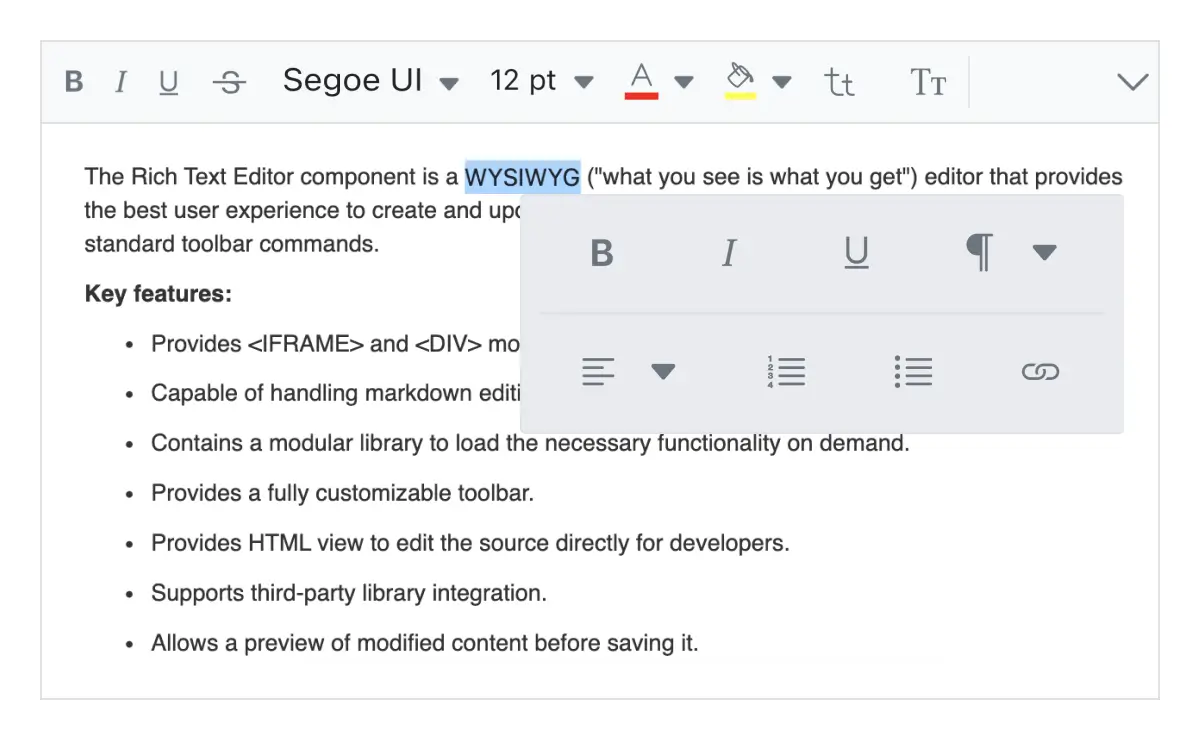
Inline-Modus
Aktiviert den Inline-HTML-Editor, der erscheint, wenn Sie auf den Inhalt in einem bearbeitbaren Bereich klicken oder diesen auswählen.
Erwähnung und Hashtag
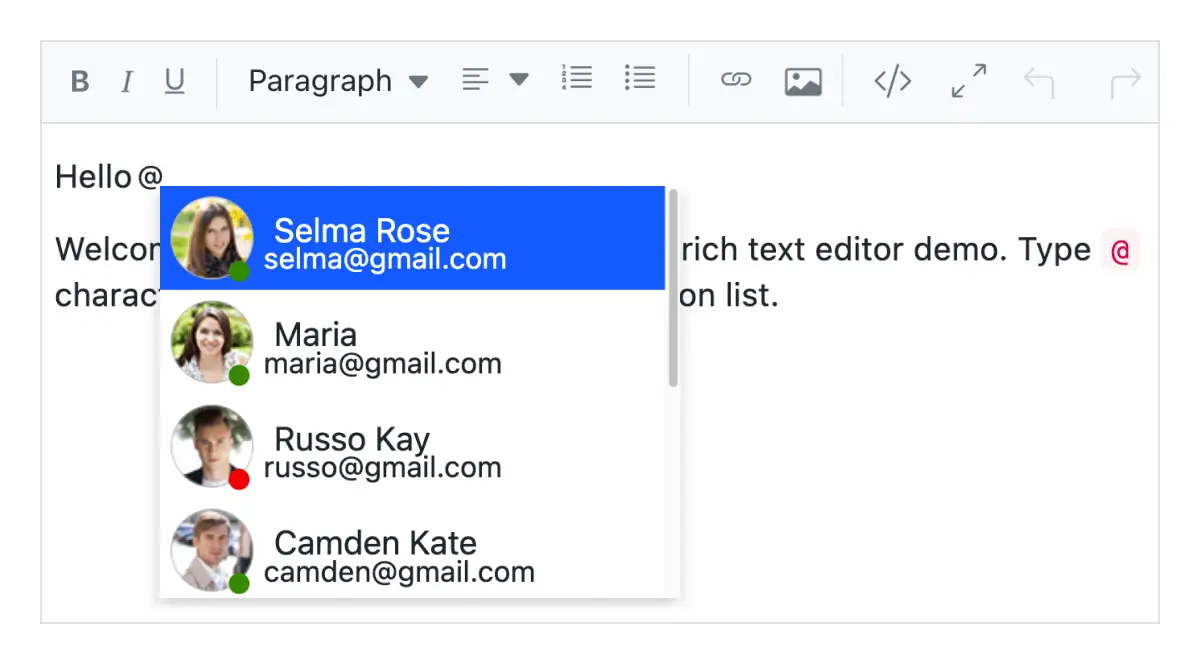
Beim Verfassen von Inhalten im Blazor Rich Text Editor können Benutzer oder Gruppen aus der Vorschlagsliste markiert oder ausgewählt werden.
Bearbeitungserlebnis
Der Blazor Rich Text Editor mit seiner ansprechenden Benutzeroberfläche bietet eine breite Palette von Werkzeugen und Optionen für ein besseres Bearbeitungserlebnis.
Bilder einfügen
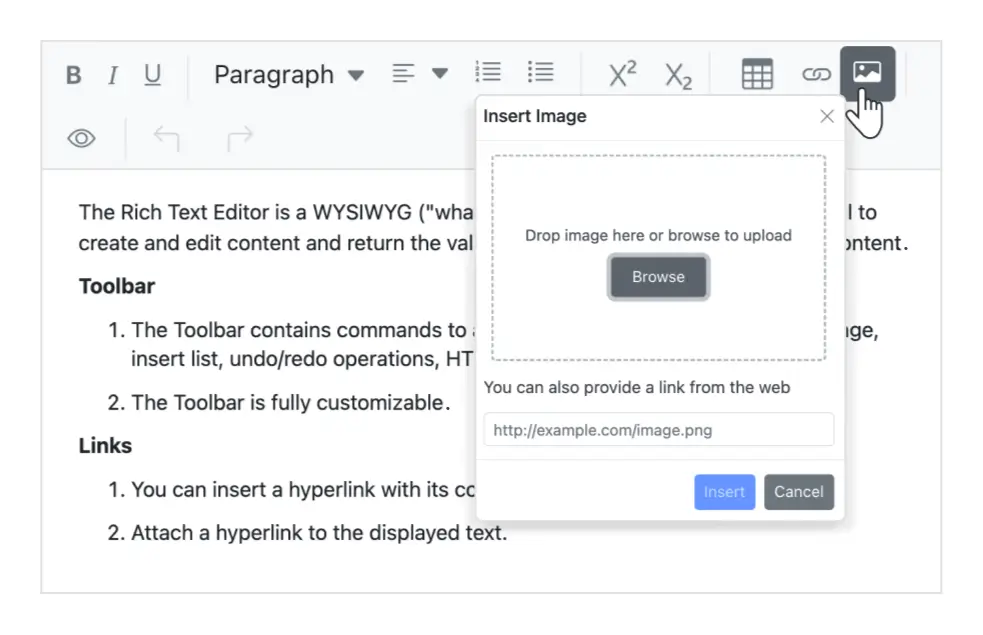
Sie können Bilder in Ihren Inhalt von einem lokalen Pfad oder Serverpfad mit Bildunterschriften einfügen und dann URLs mit den Bildern verknüpfen. Sie können Bilder mit Drag-and-Drop oder Dateiupload auf einen Server hochladen. Zusätzlich bietet der Editor Optionen zum Einfügen von Bildern im BLOB- oder Base64-Format.
Hyperlinks einfügen
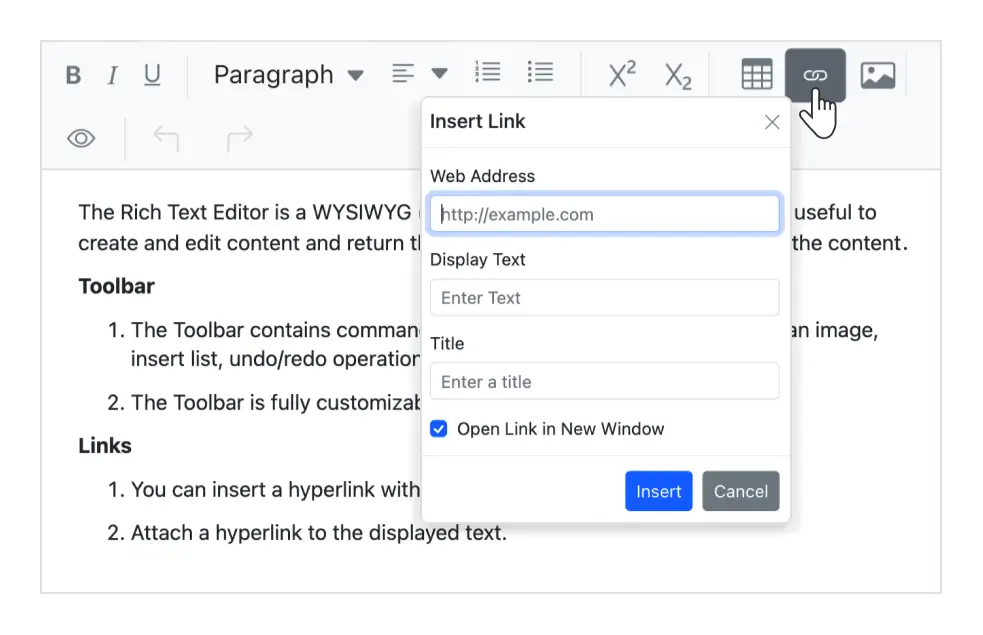
Sie können Hyperlinks mit Anpassungsoptionen wie Anzeigetext, Tooltip und Links zum Öffnen in einem neuen Fenster einfügen oder ändern.
Tabellen einfügen
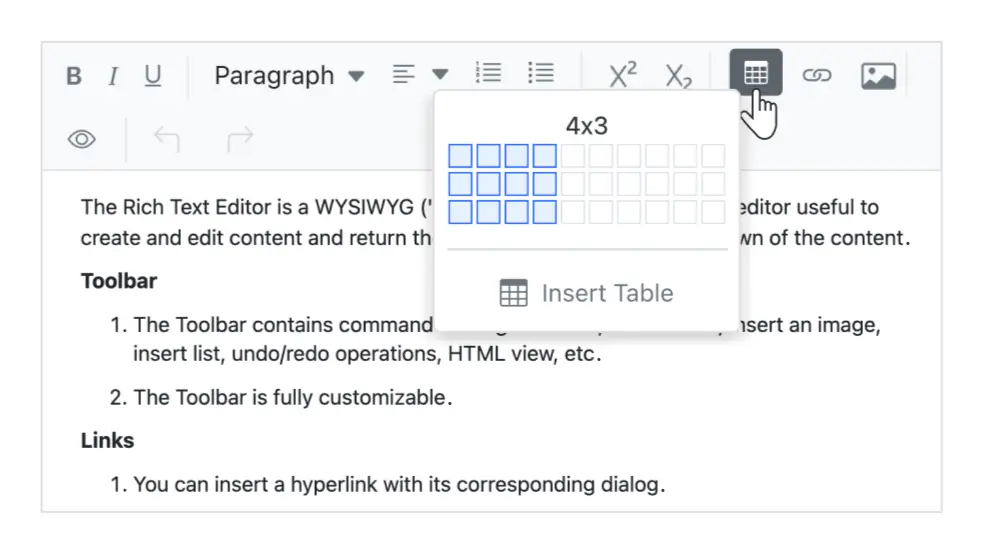
Sie können HTML-Tabellen einfügen und bearbeiten, um tabellarische Daten im Rich Text Editor anzuzeigen. Bearbeiten Sie die Tabelle und ihre Elemente dynamisch: Zeilen und Spalten einfügen oder entfernen, die gesamte Tabelle oder bestimmte Zeilen/Spalten in der Größe ändern, eine Tabelle entfernen.
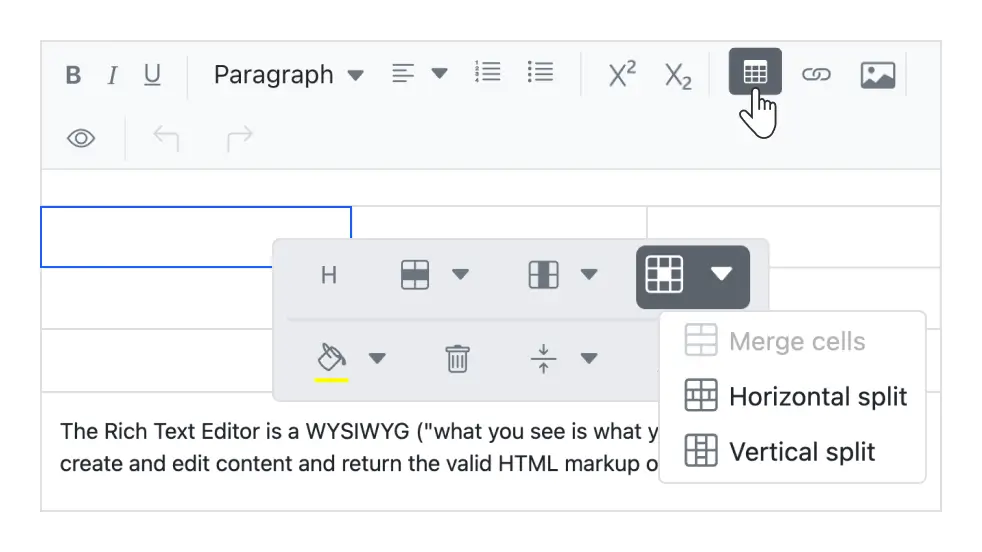
Tabellenzellen zusammenführen und teilen
Führen Sie zwei oder mehr Zeilen- und Spaltenzellen mit ihrem Inhalt zu einer einzigen Zelle zusammen. Eine einzelne Zelle kann auch horizontal und vertikal geteilt werden.
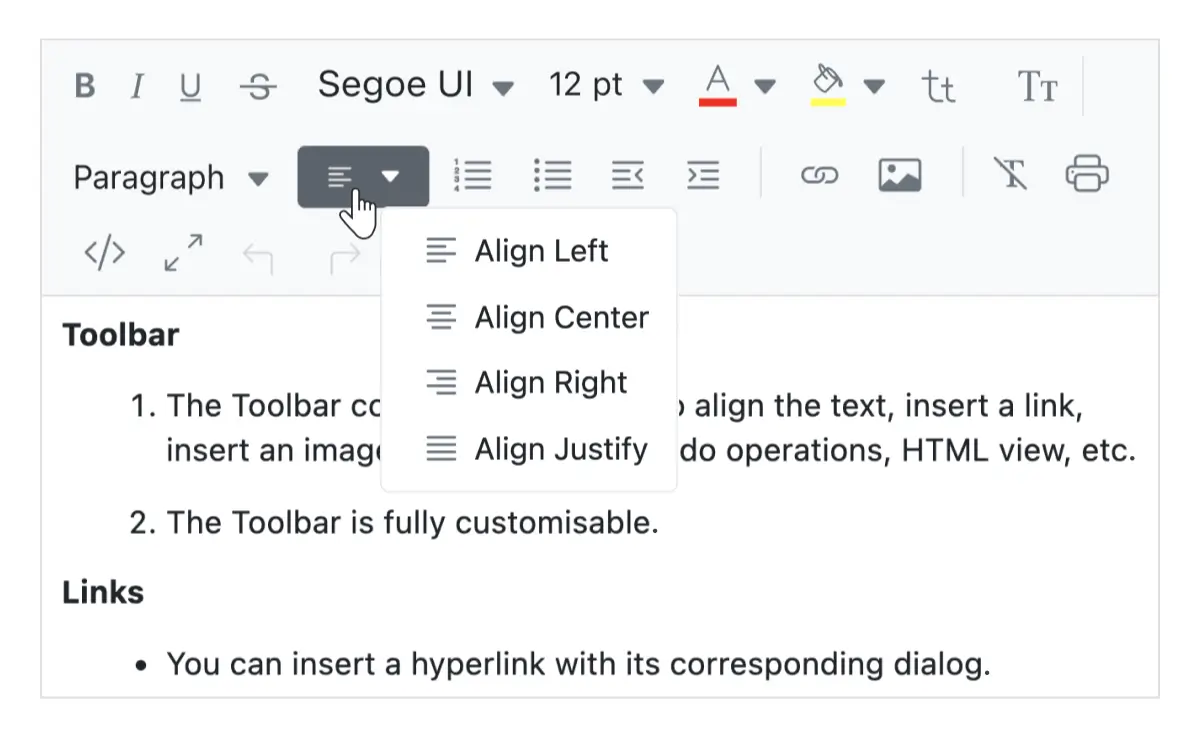
Textausrichtung
Richten Sie Ihre Inhalte nach links, mittig oder rechts aus oder setzen Sie sie auf Blocksatz.
Konfiguration von Enter- und Shift+Enter-Tasten
Der Rich Text Editor ermöglicht die Anpassung des Tags, das beim Drücken der Enter-Taste und der Shift+Enter-Tasten eingefügt wird. Die folgenden Tags können konfiguriert werden:
- P: Wenn ‘P’ konfiguriert ist, wird beim Drücken von Enter oder Shift+Enter ein ‘p’-Tag erstellt.
- DIV: Wenn ‘DIV’ konfiguriert ist, wird beim Drücken von Enter oder Shift+Enter ein ‘div’-Tag erstellt.
- BR: Wenn ‘BR’ konfiguriert ist, wird beim Drücken von Enter oder Shift+Enter ein ‘br’-Tag erstellt.
Text formatieren
- Formatieren Sie den ausgewählten Inhalt, ganze Absätze oder bestimmte Wörter oder Zeichen.
- Formatieren Sie Überschriften, Zitate, Code, Absätze usw.
- Machen Sie Buchstaben und Wörter fett, kursiv, unterstrichen, durchgestrichen oder großgeschrieben.
- Ändern Sie den Einzug und den Abstand von Absätzen.
- Wählen Sie Schriftarten und deren Größenwerte.
- Verwenden Sie tief- und hochgestellte Zeichen.
- Wählen Sie die Schriftfarbe und die Hintergrundfarbe für den Inhalt.
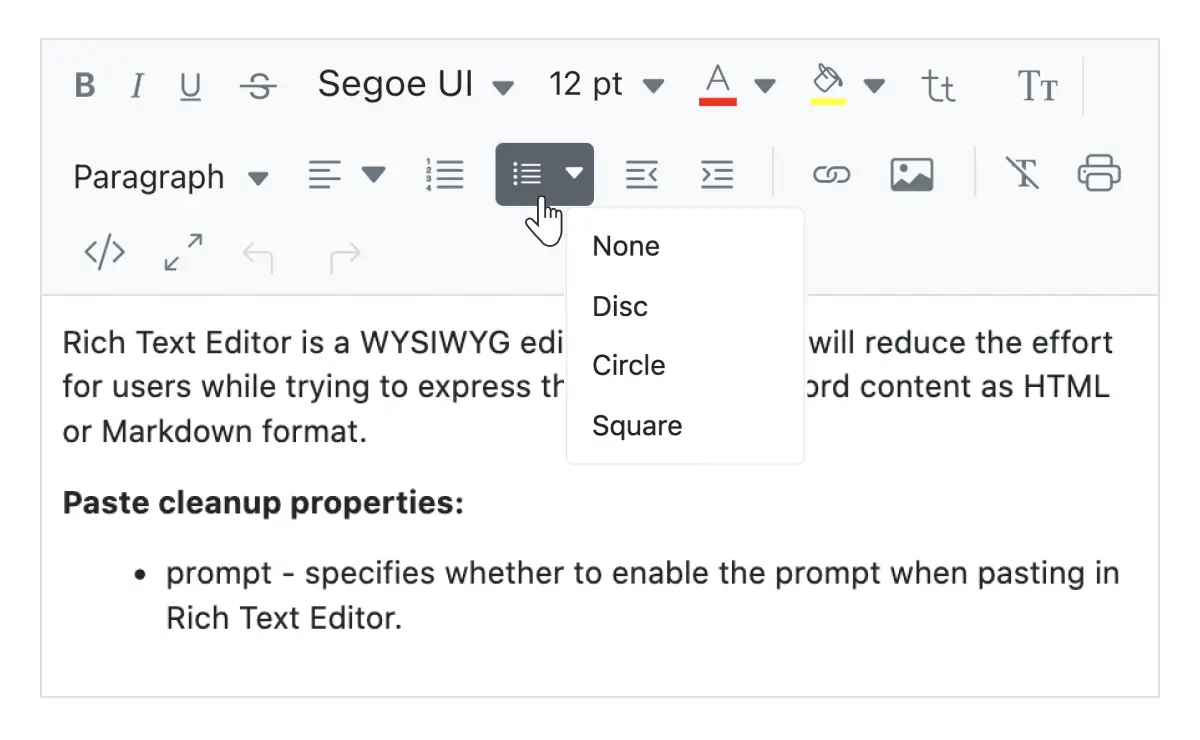
Benutzerdefinierte Listen hinzufügen
Erstellen Sie geordnete (nummerierte) oder ungeordnete (Aufzählungszeichen) Listen, um den Inhalt im Blazor Rich Text Editor zu organisieren. Er unterstützt die Änderung der Aufzählungszeichen für ungeordnete Listen zu Kreisen oder Quadraten. Er unterstützt auch verschiedene Nummerierungsformate für geordnete Listen wie griechische Kleinbuchstaben oder römische Großbuchstaben.
Vollbild-Texteditor
Die integrierte Option macht den WYSIWYG-HTML-Editor zum Vollbildmodus (Vollseiten-Editor) für die Bearbeitung des Inhalts.
Einfügen aus Microsoft Word und Excel
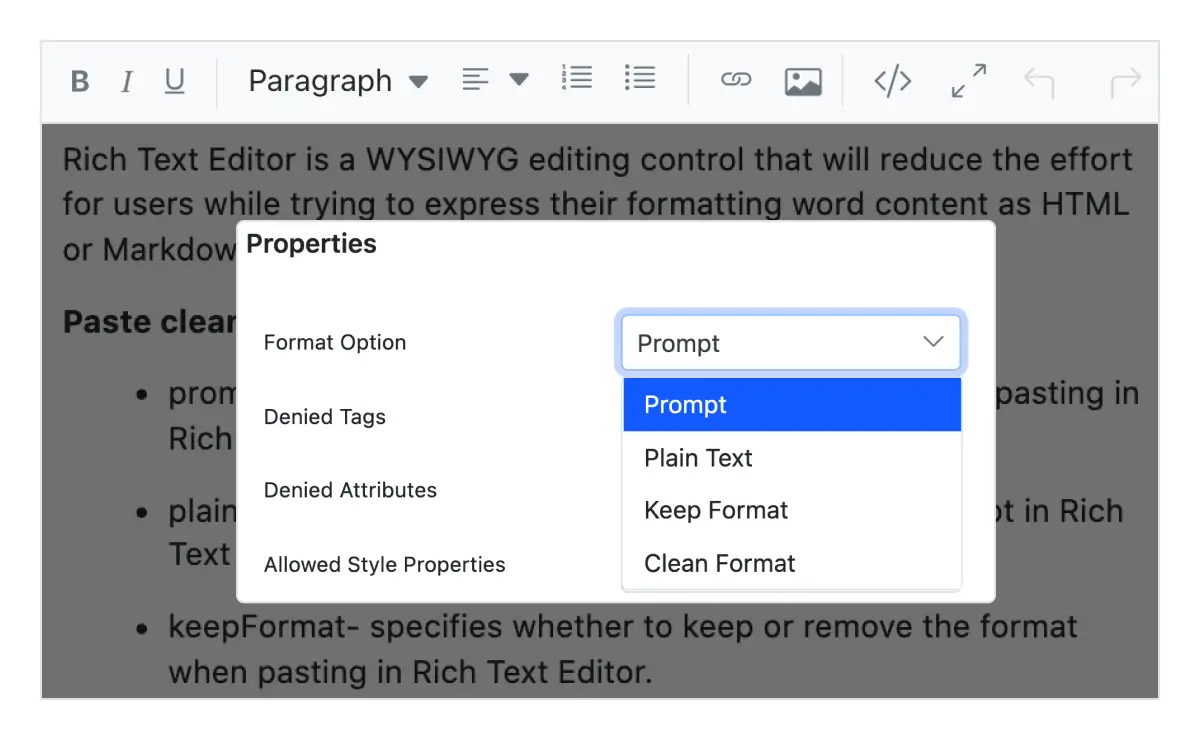
Der Blazor Rich Text Editor bietet integrierte Optionen zum Einfügen von Inhalten mit Bildern aus Microsoft Word, Microsoft Outlook und Microsoft Excel in den Editor durch Filtern von Tags, Attributen und Stilen. Sie können steuern, ob der Inhalt als reiner Text, bereinigt von Stilen oder mit Quellformatierungsstilen eingefügt wird.
Automatische Hyperlinks für URLs
Die Steuerung verwandelt Text automatisch in einen Hyperlink, wenn ein Benutzer eine URL als einfachen Text eingibt.
Blazor-Formularvalidierungen
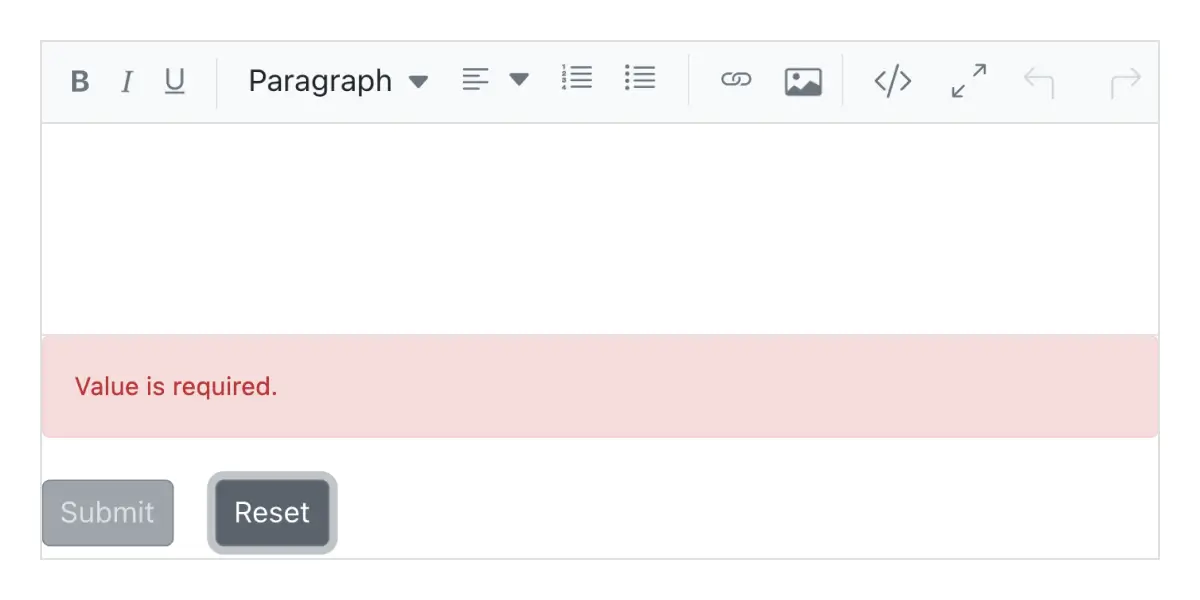
Der Blazor Rich Text Editor ist eine Formular-Komponente, die nahtlos Formulare unterstützt und Werte bei der Formularübermittlung erhält. Die beiden Arten der Validierung sind:
- Pflichtfeldvalidierung
- Maximale Längenvalidierung
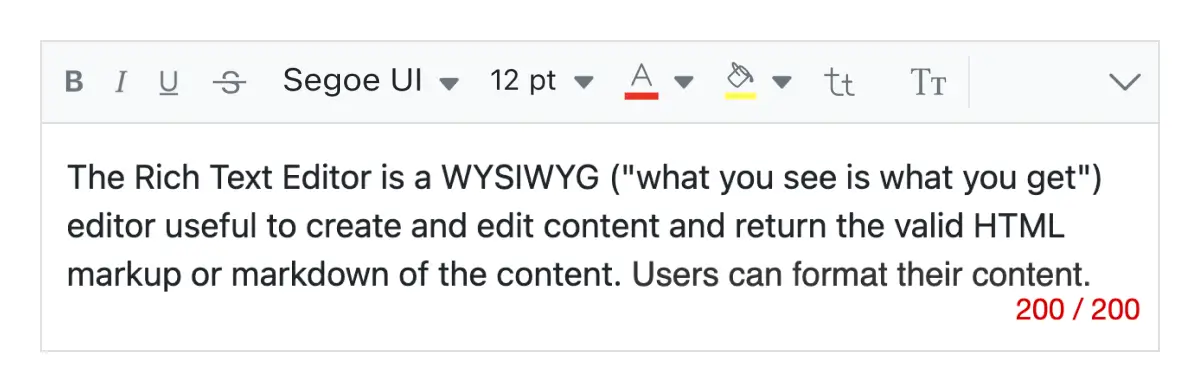
Inhaltlänge begrenzen
Benutzer können die maximale Zeichenanzahl des Inhalts begrenzen.
Größenveränderbarer Editor
Der Rich Text Editor für Blazor verfügt über eine integrierte Größenveränderungsunterstützung, die es ermöglicht, den Inhaltsbereich zu vergrößern oder zu verkleinern.
Zusätzliche Funktionen

Ausschneiden, Kopieren und Einfügen
Die Blazor Rich Text Editor Komponente ermöglicht es Benutzern, Zwischenablageoperationen (ausschneiden, kopieren und einfügen) zu verwenden.
Undo-Redo-Manager
Der Blazor Rich Text Editor verwaltet den Verlauf der Rückgängig-Aktion, um die Bearbeitungsaktionen der Benutzer zu speichern und es den Benutzern zu ermöglichen, die Rückgängig-Schritte anzupassen.

Drucken von Rich Text Editor-Inhalten
Drucken Sie den Inhalt des WYSIWYG Rich Text Editors entweder über die Druckoption in der Toolbar oder programmatisch mit angewendetem Formatierungsstil.

Touch-freundlicher und responsiver WYSIWYG-Editor
Der Rich Text Editor für Blazor (mobiler HTML-Editor) erkennt Touch-Gesten, sodass der Benutzer nach links oder rechts wischen kann, um die Toolbar zu verschieben. Das responsive, mobilfreundliche Design bietet die beste Benutzererfahrung auf allen Mobiltelefonen, Tablets und Desktops.

Integrierte und anpassbare Themes
Der Blazor Rich Text Editor wird mit mehreren integrierten Themes geliefert, darunter Tailwind CSS, Bootstrap 5, Bootstrap 4, Bootstrap, Material, Fabric, Fluent und High Contrast.
Entwicklerfreundliche APIs
Es stehen ausreichende clientseitige APIs zur Verfügung, um den Prozess der Inhaltserstellung zu optimieren.
HTML-Editor-Barrierefreiheit

Tastaturnavigation
Die Blazor Rich Text Editor Komponente stellt sicher, dass jede Zelle per Tastatur zugänglich ist. Wichtige Funktionen wie Sortierung, Auswahl und Bearbeitung können allein über Tastaturbefehle ausgeführt werden; keine Mausinteraktion ist erforderlich. Dies hilft bei der Erstellung hochgradig zugänglicher Anwendungen mit dieser Komponente.

Screenreader
Die Ansicht des Blazor Rich Text Editors verfügt über vollständige WAI-ARIA-Barrierefreiheitsunterstützung. Die Benutzeroberfläche des Rich Text Editors enthält hochkontrastierende visuelle Elemente, die sehbehinderten Menschen helfen, die beste Seherfahrung zu erzielen. Außerdem sind gültige UI-Beschreibungen leicht über Hilfstechnologien wie Bildschirmleseprogramme zugänglich.

Rechts nach Links (RTL)
Der Blazor Rich Text Editor unterstützt die Rechts-nach-Links-Darstellung, wodurch die Textrichtung und das Layout des Texteditors von rechts nach links angezeigt werden können. Dies verbessert die Benutzererfahrung und Barrierefreiheit für RTL-Sprachen wie Arabisch, Farsi, Hebräisch usw.
Andere unterstützte Frameworks
Der Rich Text Editor ist für die Frameworks React, Angular, JavaScript und Vue verfügbar. Erkunden Sie seine plattformspezifischen Optionen über die folgenden Links:


Unterstützte Browser
Der Blazor Rich Text Editor funktioniert gut mit allen modernen Webbrowsern, einschließlich Chrome, Firefox, Edge, Safari und Opera.

Unsicher beim ersten Blazor Rich Text Editor? Unsere Doku hilft dir.
Serverseitiger Blazor Rich Text Editor Einstieg Blazor WebAssembly Rich Text Editor Start Blazor WebAssembly Rich Text Editor EinstiegBlazor-Komponenten – über 155 Benutzeroberflächen- und DataViz-Komponenten
ALLE KOMPONENTEN
SMARTE KOMPONENTEN
RASTER
DATENVISUALISIERUNG
EINGABEN
DROPDOWN-MENÜS
SCHALTFLÄCHEN
INTERAKTIVER CHAT
NAVIGATION
BENACHRICHTIGUNG
FORMULARE
Häufig gestellte Fragen
Warum sollte ich den Syncfusion Essential Studio® Blazor Rich Text Editor wählen?
Der Syncfusion Blazor Rich Text Editor ist ein funktionsreicher WYSIWYG-HTML-Editor, der die folgenden Funktionen bietet:
Bietet die beste WYSIWYG-Bearbeitungserfahrung mit HTML- und Markdown-Editoren.
- Flexibel für die Integration von Drittanbieterbibliotheken.
Inline-Modus, um Befehle bei Bedarf anzuzeigen.
- Einer der besten Blazor Rich Text Editoren auf dem Markt, der eine funktionsreiche Benutzeroberfläche für die Interaktion mit der Software bietet.
Einfache Konfiguration und API.
- Unterstützt alle modernen Browser.
- Mobil-Touch-freundlich und responsiv.
Umfangreiche Demos, Dokumentation und Videos zum schnellen Erlernen und Einstieg in den Blazor Rich Text Editor.
Was kostet der Syncfusion Blazor Rich Text Editor?
Wir verkaufen den Blazor Rich Text Editor nicht separat. Er ist nur als Teil der Syncfusion Team-Lizenz erhältlich. Diese enthält über 1,600 Komponenten und Frameworks, einschließlich des Blazor Rich Text Editors. Der Preis der Teamlizenz beginnt bei 395 $ pro Monat für 5 Entwickler und beinhaltet Support und Updates bis zum Ablauf des Abonnements. Darüber hinaus können wir Rabatte basierend auf aktuell aktiven Promotionen anbieten. Bitte kontaktieren Sie noch heute unsere Produktspezialisten, um zu sehen, ob Sie für zusätzliche Rabatte in Frage kommen.
Wo finde ich die Demo des Syncfusion Blazor Rich Text Editors?
Sie finden unsere Blazor Rich Text Editor Demo, die zeigt, wie Sie den Rich Text Editor rendern und konfigurieren.
Kann ich die Syncfusion Blazor Rich Text Editor Komponente separat kaufen?
Nein, unsere über 1,600+ Komponenten und Frameworks für Web, Mobile und Desktop, einschließlich unseres Blazor Rich Text Editors, werden nicht einzeln verkauft. Sie sind nur als Teil einer Teamlizenz erhältlich. Wir haben das Produkt jedoch wettbewerbsfähig bepreist, sodass es nur wenig mehr kostet, als manche anderen Anbieter für ihre Rich Text Editor Komponente allein verlangen. Wir haben auch festgestellt, dass unsere Kunden in der Regel mit einem unserer Produkte beginnen und dann schnell auf mehrere Produkte erweitern. Daher hielten wir es für am besten, alle 1,600+ Komponenten und Frameworks für eine Abonnementgebühr anzubieten, die ab 395 $ pro Monat für ein Team von 5 Entwicklern beginnt. Darüber hinaus können wir Rabatte basierend auf aktuell aktiven Promotionen anbieten. Bitte kontaktieren Sie noch heute unsere Produktspezialisten, um zu sehen, ob Sie für zusätzliche Rabatte in Frage kommen.
Kann ich den Syncfusion Blazor Rich Text Editor kostenlos herunterladen und nutzen?
Nein, dies ist ein kommerzielles Produkt und erfordert eine kostenpflichtige Lizenz. Es ist jedoch eine kostenlose Community-Lizenz verfügbar für Unternehmen und Einzelpersonen, deren Organisationen einen Jahresumsatz von weniger als 1 Million US-Dollar erzielen und die fünf oder weniger Entwickler beschäftigen.
Wie beginne ich mit dem Syncfusion Blazor Rich Text Editor?
Ein guter Ausgangspunkt wäre unsere umfassende Getting Started-Dokumentation.
Unsere Kunden lieben uns
Mit einem ausgezeichneten Toolset und einem großartigen Supportteam verkürzt Syncfusion® die Entwicklungszeit der Kunden.Hier sind einige ihrer Erfahrungen.

Nice suite of components
A very complete set of components, that has an edge on other major vendors which offer components. A lot less code required to use and code samples for more complete components. Integrates well with other 3rd party components.

John A.

C# Developer (Contract)
Perfect for any developer
The Syncfusion Essential Studio has excellent features that are updated or added constantly on a regular basis. The support is exceptional—fast and professional responses. The support team provides you with code samples. As for the bugs, they always try to include the fix in the next release.

Dejan D.
Chief Executive Officer
Echte Erfolgsgeschichten ansehen
Entwickler auf der ganzen Welt vertrauen auf Syncfusions Essential Studio, um komplexe Projekte zu vereinfachen und die Auslieferung zu beschleunigen. Mit einer umfangreichen Bibliothek an UI-Steuerelementen, leistungsstarken SDKs und zuverlässigem Support hilft Essential Studio Teams, unternehmensreife Anwendungen mit Zuversicht zu erstellen.
Fallstudien erkundenIndustrie
Softwareentwicklung
75% Kostenreduzierung
50% Schnellere Entwicklung

Industrie
Versorgungsunternehmen (Öl und Gas)

450+ Stunden eingespart
Gestraffte Prozesse und Entwicklungsaufwand in Stunden reduziert.

Fortschrittliche, flexible Funktionen
Benutzer durch robuste und vielseitige Funktionalität befähigt.
Industrie
Software und Technologie
1000+ Stunden eingespart
Beschleunigte Entwicklung mit unternehmensreifen UI-Komponenten.

Effizientes Dateimanagement
Vereinfachte Workflows mit Dokumentbibliotheken, ohne sie von Grund auf neu zu erstellen.
Industrie
Software und Technologie

2 Jahre Verzögerung vermieden
Zwei Jahre Verzögerungen durch proaktive Planung verhindert.

Termingerechte Lieferung
Projekte termingerecht mit zuverlässigen Steuerelementen geliefert.
Industrie
IT-Dienstleistungen und IT-Beratung

Verbesserte Leistung
Große Datensätze werden mit einfacher Anpassung und schnellem Debugging verarbeitet.

Hochgradig anpassbar
Plug-and-Play-Steuerelemente mit schneller Vorlagenintegration.
Industrie
Professionelle Dienstleistungen
Sofortiger Zugriff
Schnelle Verfügbarkeit von Funktionen und Ressourcen.
Reduzierte Abhängigkeiten
Weniger Abhängigkeiten für eine schnellere Entwicklung.
Von Benutzern auf der ganzen Welt bewertet



Syncfusion Blazor Rich Text Editor Ressourcen


UI-Kits
 Figma Download
Figma Download
Auszeichnungen
Viele behaupten, dass sie herausragend sind. Doch wenn andere das erkennen und loben, bedeutet es viel mehr. Syncfusion® präsentiert mit Stolz folgende Branchenauszeichnungen.

Aktuelle Aktivitäten in Blazor Rich Text Editor Tutorials und Blogs
Die Tutorial-Videos und Blog-Beiträge über den Blazor Rich Text Editor helfen Ihnen beim Erstellen Ihrer ersten App mit dieser Blazor-Komponente. Sie bieten Strategien zur Problemlösung, beschreiben Funktionen und Eigenschaften, kündigen neue Funktionsveröffentlichungen an, erklären Best Practices und zeigen Beispiel-Szenarien. Entdecken Sie unsere neuesten Beiträge in unserem Blog und auf unseren Tutorial-Video-Kanälen für Blazor Rich Text Editor-Updates.
VIDEOS
Importieren und Exportieren von RTF-Dateien in der Blazor Rich Text Editor Komponente
9 FEBRUAR 2024







