Overview
The WPF Charts control is used to visualize large amounts of data using lines, areas, pies, doughnut, etc. It includes functionalities for plotting more than 45 chart types. Each chart type in WPF is easily configured with built-in support for creating stunning visual effects.
Basic charts

WPF Line Chart
Visualize time-dependent data to show trends over a period of time.
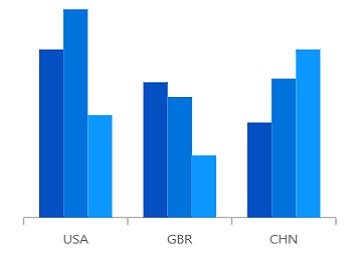
WPF Column Chart
The WPF Column Chart uses vertical bars (called columns) to display different values of one or more items. Compare values across categories using vertical bars.

WPF Bar Chart
The WPF Bar Chart is ideal for showing variations in the value of an item over time. It is arranged vertically, and data values are plotted horizontally to show the variations.
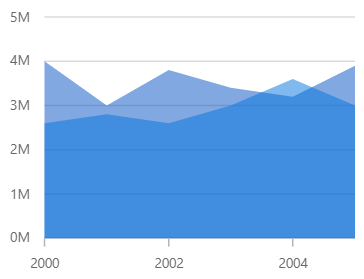
WPF Area Chart
The WPF Area Charts are popular for showing volume changes over a period of time. This chart looks like the line chart that contains space between the line and the X-axis, filled with color.
Correlation charts
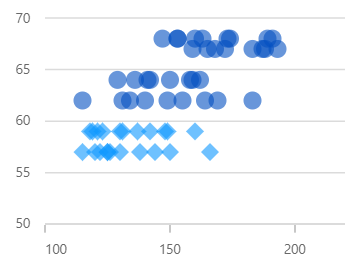
WPF Scatter Chart
The WPF Scatter Chart, or WPF Scatter Graph is used to plot data with two numeric parameters. It supports rotation and selection.
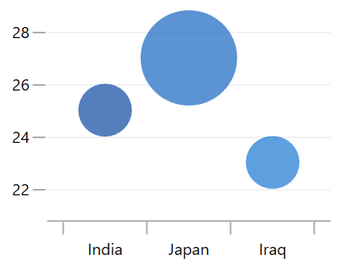
WPF Bubble Chart
Visualizes data with three numeric parameters. The size of the bubbles depends on the third parameter.
Circular charts

WPF Pie Chart
The WPF Pie Chart is a circular graph ideal for displaying proportional values in different categories. It supports rotation and selection..
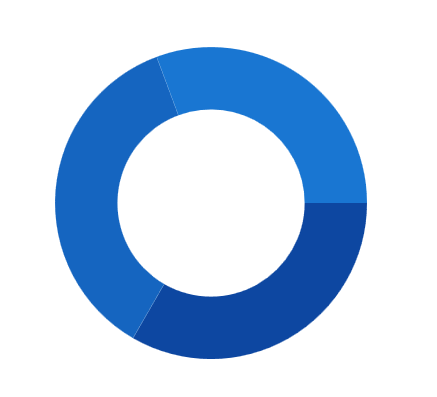
WPF Doughnut Chart
The Doughnut chart is like the pie chart, but has an open space at the center. It is used for comparing the contribution of each data point to the whole.
Pyramid & Funnel charts
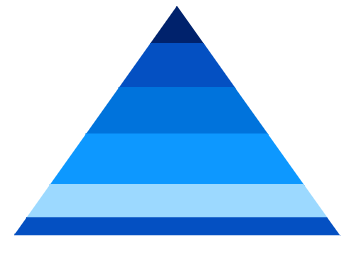
WPF Pyramid Chart
The WPF Pyramid chart represent hierarchies visually in a pyramid-like structure that shows proportions of the total.

WPF Funnel Chart
A Funnel Chart displays values as progressively decreasing proportions, Plots streamlined data to show various stages in a process.
Spline charts
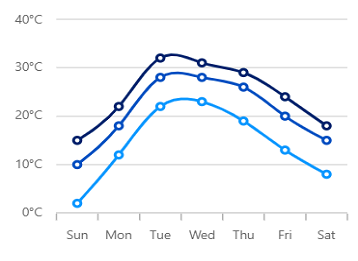
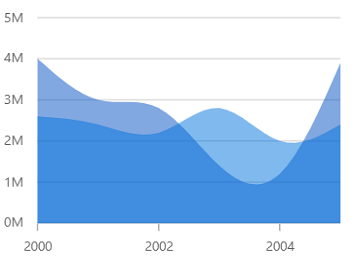
WPF Spline Area Chart
Like the area chart, but with data points connected with splines rather than straight lines.
Step charts
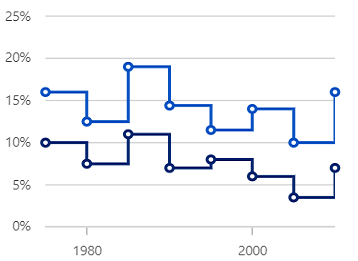
WPF Step Line Chart
Data points are connected using vertical and horizontal lines to show step-like progress.
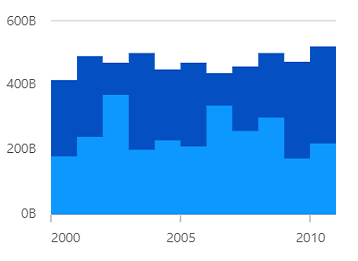
WPF Step Area Chart
Like the step line chart, but with the areas connected by lines shaded.
Stacked charts
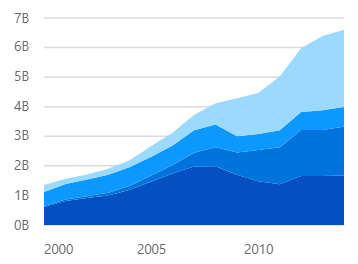
WPF Stacked Area Chart
Like the area chart, but with the data points stacked on top of one another.
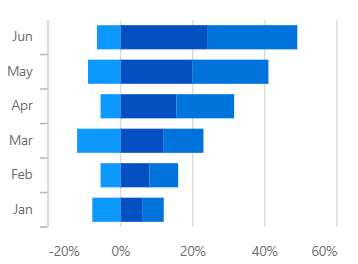
WPF Stacked Bar Chart
The stacked bar chart plots data points on top of one another using horizontal bars.
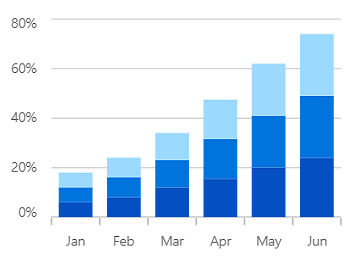
WPF Stacked Column Chart
The WPF Stacked Column Chart plots data points on top of one another using vertical bars.
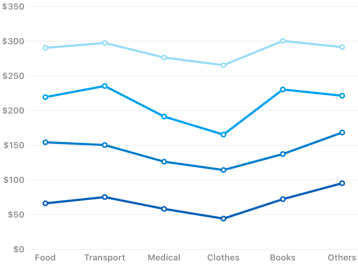
WPF Stacked Line Chart
A stacked line chart is a line chart in which lines do not overlap because they are cumulative at each point.

WPF 100% Stacked Area Chart
Shows the relative percentage of multiple data series in stacked areas. The cumulative proportion of each stacked area always totals 100%.
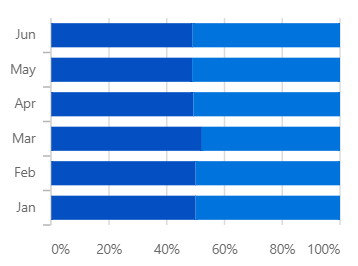
WPF 100% Stacked Bar Chart
Shows the relative percentage of multiple data series in stacked bars. The cumulative proportion of each stacked bar always totals 100%.
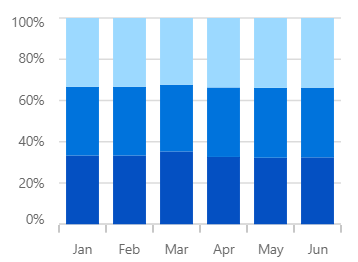
WPF 100% Stacked Column Chart
Shows the relative percentage of multiple data series in stacked columns. The cumulative proportion of each stacked column always totals 100%.
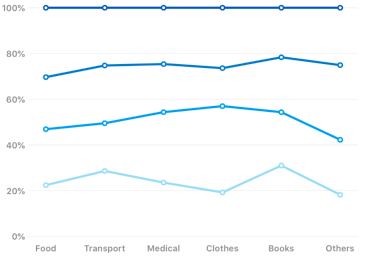
WPF 100% Stacked Line Chart
Shows the relative percentage of multiple data series in stacked lines. The cumulative proportion of each stacked line always totals 100%.
Range charts
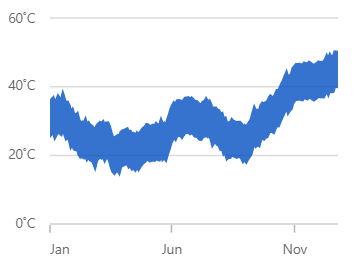
WPF Range Area Chart
Shows variations in data values for a given time. The area between the high and low range is filled.

WPF Range Column Chart
Shows variations in data values for a given time. The area between the high and low range is filled.
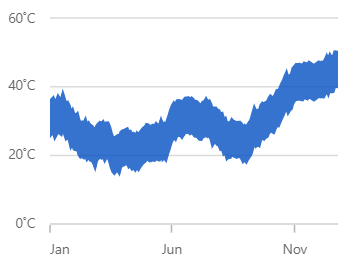
WPF Spline Range Area Chart
Shows variations in data values for a given time. The area between the high and low range is filled.

WPF HiLo Chart
The HiLo chart shows the price range (the highest and lowest prices) over one unit of time.
Financial charts

WPF OHLC Chart
The WPF OHLC Chart is like a candle chart. The horizontal lines at the left and right are used to show opening and closing values of the stock, and the height of the vertical line represents high and low values. They are easily customizable and support interactive features such as trackball, tooltip, selection, and zooming to track information of the data.

WPF Candlestick Chart
The WPF candlestick chart is a type of financial chart that displays high, low, open, and close values of a stock in the stock market with a vertical column and a vertical line.
Radar & Polar charts
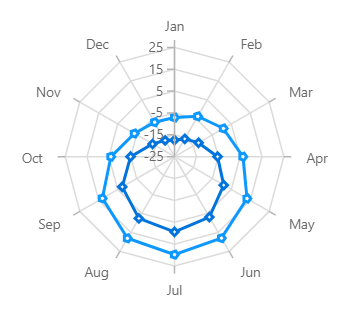
WPF Radar Chart
A radar chart displays multivariate data two-dimensionally with three or more quantitative variables represented on axes starting from the same point.
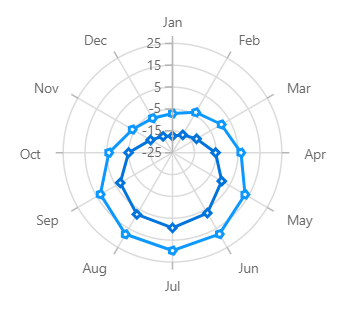
WPF Polar Chart
Shows the data points on a 360-degree circle, grouped by categories and displayed on the radial axis. It is used to compare multivariate data sets.
Other charts

WPF Histogram Chart
The WPF Histogram Chart plots the distribution of numerical data, It visualizes the frequency distribution of data over a certain time period.
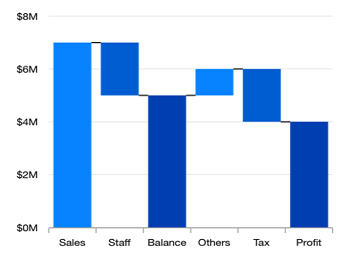
WPF Waterfall Chart
The WPF Waterfall Chart shows gradual changes in the quantitative value of an entity that is subject to change by increments or decrements. Use the waterfall chart to quickly illustrate the changes in revenues.

WPF Box-and-Whisker Chart
This chart plots a combination of rectangle and lines to show the distribution of the dataset.Displays groups of data into quartiles.

WPF Error Bar Chart
The error bar chart indicates the errors or uncertainty in reported values. Displays tables of means (or medians) and variability.
Our Customers Love Us




See Real Success Stories
Developers around the world trust Syncfusion’s Essential Studio to simplify complex projects and speed up delivery. With a vast library of UI controls, powerful SDKs, and reliable support, Essential Studio helps teams build enterprise-ready applications with confidence.
Read Our Customer StoriesIndustry
Software development
75% Cost reduction
50% Faster development

Industry
Utilities (oil and gas)

450+ hours saved
Streamlined processes and hours of development effort saved.

Advanced, flexible features
Empowered users through robust and versatile functionality.
Industry
Software and technology
1000+ of hours saved
Accelerated development with enterprise-ready UI components.

Efficient file management
Streamlined workflows with document libraries without building them from scratch.
Industry
Software and technology

2 Years of delay avoided
Two years of delays prevented with proactive planning.

On-time delivery
Projects delivered on schedule using trusted controls.
Industry
IT services and IT consulting

Improved performance
Large datasets handled with easy customization and quick debugging.

Highly customizable
Plug-and-play controls with quick template integration.
Industry
Professional services
Instant access
Quick availability of features and resources.
Reduced dependencies
Fewer dependencies for faster development.
140+ WPF CONTROLS







