Overview
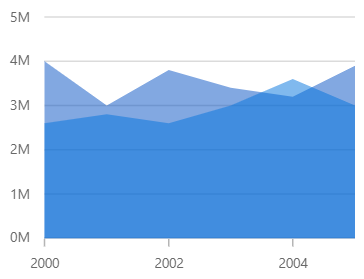
The WPF Area Chart is like a line chart that represents time-dependent data and shows the trend at equal intervals, but it fills the area created by the line. This type of chart can be configured with a numerical, category, date-time, or logarithmic axis for the graph. It supports zooming, scrolling, tooltip, trackball, and selection.
Key features
Vertical area chart
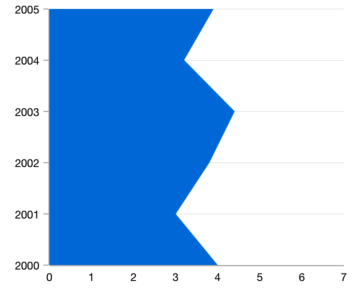
Rotate the WPF Area Chart to plot data vertically and view data from a different perspective.

Empty/Null point chart
The WPF Area Chart handles empty or null data points elegantly.
UI styling
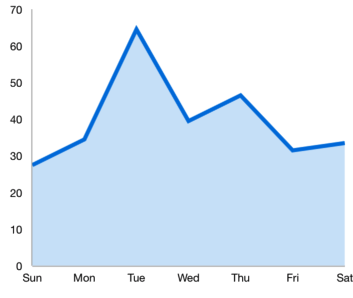
Customize the color and border of the WPF Area Chart using built-in APIs to make it visually unique.
Multiple axes
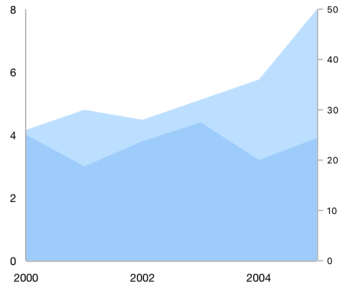
Use multiple axes to plot different data sets along two or more axes having different data points and values.

Area chart markers
The WPF Area Chart data points are visualized as marks with built-in symbols such as cross, square, plus, inverted triangles, hexagon, ellipses, vertical lines, horizontal lines, diamonds, triangles, and pentagons.

Data labels
Data labels display information about data points. Labels’ foreground, border, and background can be customized. The template support allows customizing the default label appearance with a desired view. You can rotate a data label by a specified angle.
Code example
Easily get started with the WPF Area Chart using a few simple lines of C# code example as demonstrated below,
<Window x:Class="ChartExample.MainWindow"
        xmlns="http://schemas.microsoft.com/winfx/2006/xaml/presentation"
        xmlns:x="http://schemas.microsoft.com/winfx/2006/xaml"
        xmlns:d="http://schemas.microsoft.com/expression/blend/2008"
        xmlns:mc="http://schemas.openxmlformats.org/markup-compatibility/2006"
        xmlns:local="clr-namespace:ChartExample"
        xmlns:chart="clr-namespace:Syncfusion.UI.Xaml.Charts;assembly=Syncfusion.SfChart.WPF"
        mc:Ignorable="d"
        Title="WPF Area Chart" Height="450" Width="700">

    <!--Setting DataContext-->
    <Window.DataContext>
        <local:ViewModel/>
    </Window.DataContext>

    <StackPanel>
        <chart:SfChart Height="300" Width="500">
            <!--Initialize the horizontal axis the WPF Chart-->
            <chart:SfChart.PrimaryAxis>
                <chart:CategoryAxis />
            </chart:SfChart.PrimaryAxis>

            <!--Initialize the vertical axis for the WPF Chart-->
            <chart:SfChart.SecondaryAxis>
                <chart:NumericalAxis />
            </chart:SfChart.SecondaryAxis>

            <!--Adding Area Series to the WPF Chart-->
            <chart:AreaSeries
                    ItemsSource="{Binding Data}"
                    XBindingPath="Month"
                    YBindingPath="Target">
            </chart:AreaSeries>
        </chart:SfChart>
    </StackPanel>
</Window>
public class Model
{
public string Month { get; set; }
public double Target { get; set; }
public Model(string xValue, double yValue)
{
Month = xValue;
Target = yValue;
}
}
public class ViewModel
{
public ObservableCollection<Model> Data { get; set; }
public ViewModel()
{
Data = new ObservableCollection<Model>()
{
new Model("Jan", 50),
new Model("Feb", 70),
new Model("Mar", 65),
new Model("Apr", 57),
new Model("May", 48),
};
}
}Learning resources


140+ WPF CONTROLS







