




Transform your applications today by downloading our free evaluation version
Overview
The Xamarin.iOS Rotator control is a UI that provides an interactive way to rotate images and navigate through a collection of views. It supports various navigation options like swiping, auto-play, and tapping.
Display modes
The rotator control supports various modes such as dots and thumbnails for navigating easily to the desired item.
Thumbnails
Thumbnails representation of the items provides simple preview on items, so users can directly navigate to required items by tapping.

Dots
Simple dots representation will allow selected item to occupy full space; the highlighted dot represents count and selected index
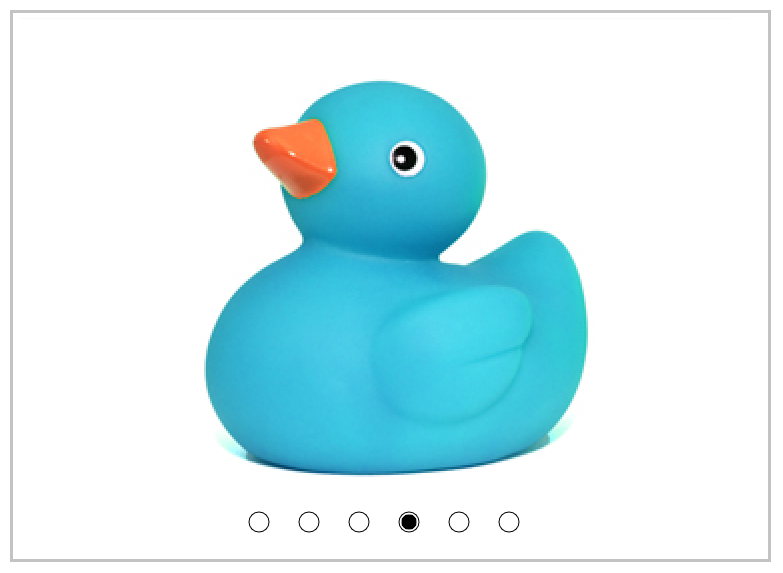
Swipe gesture
User can navigate to previous item or next item by simple swiping from the left to right or the right to left, respectively. This option provides good user experience on navigation
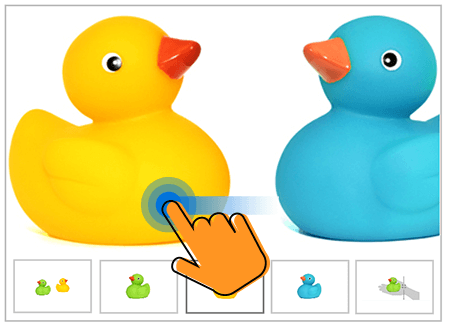
Navigation direction
Navigation can be performed either vertical or horizontal sliding animation. Here, the horizontal option represents the left to right arrangements of item whereas the vertical option represents the top to bottom arrangement of items.
Horizontal swiping

Vertical swiping

Navigation placement
Dot and thumbnail representations can be displayed at any one of the four sides such as left, right, top, and bottom. In mobile devices, the top or bottom placement provides more horizontal space to display the selected items.
Looping
Looping option helps users to navigate to first item when they reach last time. This will provide better review experience when the control is loaded with more items.

AutoPlay
The control can be used as slide show when the user wants to display the set of items in defined interval of time and no interactions.

Navigation interval
The interval duration for auto play can be customized.
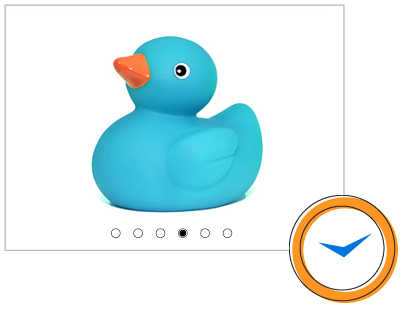
Load custom views
A user can perform any command with selected item by placing the button (or any view) on items, because the rotator control is not limited to load only image data, a collection of custom view also can be loaded as rotator items.
150+ XAMARIN UI CONTROLS
ALL CONTROLS
-
Xamarin.Forms
-
Xamarin.Android
-
Xamarin.iOS
-
GRIDSDATA VISUALIZATIONNAVIGATIONEDITORSPROJECT MANAGEMENTNOTIFICATIONDOCUMENT PROCESSING LIBRARIESVIEWER/EDITORMISCELLANEOUS
-
GRIDSDATA VISUALIZATIONNAVIGATIONEDITORSLAYOUTPROJECT MANAGEMENTNOTIFICATIONVIEWER/EDITORDOCUMENT PROCESSING LIBRARIESMISCELLANEOUS
-
GRIDSDATA VISUALIZATIONNAVIGATIONEDITORSLAYOUTPROJECT MANAGEMENTNOTIFICATIONVIEWER/EDITORDOCUMENT PROCESSING LIBRARIESMISCELLANEOUS
The most downloaded control (based on the nuget.org download count).
Our Customers Love Us
Having an excellent set of tools and a great support team, Syncfusion® reduces customers’ development time.Here are some of their experiences.

A creator of online tutorials for Microsoft technologies, your controls helped to provide a rich user experience. I wanted a look and feel like a Windows Store app and the Tiles are useful for that.
We're using the file formats and Windows/JavaScript list controls a lot. They're fast, easy to use, and the documentation is good and contains examples. Tickets with questions or suggestions were answered within a day, so we're happy to use the Syncfusion libraries.
Rated by users across the globe
Syncfusion Xamarin.iOS Resources
Learning
 Documentation
 Documentation


Awards
Greatness—it’s one thing to say you have it, but it means more when others recognize it. Syncfusion® is proud to hold the following industry awards.









