Overview
Filter Tree Grid records based on defined criteria using supported filter types, including Excel-like filtering and custom filter logic. Filtering is suitable for hierarchical datasets that require matching records to be displayed together with related parent or child records.
Hierarchy modes
Display parent records, child records, or both together with matching filtered records. Related-record filtering is suitable for retaining hierarchical relationships while reviewing filtered data.

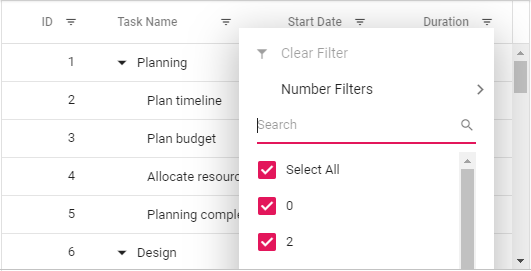
Excel-like filter
Create column filter criteria by selecting values from a checkbox list or defining advanced conditions. Excel-like filtering is suitable for columns that require multiple values or compound filter conditions.
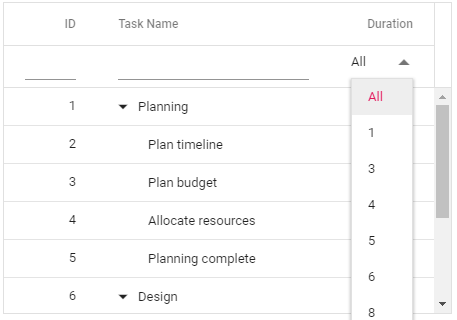
Custom filter UI
Apply filter UI and logic based on the column type or define custom filtering behavior for specific columns. Custom filtering is suitable for fields that require application-specific filter controls or conditions.

Search
Search Tree Grid rows using the built-in search box in the toolbar or programmatically through an external button. Using built-in settings, search behavior can be customized. Different search modes are available to search and display rows along with the parent or child rows or with both parent and child rows.
Explore all Syncfusion React components
Explore over 140+ React UI components featuring established, and production-ready controls built for modern web app development.
- SMART COMPONENTSDATA VISUALIZATIONDROPDOWNSFILE VIEWERS & EDITORSBUTTONSINTERACTIVE CHATINPUTSNAVIGATIONNOTIFICATIONS