Web Spreadsheet Editor


Rich text formatting
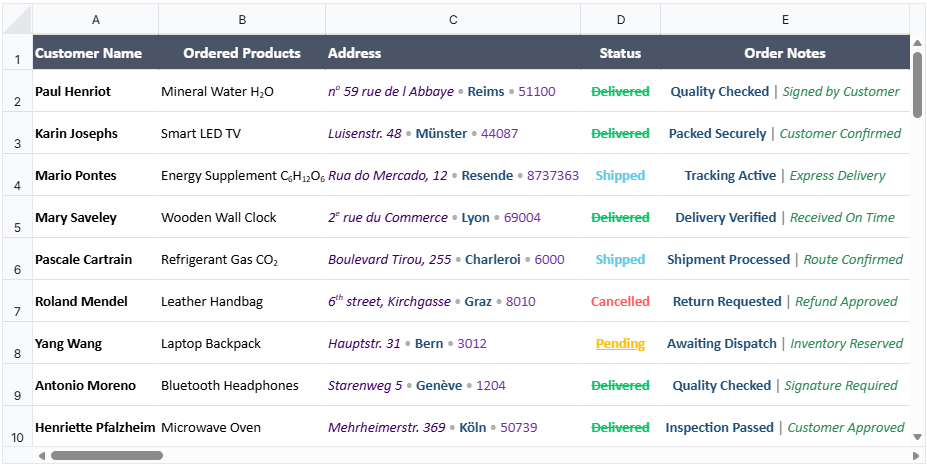
With rich text formatting, users can apply different text styles to selected portions of content within a single cell.
Supported formatting options include: bold, italic, underline, strikethrough, font family, font size, and font color. This is in addition to the existing subscript and superscript formatting options. Multiple formatting styles can coexist within the same cell, enabling users to highlight and organize cell content with greater precision.

Text overflow
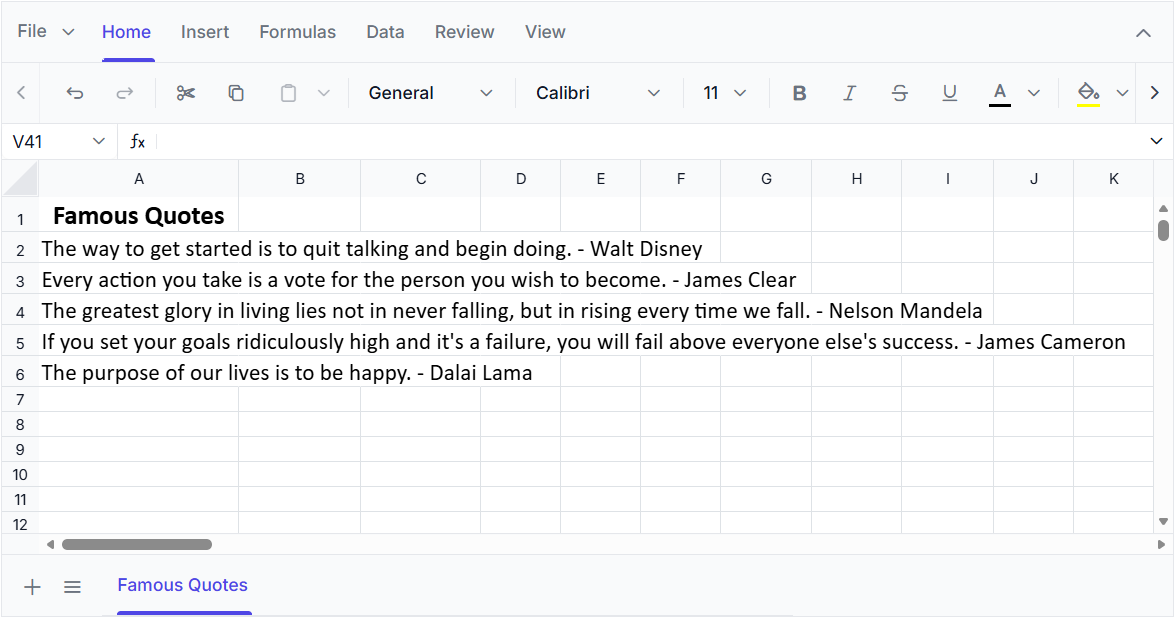
Display text beyond cell boundaries when adjacent cells are empty with text overflow. This improves readability without requiring column resizing or text wrapping, preserving the worksheet structure.
The overflow feature supports plain text, rich text, hyperlinks, and merged cells. Overflowed content is automatically clipped when adjacent cells contain data, ensuring a clean and consistent presentation of worksheet data.
Collaborative editing
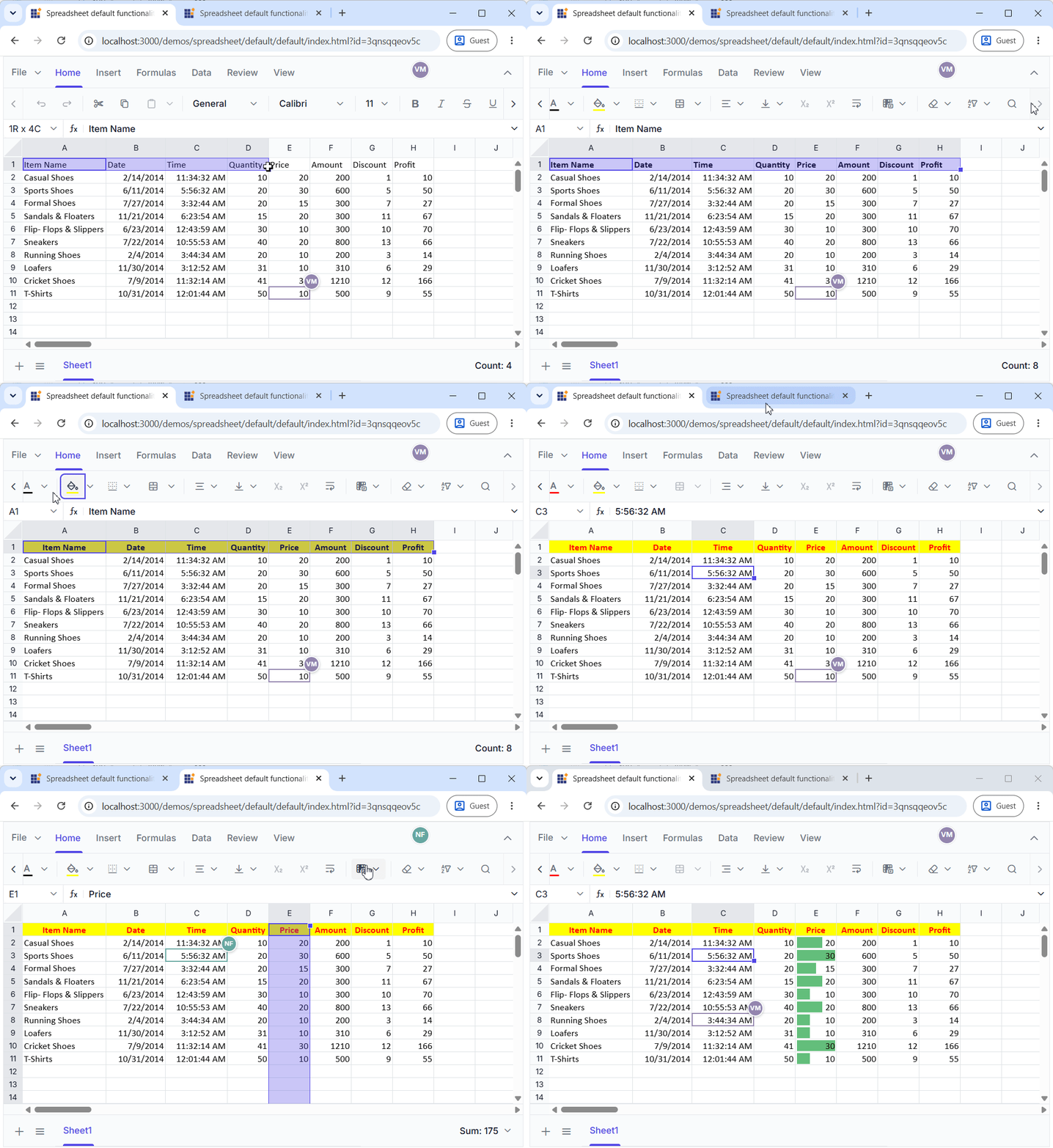
Collaborative editing allows multiple users to view and edit the same spreadsheet simultaneously. Changes made by one user are synchronized with other connected users in real time, providing a consistent workbook state throughout the collaborative session.
This feature includes live user presence, participant-specific remote selection indicators, and editing indicators to help users identify the cells and ranges selected or edited by others. It supports the synchronization of all workbook actions, late-join synchronization, missing-action recovery, and conflict resolution for concurrent Spreadsheet operations.
WebMCP tools
WebMCP tools enable AI agents to interact with the Spreadsheet and automate spreadsheet operations. AI agents can perform operations such as data analysis, formatting, calculations, and data transformations through the tools exposed by the Spreadsheet.
Developers and users retain control over AI operations through review, approval, customization, and undo support. These capabilities help automate workflows across multiple workbooks and enable AI agents to perform structured Spreadsheet operations securely and efficiently.
Blazor Spreadsheet Editor
Data validation
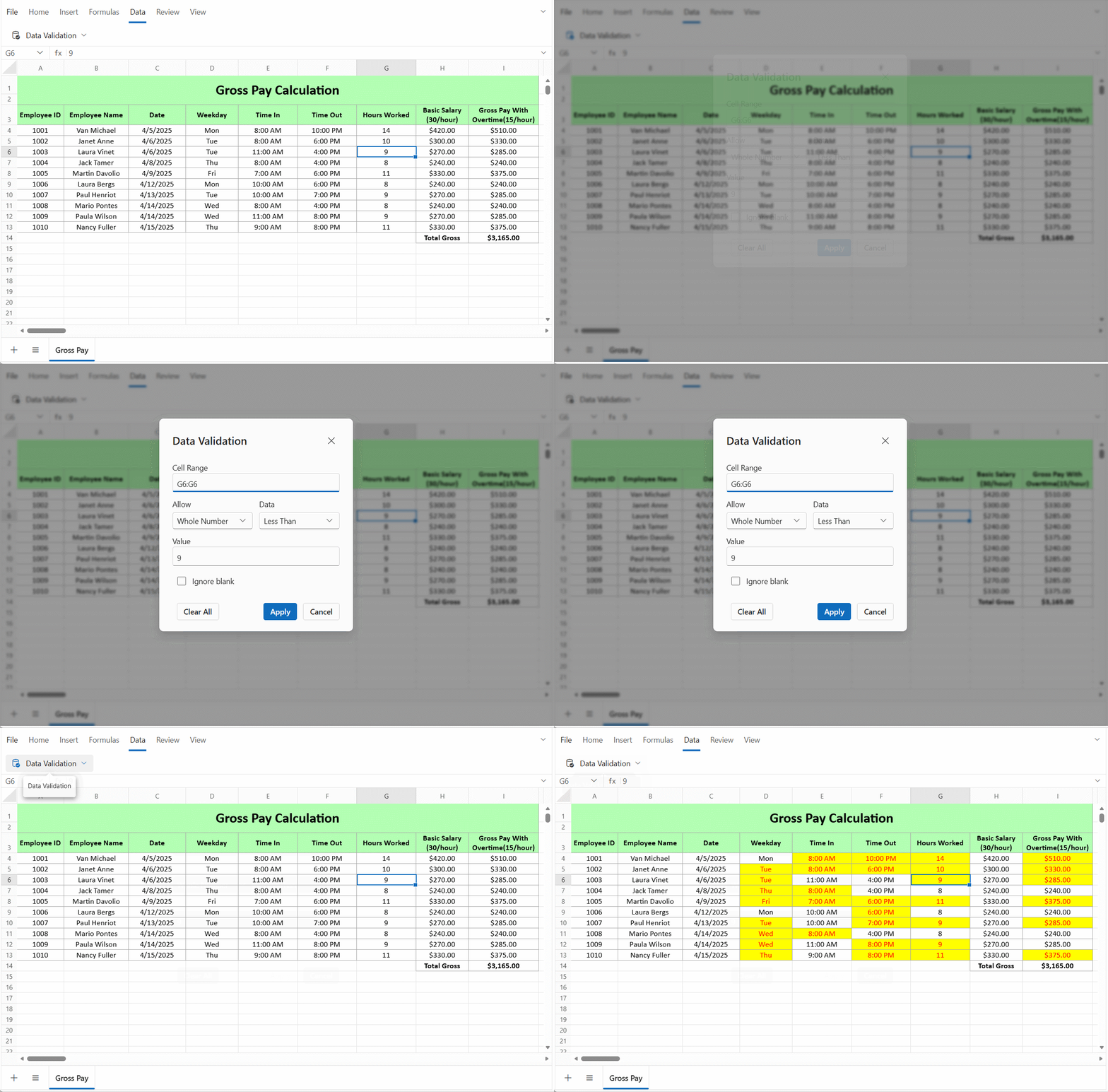
Improve data accuracy and consistency by applying data validation rules to selected ranges, ensuring only valid data can be entered. Restrict input using criteria such as whole numbers, decimals, dates, times, text length, lists, and custom formulas to help maintain reliable spreadsheet data.

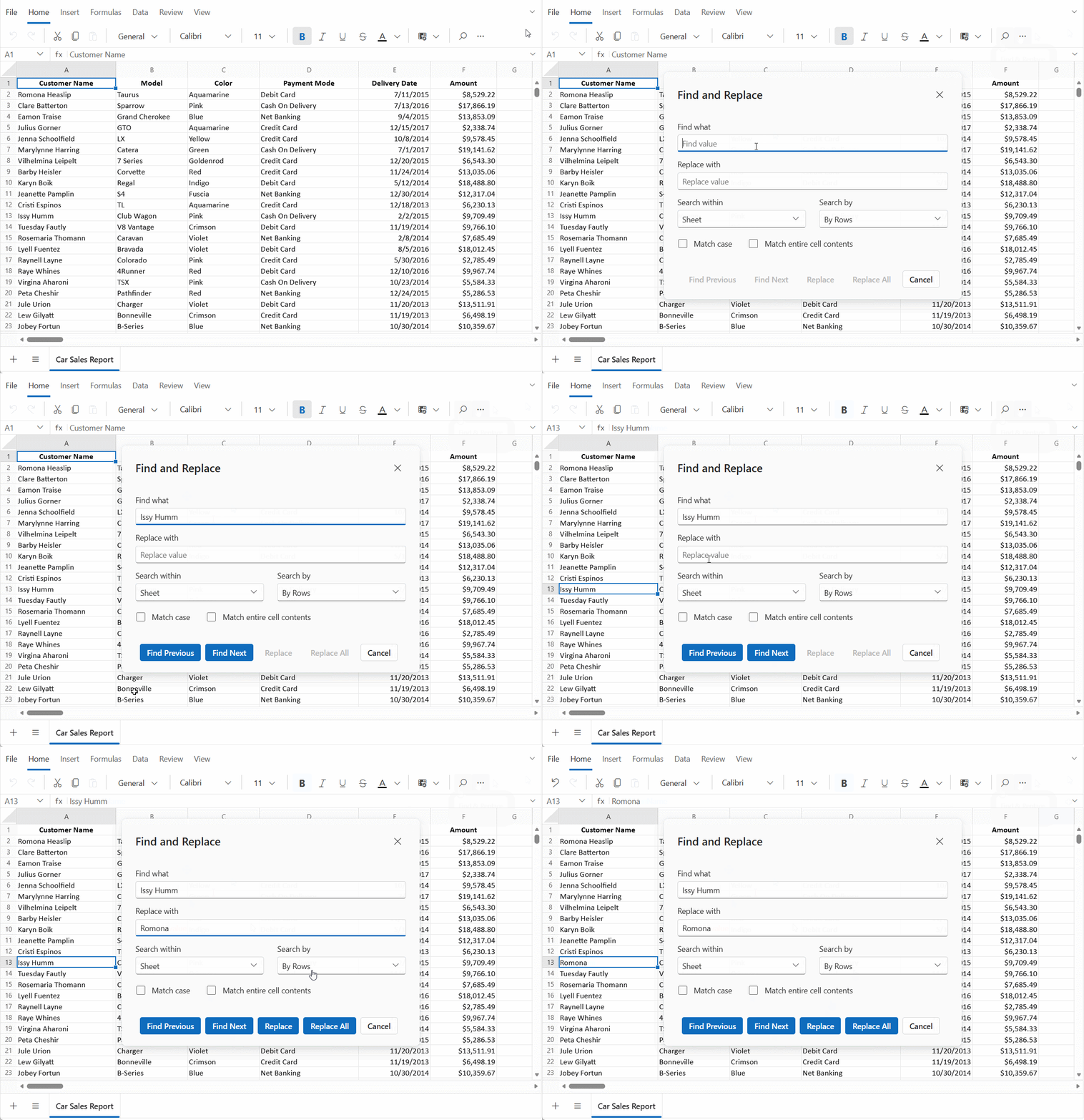
Find and replace
Quickly locate and update data within a worksheet or across an entire workbook. Search for values, navigate to matching cells, and replace individual or all occurrences. The component supports case-sensitive, exact-match, and row- or column-based searches.
Charts
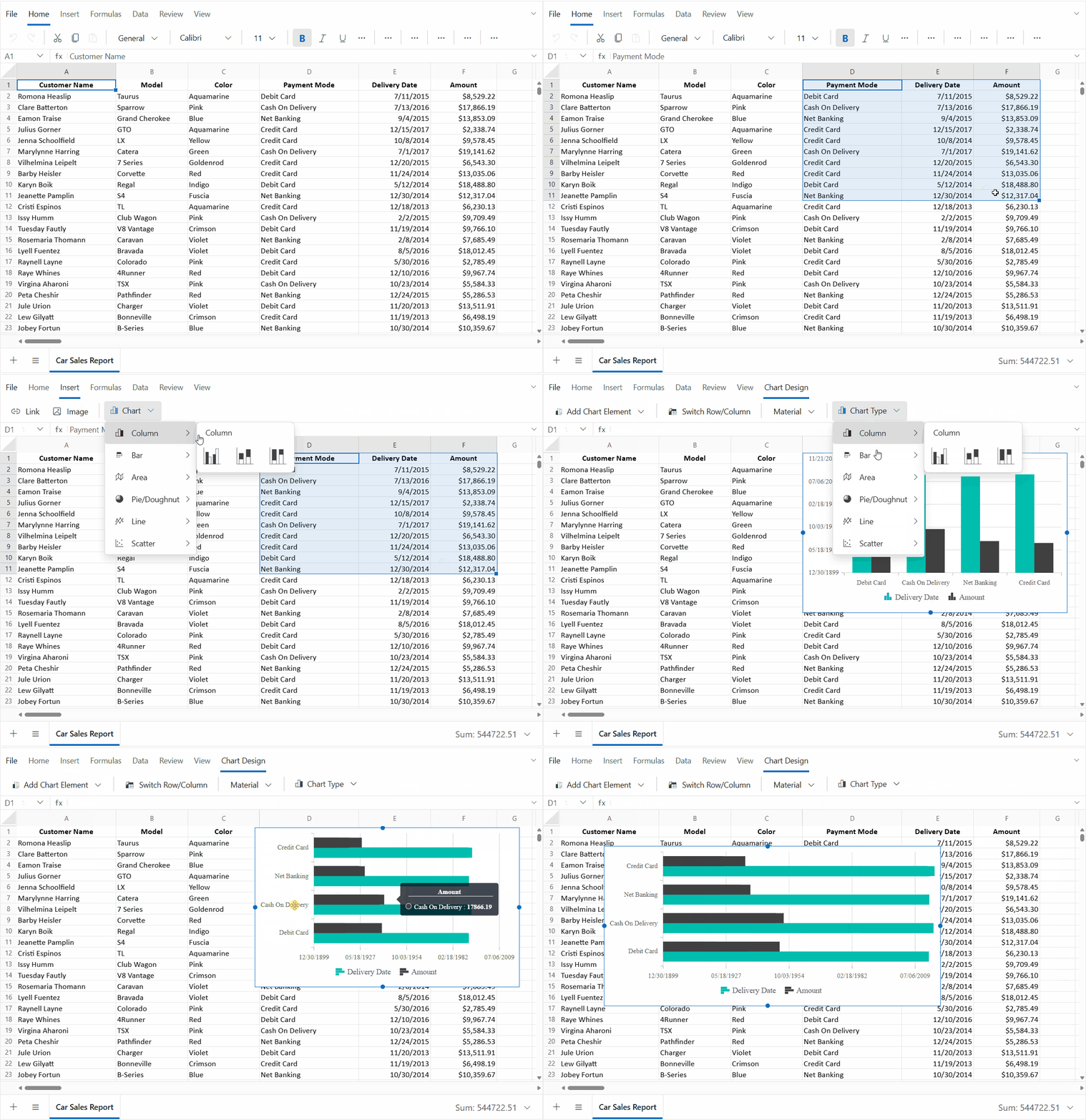
Enhance data visualization by creating charts from selected ranges to highlight trends, comparisons, and data relationships. Use column, bar, area, pie, line, and scatter charts to present information effectively. Customize chart appearances with chart elements, row and column switching, and theme options to create clear, engaging visuals. Charts update dynamically as source data changes.
Enhanced API support
Event support enables applications to respond to Spreadsheet lifecycle changes, user actions, menu interactions, and formatting operations. Validate and customize actions before execution, track operation outcomes, and tailor Spreadsheet behavior to build more responsive and interactive user experiences.
API events
| Event | Description |
|---|---|
| Created | Invoked when the Spreadsheet component is initialized and ready for interaction. |
| ActionBeginning | Allows validation or cancellation of Spreadsheet actions before execution. |
| ActionCompleted | Notifies users when a Spreadsheet action has been successfully completed. |
| ActionFailed | Provides information when a Spreadsheet action fails during execution. |
| FileMenuOpening | Enables the customization or cancellation of the file menu before it is displayed. |
| FileMenuClosing | Is triggered before the file menu closes, allowing file-related actions to be finalized. |
| ContextMenuOpening | Enables the customization or cancellation of context menu items before display. |
| ContextMenuClosing | Is triggered before the context menu closes, allowing context-specific actions to be completed. |
| ConditionalFormatting | Allows conditional formatting operations to be monitored or canceled before they are applied. |
| CellFormatting | Enables the handling of cell style and number formatting operations before application. |
WinForms Spreadsheet Editor
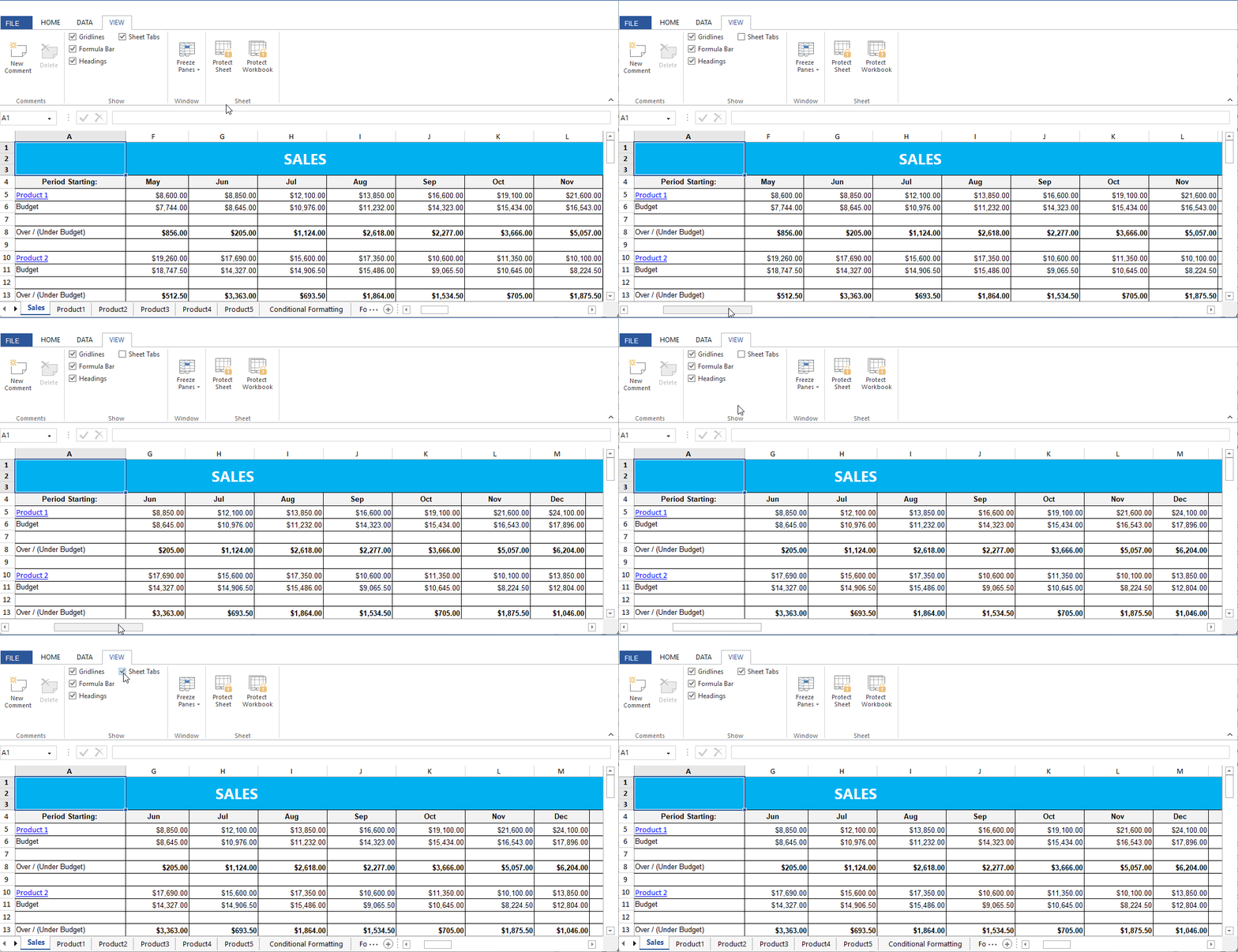
Show or hide sheet tabs
Control sheet tab visibility to create a cleaner, more focused spreadsheet workspace. Hiding tabs when sheet navigation isn’t needed reduces visual clutter, creates more space for worksheet content, and provides a focused viewing experience. Sheet tab visibility can be easily managed through both the UI and a developer-friendly API.

Do you have a feature request? Post the details in the feedback portal.







