Common
Production-ready component
The .NET MAUI Rich Text Editor control has been developed to meet industry standards and is marked as production-ready in the 2026 Volume 3 release.
New components
- The
Modern Rich Text Editorcomponent has been added to the web platforms (React, Angular, JavaScript, Vue). - The
Headless Editor libraryhas been added to build fully custom editor UIs.
Web Rich Text Editor


WebMCP integration
The Rich Text Editor supports the Web Model Context Protocol (WebMCP), enabling AI models and agents to interact with editor content through built-in tools. Write operations require user confirmation, and the beforeWebMcpToolExecute event lets users inspect, modify, or cancel tool execution.
Web Modern Rich Text Editor (preview)
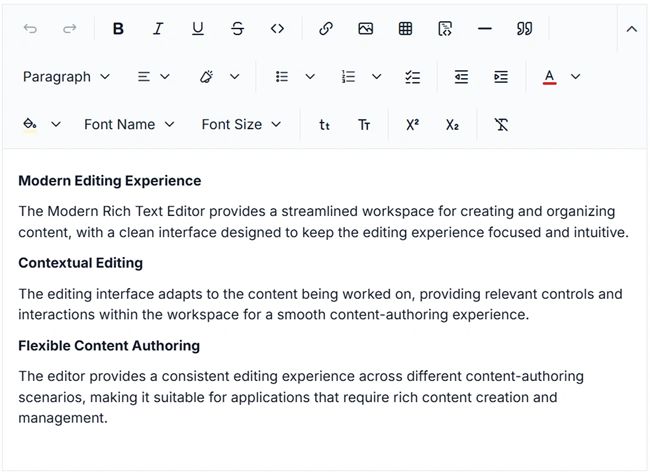
The Modern Rich Text Editor is a modern, extensible WYSIWYG editing experience built on the Headless Editor, with ProseMirror providing the underlying document model and editing engine. It is designed for applications such as CMS platforms, blogs, knowledge bases, and business applications, offering a flexible foundation for creating and managing rich content.
Key features
- Rich text formatting: Apply common text styles such as bold, italic, underline, strikethrough, subscript, superscript, fonts, and colors.
- Block formatting: Format content using headings, paragraphs, block quotes, code blocks, callouts, horizontal rules, and collapsible sections.
- Lists: Create bulleted, numbered, and check lists with multiple styles and indentation support.
- Text alignment: Align content to the left, center, right, or justify it.
- Automatic markdown formatting: Automatically apply rich text formatting when typing common Markdown syntax for headings, lists, emphasis, code, and other supported content.
- Link management: Insert, edit, open, copy, and remove links using contextual editing actions.
- Image editing: Insert, update, replace, and remove images with support for captions, alt text, alignment, wrapping, and dimensions.
- Table editing: Create and manage tables with row, column, header, cell formatting, alignment, and deletion options.
- Flexible toolbar: Configure automatic, expanded, multi-row, or scrollable toolbar layouts to suit different screen sizes and editing needs.
- Quick toolbars: Provide contextual actions for links, images, tables, and other selected content.
- Slash commands: Quickly find and execute editor actions by typing
/in the editing area. - Undo and redo: Manage editing history with configurable undo and redo behavior.
- Keyboard shortcuts: Configure custom keyboard shortcuts to support efficient editing workflows.
- Placeholder and read-only: Display placeholder text for empty content and restrict editing when read-only mode is enabled.

Web Headless Editor Library (preview)
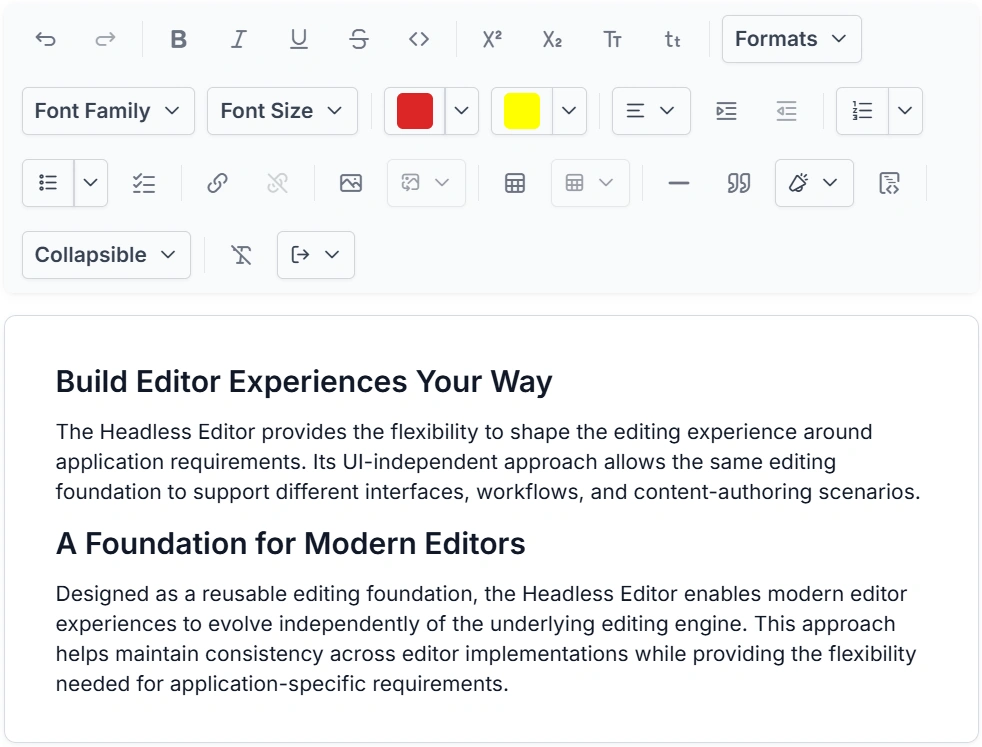
The Headless Editor Library is a new, framework-agnostic editing foundation built on ProseMirror to enable modern rich-text and structured editing experiences. It provides a modular architecture with a structured document model, extensible commands and extensions, schema management, selection handling, events, NodeViews, and reusable editing services.
Key features
- Headless editing foundation: Provides a UI-independent editing engine that integrates with various editor interfaces and application frameworks.
- ProseMirror-based editing: Uses ProseMirror as the underlying document model and editing engine for structured content, transactions, selections, and plugins.
- Extensible editor architecture: Provides an extension system for adding, configuring, and composing editor functionality without coupling features to a specific UI.
- Command framework: Introduces a centralized command system for content manipulation, formatting, selection, lists, and document transformations.
- Structured document model: Supports nodes, inline marks, blocks, nested content, and schema-based document structures.
- Rich content: Provides built-in support for headings, lists, links, images, tables, code blocks, callouts, and collapsible sections.
- Custom node view: Enables custom rendering and an interactive UI for complex document elements such as images, tables, and other structured content.
- Event system: Provides editor lifecycle, content, selection, focus, paste, delete, and file events to monitor and customize editor behavior.
- Schema management: Provides schema definition, validation, and migration capabilities to maintain structured, consistent editor content.
- File and upload handling: Provides reusable file handling and upload-state infrastructure for media and other file-based editing scenarios.
- Keyboard and selection: Provides configurable keyboard bindings and selection APIs for building customized editing interactions.
- Reusable editing foundation: Provides a common foundation for building different editor experiences, including rich-text and structured content editors.
.NET MAUI Rich Text Editor
Grouping
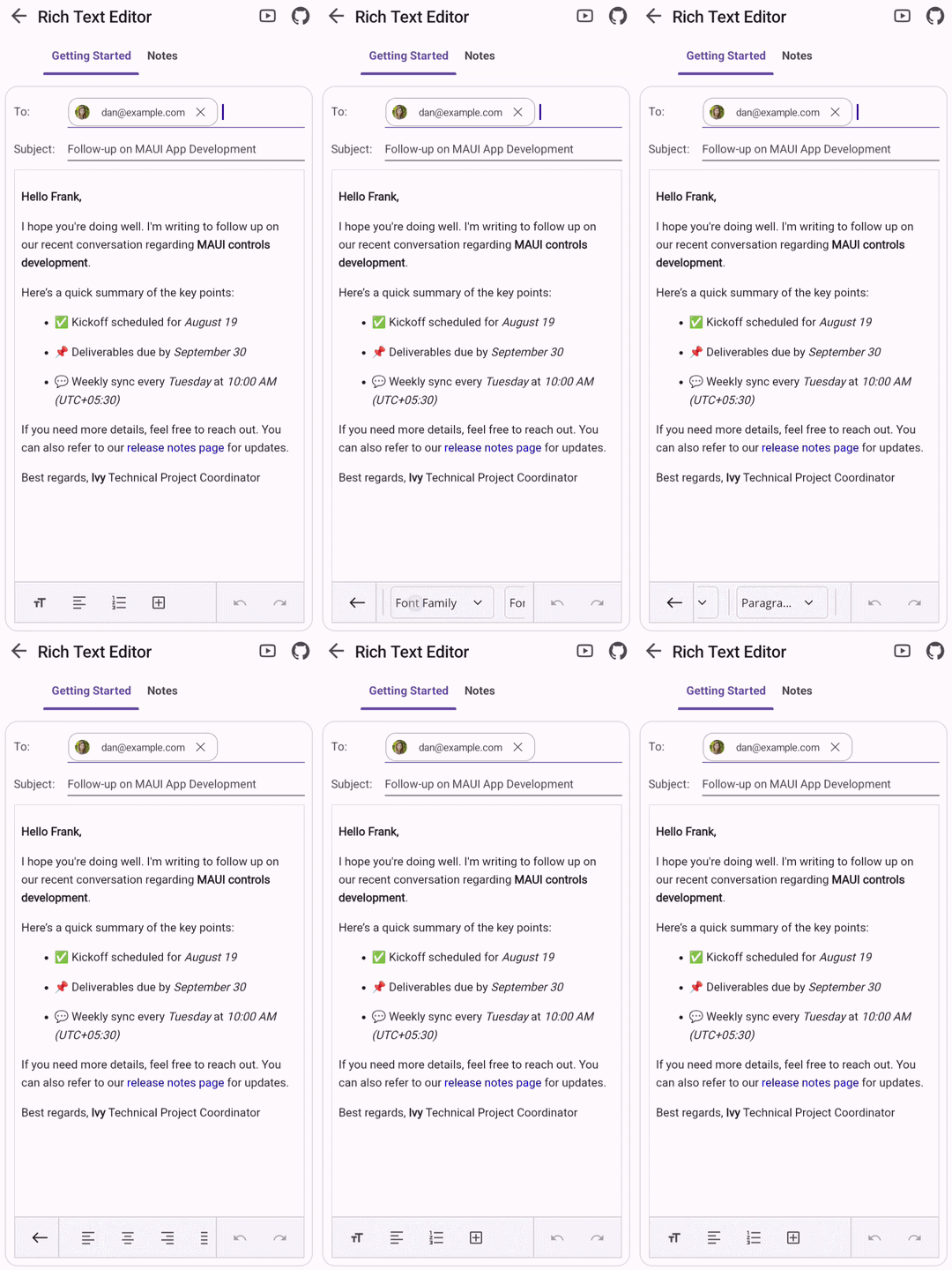
The Overlay Toolbar enhances the mobile editing experience by showing context-aware formatting options. When IsGrouped is enabled, related toolbar items are grouped into overlay menus, creating a cleaner, more intuitive interface that optimizes screen space on mobile platforms. This lets users quickly access formatting commands without interrupting their editing workflow.

Do you have a feature request? Post the details in the feedback portal.







