Web PDF Viewer


Web link and document link annotations
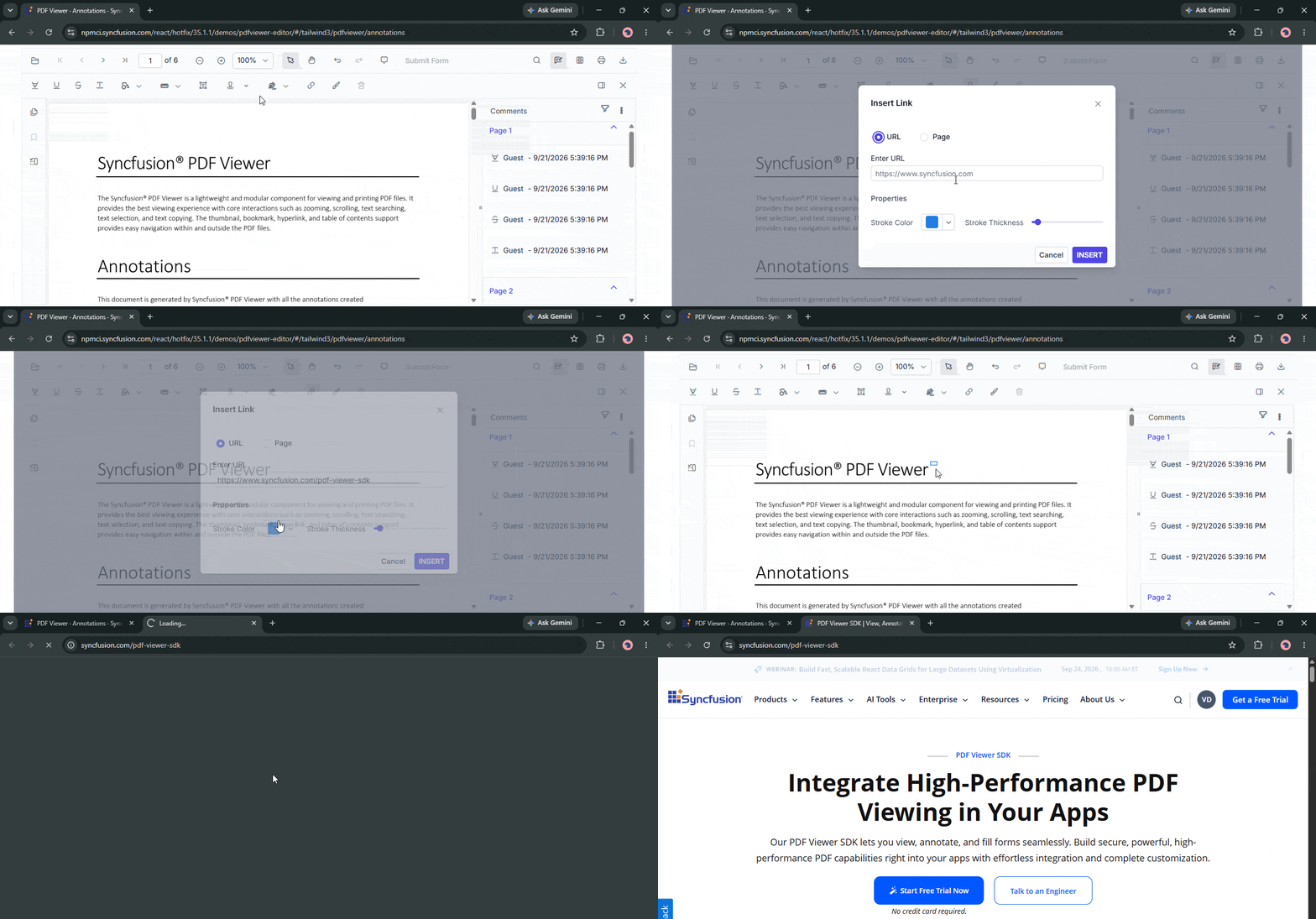
The PDF Viewer now supports link annotations, allowing users to create, edit, and delete interactive links within PDF documents. Users can add web links to open external websites and document links to navigate to specific pages and locations within the same PDF.


Collaborative editing
The PDF Viewer now supports real-time collaboration for annotations, form fields, and page organization workflows, enabling multiple users to work on the same PDF document simultaneously. Changes made by one user are automatically synchronized with other participants, helping teams streamline document review and editing processes.

Custom text stamps
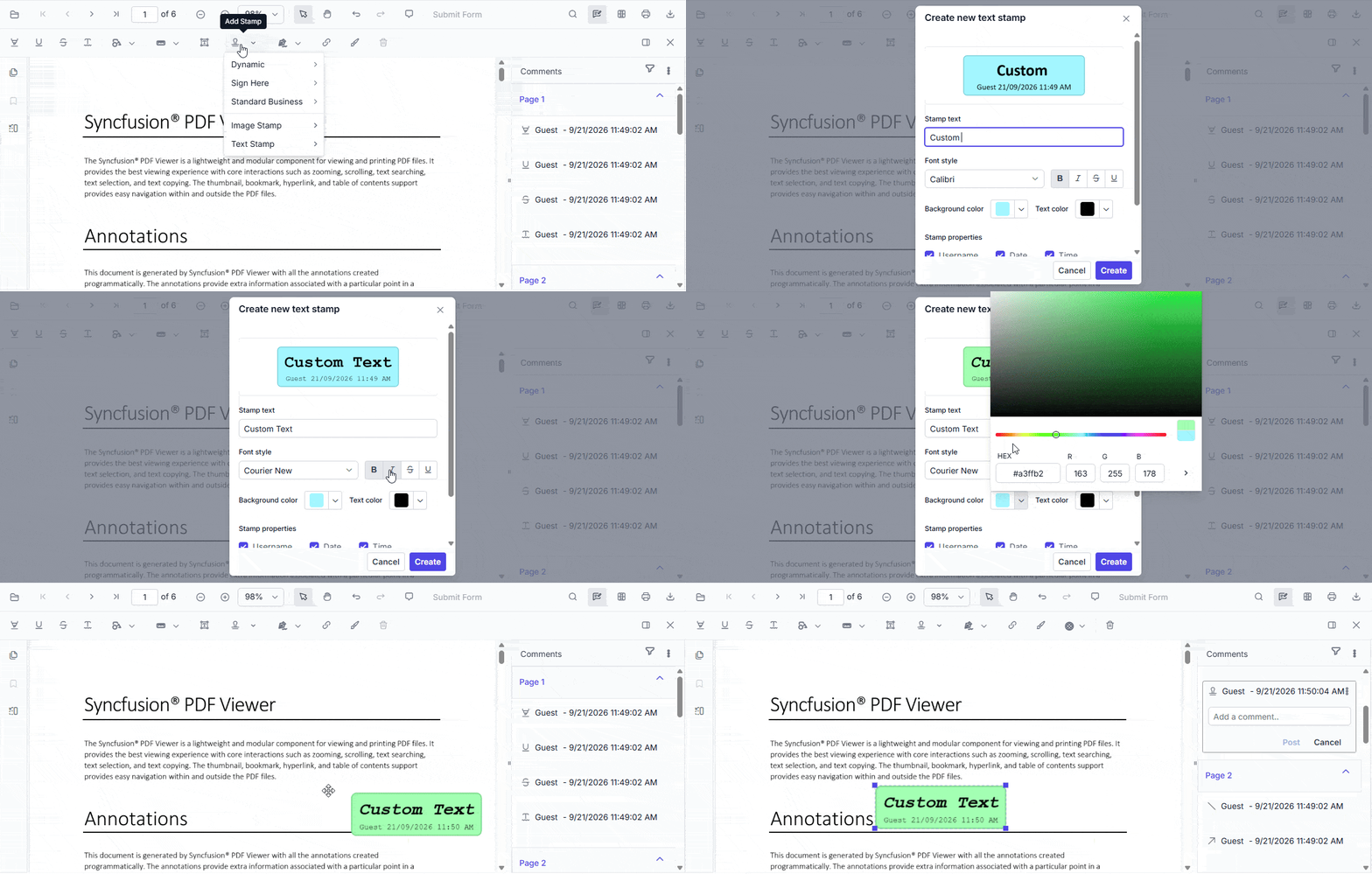
The PDF Viewer now supports text-based custom stamps, allowing users to create personalized stamp annotations using custom text instead of static images. Users can configure stamp titles, fonts, text colors, background colors, and optional author, date, and time information, with a live preview available during creation.
Compare two PDF documents
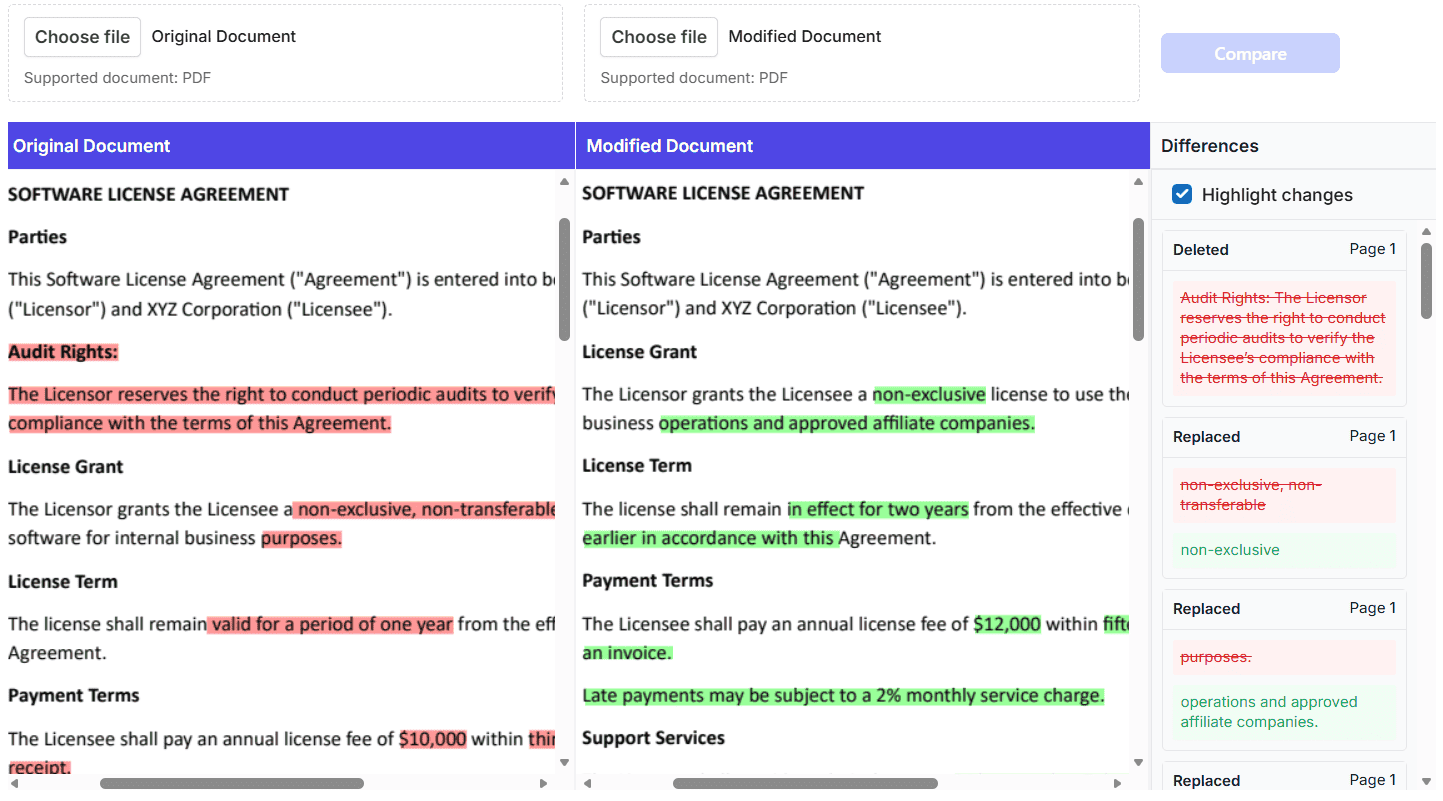
The PDF Viewer now supports semantic text comparison between two PDF documents loaded in separate viewer instances. Users can compare document content to identify added, deleted, and modified text and retrieve detailed difference information through a dedicated API.
WebMCP tools
WebMCP tools enable AI agents to interact with PDF documents and automate PDF-related operations. Through the tools exposed by the PDF Viewer, AI agents can access document pages, extract content, manage annotations, process form fields, perform redaction operations, and execute document actions.
The primary WebMCP capabilities focus on document navigation, content extraction, annotation management, form field operations, redaction, and document actions. Using these capabilities, AI agents can analyze and summarize document content, automate PDF form workflows, and protect sensitive information through redaction. Developers and users retain control over AI-driven operations through review, approval, customization, and undo/redo support, ensuring secure, controlled, and efficient interaction with PDF documents.
Blazor Smart PDF Viewer
Form field detection
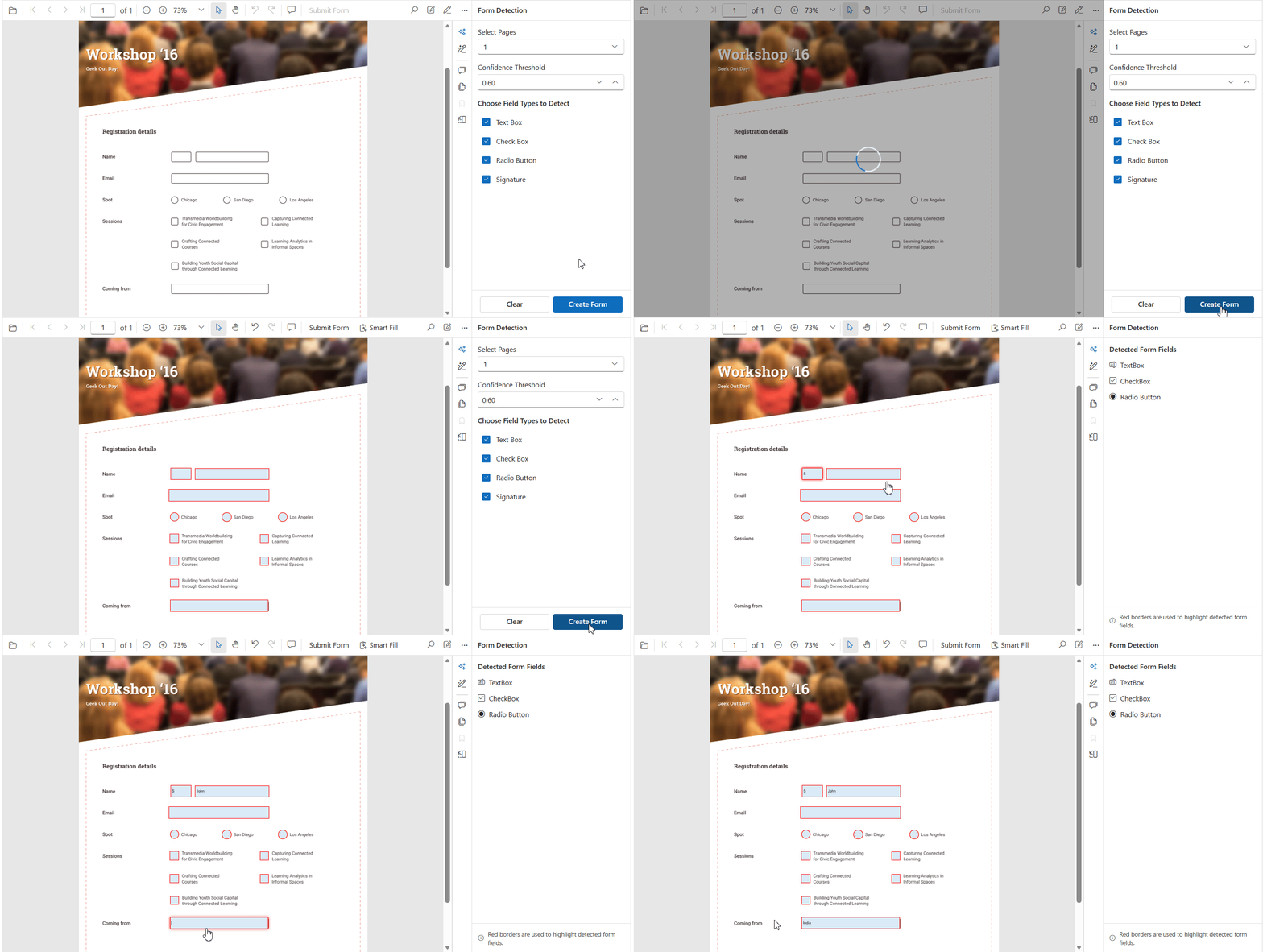
The Blazor Smart PDF Viewer now supports form recognition, enabling users to detect and generate interactive form fields automatically from scanned or image-based PDF documents. Using the Smart Form Recognition library, the viewer can identify text boxes, check boxes, radio buttons, and signature fields and convert them into editable PDF form fields while preserving their positions.
.NET MAUI Smart PDF Viewer (preview)
AI-Powered Smart PDF Viewer
The .NET MAUI Smart PDF Viewer now includes built-in AI-powered capabilities that help users interact with PDF documents more efficiently. Supported features include Smart Form Fill, Smart Redaction, and Document Summarization, enabling users to automatically populate form fields, identify and redact sensitive information, and generate concise document summaries directly within their applications. These AI-assisted features streamline document processing and improve productivity while maintaining a seamless viewing experience.
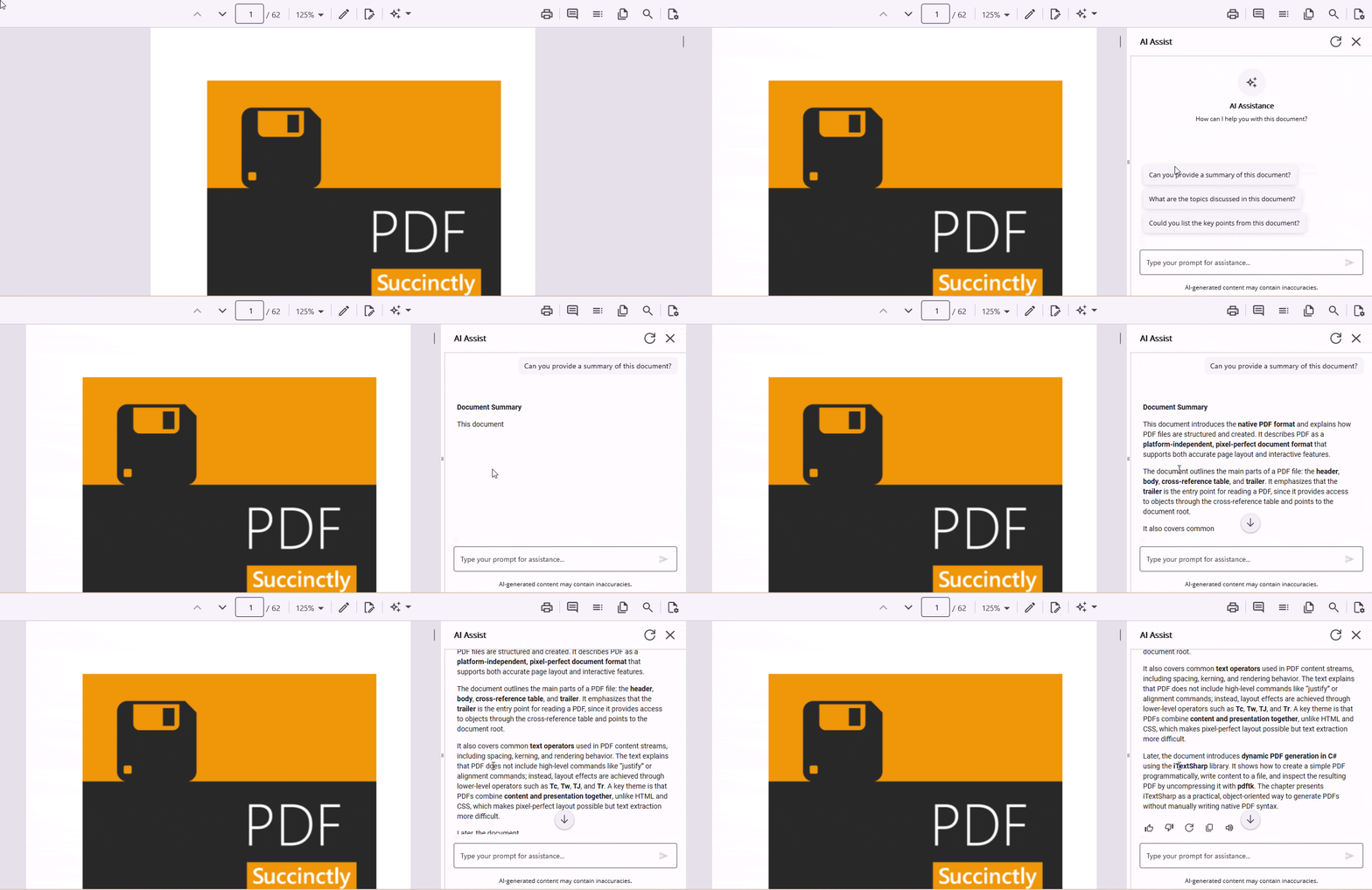
.NET MAUI PDF Viewer
Digital signatures
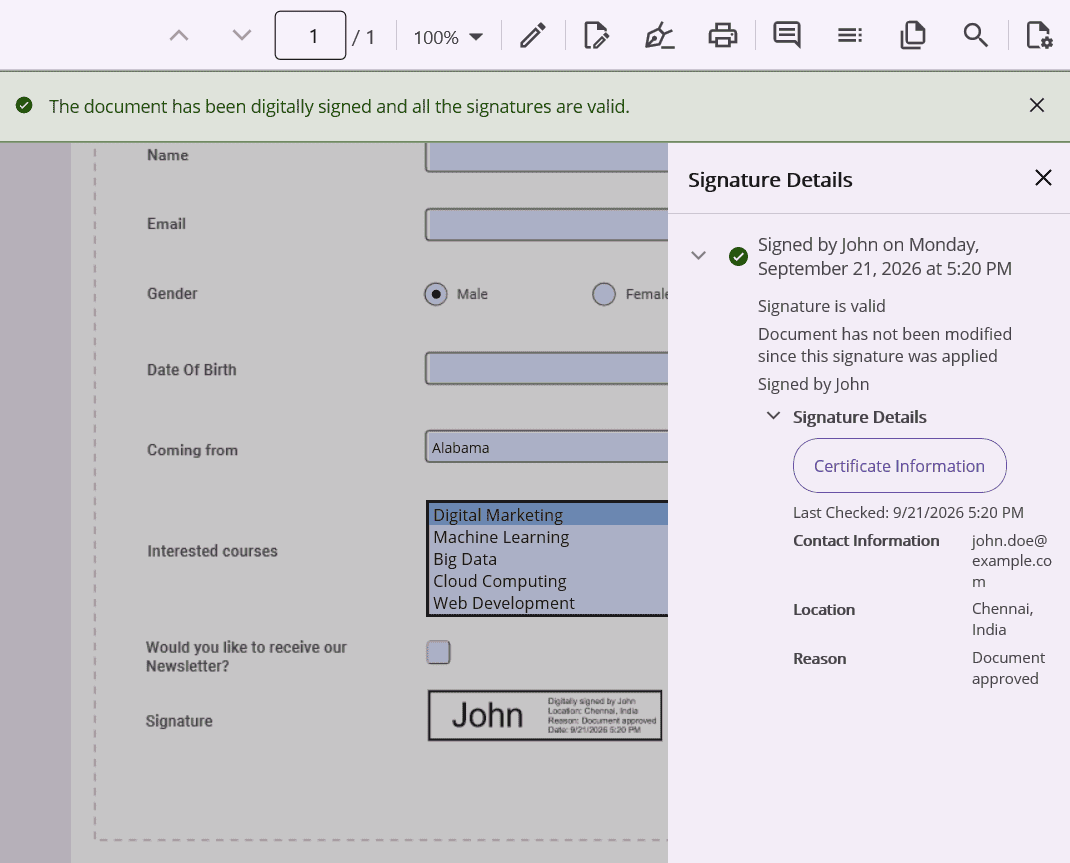
The PDF Viewer now supports digital signature validation, certificate inspection, and certificate-based signing. Users can view signature statuses, access signer certificate details, navigate signature fields through a dedicated signature panel, and apply digital signatures using built-in or custom signing workflows while preserving existing signatures through incremental updates.
Thumbnail previews for PDF pages
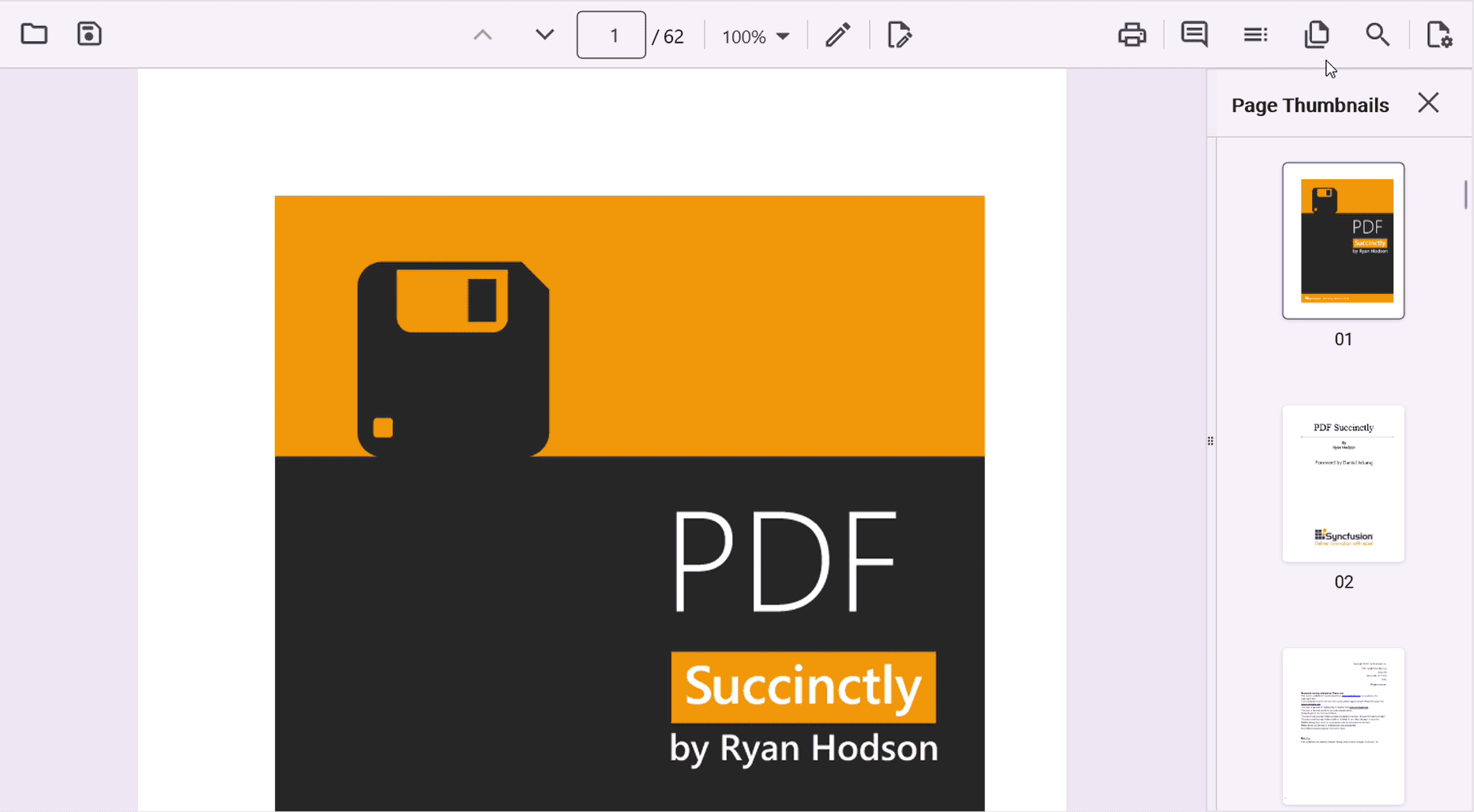
The Syncfusion .NET MAUI PDF Viewer now supports thumbnail previews of PDF pages, allowing users to navigate documents quickly. Users can open a thumbnail pane on desktop and tablet devices or a dedicated thumbnail view on mobile devices, view page previews in document order, and jump directly to any page by selecting its thumbnail.
Unified document modification detection
The .NET MAUI PDF Viewer now provides a centralized IsDocumentModified property that indicates whether the loaded PDF document has been modified since it was loaded or last saved. The property automatically tracks supported document-changing operations: annotation updates, form field edits, signature changes, comments, redactions, and import actions. This eliminates the need to subscribe to multiple feature-specific events.

Do you have a feature request? Post the details in the feedback portal.







