Web DOCX Editor


Highlight comments by author
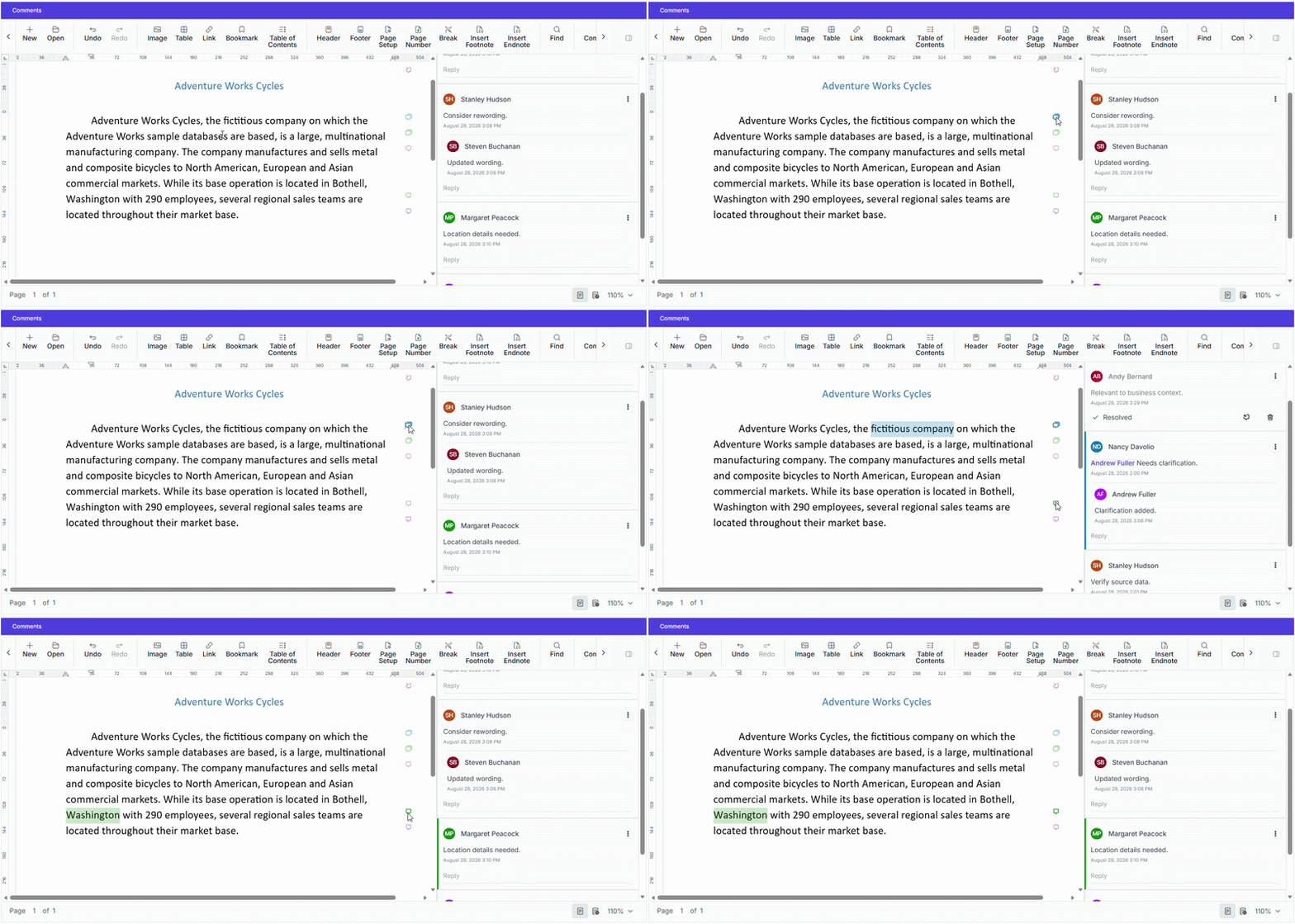
The DOCX Editor now supports avatar-based colors for comments. Each comment marker and pane border is displayed in the author’s avatar color, and when a comment is selected, the corresponding commented text is highlighted with that color. This makes it easier to distinguish and track comments from multiple authors in collaborative review scenarios.



Custom colors for tracked changes
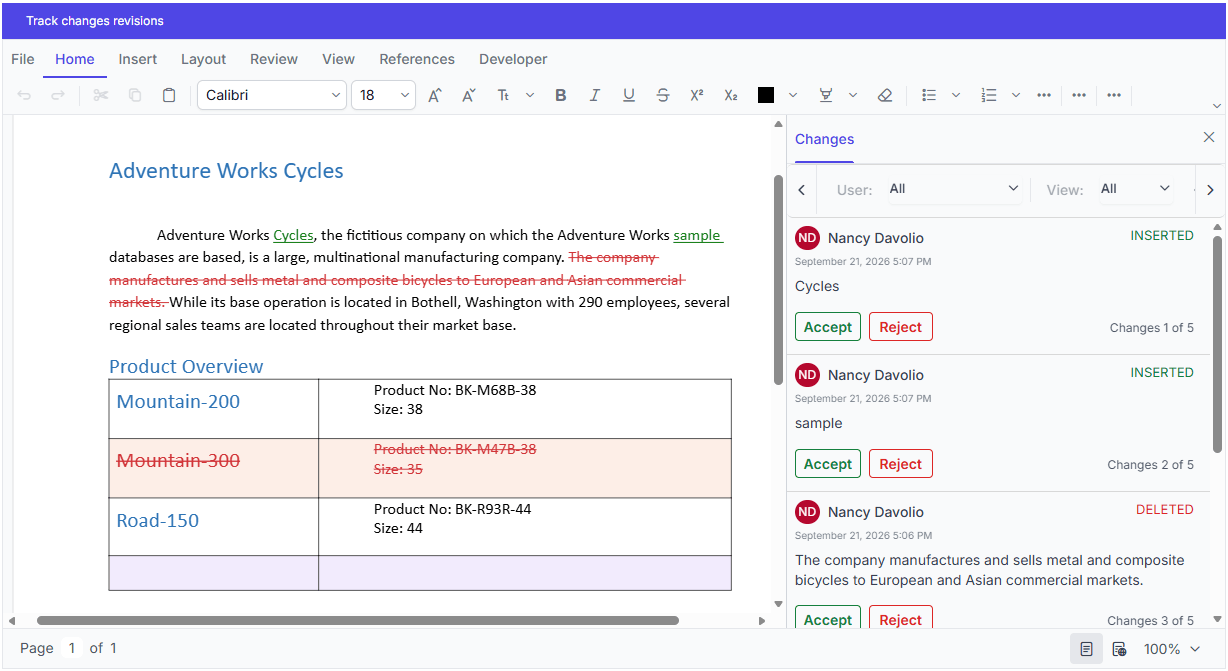
Set your own colors for tracked changes instead of using the default colors. Each user’s revisions are displayed with a color picked in a round robin from your specified set of colors. This provides better visual separation between changes made by different users.

Color options for revision types
The DOCX Editor supports setting separate colors for insertion and deletion revisions and for inserted and deleted table rows. Each revision type can be assigned a specific color or use the author-based color, with author-based coloring applied by default. This makes it easier to distinguish the kinds of edits made during collaborative review.
WebMCP tools
AI agents can effectively interact with the DOCX Editor to automate various document tasks, including content insertion, find and replace, formatting, bookmark management, document protection, and exporting.
Blazor DOCX Editor
Highlight comments by author
The DOCX Editor now supports avatar-based colors for comments. Each comment marker and pane border is displayed in the author’s avatar color, and when a comment is selected, the corresponding commented text is highlighted with that color. This makes it easier to distinguish and track comments from multiple authors in collaborative review scenarios.

Custom colors for tracked changes
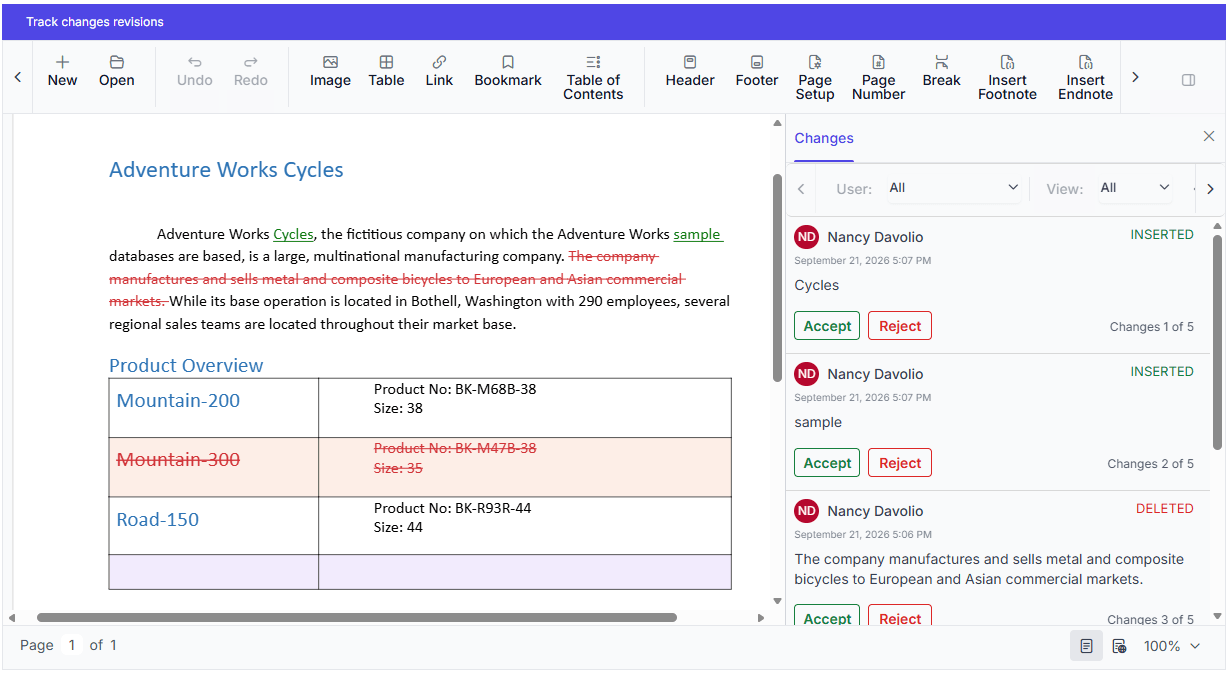
Set your own colors for tracked changes instead of using the default colors. Each user’s revisions are displayed with a color picked in a round robin from your specified set of colors. This provides better visual separation between changes made by different users.

Color options for revision types
The DOCX Editor supports setting separate colors for insertion and deletion revisions and for inserted and deleted table rows. Each revision type can be assigned a specific color or use the author-based color, with author-based coloring applied by default. This makes it easier to distinguish the kinds of edits made during collaborative review.

Do you have a feature request? Post the details in the feedback portal.







