





Transform your applications today by downloading our free evaluation version
Overview
The TabControl provides a browser‑style tabbed experience inside WPF applications. It consolidates multiple views into a single container while allowing flexible windowing workflows. Detach tabs to float them, reattach them later, pin frequently used views, and customize headers for clarity.
WPF TabControl code example
Get started quickly with the WPF TabControl by using the following code:
<Syncfusion:SfChromelessWindow x:Class="WpfApp1.MainWindow"
        xmlns="http://schemas.microsoft.com/winfx/2006/xaml/presentation"
        xmlns:x="http://schemas.microsoft.com/winfx/2006/xaml"
        xmlns:d="http://schemas.microsoft.com/expression/blend/2008"
        xmlns:mc="http://schemas.openxmlformats.org/markup-compatibility/2006"
        xmlns:local="clr-namespace:WpfApp1"
        xmlns:Syncfusion="clr-namespace:Syncfusion.Windows.Controls;assembly=Syncfusion.SfChromelessWindow.Wpf"
        mc:Ignorable="d"
        Title="MainWindow" Height="450" Width="800" WindowType="Tabbed">
   <Syncfusion:SfTabControl>
           <Syncfusion:SfTabItem Header="tabitem1" Content="TabItem1"/>
           <Syncfusion:SfTabItem Header="tabitem2" Content="TabItem2"/>
           <Syncfusion:SfTabItem Header="tabitem3" Content="TabItem3"/>
    </Syncfusion:SfTabControl>
</Syncfusion:SfChromelessWindow>
Chrome‑style tear‑off
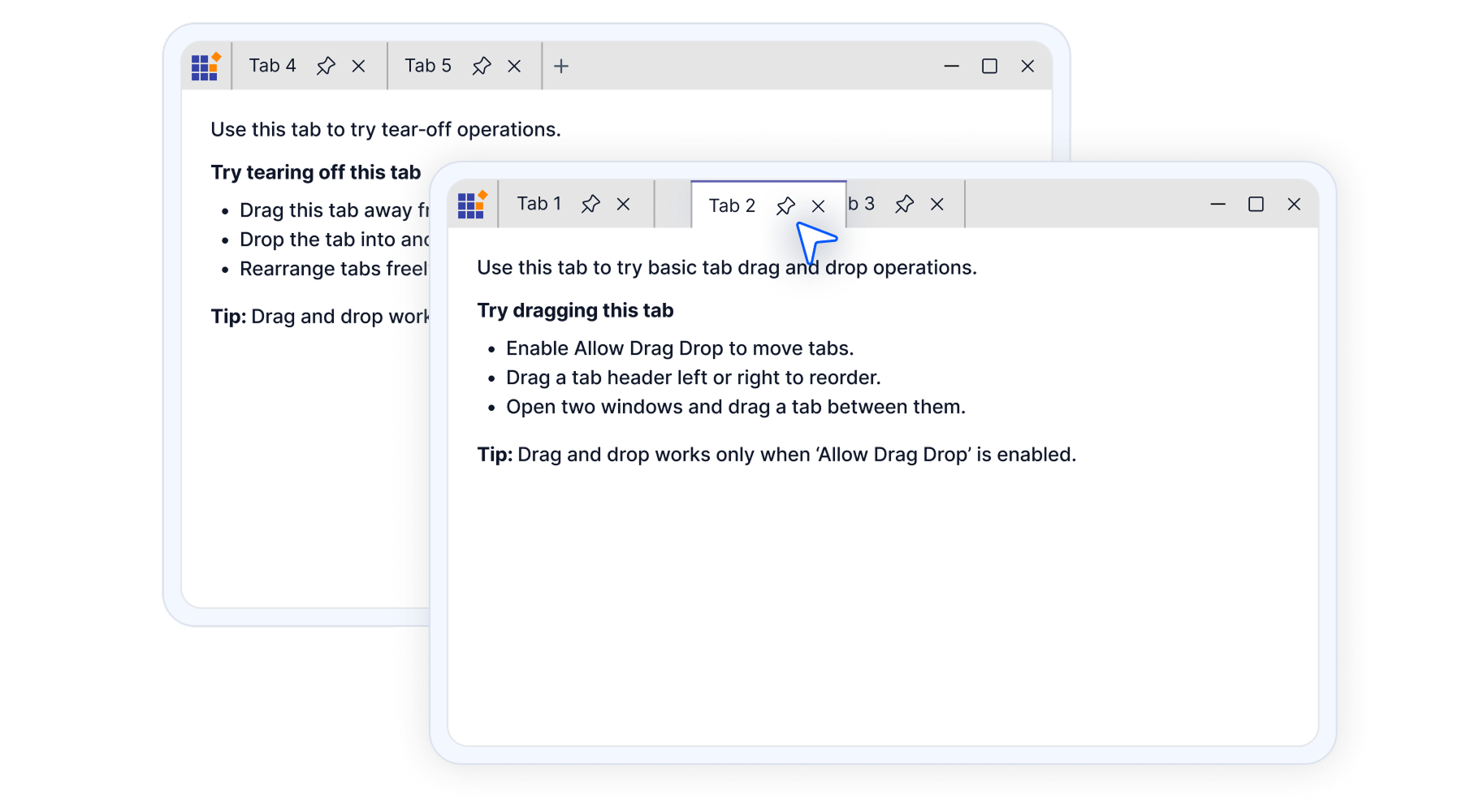
Tear off any tab just like in modern browsers to create a floating window. Drag it back to reattach when needed.
- Chrome‑like tab tearing experience.
- Floating windows support full interaction, resizing, and theming.
Dynamic tab placement
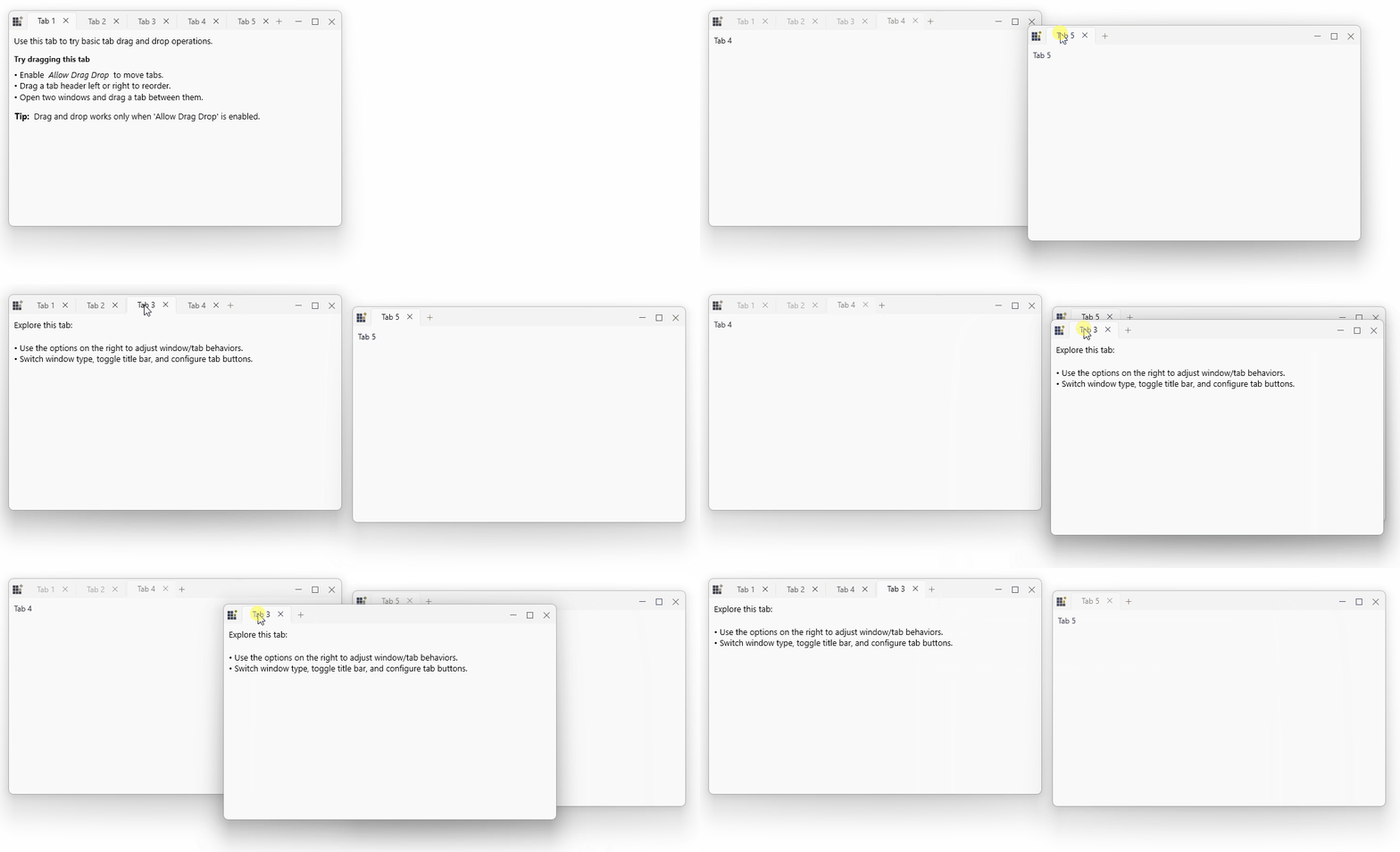
Easily drag a tab out to open it in a floating window and drop it back to dock it again. This provides a smooth, adaptive workflow for multiscreen setups.
Merge between windows
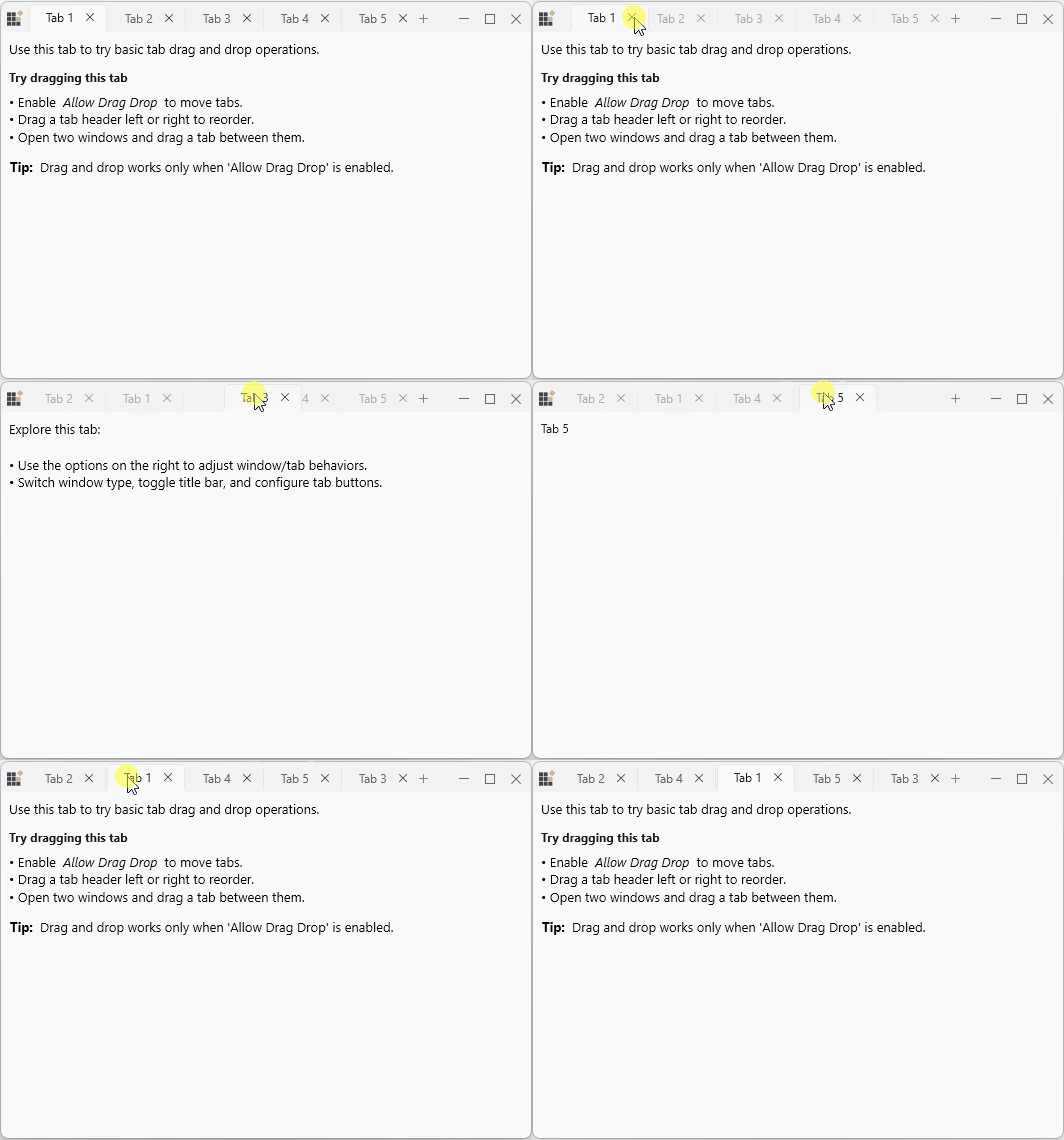
Move tabs freely between two TabControls by dragging a tab from one window and dropping it into another, merging their tab groups. This allows users to reorganize content across windows.

Pinning and unpinning
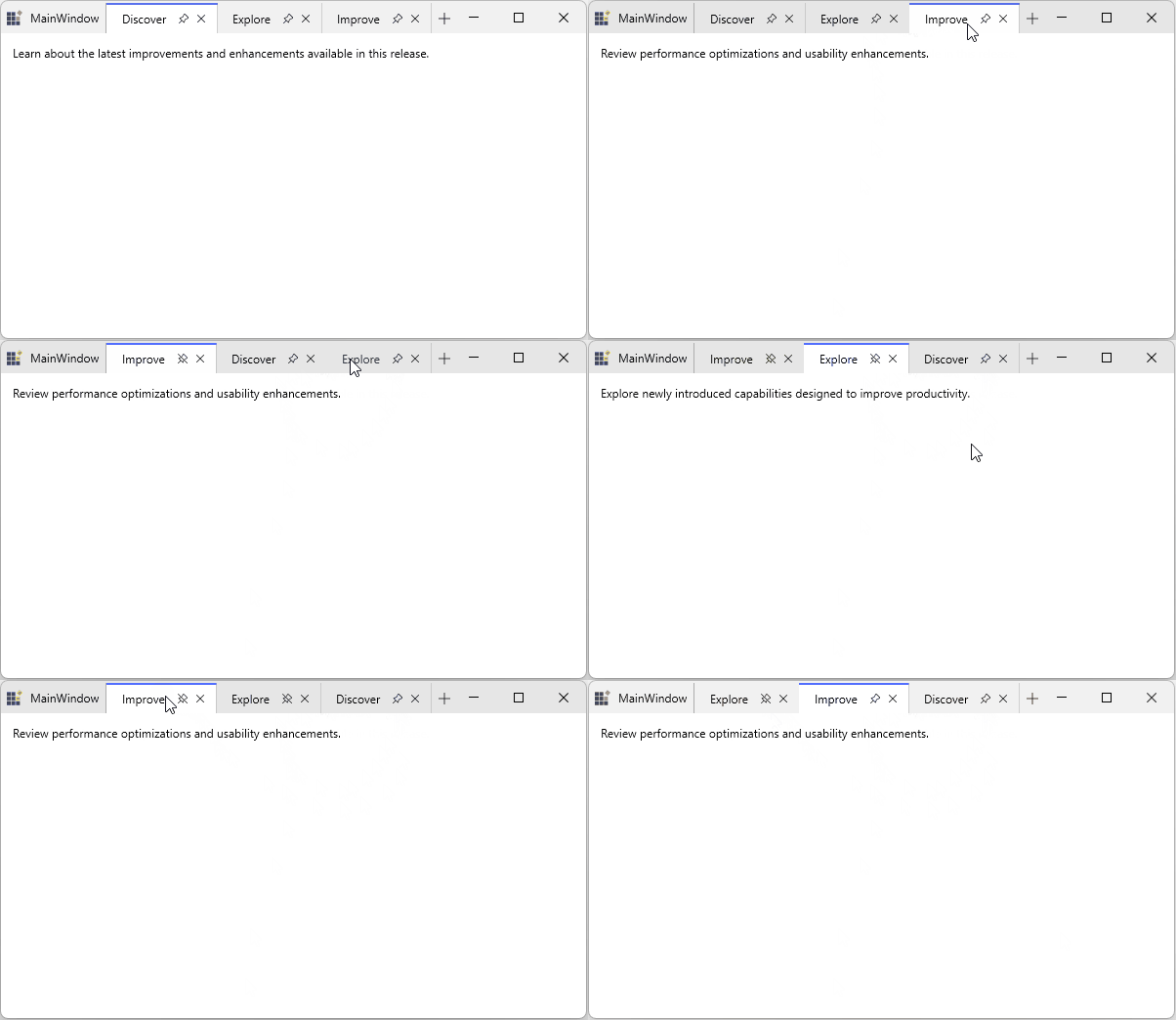
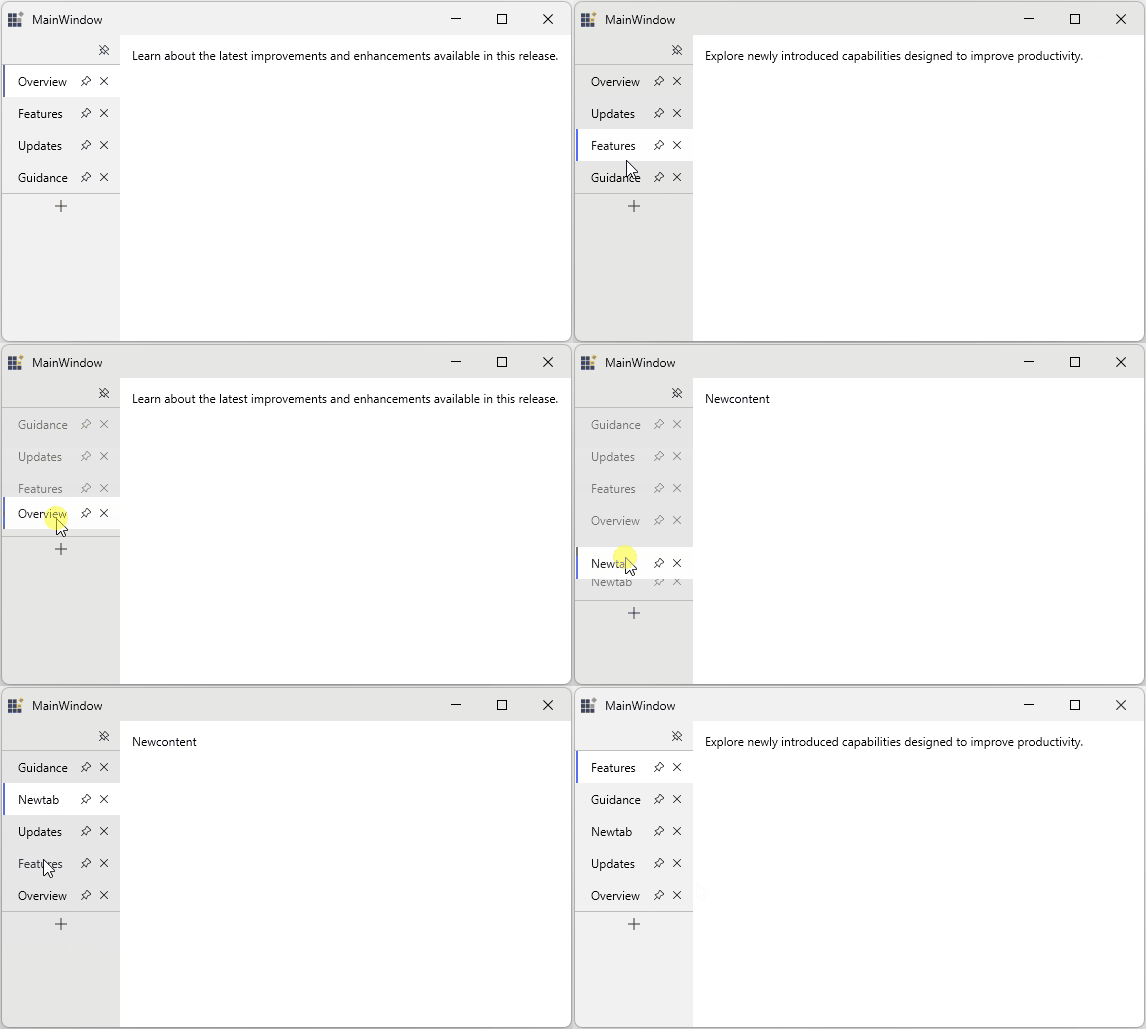
The TabControl supports pinning to keep important tabs easily accessible. Pinned tabs move to the start of the tab strip, and when unpinned, they return to their original positions. This behavior is consistent across tear‑off, re‑docking, and vertical tab layouts.
Vertical tabs
Vertical tab layouts offer better organization and space utilization. Tabs are displayed stacked, improving readability and integrating seamlessly with pinning, tear‑off, and re‑docking interactions.
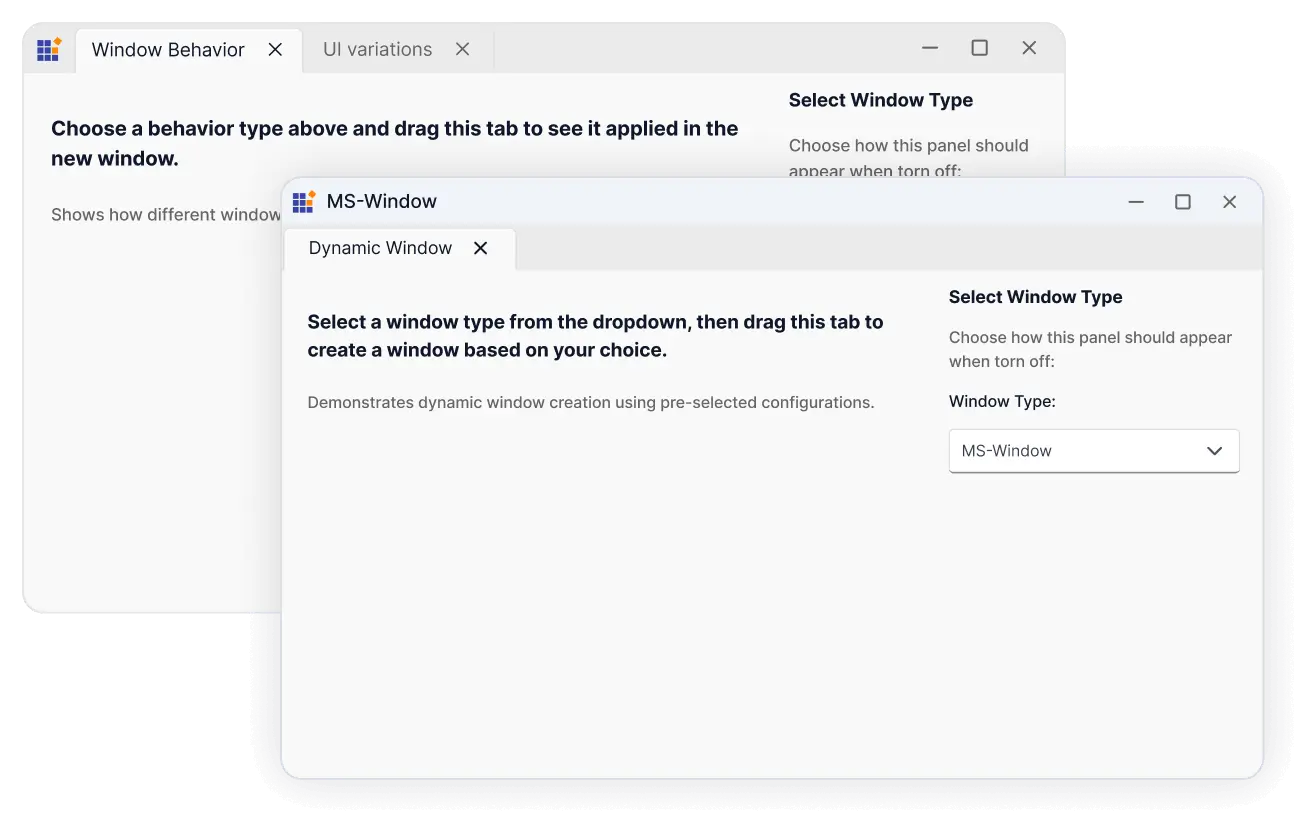
Customization of tear-off window
Use custom windows for tear‑off by dragging a tab to create a floating window. This lets users tailor the tear‑off experience to match the application’s look and feel. Easily customize the layout, design, and behavior of these windows while maintaining a smooth, Chrome‑like drag‑and‑tear interaction.
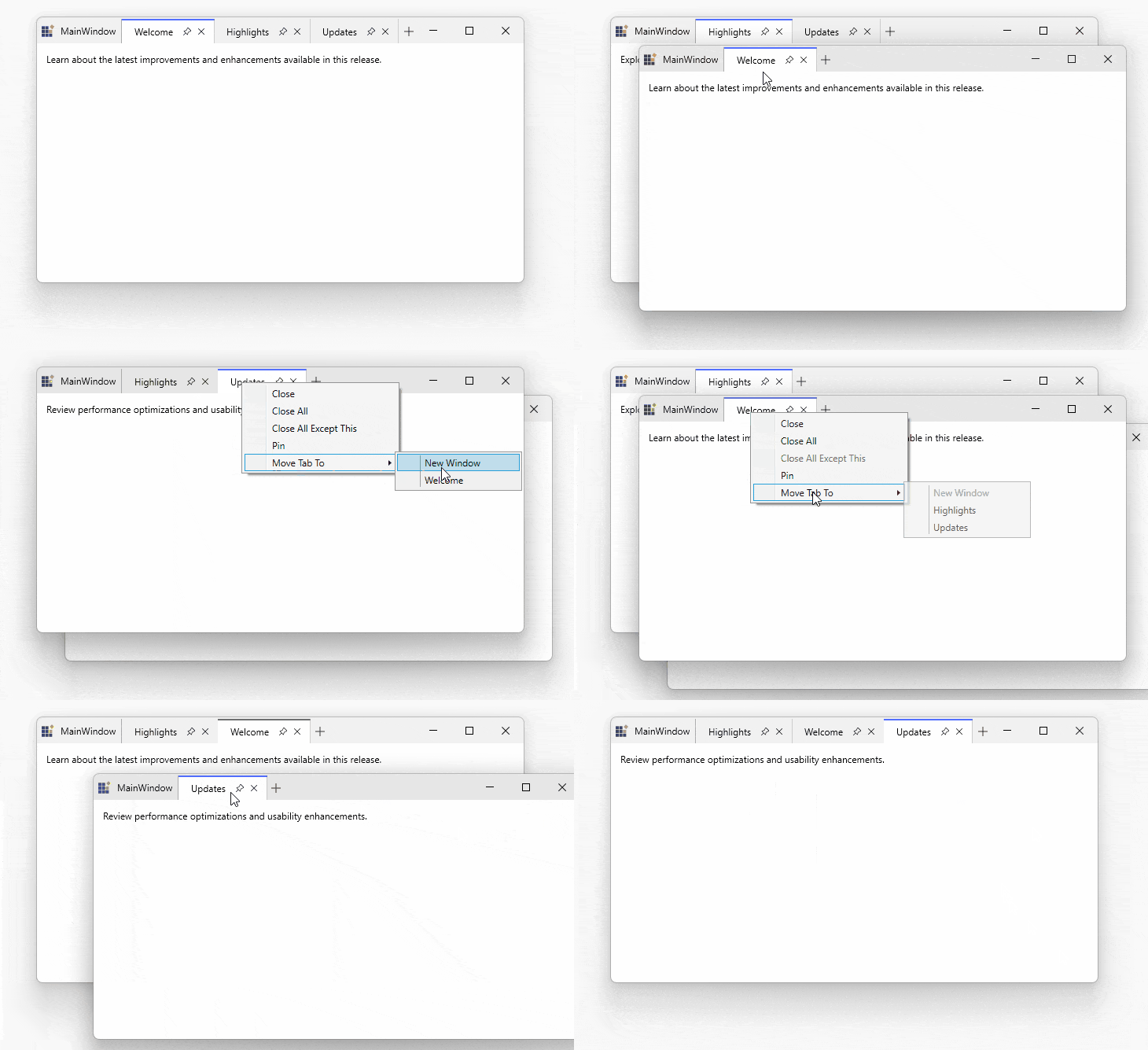
Detach selected tabs through a context menu
Users can detach a selected tab from the current TabControl and open it in a separate, standalone window. This feature improves multitasking and workspace flexibility by enabling independent viewing and interaction with tab content across multiple windows.
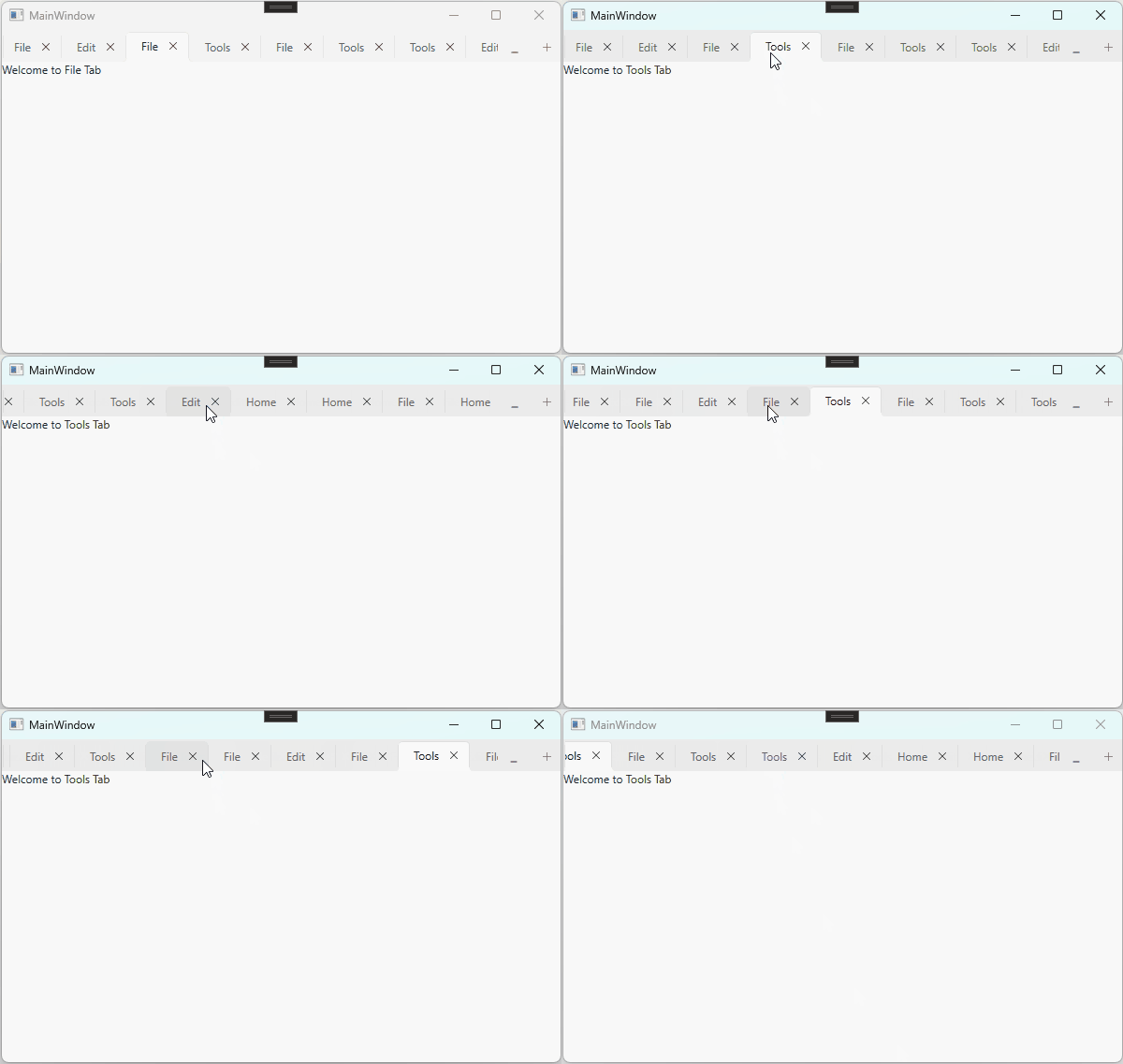
Mouse wheel support for scrolling tabs
Scroll the tab headers with the mouse wheel when the tab strip overflows the available space. This enables quick navigation to tabs that are not currently visible.
140+ WPF CONTROLS
ALL CONTROLS
SMART COMPONENTS
DATA VISUALIZATION
MODERN THEMES
LAYOUT
NAVIGATION
INPUT CONTROLS
BUTTON
BUSINESS INTELLIGENCE
MISCELLANEOUS
LISTS & DROPDOWNS
NOTIFICATION
FILE VIEWERS & EDITORS
CONVERSATIONAL UI
Standalone UI SDKs
Integrate the DataGrid, Chart, Scheduler, Gantt, and Diagram UI components into applications to enable rich interaction and visualization, delivering a seamless user experience.
Document Solutions
Integrate the PDF Viewer, DOCX Editor, Spreadsheet Editor, and document-processing libraries into the WPF applications to enable a smooth user experience.
Our Customers Love Us
Having an excellent set of tools and a great support team, Syncfusion® reduces customers’ development time.Here are some of their experiences.

Excellent experience with Syncfusion!
Syncfusion is a product that makes life easier! I use it to create Blazor applications (server side and webassembly) and the controls speed up development a lot. Furthermore, if needed, it is possible to ask for direct support that is never long in coming!

Andrea Scarpante,

Sydea srl
The complete component set
It is the most complete component set available. Also very handy is the fact that there is a community edition, this gives me the opportunity to test thing at home without buying a separate license.

Johan Visser,

H and T Pawnbrokers
See Real Success Stories
Developers around the world trust Syncfusion’s Essential Studio to simplify complex projects and speed up delivery. With a vast library of UI controls, powerful SDKs, and reliable support, Essential Studio helps teams build enterprise-ready applications with confidence.
Read Our Customer StoriesIndustry
Software development
75% Cost reduction
50% Faster development
Industry
Utilities (oil and gas)

450+ hours saved
Streamlined processes and hours of development effort saved.

Advanced, flexible features
Empowered users through robust and versatile functionality.
Industry
Software and technology
1000+ of hours saved
Accelerated development with enterprise-ready UI components.

Efficient file management
Streamlined workflows with document libraries without building them from scratch.
Industry
Software and technology

2 Years of delay avoided
Two years of delays prevented with proactive planning.

On-time delivery
Projects delivered on schedule using trusted controls.
Industry
IT services and IT consulting

Improved performance
Large datasets handled with easy customization and quick debugging.

Highly customizable
Plug-and-play controls with quick template integration.
Industry
Professional services
Instant access
Quick availability of features and resources.
Reduced dependencies
Fewer dependencies for faster development.
Rated by users across the globe
Syncfusion WPF Resources
Learning
 Documentation
 Documentation


Awards
Greatness—it’s one thing to say you have it, but it means more when others recognize it. Syncfusion® is proud to hold the following industry awards.









