





Transform your applications today by downloading our free evaluation version
Overview
The WinForms Calendar control allows users to easily select one or more dates. It provides multiple views of the month, year, decade, and century so that dates can be selected easily. There is also an option to navigate between different sets of date range in the same view. The calendar control provides easy date selection through keyboard, mouse, and touch interaction. There is support for multiple date selection, highlighting special dates, and complete customization option.
Key features

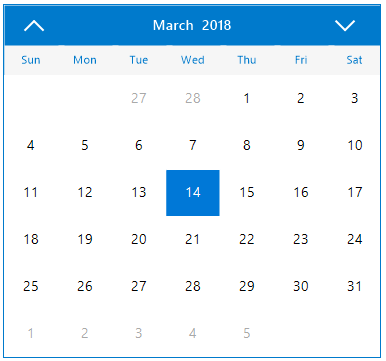
Windows Forms calendar month view
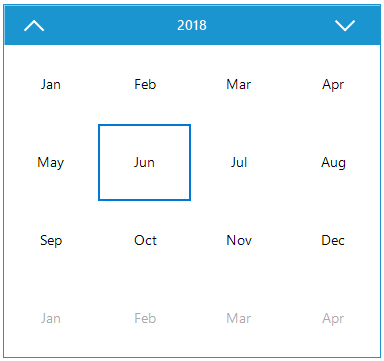
Windows Forms calendar year view
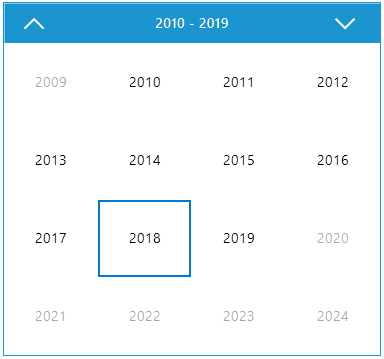
Windows Forms calendar decade view
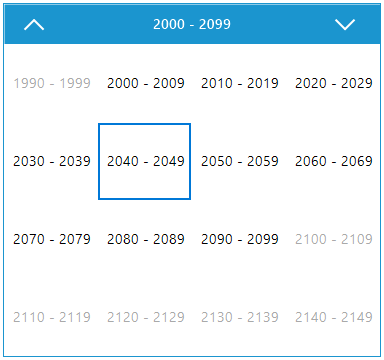
Windows Forms calendar century view
Calendar views
Option to navigate and quickly select dates with an intuitive user interface to access a different month, year, decade, and century views.
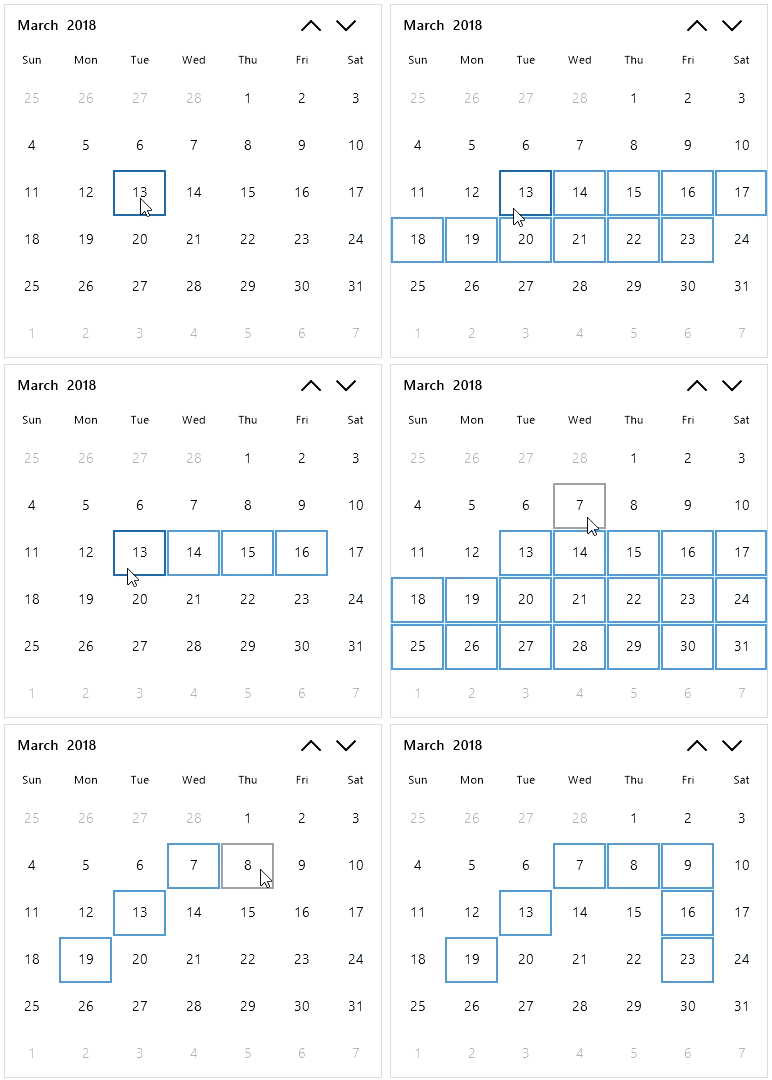
Selection
Allows selection of a single or range of dates through keyboard, mouse, and touch interaction. Customization for appearance of selected dates also supported.
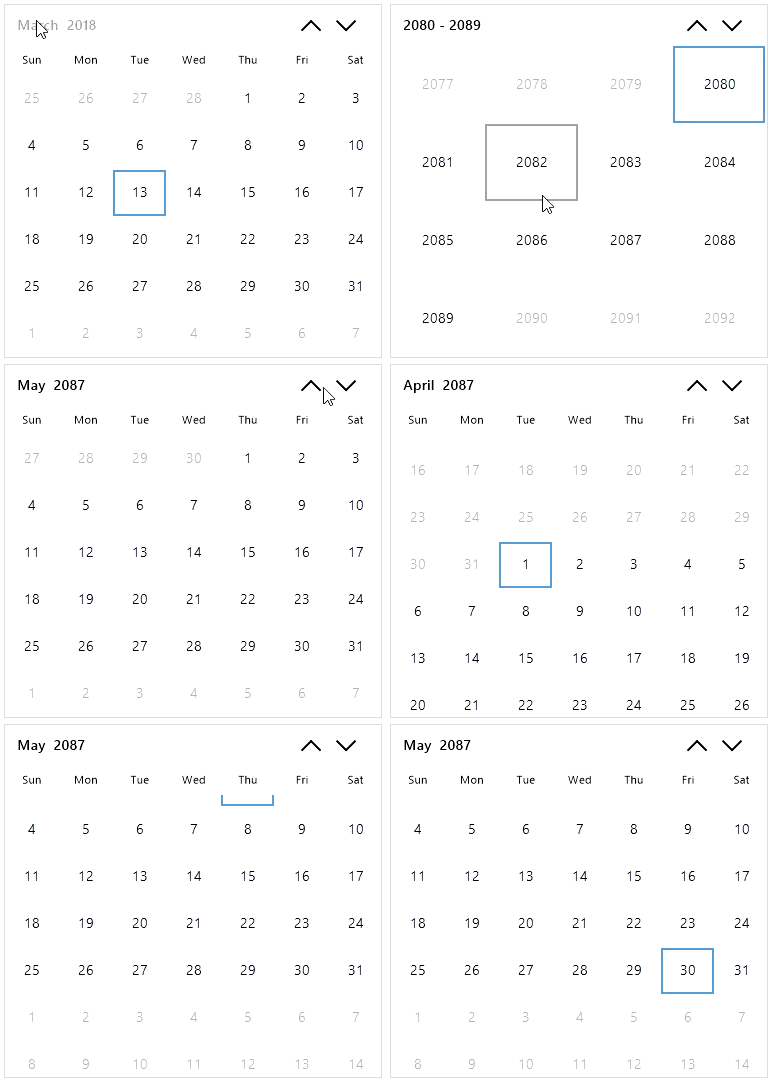
Navigation
The WinForms Calendar provides efficient navigation support to different sets of date range and different views through scrolling, touching, or clicking the calendar header.
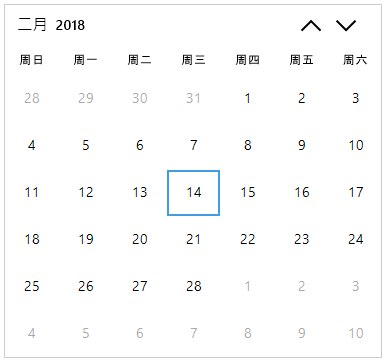
Globalization and Localization
The WinForms Calendar supports localized first day of the week and day names based on culture. Every static text in the calendar can be localized to any desired language.
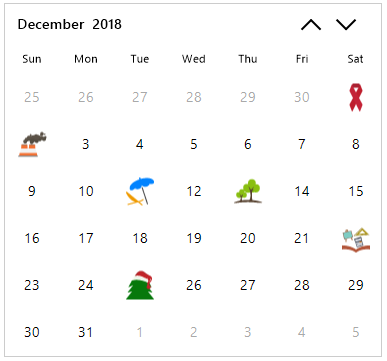
Special dates
The WinForms Calendar supports highlighting special dates with icons and descriptions. Customization of icon and text position in special dates also supported.
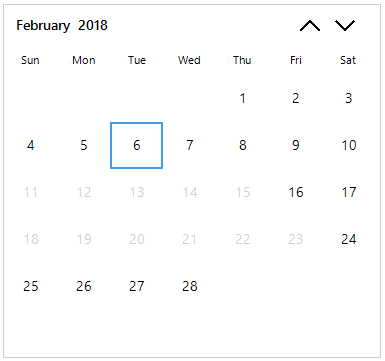
Blackout dates
Ability to block certain dates from selection and user interaction. Separate styles can be applied to blackout dates.
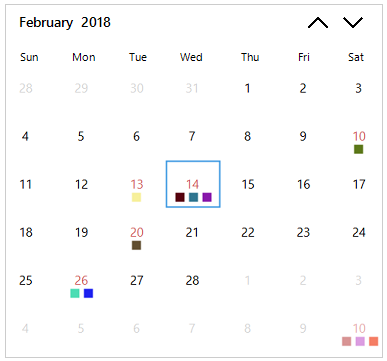
Windows Forms calendar appointments

Windows Forms calendar blend theme
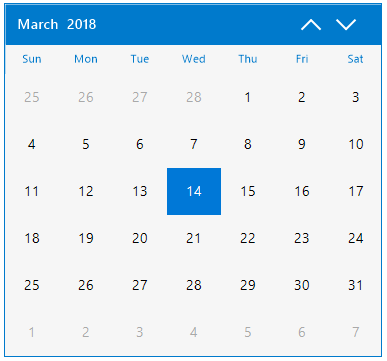
Windows Forms calendar metro theme
Appearance
Each individual cell appearance in calendar can be customized by changing the font, background, foreground, and border color. The WinForms Calendar control also allows change of text and customization of appearance of a date cell on demand.
Not sure how to create your first WinForms Calendar? Our documentation can help.
I’d love to read it now120+ WINDOWS FORMS CONTROLS
ALL CONTROLS
CONVERSATIONAL UI
DATA VISUALIZATION
INPUT CONTROLS
NAVIGATION
DIALOGS & NOTIFICATION
LAYOUT
LISTS & DROPDOWN
CALENDAR
MISCELLANEOUS
FILE VIEWERS & EDITORS
BUTTONS
Standalone UI SDKs
Integrate the DataGrid, Chart, Scheduler and Diagram UI components into applications to enable rich interaction and visualization, delivering a seamless user experience.
Document Solutions
Integrate the PDF Viewer, DOCX Editor, Spreadsheet Editor, and document-processing libraries into the WinForms applications to enable a smooth user experience.
Frequently Asked Questions
Why should you choose Syncfusion WinForms Calendar?
The Syncfusion WinForms Calendar provides the following:
- Easy date selection with interactive navigation using keyboard, mouse, and touch interactions.
- Prevent users from selecting dates outside a specified range.
Supports multiple date selection, special dates, and blackout dates.
Each individual cell’s appearance in the calendar can be customized by changing the font, background, foreground, and border color.
Navigate and select dates quickly with an intuitive user interface to access month, year, decade, and century views.
- Touch friendly and responsive.
- One of the best WinForms Calendars in the market that offers a feature-rich UI.
Extensive demos and documentation to learn quickly and get started with WinForms Calendar.
Where can I find the Syncfusion WinForms Calendar demo?
You can find our WinForms Calendar demo on
GitHub location.
Can I download and utilize the Syncfusion WinForms Calendar for free?
No, this is a commercial product and requires a paid license. However, a free community license is also available for companies and individuals whose organizations have less than $1 million USD in annual gross revenue, 5 or fewer developers, and 10 or fewer total employees.
How do I get started with Syncfusion WinForms Calendar?
A good place to start would be our comprehensive getting started documentation.
Our Customers Love Us
Having an excellent set of tools and a great support team, Syncfusion® reduces customers’ development time.Here are some of their experiences.

Nice suite of components
A very complete set of components, that has an edge on other major vendors which offer components. A lot less code required to use and code samples for more complete components. Integrates well with other 3rd party components.

John A,

C# Developer
Complete, robust, fully functional web UI
The Syncfusion Grid component is as good or better than any other on the market. It has every feature you could want: paging, sorting, filtering, sizing and reordering columns, exporting to PDF, CSV, or Excel. And they have just about every other rich web component you think of: Calendar, sortable list, embedded rich text/HTML editor, charts, maps, you name it.

Ray W,
Founder/CTO
See Real Success Stories
Developers around the world trust Syncfusion’s Essential Studio to simplify complex projects and speed up delivery. With a vast library of UI controls, powerful SDKs, and reliable support, Essential Studio helps teams build enterprise-ready applications with confidence.
Read Our Customer StoriesIndustry
Software development
75% Cost reduction
50% Faster development
Industry
Utilities (oil and gas)

450+ hours saved
Streamlined processes and hours of development effort saved.

Advanced, flexible features
Empowered users through robust and versatile functionality.
Industry
Software and technology
1000+ of hours saved
Accelerated development with enterprise-ready UI components.

Efficient file management
Streamlined workflows with document libraries without building them from scratch.
Industry
Software and technology

2 Years of delay avoided
Two years of delays prevented with proactive planning.

On-time delivery
Projects delivered on schedule using trusted controls.
Industry
IT services and IT consulting

Improved performance
Large datasets handled with easy customization and quick debugging.

Highly customizable
Plug-and-play controls with quick template integration.
Industry
Professional services
Instant access
Quick availability of features and resources.
Reduced dependencies
Fewer dependencies for faster development.
Rated by users across the globe
Syncfusion Windows Forms Resources
Learning
 Documentation
 Documentation


Awards
Greatness—it’s one thing to say you have it, but it means more when others recognize it. Syncfusion® is proud to hold the following industry awards.









