Preview the ASP.NET MVC PPTX Editor
Replace file downloads with in-app viewing.
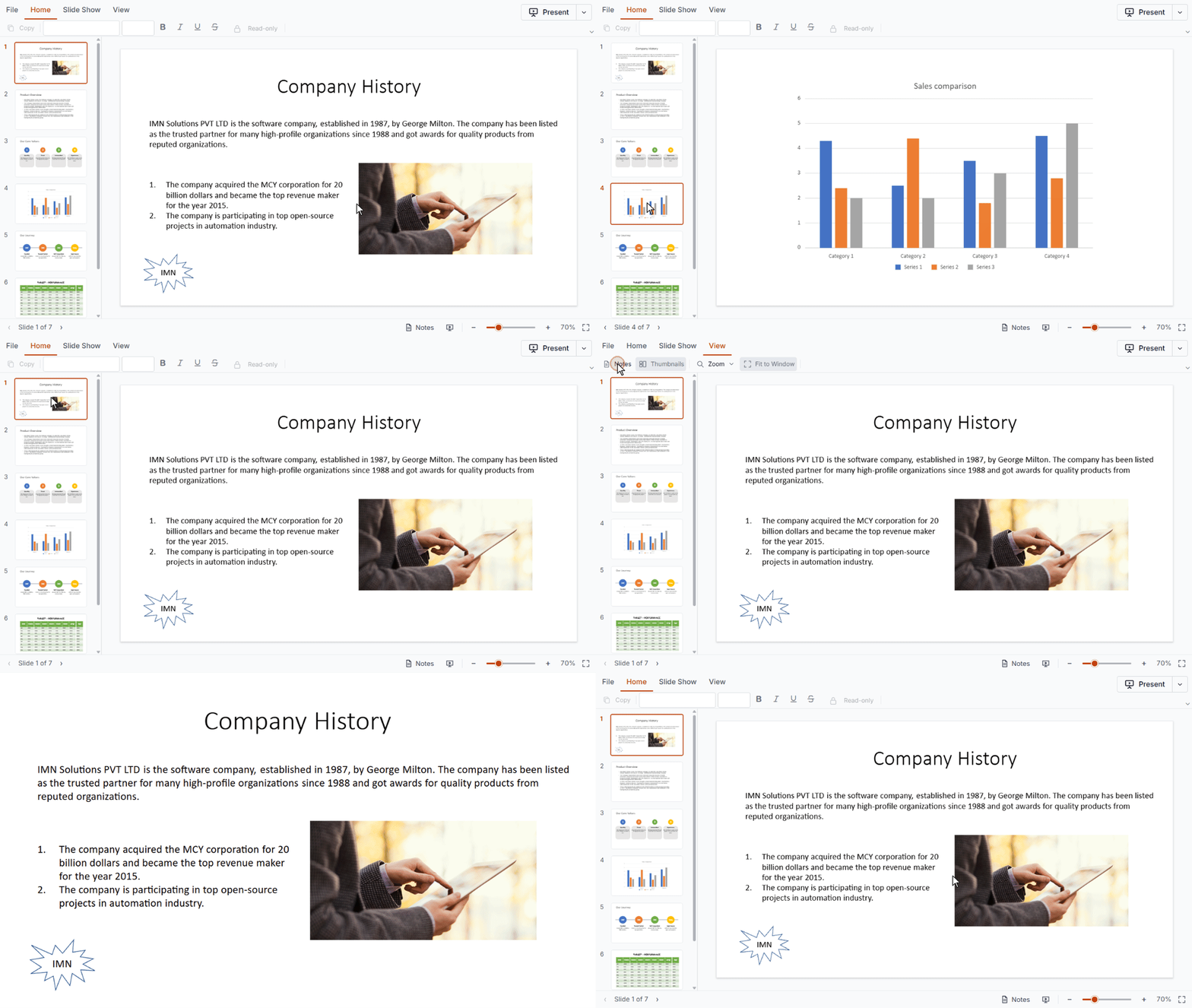
Try the demo to navigate slides with thumbnails, zoom in and out, present in full-screen slideshow mode, read speaker notes, and print or export as PPTX.
Get started with the ASP.NET MVC PPTX Editor in minutes
Follow these four steps to integrate the PPTX Editor into your ASP.NET MVC web application.
1
Install the ASP.NET MVC package
Install the Syncfusion ASP.NET MVC NuGet package
Install-Package Syncfusion.EJ2.MVC5 -Version XX.X.X2
Add the namespace
Add the Syncfusion.EJ2 namespace reference in your Web.config file.
<namespaces>
  <add namespace="Syncfusion.EJ2"/>
</namespaces>
3
Add stylesheet, script resources, and register the script manager
Include the required stylesheet and script references. Register the script manager in Views/Shared/_Layout.cshtml to apply proper layout and theme styling.
<head>
     ...
     <!-- Syncfusion ASP.NET MVC control styles -->
     <link rel="stylesheet" href="https://cdn.syncfusion.com/ej2/XX.X.X/tailwind3.css" />
     <!-- Syncfusion ASP.NET MVC control scripts -->
     <script src="https://cdn.syncfusion.com/ej2/XX.X.X/dist/ej2.min.js"></script>
 </head>

<body>
     ...
     <!-- Syncfusion ASP.NET MVC Script Manager -->
     @Html.EJS().ScriptManager()
</body>
4
Add the PPTX Editor
Add the PPTX Editor to Views/Home/Index.cshtml. The control is called PptxEditor in the code. Start building!
@Html.EJS().PptxEditor("pptxeditor").DocumentPath("https://document.syncfusion.com/content/pptxeditor-resources/Sample.pptx").Render()Enterprise-ready PPTX Editor for ASP.NET MVC
Dependable PPTX rendering in ASP.NET MVC
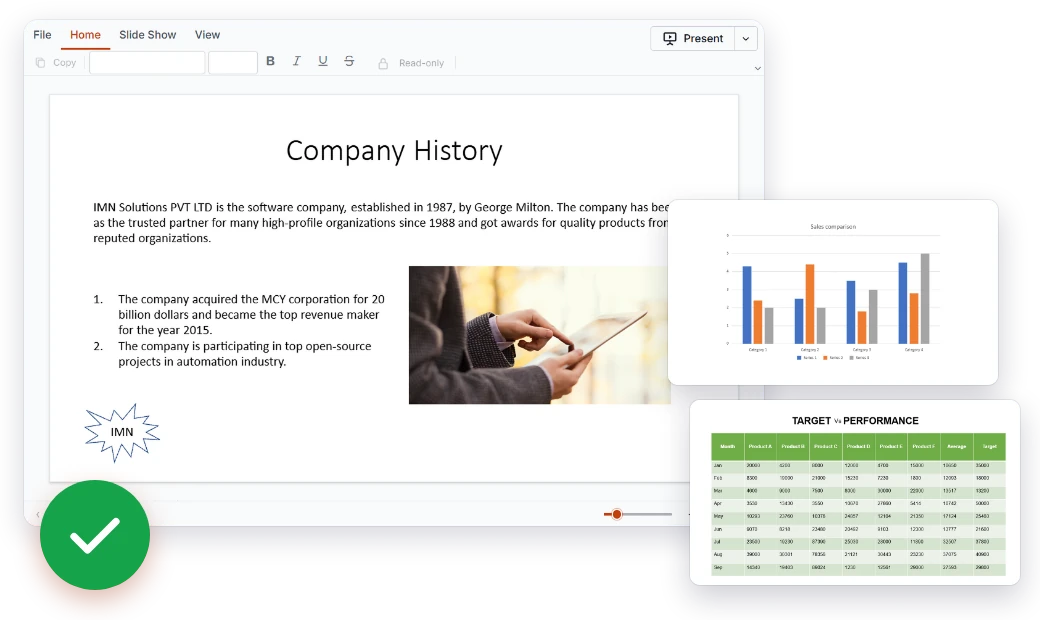
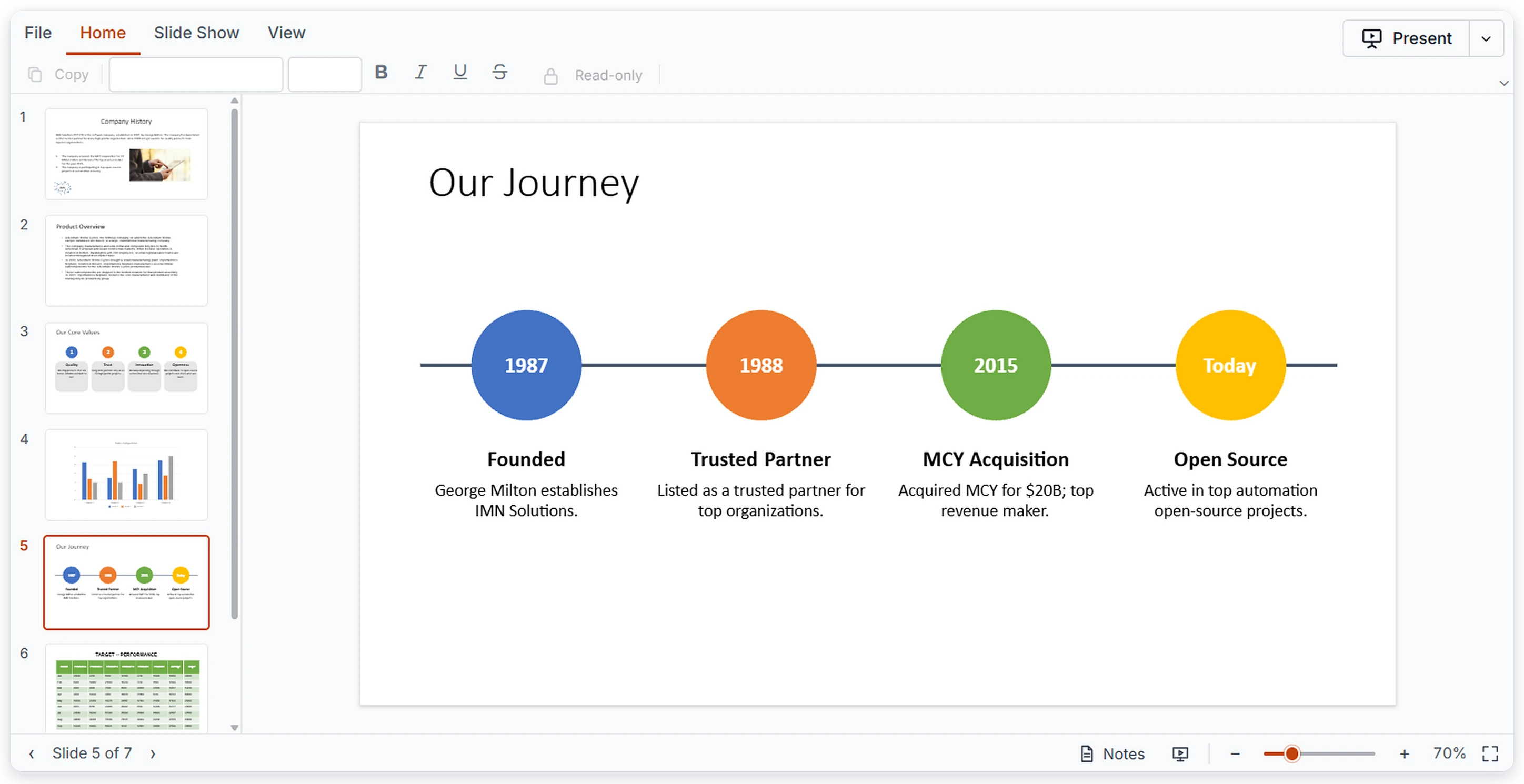
Users see each slide the way it was built. The ASP.NET MVC PPTX Editor renders the elements common to real presentations, so content stays clear and readable inside your application.
- Text boxes, placeholders, and all auto shapes
- Images, tables, and charts displayed in place
- Paragraph and text formatting preserved
A PowerPoint-style ribbon for MVC applications
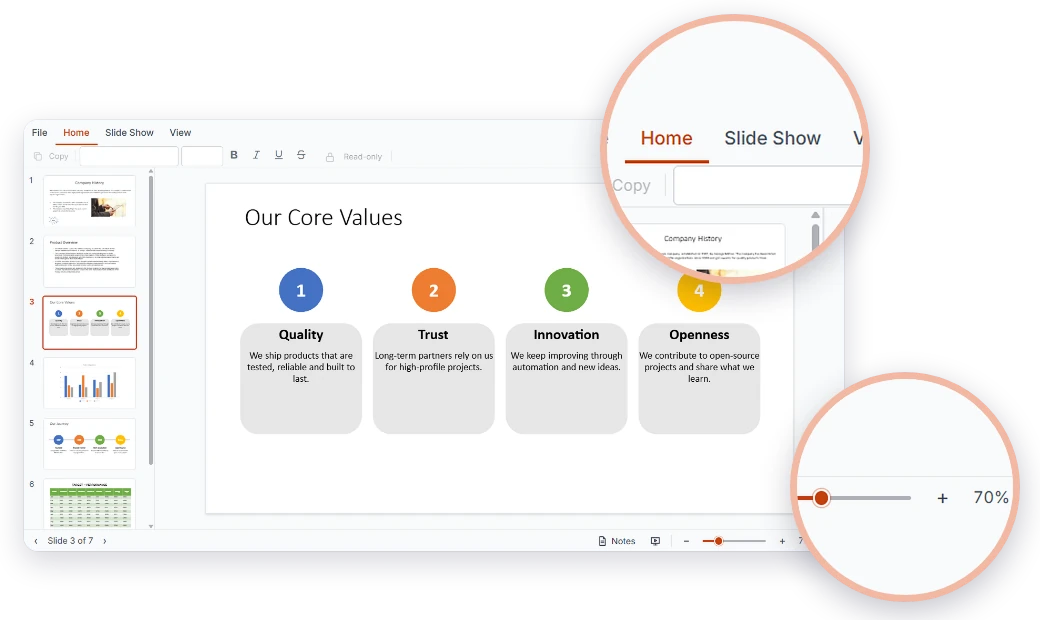
Modernize the viewing experience in your MVC app with a ribbon that mirrors PowerPoint, grouping familiar actions into clear tabs. Themes, localization, and RTL layouts adapt it to your users.
- Home, Slide Show, and View tabs
- Zoom in and zoom out on any slide
- Built-in themes, localization, and RTL layouts
Smooth performance for large decks in MVC
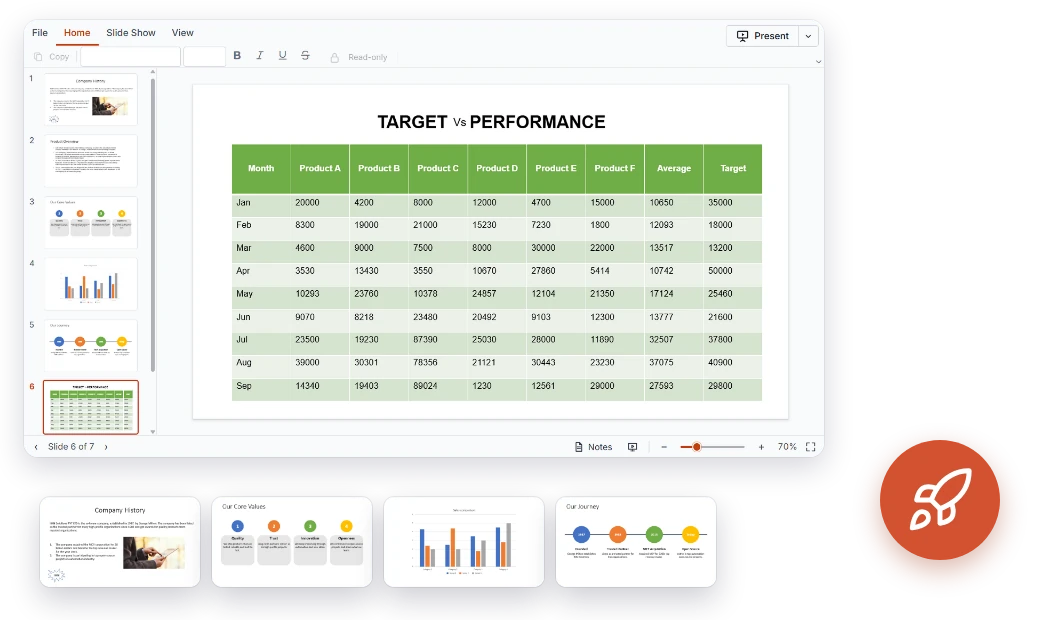
Virtualized slides keep even large presentations quick to work with. Users can jump to any slide by clicking its thumbnail.
- Slide virtualization for large presentations
- Thumbnails for quick slide navigation
- Smooth navigation with touch, keyboard, and mouse
Present, print, and export in ASP.NET MVC
Go beyond viewing. Users can run a full-screen slideshow with speaker notes, then print the deck or export it as PPTX, all inside your MVC app.
- Full-screen slideshow mode
- Speaker notes viewing
- Print and export as PowerPoint (*.pptx)
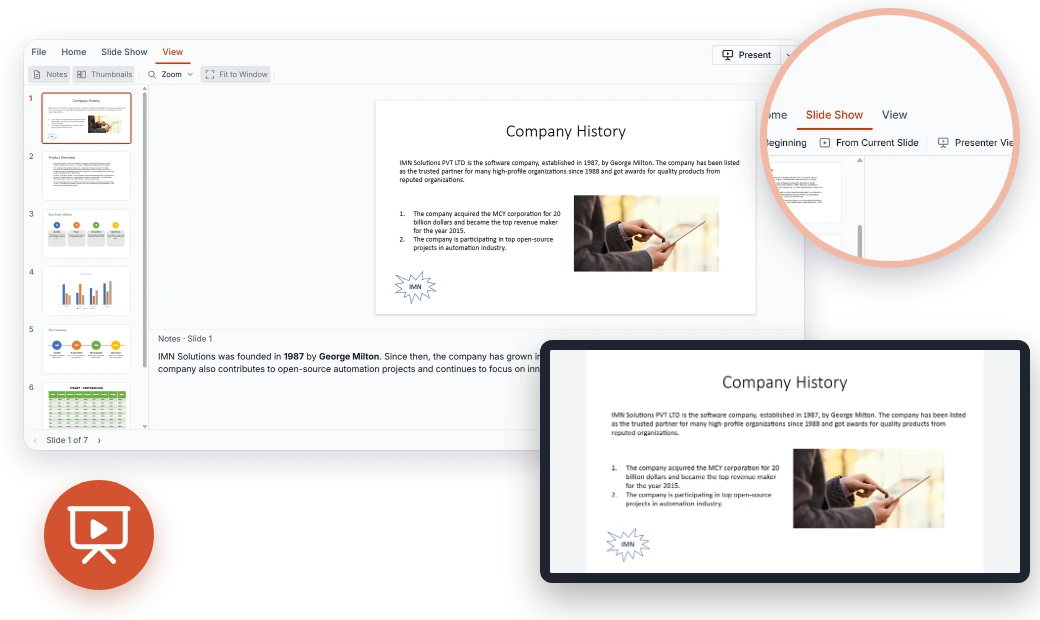
Complete PowerPoint viewing for ASP.NET MVC
Slide rendering, navigation, slideshow mode, and export come built into one Syncfusion® ASP.NET MVC PPTX Editor control, ready for today's web applications.
Show slide content clearly and accurately.
Textboxes and Placeholders – View text content in textboxes and layout placeholders.
Auto Shapes – Display all auto shapes on your slides.
Images – View pictures placed on slides.
Tables – Read tabular data with its structure intact.
Charts – View charts embedded in presentations.
Text Formatting – Basic paragraph and text formatting is preserved.
Present on screen or share through print and export.
Slideshow Mode – Present slides in full-screen mode.
Speaker Notes – View the notes attached to each slide.
Print – Print presentations directly from the viewer.
Export – Export the presentation as a PowerPoint (*.pptx) file.
Accessibility and global readiness
Keyboard navigation
Users can page through slides using only the keyboard, making reviews comfortable for everyone.
Multilingual support
Translate ribbon labels and controls so international users see the viewer in their own language.
RTL layouts
Mirrored right-to-left rendering gives RTL readers a natural viewing experience.
Fits right into your ASP.NET MVC project
Whether you're starting fresh or extending an established application, the ASP.NET MVC PPTX Editor installs from NuGet and drops into your existing views.
- Customizable UI with themes, localization, and right-to-left (RTL) layouts
- Load presentation data locally or integrate with your backend
- In-depth documentation, live demos, and getting-started guides for easy onboarding
Industry use cases for the ASP.NET MVC PPTX Editor
Established MVC applications in education, sales and marketing, finance, and healthcare can add in-app presentation viewing, presenting, and sharing.
No credit card required.
Education
Campus systems can show lecture decks and speaker notes without asking students to download files. Staff can present full screen and print handouts directly.
Sales and marketing
Existing customer and partner portals can offer approved pitch decks to browse, present, and print. Marketing can export the latest deck and share it fast.
Finance
Internal reporting apps can show board decks, investor updates, and quarterly reports with charts and tables intact. Reviewers move through slides with thumbnails and print or export for meetings.
Healthcare
Hospital and clinic portals can present training decks, clinical education material, and case presentations. Presenters work in slideshow mode with speaker notes, and staff can review long decks smoothly.
Trusted by the world’s leading companies

Bring every deck into your ASP.NET MVC app
The ASP.NET MVC PPTX Editor handles lecture decks, sales pitches, board reports, and training material with ease. Offer users fast, familiar ways to view, present, print, and export presentations without leaving your application.
No credit card required.
ASP.NET MVC PPTX Editor FAQs
Here's what developers most often ask about the ASP.NET MVC PPTX Editor.
What is the ASP.NET MVC PPTX Editor?
An ASP.NET MVC control for viewing, navigating, presenting, printing, and exporting PowerPoint presentations in web applications. It is currently available as a viewer.
Can presentations be edited in the ASP.NET MVC PPTX Editor?
Not yet. The first release is viewer-only, and editing will be considered in a future phase.
What PPTX content can the ASP.NET MVC viewer show?
Text boxes, placeholders, all auto shapes, images, tables, charts, and basic paragraph and text formatting.
How does the ASP.NET MVC viewer perform with large decks?
Slides are virtualized for better performance, and thumbnails allow quick navigation.
Can users present slides in an ASP.NET MVC app?
Yes. Use full-screen slideshow mode and view speaker notes.
Can I print or export presentations from ASP.NET MVC?
Yes. You can print presentations or export them as PowerPoint (*.pptx) files.
Is the PPTX Editor available for platforms besides ASP.NET MVC?
Yes. It is also available for React, Angular, Vue, JavaScript (ES6 and ES5), and ASP.NET Core.
Where can I find ASP.NET MVC demos and setup guides?
Try the live demo and follow the getting-started guide.
Resources
Learn more about our ASP.NET MVC PPTX Editor
Explore ASP.NET MVC demos, KB articles, and documentation to get the most from the PPTX Editor.
Explore guides, APIs, and quick-start tips
See live use cases in action
Ask, share, and connect with peers
Find solutions and best practices fast
Get expert help when you need it
Feature requests and bug reports
Track issues and suggest improvements