

Overview
The WinUI Time Picker control provides an intuitive, touch-friendly interface to select a time from a drop-down spinner quickly. It supports different time formats. Time selection can be restricted by specifying minimum and maximum times. Times can also be hidden or disabled from selection. In addition, it supports editing with validation and built-in watermark text display.

Time restriction

Limit time range
Prevents users from selecting a time in a particular range by specifying minimum and maximum times.
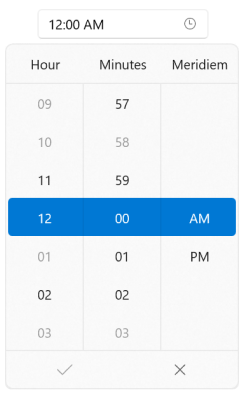
Blackout time
Prevents users from selecting a specific time (e.g., disable nonworking hours).
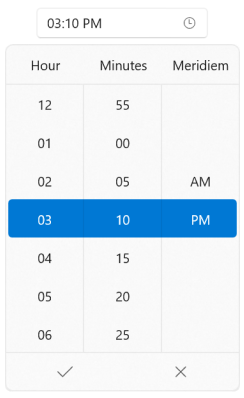
Custom time interval
Select custom periods of time according to the needs, which can be intervals of minutes (e.g. 5 minutes) or hours (e.g. 2 hours).
Time editing
Edit time using the text box. Time input can be validated when typing or after the input is completed.

Watermark
Displays hints using watermark text when the selected time is null.

Globalization
The WinUI Time Picker can be used across the globe by applying regional settings.
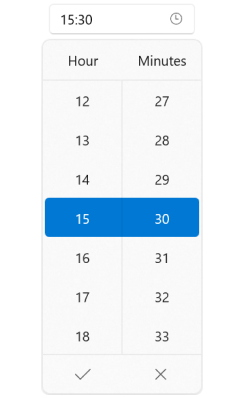
Clock types
The WinUI Time Picker control supports 12-hour and 24-hour clock types.

Time formatting
The WinUI Time Picker control supports formatting the time in the editor and spinner UI in the dropdown popup.
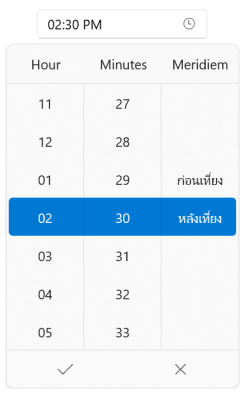
Languages
The WinUI Time Picker supports multiple languages such as French, German, Thai and more.
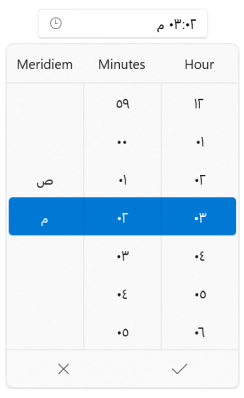
Right to left (RTL)
The WinUI Time Picker supports right-to-left formatting for languages such as Arabic, Hebrew, and more.
Appearance
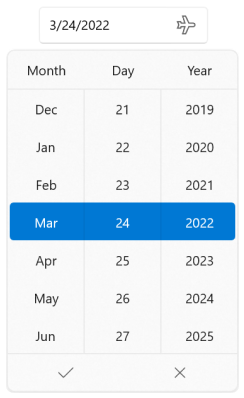
Drop-down button
The WinUI Time Picker control allows showing or hiding the dropdown button and also customizing it.
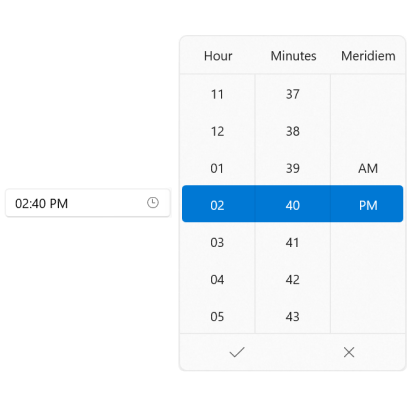
Drop-down placement
The placement of the drop-down spinner can be customized. The WinUI Time Picker also smartly shifts the placement if there is no sufficient space.
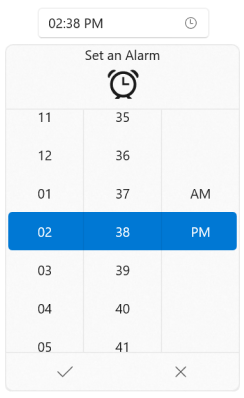
Drop-down header
Display hints and customize the header.
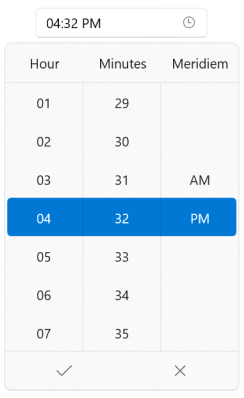
Column header
Display hints for each column to indicate the time fields.

Resize
Customize the size of individual cells, the drop-down height, and the number of cells to be displayed in the spinner.

Customization
Customize the spinner UI using custom templates, styles, and the selector.

Syncfusion WinUI DataViz & UI Controls
Standalone UI SDKs
Integrate the DataGrid, Chart, and Scheduler UI components into applications to enable rich interaction and visualization, delivering a seamless user experience.
Document Solutions
Integrate the PDF Viewer, DOCX Editor, Spreadsheet Editor, and document-processing libraries into the WinUI applications to enable a smooth user experience.
Our Customers Love Us





See Real Success Stories
Developers around the world trust Syncfusion’s Essential Studio to simplify complex projects and speed up delivery. With a vast library of UI controls, powerful SDKs, and reliable support, Essential Studio helps teams build enterprise-ready applications with confidence.
Read Our Customer StoriesIndustry
Software development
75% Cost reduction
50% Faster development

Industry
Utilities (oil and gas)

450+ hours saved
Streamlined processes and hours of development effort saved.

Advanced, flexible features
Empowered users through robust and versatile functionality.
Industry
Software and technology
1000+ of hours saved
Accelerated development with enterprise-ready UI components.

Efficient file management
Streamlined workflows with document libraries without building them from scratch.
Industry
Software and technology

2 Years of delay avoided
Two years of delays prevented with proactive planning.

On-time delivery
Projects delivered on schedule using trusted controls.
Industry
IT services and IT consulting

Improved performance
Large datasets handled with easy customization and quick debugging.

Highly customizable
Plug-and-play controls with quick template integration.
Industry
Professional services
Instant access
Quick availability of features and resources.
Reduced dependencies
Fewer dependencies for faster development.
Rated by users across the globe



Syncfusion WinUI Resources


Awards
Greatness—it’s one thing to say you have it, but it means more when others recognize it. Syncfusion® is proud to hold the following industry awards.









