








Transform your applications today by downloading our free evaluation version
Overview
The Vue Smart TextArea is an AI-powered text area component that offers real-time sentence autocomplete, boosting productivity and reducing typing effort.

Vue Smart TextArea code example
Get started with the Vue Smart TextArea using just a few lines of code as shown below. Also, explore the Vue Smart TextArea example that shows how to render and configure the Smart TextArea in Vue.
<template>
    <div class ='wrap'>
        <div id ='input-container'>
        <ejs-smart-textarea
          id="smart-textarea"
          :userRole="userRole"
          :UserPhrases="userPhrases"
          :aiSuggestionHandler="serverAIRequest"
        />
        </div>
    </div>
</template>
<script>
import { SmartTextAreaComponent } from "@syncfusion/ej2-vue-inputs";
export default {
    name: 'App',
    components: {
        'ejs-smart-textarea': SmartTextAreaComponent
    },
    data: function () {
        return {}
    },
}
</script>
<style>
    @import "../node_modules/@syncfusion/ej2-bootstrap5-theme/styles/textarea/index.css";

    .wrap {
        box-sizing: border-box;
        margin: 0 auto;
        padding: 20px 10px;
        width: 340px;
    }
</style>
Intelligent autocomplete
The Smart TextArea goes beyond simple word suggestions by predicting full sentences based on user input. Whether composing emails, filling out forms, or drafting content, the AI-driven autocomplete feature minimizes typing time by offering smart, context-aware suggestions. These suggestions are not random but contextually relevant and precise, enhancing the overall input experience.
User role
The user role option defines the context of the autocompletion based on the role of the person typing. Some example roles include:
- Customer service agent responding to client inquiries.
- Project manager drafting a status update for the team.
User phrases
The user phrases option provides predefined expressions that align with your application’s tone and frequently used content. This could include standard phrases, important URLs, or policies. For example:
- “Thank you for your interest.”
- “Please let me know if you have any further questions.”
These predefined phrases deliver personalized and contextually relevant autocompletion suggestions.
Customizable UI


Tailor the appearance of suggestions in the customizable suggestion pop-up window to take full control of the user experience.
Suggestions displayed in the pop-up window.
Suggestions displayed inline.
Inherited features
Since it’s built on top of Syncfusion’s Vue TextArea component, the Smart TextArea inherits all the features of the TextArea component, including form support, floating labels, and customizable styling.
Built-in themes
The Vue Smart TextArea component has several built-in themes, such as Material, Bootstrap, Fabric (Office 365), Tailwind CSS, Fluent, and high contrast. Users can customize any of these built-in themes or create new themes by overriding SASS variables or using our Theme Studio application.
Developer-friendly APIs
Developers can control the appearance and behaviors of the Smart TextArea in Vue, including its floating label, using a rich set of APIs.
Other supported frameworks
The Smart TextArea is available for the Blazor, React, Angular, and JavaScript frameworks. Explore its platform-specific options through the following links:
Supported browsers
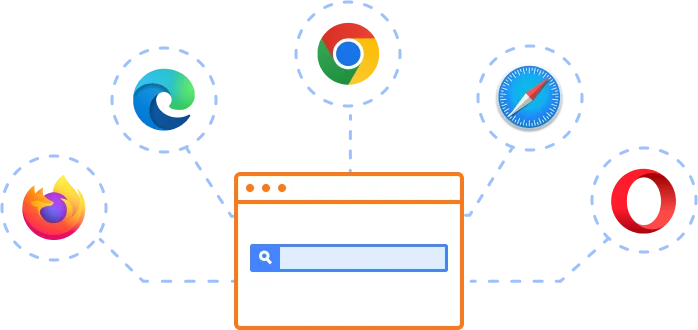
The Vue Smart TextArea works well with all modern web browsers, including Chrome, Firefox, Edge, Safari, and Opera.
Not sure how to create your first Vue Smart TextArea? Our documentation can help.
I’d love to read it now140+ VUE UI COMPONENTS
SMART COMPONENTS
GRIDS
DATA VISUALIZATION
DROPDOWNS
FILE VIEWERS & EDITORS
BUTTONS
INTERACTIVE CHAT
INPUTS
NAVIGATION
NOTIFICATIONS
Standalone UI SDKs
Integrate the DataGrid, Chart, Scheduler, Gantt, Rich Text Editor, File Manager, and Diagram UI components into applications to enable rich interaction and visualization, delivering a seamless user experience.
Document Solutions
Integrate the PDF Viewer, DOCX Editor, Spreadsheet Editor, and document-processing libraries into the Vue applications to enable a smooth user experience.
Frequently Asked Questions
Why should you choose Syncfusion Vue Smart TextArea?
The Syncfusion Vue Smart TextArea component supports the following features:
- Provides intelligent sentence-level suggestions for faster typing and improved efficiency.
- Adapts suggestions based on user roles and phrases, enhancing its versatility in use cases like customer support or content creation.
- Integrates seamlessly with Vue applications.
- Lets you control the suggestion pop-up display for touch and non-touch devices.
Inherits all standard Syncfusion TextArea component features, ensuring familiar customization and integration.
- One of the best Vue Smart TextArea in the market that offers feature-rich UI to interact with the software.
Simple configuration and API.
- Supports all modern browsers.
- Mobile-touch friendly and responsive.
Extensive demos and documentation to learn quickly and get started with Vue Smart TextArea.
Where can I find the Syncfusion Vue Smart TextArea demo?
You can find our Vue Smart TextArea demo, which demonstrates how to render and configure the Smart TextArea.
What is the Vue Smart TextArea?
Vue Smart TextArea is an AI-powered component that offers smart sentence suggestions from a predefined list, boosting productivity and reducing typing effort.
What are the benefits of using the Smart TextArea in Vue forms?
The Smart TextArea enhances the user experience, improves accessibility with ARIA support, and integrates seamlessly with Vue’s validation framework for error handling. It ensures cross-browser compatibility, efficient performance, and smooth integration within forms, making it ideal for applications requiring flexible and user-friendly text input.
Can I download and utilize the Syncfusion Vue Smart TextArea for free?
No, this is a commercial product and requires a paid license. However, a free community license is also available for companies and individuals whose organizations have less than $1 million USD in annual gross revenue, 5 or fewer developers, and 10 or fewer total employees.
How do I get started with Syncfusion Vue Smart TextArea?
A good place to start would be our comprehensive getting started documentation.
How does the Vue Smart TextArea work?
It displays contextually relevant and precise sentences based on user input, minimizing the typing time.
Our Customers Love Us
Having an excellent set of tools and a great support team, Syncfusion® reduces customers’ development time.Here are some of their experiences.

Syncfusion helps small companies
Syncfusion has a very good service and innovative products. People at syncfusion is helpful and tries to give solution to customer needs. Essential Studio has enough controls for most business applications.

Regina V,

Programador informático, Small-Business
Perfect for any developer
The Syncfusion Essential Studio has excellent features that are updated or added constantly on a regular basis. The support is exceptional—fast and professional responses. The support team provides you with code samples. As for the bugs, they always try to include the fix in the next release.

Dejan D,
Chief Executive Officer, Small-Business
See Real Success Stories
Developers around the world trust Syncfusion’s Essential Studio to simplify complex projects and speed up delivery. With a vast library of UI controls, powerful SDKs, and reliable support, Essential Studio helps teams build enterprise-ready applications with confidence.
Read Our Customer StoriesIndustry
Software development
75% Cost reduction
50% Faster development
Industry
Utilities (oil and gas)

450+ hours saved
Streamlined processes and hours of development effort saved.

Advanced, flexible features
Empowered users through robust and versatile functionality.
Industry
Software and technology
1000+ of hours saved
Accelerated development with enterprise-ready UI components.

Efficient file management
Streamlined workflows with document libraries without building them from scratch.
Industry
Software and technology

2 Years of delay avoided
Two years of delays prevented with proactive planning.

On-time delivery
Projects delivered on schedule using trusted controls.
Industry
IT services and IT consulting

Improved performance
Large datasets handled with easy customization and quick debugging.

Highly customizable
Plug-and-play controls with quick template integration.
Industry
Professional services
Instant access
Quick availability of features and resources.
Reduced dependencies
Fewer dependencies for faster development.
Rated by users across the globe
Syncfusion Vue Smart TextArea Resources


UI Kits
 Figma Download
Figma Download
Awards
Greatness—it’s one thing to say you have it, but it means more when others recognize it. Syncfusion® is proud to hold the following industry awards.









