







Transform your applications today by downloading our free evaluation version
Overview
The Vue Form Renderer is a schema-driven component that transforms a JSON schema into an interactive HTML form at runtime. Define fields, layouts, validations, expressions, conditional logic, and dependent fields in the schema to create dynamic forms without manually building each form in HTML.
Why choose the Syncfusion Vue Form Renderer?
Schema-driven forms
Render interactive forms from a JSON schema defining fields, layouts, validations, and runtime behavior at runtime.
Built-in validations
Apply built-in validation rules for required fields, formats, ranges, and custom business requirements across fields.
Form logic
Use expressions and conditions to calculate field values and control field behavior based on user input at runtime.
Dependent dropdowns
Create cascading dropdowns by linking one field’s available values to selections made in another field in sequence.
Built-in field types
Use 25+ built-in field types for text, selection, dates, signatures, uploads, and other common inputs in applications.
Responsive layout
Render forms that adapt to desktop, tablet, and mobile screens while preserving layout and usability across devices.
Customizable themes
Apply built-in themes like Material, Bootstrap 5, Tailwind, Fluent, and Fabric to match your application design needs.
Vue Form Renderer code example
Use the following React example to render a form from a JSON schema. Explore the live example to see schema-defined fields rendered at runtime.
<template>
    <div class="control-section">
        <div class="control_wrapper">
            <!-- Initialize Form Renderer -->
            <ejs-form-renderer id="form-renderer-control" :schema="formSchema"></ejs-form-renderer>
        </div>
    </div>
</template>
<script>
import Vue from 'vue';
import { FormRendererPlugin } from '@syncfusion/ej2-vue-form-renderer';
Vue.use(FormRendererPlugin);

export default {
data: function() {
    return {

    formSchema: {
        "version": "0.1.0",
        "properties": {
            "userName": {
                "name": "username",
                "type": "string",
                "label": "User Name",
                "textboxType": "text",
                "widget": "textbox"
            },
            "password": {
                "name": "password",
                "type": "string",
                "label": "Password",
                "textboxType": "password",
                "widget": "textbox",
                "labelPosition": "top"
            }
        },
        "layout": [
            {
                "type": "field",
                "propertyId": "userName"
            },
            {
                "type": "field",
                "propertyId": "password"
            }
        ]
    }
    };
}
}
</script>
JSON schema-based form rendering
Provide a JSON schema that describes the form fields, layout, validations, expressions, and conditions to generate an interactive HTML form at runtime. The schema serves as a declarative form definition that can be stored, versioned, localized, and loaded dynamically without rebuilding the application.
To create the schema without writing JSON manually, use the Syncfusion Form Builder—a visual drag-and-drop designer for assembling fields, configuring properties, previewing the form, and generating the JSON schema used for rendering.
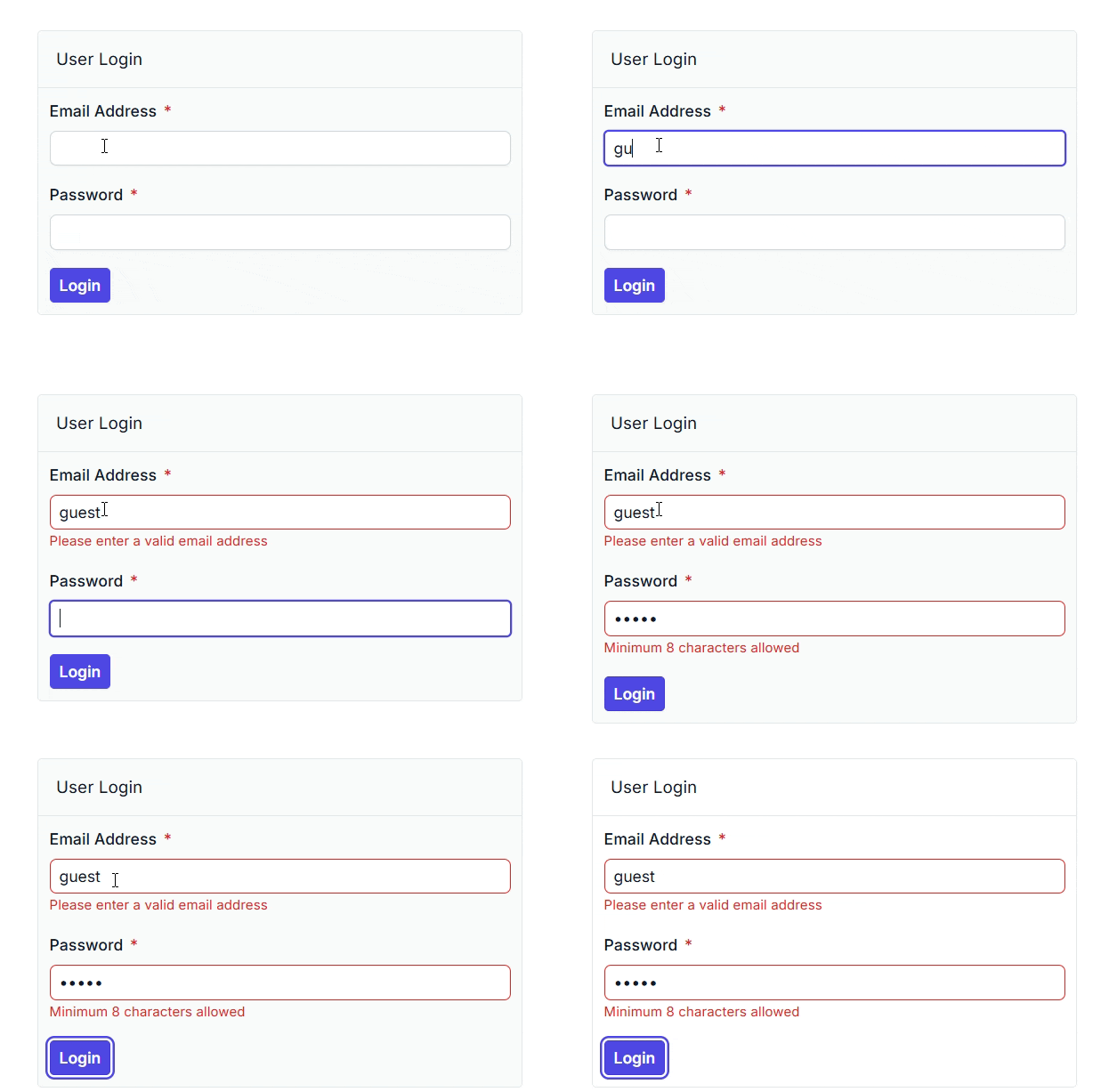
Validations
Apply a comprehensive set of validation rules directly within the form schema to ensure that the data captured from users is accurate, consistent, and complete. Built-in rules include required, email, URL, date, number, range, and length, along with custom validation strings for business-specific logic.
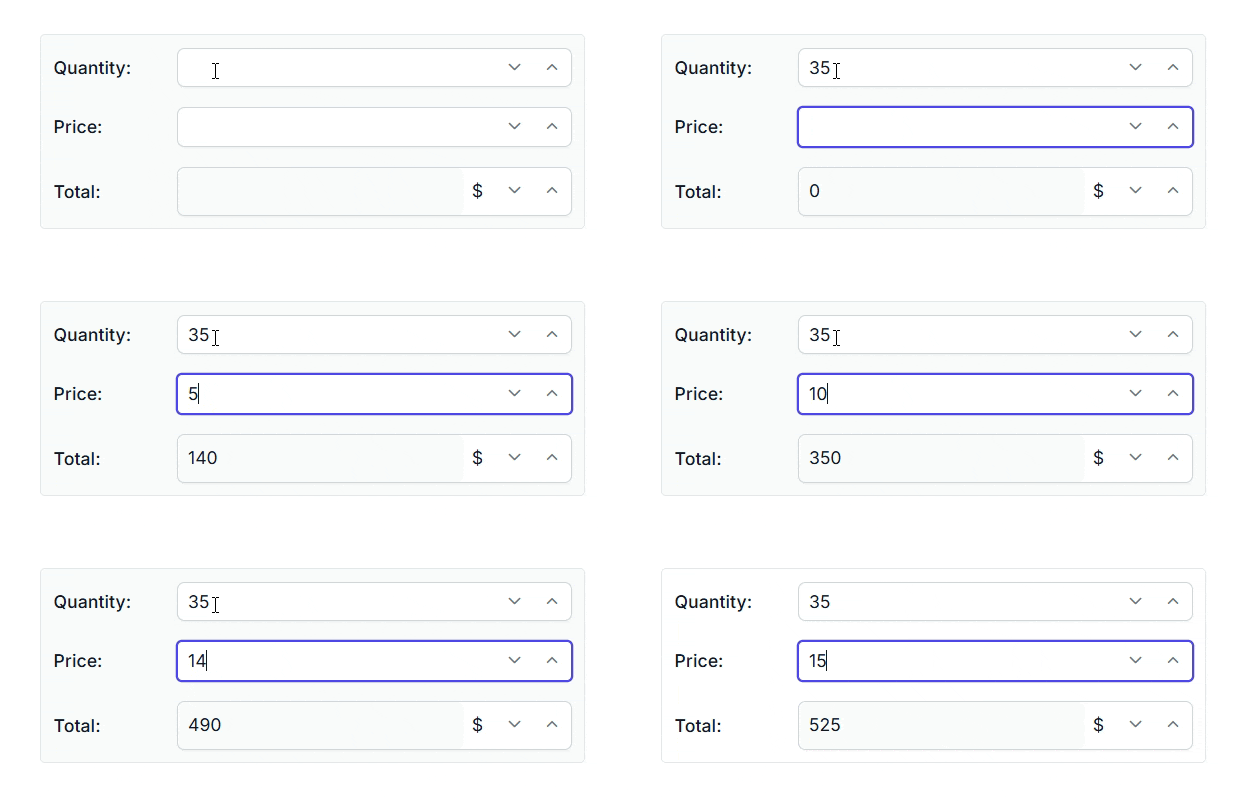
Expressions
Use expressions to compute field values, derive display text, and perform calculations on the fly as the user fills out the form. Expressions are written declaratively in the schema and evaluated automatically, with no need for manual event wiring.
Conditions
Drive dynamic form behavior with conditional rules defined in the schema. Show, hide, make read-only, or disable fields and sections based on the values of other fields or expressions, so the form adapts to user input without custom script actions.

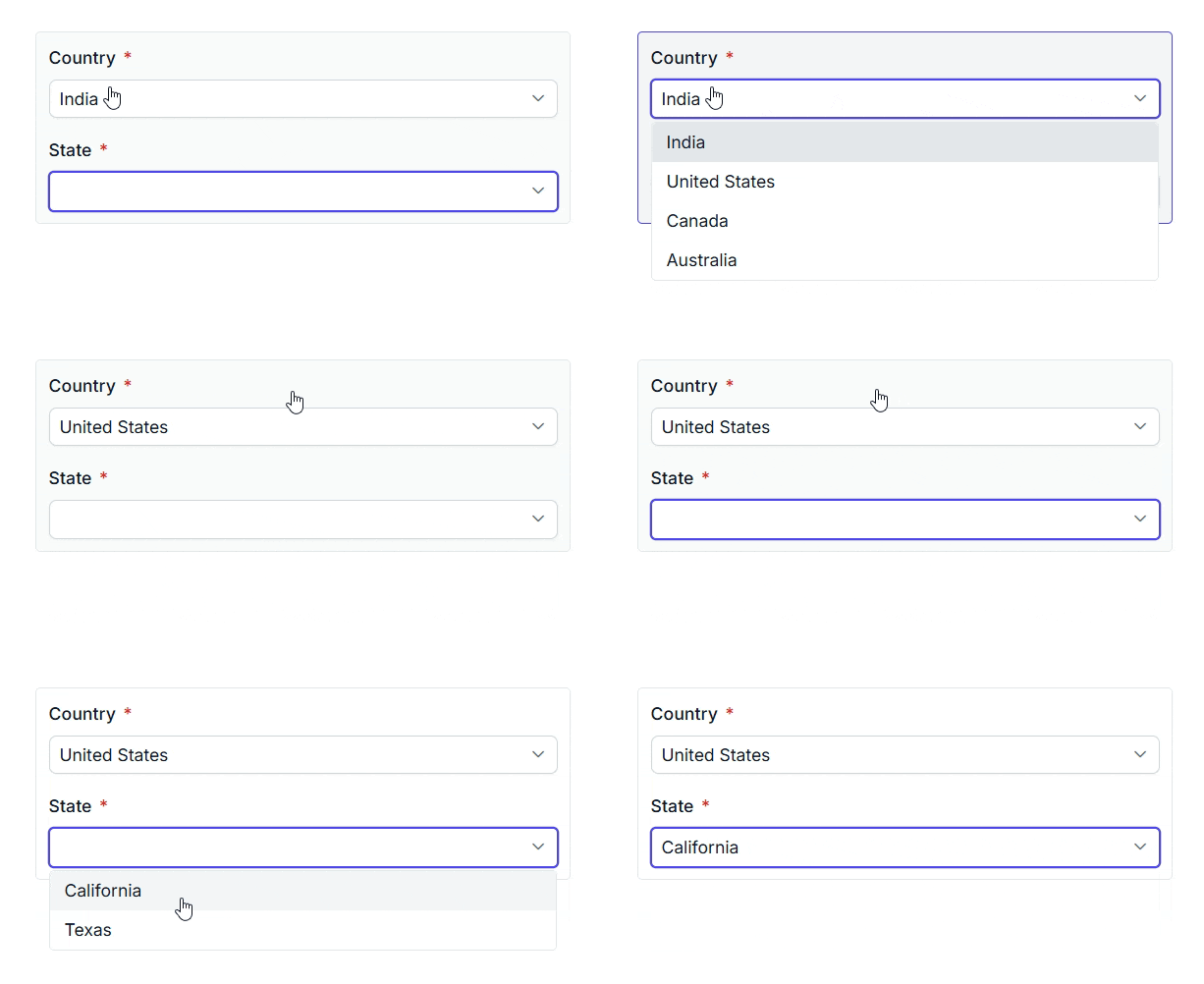
Dependent dropdowns
Build cascading dropdowns and other dependent form fields by wiring one control’s value to another through simple schema declarations. Common scenarios such as country–state, category–subcategory, and department–employee lists can be configured without writing any code.
Accessibility
Keyboard navigation
Interactive elements in a rendered form can be reached and operated using the keyboard. Users can tab between fields, trigger validations, submit the form, and reset the form without needing a mouse.
Screen readers
Rendered forms use WAI-ARIA attributes to help screen readers identify fields, labels, and validation messages. This helps users with visual impairments interact with form content more effectively.
Right to left (RTL)
Render forms in right-to-left mode for languages such as Arabic, Hebrew, and Persian. RTL support adjusts the layout, alignment, and supported controls for right-to-left interfaces.
Other supported frameworks
The Form Renderer is also available for React, Angular, and JavaScript. Explore the platform-specific options through the following links:
Supported browsers
Supports modern web browsers, including Chrome, Firefox, Edge, Safari, and Opera.
Not sure how to create your first Vue Form Renderer? Our documentation can help.
Read the Getting Started Guide140+ VUE UI COMPONENTS
SMART COMPONENTS
GRIDS
DATA VISUALIZATION
DROPDOWNS
FILE VIEWERS & EDITORS
BUTTONS
INTERACTIVE CHAT
INPUTS
NAVIGATION
NOTIFICATIONS
Standalone UI SDKs
Integrate the DataGrid, Chart, Scheduler, Gantt, Rich Text Editor, File Manager, and Diagram UI components into applications to enable rich interaction and visualization, delivering a seamless user experience.
Document Solutions
Integrate the PDF Viewer, DOCX Editor, Spreadsheet Editor, and document-processing libraries into the Vue applications to enable a smooth user experience.
Frequently Asked Questions
What is a Vue Form Renderer component?
A Vue Form Renderer is a schema-driven component that converts a form definition into an interactive form at runtime. Instead of manually creating the form structure in HTML, the renderer uses the supplied schema to determine what should be displayed.
How do I generate an form from a JSON schema in Vue?
Define the form in a JSON schema and provide that schema to the renderer. At runtime, it interprets the definition and generates the corresponding interactive form. This provides a direct JSON-to-form workflow for applications that need to generate forms from JSON schema definitions
Can I create dynamic forms from JSON that respond to user input?
Yes. You can create forms from JSON that change their behavior based on user input. Conditional rules can show, hide, make fields read-only, or disable them; expressions can calculate values; and dependent dropdowns can update their available choices based on another field.
Why should you choose the Syncfusion Vue Form Renderer?
It keeps form structure and behavior in a reusable schema that can be stored, versioned, localized, and loaded dynamically. This approach is useful when applications need to render or update multiple forms without maintaining separate HTML templates for each one.
What can be defined in JSON schema forms?
JSON schema forms can define the form fields, layout, validations, expressions, and conditions in one declarative definition. This keeps both the form structure and its configured behavior together instead of spreading the configuration across separate markup and scripts
Can I download and use the Syncfusion Vue Form Renderer for free?
The Vue Form Renderer is a commercial component. Eligible developers and organizations can use it through the Syncfusion Community license. Review the licensing page for the current eligibility requirements.
Our Customers Love Us
Having an excellent set of tools and a great support team, Syncfusion® reduces customers’ development time.Here are some of their experiences.

Syncfusion helps small companies
Syncfusion has a very good service and innovative products. People at syncfusion is helpful and tries to give solution to customer needs. Essential Studio has enough controls for most business applications.

Regina V,

Programador informático, Small-Business
Perfect for any developer
The Syncfusion Essential Studio has excellent features that are updated or added constantly on a regular basis. The support is exceptional—fast and professional responses. The support team provides you with code samples. As for the bugs, they always try to include the fix in the next release.

Dejan D,
Chief Executive Officer, Small-Business
See Real Success Stories
Developers around the world trust Syncfusion’s Essential Studio to simplify complex projects and speed up delivery. With a vast library of UI controls, powerful SDKs, and reliable support, Essential Studio helps teams build enterprise-ready applications with confidence.
Read Our Customer StoriesIndustry
Software development
75% Cost reduction
50% Faster development
Industry
Utilities (oil and gas)

450+ hours saved
Streamlined processes and hours of development effort saved.

Advanced, flexible features
Empowered users through robust and versatile functionality.
Industry
Software and technology
1000+ of hours saved
Accelerated development with enterprise-ready UI components.

Efficient file management
Streamlined workflows with document libraries without building them from scratch.
Industry
Software and technology

2 Years of delay avoided
Two years of delays prevented with proactive planning.

On-time delivery
Projects delivered on schedule using trusted controls.
Industry
IT services and IT consulting

Improved performance
Large datasets handled with easy customization and quick debugging.

Highly customizable
Plug-and-play controls with quick template integration.
Industry
Professional services
Instant access
Quick availability of features and resources.
Reduced dependencies
Fewer dependencies for faster development.
Rated by users across the globe
Syncfusion Vue Form Renderer resources


UI Kits
 Figma download
Figma download
Awards
Greatness—it’s one thing to say you have it, but it means more when others recognize it. Syncfusion® is proud to hold the following industry awards.









