









Transform your applications today by downloading our free evaluation version
Overview
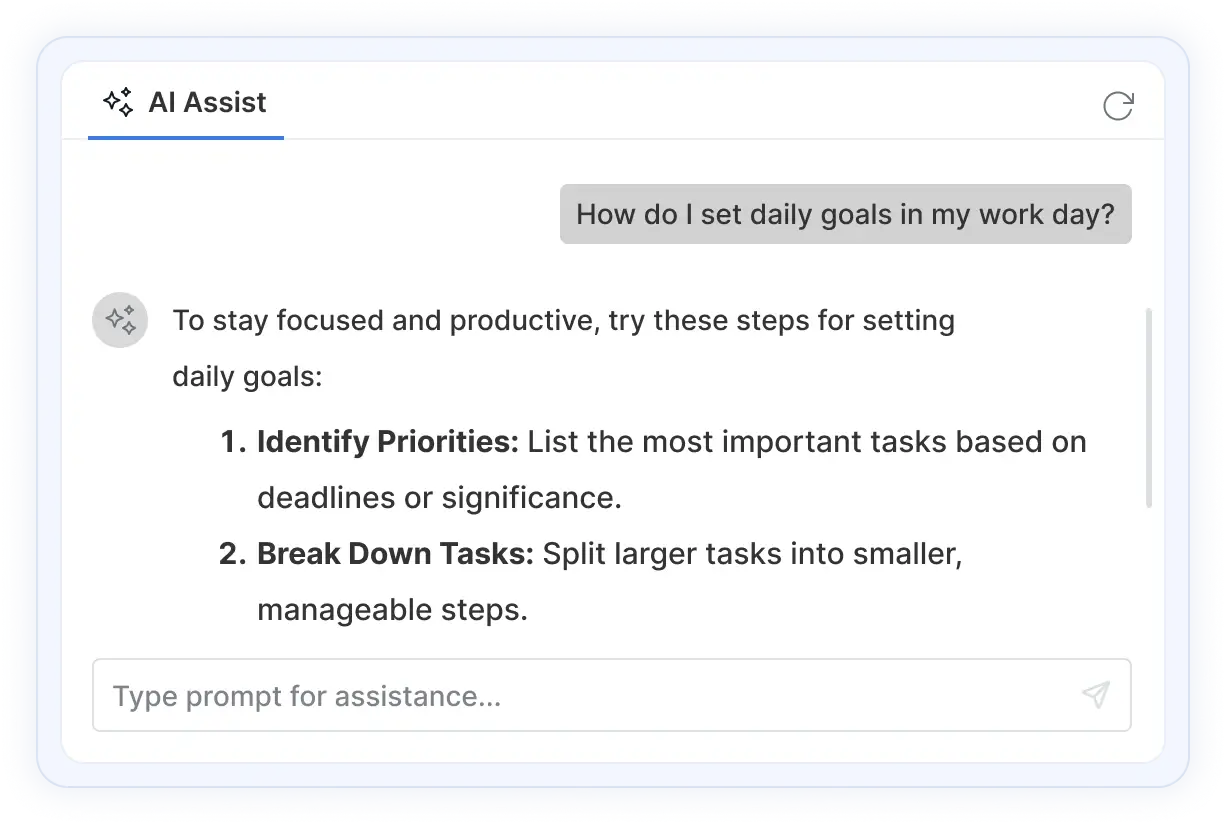
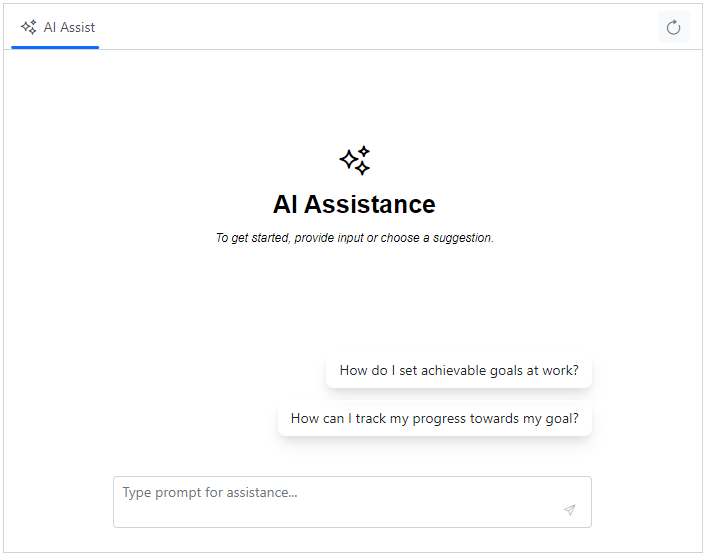
The ASP.NET Core AI AssistView is a versatile and modern UI control that seamlessly integrates generative AI services into the web applications. It enables users to send prompts, execute commands through a feature-rich toolbar, and display AI-generated responses.
ASP.NET Core AI AssistView code example
Easily get started with the ASP.NET Core AI AssistView using a few simple lines of CSHTML and C# code as shown below. Also, explore our ASP.NET Core AI AssistView Example which shows you how to render and configure a AI AssistView.
<div class="control-section">
      <ejs-aiassistview id="aiAssistView" promptSuggestions="@Model.PromptSuggestionData" promptRequest="onPromptRequest">
      </ejs-aiassistview>
  </div>

@section PreScripts{
  <script>
    var prompts = @Html.Raw(JsonSerializer.Serialize(Model.PromptResponseData));
    var suggestions = @Html.Raw(JsonSerializer.Serialize(Model.PromptSuggestionData));
    function onPromptRequest(args) {
      setTimeout(() => {
        var foundPrompt = prompts.find(prompt => prompt.Prompt == args.prompt);
        var defaultResponse = 'For real-time prompt processing, connect the AI AssistView control to your preferred AI service, such as OpenAI or Azure Cognitive Services. Ensure you obtain the necessary API credentials to authenticate and enable seamless integration.';
        this.addPromptResponse(foundPrompt ? foundPrompt.Response : defaultResponse);
        this.promptSuggestions = (foundPrompt?.SuggestionData && foundPrompt.SuggestionData.length > 0) ? foundPrompt.SuggestionData : suggestions;
      }, 2000);
    }
  </script>
}
using Microsoft.AspNetCore.Mvc.RazorPages;
using EJ2CoreSampleBrowser.Models;
namespace EJ2CoreSampleBrowser.Controllers
{
Public partial class AssistviewModel : Controller
{
public List<PromptResponseData> PromptResponseData { get; set; }
public string[] PromptSuggestionData { get; set; }
public void OnGet()
{
PromptResponseData = new PromptResponseData().GetAllPromptResponseData();
PromptSuggestionData = new PromptResponseData().GetAllSuggestionData();
}
}
public class ToolbarItemModel
{
public string align { get; set; }
public string iconCss { get; set; }
}
}Interactive AI responses
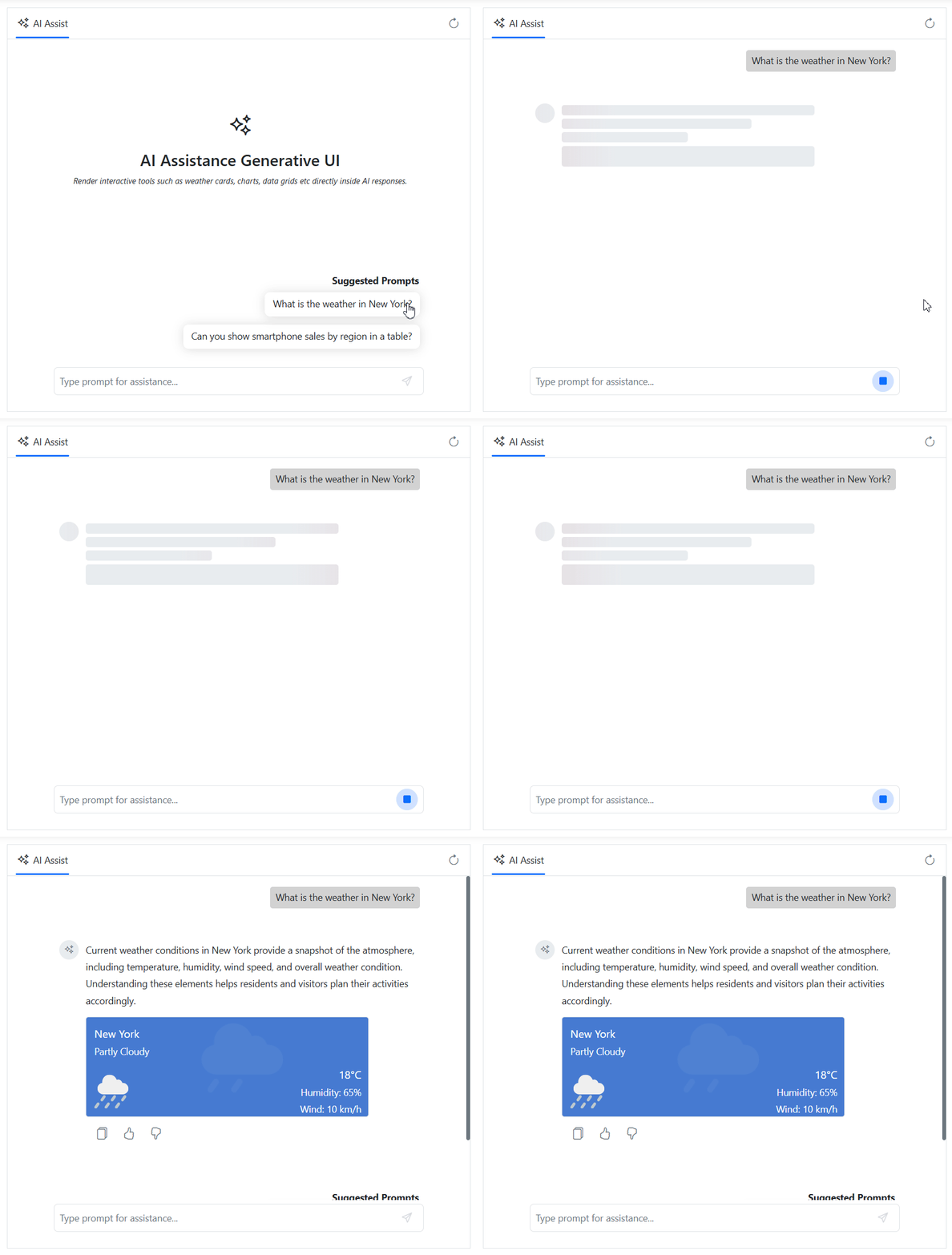
The AI AssistView provides a generative UI, enabling AI-generated responses to be displayed in a rich, interactive conversational experience. By combining structured content with actionable UI elements, it transforms traditional chat responses into dynamic, engaging interactions that improve usability and productivity.
Real-time AI insights
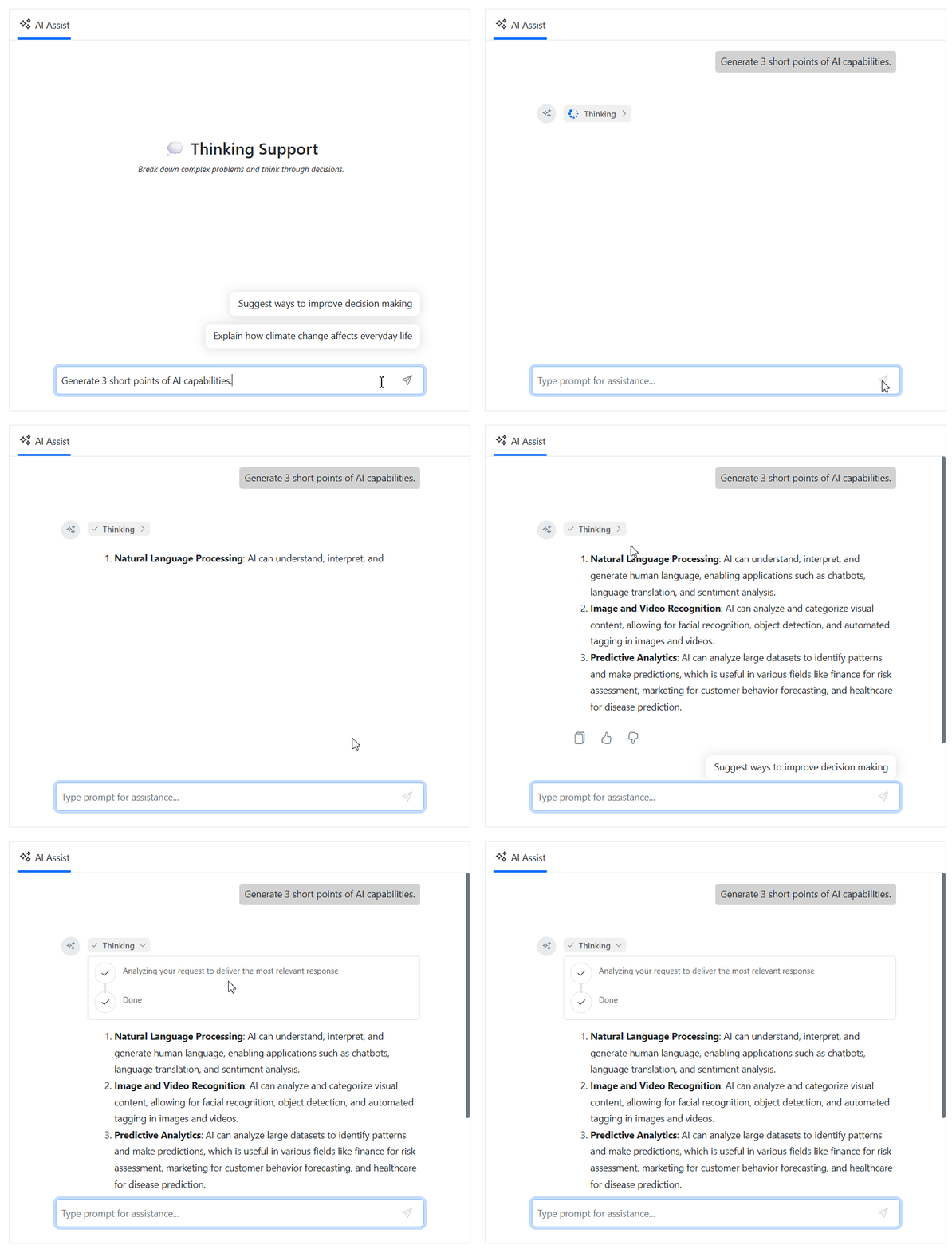
The thinking UI provides real-time visibility into the AI response generation process. By visualizing the stages of AI reasoning and execution, it creates a transparent, trustworthy experience that helps users better understand how responses are generated.
Built-in toolbars
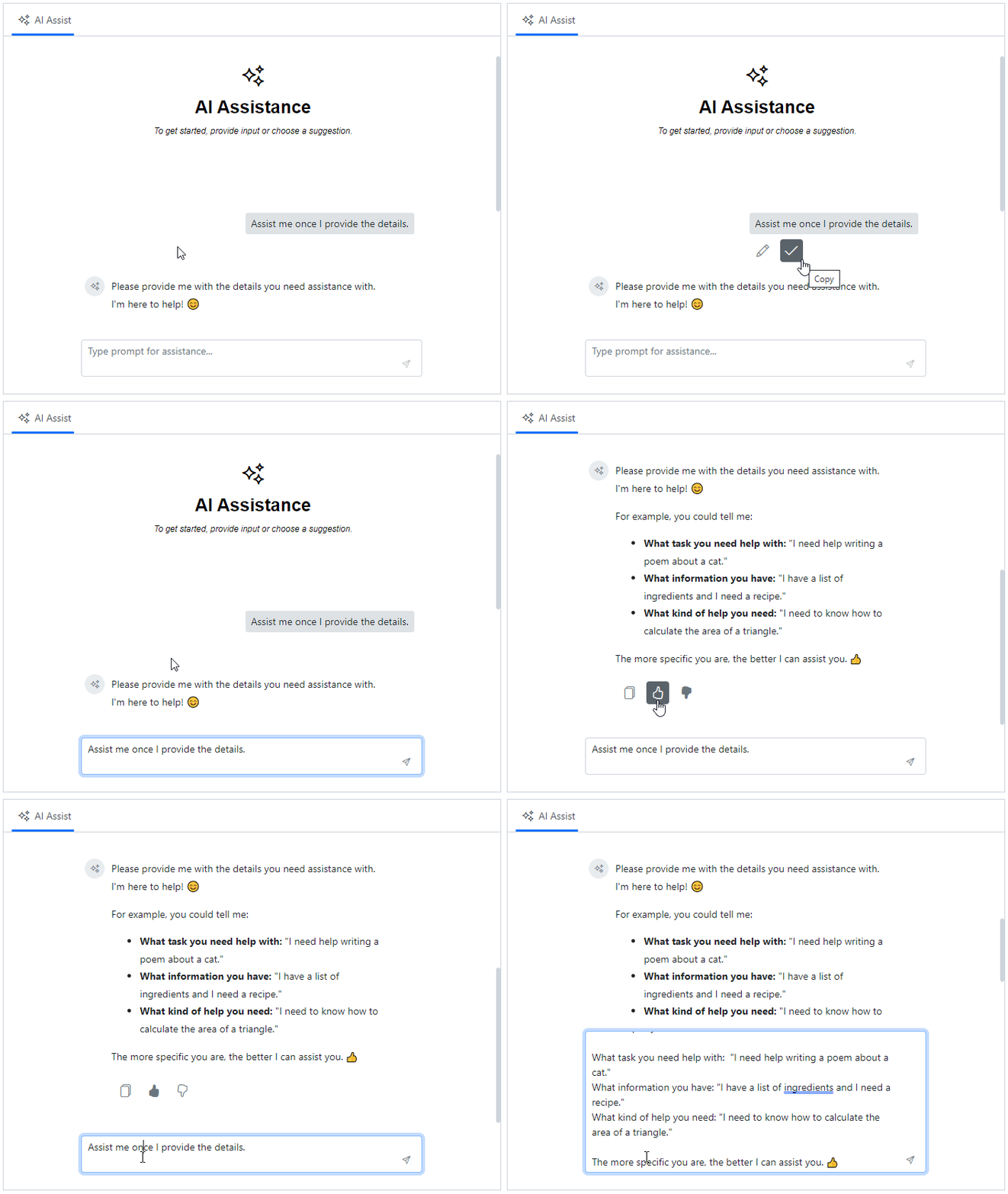
The AI AssistView offers predefined toolbar items, such as copy and edit for prompts and copy, like, and dislike for responses. These toolbars provide quick access to common actions, making interactions more efficient.
Prompt suggestions
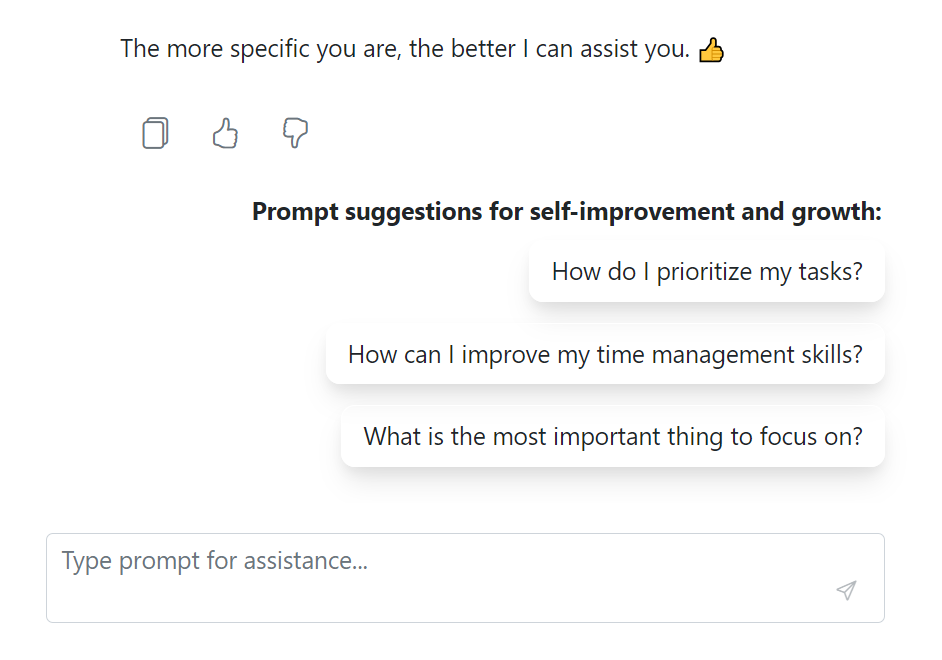
The AI AssistView provides options for both initial and on-demand prompt suggestions, helping users start or refine their prompts. Additionally, custom header can be set for suggestions, further enhancing the user experience.
Header toolbar
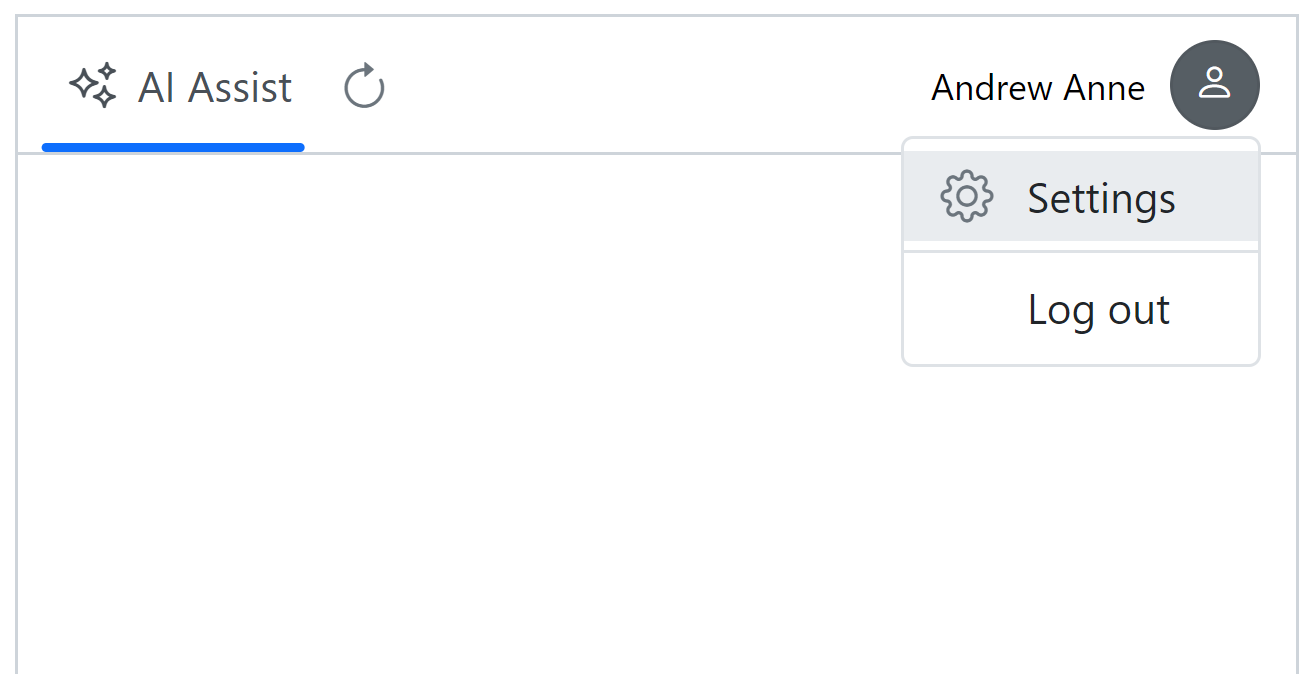
The Header toolbar enables the addition of custom items to the header area to execute commands such as reload, user settings, and more. It also supports the customization of toolbar items, including icon with text, alignment, and other options.
Footer toolbar
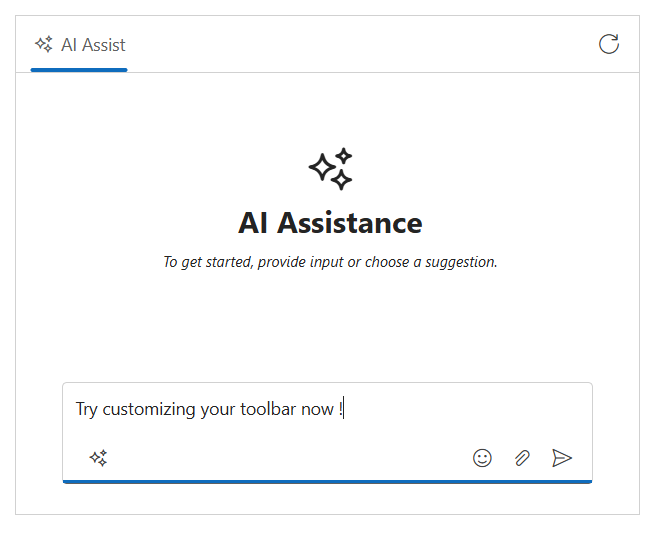
Customize built-in action icons such as send, attach, and clear by choosing between inline or bottom placement for a seamless fit in the layout.
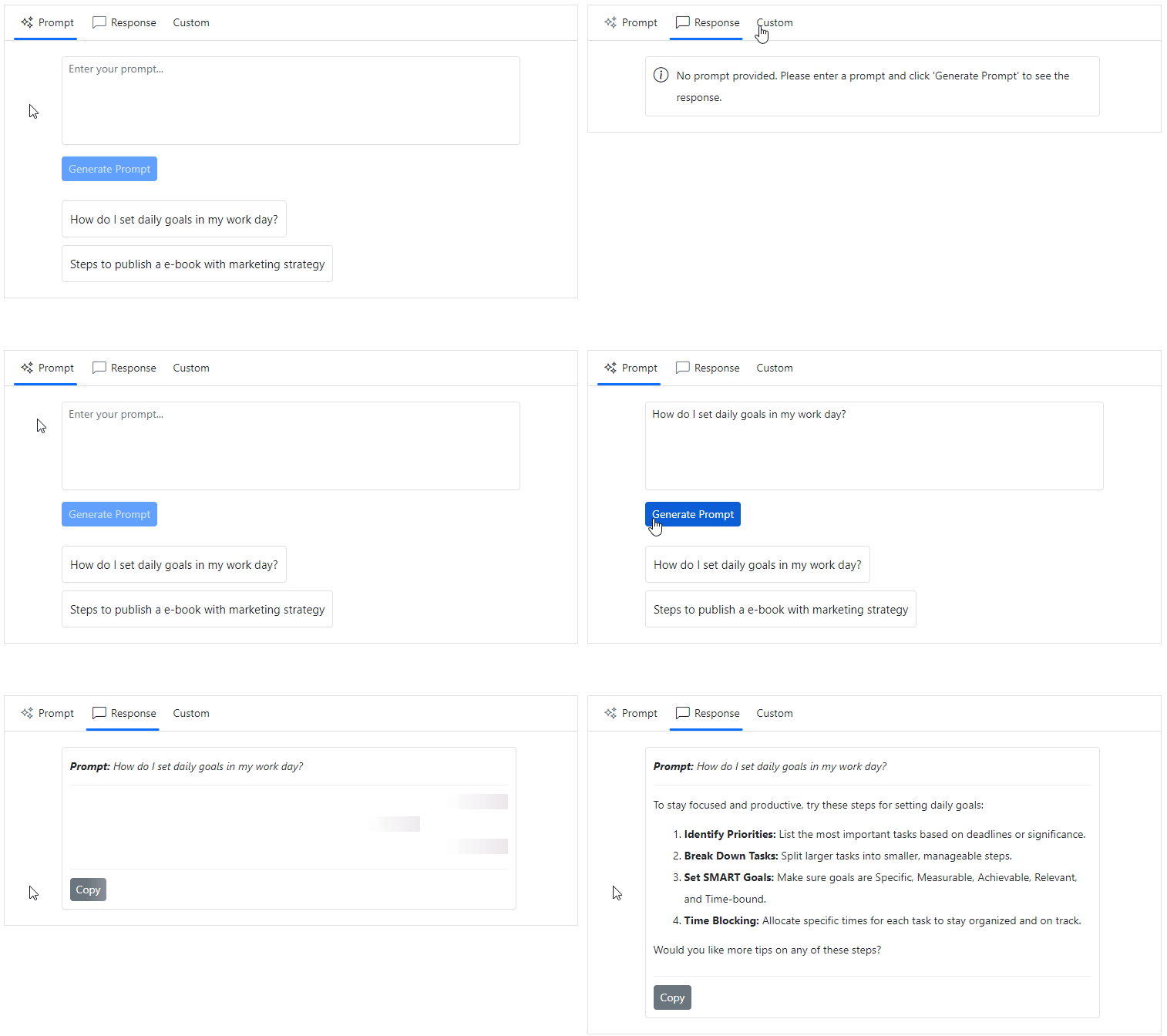
Custom views
Users can create custom views with or without the default assist view. This flexibility enables users to design personalized layouts with templated content to suit specific requirements.
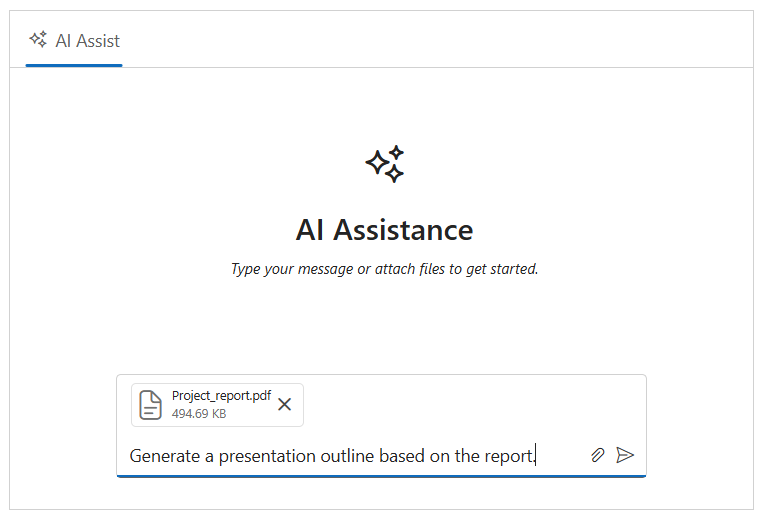
File attachments
Users can now attach files with file upload directly, along with the prompts, making interactions more informative and context-rich. Whether it’s documents, PDFs, or images, these attachments help provide additional background or reference material, enabling more accurate and relevant AI responses.
Templates
Supports templates for customizing the appearance of the banner content, prompts, responses, and more. These templates allows users to create a unique and highly personalized AI AssistView that integrates effortlessly into the applications.
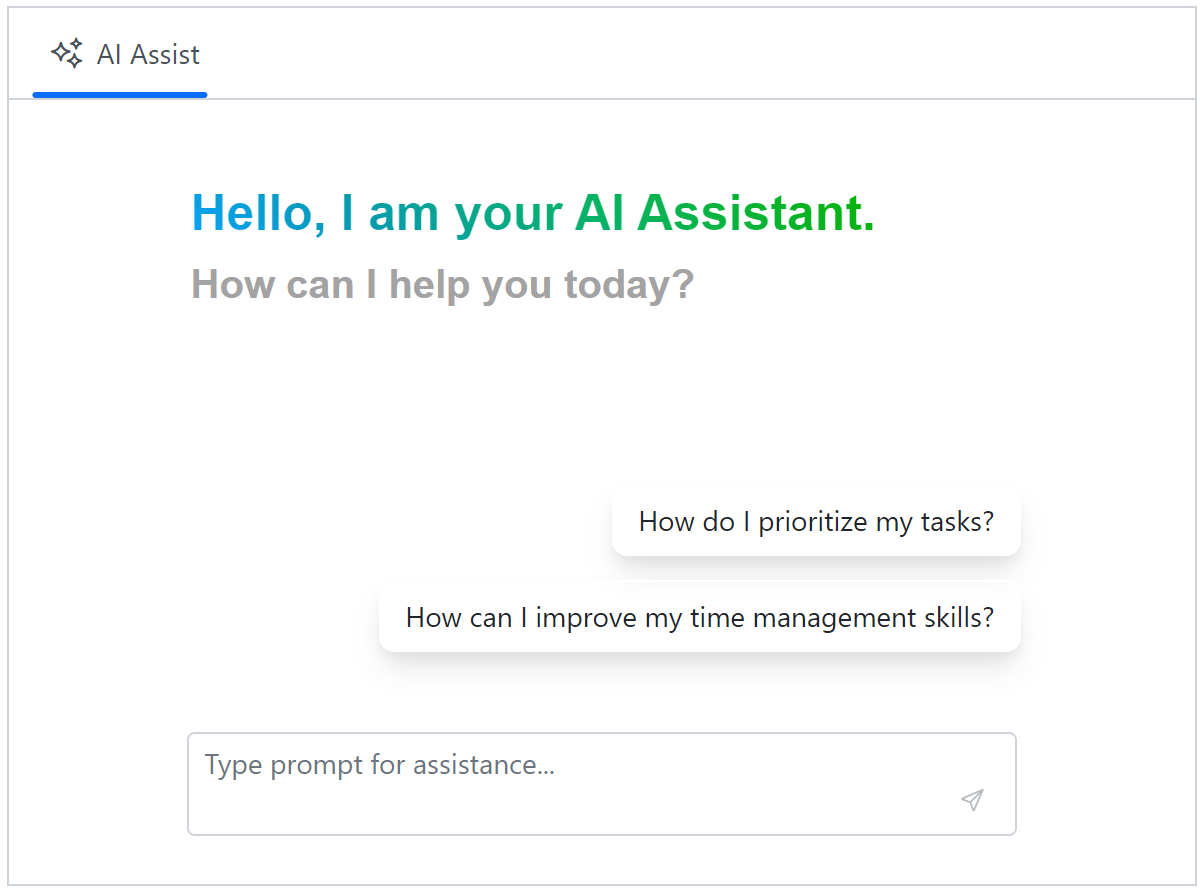
Banner template
Customize the banner content using a banner template to display additional information, such as a welcome note, an introduction to integrated AI services, and more. This banner is positioned at the top of the prompt and response conversation area within the AI AssistView.

Prompt response item template
Using templates for prompt and response items allows you to customize content, such as displaying the date and time of each entry, and adjusting avatar styling, and more. These templates provide more context for each prompt and response.
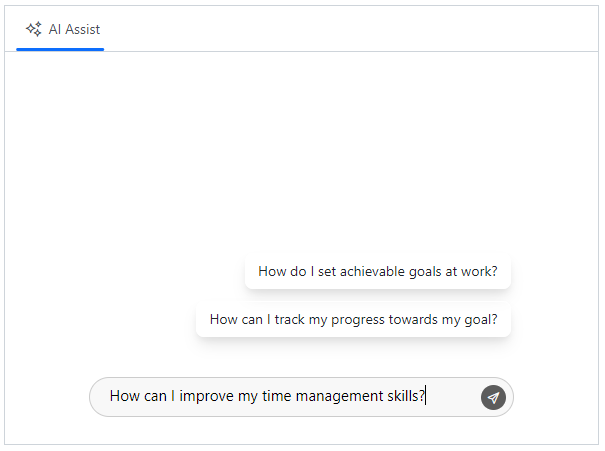
Footer template
Use the footer template to customize the default footer area and manage prompt request actions with a personalized design. This flexibility allows users to create unique footers that meet their specific needs and enhances the overall experience.
Built-in themes
The ASP.NET Core AI AssistView supports these built-in themes: Tailwind CSS, Bootstrap 5, Bootstrap 4, Bootstrap, Material, Fabric, Fluent, and high contrast. Users can customize these built-in themes or create new themes to achieve their desired look and feel by overriding SASS variables or using our Theme Studio application.
Accessibility
- Full support for WAI-ARIA accessibility practices for screen readers and assistive devices.
- UI visual elements such as foreground color, background color, line spacing, text, and images are designed based on WCAG 2.0 standards.
- Right-to-left (RTL) text direction can be set for users of RTL languages like Hebrew, Arabic, or Persian.
Developer-friendly APIs
The ASP.NET Core AI AssistView control offers APIs and templates for customizing its appearance and behavior. With these APIs, developers can create a unique and highly customized AI AssistView that fits seamlessly into their applications.
Other supported frameworks
The AI AssistView is available for the Blazor, React, Angular, JavaScript, and Vue frameworks. Explore its platform-specific options through the following links:
Supported browsers
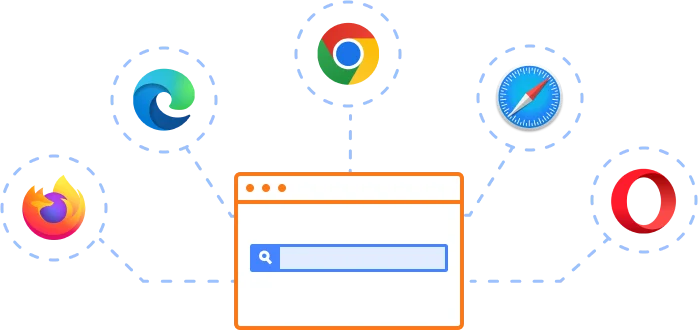
The ASP.NET Core AI AssistView works well with all modern web browsers, including Chrome, Firefox, Edge, Safari, and Opera.
Not sure how to create your first ASP.NET Core AI AssistView? Our documentation can help.
I’d love to read it now140+ ASP.NET CORE UI CONTROLS
SMART COMPONENTS
GRIDS
DATA VISUALIZATION
FILE VIEWERS & EDITORS
DROPDOWNS
NAVIGATION
INPUTS
BUTTONS
NOTIFICATION
INTERACTIVE CHAT
Standalone UI SDKs
Integrate the DataGrid, Chart, Scheduler, Gantt, Rich Text Editor, File Manager, and Diagram UI components into applications to enable rich interaction and visualization, delivering a seamless user experience.
Document Solutions
Integrate the PDF Viewer, DOCX Editor, Spreadsheet Editor, and document-processing libraries into the ASP.NET Core applications to enable a smooth user experience.
Frequently Asked Questions
Why should you choose Syncfusion ASP.NET Core AI AssistView?
The Syncfusion ASP.NET Core AI AssistView offers the following features:
- Provides an easy way to integrate AI into your applications.
Built-in toolbars with predefined items like copy, edit, and like/dislike for easy interaction with prompts and responses.
Initial or on-demand prompt suggestions with a customizable header.
- Allows the addition of custom items to the header area to execute commands, such as reload and user settings, with customizable toolbar items.
- Extensive customization options for creating personalized views in addition to the built-in assist view.
Templates for customizing the appearance of banner content, prompts, responses, and more, allowing for a unique and highly personalized AI AssistView.
- Simple configuration and APIs.
- Supports all modern browsers.
Extensive demos and documentation to let you get started quickly with the ASP.NET Core AI AssistView.
Where can I find the Syncfusion ASP.NET Core AI AssistView demo?
You can find our ASP.NET Core AI AssistView demo, which demonstrates how to render and configure the AI AssistView.
Can I download and utilize the Syncfusion ASP.NET Core AI AssistView for free?
No, this is a commercial product and requires a paid license. However, a free community license is also available for companies and individuals whose organizations have less than $1 million USD in annual gross revenue, 5 or fewer developers, and 10 or fewer total employees.
How do I get started with Syncfusion ASP.NET Core AI AssistView?
A good place to start would be our comprehensive getting started documentation.
Our Customers Love Us
Having an excellent set of tools and a great support team, Syncfusion® reduces customers’ development time.Here are some of their experiences.

Great and flexible controls to build web applications
Controls meet specifications to develop web applications (ASP.NET MVC and Core in my case) and provide a lot of features to develop world-class software. There are options for other frameworks/platforms. Support is excellent which makes me feel very confident when facing trouble, they provide answers in 24 hours. Support team will make a big effort to solve your issues and they are ready for a phone call and to remotely connect to your PC.

Jorge M,

Founder and Software Architect, Small-Business
Great tool, saves alot of time, and great support
Syncfusion really makes it simple to implement features that would take a ton of time and effort to create. When you're building your site, the UI can take a ton of time away from building the core app. With Syncfusion's tools it reduces that effort significantly so you can get back to building the core elements.

Walter T,
Founder, Small-Business
See Real Success Stories
Developers around the world trust Syncfusion’s Essential Studio to simplify complex projects and speed up delivery. With a vast library of UI controls, powerful SDKs, and reliable support, Essential Studio helps teams build enterprise-ready applications with confidence.
Read Our Customer StoriesIndustry
Software development
75% Cost reduction
50% Faster development
Industry
Utilities (oil and gas)

450+ hours saved
Streamlined processes and hours of development effort saved.

Advanced, flexible features
Empowered users through robust and versatile functionality.
Industry
Software and technology
1000+ of hours saved
Accelerated development with enterprise-ready UI components.

Efficient file management
Streamlined workflows with document libraries without building them from scratch.
Industry
Software and technology

2 Years of delay avoided
Two years of delays prevented with proactive planning.

On-time delivery
Projects delivered on schedule using trusted controls.
Industry
IT services and IT consulting

Improved performance
Large datasets handled with easy customization and quick debugging.

Highly customizable
Plug-and-play controls with quick template integration.
Industry
Professional services
Instant access
Quick availability of features and resources.
Reduced dependencies
Fewer dependencies for faster development.
Rated by users across the globe
Syncfusion ASP.NET Core Resources
Learning
 Documentation
 Documentation


Awards
Greatness—it’s one thing to say you have it, but it means more when others recognize it. Syncfusion® is proud to hold the following industry awards.









