Overview
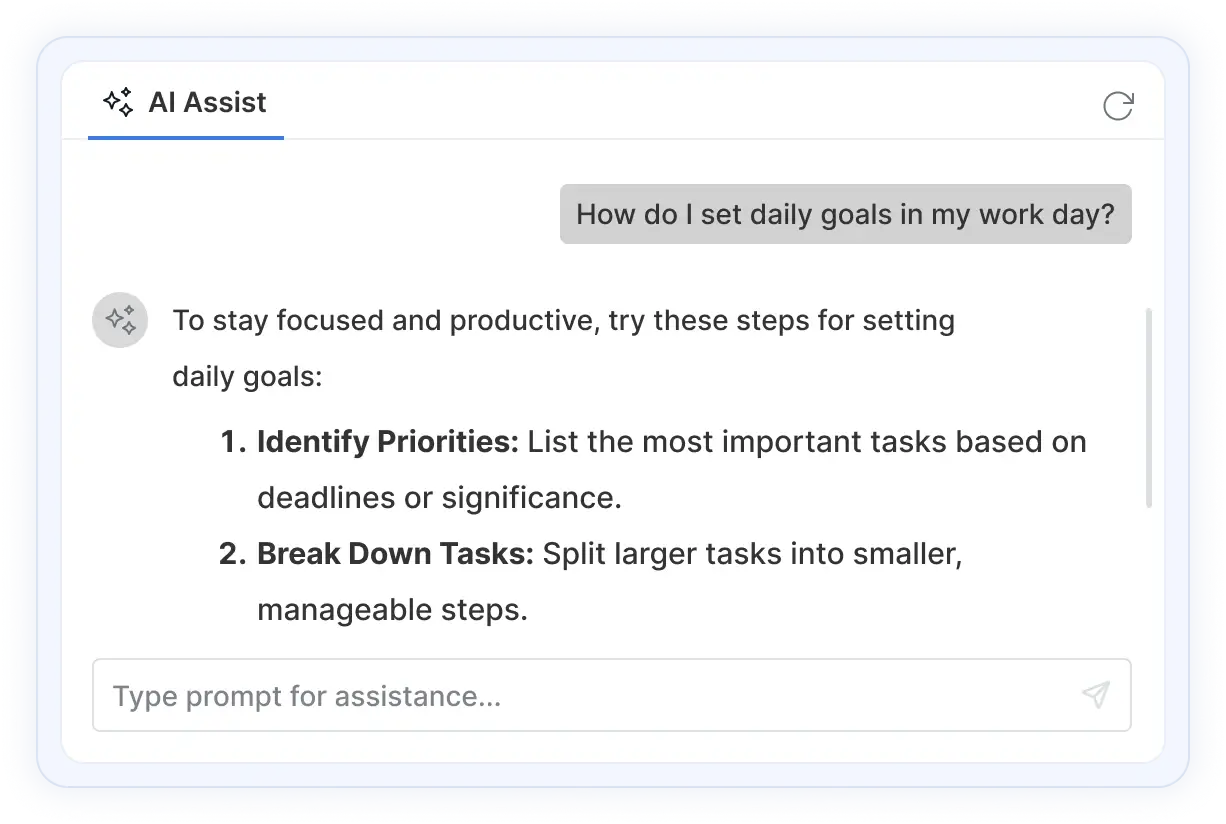
The Angular AI AssistView is a versatile and modern UI component that seamlessly integrates generative AI services into the web applications. It enables users to send prompts, execute commands through a feature-rich toolbar, and display AI-generated responses.

Angular AI AssistView code example
Get started with the Angular AI AssistView using a few simple lines of TSX code as shown below. Also, explore our Angular AI AssistView Example which shows you how to render and configure a AI AssistView in Angular.
import { AIAssistViewComponent, PromptRequestEventArgs } from '@syncfusion/ej2-react-interactive-chat';
import './App.css';

function App() {
  const promptRequest = (args: PromptRequestEventArgs) => {
    args.response = `Response for: ${args.prompt}`;
  };
 return (
    <AIAssistViewComponent promptRequest={promptRequest}/>
  );
};
export default App;
Interactive AI responses
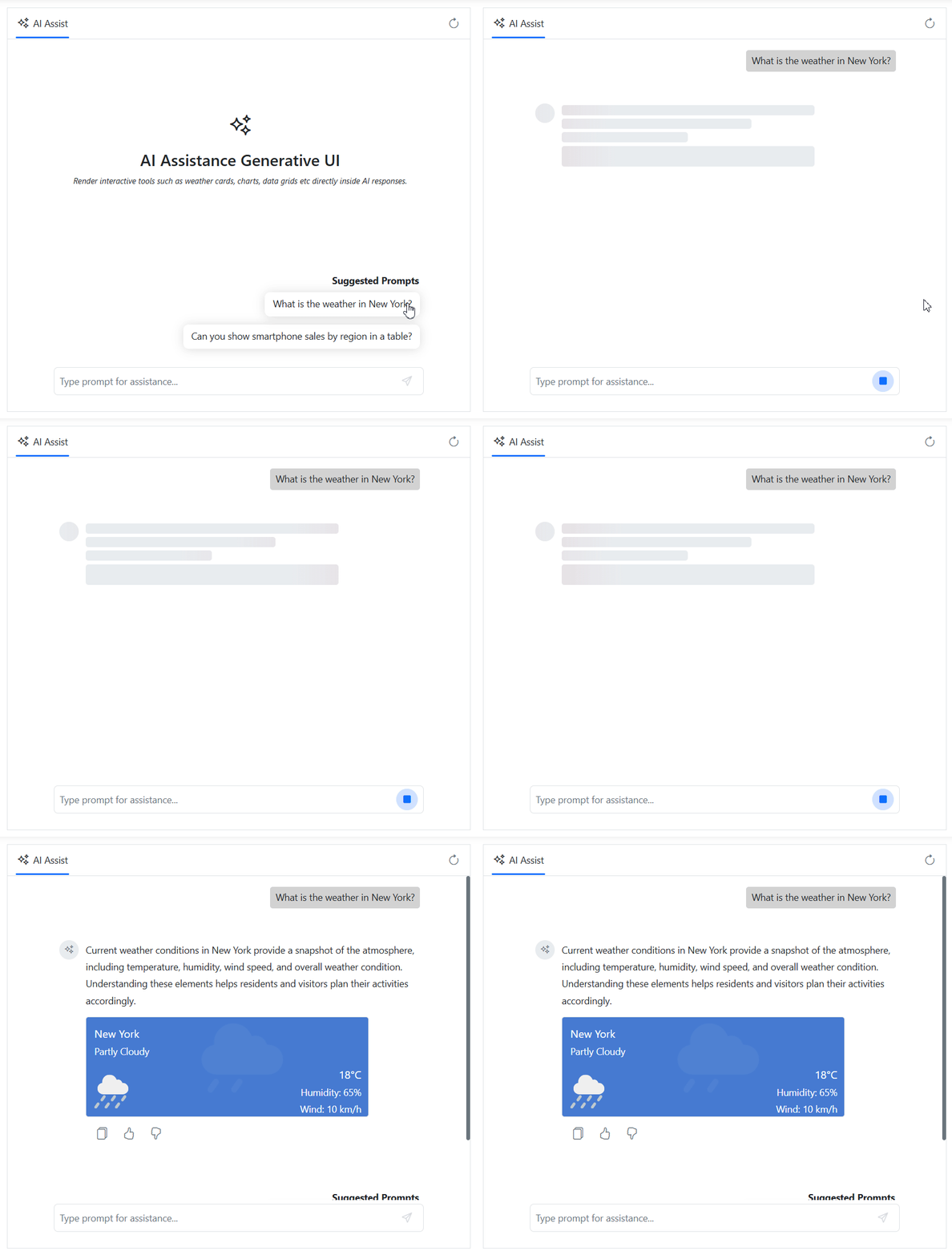
The AI AssistView provides a generative UI, enabling AI-generated responses to be displayed in a rich, interactive conversational experience. By combining structured content with actionable UI elements, it transforms traditional chat responses into dynamic, engaging interactions that improve usability and productivity.
Real-Time AI insights
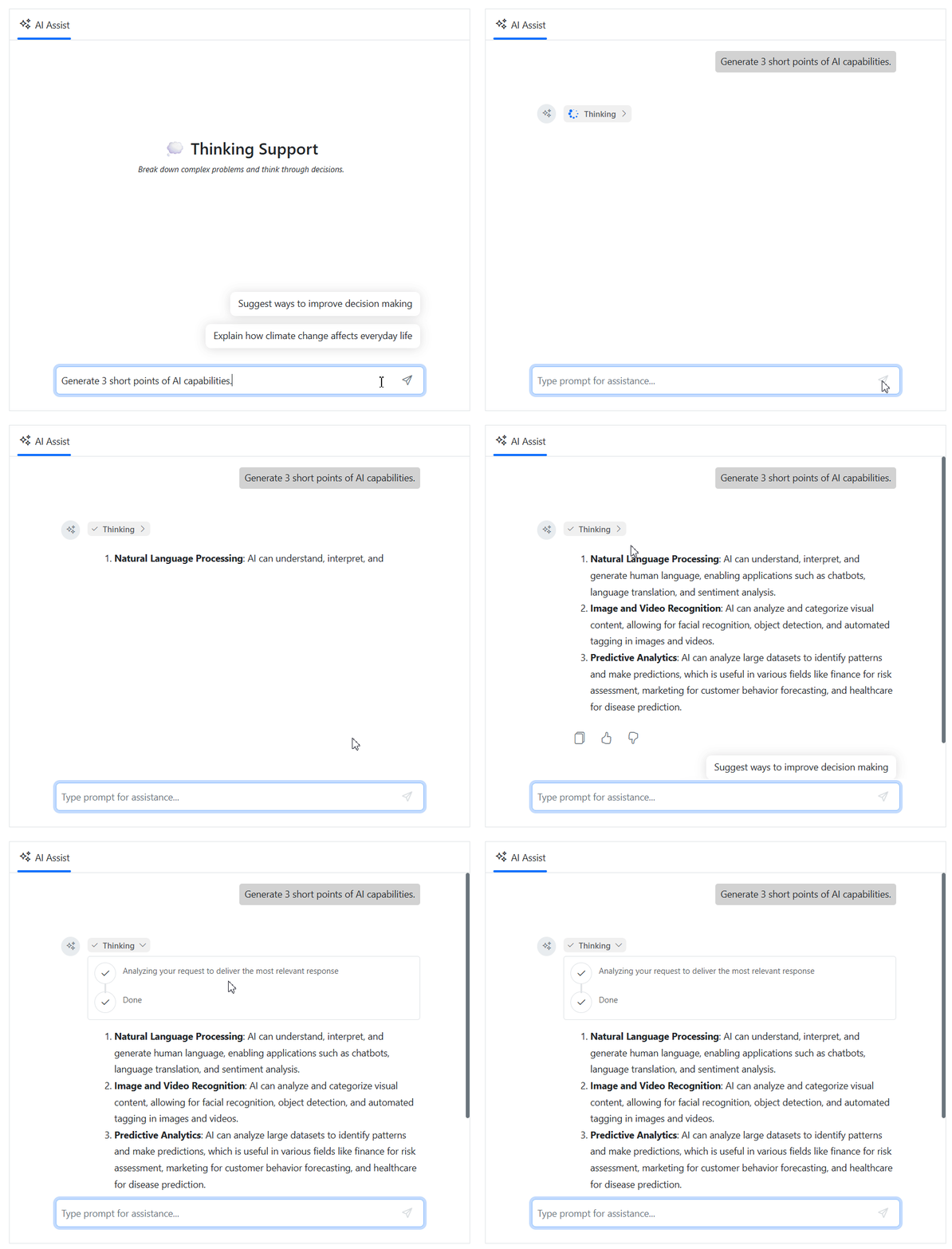
The thinking UI provides real-time visibility into the AI response generation process. By visualizing the stages of AI reasoning and execution, it creates a transparent, trustworthy experience that helps users better understand how responses are generated.
Built-in toolbars
The AI AssistView offers predefined toolbar items, such as copy and edit for prompts and copy, like, and dislike for responses. These toolbars provide quick access to common actions, making interactions more efficient.

Prompt suggestions
The AI AssistView provides options for both initial and on-demand prompt suggestions, helping users start or refine their prompts. Additionally, custom header can be set for suggestions, further enhancing the user experience.


Header toolbar
The Header toolbar enables the addition of custom items to the header area to execute commands such as reload, user settings, and more. It also supports the customization of toolbar items, including icon with text, alignment, and other options.
Footer toolbar
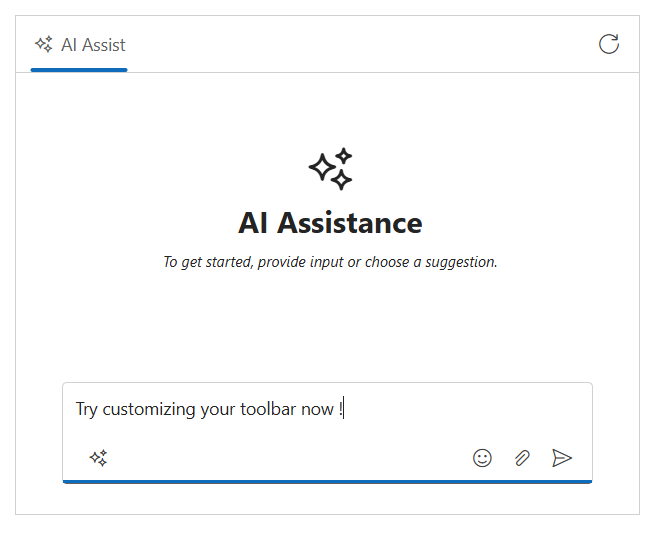
The footer toolbar lets you customize built-in action icons like send, attach, and clear with your own actions to choose between inline or bottom placement for a seamless fit in the layout.
Custom views
Users can create custom views with or without the default assist view. This flexibility enables users to design personalized layouts with templated content to suit specific requirements.

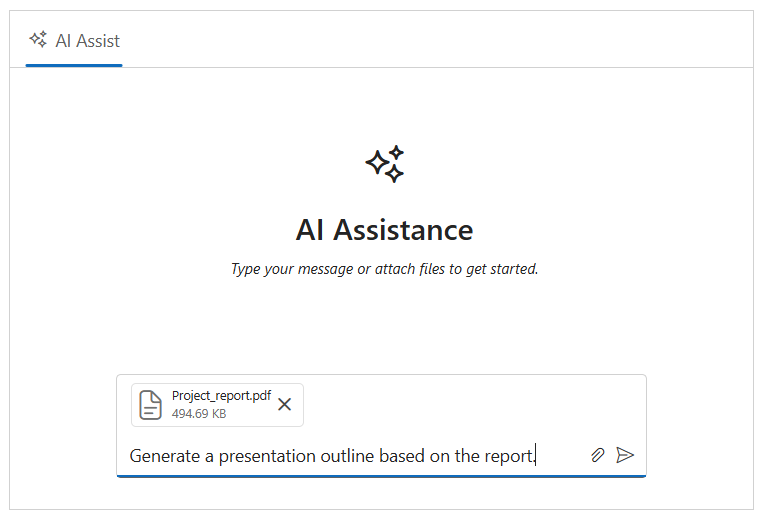
File attachments
Users can now attach files with file upload directly, along with the prompts, making interactions more informative and context-rich. Whether it’s documents, PDFs, or images, these attachments help provide additional background or reference material, enabling more accurate and relevant AI responses.
Templates
Supports templates for customizing the appearance of the banner content, prompts, responses, and more. These templates allows users to create a unique and highly personalized AI AssistView that integrates effortlessly into the applications.
Banner template
Customize the banner content using a banner template to display additional information, such as a welcome note, an introduction to integrated AI services, and more. This banner is positioned at the top of the prompt and response conversation area within the AI AssistView.


Prompt response item template
Using templates for prompt and response items allows you to customize content, such as displaying the date and time of each entry, and adjusting avatar styling, and more. These templates provide more context for each prompt and response.
Footer template
Use the footer template to customize the default footer area and manage prompt request actions with a personalized design. This flexibility allows users to create unique footers that meet their specific needs and enhances the overall experience.

Built-in themes
The Angular AI AssistView supports these built-in themes: Tailwind CSS, Bootstrap 5, Bootstrap 4, Bootstrap, Material, Fabric, Fluent, and high contrast. Users can customize these built-in themes or create new themes to achieve their desired look and feel by overriding SASS variables or using our Theme Studio application.
Accessibility
- Full support for WAI-ARIA accessibility practices for screen readers and assistive devices.
- UI visual elements such as foreground color, background color, line spacing, text, and images are designed based on WCAG 2.0 standards.
- Right-to-left (RTL) text direction can be set for users of RTL languages like Hebrew, Arabic, or Persian.
Developer-friendly APIs
The Angular AI AssistView component offers APIs and templates for customizing its appearance and behavior. With these APIs, developers can create a unique and highly customized AI AssistView that fits seamlessly into their applications.
AI-assisted development
Build feature-rich Angular AI AssistView experiences faster
Accelerate conversational AI interface development with Syncfusion AI tools that turn requirements into fully configured assistant experiences with minimal setup.
Agentic UI Builder
Turn prompts into ready-to-use UI screens, layouts, and workflows with Syncfusion Angular components.
Example Prompt Create an AI support assistant interface with prompt suggestions and response templates.
Agent Skills
Accelerate development with Syncfusion AI Agent Skills for faster implementation and integration.
Example Prompt Generate an AI assistant interface with prompt history and response templates.
MCP Server
Accelerate development with AI that generates, configures, and troubleshoots component code directly in your IDE.
Example Prompt Show how to integrate AI responses with the Syncfusion Angular AI AssistView.
Frequently Asked Questions
What is the Angular AI AssistView component used for in Angular apps?
The Syncfusion Angular AI AssistView component provides a modern UI for sending prompts and displaying AI generated responses. It helps integrate generative AI services into Angular apps through features like toolbars, prompt suggestions, and real time streaming responses.
How can I customize the UI of the Angular AI AssistView component?
AI AssistView supports extensive customization, including banner templates, prompt suggestions, header toolbars, placeholder text, and fully customized views for prompts and responses. You can style it further by applying Syncfusion themes or custom CSS.
How do I add streaming AI replies in the Angular AI AssistView control?
Syncfusion Angular AI AssistView supports real time streaming responses. You can simulate or implement streaming by repeatedly sending partial responses to the component from your LLM backend as they become available.
How do I secure API keys when using AI AssistView components in Angular?
You must never expose API keys in frontend code. Instead, route all LLM requests through a secure backend server or environment protected API endpoint. The component triggers prompt events, and your backend handles authentication and AI requests safely.
How do I bind external data or workflows to the Angular AI AssistView?
By using promptRequest handlers, you can connect user prompts to any external workflow APIs, databases, automation processes, or business logic and return AI generated or system generated responses back into the UI.
How do I integrate the Angular AI AssistView with an LLM backend?
You can connect AssistView to any generative AI/LLM service (such as OpenAI or Azure OpenAI) by handling the promptRequest event. In this event, you send the user prompt to your backend or AI API, then pass the generated response back to the component using addPromptResponse().
How do I handle prompts and responses in the Angular AI AssistView component?
Use the promptRequest callback to intercept user prompts. From there, you can trigger API calls, run workflows, or generate responses. The Angular AI Assist stores all prompts and generated responses in its prompts collection for easy access to conversation history.
Can I build a smart assistant component in Angular using AI AssistView?
Yes. The Syncfusion Angular AI AssistView is designed exactly for this providing a structured UI for chat style interactions, handling prompts, integrating AI services, and enabling dynamic responses to build intelligent assistant features.
Does the Angular AI AssistView component support role based messages?
Yes. You can configure prompts, initial messages, and system like responses using predefined prompt collections or by injecting your own conversation history before rendering. This allows role based or context aware interactions.
How can I optimize performance when using an AI AssistView component in Angular?
Ensure efficient rendering by using async prompt handling, avoiding unnecessary state updates, using memoized Syncfusion Angular AI AssistView, and streaming responses instead of large payloads. Syncfusion’s lightweight architecture also helps reduce component overhead.
Trusted by the world’s leading companies

Our Customers Love Us




Transform your applications today by downloading our free evaluation version
No credit card required | 44K+ downloads
Syncfusion Angular AI AssistView Resources


 Figma Download
140+ ANGULAR UI COMPONENTS
Standalone UI SDKs
Integrate the DataGrid, Chart, Scheduler, Gantt, Rich Text Editor, File Manager, and Diagram UI components into applications to enable rich interaction and visualization, delivering a seamless user experience.
Document Solutions
Integrate the PDF Viewer, DOCX Editor, Spreadsheet Editor, and document-processing libraries into the Angular applications to enable a smooth user experience.







