Basic charts
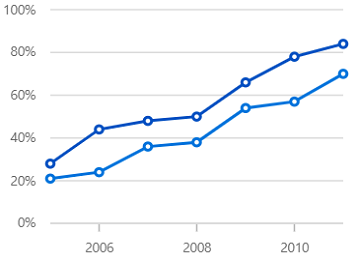
Line chart
Visualize time-dependent data to show trends at equal intervals.

Bar chart
Compare values across categories by using horizontal bars.

Column chart
Compare values across categories by using vertical bars.
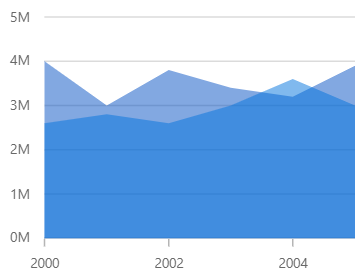
Area chart
Looks like line chart, but the area below the line is filled.
Correlation charts

Scatter chart
Scatter plot or scatter chart plots data with two numeric parameters.

Bubble chart
Visualize data with three numeric parameters. The size of the bubbles depends on the third parameter.
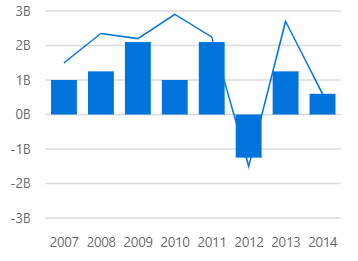
Combination chart/Mixed chart
Combines two or more chart types in a single chart.
Circular charts

Pie chart
Displays proportions and percentages of different categories.

Doughnut chart
Like the pie chart, but with an open space at the center. Intended for comparing the contribution of each data point to the whole.

Radial bar chart
Renders circular bars and compares it between various categories.
Triangular charts

Pyramid chart
Represent hierarchies visually in a pyramid-like structure that shows proportions of the total.

Funnel chart
Plots streamlined data to show various stages in a process.
Spline charts

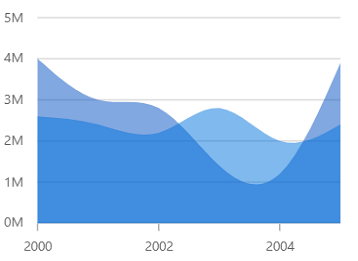
Spline area chart
Like the area chart, but with the data points connected with a smooth line.
Step charts

Step line chart
Data points are connected through vertical and horizontal lines to show step-like progress.

Step area chart
Like the step line chart, but with the areas connected with lines shaded.
Stacked charts

Stacked Line chart
Like the Line chart, but with the data points stacked on top of each other
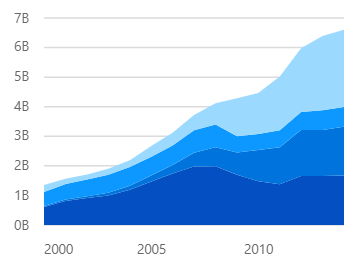
Stacked area chart
Like the area chart, but with the data points stacked on top of each other.

Stacked bar chart
Plots data points on top of each other using horizontal bars.
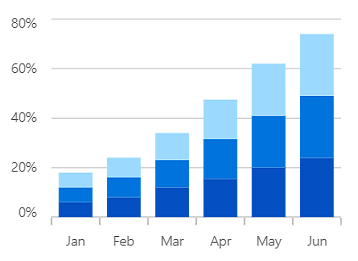
Stacked column chart
Plots data points on top of each other using vertical bars.

100% Stacked line chart
Shows the relative percentage of multiple data series in stacked lines. The cumulative proportion of each stacked line always totals 100%.

100% Stacked area chart
Shows the relative percentage of multiple data series in stacked areas. The cumulative proportion of each stacked area always totals 100%.
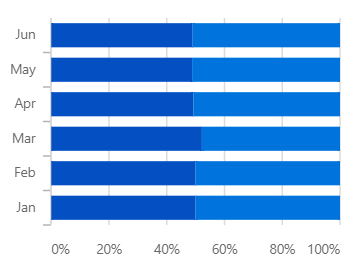
100% Stacked bar chart
Shows the relative percentage of multiple data series in stacked bars. The cumulative proportion of each stacked bar always totals 100%.
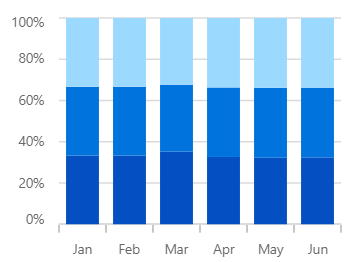
100% Stacked column chart
Shows the relative percentage of multiple data series in stacked columns. The cumulative proportion of each stacked column always totals 100%.
Range charts
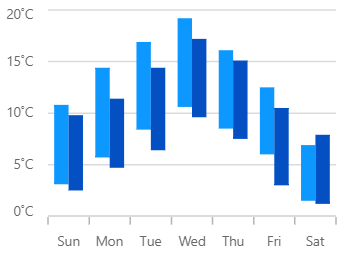
Range column chart
Shows variations in the data values for a given time. The area between the high and low range is filled.
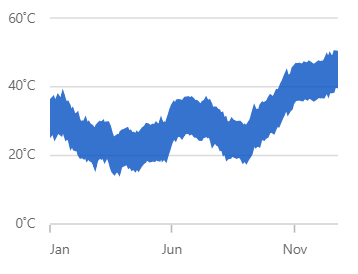
Range area chart
Shows variations in the data values for a given time. The area between the high and low range is filled.
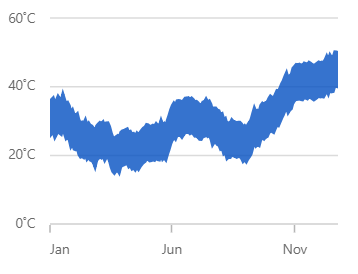
Spline range area chart
Shows variations in the data values for a given time. The area between the high and low range is filled.
Financial charts

Hilo chart
Shows variations in the data values for a given time. The area between the high and low range is filled.
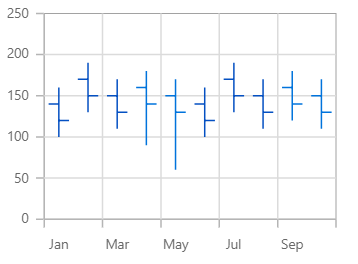
OHLC chart
Shows variations in the data values for a given time. The area between the high and low range is filled.
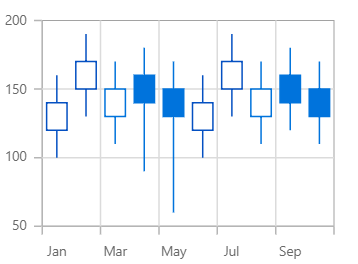
Candle chart
Shows variations in the data values for a given time. The area between the high and low range is filled.
Distribution charts
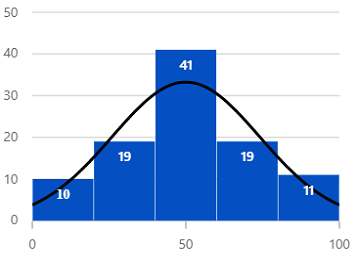
Histogram chart
Visualize the frequency distribution of data over a certain time period.
Other charts

Waterfall chart
Explain gradual changes in the quantitative value of an entity that is subject to change by increments or decrements.

Box and Whisker chart
Visualize a group of numerical data through its quartiles.

Error bar chart
Shows the errors or ambiguity in a reported measurement and offers an extensive notion of how far away the real value is from the reported value.
Our Customers Love Us




See Real Success Stories
Developers around the world trust Syncfusion’s Essential Studio to simplify complex projects and speed up delivery. With a vast library of UI controls, powerful SDKs, and reliable support, Essential Studio helps teams build enterprise-ready applications with confidence.
Read Our Customer StoriesIndustry
Software development
75% Cost reduction
50% Faster development

Industry
Utilities (oil and gas)

450+ hours saved
Streamlined processes and hours of development effort saved.

Advanced, flexible features
Empowered users through robust and versatile functionality.
Industry
Software and technology
1000+ of hours saved
Accelerated development with enterprise-ready UI components.

Efficient file management
Streamlined workflows with document libraries without building them from scratch.
Industry
Software and technology

2 Years of delay avoided
Two years of delays prevented with proactive planning.

On-time delivery
Projects delivered on schedule using trusted controls.
Industry
IT services and IT consulting

Improved performance
Large datasets handled with easy customization and quick debugging.

Highly customizable
Plug-and-play controls with quick template integration.
Industry
Professional services
Instant access
Quick availability of features and resources.
Reduced dependencies
Fewer dependencies for faster development.







