






Transform your applications today by downloading our free evaluation version
JavaScript Data Grid overview
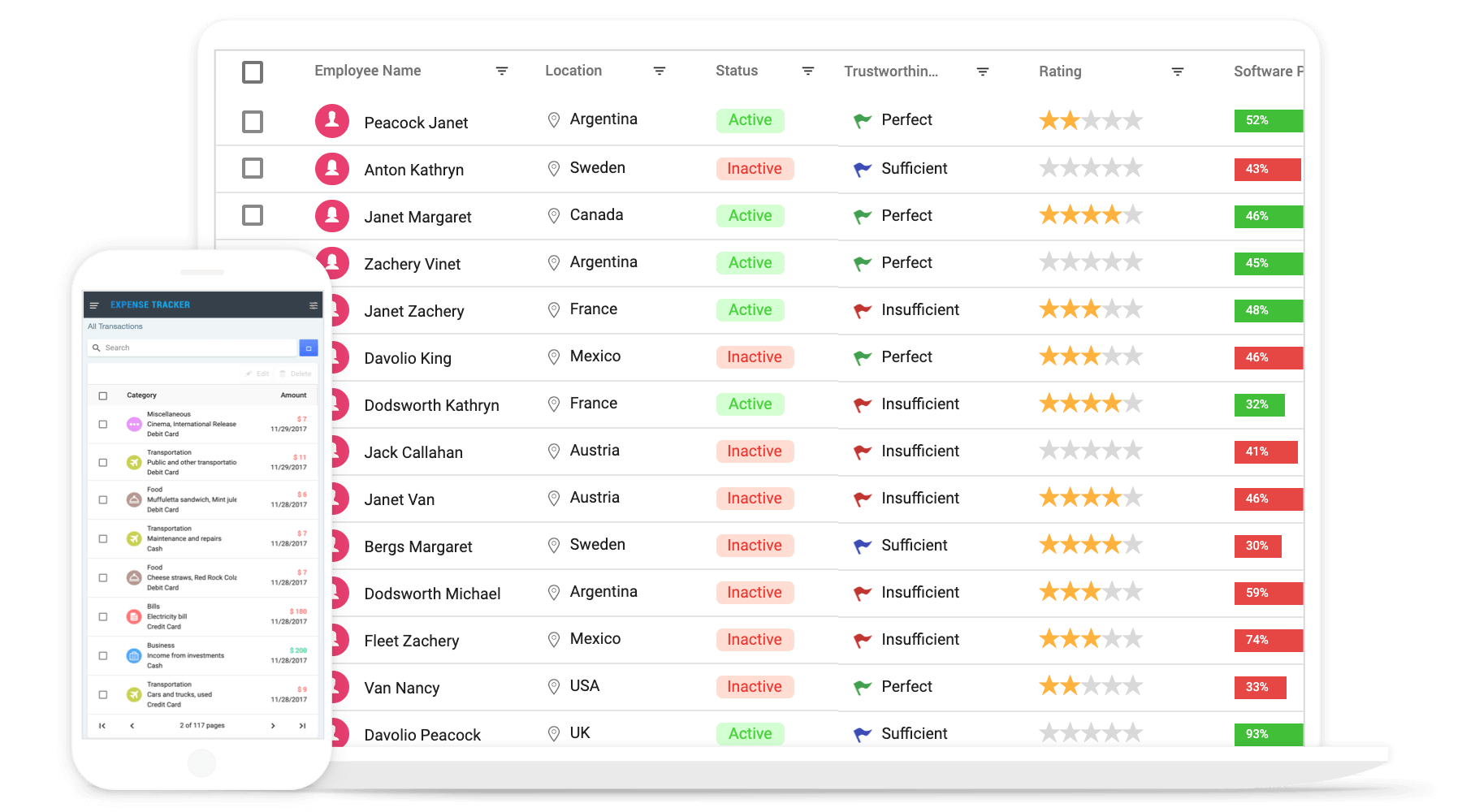
The JavaScript Data Grid is a high-performance data table component for displaying and managing tabular data in JavaScript applications. It supports local and remote data binding, inline and dialog editing, sorting, Excel-like filtering, paging, grouping, aggregation, column customization, and row selection. Developers can also export grid data to Excel, CSV, and PDF.
Why Choose the Syncfusion JavaScript Data Grid Component?
High performance
Render and interact with large datasets smoothly using row and column virtualization. The JavaScript Data Grid is optimized for fast loading, scrolling, sorting, filtering, and real-time data updates.
Seamless data binding
Bind the Data Grid to local or remote data sources, including JSON, REST APIs, OData, and custom services. Use the built-in DataManager to handle querying, data operations, and communication with remote endpoints.
Adapts to any resolution
The DataGrid has a highly responsive layout and an optimized design for desktops, tablets, and smartphones. It works well on all mobile phones that use iOS, Android, or Windows OS.
Flexible editing
The Data Grid supports create, read, update, and delete (CRUD) operations with business objects or remote data services using a data manager.
AI-Assisted Development
Build sophisticated grid experiences faster with the Agentic UI Builder and Syncfusion Agent Skills. Generate layouts, column configurations, filtering, CRUD workflows, and dashboard interfaces with minimal manual effort.
Attractive, customizable themes
The control has a cutting-edge design with multiple built-in themes: Fluent, Tailwind CSS, Bootstrap, Material, Fabric, and more. Utilize the online Theme Studio tool to customize themes easily.
Easy export and printing
Export the DataGrid in various file formats, including Excel, PDF, and CSV. Print all the rows, regardless of the number of pages, as well as just the currently viewed page.
Globalization and localization
Users from different locales can use the DataGrid by formatting dates, currency, and numbering to suit preferences.
AI-assisted development
Build feature-rich JavaScript Data Grid experiences faster
Accelerate grid development with Syncfusion AI tools that turn requirements into fully configured datagrid experiences with minimal manual setup.
Agent Skills
Accelerate development with Syncfusion AI Agent Skills for faster implementation and integration.
Example Prompt Generate a JavaScript Data Grid with grouping, Excel-style filtering, toolbar actions, and PDF export.
MCP Server
Accelerate development with AI that generates, configures, and troubleshoots component code directly in your IDE.
Example Prompt Show how to bind remote data and enable virtualization in the Syncfusion JavaScript Data Grid.
AI-ready grid for quick trend analysis
Power up your JavaScript applications with a DataGrid that’s ready for AI features. Enable semantic search and anomaly detection to deliver intelligent data insights.
-
Semantic search: Add natural language processing (NLP) support to let users search using natural language instead of exact terms.
- See how to add semantic search.
-
Anomaly detection: Use machine learning to detect outliers and improve data quality.
- See how to add anomaly detection.
JavaScript Data Grid code example
Add the JavaScript Data Grid component to your application with a few lines of HTML and JavaScript. The following example demonstrates how to bind a data source and configure columns.
<div class="control-section">
    <div class="content-wrapper">
        <div id="Grid">
        </div>
    </div>
</div>
import { loadCultureFiles } from '../common/culture-loader';
import { Grid, Selection } from '@syncfusion/ej2-grids';
import { Query, DataManager } from '@syncfusion/ej2-data';
import { orderData } from './data-source';
Grid.Inject(Selection);
/**
* Default DataGrid sample
*/
loadCultureFiles();
let data: Object = new DataManager(orderData as JSON[]).executeLocal(new Query().take(15));
let grid: Grid = new Grid(
{
dataSource: data,
columns: [
{ field: 'OrderID', headerText: 'Order ID', width: 120, textAlign: 'Right' },
{ field: 'CustomerName', headerText: 'Customer Name', width: 150 },
{ field: 'OrderDate', headerText: 'Order Date', width: 130, format: 'yMd', textAlign: 'Right' },
{ field: 'Freight', width: 120, format: 'C2', textAlign: 'Right' },
{ field: 'ShippedDate', headerText: 'Shipped Date', width: 140, format: 'yMd', textAlign: 'Right' },
{ field: 'ShipCountry', headerText: 'Ship Country', width: 150 }
]
});
grid.appendTo('#Grid');
Skeleton loading indicator
The DataGrid shows an effect as a loading indicator while fetching data and binding it to the grid during initial rendering, refreshing, or after performing grid actions like sorting. It offers two types of loading indicator effects: spinner and shimmer.
Adaptive UI layout
The DataGrid user interface was customized and redesigned for great views and usability on small screens. Its features include filter, sort, search, column chooser, column menu, pager dropdown, and edit dialogs that are adaptive to the screen size and render row elements vertically.
Columns
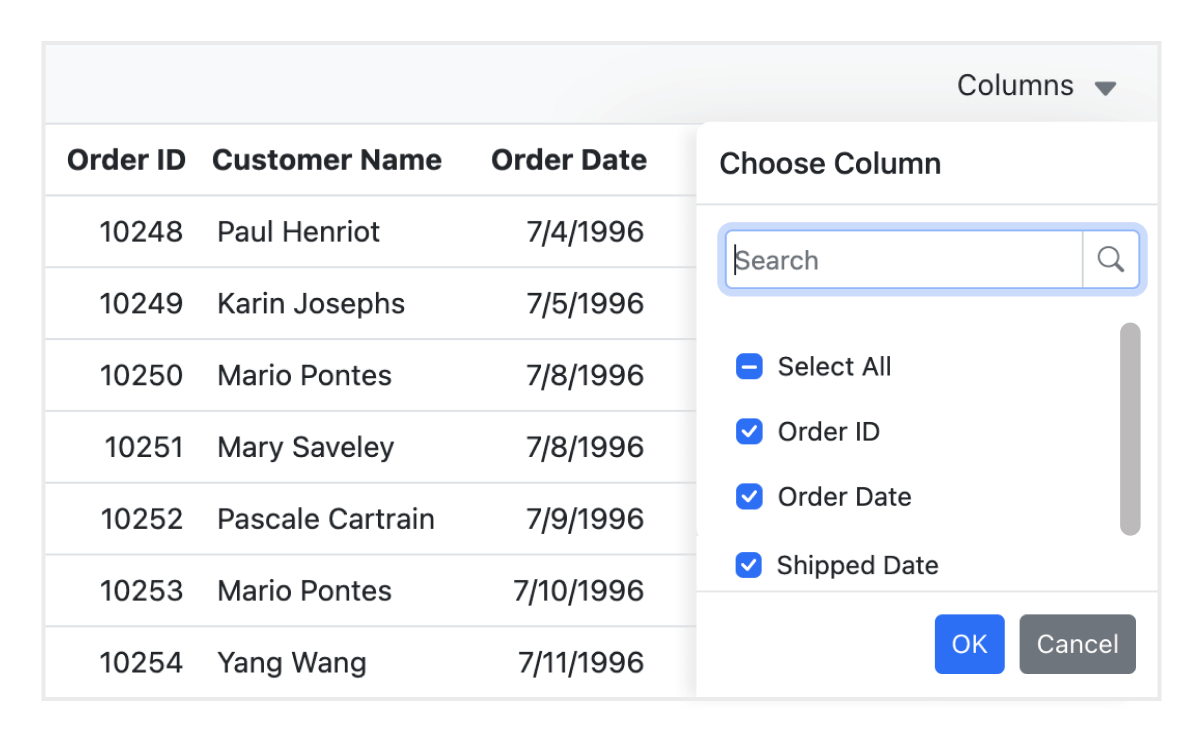
Columns define the schema of the data source in the JavaScript Data Grid. They support formatting, auto-generating columns, column definitions, freezing rows and columns, column spanning, text wrapping, column chooser, column menu, and other features.
Paging
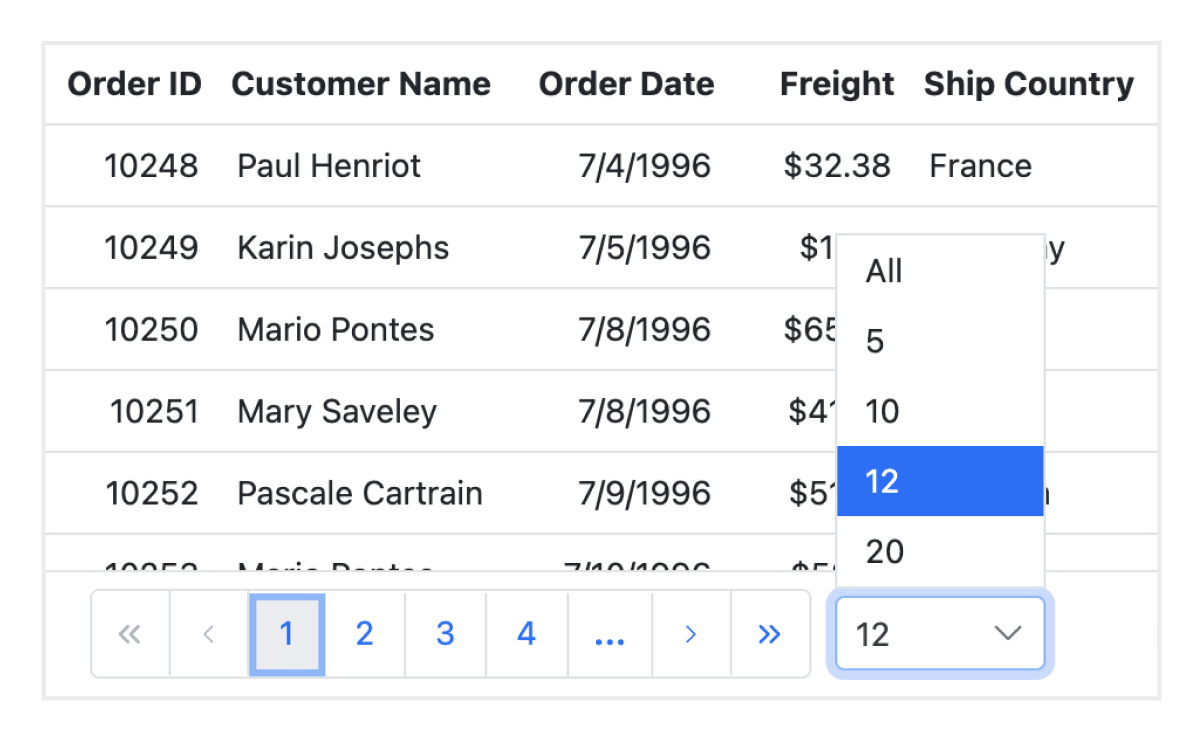
Paging enables users to view a subset of data from the assigned data source. The Data Grid offers a built-in pager UI with extensive customization options. It also supports on-demand paging for efficient data retrieval from remote web services.

Sorting
Sort rows either in ascending or descending order in a column by simply clicking the header. Sort multiple columns’ data by holding the Ctrl key and clicking the header. In addition, you can define your own custom sorting logic.
Filtering
Filtering helps view particular or related records that meet given criteria in a data grid. It supports various filter types, including powerful, Excel-like filters. Choose the appropriate filter type, define your custom filtering logic, and customize the filtering UI to suit the application’s needs. Diacritic characters can also be filtered.

Selection
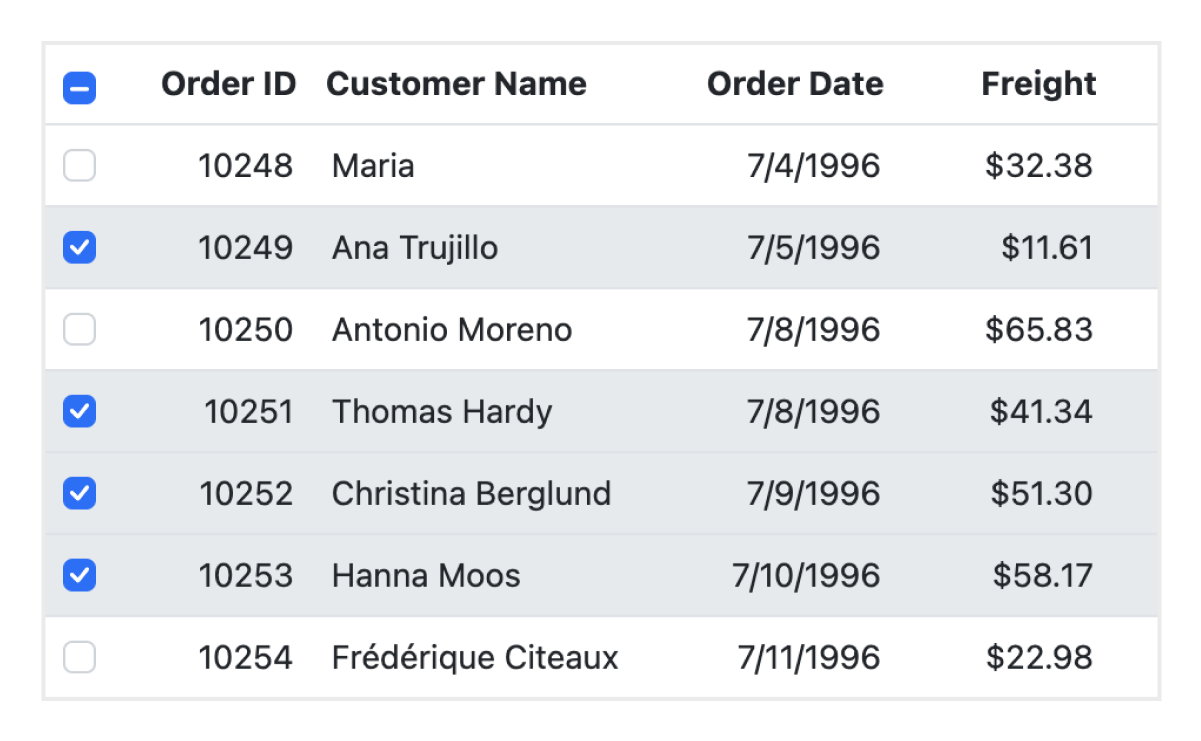
Select rows or cells either by using checkboxes or by simply clicking them. Select more than one row or cell by holding Ctrl, Shift, or Command while clicking, or do so programmatically.
Editing
Supports create, read, update, and delete operations (CRUD). In addition to built-in editor components to edit a particular column value, custom editor components can be created using templates. With the help of a data manager, you can perform editing operations with a JavaScript array collection or remote data service.

Grouping
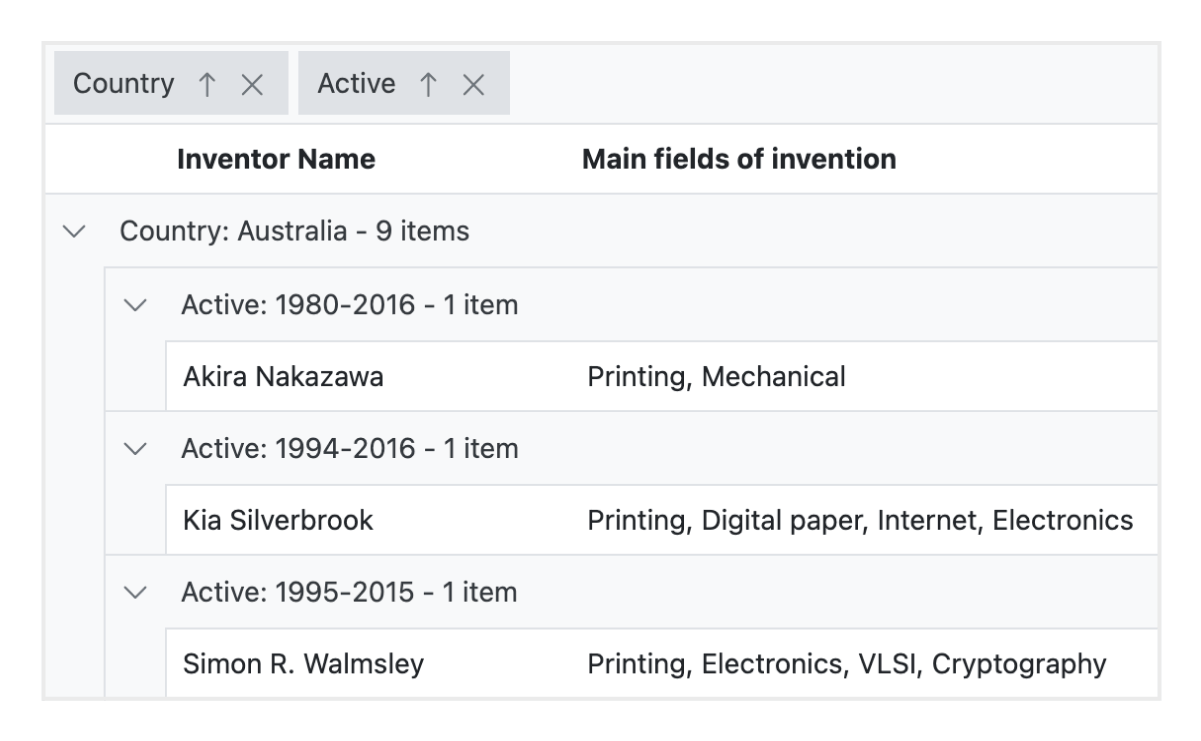
Group rows to display the data in an organized, hierarchical structure in ascending or descending order to facilitate easier expansion and collapse of records. There is an option to group records of the desired column by dragging and dropping that column in an interactive drop area.
Aggregation
Aggregates for column values can be easily displayed using the aggregate feature. Aggregates can be customized to show their value in individual summary rows, individual group summary rows, or group caption rows.

Frozen rows and columns
Frozen rows and columns are visible at the top and on the left and right, or in a fixed position, making the remaining data grid content scrollable. This feature is mainly used to compare cell values.
Pinned rows
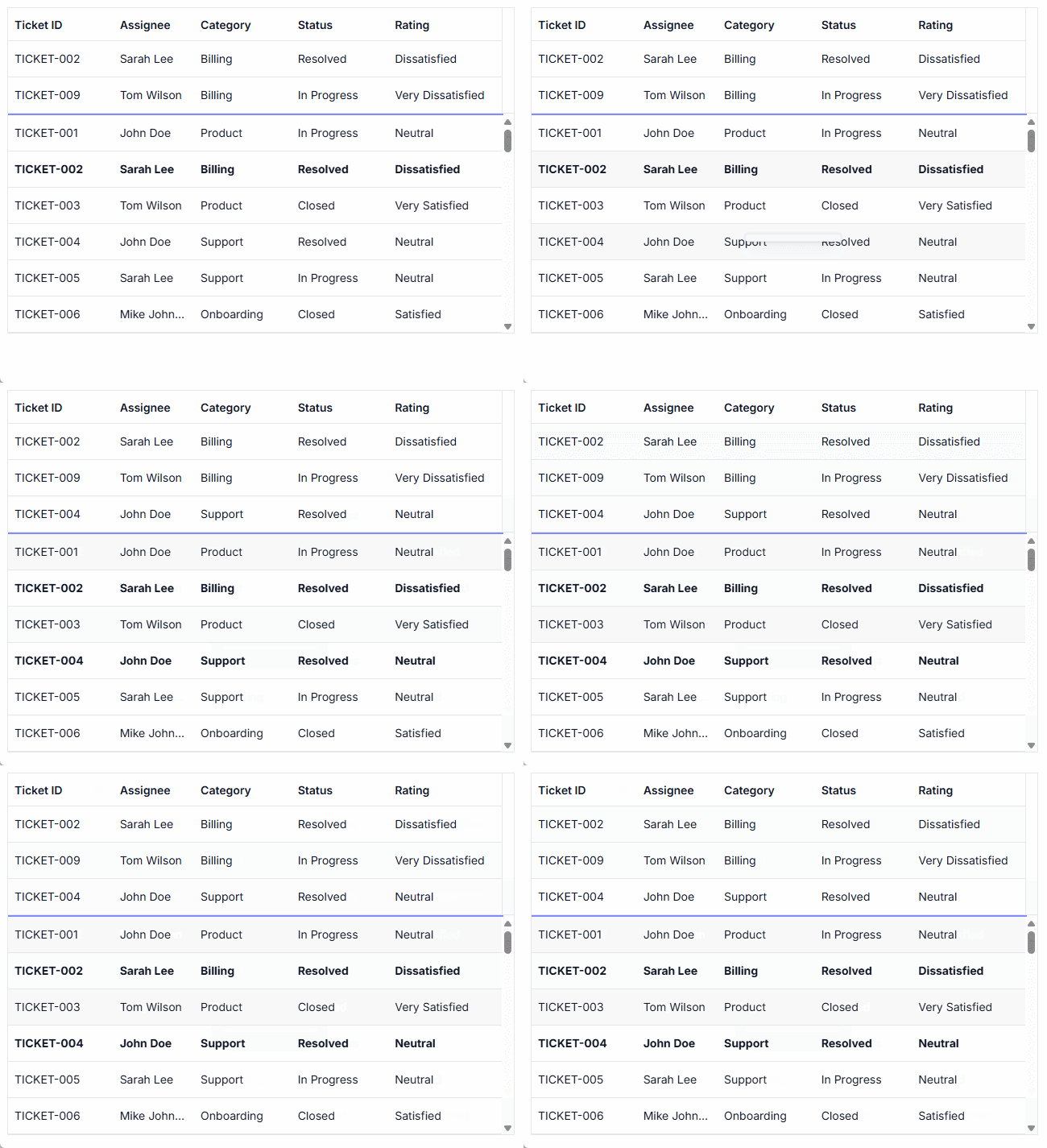
Pinned rows keep specific rows fixed at the top of the grid. This enhancement ensures that key records remain visible during operations such as paging, sorting, and filtering, providing continuous accessibility across all data interactions.
Sticky headers
The JavaScript Data Grid header can be in a fixed position when scrolling the document vertically to visualize the grid content along with the column header information.
Row drag and drop
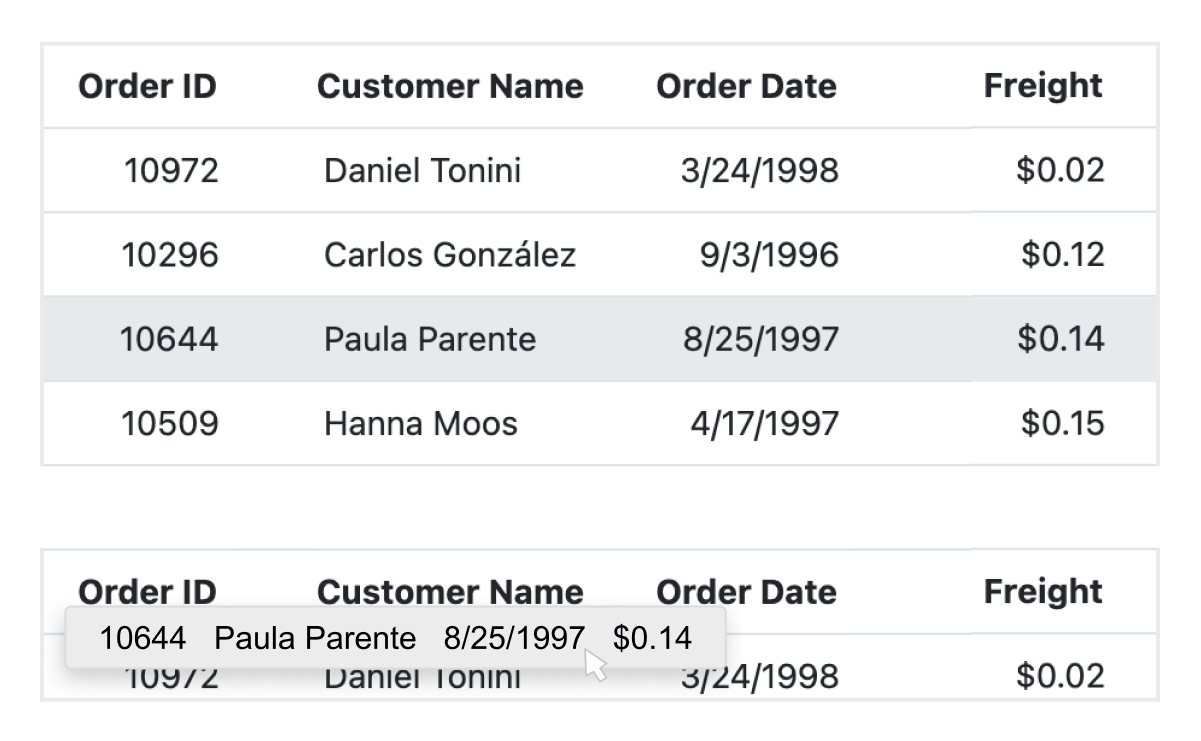
The JavaScript Data Grid allows users to drag and drop rows to another data grid or custom component. Users can also drag and drop rows within the same control using the drag icon and transfer rows between different groups.

Master-detail DataGrid
A JavaScript master-detail DataGrid is a use-case scenario in which a record’s details are viewed in a separate data grid by clicking a particular row.
State management
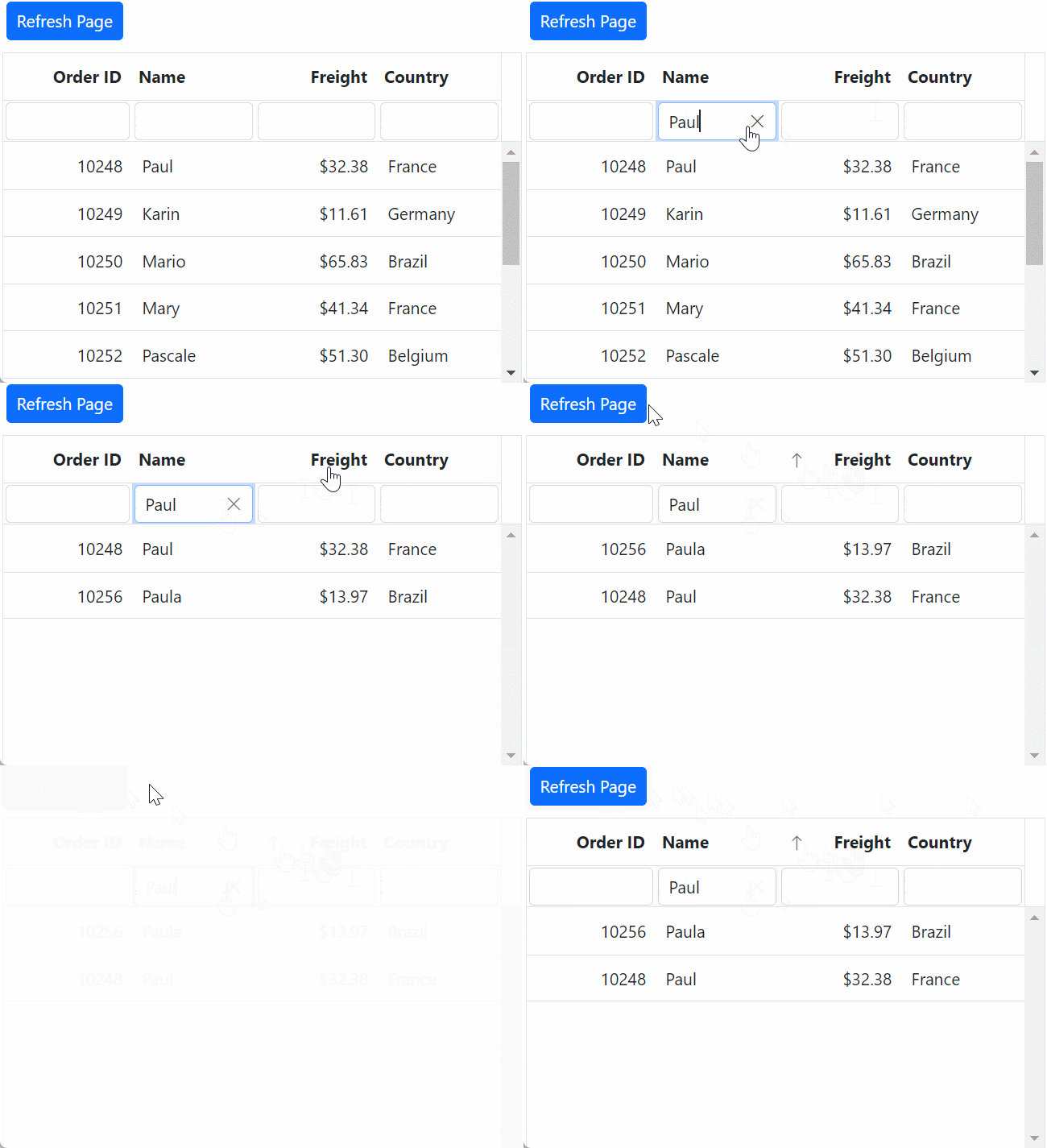
The state management allows maintenance even after a browser refresh or when navigating to a different page within the same browser session. This feature is especially beneficial for retaining configuration and data following a page reload.

Live update
The DataGrid updates live data in its cells at specific time intervals. These updates occur without causing any lag or slowdown, ensuring that the system remains highly responsive and efficient.
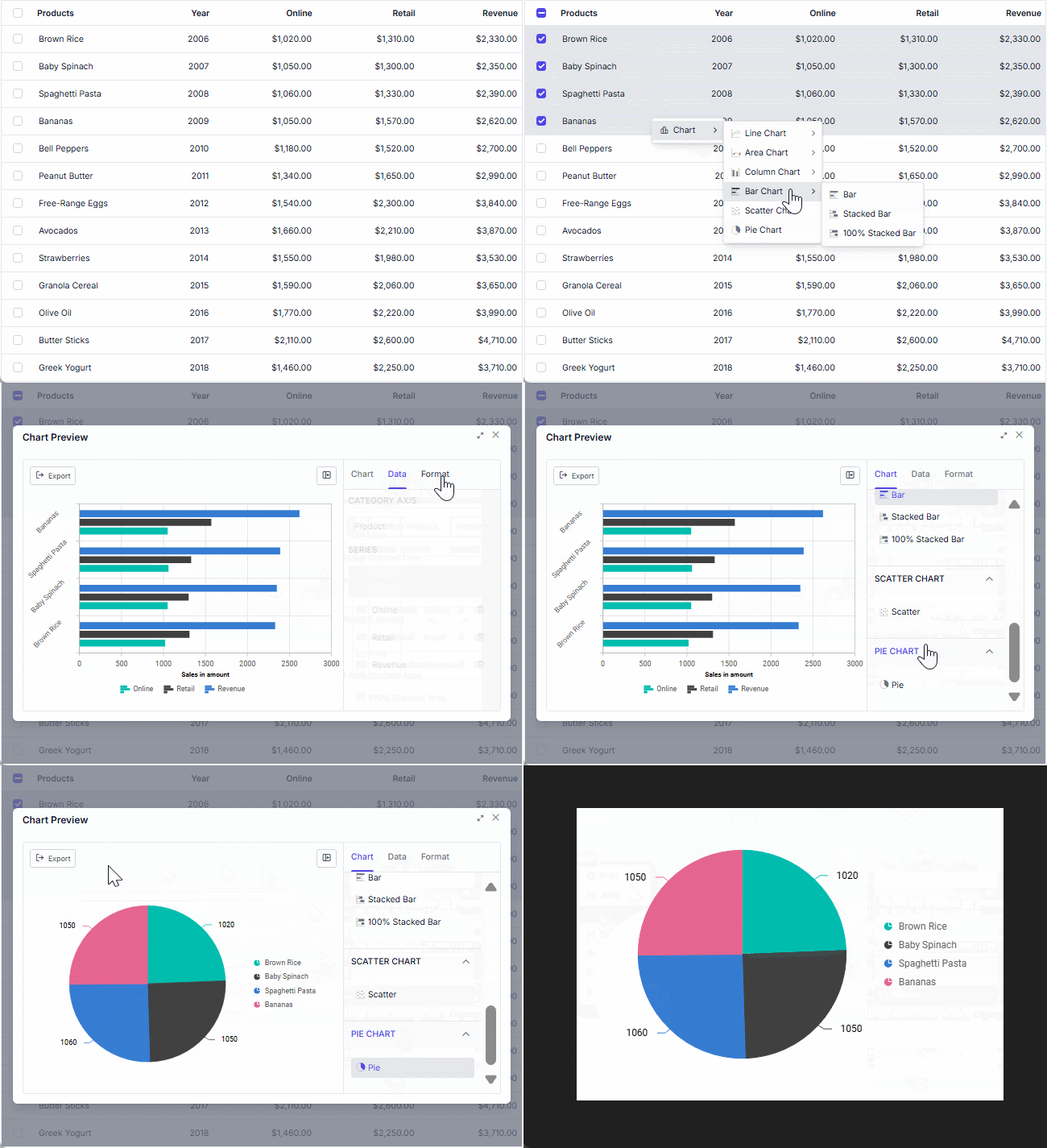
Integrate Charts with DataGrid
The DataGrid integrates with the Charts component, transforming the selected grid data into dynamic, interactive visualizations. This combination of tables and charts lets users gain clearer insights at a glance. Users can customize the chart types, axes, and visuals.
Additional features

Row height
Row height is a major factor when displaying records in the viewport. It is easily customized and can also be set conditionally.

Copy to clipboard
The clipboard allows users to copy selected row or cell data into it. Use the Ctrl+C and Ctrl+Shift+H key combinations to copy data with and without headers, respectively.

Context menu
Perform various actions using the pop-up menu that appears when the cell, header, or pager is right-clicked. In addition to built-in default menu items, custom context menu items can be added.

Width and height
Set the width and height properties to change the size of the data grid. When the content overflows the grid element, horizontal and vertical scrollbars will appear. To fill the data grid’s parent container, simply set the height and width to 100%.

Stacked headers
Group and visualize column headers in a stacked manner. The number of columns that can be stacked is unlimited. Perform all DataGrid actions even when the columns are stacked.
Accessibility

Keyboard navigation
Every cell is accessible using the keyboard commands. Major features like sort, select, and edit can be performed using keyboard commands alone; no mouse interaction is required. This helps in creating highly accessible applications using this component.

Screen readers
Provides complete WAI-ARIA accessibility support. The Data Grid UI includes high-contrast visual elements that help people with visual impairments have the best viewing experience. Also, valid UI descriptions are easily accessible through assistive technologies such as screen readers.

Right to left (RTL)
Right-to-left rendering allows users to display the text and layout from right to left. This improves the user experience and accessibility for RTL languages.
Mobile-optimized and touch-friendly
The Data Grid component improves usability and provides an optimized and responsive design for desktops, touchscreens, and phones across all operating systems, including iOS, Android, and Windows.

Touch support
User-friendly touch gestures and an interactive UI design provide the best user experience. All HTML5 Data Grid features work on touch devices with zero configuration.

Responsive pager
The Data Grid pager acts intelligently and changes its entire UI responsively based on dimensions. Its optimized design provides the best UI interaction on different devices.
Other supported frameworks
The Data Grid is available for the Blazor, React, Angular, and Vue frameworks. Explore its platform-specific options through the following links:
Supported browsers
The JavaScript Data Grid works well with all modern web browsers, including Chrome, Firefox, Edge, Safari, and Opera.

Not sure how to create your first JavaScript Data Grid? Our documentation can help.
I’d love to read it now140+ JAVASCRIPT UI CONTROLS
SMART COMPONENTS
GRIDS
DATA VISUALIZATION
DROPDOWNS
FILE VIEWERS & EDITORS
BUTTONS
INTERACTIVE CHAT
INPUTS
NAVIGATION
NOTIFICATIONS
Standalone UI SDKs
Integrate the DataGrid, Chart, Scheduler, Gantt, Rich Text Editor, File Manager, and Diagram UI components into applications to enable rich interaction and visualization, delivering a seamless user experience.
Document Solutions
Integrate the PDF Viewer, DOCX Editor, Spreadsheet Editor, and document-processing libraries into the JavaScript applications to enable a smooth user experience.
Frequently Asked Questions
Why should you choose the Syncfusion® JavaScript Data Grid?
The Syncfusion® JavaScript Data Grid supports the following features:
Load millions of records in just a second.
- Mobile-first design that adapts to any resolution.
Flexible data binding with support to use local and remote data sources such as JSON, RESTful services, OData services, and WCF services.
Out-of-the-box, Excel-like filtering and grouping options.
Data exporting options like PDF, CSV, and Excel.
- One of the best JavaScript Data Grid in the market that offers feature-rich UI to interact with the software.
Simple configuration and API.
- Supports all modern browsers.
Expansive learning resources such as demos and documentation let you get started quickly with JavaScript Data Grid.
Where can I find the Syncfusion® JavaScript Data Grid demo?
You can find our JavaScript Data Grid demo, which demonstrates how to render and configure the Data Grid.
What is the difference between JavaScript Grid and JavaScript Data Grid?
The JavaScript Grid is a basic table implementation, like table, while the Syncfusion JavaScript DataGrid offers advanced features. You can sort, filter, visualize, and edit your complex data. The Syncfusion JavaScript DataGrid is optimized for high performance and scalability in enterprise apps.
What is the difference between a JavaScript Data Grid and a JavaScript data table?
A JavaScript data table is typically used to display tabular data. A JavaScript Data Grid provides advanced capabilities such as inline editing, Excel-like filtering, sorting, grouping, aggregation, virtualization, frozen rows and columns, and data export.
Can I download and utilize the Syncfusion® JavaScript Data Grid for free?
No, this is a commercial product and requires a paid license. However, a free community license is also available for companies and individuals whose organizations have less than $1 million USD in annual gross revenue, 5 or fewer developers, and 10 or fewer total employees.
How do I get started with Syncfusion® JavaScript Grid?
A good place to start would be our comprehensive getting started documentation.
What is the JavaScript Data Grid?
The JavaScript Data Grid is an advanced table component designed to display and manage large datasets efficiently. It includes sorting, filtering, pagination, and real-time update features. It has enhanced performance with Excel-like functions, server-side processing, and seamless JavaScript integration.
Our Customers Love Us
Having an excellent set of tools and a great support team, Syncfusion® reduces customers’ development time.Here are some of their experiences.

The best tool to operate grid-like data out there
Good documentation helps you with everything you need to know. What I like the most is that it takes you from configuration to usage. I have mainly used grid and toolbar options along with dashboard.

Ivan G.

Business Application Developer
Superior components:any day anytime
Essential Studio is one of a kind. The fact that they give us the community developer license has always shown how much they value the small teams creating their own startups. Essential Studio has helped a lot in my almost ready business intelligence platform for the healthcare industry. The grid and the kanban components are what made us fall in love with all the other components.

Kelvin M.
Software Development Engineer
See Real Success Stories
Developers around the world trust Syncfusion’s Essential Studio to simplify complex projects and speed up delivery. With a vast library of UI controls, powerful SDKs, and reliable support, Essential Studio helps teams build enterprise-ready applications with confidence.
Read Our Customer StoriesIndustry
Software development
75% Cost reduction
50% Faster development
Industry
Utilities (oil and gas)

450+ hours saved
Streamlined processes and hours of development effort saved.

Advanced, flexible features
Empowered users through robust and versatile functionality.
Industry
Software and technology
1000+ of hours saved
Accelerated development with enterprise-ready UI components.

Efficient file management
Streamlined workflows with document libraries without building them from scratch.
Industry
Software and technology

2 Years of delay avoided
Two years of delays prevented with proactive planning.

On-time delivery
Projects delivered on schedule using trusted controls.
Industry
IT services and IT consulting

Improved performance
Large datasets handled with easy customization and quick debugging.

Highly customizable
Plug-and-play controls with quick template integration.
Industry
Professional services
Instant access
Quick availability of features and resources.
Reduced dependencies
Fewer dependencies for faster development.
Rated by users across the globe
Syncfusion JavaScript Data Grid resources


UI Kits
 Figma download
Figma download
Awards
Greatness—it’s one thing to say you have it, but it means more when others recognize it. Syncfusion® is proud to hold the following industry awards.


Recent activities in JavaScript Data Grid blogs
The JavaScript Data Grid blog posts will guide you in building your first app with JavaScript controls. They provide problem-solving strategies, describe features and functionalities, announce new feature releases, explain best practices, and showcase example scenarios. Explore our latest posts on our blog channels.







