Secure PDF Digital Signatures and Validation in .NET MAUI
- Sign PDF documents using PKCS#12 certificates (.pfx and .p12)
- Integrate cloud signing services, HSM devices, smart cards, and enterprise PKI systems
No credit card required.
VIEW DEMONo credit card required.
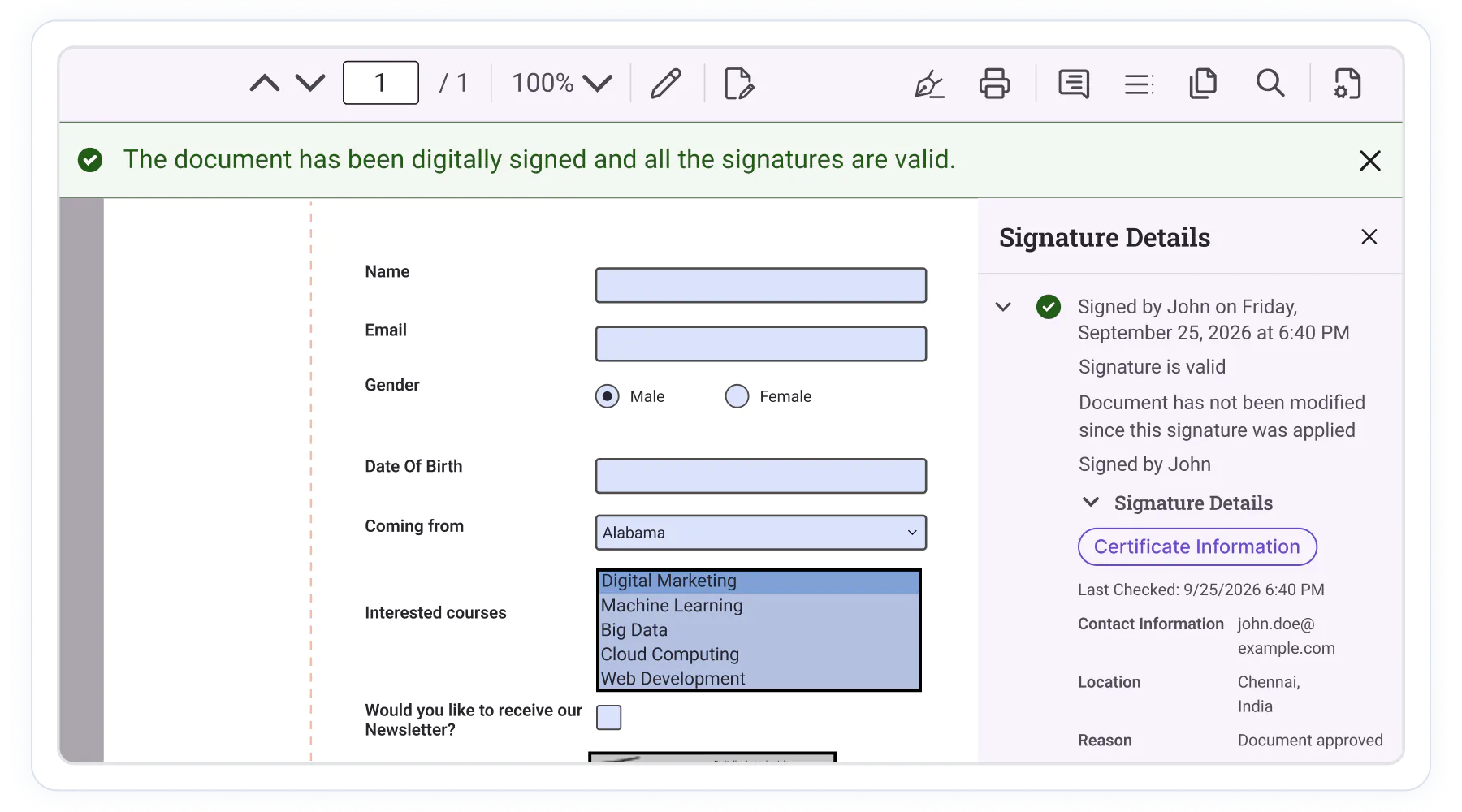
Digitally Sign and Validate PDFs with confidence
Accelerate approval workflows with certificate-based signing, signature verification, trusted validation, and enterprise signing integrations built directly into the PDF Viewer.
Certificate-based signing
Digitally sign PDF documents using certificate-based signatures with signer credentials. Helps verify signer identity, protect document integrity, and support secure approval workflows.
Trusted signature validation
Verify signature authenticity, certificate validity, document integrity, and trust status. Identify document modifications and review validation results with confidence.
Enterprise signing workflows
Extend signing capabilities through cloud-based signing services, HSM devices, smart cards, and enterprise trust infrastructures.
Sign PDF documents
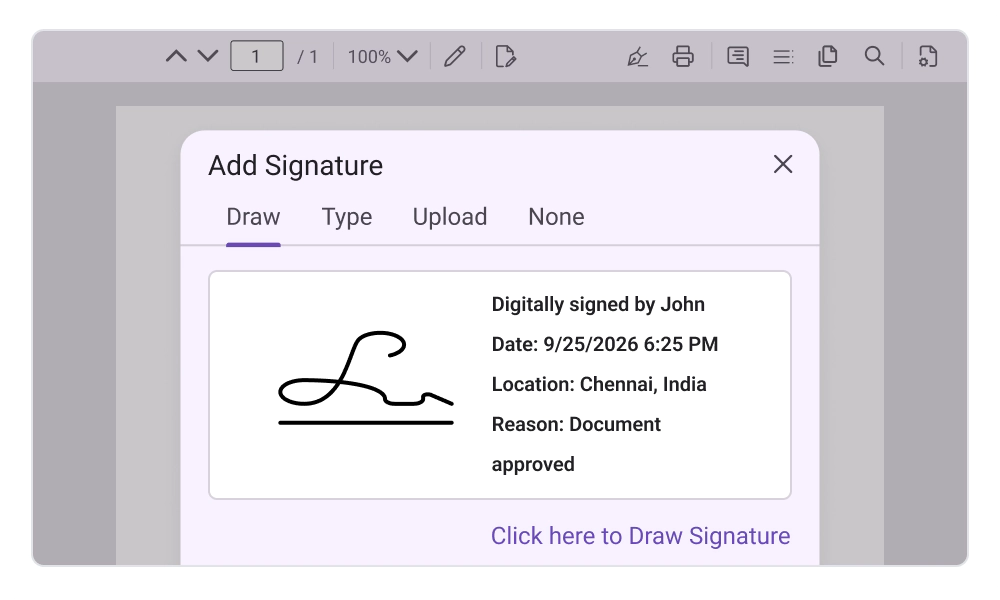
Digitally sign PDF documents using built-in signing dialogs or programmatic APIs. Apply signatures using PKCS#12 certificates, add signature fields and signer information during signing.
- Apply digital signatures using industry-standard PKCS#12 certificates, including both .pfx and .p12 formats
- Sign existing signature fields and support placeholder-based signing workflows across business documents
- Include signer identity information such as name, reason, location, and contact information.
Customize signature appearance
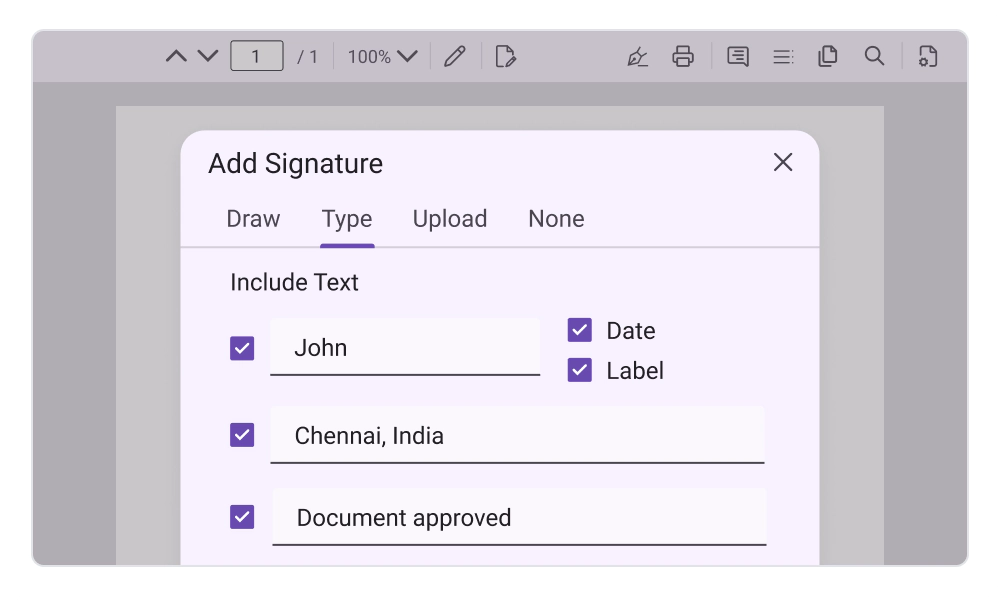
Control how signatures appear within PDF documents using text, handwritten, or image-based signature styles. Configure visual details to meet business, branding, and compliance requirements.
- Display signatures using text-based, image-based, or freehand handwritten presentation modes
- Add signer details, timestamps, reasons, locations, and custom labels displayed with the signature
- Customize signature strokes, branding elements, and signature images to match business requirements
Validate digital signatures
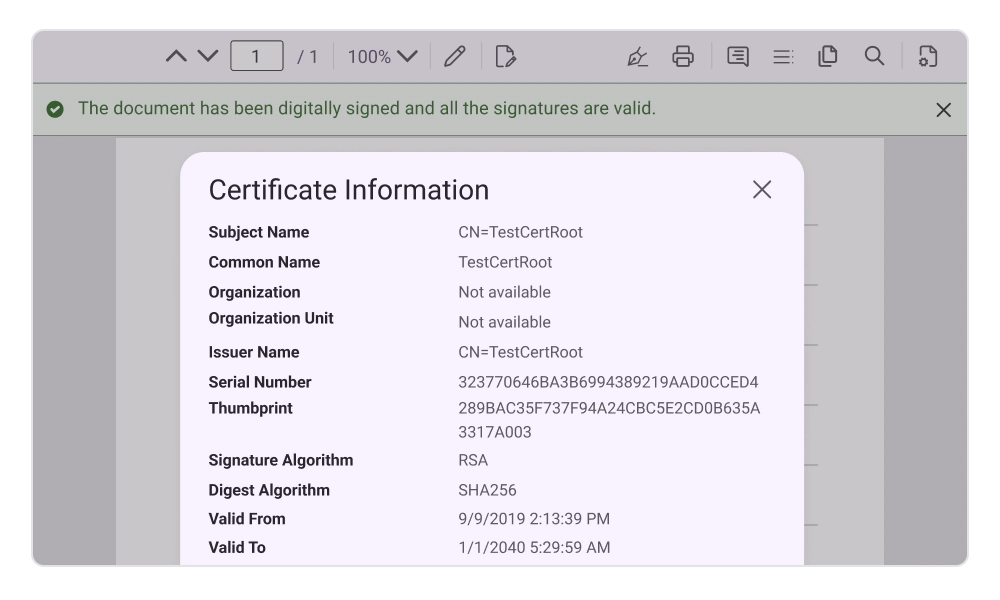
Validate signatures contained in a PDF document to determine signature validity, document modification status, certificate validity, and certificate trust chain status.
- Verify whether signed content remains unchanged after the signing process
- Perform validation automatically during document review or through programmatic APIs
- Access detailed validation results for individual signatures and signature fields
Signature panel support
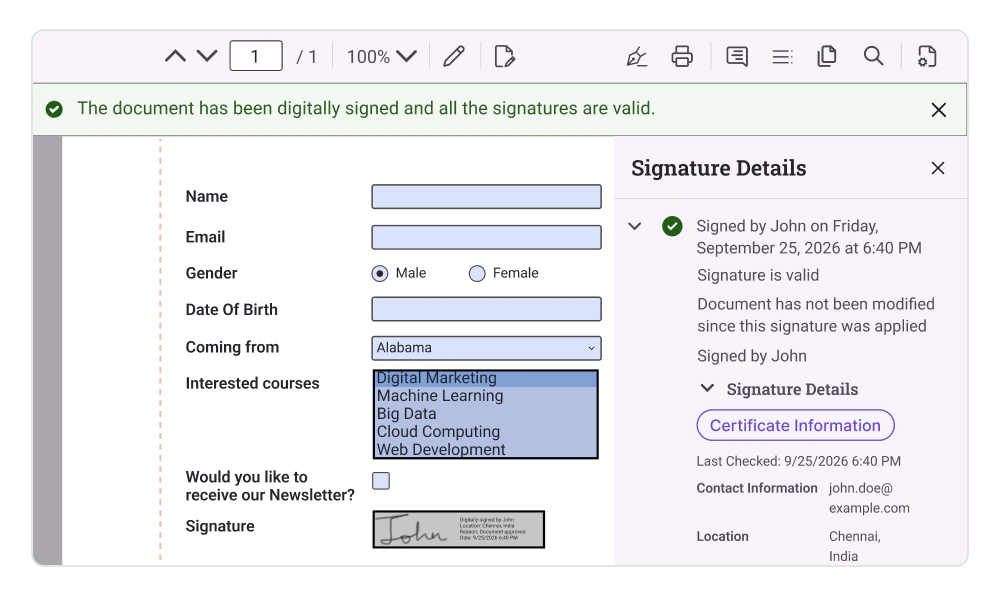
View and manage signed and unsigned signature fields using the built-in Signature Panel. The panel supports signature navigation and provides access to certificate details associated with signed signatures.
- Review all signed and unsigned signature fields from a centralized signature management panel
- Navigate quickly to signature locations and associated form fields within the document
- Access certificate information, signature details, and validation status from a single location
Cloud and enterprise signing integration
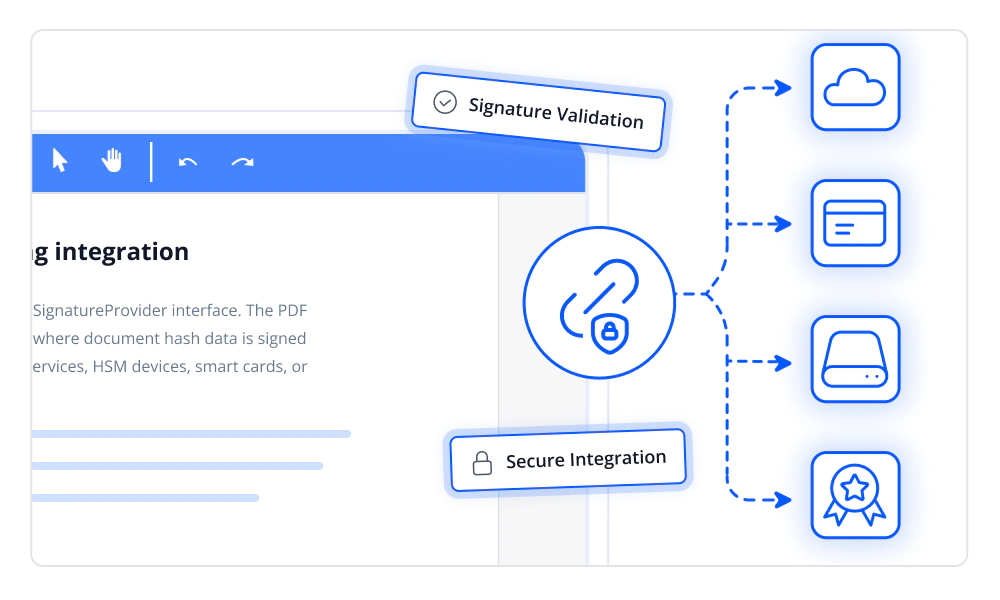
Integrate external signing solutions using the ISignatureProvider interface. The PDF Viewer supports enterprise signing workflows where document hash data is signed using private keys managed by cloud signing services, HSM devices, smart cards, or enterprise PKI systems.
- Sign using externally managed private keys without exposing sensitive credentials
- Embed certificate chains in PDF signatures for trust validation
- Verify signer identity, certificate trust, and document authenticity
Frequently Asked Questions
Can signature appearance be customized?
Yes. Signatures can be displayed using text, handwritten, or image-based appearance modes with configurable labels and signer details.
Does signature validation require custom code?
No. Validation can be performed automatically using built-in functionality, while APIs provide access to detailed validation results when needed.
Can signing workflows be integrated with enterprise trust systems?
Yes. The PDF Viewer supports custom signing provider integration, enabling connectivity with cloud signing platforms, HSM devices, smart cards, and enterprise PKI infrastructures.
Can signed and unsigned signature fields be managed?
Yes. The Signature Panel provides visibility into signed and unsigned fields, signature navigation, and certificate information.
Can existing digital signatures be validated?
Yes. The PDF Viewer can validate existing signatures and verify document integrity, certificate validity, trust-chain status, and whether the document was modified after signing.
Does document validation detect post-signing modifications?
Yes. Signature validation can identify whether signed document content has been altered after signing, helping ensure document authenticity and integrity.
Documentation
Create digital signatures
Learn how to sign PDF documents using certificates, add signer information, customize signature appearance, and implement digital signing workflows.
Signature validation
Verify digital signatures, validate certificate trust, review document integrity status, and inspect signature validation results within PDF documents.
PDF Viewer setup
Set up the .NET MAUI PDF Viewer, load PDF documents, and explore core viewing, annotation, form filling, and digital signature capabilities.
Resources
Learn more about our .NET MAUI PDF Viewer
Explore demos, KB articles, and documentation to get the most out of the PDF Viewer SDK.
Explore guides, APIs, and quick-start tips
See live use cases in action
Ask, share, and connect with peers
Find solutions and best practices fast
Get expert help when needed
Feature requests and bug reports
Track issues and suggest improvements
Awards
Greatness—it’s one thing to say you have it, but it means more when others recognize it. Syncfusion® is proud to hold the following industry awards.









