
 Paul Anderson
TL;DR: Syncfusion Essential Studio 2025 Volume 4 introduces AI-Powered .NET MAUI smart controls like Smart DataGrid, Smart Scheduler, and Smart Text Editor, plus UI upgrades such as the Liquid Glass effect for iOS and Mac Catalyst. This release also brings major enhancements to existing components, including advanced filtering and validation in DataGrid and interactive chart features. Overall, these updates make app development smarter, faster, and more visually engaging.
Building modern .NET MAUI apps just got easier! The 2025 Volume 4 release from Syncfusion® brings AI-Powered controls, sleek UI effects, and productivity enhancements that developers have been asking for. From Smart DataGrid for intuitive data handling to Smart Scheduler for natural language-based appointment management, this update is packed with features that simplify workflows and enhance the user experience.
Let’s explore them!
New controls
The 2025 Volume 4 release introduces the following new smart controls in preview mode:
.NET MAUI Smart DataGrid
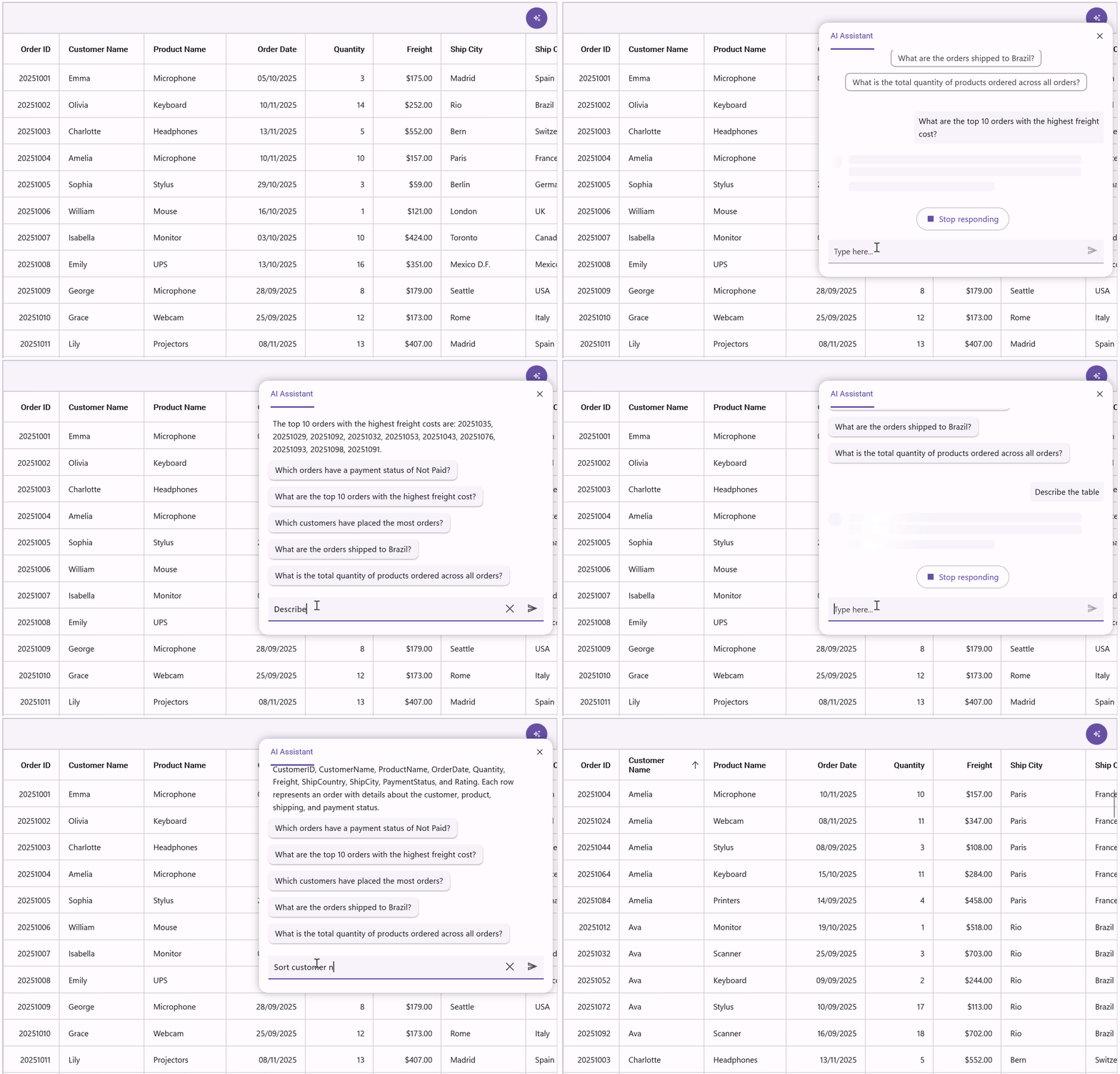
The .NET MAUI Smart DataGrid introduces a new way to manage data, providing an intuitive and intelligent approach. Instead of manually configuring operations, developers can simply describe what they need: sorting, filtering, grouping, or highlighting, and the grid applies those changes automatically.
Key features:
- AI sorting: Sort data intelligently by providing an AI prompt. The Smart DataGrid interprets your instructions and applies optimal sorting based on the context.
- Intelligent filtering: Enable advanced filtering with a natural language prompt. This feature dynamically adapts and applies predictive filters.
- Smart grouping: Group related data effortlessly using AI prompts. It understands your intent and organizes data for clarity and ease of use.
- Row and cell highlighting: Highlight critical rows or cells by specifying conditions through an AI prompt. The Grid utilizes contextual understanding to highlight key information.
Look at the image for reference.
.NET MAUI Smart Scheduler
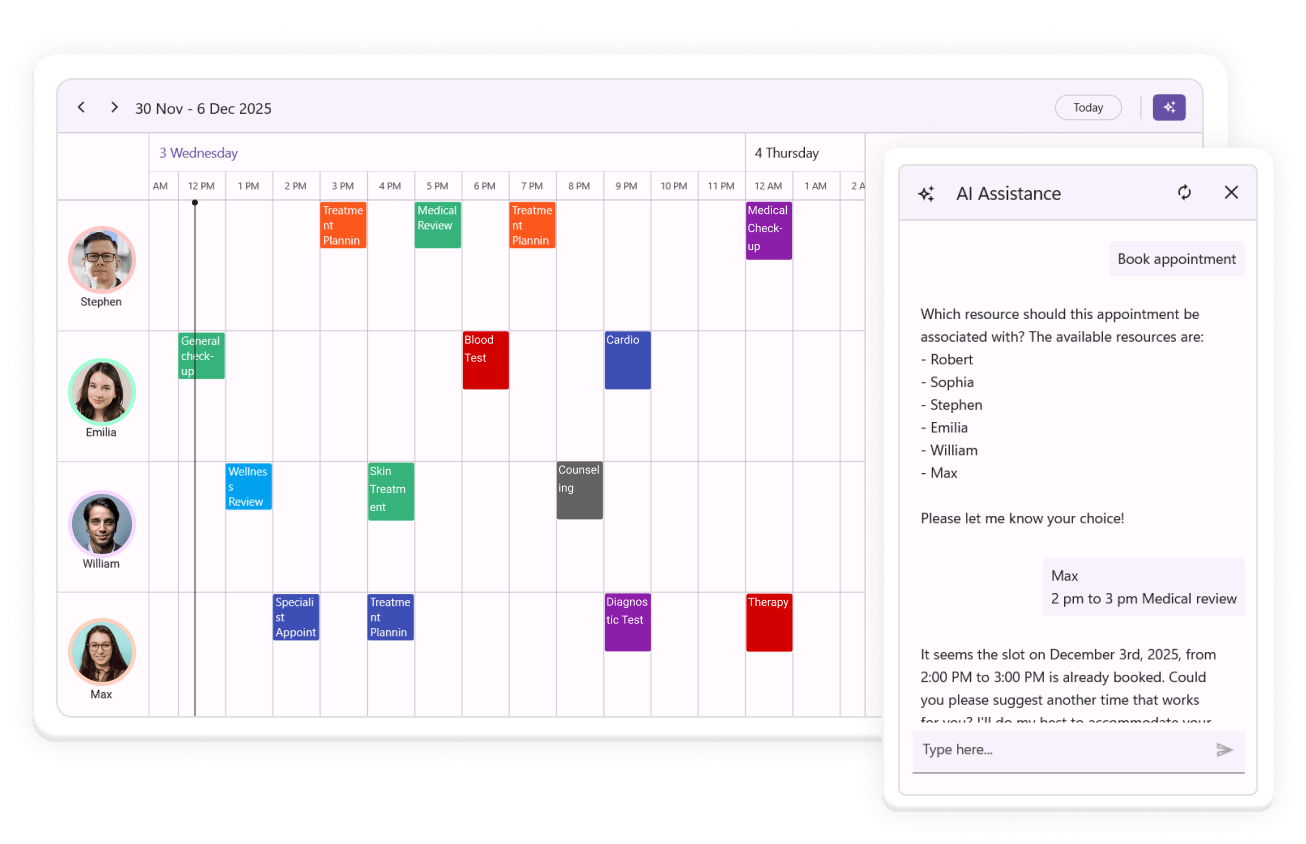
The .NET MAUI Smart Scheduler makes managing appointments effortless. Instead of navigating complex menus, you can simply describe the appointment you want to create, edit, or delete, and the scheduler updates automatically.
Key features:
- Natural language CRUD: Create, update, and delete appointments using plain language.
- Resource-aware booking: Automatically understands and respects resource availability, working hours, and current filters. It books people and locations intelligently and suggests alternatives when needed.
- Conflict detection: Highlights overlapping appointments and proposes conflict-free options, allowing users to focus.
- Free time discovery: The control instantly finds open time slots across selected resources and date ranges. This feature is great for coordinating teams or booking shared spaces.
- Smart summarization: Generates concise summaries of upcoming or selected appointments for quick insights.
Refer to the following image.
.NET MAUI Smart Text Editor
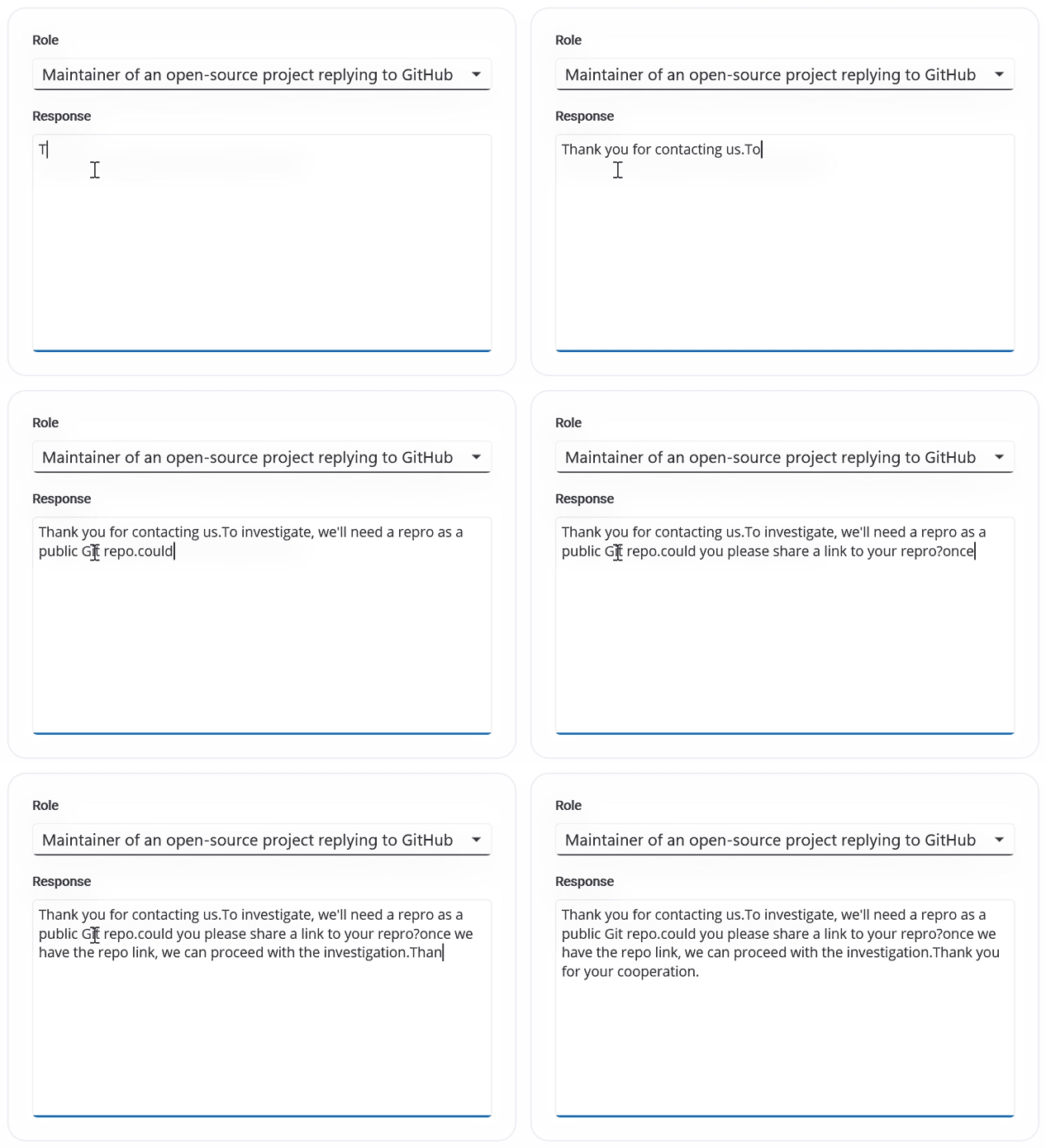
The .NET MAUI Smart Text Editor helps improve typing efficiency with intelligent word and sentence suggestions. Suggestions can appear inline or in a pop-up, depending on user preference, providing flexibility and control.
Key features:
- Suggestion display modes: Customize suggestions in inline or pop-up modes.
- AI-powered suggestions: Uses IChatInferenceService for context-aware completions.
- Custom phrase library: Provides fallback phrases when AI suggestions are unavailable.
- Maximum length validation: Enforces character limits for precise input control.
- Keyboard integration: Accept suggestions quickly using Tab or Right Arrow keys.
- Gesture support: Enables users to tap or click suggestions in the pop-up for instant insertion.
- Placeholder text: Configure placeholders with customizable color styling.
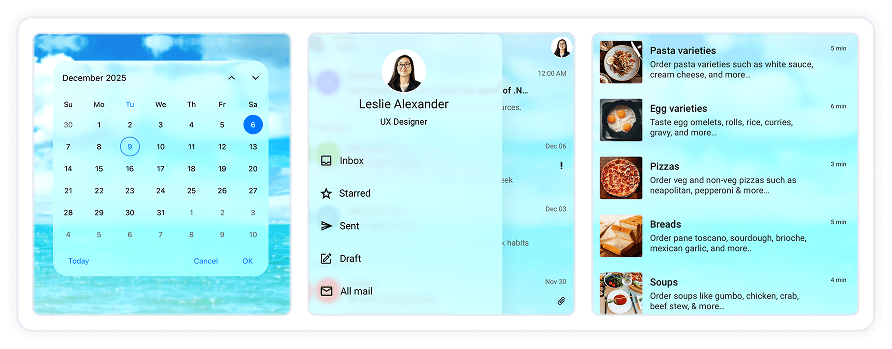
Liquid glass effect for iOS and MacCatalyst
Syncfusion introduces the Liquid Glass Effect for iOS and MacCatalyst, bringing a sleek, modern aesthetic to .NET MAUI apps. Designed to align with iOS design principles, it delivers smooth performance and a visually immersive experience without compromising usability. Developers can enable this effect easily to give their apps a premium, contemporary look.
What’s new in existing .NET MAUI controls?
Now, let’s look at what’s new across our existing .NET MAUI controls.
.NET MAUI AI AssistView
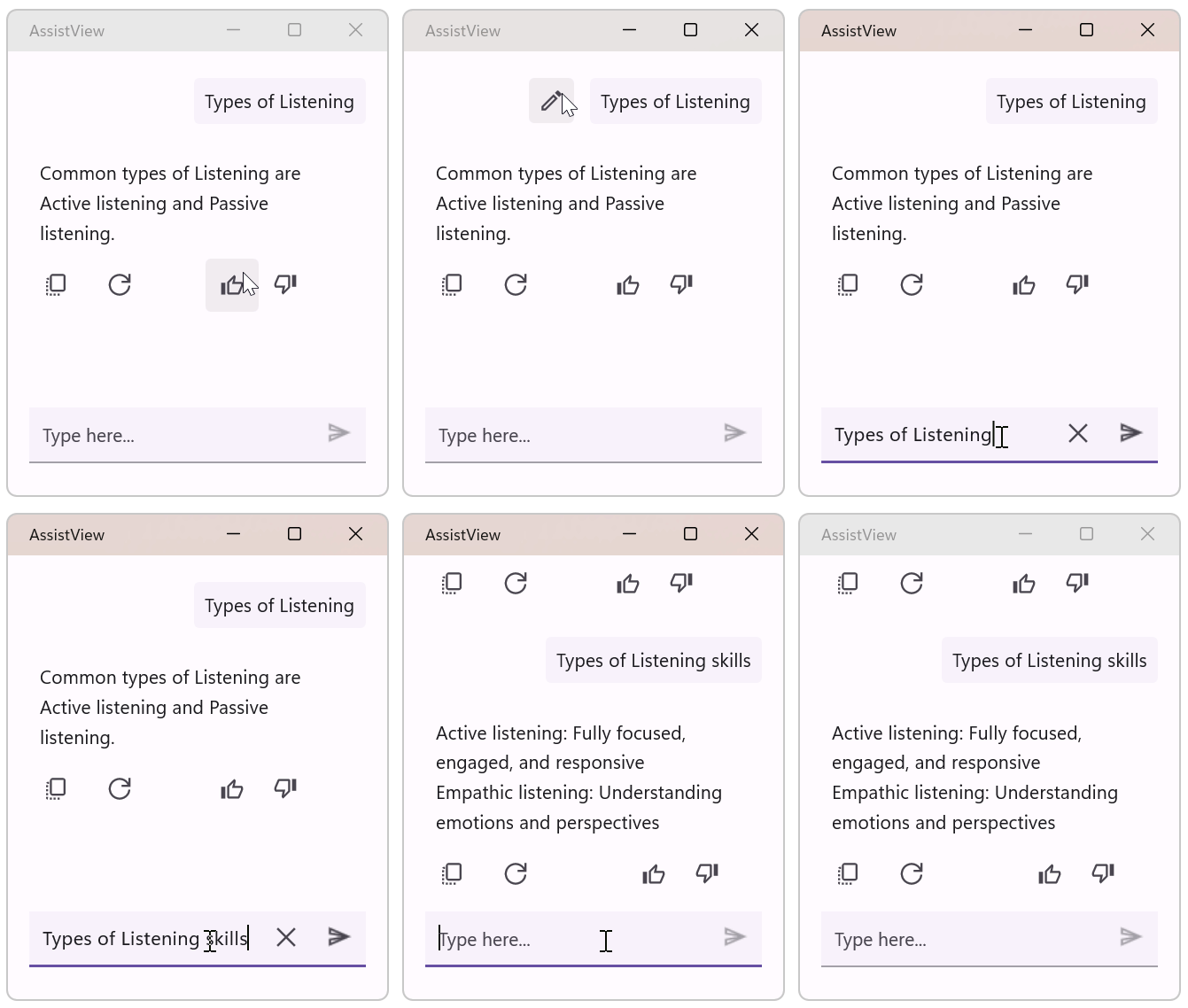
The .NET MAUI AI AssistView editor delivers greater flexibility and control. Users can customize action buttons to trigger common tasks with a single click. Additionally, the request text can be edited directly within and resubmitted for a more refined output, as shown below.
.NET MAUI Cartesian Charts
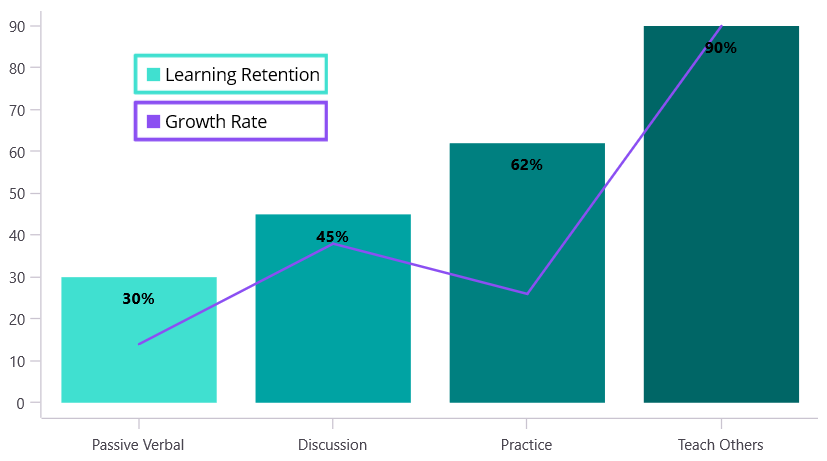
The .NET MAUI Cartesian Charts now offer improved interactivity and layout flexibility. Annotations are interactive on touch devices, allowing users to tap them to trigger actions. Additionally, chart legends can float anywhere within the chart area for better design control. Circular Charts also inherit this floating legend capability, ensuring consistency across chart types.
.NET MAUI DataGrid
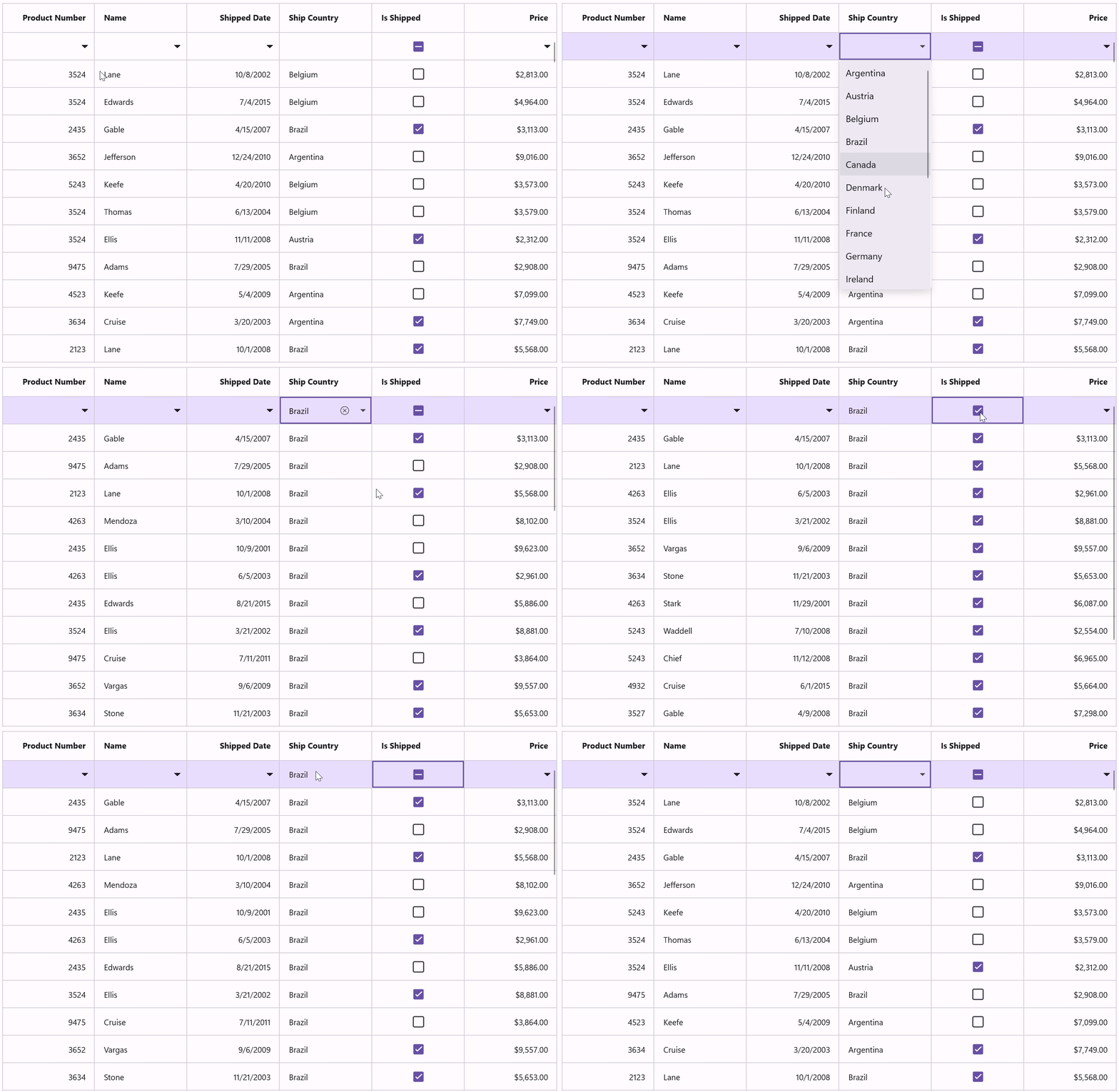
The .NET MAUI DataGrid provides enhanced data handling and a superior user experience. Built-in data validation prevents invalid entries and displays helpful error messages when needed. A new filter row has been added at the top for quick filtering, and users can now group data visually by dragging column headers into a grouping area. Additionally, the filtering UI has been redesigned to provide an Excel-like experience for seamless data exploration.
Refer to the following image.
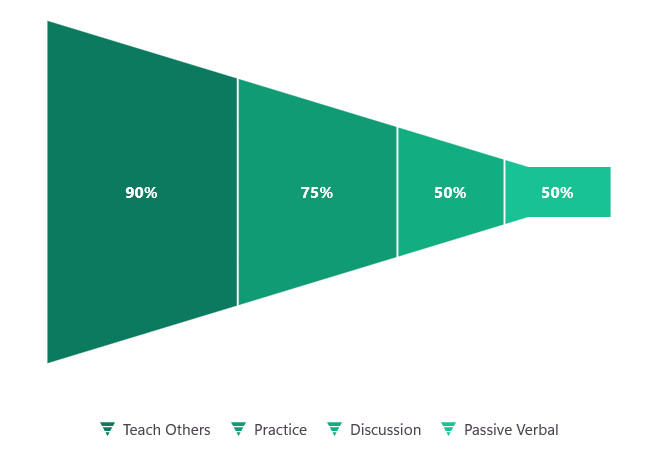
.NET MAUI Funnel and Pyramid Charts
The .NET MAUI Funnel Charts now support a horizontal layout, making them ideal for wider screens and dashboards. Legends can also float within the chart area for improved design flexibility.
The Pyramid Charts receive the same upgrades, including horizontal layouts and floating legends for a consistent experience across chart types.
.NET MAUI ListView
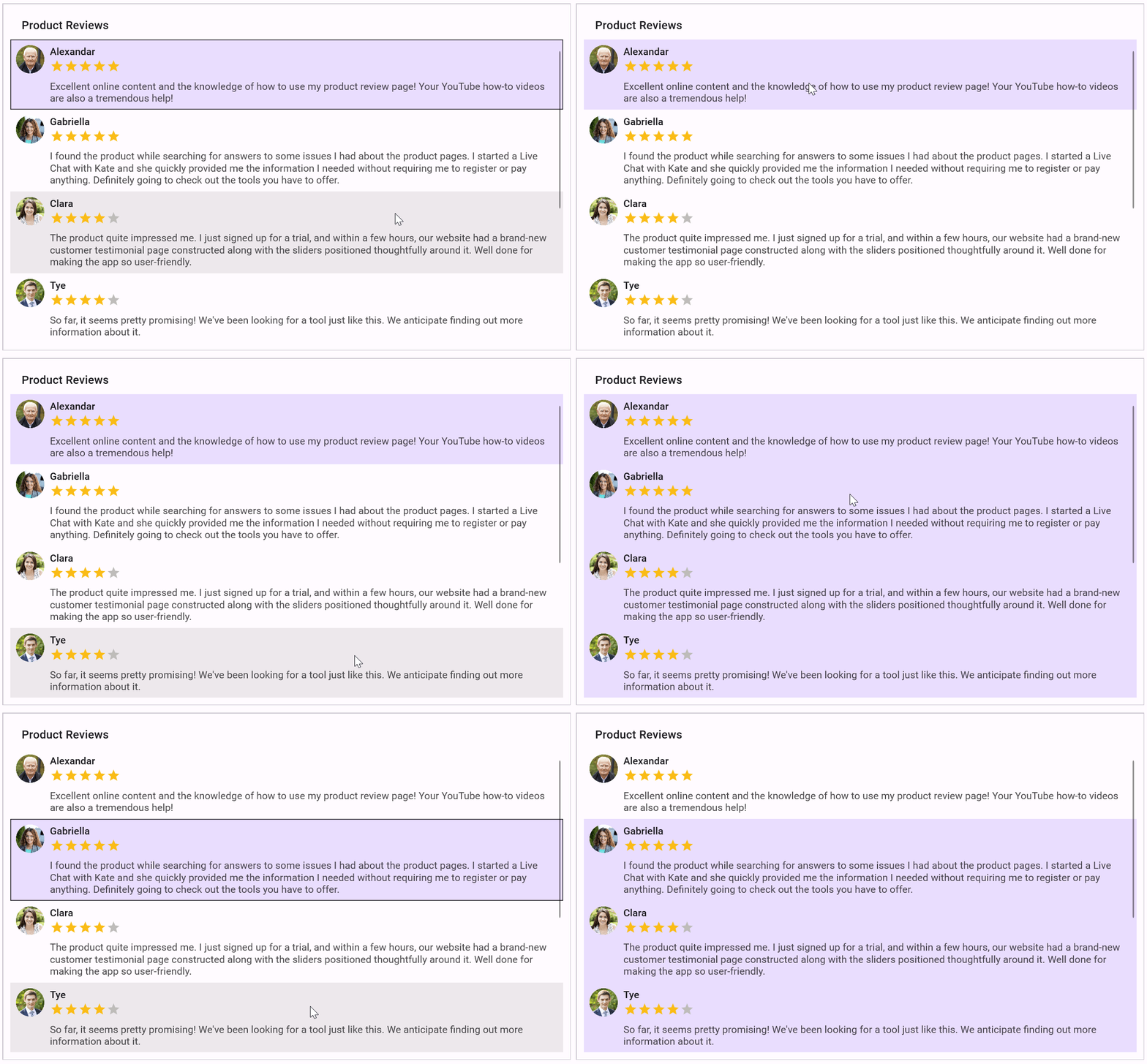
The .NET MAUI ListView control supports extended selection, making it easier to work with multiple items. Users can select multiple entries using Shift + Click, Ctrl + Click, or keyboard arrow keys for a more efficient navigation experience.
.NET MAUI Scheduler
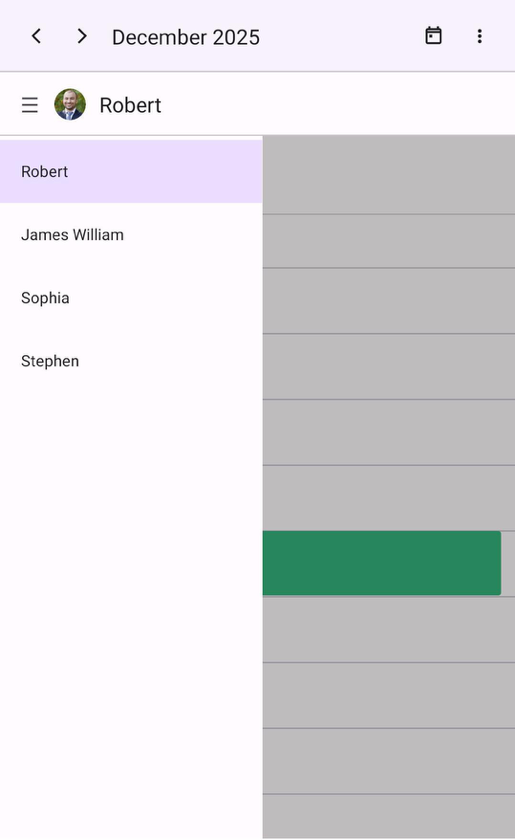
The .NET MAUI Scheduler control is now available with enhanced customization and layout options. Developers can customize the appointment indicator border in month view for better visual clarity. Additionally, a horizontal resource view is now available in day view on Android and iOS, making scheduling more intuitive across devices.
You can refer to the following image.

Conclusion
Thanks for reading! The Essential Studio® 2025 Volume 4 release isn’t just about new features; it’s about helping .NET MAUI developers build smarter, faster, and with less effort. With AI-Powered controls like Smart DataGrid, Smart Scheduler, and Smart Text Editor, plus stunning UI enhancements such as the Liquid Glass effect, this release transforms how developers create modern apps.
Ready to explore? Visit Syncfusion’s .NET MAUI controls page to view full details, try our interactive demos, and check out the What’s New and Release Notes pages. You can share your insights or suggestions in the comments section below.
You can also reach out to us through our support forum, support portal, or feedback portal. We are always happy to assist you!







 No spam, just valuable updates.