





Transform your applications today by downloading our free evaluation version
Overview
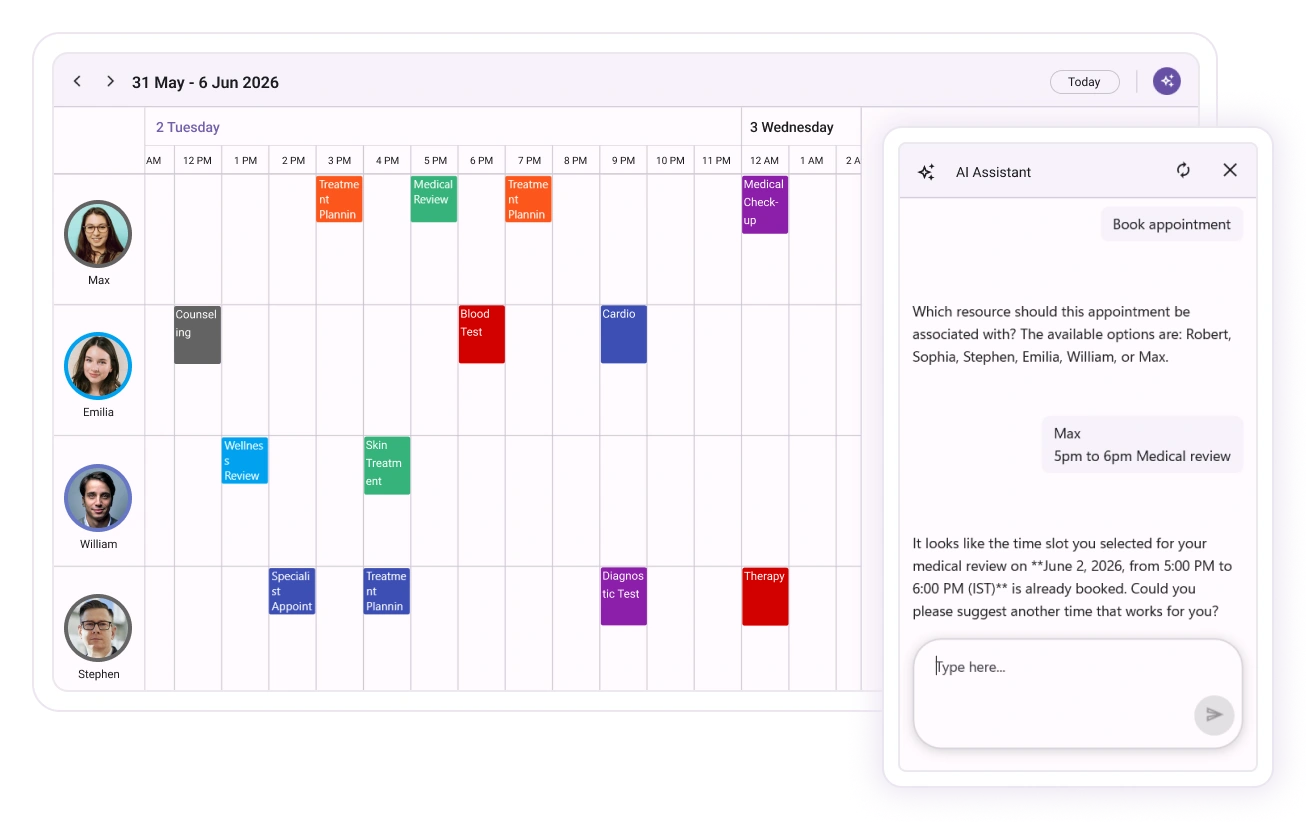
This AI-powered Scheduler for .NET MAUI (or .NET MAUI Smart Event Calendar) blends Syncfusion’s robust Scheduler with AI intent-understanding so users can create, update, and explore their calendars using natural language. It turns conversations into scheduling, reducing clicks and removing friction while preserving the power and flexibility of the Scheduler.
.NET MAUI Smart Scheduler code example
Easily get started with the .NET MAUI Smart Scheduler control using a few simple lines of XAML and C# code example as demonstrated below. Also, explore our .NET MAUI Smart Scheduler Example that shows you how to render and configure the Smart Scheduler.
<?xml version="1.0" encoding="utf-8" ?>
<ContentPage xmlns="http://schemas.microsoft.com/dotnet/2021/maui"
             xmlns:x="http://schemas.microsoft.com/winfx/2009/xaml"
             xmlns:smartScheduler="clr-namespace:Syncfusion.Maui.SmartComponents;assembly=Syncfusion.Maui.SmartComponents"
             x:Class="SmartScheduler.MainPage">

    <smartScheduler:SfSmartScheduler  x:Name="smartScheduler"
                                      AllowedViews="Month"
                                      View="Month"
                                      EnableAssistButton="True">
    </smartScheduler:SfSmartScheduler>

</ContentPage>builder.ConfigureSyncfusionAIServices();Natural-language CRUD
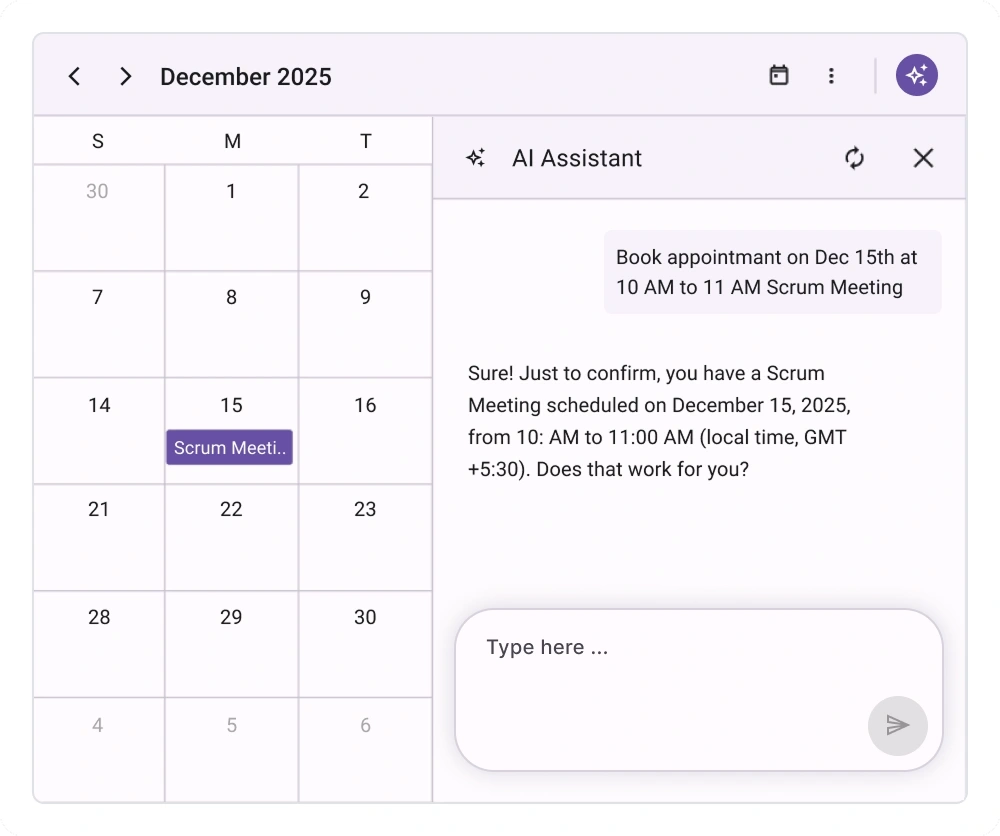
Create, update, reschedule, and delete appointments by simply typing what you want. This AI-powered scheduler parses intent, time expressions, attendees, and locations to perform the right action without opening editors.
Conflict detection and alternatives
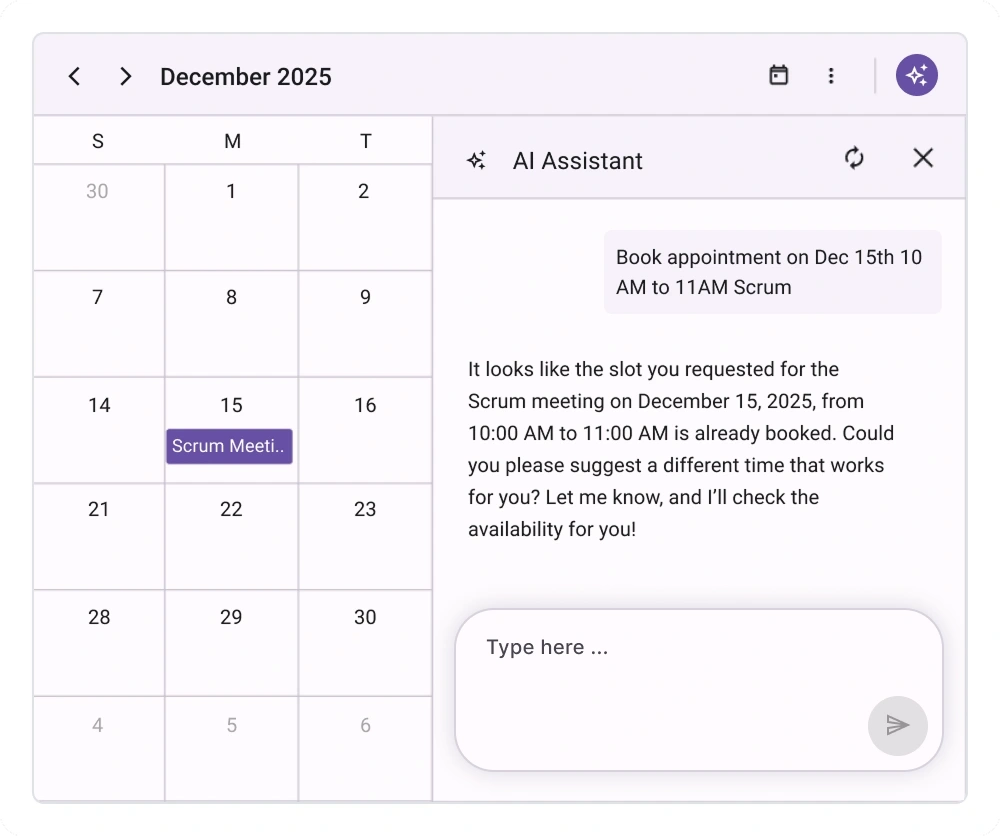
Instantly spot overlapping events across calendars and resources. When conflicts occur, the Smart Scheduler proposes nearby, conflict-free options, so you can resolve issues in one click.
Free-time discovery
Find open slots in seconds for selected resources and date ranges. Apply constraints (duration, working hours, buffers) to surface only available times for faster scheduling.
Smart summarization
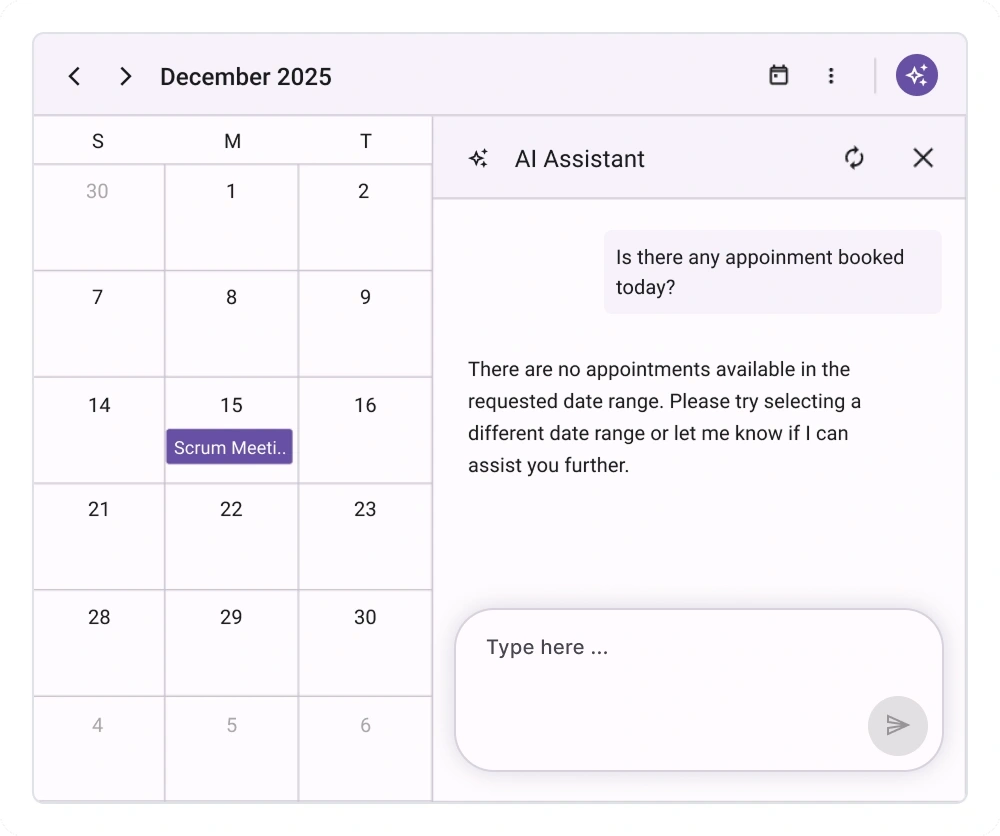
Summarize appointments for a specific date, an entire month, or a full year to understand activity, availability, and trends quickly without manual tallying.
Not sure how to create your first .NET MAUI Smart Scheduler? Our documentation can help.
I’d love to read it nowFrequently Asked Questions
Why should you choose the Syncfusion .NET MAUI Smart Scheduler?
The Syncfusion .NET MAUI Smart Scheduler:
- Enables natural-language scheduling to create, update, reschedule, and cancel events without opening editors.
- Detects conflicts across calendars and resources.
- Summarizes days, weeks, or months to highlight conflicts and free time slots.
- Supports people, rooms, and custom resources for realistic, availability-aware booking.
Offers simple AI integration through a pluggable IChatInferenceService with debounced, responsive processing.
- Provides rich views (month, week, timeline, etc.) and customization for visuals and behavior.
- Ships with developer-friendly APIs, commands, and events to tailor scheduling logic.
- Runs cross-platform: Android, iOS, Windows, and Mac Catalyst.
- One of the best .NET MAUI Smart Scheduler in the market, offering feature-rich UI to interact with the software.
Simple configuration and APIs.
- Mobile-touch friendly.
Extensive demos and documentation to help you get started quickly with the control.
Where can I find the Syncfusion .NET MAUI Smart Scheduler demo?
You can find our .NET MAUI Smart Scheduler demo here. It demonstrates how to render and configure the Smart Scheduler.
How does the AI-powered .NET MAUI Smart Scheduler work?
It interprets natural-language instructions (for example, “Create an appointment titled Project Kickoff on Tuesday at 2 p.m. for 60 minutes in Room A”) to infer intent, time, duration, resources, and location. It then:
- Validates availability and detects conflicts.
- Executes the requested action (create/update/move/delete) and updates the view.
Which platforms does the Smart Scheduler support?
It supports Android, iOS, Windows, and Mac Catalyst. Views and interactions are optimized for both desktop and mobile form factors.
How does conflict detection and resolution work?
Conflicts are detected by checking for overlapping appointments within the selected date range across the chosen resources. When overlaps are found, the Scheduler highlights them so you can adjust times or reassign resources to resolve the conflict.
How do I enable AI features in my app?
Register your AI inference service so the Scheduler can parse natural-language requests:
- Add and configure your IChatInferenceService implementation.
- Call ConfigureSyncfusionAIServices() during app startup.
- Bind the Smart Scheduler to your data and enable the assist button if desired.
If no AI is configured, the Scheduler still works with manual operations and predefined phrases.
Can I download and use the Syncfusion .NET MAUI Smart Scheduler for free?
No, this is a commercial product and requires a paid license. However, a free community license is available for organizations with less than US $1 million in annual gross revenue, 5 or fewer developers, and 10 or fewer employees.
How do I get started with the Syncfusion .NET MAUI Smart Scheduler?
A good place to start would be our comprehensive getting started documentation.
Can I use the Smart Scheduler without an AI service?
No. The Smart Scheduler’s AI features require a configured IChatInferenceService. To use these capabilities, register an AI service and provide an implementation of IChatInferenceService. If you do not want to use AI, consider the standard Syncfusion .NET MAUI Scheduler control instead.
What scheduling actions can I do with natural language?
You can perform the following actions:
- Create appointments with time, duration, attendees, and locations.
- Reschedule or move events to a different time or day.
- Edit details such as title, location, notes, or participants.
- Delete or cancel events.
- Find free time for specified people or other resources within date ranges.
Does it support summaries of my schedule?
Yes. You can get quick summaries for a day, week, month, or custom range to understand total meetings, occupied and available hours, and highlights, all without personally tallying your calendar.
Our Customers Love Us
Having an excellent set of tools and a great support team, Syncfusion® reduces customers’ development time.Here are some of their experiences.

Good Library with lot of features that are very helpful
We needed a clear picture of our schedule for the day across our organization, and Scheduler in Syncfusion helped us get to it with ease.

Nishanth Kiran J,

Great Enterprise product for complex scenarios.
The customer needed a complex implementation of a Calendar (Scheduler Component) with drag and drop functionalities, custom fields, colors and so on. The Scheduler component from Syncfusion allowed me to implement what I needed without spending a lot of hours to develop it.

Juan Cruz B,

Web developer
See Real Success Stories
Developers around the world trust Syncfusion’s Essential Studio to simplify complex projects and speed up delivery. With a vast library of UI controls, powerful SDKs, and reliable support, Essential Studio helps teams build enterprise-ready applications with confidence.
Read Our Customer StoriesIndustry
Software development
75% Cost reduction
50% Faster development
Industry
Utilities (oil and gas)

450+ hours saved
Streamlined processes and hours of development effort saved.

Advanced, flexible features
Empowered users through robust and versatile functionality.
Industry
Software and technology
1000+ of hours saved
Accelerated development with enterprise-ready UI components.

Efficient file management
Streamlined workflows with document libraries without building them from scratch.
Industry
Software and technology

2 Years of delay avoided
Two years of delays prevented with proactive planning.

On-time delivery
Projects delivered on schedule using trusted controls.
Industry
IT services and IT consulting

Improved performance
Large datasets handled with easy customization and quick debugging.

Highly customizable
Plug-and-play controls with quick template integration.
Industry
Professional services
Instant access
Quick availability of features and resources.
Reduced dependencies
Fewer dependencies for faster development.
Rated by users across the globe
Syncfusion .NET MAUI Smart Scheduler resources


Awards
Greatness—it’s one thing to say you have it, but it means more when others recognize it. Syncfusion® is proud to hold the following industry awards.









