 Vijayakumar Mariappan
TL;DR: Syncfusion Essential Studio 2026 Volume 3 (v35.1.37) introduces five new preview controls for .NET MAUI: TreeGrid, Data Pager, Diagram, Grid Splitter, and Interactive Viewer. The release also adds a multirow layout for DataGrid, new scheduling and charting capabilities, Markdown and streaming support in AI AssistView, and marks Rich Text Editor as production-ready.
Building .NET MAUI applications involves handling UI requirements such as displaying hierarchical data, navigating large datasets, creating interactive diagrams, and designing flexible layouts. Implementing these capabilities can add to development time and maintenance effort.
Syncfusion Essential Studio 2026 Volume 3 introduces five new preview controls, TreeGrid, Data Pager, Diagram, Grid Splitter, and Interactive Viewer, to address these needs. The release also enhances DataGrid, Scheduler, Charts, AI AssistView, and Signature Pad, while making Rich Text Editor production-ready.
Explore the key updates and the breaking changes to review before upgrading to v35.1.37.
.NET MAUI 2026 Volume 3 at a glance
Here’s a quick look at the major updates:
| Control | What’s new |
|---|---|
| TreeGrid (Preview) | Display hierarchical data in a grid |
| Data Pager (Preview) | Navigate data through pages and load data on demand |
| Diagram (Preview) | Create interactive diagrams with nodes and connectors |
| Grid Splitter (Preview) | Build resizable application layouts |
| Interactive Viewer (Preview) | Zoom, pan, rotate, and reset content |
| DataGrid | Multirow column layout |
| Scheduler | Hierarchical resources, appointment overlap controls, and iCalendar support |
| Charts | Gradient line series, trackball enhancements, and axis styling |
| AI AssistView | Markdown, response streaming, and prompt library |
| Signature Pad | Check whether a signature has been provided |
| Rich Text Editor | Now production-ready, with a grouped toolbar and structured content support |
The release introduces five new preview controls and enhancements to existing controls, while making Rich Text Editor production-ready. Let’s explore these updates and how they can help you build .NET MAUI applications.
1. TreeGrid
Have you ever needed to display parent-child data while still giving users the familiar experience of a data grid?
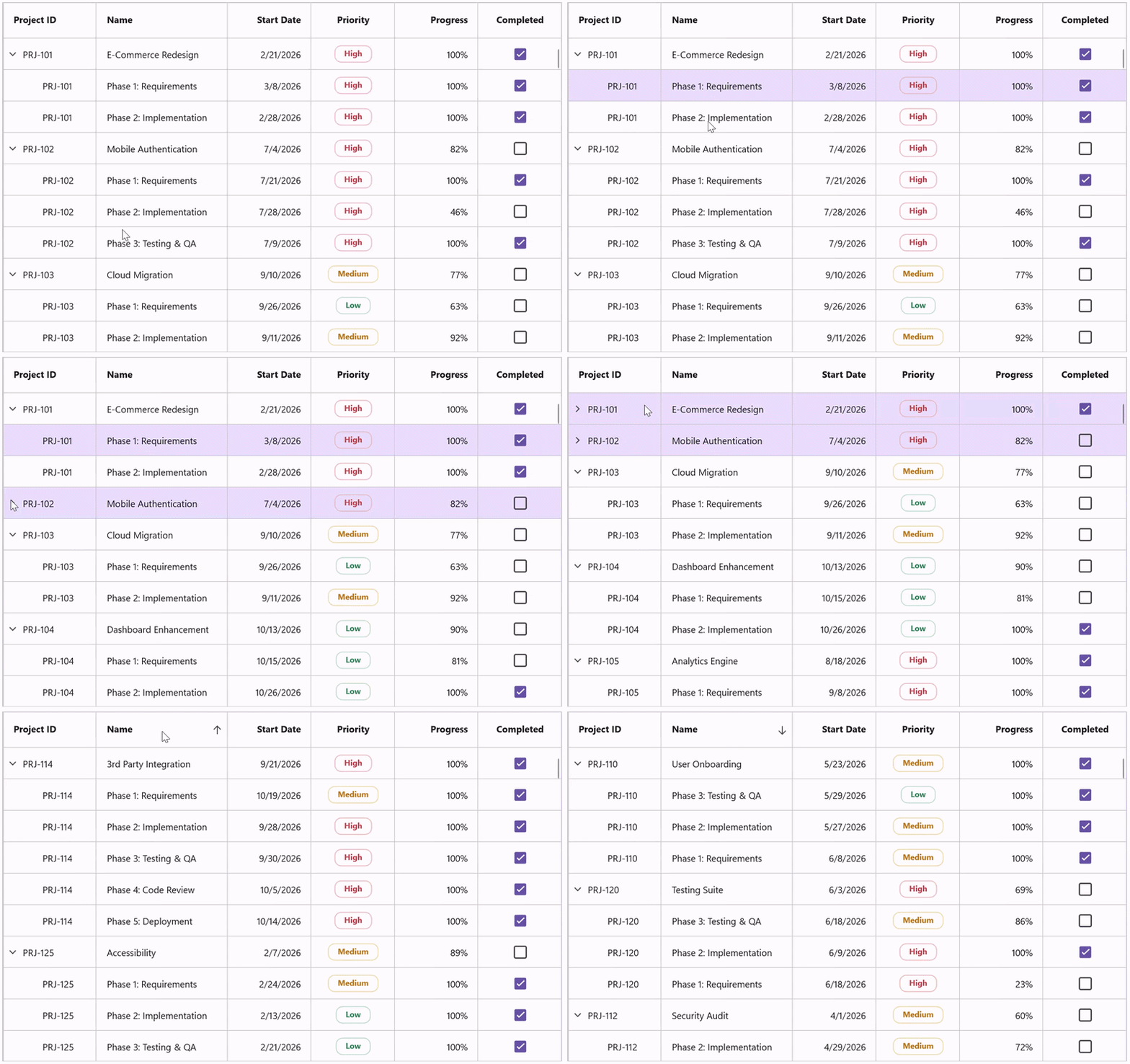
The .NET MAUI TreeGrid control is designed for this scenario. It displays self-relational and nested data in a tabular format, allowing users to expand and collapse hierarchical records. You can also use features such as sorting, filtering, selection, and frozen columns.
For example, you could use TreeGrid to display:
- Organization structures.
- Product categories and subcategories.
- Project tasks and subtasks.
- File or folder hierarchies.
- Other parent-child datasets.
Key capabilities
- Bind self-relational and nested collections.
- Use automatically generated or manually defined columns.
- Expand and collapse nodes interactively or programmatically.
- Sort by one or multiple columns.
- Filter data programmatically.
- Freeze columns.
- Customize the appearance of the grid.
2. Data Pager
Displaying a large collection at once can make data harder to navigate and require loading more records than users need.
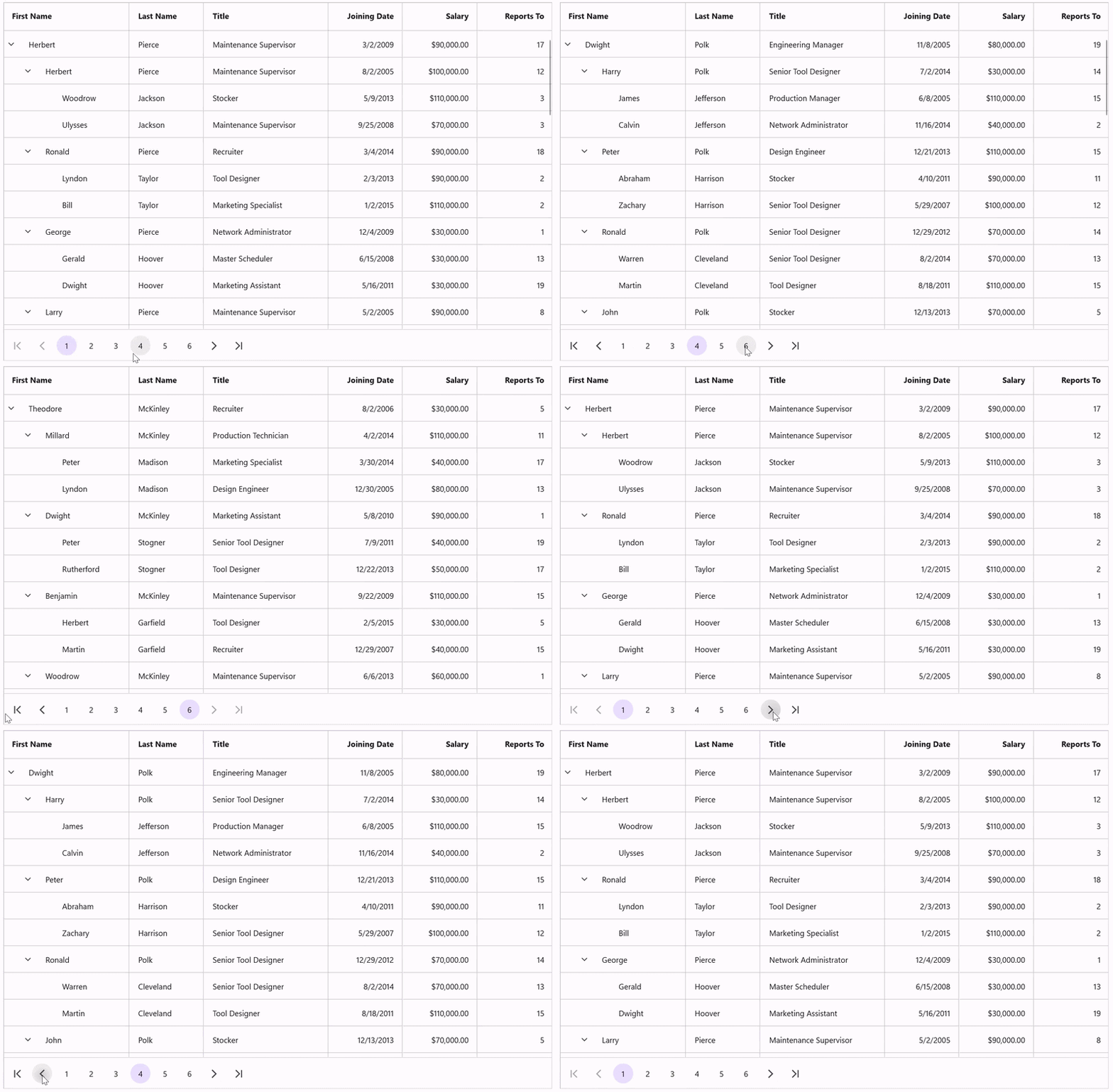
The .NET MAUI Pager simplifies navigation through large datasets by dividing records into pages and loading data on demand. It also integrates with data-bound controls such as DataGrid.
Key capabilities
- Standard page navigation.
- On-demand data loading.
- Configurable navigation modes.
- Programmatic page navigation.
- Horizontal and vertical layouts.
3. Diagram
Need to show relationships, processes, connections, or other visual structures?
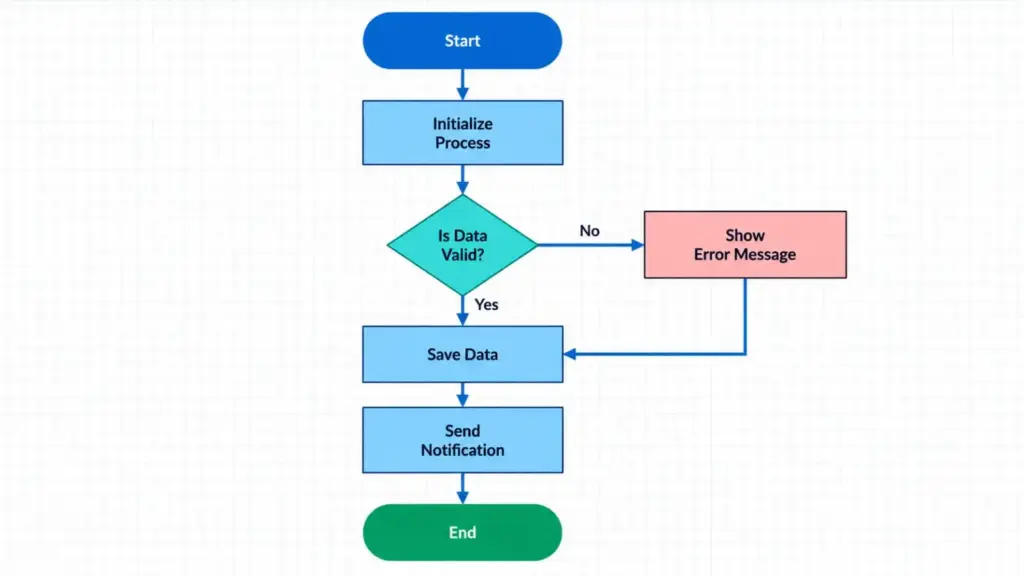
The new Diagram control provides a canvas for building interactive diagrams using nodes, connectors, annotations, and reusable symbols. It also supports drag-and-drop, customizable connection ports, a symbol palette, and serialization.
You can use it for scenarios such as:
- Flowcharts.
- Process diagrams.
- Visual editors.
- Relationship diagrams.
Key capabilities
- Predefined shapes.
- Straight and orthogonal connectors.
- Annotations.
- Customizable connection ports.
- Symbol palette.
- Save and load support.
- Export support.
- Undo and redo support.
4. Interactive Viewer
Sometimes a standard image or content view isn’t enough. Users may need to zoom in, move around, or rotate content to inspect details.
The .NET MAUI Interactive Viewer adds these interactions to .NET MAUI views. You can use it with images, maps, diagrams, documents, and other visual content that benefits from closer inspection.
Key capabilities
- Zoom and pan.
- Rotate content.
- Reset the view.
- Display any .NET MAUI view.
- Support light and dark themes.
- Customize interactions through events.

5. Grid Splitter
Do you want users to control how much space different areas of your application use?
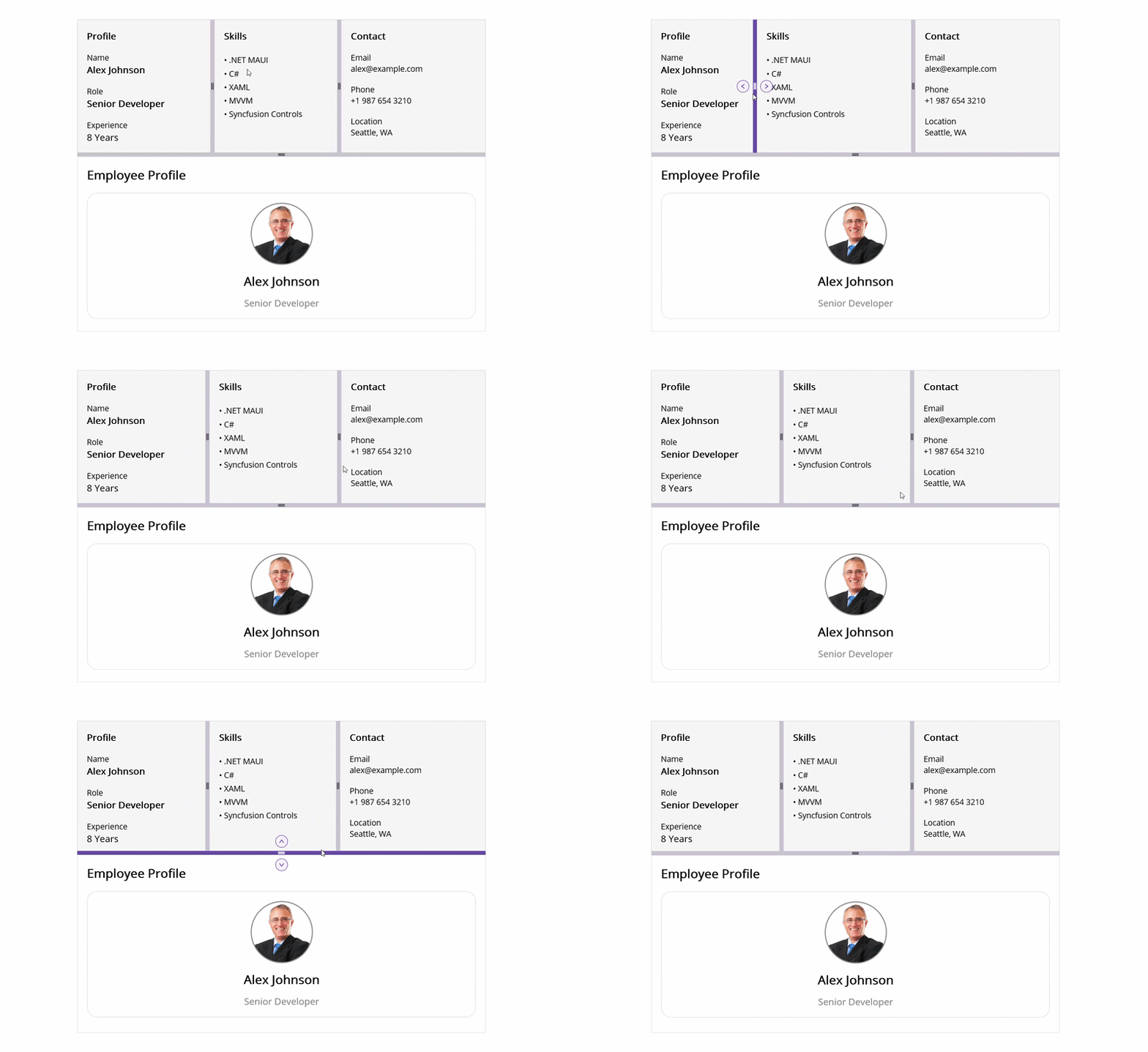
The new Grid Splitter lets users resize adjacent rows or columns by dragging a splitter. You can also allow panes to expand or collapse and set minimum and maximum sizes.
This makes it useful for:
- Dashboards.
- Document editors.
- Image viewers.
- Master-detail layouts.
- Workspace-style applications.
Key capabilities
- Interactive pane resizing.
- Expand and collapse actions.
- Horizontal and vertical orientations.
- Minimum and maximum pane sizes.
- Nested splitter layouts.
- Runtime event support.
What’s new in existing .NET MAUI controls?
The release also enhances several existing controls with new capabilities for data presentation, AI interactions, scheduling, visualization, and content editing.
DataGrid
Wide grids can become difficult to use when each record contains many fields.
The new Multi-Row Column Layout lets you arrange related fields across multiple row levels instead of placing everything into one wide row.

For employee, product, or order records with many fields, this layout helps organize related information without forcing every field into a single wide row.
AI AssistView
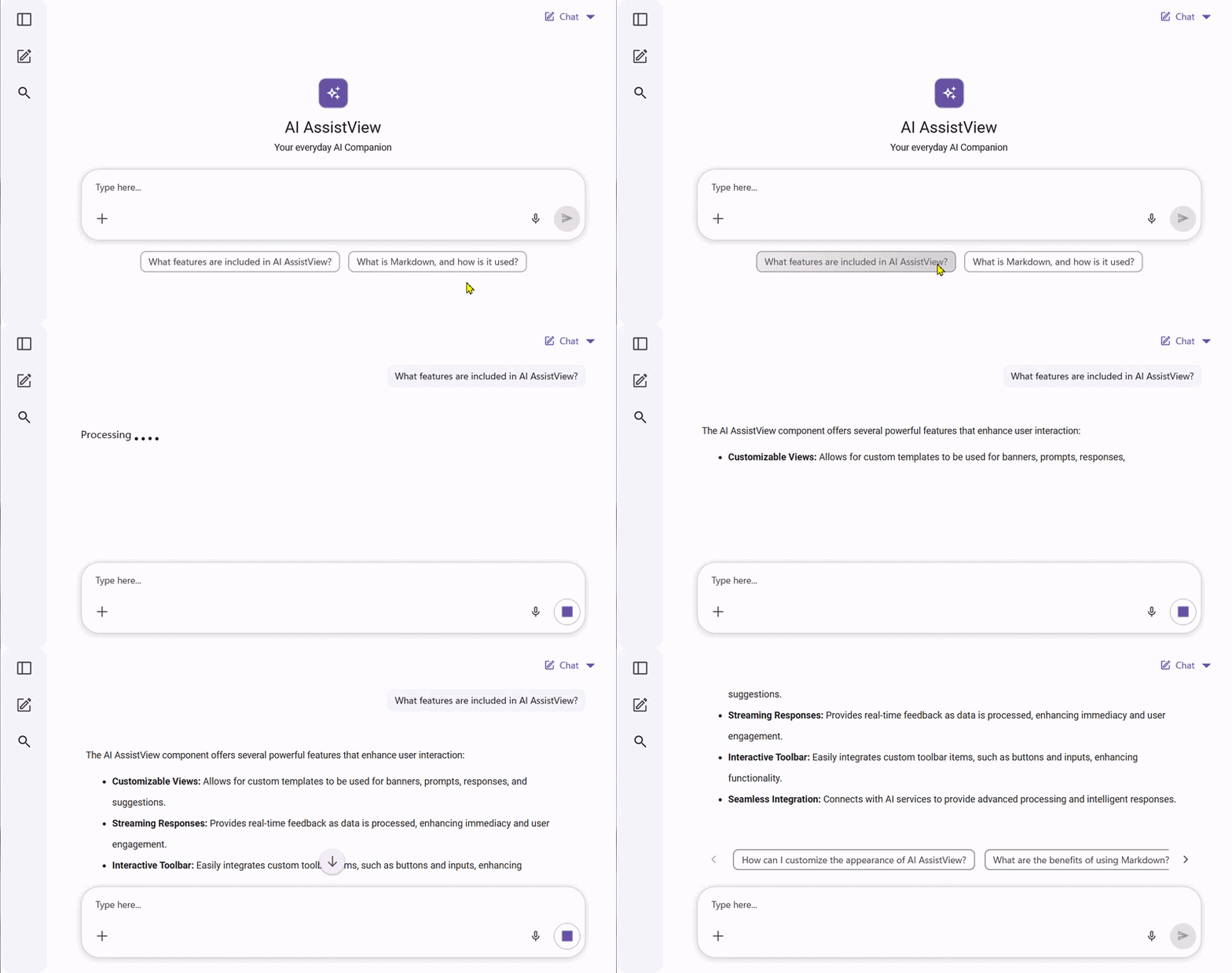
AI responses are no longer limited to plain text. Your application may need to display headings, lists, links, code blocks, and progressively generated responses.
With the latest AI AssistView updates, you can render Markdown content and stream AI responses as they are generated.
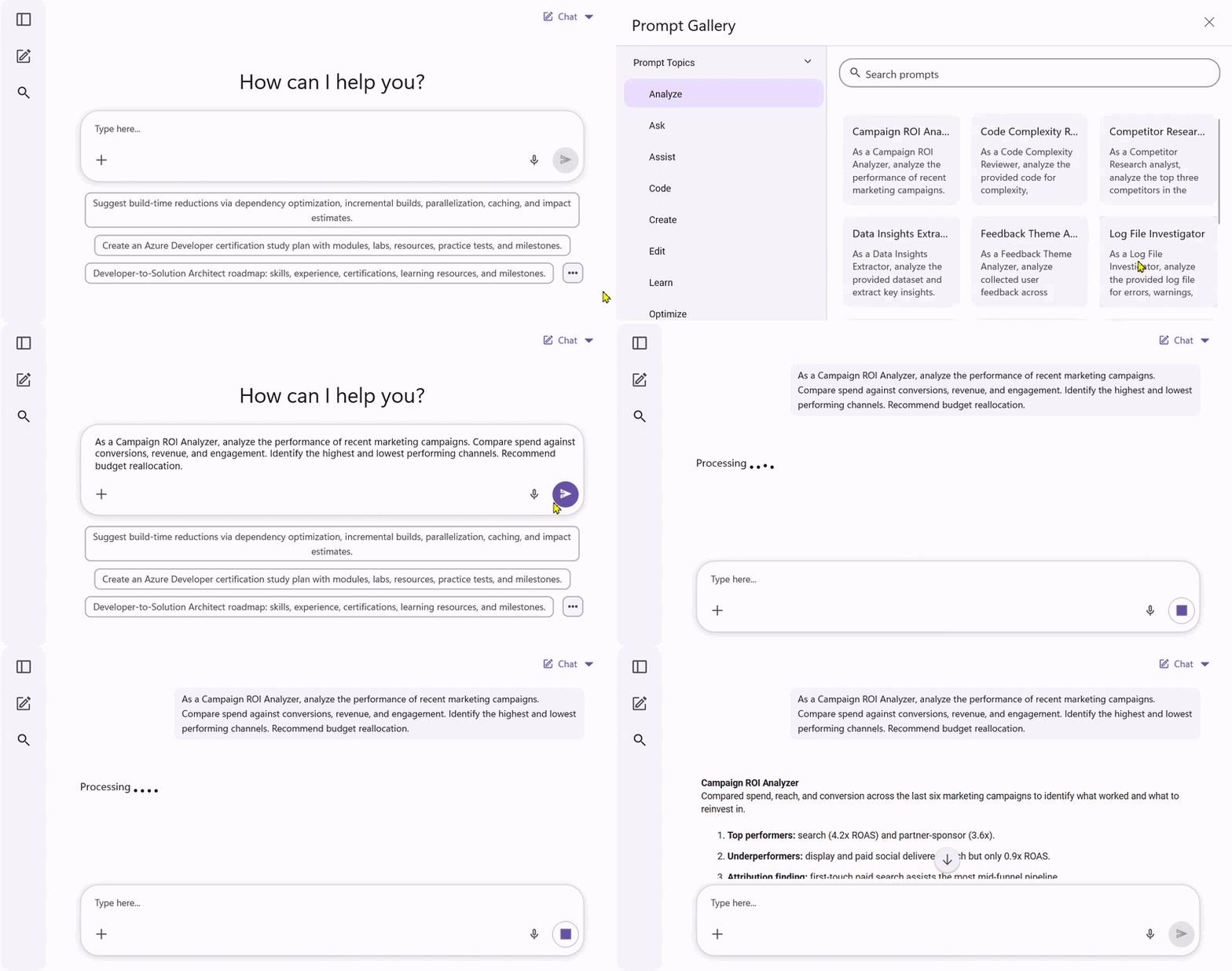
A new prompt library also helps you organize reusable prompts by categories and topics.
What you can now do
- Render Markdown in AI responses.
- Display generated responses progressively through streaming.
- Organize reusable prompts with a prompt library.
- Create more structured AI conversations.
Signature Pad
The Signature Pad now includes an IsEmpty property that lets you determine whether a user has provided a signature.
You can check this property before moving to the next step or submitting a form. For workflows that require a signature, it provides a simple way to validate whether the user has entered one.
Scheduler
If your application manages multiple resources, overlapping appointments, or different calendar systems, the Scheduler now gives you more control.
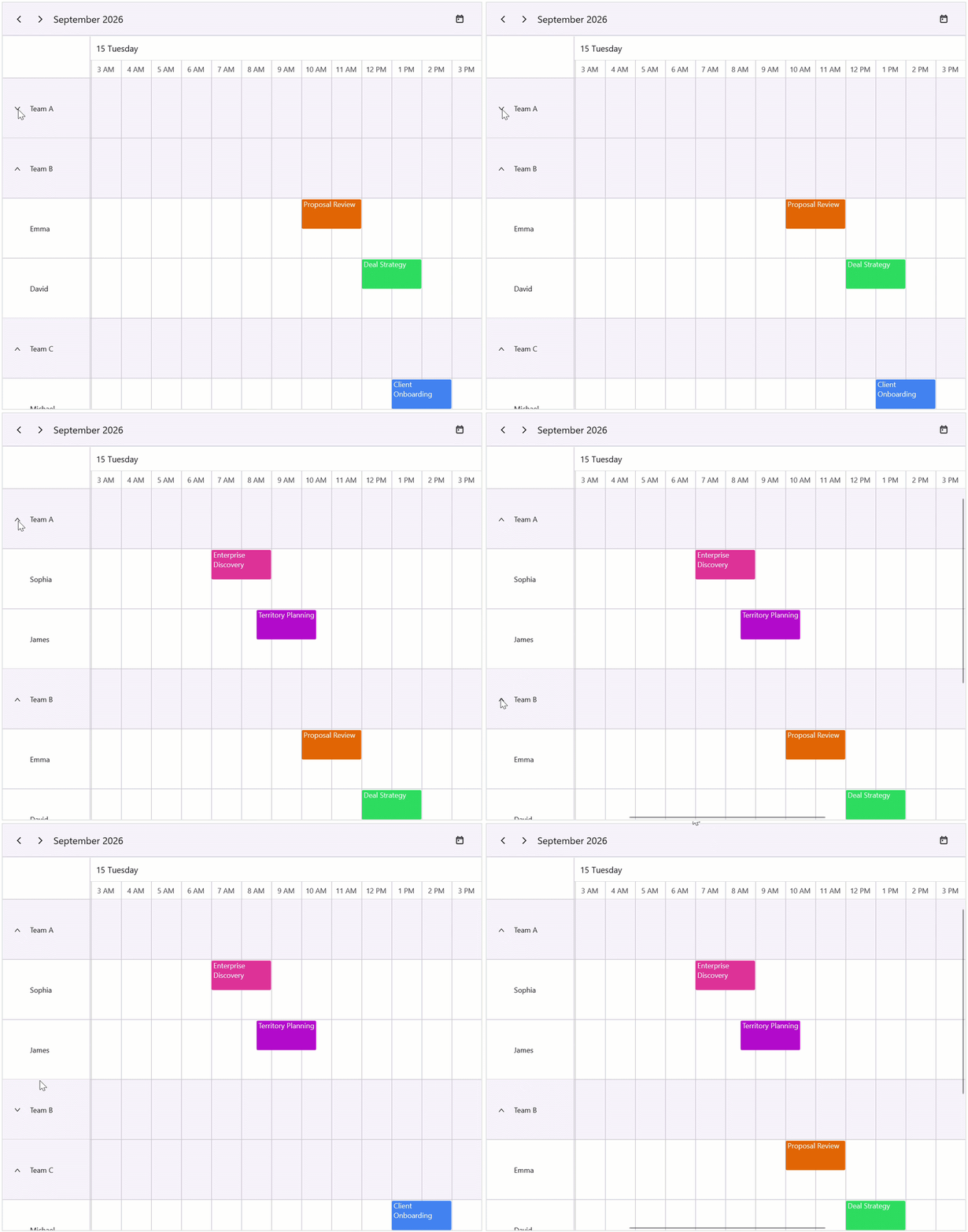
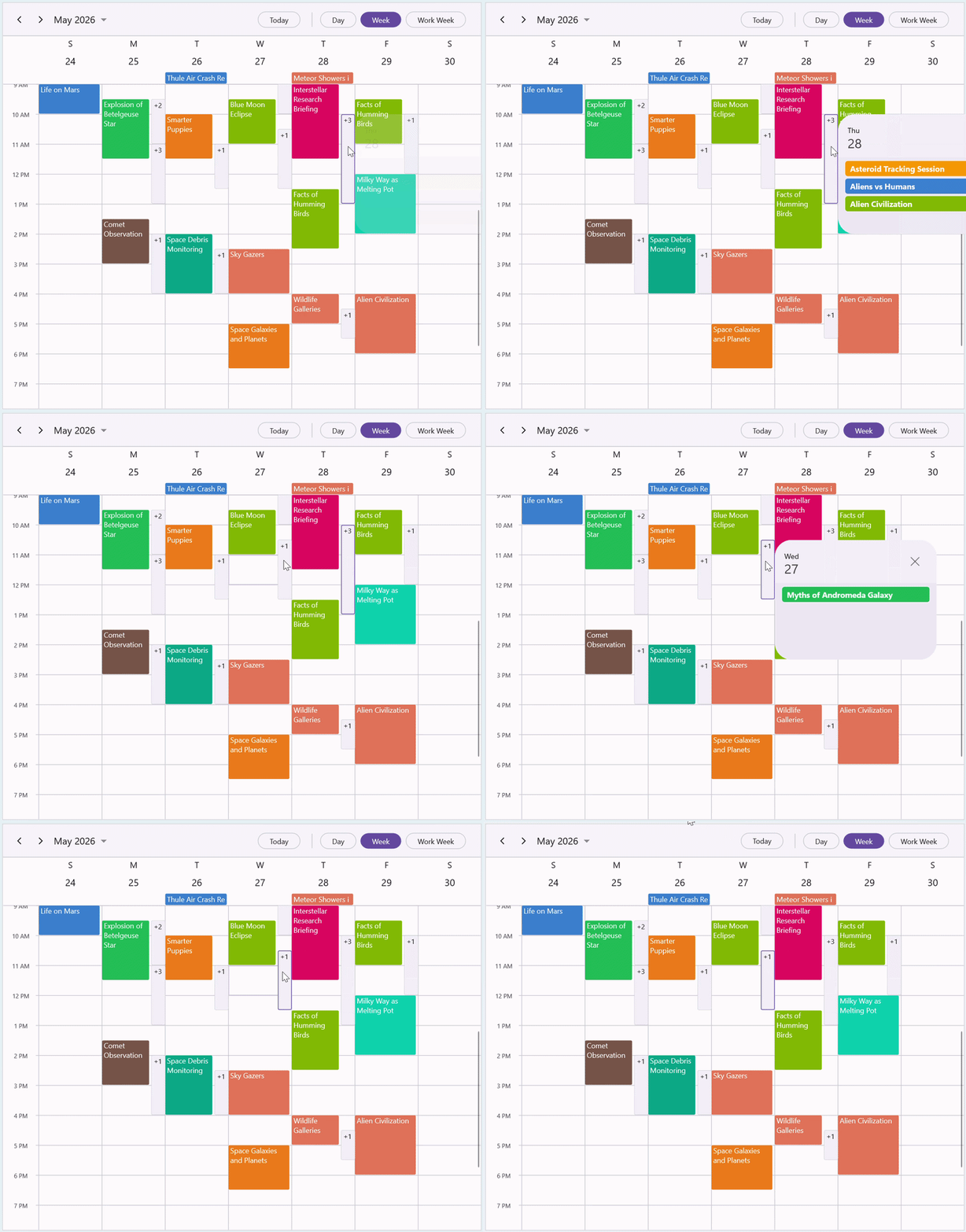
The .NET MAUI Scheduler adds support for hierarchical resources, appointment overlap controls, major and minor time-slot ticks, Month Agenda view, and iCalendar import and export.
Key updates
Hierarchical resources: Organize resources using parent-child relationships.
Appointment limits: Control how many overlapping appointments are displayed at once.
Major and minor ticks: Make time slots easier to read in scheduling views.
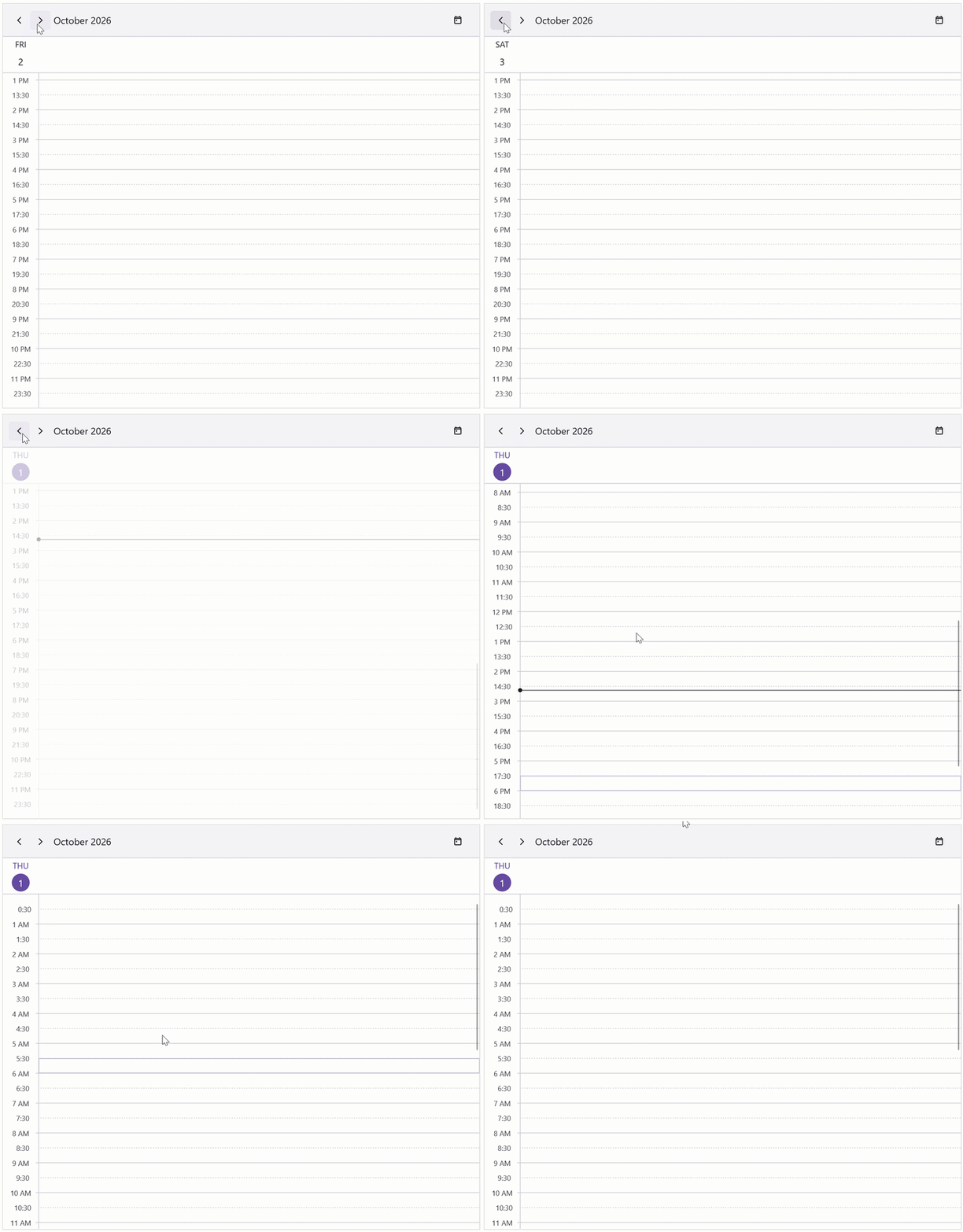
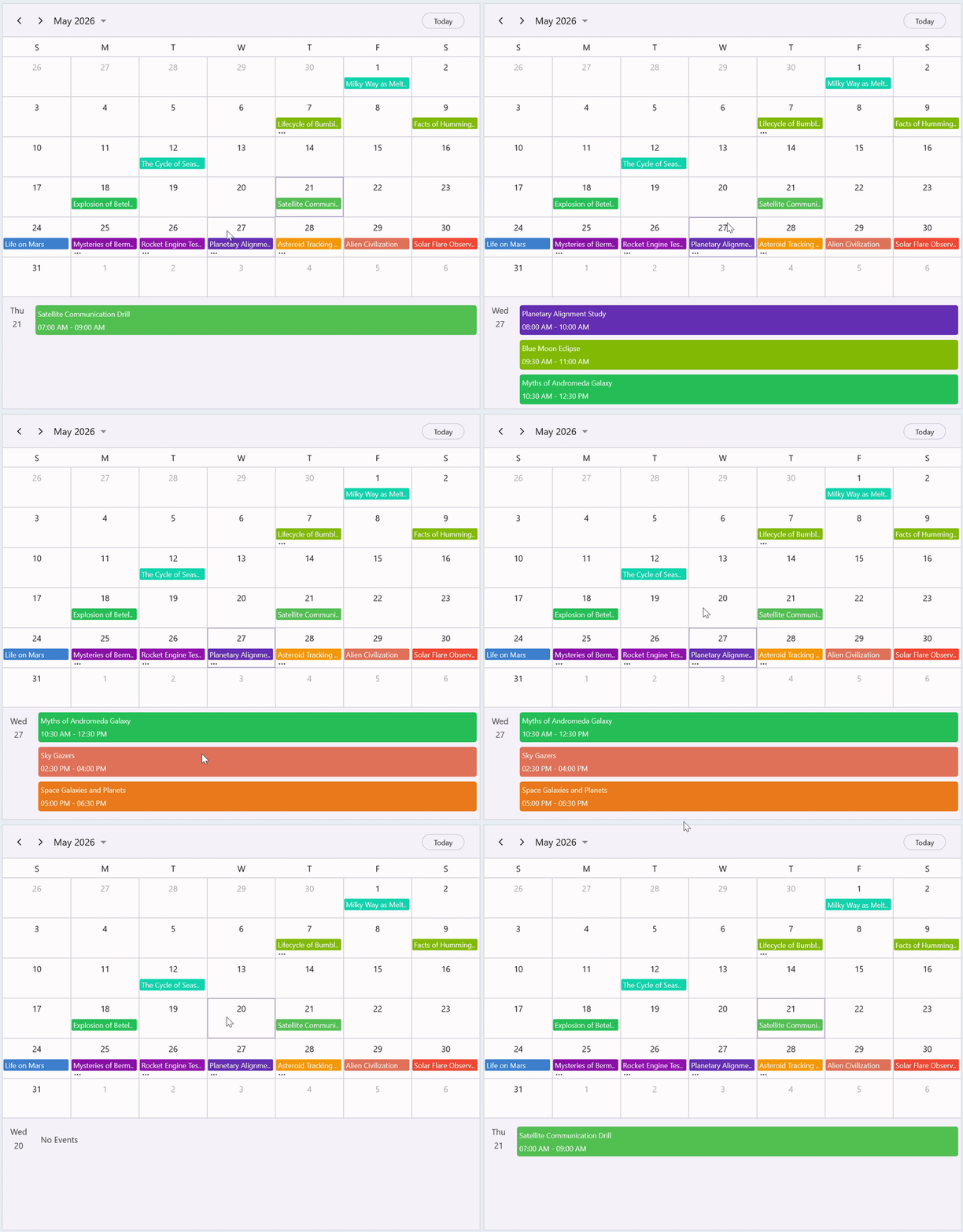
Month Agenda: View appointments in an agenda-style format within the month view.
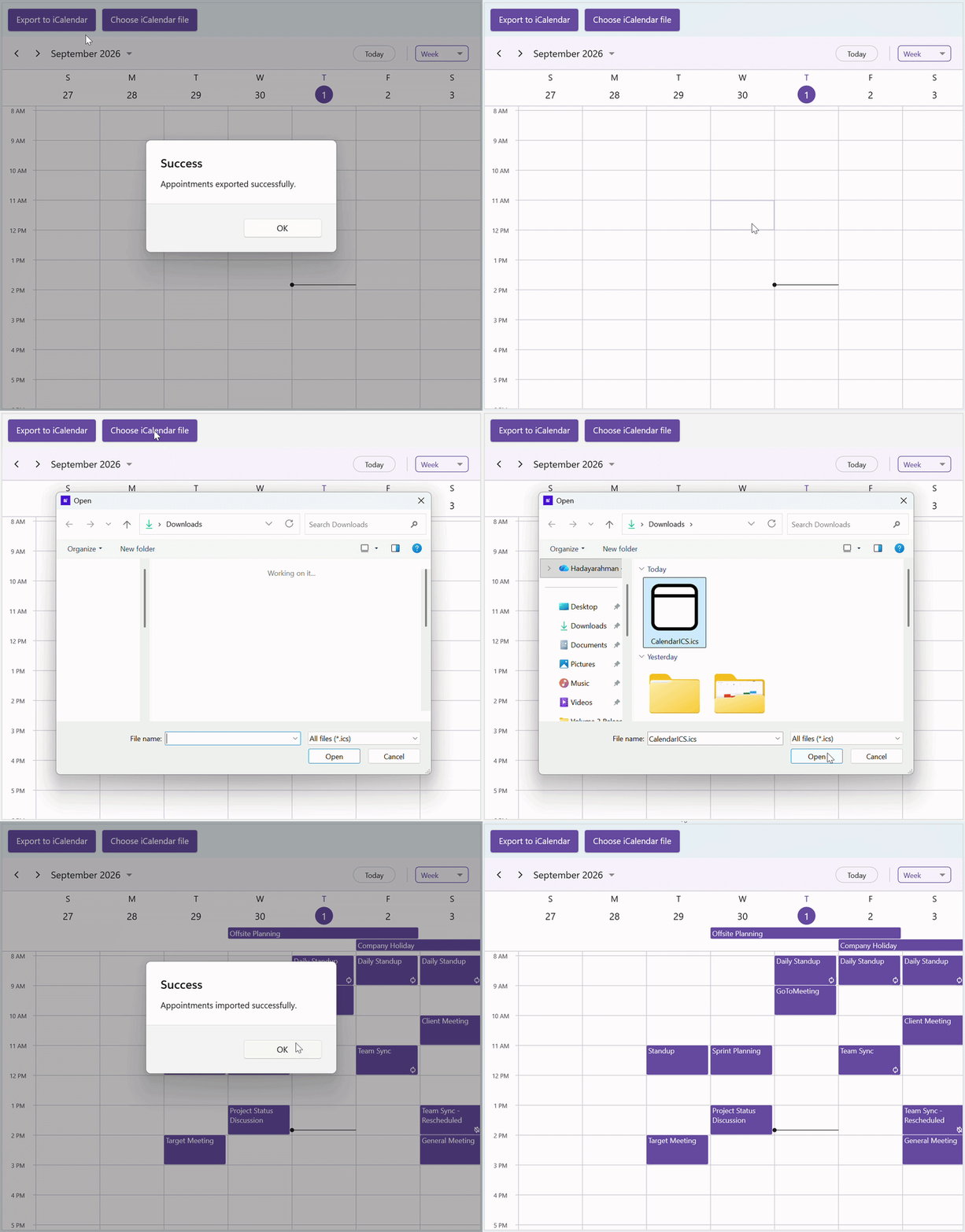
iCalendar support: Import and export appointments using .ics files.
Charts
Charts also receive several improvements in this release.
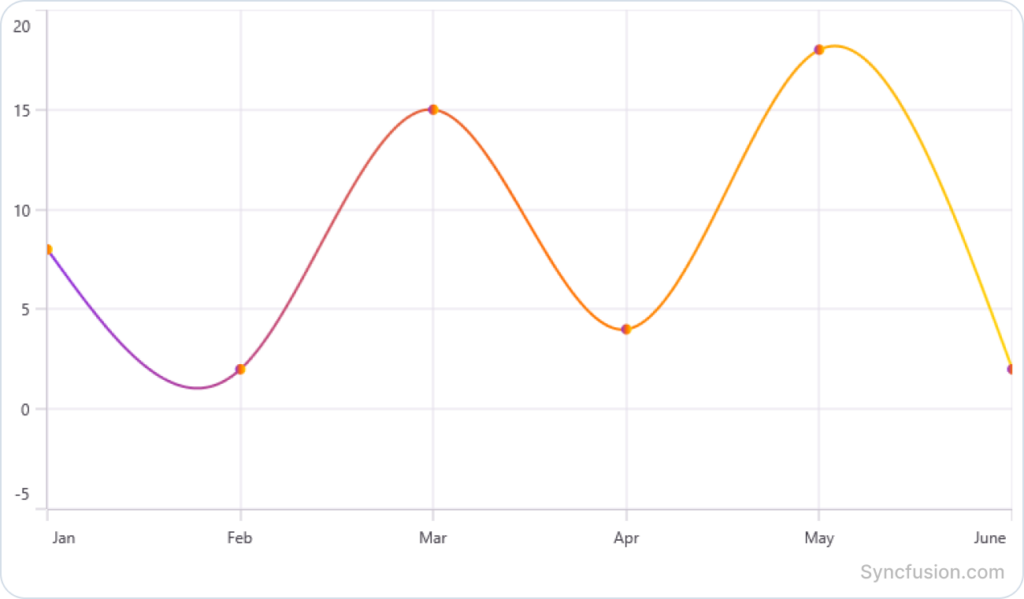
You can now use gradient support for line series to create smoother color transitions.
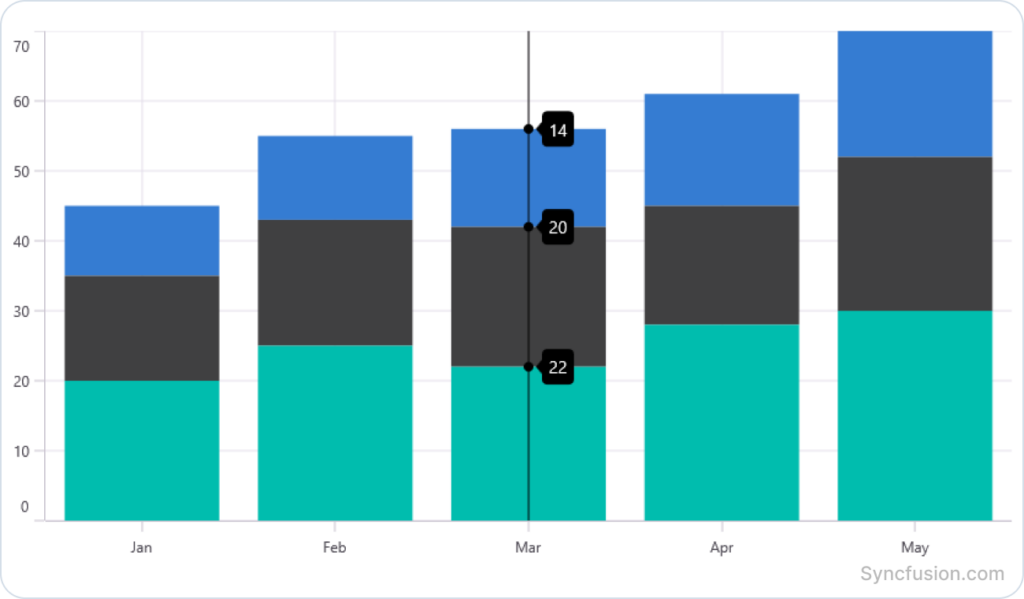
Trackball support has also been extended to stacked column charts, making it easier to inspect and compare data points.
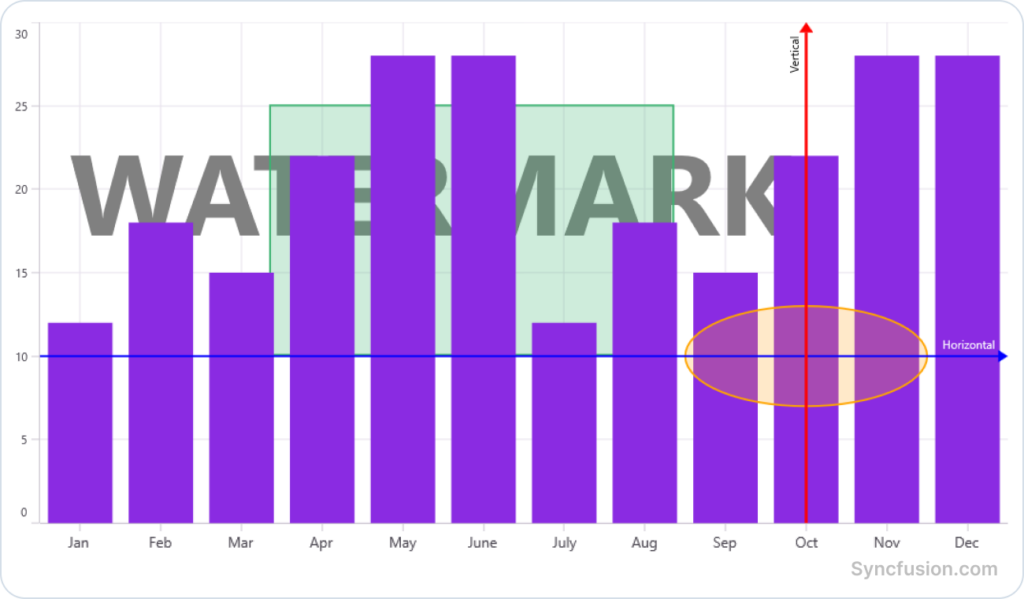
Annotation ZIndex support for controlling layers.
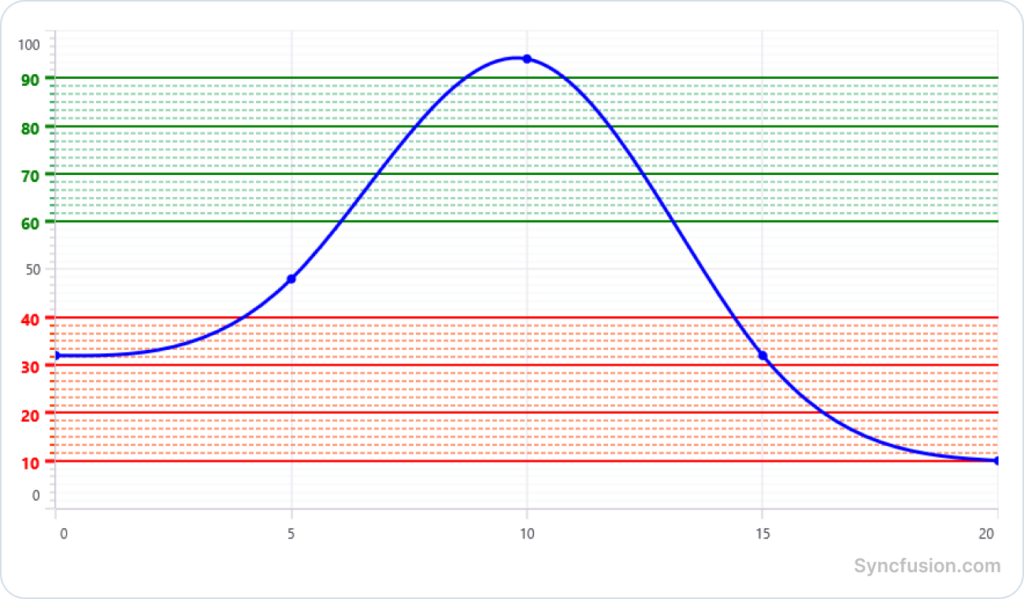
Axis range styling for highlighting specific data ranges.
Additional updates include:
- Legend title support.
- Accessibility improvements across chart controls.
Rich Text Editor:
One of the important milestones in this release is that the .NET MAUI Rich Text Editor is now production-ready.
The release also adds a mobile-friendly, grouped toolbar through the IsGrouped property. Related toolbar actions can be presented together in a touch-friendly interface on Android and iOS, helping reduce toolbar clutter.
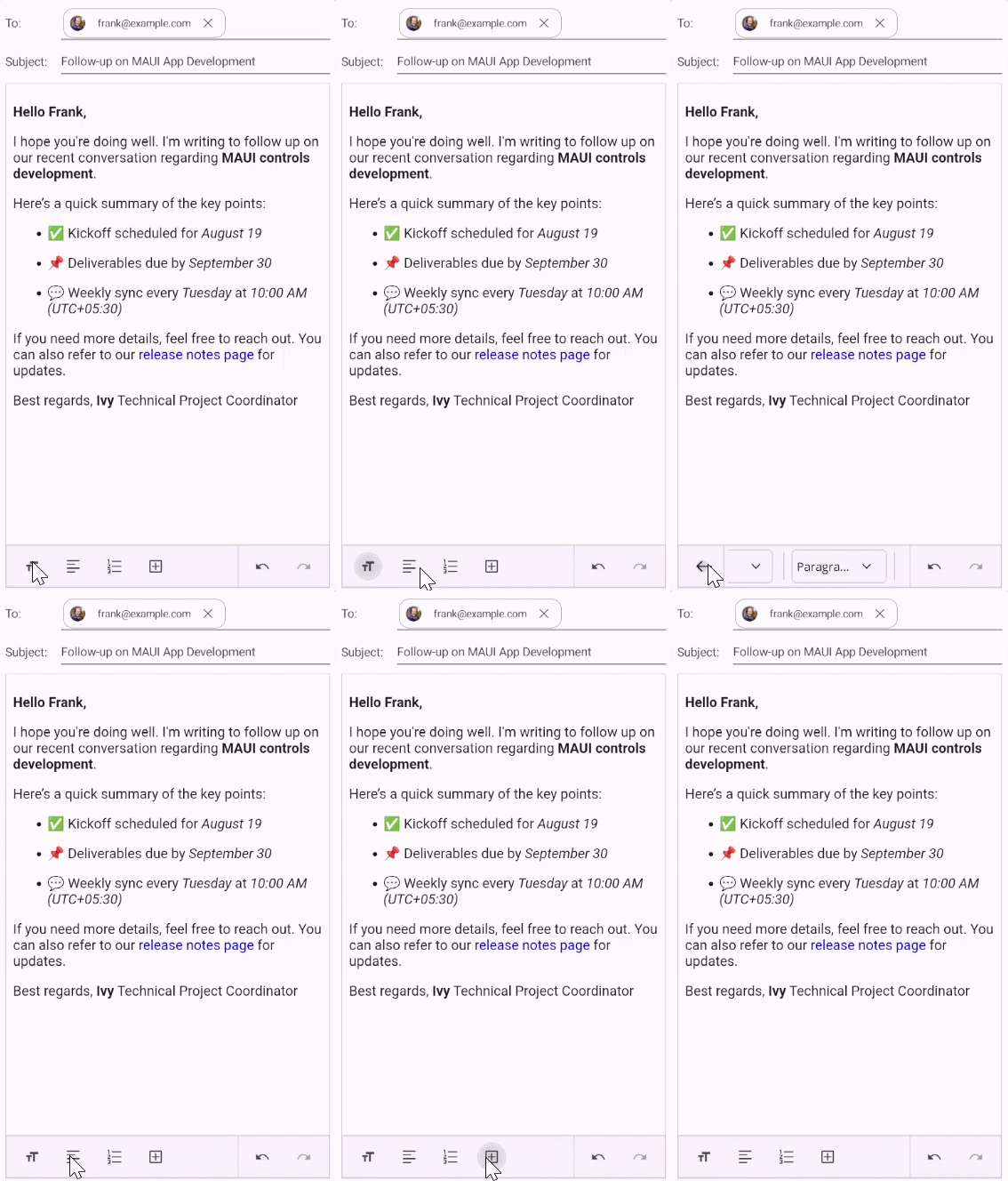
This makes formatting commands easier to access on mobile devices while keeping the editing interface organized.
The Rich Text Editor also supports structured content through schema-based block nodes and provides a unified Value property for HTML, plain text, and schema block node content.
Users can also convert selected text to uppercase or lowercase through the toolbar.
So, while the five new controls are still in preview, you can now consider the Rich Text Editor for production .NET MAUI applications.
Before you upgrade: Breaking changes and .NET support
Planning to move your application to v35.1.37?
Before updating your packages, review the following changes to identify any updates needed in your existing code.
Data Pager package change
The SfDataPager control has moved from Syncfusion.Maui.DataGrid to Syncfusion.Maui.DataPager.
Update the package references and namespaces in your C# and XAML code to use the new package.
Rich Text Editor API changes
The Rich Text Editor now uses a unified Value property for content. The previous HtmlText and Text properties are no longer publicly accessible. The Value property supports HTML, plain text, and schema block node content, with the format determined by the TValue enumeration.
Before upgrading, replace references to the previous content properties with Value and the appropriate content format.
The release notes also identify obsolete configuration APIs, including DefaultTextColor, DefaultFontFamily, DefaultFontSize, and UseHybridWebView. Check the official migration guidance for their required replacements.
Color Picker collection change
The PaletteColors property now uses ObservableCollection instead of List.
Update the collection type and related code wherever PaletteColors is assigned or modified.
.NET 9 support timeline
Syncfusion has announced that support for .NET 9 in its .NET MAUI controls will end following the release of .NET 11 GA in November 2026.
If your projects target .NET 9, plan a framework upgrade alongside the control upgrade to maintain access to future updates and support.
For complete migration details, review the official What’s New and release notes documentation before upgrading.
Frequently Asked Questions
Which .NET MAUI controls are production-ready?
The Rich Text Editor is now production-ready. The five controls introduced in this release, TreeGrid, Data Pager, Diagram, Grid Splitter, and Interactive Viewer, remain in preview.
Does .NET MAUI 2026 Volume 3 support .NET 9 and .NET 10?
Yes. The release supports both .NET 9 and .NET 10. However, Syncfusion has announced that .NET 9 support will end following the release of .NET 11 GA in November 2026.
Are there breaking changes in v35.1.37?
Yes. Breaking changes affect Data Pager, Rich Text Editor, and Color Picker. Review the package, API, and collection changes described above and consult the official release notes before upgrading your application.

Conclusion
Syncfusion .NET MAUI 2026 Volume 3 introduces five new controls for hierarchical data, large datasets, diagrams, interactive content, and flexible layouts. It also brings updates to DataGrid, Scheduler, Charts, AI AssistView, Signature Pad, and Rich Text Editor.
These enhancements give developers more options for building data-driven interfaces, interactive experiences, and content-editing workflows.
If you’re upgrading to Essential Studio® 2026 Volume 3, review the breaking changes and .NET support timeline before updating your application.
Explore the latest .NET MAUI controls and try the new features in the interactive demos.
New to Syncfusion? Start with the .NET MAUI free trial.
If you have questions or feedback, reach out through our support forums, feedback portal, or support portal.




![Build Modern .NET MAUI Apps with .NET 11 [Webinar Show Notes]](/blogs/images/posts/build-maui-apps-dot-net-11-webinar/build-modern-net-maui-apps-with-net-11.png)


Be the first to get updates