
 Sumathi Uthayakumar
TL;DR: The Syncfusion 2026 Volume 1 release brings major performance and usability upgrades to the PDF Viewer, DOCX Editor, and Spreadsheet Editor SDKs. Key improvements include faster PDF page organization on the web; quicker Blazor text search; zoom persistence and custom stamp access in .NET MAUI; discontinuous chart ranges in the Spreadsheet Editor; full dashed/dotted border preservation in the DOCX Editor, and more. New Visual Studio extensions also streamline Blazor development.
Working with large PDFs, complex spreadsheets, or heavily formatted Word documents can quickly become slow and frustrating. When page organization lags, search takes too long, or formatting gets lost, productivity drops across teams that rely on document-heavy workflows.
The Syncfusion 2026 Volume 1 release addresses these challenges with targeted performance and usability improvements across the PDF Viewer, DOCX Editor, and Spreadsheet Editor SDKs.
These updates deliver:
- Faster PDF page organization on the web.
- Significantly improved text search performance in Blazor.
- Better usability in the .NET MAUI PDF Viewer.
- More flexible charting in the Spreadsheet Editor.
- Accurate border style preservation in the DOCX Editor.
The result is a smoother and more reliable editing experience across Web, Blazor, and .NET MAUI applications.
Let’s explore these improvements in detail.
PDF Viewer SDK
The PDF Viewer SDK receives several high-impact improvements across Web, Blazor, and .NET MAUI platforms. These updates focus on performance, usability, and workflow efficiency.
Web PDF Viewer: Faster page organization for large documents
Industries that work with large PDFs often experience slowdowns when organizing pages.
For example:
- Legal teams reviewing lengthy contracts.
- Engineering teams managing technical manuals.
- Finance departments working with large consolidated reports.
As documents grow in size, opening the Organize Pages window can become slow or unresponsive, making page reordering or deletion tedious.
The Syncfusion Web PDF Viewer now opens and closes the Organize Pages window significantly faster, even when working with very large documents. These improvements eliminate UI lag and temporary freezes, giving users a smoother and more responsive page-management experience.
The following table shows the improvement in opening and closing times:
| Document size | Opening improvement | Closing improvement |
|---|---|---|
| 500 pages | 51.3% | 93.8% |
| 1,000 pages | 62.3% | 93.2% |
| 5,000 pages | 85.7% | Fully responsive |
| 10,000 pages | 76.2% | Fully responsive |
Blazor PDF Viewer: Performance improvements in text search
Fast and accurate text search is essential in many industries that handle large PDFs, including:
- Legal teams navigating case files.
- Research organizations analyze lengthy technical reports.
- Engineering teams reviewing extensive specifications.
In these workflows, slow or inconsistent search performance can disrupt productivity, delay decision‑making, and make it difficult for users to quickly locate critical information across hundreds or even thousands of pages.
To ensure a smoother and more dependable search experience, the Syncfusion Blazor PDF Viewer now delivers significantly faster, more reliable text search, thanks to targeted engine optimizations and refined indexing. You can now locate words and phrases far more quickly and with consistent accuracy, even when working with very large PDF files.
The following metrics show reduced search times for documents of different sizes.
| Document size | Performance improvement (%) |
| 60 pages | 95.4% |
| 114 pages | 95.8% |
| 500 pages | 97.1% |
| 1,000 pages | 96.8% |
| 5,000 pages | 94.3% |
.NET MAUI PDF Viewer improvements
The .NET MAUI PDF Viewer also introduces several usability improvements that make document navigation easier on mobile and tablet devices.
Maintain zoom level in single-page view
Field teams often review large documents on tablets, including:
- Construction inspection reports.
- Clinical documentation.
- Engineering diagrams.
Constantly re-zooming when switching pages can slow down review workflows.
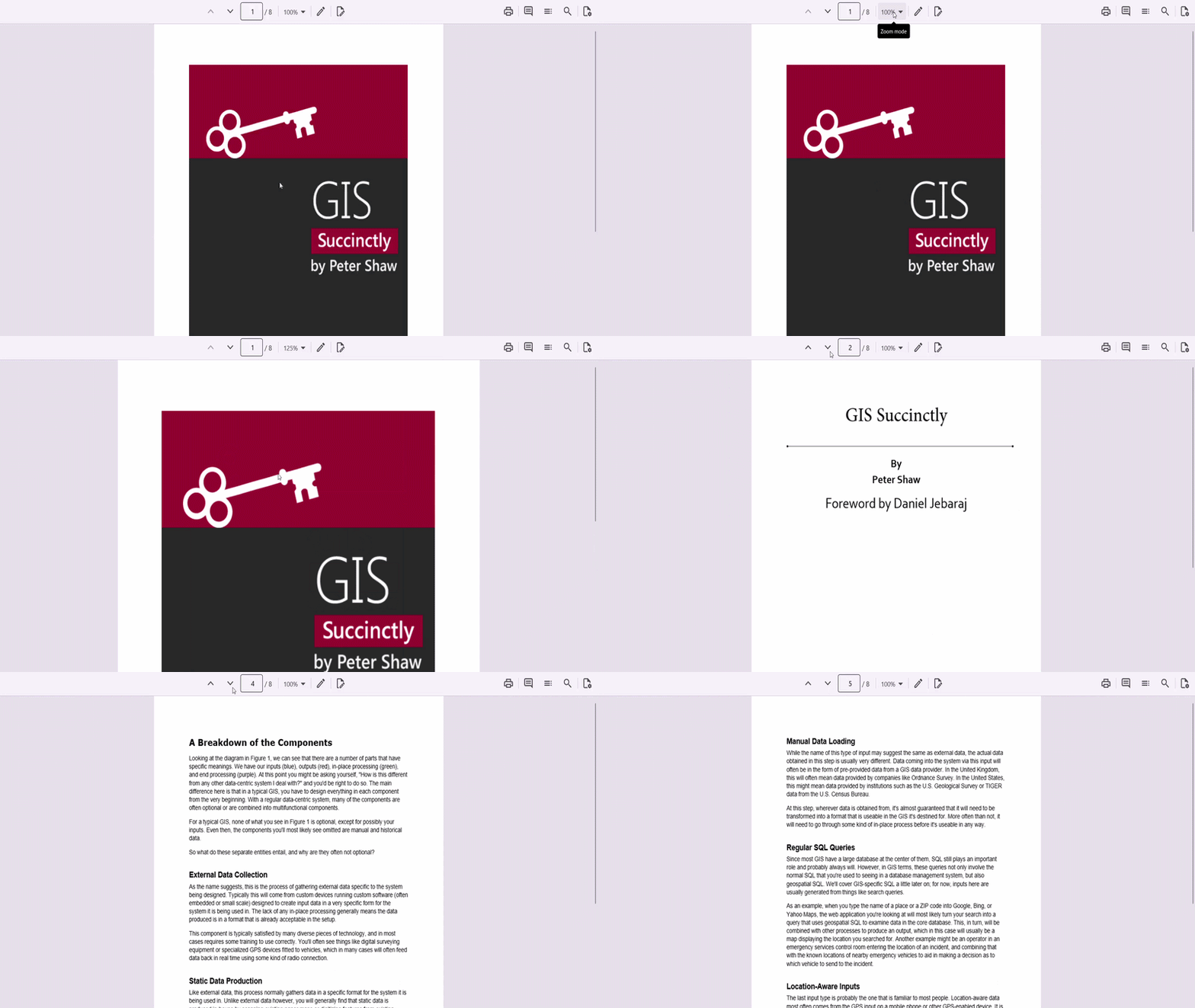
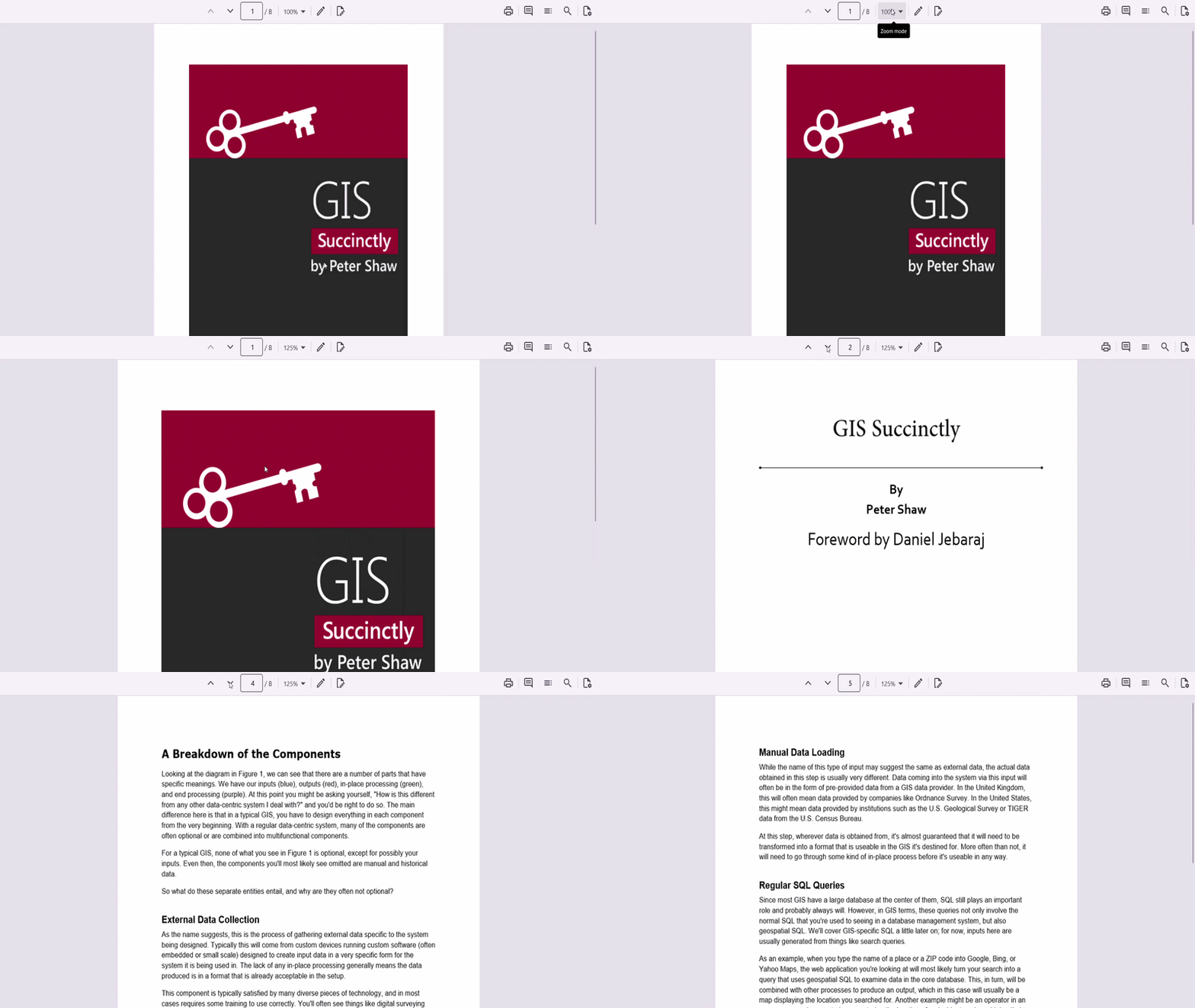
The .NET MAUI PDF Viewer now preserves the zoom level while navigating between pages in single-page view mode.
Once you set your preferred zoom level, it stays consistent across the entire document, allowing users to read detailed diagrams or text without repeated adjustments.
Refer to the following images.
Before enabling Zoom persistence:
After enabling Zoom persistence:
Access custom stamp annotation views
Many industries rely on status stamps such as Approved, Rejected, and Pending during document reviews. These are commonly used in:
- Manufacturing inspections
- Compliance reviews
- Legal approvals
- Healthcare verification workflows
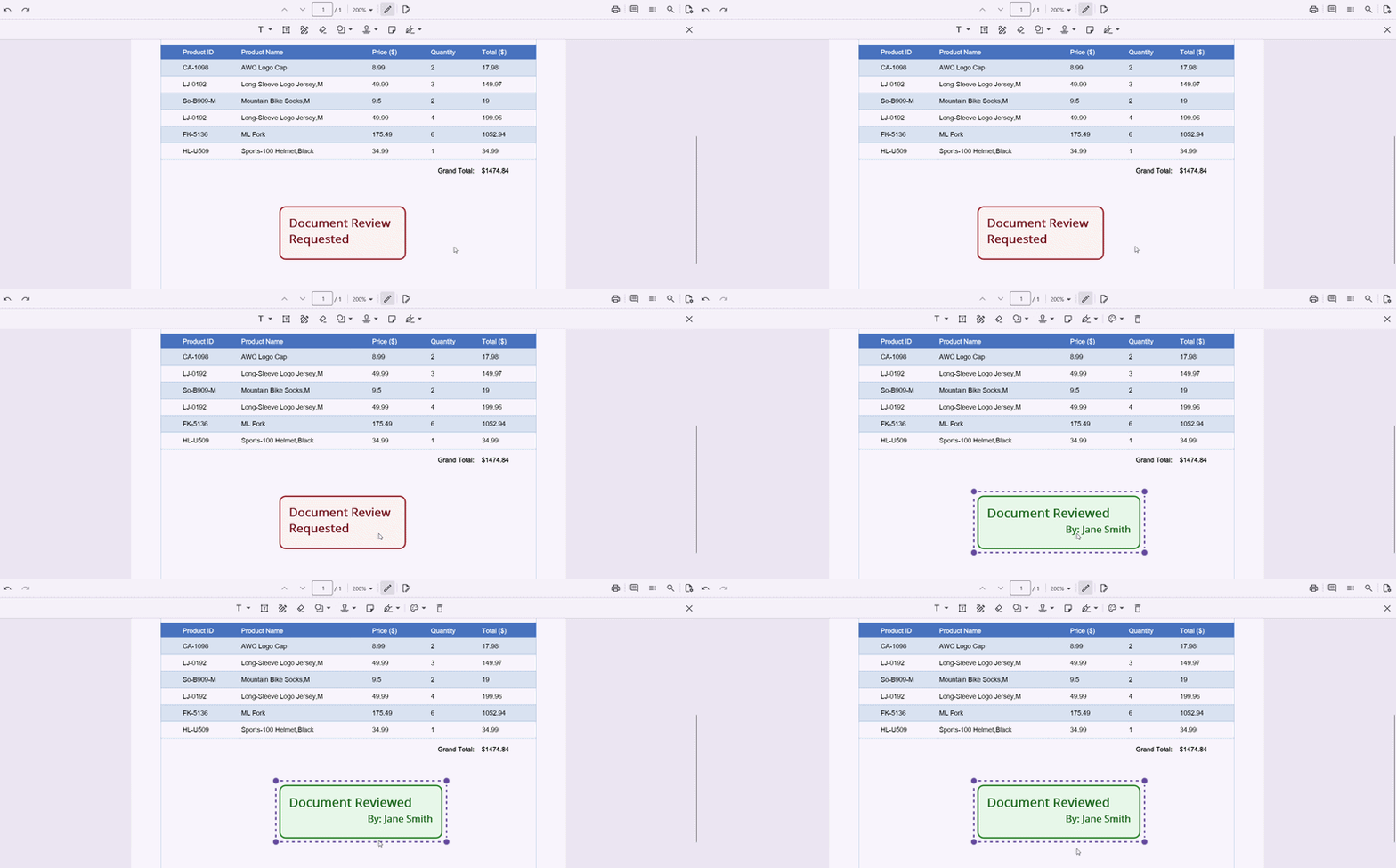
All these require updating the status stamps after review and extracting who‑did‑what information for audit reporting. Once applied, custom stamp annotations were difficult to modify or automate, slowing down bulk updates and downstream reporting.
The .NET MAUI PDF Viewer now allows you to retrieve and manage the visual elements of custom stamp annotations after placement, enabling dynamic updates during review and approval workflows.
You can now:
- Access stamp properties.
- Modify stamp appearance.
- Extract stamp information for reporting.
This makes approval workflows easier to automate and track.
Blazor Smart PDF Viewer
The Blazor Smart PDF Viewer has now reached production readiness and includes several AI-powered capabilities.
These include:
- Document summarizer: Provides AI-generated summaries and answers to user queries, enabling quick understanding of document content.
- Smart redaction: Automatically detects and redacts sensitive information, ensuring accurate and secure content protection.
- Smart fill: Automatically identifies and fills PDF form fields using AI, minimizing manual input and speeding up form completion.
Spreadsheet Editor SDK
The Spreadsheet Editor SDK also receives major improvements across Web and Blazor platforms.
Web Spreadsheet Editor improvements
Discontinuous chart range support
Teams in finance, research, project management, academics, and inventory operations often need to compare data series that live in completely different parts of a worksheet.
For example:
- Revenue and expense metrics may sit in separate columns,
- Regional performance data may be stored in different sections,
- Project phase metrics may be spread across multiple tables, and
- Experiment/control datasets may exist far apart due to differing collection workflows.
Until now, creating a comparison chart required copying data into a single block, building multiple charts, or restructuring worksheets, all of which break live data flow and add maintenance overhead.
With the new discontinuous chart range support in the Syncfusion web Spreadsheet Editor, you can create a single chart from multiple nonadjacent rows, columns, or cell blocks. Each selection becomes its own series; charts stay live and are linked to the source data.
The supported major chart types are:
- Column
- Bar
- Area
- Pie
- Donut
- Line
- Scatter
We can use Ctrl (Windows/Linux) or Cmd (Mac) keys to select multiple ranges.
Improved file import memory efficiency
Nowadays, most organizations rely on large Excel workbooks. For example,
- Finance teams handling multi-sheet reports.
- Analytics platforms importing heavily formatted datasets.
All these organizations often encounter slow import times and high memory usage when working with files that contain millions of cells, complex formatting, formulas, or conditional rules. These heavy workbooks can strain server resources, increase processing time, and in some cases even lead to out-of-memory failures.
The Syncfusion Web Spreadsheet Editor now refines the core server-side import processes to deliver better memory efficiency and faster performance. This ensures a smoother experience when working with large Excel workbooks. This optimization is especially beneficial for complex files that include advanced styling, formatting, and rich content structures, enabling more reliable handling of large datasets while reducing resource usage.
Performance benchmarks
The following metrics table highlights the reduction in peak memory consumption for an Excel sheet with 1 million cells across different feature sets, compared to previous versions.
| Feature type | Reduction in memory usage |
| Formatting | 38.2% |
| Wrap text | 37.4% |
| Conditional formatting | 35.2% |
Blazor Spreadsheet Editor: Undo/redo optimization
Financial analysts, planning teams, and engineering departments often work with massive spreadsheets containing tens of thousands of interconnected formula cells. In these scenarios, undoing or redoing even a small change can trigger recalculation across the entire workbook, resulting in delays, UI freezes, and workflow interruptions. These performance bottlenecks slow down analysis and reduce user confidence when working with complex, enterprise-scale data models.
With the new optimized undo/redo performance, the Syncfusion Blazor Spreadsheet Editor handles extensive formula sets more efficiently by recalculating only the affected cells during undo and redo actions. This reduces unnecessary processing, keeps the UI responsive, and lets users move through changes smoothly, even in large, formula-heavy spreadsheets.
Performance benchmarks
The following table shows the metrics for formula recalculation, undo/redo on sheets with 50k to 250k formula cells.
| Metric | Performance improvement (%) |
| 50k formula cells | 87.3% faster |
| 100k formula cells | 85.8% faster |
| 250k formula cells | 84.0% faster |
DOCX Editor SDK
The DOCX Editor SDK is rolled out with the following update across all supported platforms.
Preserve dashed and dotted border Preservation
Teams that rely on precisely formatted Word templates, such as compliance, auditing, and financial teams, often use dashed and dotted borders to separate sections or mark fill-in fields. When an editor cannot preserve these styles, the borders appear as solid lines, which changes the document’s structure and reduces clarity.
The Syncfusion Web DOCX Editor and Blazor DOCX Editor now fully preserve dashed and dotted borders when viewing and editing documents.
With this enhancement, templates maintain their exact border styles, ensuring that structural cues and formatting standards remain intact. Users can also apply dotted and dashed borders directly when creating new documents, helping teams maintain consistent formatting across all business templates.
Visual Studio Code Extensions
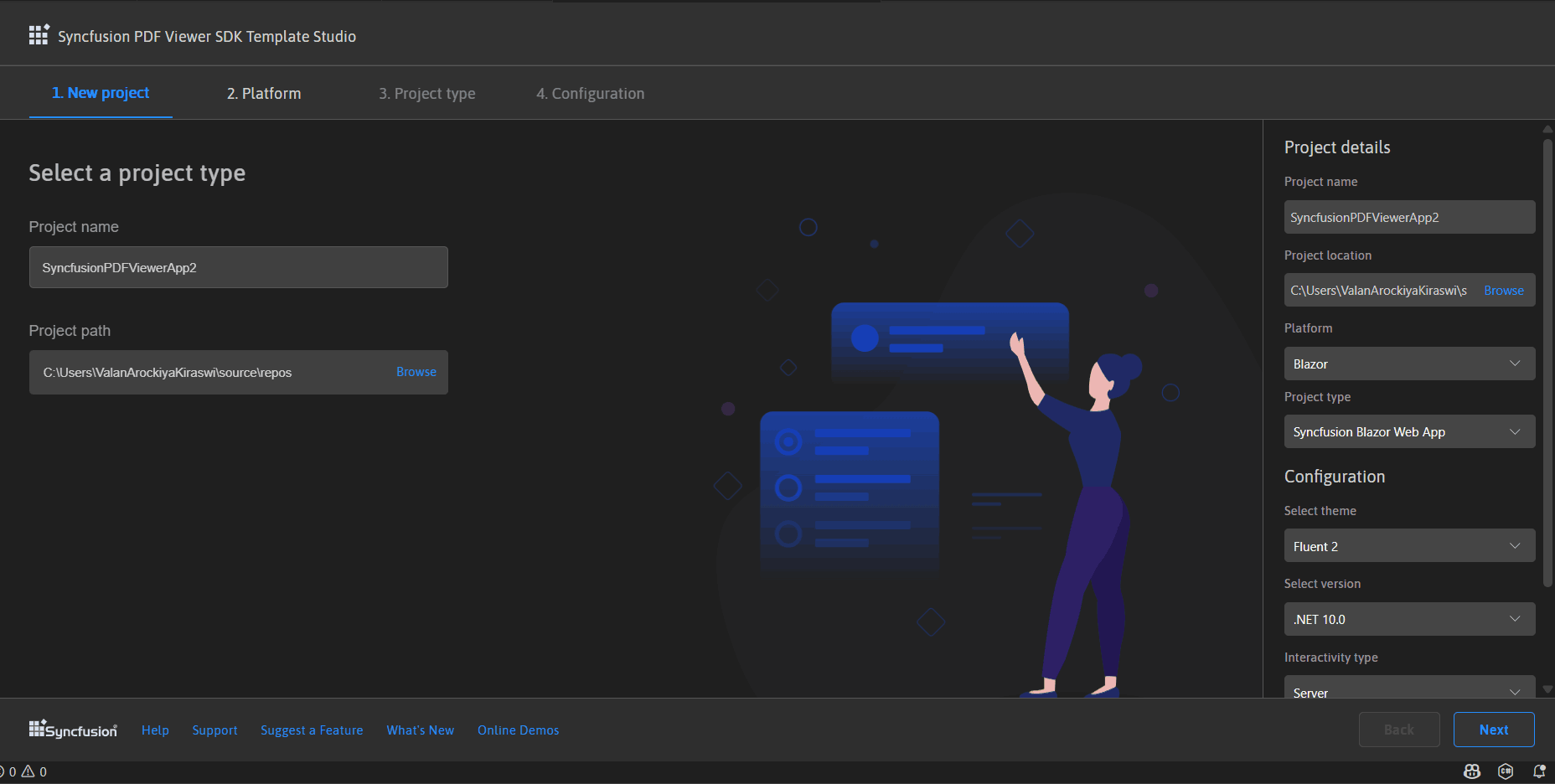
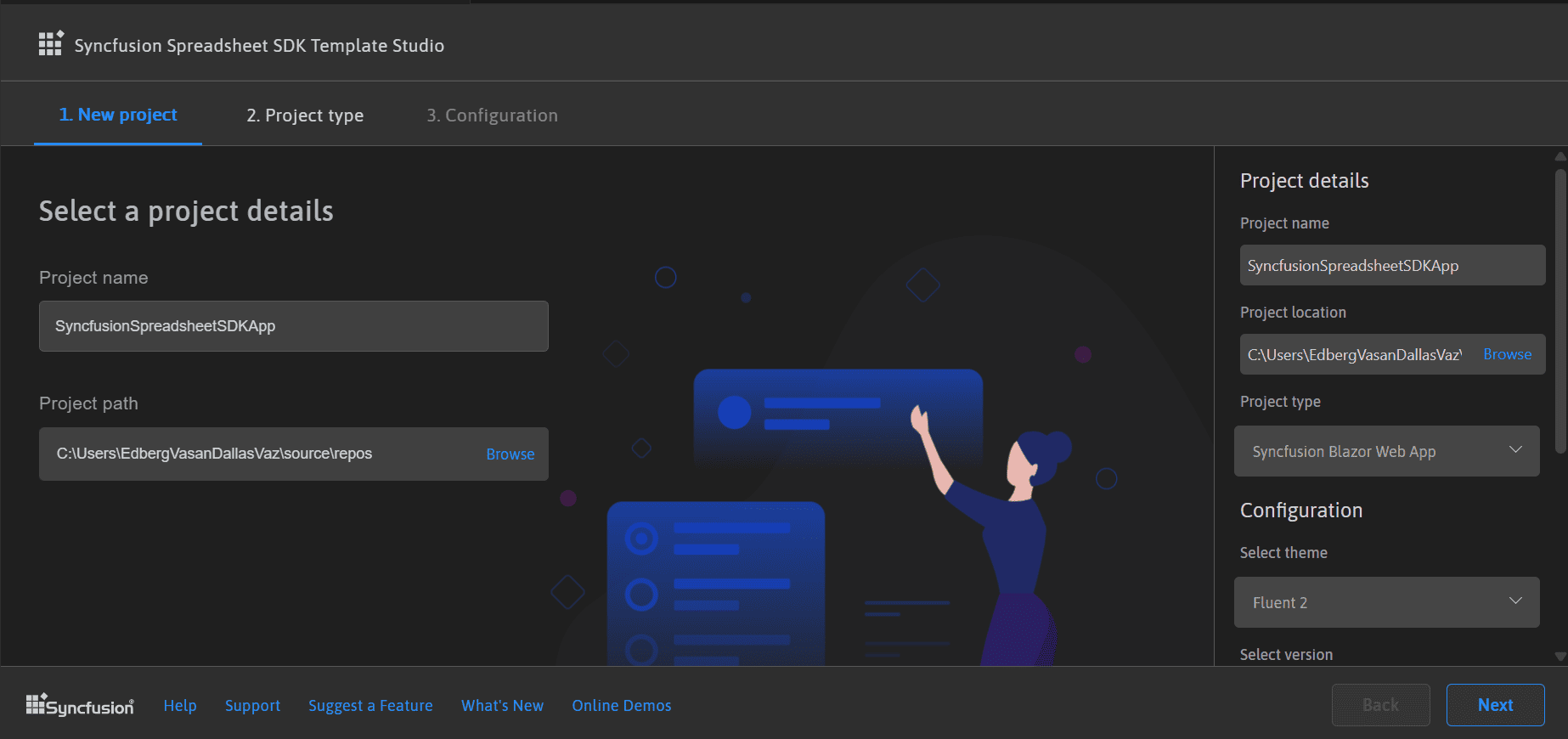
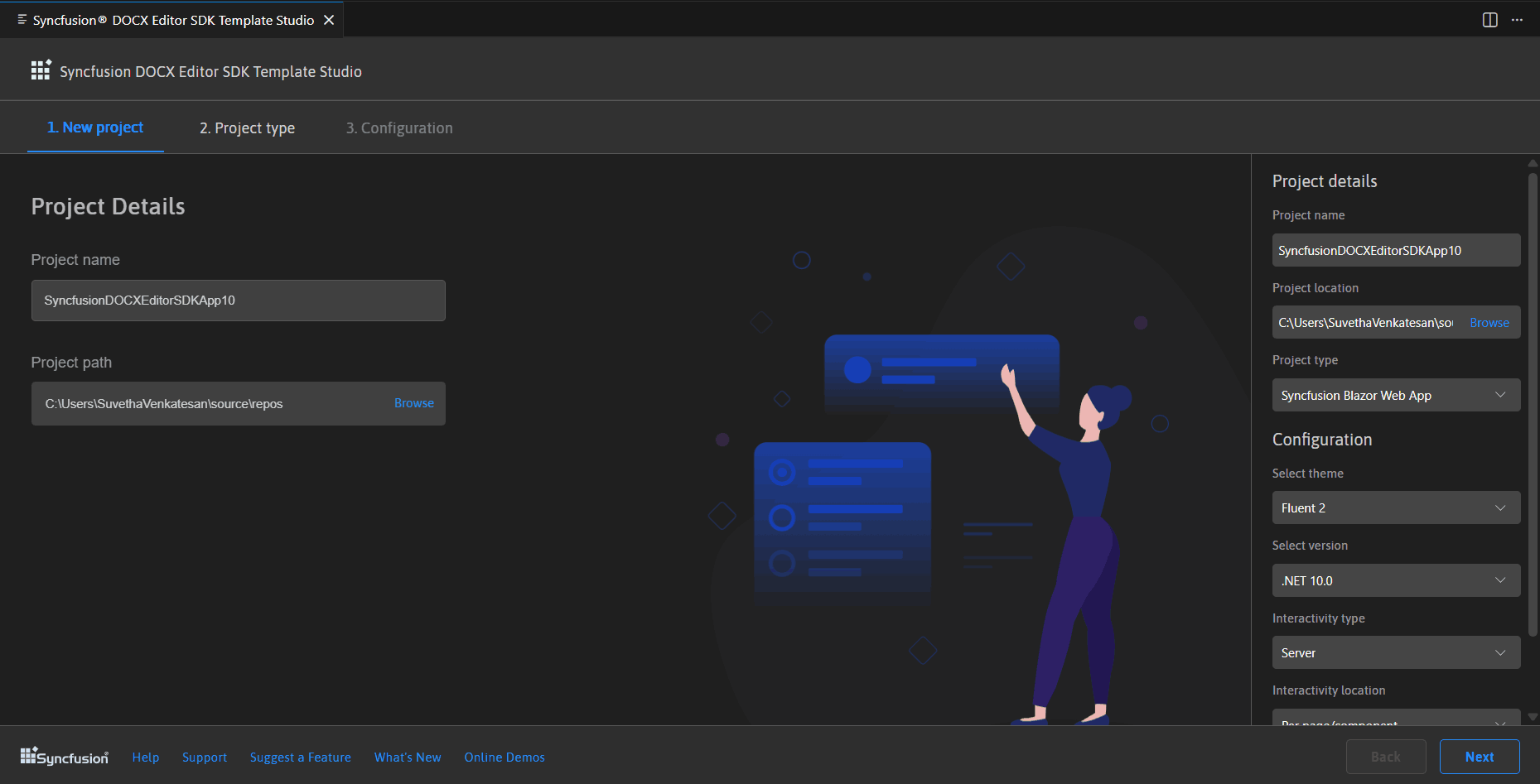
The Syncfusion Visual Studio Code extensions now simplify Blazor development for the PDF Viewer, Spreadsheet Editor, and DOCX Editor SDKs.
PDF Viewer SDK Extension
The PDF Viewer SDK Extension for Visual Studio Code now allows you to integrate Syncfusion PDF Viewer components into Blazor and .NET MAUI apps. It provides dedicated project templates for both platforms, plus convenient code snippets:
- Blazor snippets insert component code straight into Razor files and
- MAUI snippets add it directly to XAML files.
Spreadsheet Editor SDK Extension
Syncfusion Spreadsheet Editor SDK Extension for Visual Studio Code now empowers developers to create Blazor apps with advanced Spreadsheet Editor components, with no dependency on Microsoft Office or other external tools. It includes ready-made project templates and Blazor-specific code snippets, helping new users get started quickly with pre-built, powerful spreadsheet features.
DOCX Editor SDK Extension
Syncfusion DOCX Editor SDK Extension for Visual Studio Code lets developers create Blazor apps that generate, edit, and save DOCX files independently, no external tools needed. This speeds up development with efficient workflows and includes ready-made Blazor DOCX Editor code snippets, making it easy for new users to jump in and use pre-built components right away.
Frequently Asked Questions
Can I create charts from non-adjacent rows or columns?
Yes. The Web Spreadsheet Editor now supports selecting multiple non-adjacent rows or columns using Ctrl/Cmd and charting them together.
Will importing large Excel files require high memory usage?
No. The latest update significantly improves memory efficiency during file imports. As a result, importing large or complex Excel workbooks now uses much less memory, making the process smoother, faster, and more reliable.
Are the Smart PDF Viewer features ready for production use?
Yes. The Smart PDF Viewer is now fully production-ready and includes features such as Document Summarizer, Smart Redaction, and Smart Fill in this release.
Does the Web PDF Viewer open the Organize Pages window faster for large PDFs?
Yes. The Web PDF Viewer now opens and closes the Organize Pages window much faster, improving responsiveness even for very large PDF documents.
Can I access or modify custom stamp annotations in the .NET MAUI PDF Viewer?
Yes. The latest update allows you to access the visual elements of custom stamp annotations after they are placed, making it easier to update, customize, or programmatically extract stamp information.
Will dashed or dotted borders appear correctly in the DOCX Editor?
Does the .NET MAUI PDF Viewer preserve the zoom level across pages in single page mode?
Yes. The zoom level now persists while navigating between pages in single page view mode, providing a more consistent reading experience.
Does the Visual Studio Code extension support Blazor development?
Yes. The extension supports Blazor for the DOCX Editor, Spreadsheet Editor, Document SDK, and PDF Viewer SDKs, and also extends support to .NET MAUI for the PDF Viewer SDK.
Conclusion
Thanks for Reading! The 2026 Volume 1 main release brings practical, high‑impact improvements across the DOCX Editor, PDF Viewer, and Spreadsheet Editor SDKs, making document processing faster, smoother, and more reliable across all supported platforms. Whether you’re organizing large PDFs, analyzing data‑heavy spreadsheets, or preserving precise formatting in Word documents, this update enhances performance and delivers a more seamless editing experience end‑to‑end.
To learn more, check out the complete list of new features and components in the 2026 Volume 1 release on our Release Note and What’s New pages.
If you’re already a Syncfusion® user, you can download the latest version of Essential Studio® from the license and downloads page. We offer new users a 30-day free trial to explore the features and capabilities of all our components.
If you need further assistance, contact us via our support forums, support portal, or feedback portal. We’re always here to help you!
Thank you for choosing Syncfusion!




 No spam, just valuable updates.