



Why do you need our JavaScript PDF Viewer?
Building a JavaScript PDF viewer from scratch is complex due to challenges with rendering, navigation, annotations, forms, performance, and security. Syncfusion simplifies this with an enterprise-ready JavaScript PDF Viewer SDK that lets developers display and render PDF files, add annotations, fill forms, and build rich PDF experiences faster with less development effort.
Interact with PDFs in real time—highlight text, annotate content, complete forms, and add signatures effortlessly.
Get started in minutes
Follow these steps to integrate the PDF Viewer into your JavaScript application.
1
Install the PDF Viewer and theme packages
Install the Syncfusion JavaScript PDF Viewer package along with the required theme package using npm.
npm install @syncfusion/ej2-pdfviewer --save
npm install @syncfusion/ej2-tailwind3-theme --save
2
Import the required CSS styles
Import the required Syncfusion CSS files to ensure proper layout and theme styling.
@import '../../node_modules/@syncfusion/ej2-tailwind3-theme/styles/pdfviewer/index.css';3
Initialize the PDF Viewer component
Import and render the PDF Viewer component in index.html, then initialize it in index.ts to start building instantly.
<!DOCTYPE html>
<html lang="en">
<head>
    <title>Syncfusion JavaScript PDF Viewer</title>
    <meta charset="utf-8" />
    <meta name="viewport" content="width=device-width, initial-scale=1.0, user-scalable=no" />
    <meta name="description" content="Syncfusion JavaScript PDF Viewer sample" />
    <meta name="author" content="Syncfusion" />
    <link rel="shortcut icon" href="resources/favicon.ico" />
    <link href="https://maxcdn.bootstrapcdn.com/bootstrap/3.3.7/css/bootstrap.min.css" rel="stylesheet" />
</head>
<body>
    <!-- Element which will render as PDF Viewer -->
    <div id="PdfViewer"></div>
</body>
</html>
import { PdfViewer, Toolbar, Magnification, Navigation, Annotation, LinkAnnotation, ThumbnailView,
BookmarkView, TextSelection, TextSearch, FormFields, FormDesigner } from '@syncfusion/ej2-pdfviewer';
PdfViewer.Inject(Toolbar, Magnification, Navigation, Annotation, LinkAnnotation, ThumbnailView,
BookmarkView, TextSelection, TextSearch, FormFields, FormDesigner);
let pdfviewer: PdfViewer = new PdfViewer();
// Specifies the URL or path of the PDF document to be loaded.
pdfviewer.documentPath = 'https://cdn.syncfusion.com/content/pdf/pdf-succinctly.pdf';
// Specifies the URL of the PDFium resource files required by the PDF Viewer.
pdfviewer.resourceUrl ='https://cdn.syncfusion.com/ej2/dist/ej2-pdfviewer-lib';
// Render initialized PDF Viewer
pdfviewer.appendTo('#PdfViewer');Enterprise-ready PDF viewing power
Unlock insights from every PDF
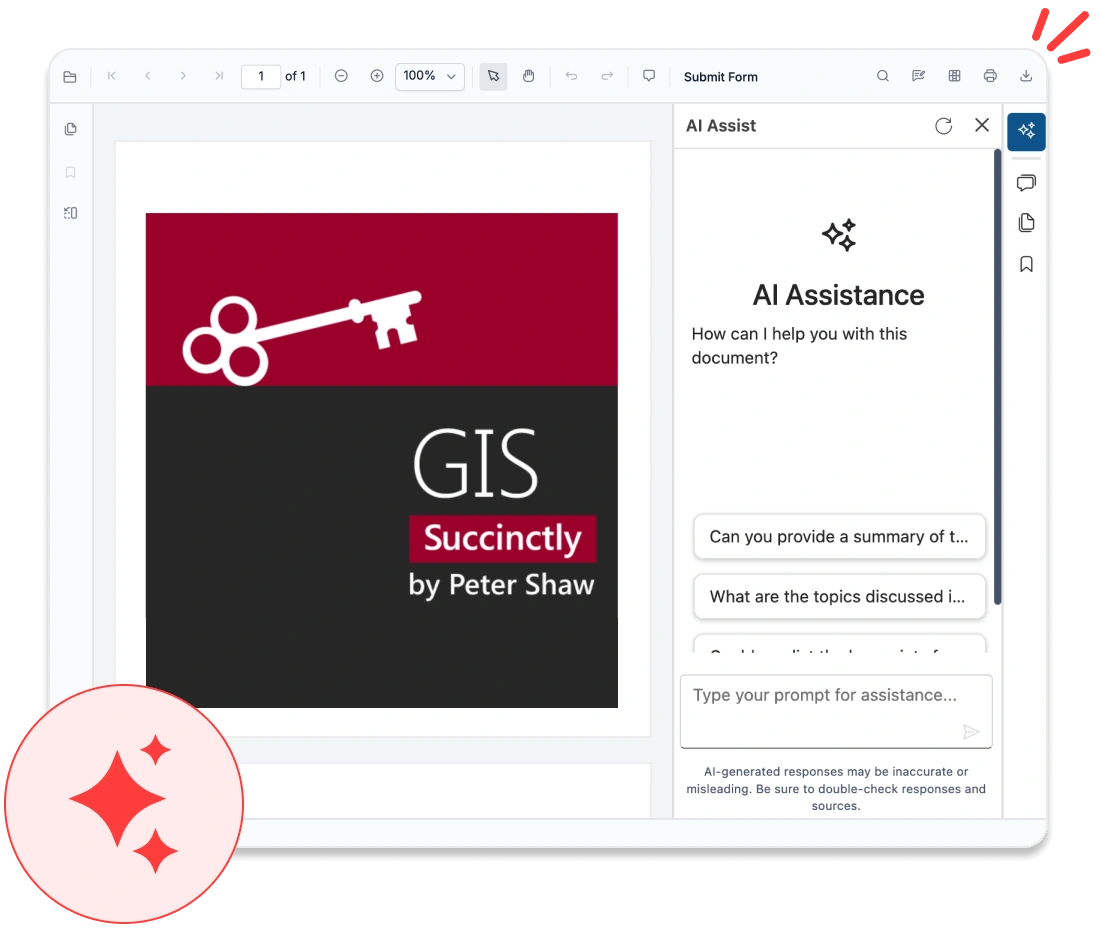
The JavaScript PDF Viewer goes beyond basic document display—it intelligently interprets content. With integrated AI capabilities, it can extract essential data, summarize information, identify form fields, and support smart search within your application. Developers can harness these features to create intelligent workflows, automate document classification, or connect with enterprise AI platforms, all while maintaining robust security and high performance.
Supports intelligent extraction of text and form fields.
Offers AI-powered content analysis and summarization.
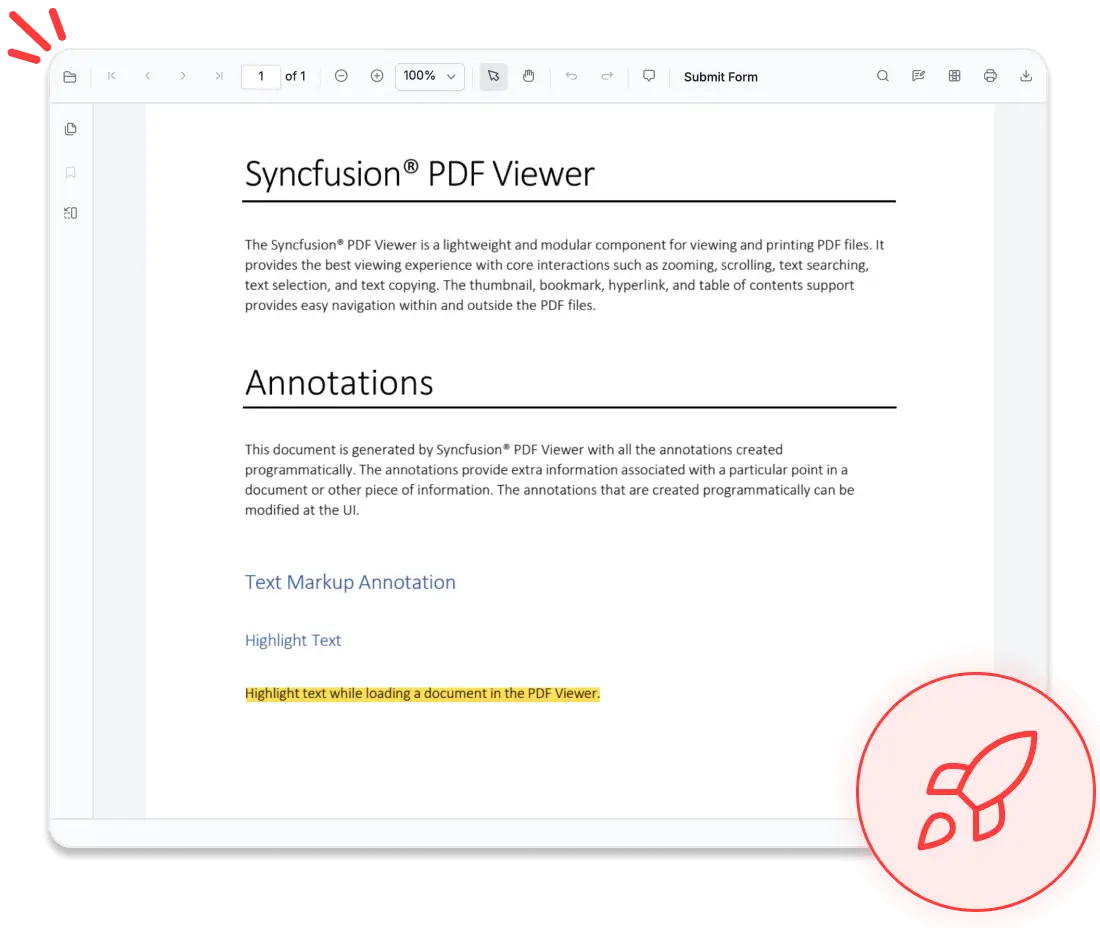
Delivers true-to-source accuracy
The JavaScript PDF Viewer ensures accurate and consistent rendering, preserving document appearance across browsers and devices for a reliable viewing experience.
- Maintains full layout and font fidelity.
- Delivers consistent, pixel-perfect rendering across desktop and mobile browsers on iPhones, iPads, Android phones, and tablets.
- Supports accurate display of complex layouts and structured documents.
- Preserves visual consistency across different screen resolutions.
- Handles diverse document types with consistent output quality.

Optimized for large documents
The JavaScript PDF Viewer provides fast loading and smooth interaction, ensuring responsive performance for both small and large documents.
- Supports progressive and on-demand page loading.
- Enables smooth navigation through large PDF files.
- Optimizes memory usage for improved application performance.
- Reduces initial load time for faster document access.
- Delivers consistent performance across devices, including low-resource environments.
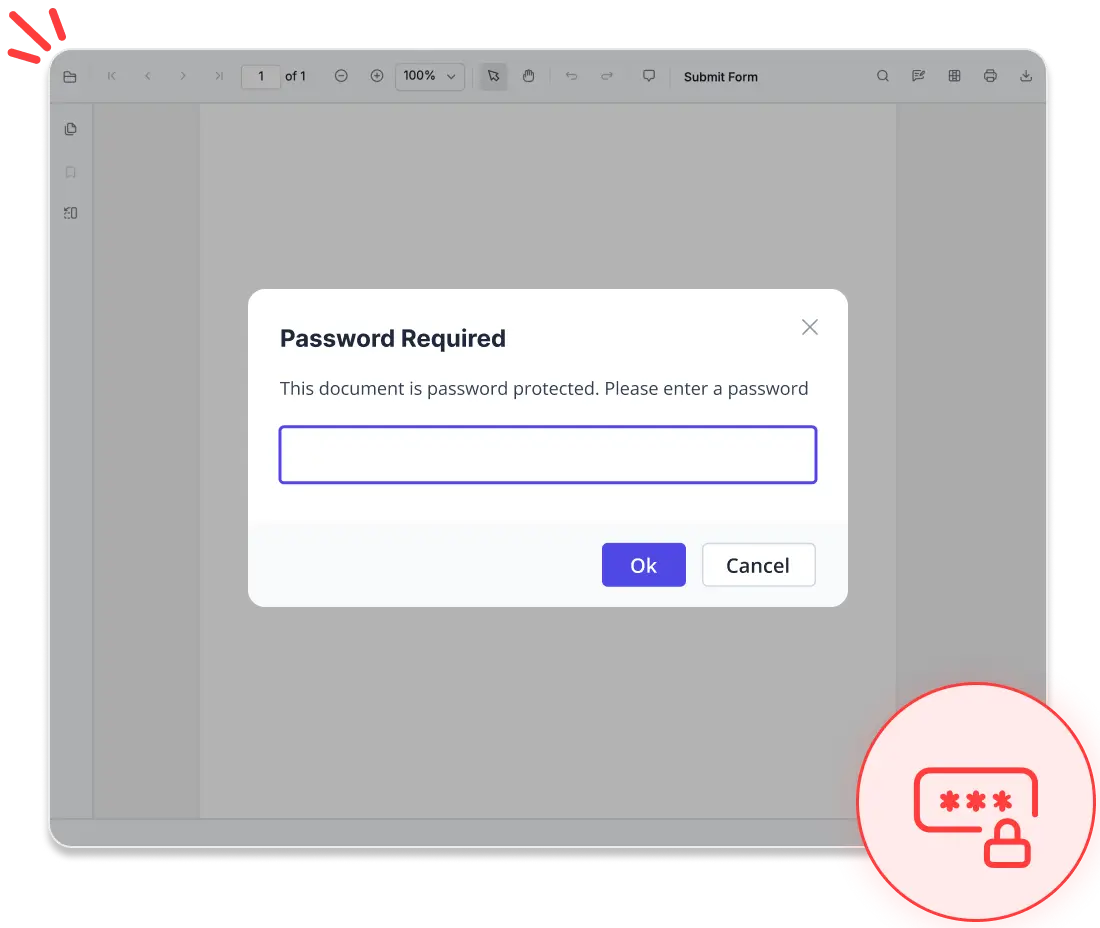
No data leaves your app
The JavaScript PDF Viewer offers secure document processing by keeping operations within the application, ensuring data control and privacy.
- Prevents data exposure to external third-party services.
- Supports compliance with HIPAA, GDPR, and SOC 2® Type 2 standards at the application level.
- Ensures secure handling of confidential and business-critical documents.
- Gives full control over document processing and storage workflows.
- Minimizes security risks by avoiding unnecessary external dependencies.
Advanced navigation & search tools
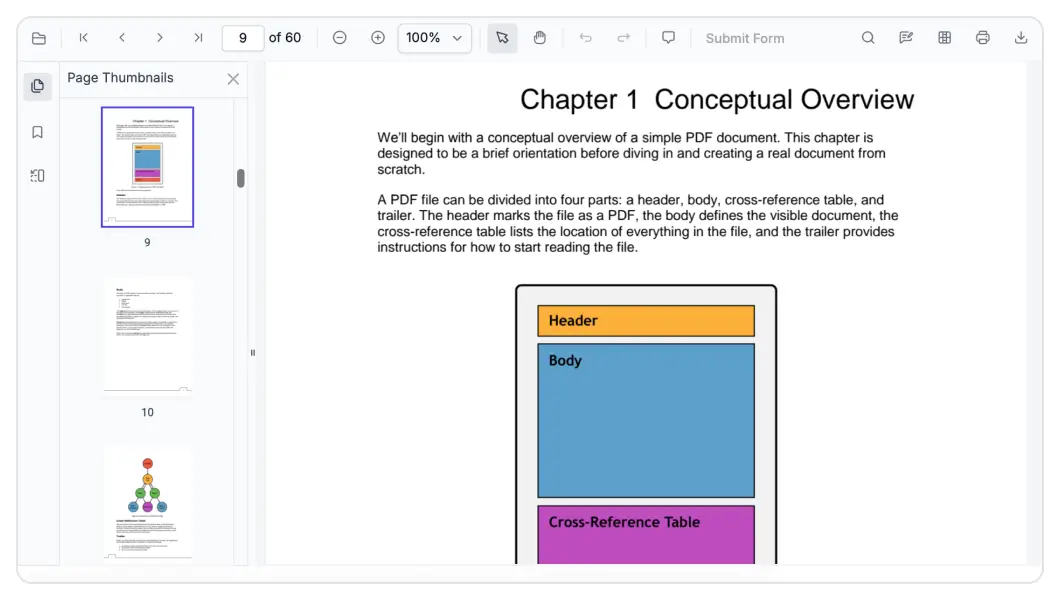
Thumbnails
Quickly navigate through documents with visual page previews. Thumbnails provide a snapshot of each page, allowing users to scan content and jump to specific sections with ease.
Bookmarks
Access key sections instantly using built-in bookmark support. This feature helps users stay organized and move through documents seamlessly without losing context.
Hyperlinks
Improve navigation with interactive hyperlinks embedded within the document. Users can jump between sections or follow external references for a more connected and dynamic reading experience.
Text search
Find information instantly with powerful search functionality. Matching results are highlighted in real time, helping users quickly locate and navigate to relevant text within large documents.
Highlight and select PDF text
Interact with document content by selecting and copying text effortlessly. Intuitive actions such as drag selection or keyboard shortcuts make extracting information quick and convenient.
Zooming
Interact with document content by selecting and copying text effortlessly. Intuitive actions like drag selection or keyboard shortcuts make extracting information quick and convenient.
Seamless PDF editing experience
Deliver secure, interactive, and professional PDF viewing within your application. The JavaScript PDF Viewer includes advanced tools for reviewing, filling, and protecting documents—all seamlessly handled in the browser.
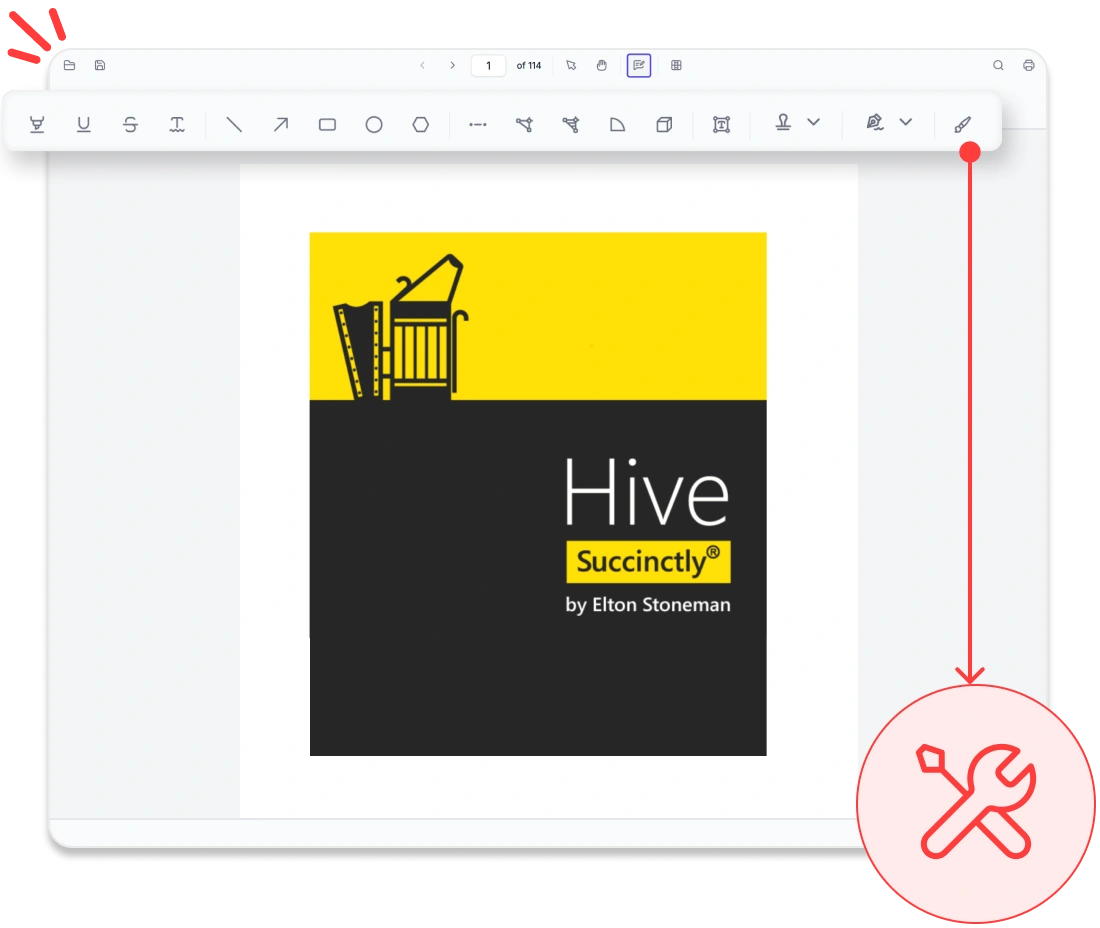
PDF annotation tools
Add highlights, sticky notes, stamps, freehand drawings, shapes, and ink annotations to PDFs. Users can review content, import or export annotations, and maintain consistent feedback across workflows
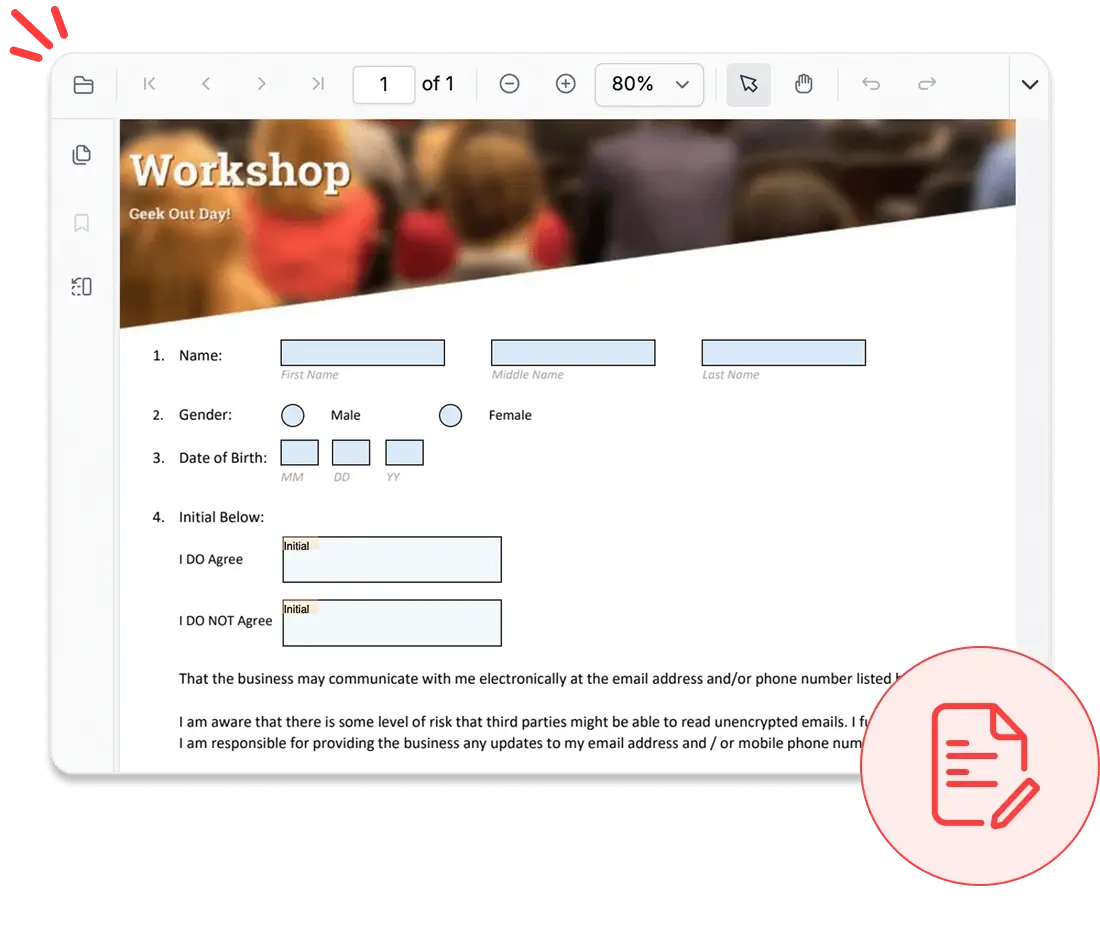
Form filling and designer
Complete interactive forms using text fields, checkboxes, radio buttons, and dropdowns, or design new forms within the viewer. Users can edit, preview, and save forms in real time, streamlining data collection.
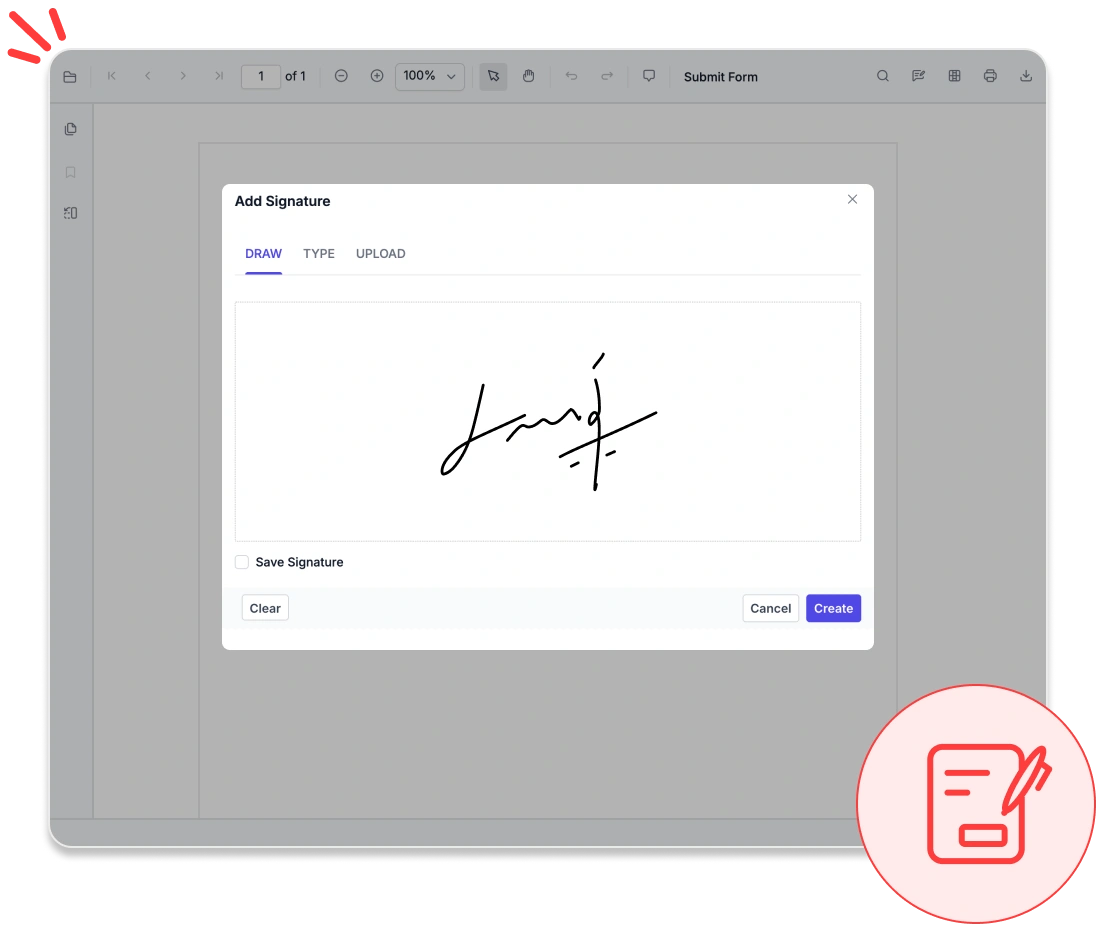
Secure signatures
Apply handwritten, typed, or image-based electronic signatures, or validate digital certificates to ensure authenticity. Protect sensitive information with built-in tools that permanently remove confidential data from documents
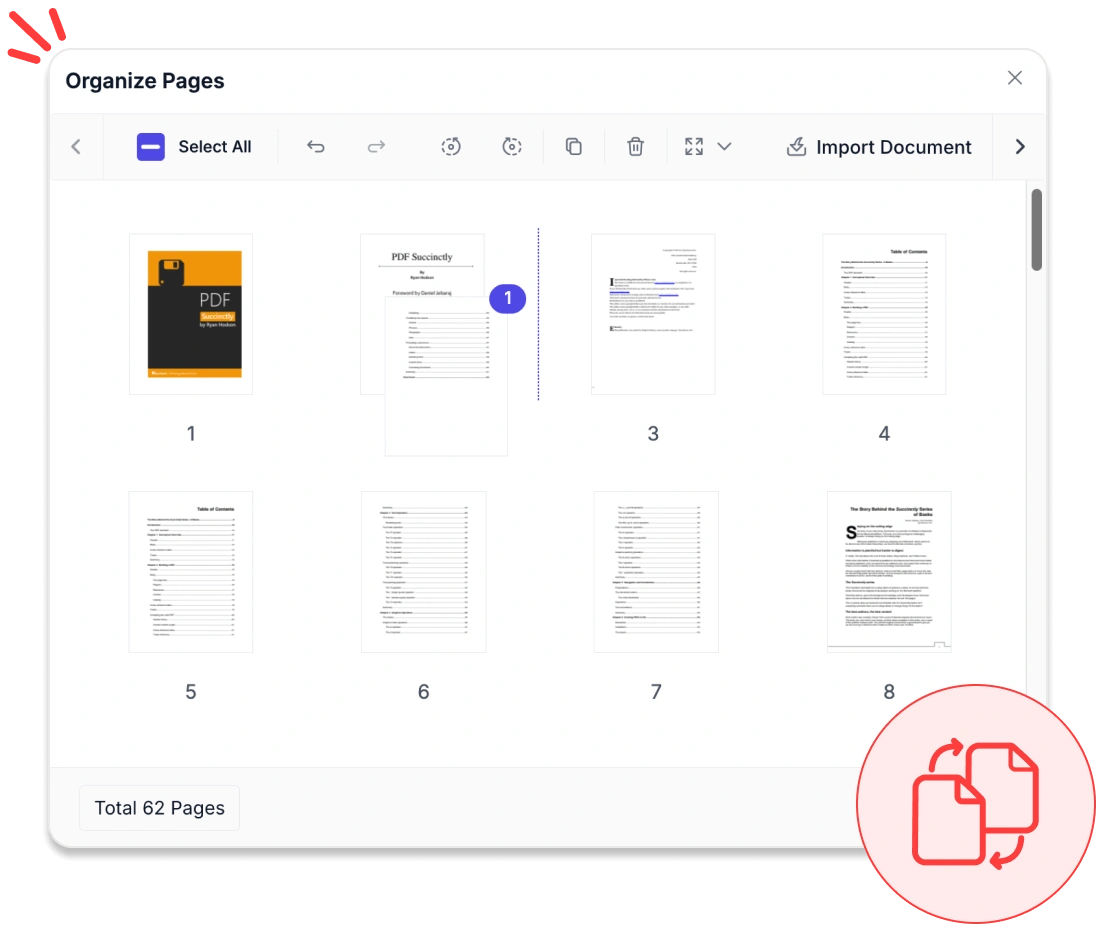
Organize pages
Manage PDFs by inserting, deleting, reordering, or rotating pages. Import pages from other documents and download changed PDFs instantly.
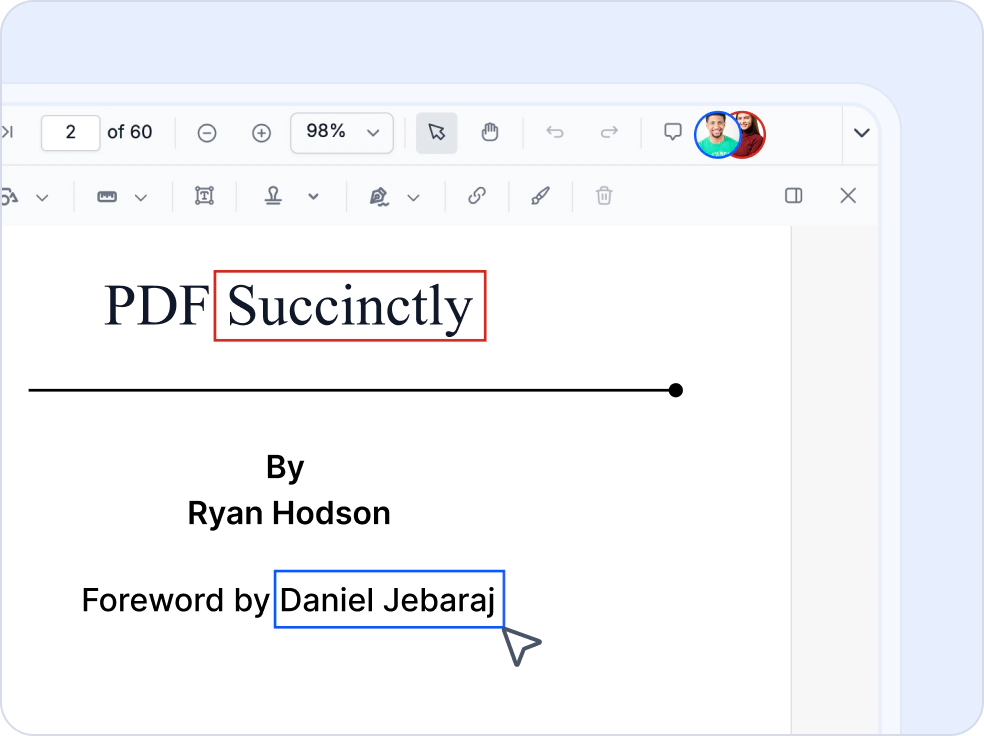
Collaborative PDF editing
Enable multiple users to work on the same PDF document simultaneously. Synchronize annotations, form fields, and page organization changes in real time, helping teams streamline document review, feedback, and editing workflows across browsers.
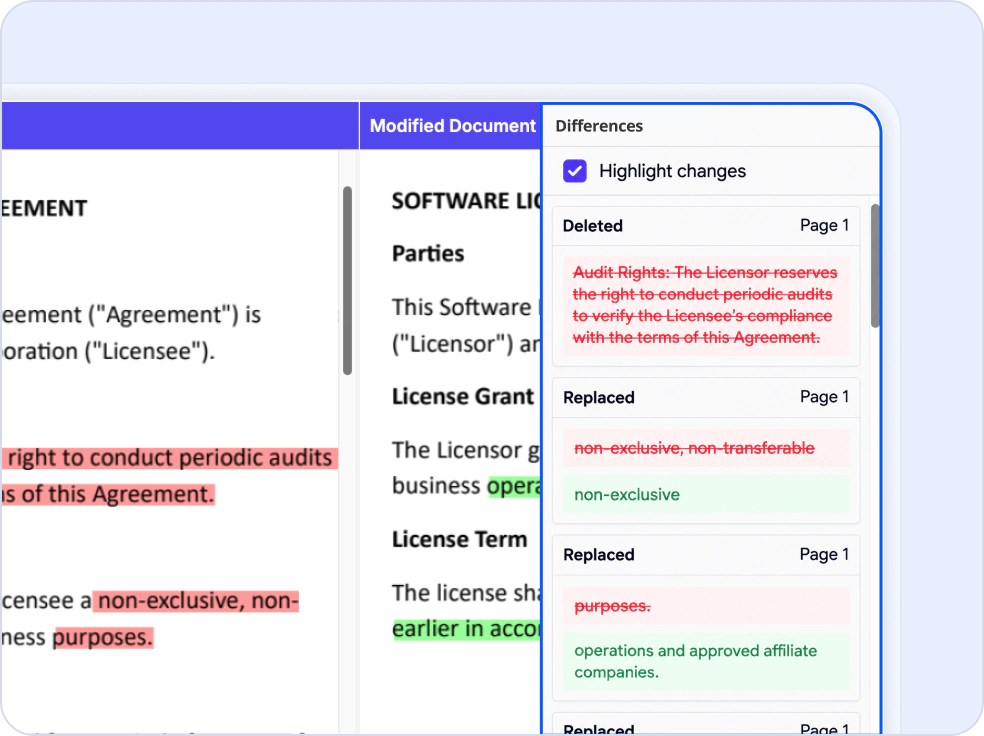
Compare PDF documents
Compare two PDF documents side by side to identify added, deleted, and modified text. Use semantic text comparison to review document changes efficiently and retrieve detailed difference information through dedicated APIs.
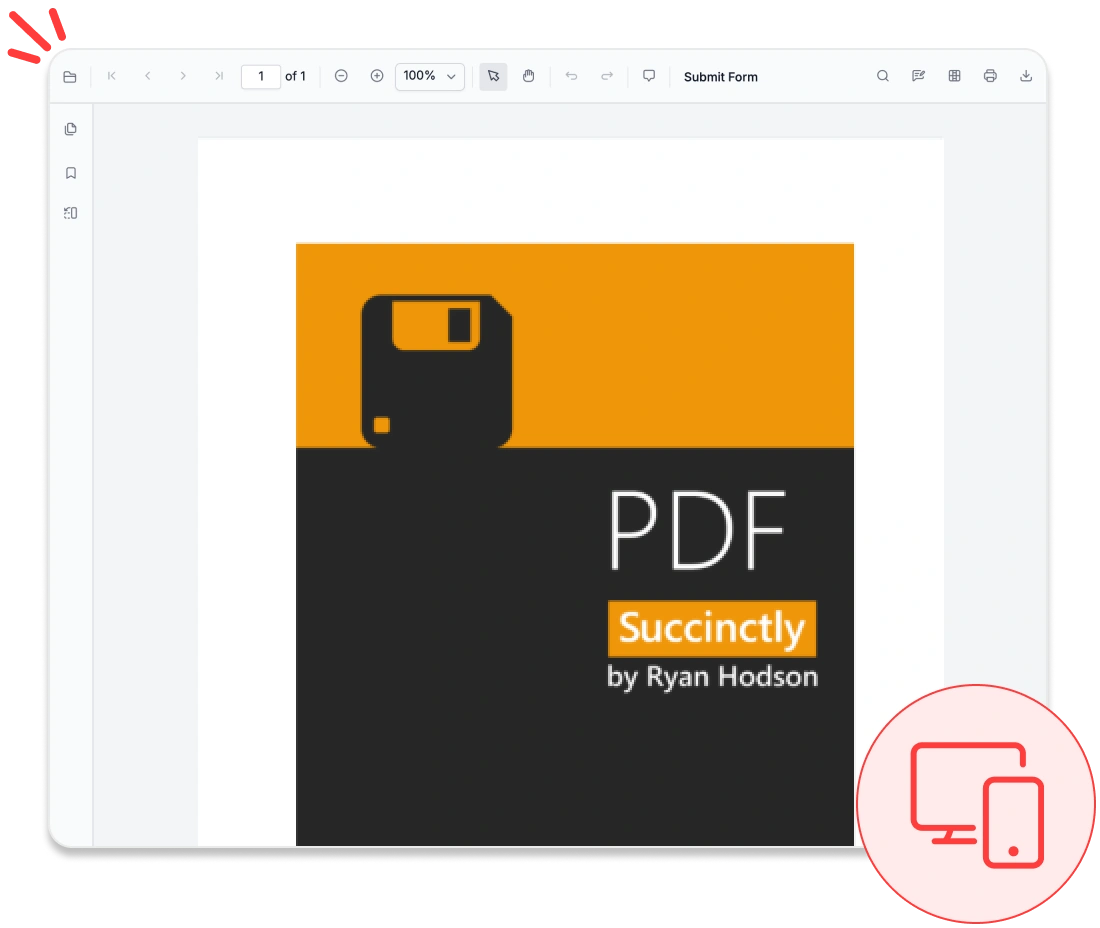
Responsive PDF viewing
Deliver consistent, high-fidelity PDF viewing across desktop and mobile browsers on devices such as iPhones, iPads, Android phones, and tablets. The viewer adapts seamlessly to different screen sizes while supporting intuitive navigation, zooming, annotations, form filling, and signatures.
Accessibility and global readiness
WCAG-compliant viewer
Fully complies with WCAG standards, offering features like keyboard navigation, ARIA labels, and high-contrast themes to support users with disabilities.
Multilingual and RTL support
Provides complete localization capabilities, including right-to-left (RTL) rendering, for smooth adaptation to global languages and regional workflows.
Screen reader compatibility
Ensures all PDF content, form fields, and controls are accessible to screen readers, delivering an inclusive experience for all users.
UI customization & extensibility
Build and enhance your document viewing experience with a flexible and powerful JavaScript PDF Viewer designed for modern web applications. It provides seamless integration, deep customization capabilities, and the scalability needed to support evolving business requirements.
- Customize the user interface with built-in themes, localization support, and RTL layout options.
- Extend functionality with configurable toolbars, custom annotations, and modular components.
- Easily integrate into existing web applications and frameworks with minimal setup.
- Accelerate development using comprehensive documentation and enterprise-grade support.
- Ensure scalability for handling complex documents and large-scale applications.
Industry-specific use cases
Designed for sector-specific needs, our PDF Viewer SDK enables legal, healthcare, and finance professionals to view, annotate, and sign documents with precision while ensuring compliance with regulatory standards.
No credit card required.
Healthcare
Healthcare professionals can securely access, annotate, and share patient records, lab results, and consent forms in PDF format using HIPAA-compliant features that ensure protected data handling.
Legal compliance
Law firms and compliance teams can efficiently review contracts, case files, and regulatory documents with advanced tools for annotation and digital signatures.
Education and e-learning
Educators and students can highlight, comment on, and annotate course materials, research papers, and ebooks to enhance engagement and simplify content review.
Finance and banking
Finance teams can validate statements, invoices, and audit reports within PDFs. Features like text search, form filling, and digital signatures streamline approvals and support regulatory compliance.
AI-assisted Development
Build AI-powered PDF viewer applications faster
Build fast PDF viewing features faster with Syncfusion AI tools that turn requirements into responsive browser-based experiences.
Agent Skills
Create accurate PDF Viewer code with Syncfusion Agent Skills for faster development
Example Prompt Show me how to load and display a PDF using JavaScript PDF Viewer.
MCP Server
Generate accurate PDF Viewer code with AI that configures and debugs code directly in your IDE
Example Prompt Show me JavaScript code to initialize and display a PDF Viewer.
Trusted by the world’s leading companies

See Why Developers Love Syncfusion
These real-time stories shows the impact of our PDF Viewer SDK
The best way to showcase our commitment is through the experiences and stories of those who have used our PDF Viewer.




Endless possibilities with one viewer
Whether you’re building dashboards, managing legal documents, or delivering e-learning content, the JavaScript PDF Viewer ensures smooth and interactive document handling. Join over 1M developers who rely on Syncfusion® for secure, enterprise-grade PDF rendering, annotation, and form filling. Discover why it consistently outperforms competing solutions in real-world performance benchmarks.
No credit card required.
JavaScript PDF Viewer FAQ
If you’re new to the JavaScript PDF Viewer or have questions, our FAQ will help you explore its features and capabilities.
What is the JavaScript PDF Viewer?
The Syncfusion® JavaScript PDF Viewer is a powerful toolkit that enables developers to integrate PDF viewing capabilities into their applications.
Does the JavaScript PDF Viewer support Android and iOS mobile browsers?
Yes. The JavaScript PDF Viewer runs in Android and iOS mobile browsers on iPhone, iPad, Android phones, and tablets, providing a full-featured PDF viewing experience with support for navigation, zooming, annotations, and form filling.
How does the JavaScript PDF Viewer compare to other solutions?
Syncfusion stands out with its robust feature set, ease of use, platform versatility, and dedicated support. It’s a preferred solution for developers worldwide.
Is the JavaScript PDF Viewer secure and compliant?
Security is a core design principle. All PDF operations run within the application by default, and supports application level compliance requirements such as HIPAA, GDPR, and SOC 2 for handling sensitive documents.
Does the JavaScript PDF Viewer support PDF annotation?
Yes, the JavaScript PDF Viewer includes rich PDF annotation tools such as highlight, underline, strikethrough, shapes, freehand drawing, and comments, enabling efficient document review and collaboration.
Can I perform text search in PDF documents?
Yes, the JavaScript PDF Viewer provides powerful text search in PDF capabilities, allowing users to quickly find and highlight specific words or phrases within large documents.
Can I design or create PDF forms in the JavaScript PDF Viewer?
Yes, the JavaScript PDF Viewer supports designing and creating PDF forms using its built-in form designer feature. It allows you to add and customize form fields such as text boxes, checkboxes, and signature fields, either programmatically or through the user interface. You can also configure validation rules and set default values as needed.
Can users verify digital signatures in PDFs?
Syncfusion’s ecosystem supports validation of digital signatures and can indicate whether they are valid or modified. However, this functionality typically relies on the Syncfusion PDF Library (server-side or additional processing), and is not handled solely by the JavaScript PDF Viewer component.
What design customization options are available in the JavaScript PDF Viewer?
The JavaScript PDF Viewer provides extensive design customization options including toolbar customization, theme support, layout adjustments, and integration with CSS frameworks. Developers can tailor the UI to match their application’s branding.
Does the viewer support saving filled forms or edited PDFs?
Yes, users can save PDFs with filled form data, annotations, and signatures applied. This can be done locally or sent to a server for storage or further processing.
Why should I choose the Syncfusion JavaScript PDF Viewer over other third-party PDF viewers?
Syncfusion offers a feature-rich, high-performance PDF viewer with reliable support, flexible licensing, and seamless integration, making it a superior choice to many alternatives.
Can I customize the JavaScript PDF Viewer to match my brand’s UI/UX?
Absolutely. The JavaScript PDF Viewer offers extensive customization options to help you tailor the viewer’s appearance and behavior to align with your brand’s design guidelines.
Can the JavaScript PDF Viewer handle large and complex PDF documents?
Yes. The JavaScript PDF Viewer is optimized for large and complex PDFs, using progressive loading and efficient rendering to maintain smooth interaction and stable performance in production environments.
What developer resources are available for the JavaScript PDF Viewer?
Comprehensive documentation, code samples, API references, and community forums are available to support developers at every stage.
How do I get started with the Syncfusion® JavaScript PDF Viewer?
You can begin by exploring the official official documentation, downloading the JavaScript PDF Viewer, and following the step-by-step guides to integrate it into your application.
Does the JavaScript PDF Viewer support form filling?
Yes, the JavaScript PDF Viewer supports filling out interactive PDF forms (AcroForms). Users can enter data into text fields, checkboxes, radio buttons, and dropdowns directly within the viewer and save or submit the completed form.
Does the JavaScript PDF Viewer support digital signatures?
Syncfusion JavaScript PDF Viewer supports adding and displaying electronic signatures (drawn, typed, or image-based) as well as digital signatures (certificate-based) within PDF documents. However, advanced digital signature validation—such as verifying certificate authenticity and document integrity—typically requires server-side processing or the use of Syncfusion’s dedicated PDF libraries.
Is it possible to edit PDF content in the JavaScript PDF Viewer?
The JavaScript PDF Viewer supports limited editing capabilities such as annotations, text markup, and form field updates. Full content editing (like modifying existing text or images in the PDF) typically requires additional PDF processing tools or backend services.
Can I customize the toolbar for specific features like form filling or signatures?
Yes, the JavaScript PDF Viewer allows you to customize the toolbar based on your application requirements. You can enable or disable features such as form filling, annotations, signatures, and download or print options. Additionally, you can add custom toolbar buttons to implement your own functionality and further tailor the user experience.
Is the Syncfusion JavaScript PDF Viewer also a PDF viewer library?
Yes. If you’re looking for a JavaScript PDF viewer library, the Syncfusion JavaScript PDF Viewer SDK provides everything needed to display, render, annotate, fill forms in, digitally sign, and manage PDF documents in modern web applications. It offers a customizable API, high-performance rendering, and enterprise-ready features without requiring Adobe Acrobat.
Resources
Learn more about our JavaScript PDF Viewer
Explore demos, KB articles, and documentation to get the most out of our PDF Viewer.
Explore guides, APIs, and quick-start tips.
See live use cases in action.
Ask, share, and connect with peers.
Find solutions and best practices fast.
Get expert help when you need it.
Feature requests and bug reports
Track issues and suggest improvements.







