





Transform your applications today by downloading our free evaluation version
Overview
The .NET WinUI Kanban board is a task scheduling control that provides an efficient interface for tracking and visualizing different stages of a project or workflow, improving project management.
Data binding
The Kanban control supports data binding, allowing users to bind data from various local and remote data sources to generate Kanban tasks.

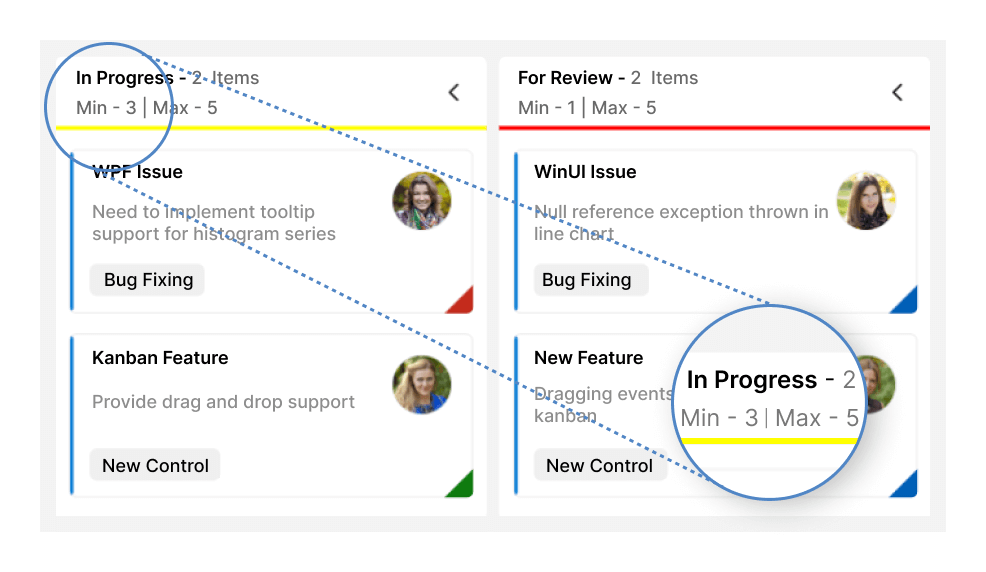
Work-in-progress (WIP) limit
The WinUI Kanban board allows users to limit the number of tasks at each stage of a project, within each column, preventing task overload.
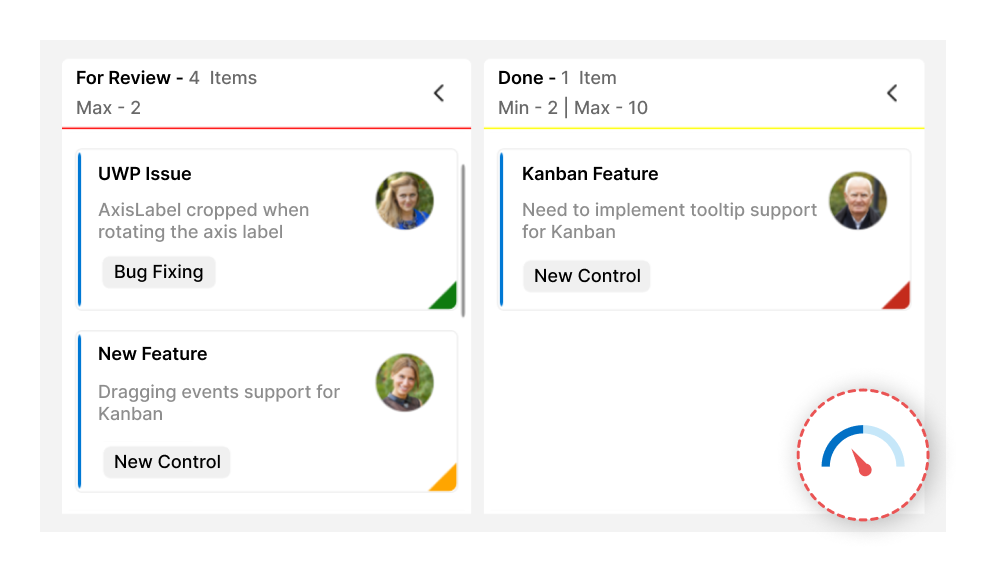
WIP indications
The Kanban board has built-in error bars that change color when the WIP limit is exceeded or a task fails validation to identify bottlenecks in the process quickly.
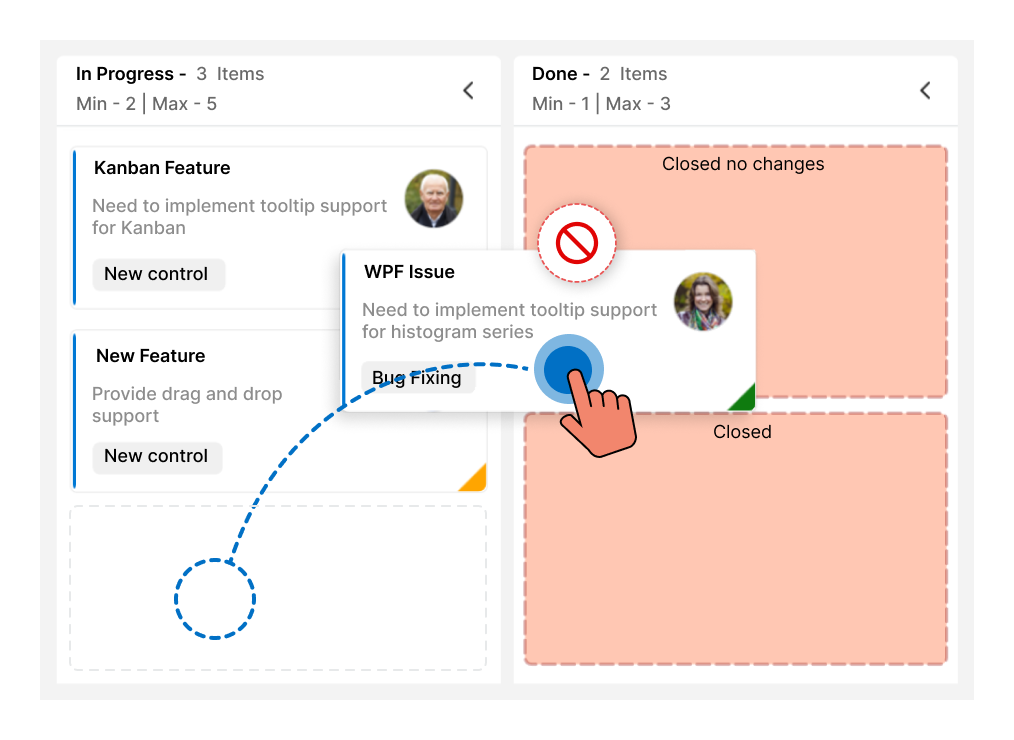
Workflow
Restrict or allow card transitions from one column to another to maintain a controlled workflow.
Sorting
The Kanban control supports sorting, allowing cards to be arranged based on specified property values.

Cards
The Kanban cards visually represent tasks and their progress through different stages. Users can set values in the KanbanModel, like title, description, and tags, which will be reflected in the card UI.
Users can also set the task priority, which is displayed as a color indicator on the card.
Columns
The WinUI Kanban board divides its layout into columns to visualize the different stages of work: to do, validate, in progress, testing, and completed. Users can also map multiple categories to a single column to group related stages together. For example, the in-progress column can include the validation category.

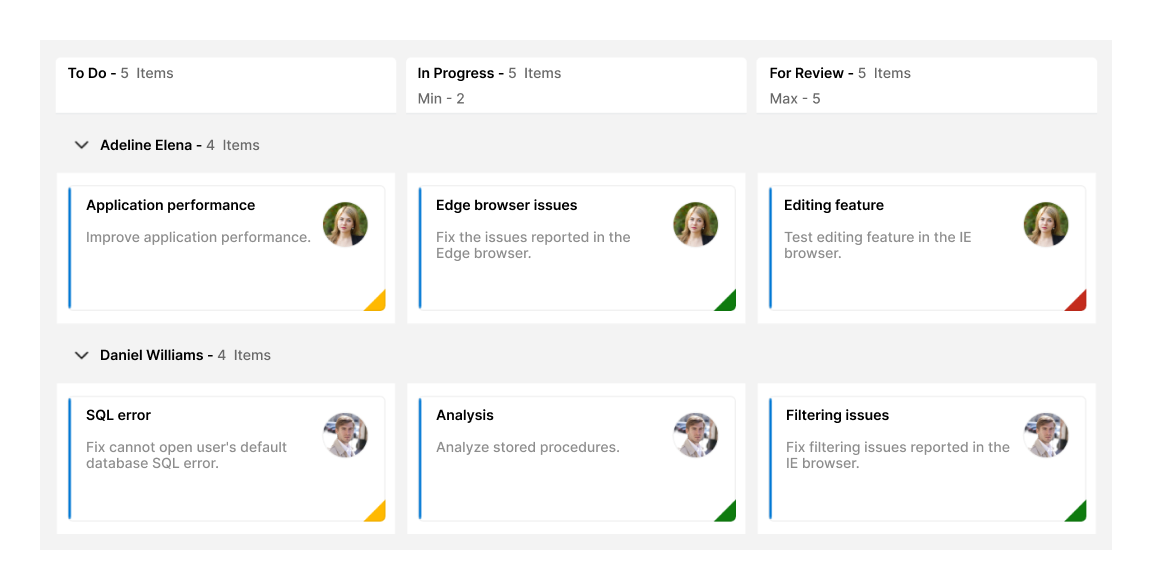
Swimlanes
The WinUI Kanban control allows users to split the board horizontally into swimlanes, categorizing cards by key attributes such as assignee, project, or type. Users can customize swimlane headers with templates, control row visibility, and display the number of items within each swimlane.
Interactive features
Seamless card drag and drop
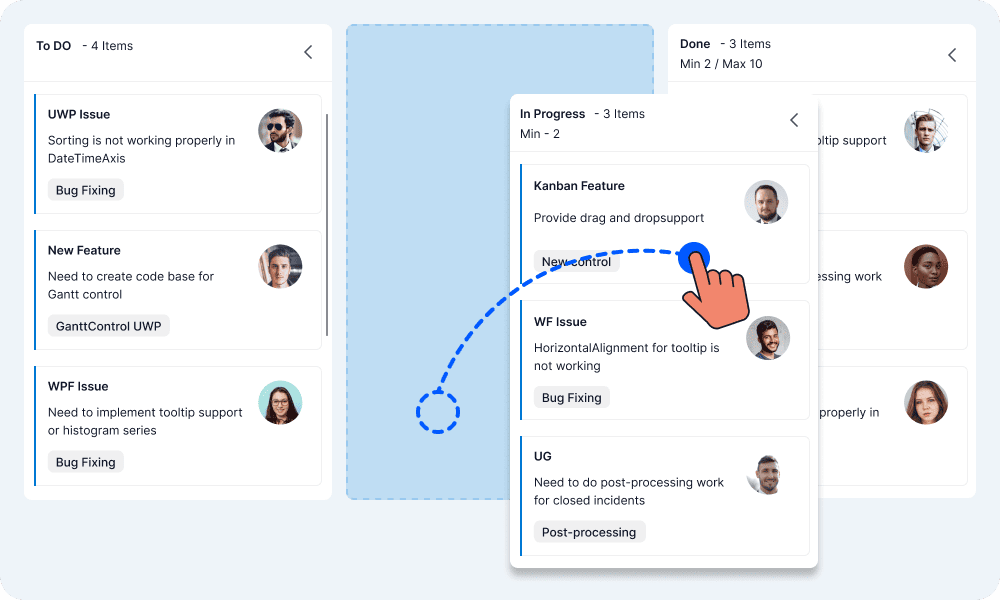
The WinUI Kanban control allows users to drag and drop cards across columns, within columns, and between swimlane rows, enabling quick and intuitive status updates.
Flexible column rearrangement
Users can drag and drop columns across the various stages of the Kanban board to reorganize them.
Expand or collapse columns
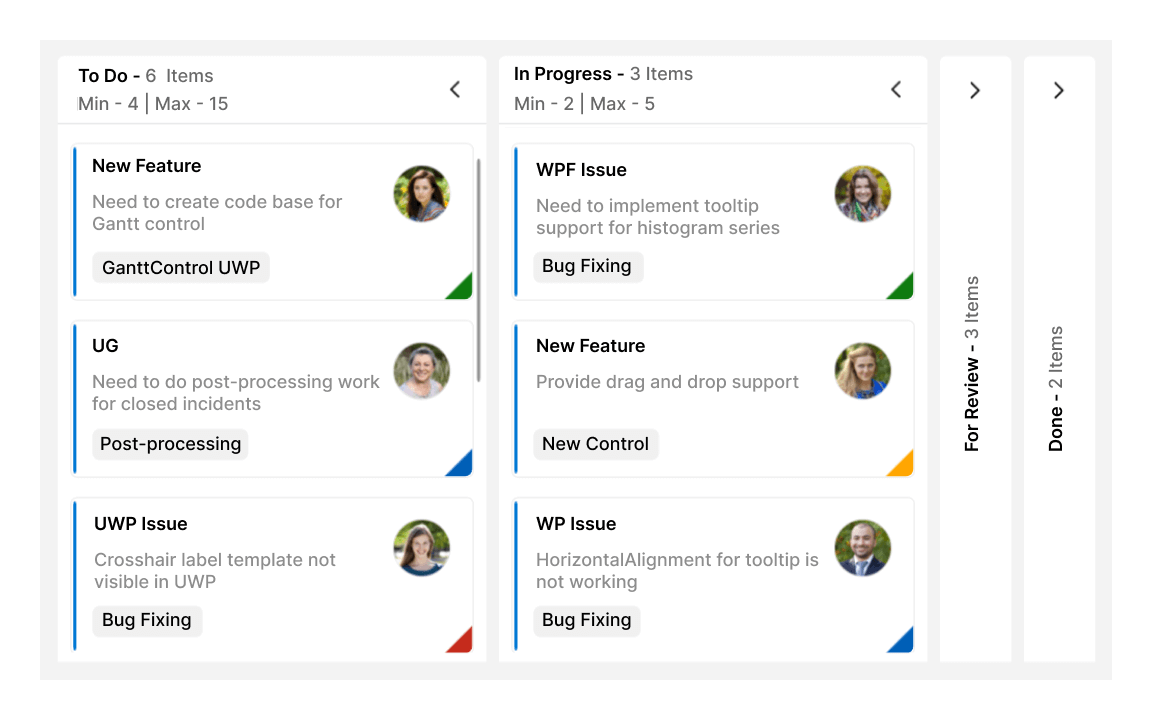
Columns can easily be expanded or collapsed, providing a focused view of tasks.
Multi-card selection
The WinUI Kanban control allows users to select and drag multiple cards simultaneously. Users can customize the background and border colors of selected cards to enhance visibility.
Customization
The Kanban control supports customizing the UI of each element, including column headers, cards, and swimlane headers, using templates.
Header customization
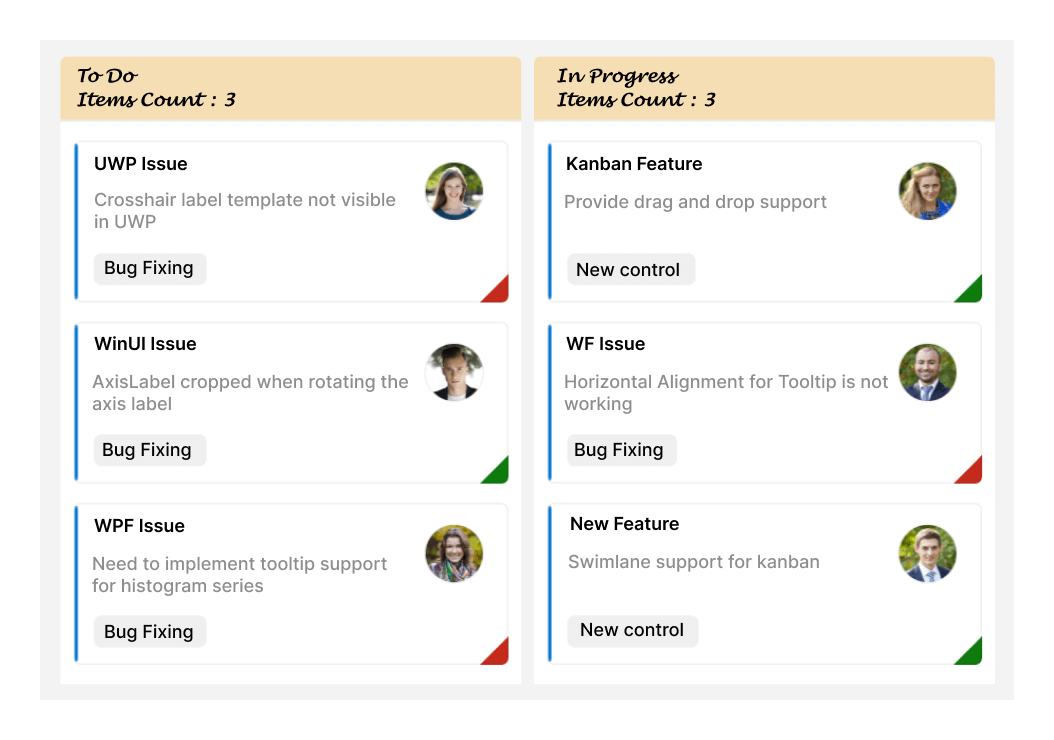
Users can customize the existing header content or add new information about a column by customizing the column headers with templates.
Card customization
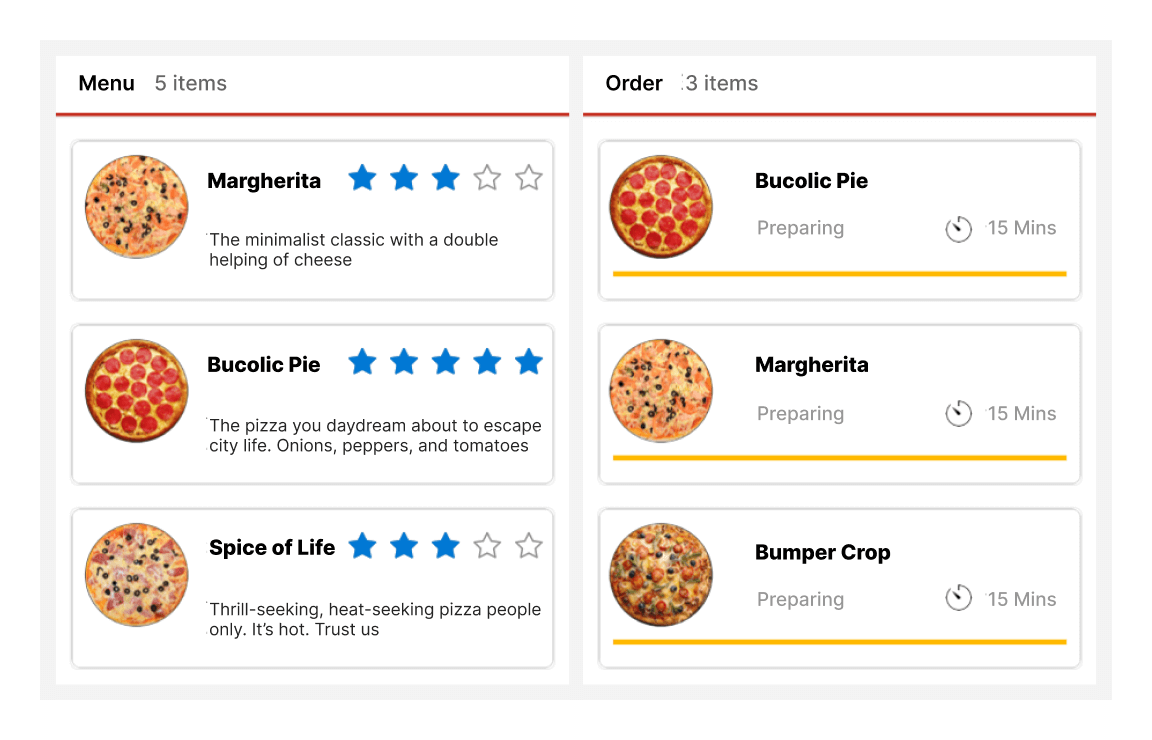
Customize the card template to add more details or change its default appearance.
Placeholder customization
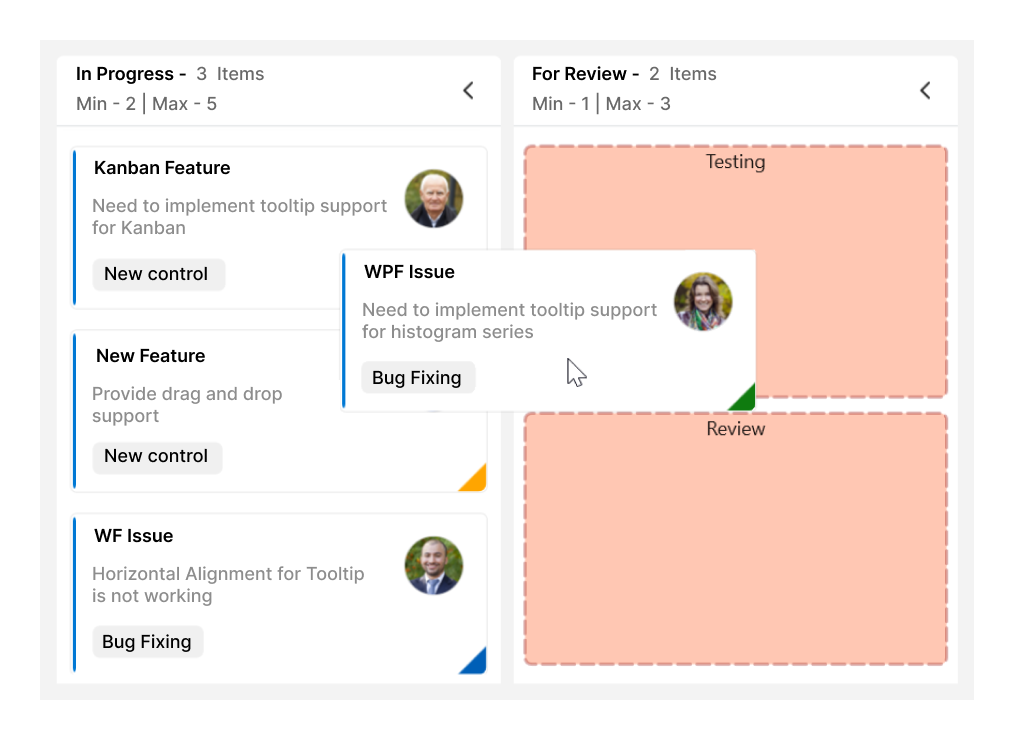
Users can customize the appearance of placeholders displayed while dragging.
Localization and RTL
The Kanban control can be easily adapted to any supported language or culture and can display right-to-left (RTL) for RTL languages.

Localization
Users can localize all the static default strings in the WinUI Kanban control to any supported language.

Right to left (RTL)
The WinUI Kanban supports RTL rendering, displaying text and the control’s layout from right to left.
Themes
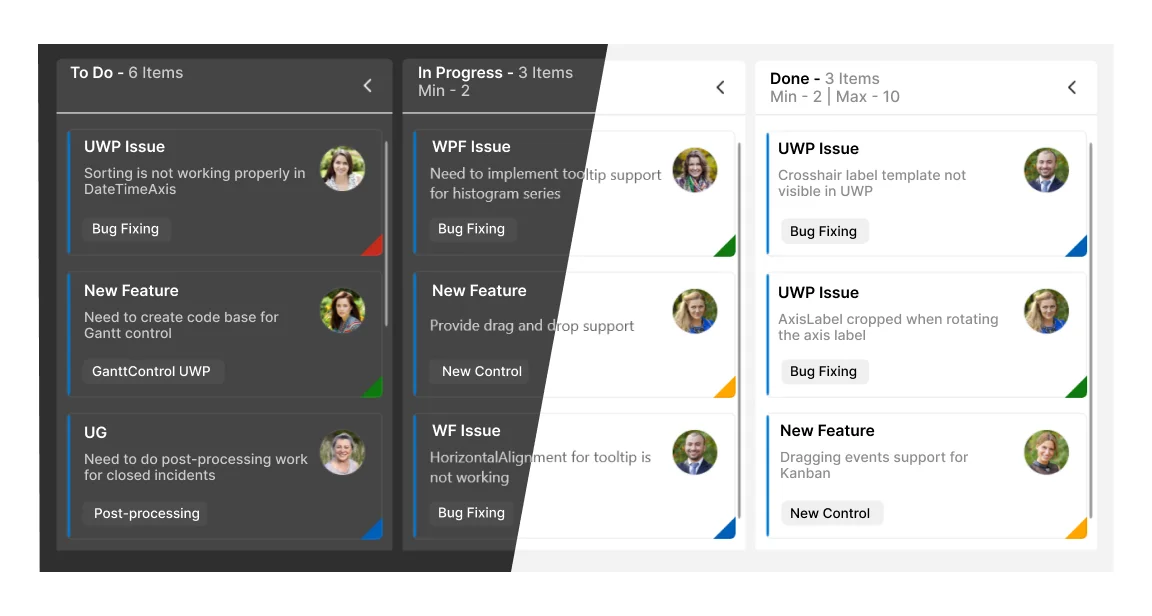
The WinUI Kanban supports light and dark themes, automatically adjusting to the system’s theme settings for a consistent and visually appealing experience in any environment.
Our Customers Love Us
Having an excellent set of tools and a great support team, Syncfusion® reduces customers’ development time.
Here are some of their experiences.
Here are some of their experiences.

Satisfying components with great community support.
It solves a lot. I mostly use its Kanban control and Grid control with no problems. It has a great ui design and design options. It made it easy for us to build a warehouse management system.

Muhammed Y.
Co-Founder - Full-Stack Developer
Great Community Program and Pro Components for Building New Solutions
Having gantt component ready to use, helped me to focus on what really matters on my solution

fred P.
Director
See Real Success Stories
Developers around the world trust Syncfusion’s Essential Studio to simplify complex projects and speed up delivery. With a vast library of UI controls, powerful SDKs, and reliable support, Essential Studio helps teams build enterprise-ready applications with confidence.
Read Our Customer StoriesIndustry
Software development
75% Cost reduction
50% Faster development
Industry
Utilities (oil and gas)

450+ hours saved
Streamlined processes and hours of development effort saved.

Advanced, flexible features
Empowered users through robust and versatile functionality.
Industry
Software and technology
1000+ of hours saved
Accelerated development with enterprise-ready UI components.

Efficient file management
Streamlined workflows with document libraries without building them from scratch.
Industry
Software and technology

2 Years of delay avoided
Two years of delays prevented with proactive planning.

On-time delivery
Projects delivered on schedule using trusted controls.
Industry
IT services and IT consulting

Improved performance
Large datasets handled with easy customization and quick debugging.

Highly customizable
Plug-and-play controls with quick template integration.
Industry
Professional services
Instant access
Quick availability of features and resources.
Reduced dependencies
Fewer dependencies for faster development.
Rated by users across the globe
Awards
Greatness—it’s one thing to say you have it, but it means more when others recognize it. Syncfusion® is proud to hold the following industry awards.









