Trusted by the world’s leading companies

Overview
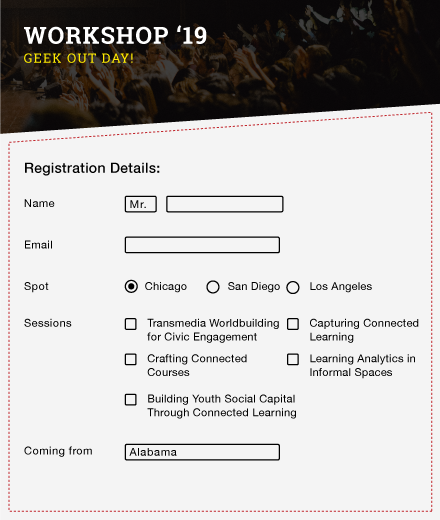
The PDF library supports creating, customizing, and managing form fields in PDF documents. PDF fillable forms are electronic documents crafted to gather user information systematically. These versatile forms can incorporate a wide range of form elements, including text boxes, checkboxes, radio buttons, dropdown menus, and more.
PDF forms are an effective way to collect information from users. The Syncfusion Flutter PDF library lets users quickly create attractive PDF form fields, and modify, fill, and flatten them right in their Flutter apps.

High performance
Performance of the PDF form filling and creation is high and accurate. For example, creates or fills 1000+ form fields in a second.

Supported PDF form fields
Supports all PDF form fields such as text box, check box, radio button, combo box, list box, and signature fields.

Read and modify
Provides access to read and modify values and properties of form fields. Form fields can be repositioned and deleted.

Fill form fields
Supports filling form fields, which includes text box field, checkbox, radio button, dropdown, and signatures fields.

Flatten form fields
Flattening PDF form fields will directly write the values on the page and remove the respective fields, thereby making the form non-editable.

Customization
The Syncfusion Flutter PDF library supports various customizations for form fields depending on the type, including font, color, border style, highlight type, and more.

Import and export form fields
Supports import and export of PDF form fields data via FDF, XFDF, JSON, and XML.
Other features of PDF form fields
- Encrypted PDF forms support.
- Create PDF template form.
- Add actions to the form fields.
- Auto-name PDF form fields.
Syncfusion Flutter PDF Library Resources


Awards
Greatness—it’s one thing to say you have it, but it means more when others recognize it. Syncfusion® is proud to hold the following industry awards.









