Trusted by the world’s leading companies

Overview
The Syncfusion Flutter PDF library supports a wide range of PDF annotations. The library can create, read, delete, and edit annotations.
Shape Annotation
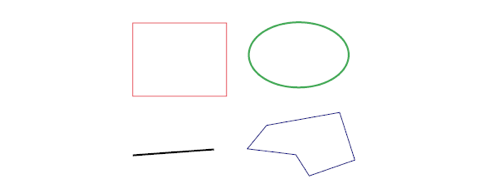
Include line, rectangle, polygon, ellipse, text web link, document link and URI in the PDF pages to create schematic drawings or to mark important material with the shapes. You can move, resize, remove, or edit the color of the shapes.
Flatten annotation
The Syncfusion Flutter PDF library supports making a PDF annotation non-editable. Flatten PDF annotation will directly write the appearance on a page, but remove the respective annotation. Flattening the popup comment of the annotation is also possible.
Customization
The Syncfusion Flutter PDF library provides various annotation customizations such as font, color, border style, highlight type, predefined icons, shapes, and more, depending on the annotation type.
Read and modify annotation
Access to read and modify PDF annotation values and properties. You can move annotations around. It is also possible to delete annotations.
Syncfusion Flutter PDF Library Resources


Awards
Greatness—it’s one thing to say you have it, but it means more when others recognize it. Syncfusion® is proud to hold the following industry awards.









