Try Our Live Demo
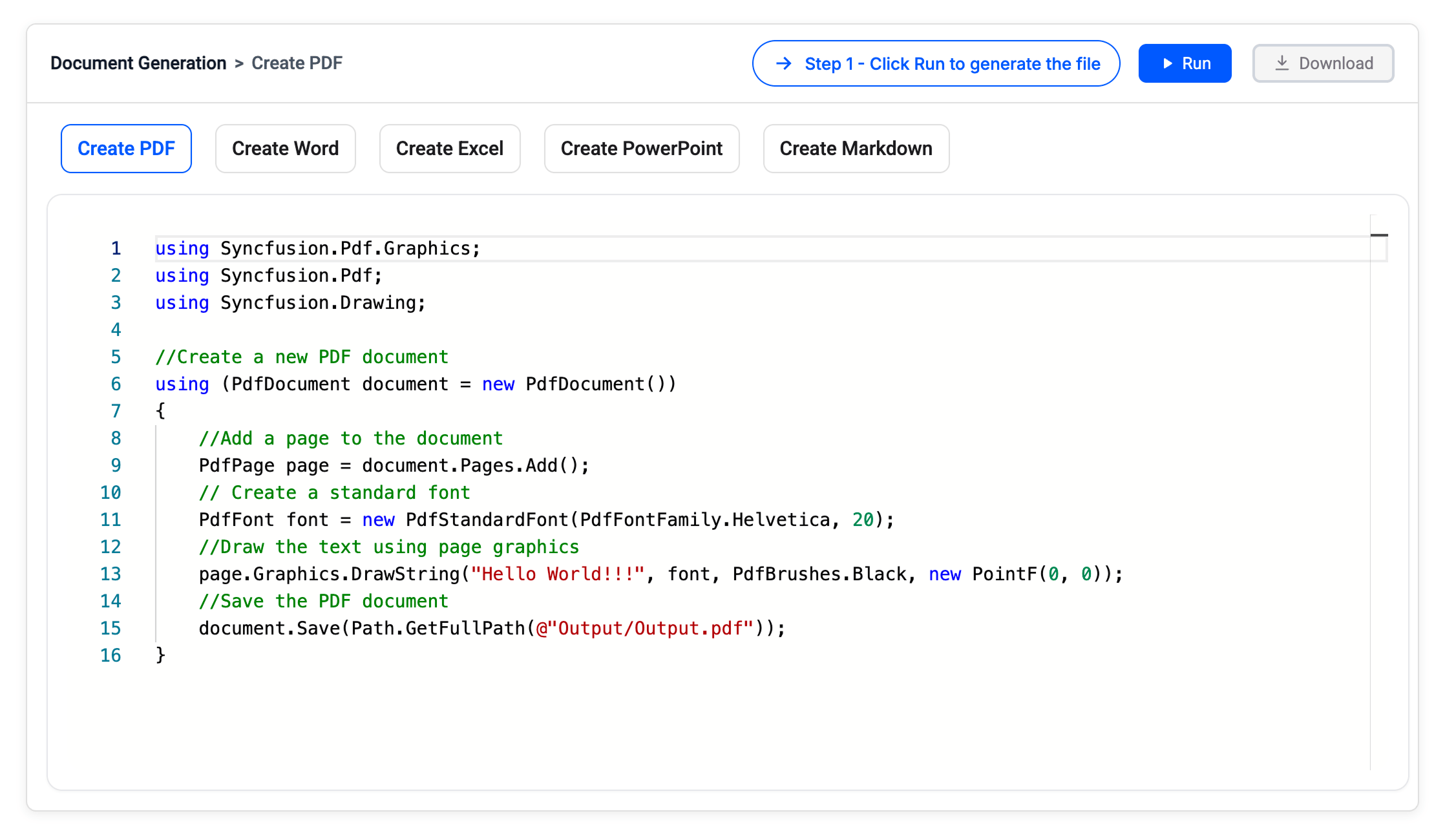
One SDK for every document-generation workflow
Start where your project already is — an empty page, a template your business team maintains, or a file that needs to be updated and republished.
Create from scratch
Build pages, sections, paragraphs, worksheets, charts, tables, slides, and forms through a comprehensive object model. The libraries handle format-specific packaging, layout, and serialization.
Generate from a template
Keep document design in the hands of the business. Open an existing Word, Excel, or PowerPoint template, bind application data to placeholders or markers, and preserve its branding, styles, and layouts.
Update existing files
Open supported documents, replace or add content, combine files, and publish the result in the format your users need. Work with files and streams to fit web requests, background jobs, and batch pipelines.
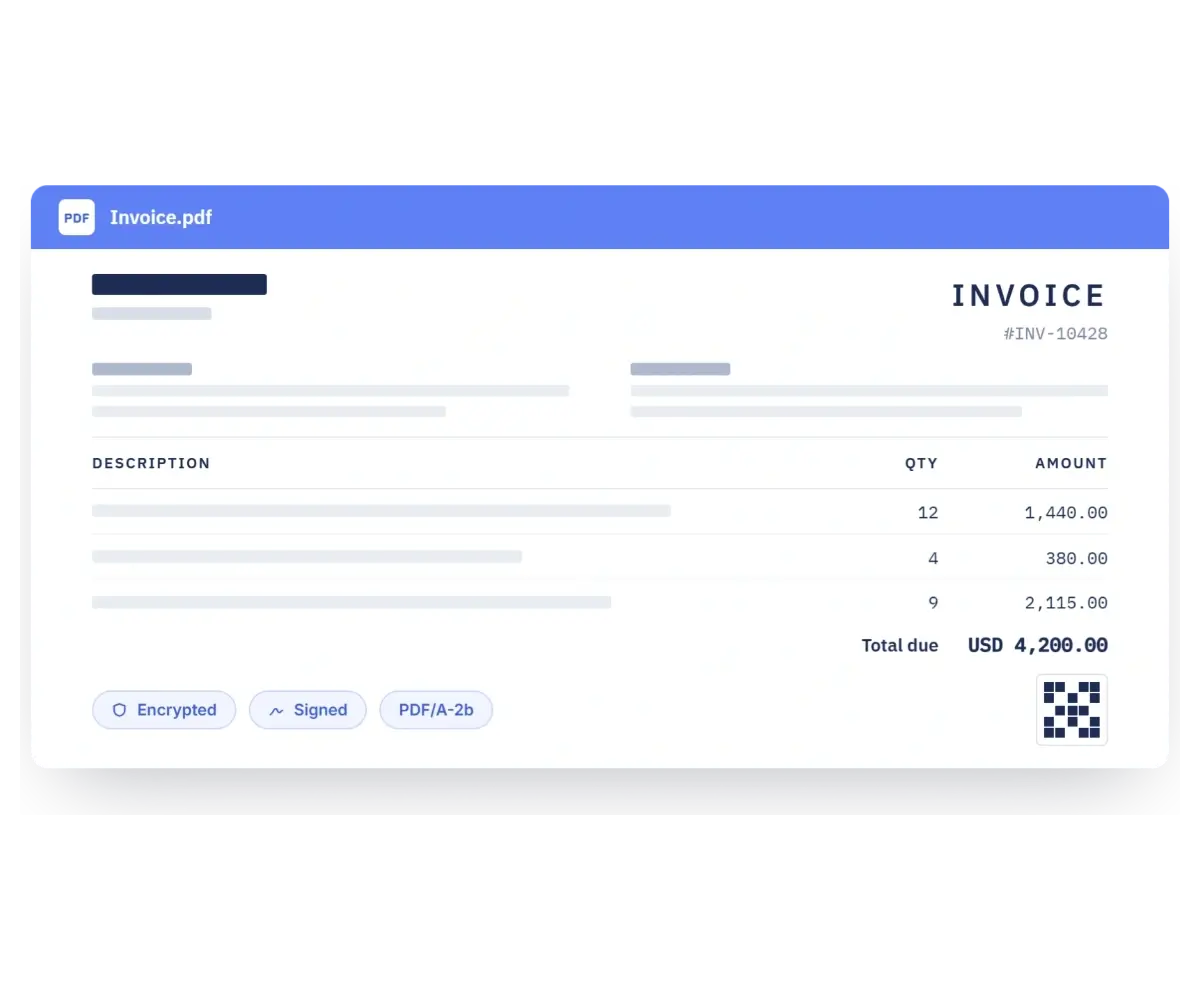
Create production-ready PDFs
Turn application data into production ready PDFs for invoices, reports, forms, and business documents with text, images, tables, headers, footers, page numbers, barcodes, bookmarks, annotations, attachments, layers, and interactive forms.
- Create PDF files using PDF 1.7 and PDF 2.0 standards for broad compatibility.
- Produce archival PDF/A variants and accessible, tagged PDF/UA output.
- Protect sensitive output with encryption, permissions, and redaction.
- Automate PDF forms and digital signatures with validation support.
Automate Word documents
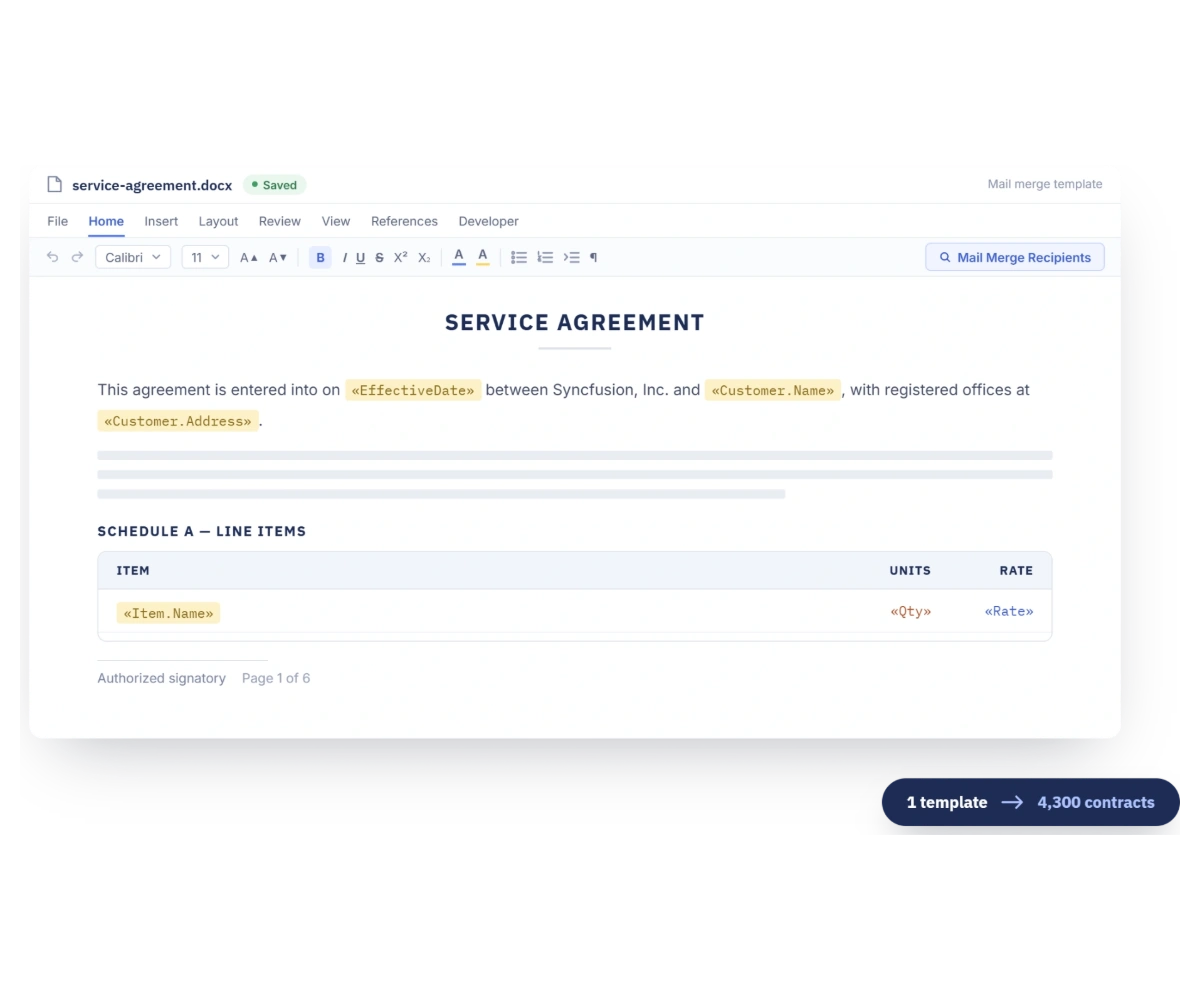
Create richly formatted Word documents or automate business templates using a comprehensive document model with sections, paragraphs, tables, styles, headers, footers, fields, bookmarks, content controls, charts, shapes, and document properties.
- Run advanced mail merge with arrays, business objects, ADO.NET data, dynamic objects, JSON, and XML.
- Repeat nested regions for line items, schedules, catalogs, appendices, and other one-to-many data.
- Protect generated documents with passwords, granular security access controls, and permissions.
- Publish to Word, PDF, HTML, RTF, text, EPUB, Markdown, or images, depending on the source and target.
Build data-rich Excel workbooks
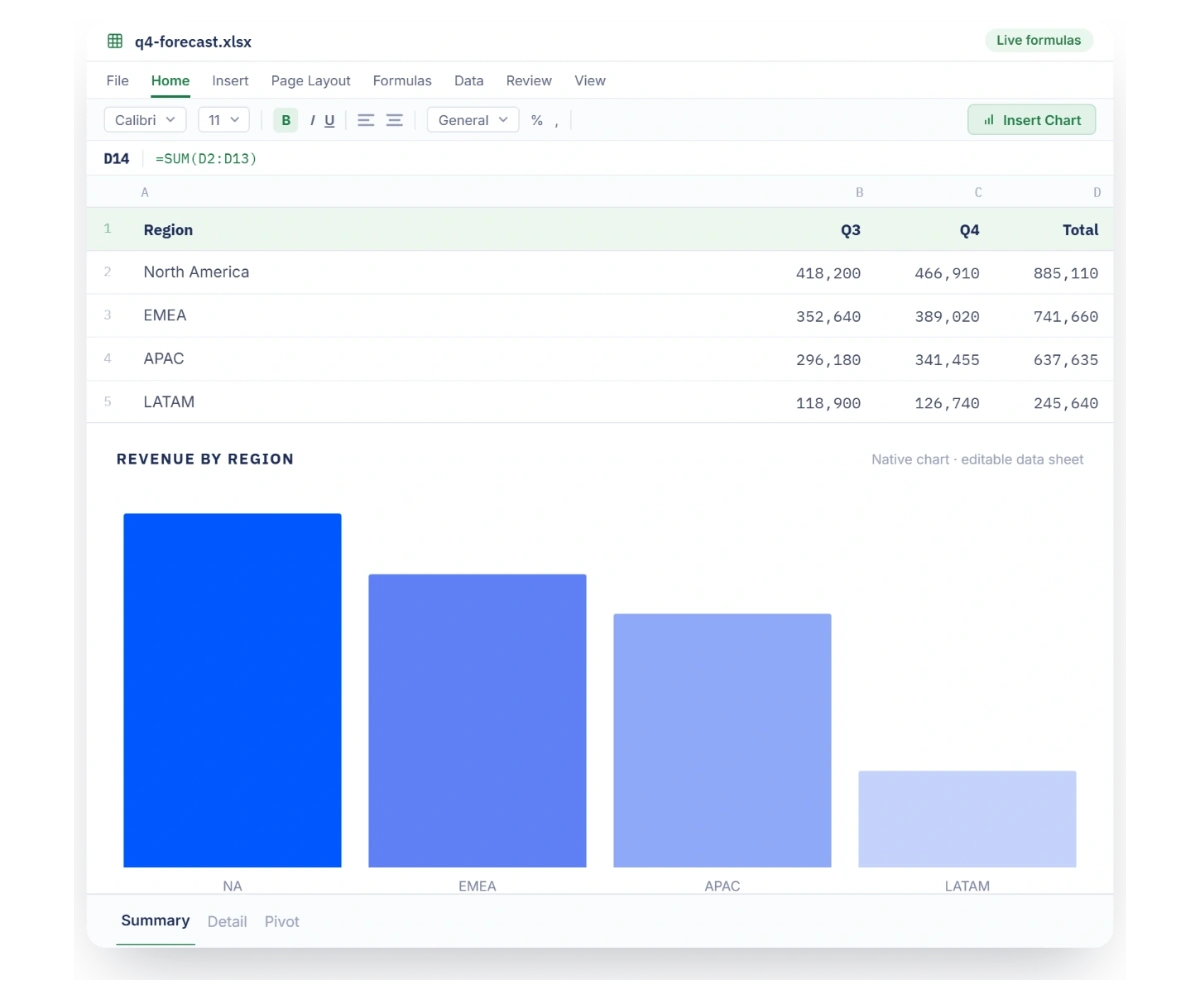
Turn application data into real spreadsheets by creating workbooks, importing worksheet data, or populating designer built templates using template markers for automated, structured, and reusable Excel document generation.
- Fill templates from collections, nested collections, arrays, and data tables while retaining worksheet styles.
- Generate formulas and evaluate them with the built-in workbook calculation engine automatically.
- Create native, editable charts, sparklines, tables, pivot tables, and dynamic pivot charts.
- Convert generated worksheets to PDF, HTML, or images for a consistent viewing experience.
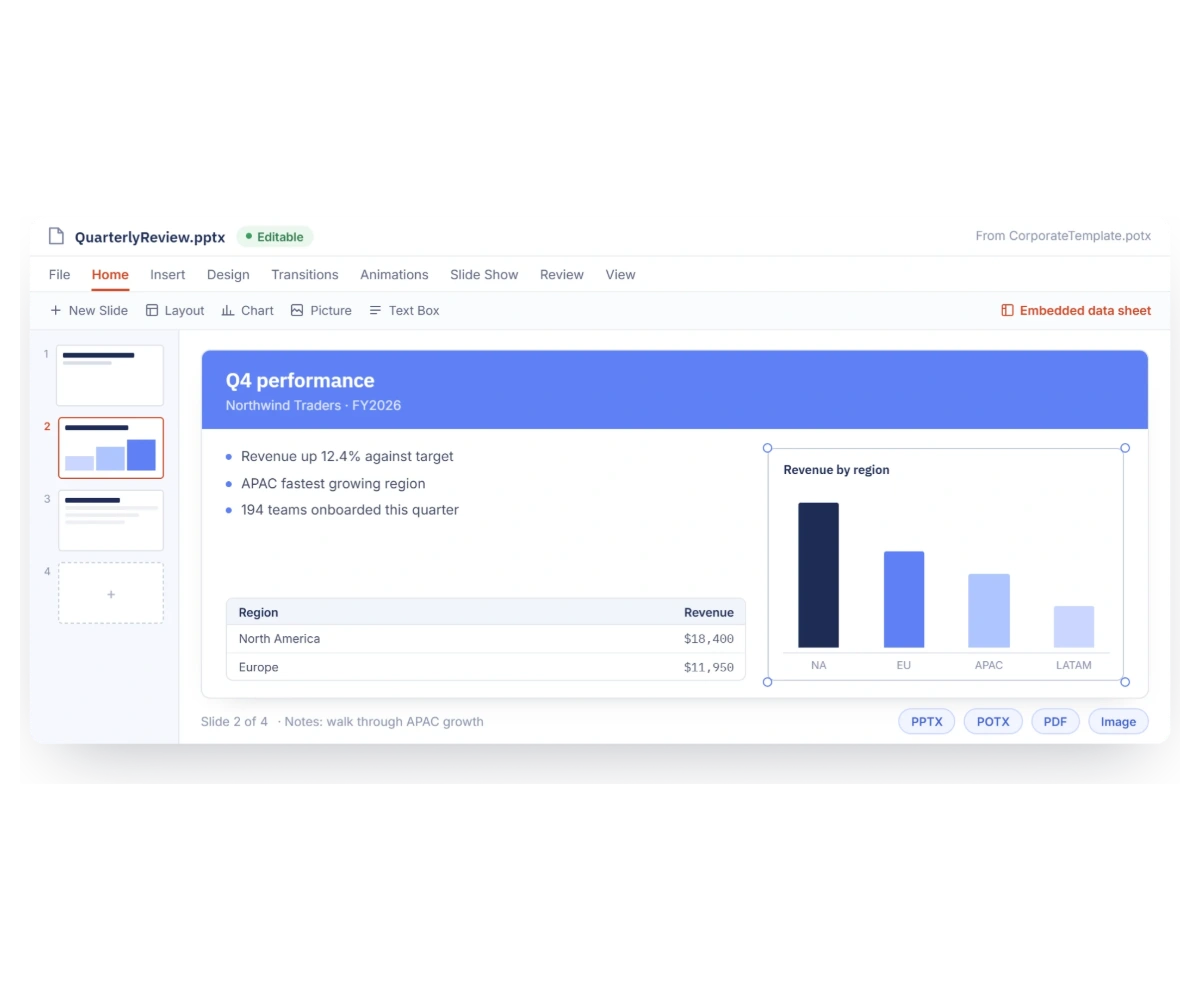
Generate editable presentations
Create presentations from code or start with your organization’s own PPTX or POTX template. Add slides, reuse layouts and placeholders, and populate every deck with current data while keeping the output editable in Microsoft PowerPoint.
- Create and format text, images, shapes, tables, charts, SmartArt, hyperlinks, and sections.
- Generate charts with an embedded data sheet so recipients can inspect and edit the underlying values.
- Access and update placeholders, slide notes, animations, and transition effects.
- Convert created presentations to PDF, or convert slides and charts as images for previews and thumbnails.
Publish Markdown content
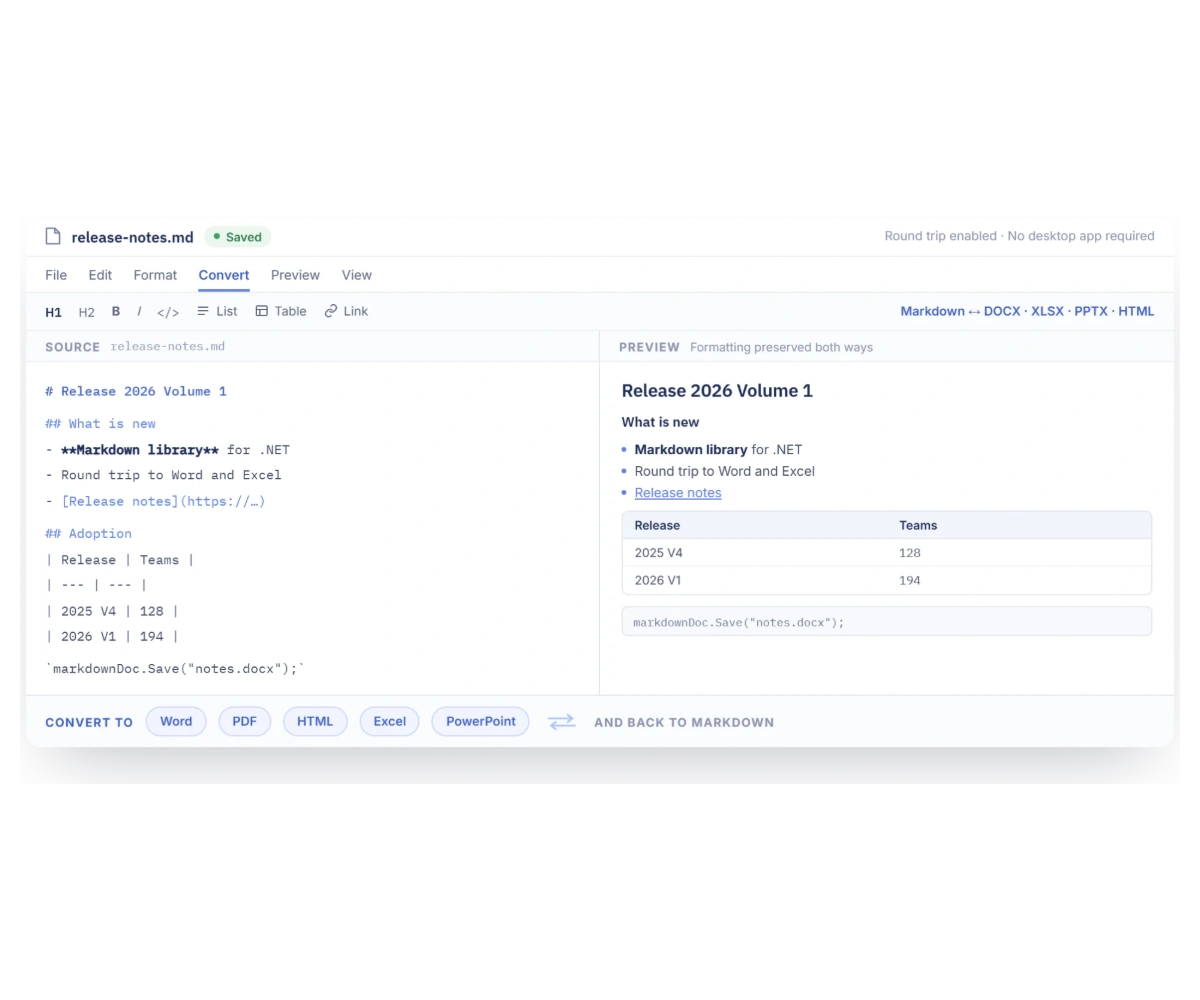
Make Markdown part of a broader publishing workflow by creating, reading, editing, and converting content without relying on external desktop applications, enabling consistent document processing, content management, and efficient publishing across platforms.
- Generate Markdown content with rich formatting, including headings, lists, tables, links, and images.
- Convert Markdown to Word, PDF, HTML, Excel, and PowerPoint document formats.
- Convert Word, Excel, PowerPoint, and HTML content back to Markdown files.
- Reuse approved content across documentation sites, knowledge bases, documents, and AI retrieval workflows.
Frequently Asked Questions
Do I need Microsoft Office or Adobe installed for document generation on my server?
No. Syncfusion Document SDK enables document generation without Microsoft Office, Adobe Acrobat, or any other server dependencies. All document generation runs entirely inside your application using managed .NET code.
Can Document SDK generate PDF from existing Word document or HTML page?
Yes. The Document SDK supports Word-to-PDF and HTML-to-PDF conversion. The HTML-to-PDF engine uses Blink based rendering to produce output from HTML and CSS content.
Can I generate documents from business application data with Document SDK?
Yes. You can generate documents from .NET collections, data tables, arrays, JSON data, XML, and other data sources using mail merge, template markers, and template-based document creation.
How does Syncfusion Document SDK handle high volume document generation?
The Document SDK is optimized for server-side environments and supports batch and parallel processing. Documents are generated in process with low memory overhead and no dependency on external services.
Does Document SDK support document generation in Docker and cloud environments?
Yes. Syncfusion Document SDK supports document generation on Windows, Linux, Docker, Azure, AWS, Google Cloud, Azure Functions, and other modern .NET deployment environments.
What .NET platforms are supported by the Syncfusion Document SDK libraries?
The Syncfusion Document SDK libraries supports platforms for the web (Blazor, ASP.NET Core, ASP.NET MVC) mobile (.NET MAUI, UWP), and desktop (Windows Forms, WPF, WinUI, .NET MAUI, UWP).
Resources
Learn more about our Document SDK
Explore demos, KB articles, and documentation to get the most out of our Document SDK.
Explore guides, APIs, and quick-start tips
See live use cases in action
Ask, share, and connect with peers
Find solutions and best practices fast
Get expert help when you need it
Feature requests and bug reports
Track issues and suggest improvements
Awards
Greatness—it’s one thing to say you have it, but it means more when others recognize it. Syncfusion® is proud to hold the following industry awards.









