Create Markdown Documents in .NET
- Create structured Markdown content with tables, lists, code blocks, hyperlinks, images and formatting.
- Deploy Markdown generation on Windows, Linux, macOS, Docker, and cloud platforms.
No credit card required.
VIEW DEMONo credit card required.

Integrate Markdown generation into .NET workflows
The Syncfusion .NET Markdown Library helps teams automate developer friendly content creation where application data already exists, including APIs, back office systems, SaaS products, build pipelines, and internal tools.
Create portable content
Generate clean .md output for documentation sites, knowledge bases, changelogs, release notes, handbooks, and AI-ready content pipelines.
Automate content workflows
Assemble reusable Markdown documents from code, structured data, or upstream business documents without manual copy-paste.
Deploy without external tools
Run Markdown generation across web, desktop, cloud, and container environments without external dependencies.
Create Markdown files from scratch
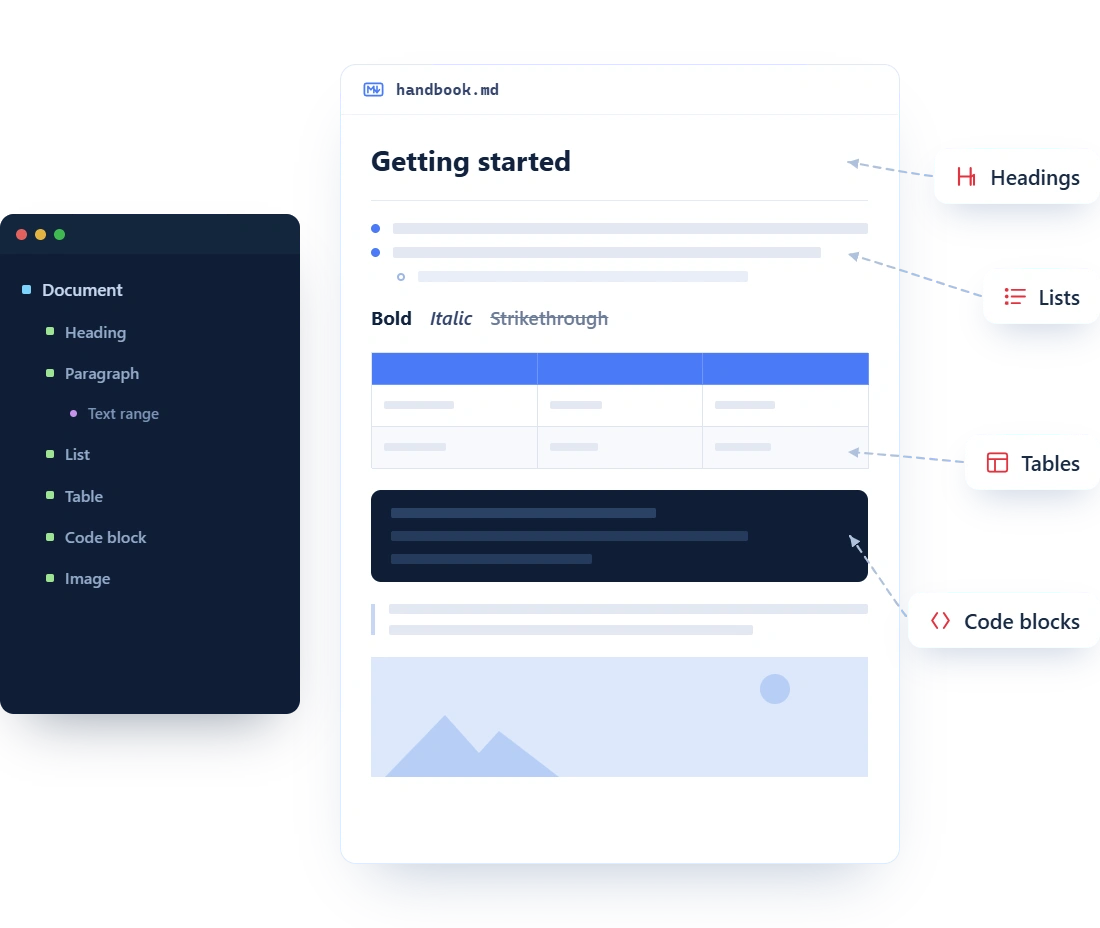
Start with an empty document and build complete Markdown output with full document control. Create headings, paragraphs, lists, tables, code blocks, hyperlinks, images, and horizontal rules directly from application logic, enabling consistent, structured, and automated content generation across workflows and applications.
- Build Markdown documents using block and inline elements through a typed .NET API.
- Add headings, paragraphs, lists, tables, hyperlinks, images, code blocks, and blockquotes.
- Apply inline formatting such as bold, italic, strikethrough, superscript, and subscript.
Merge multiple Markdown files
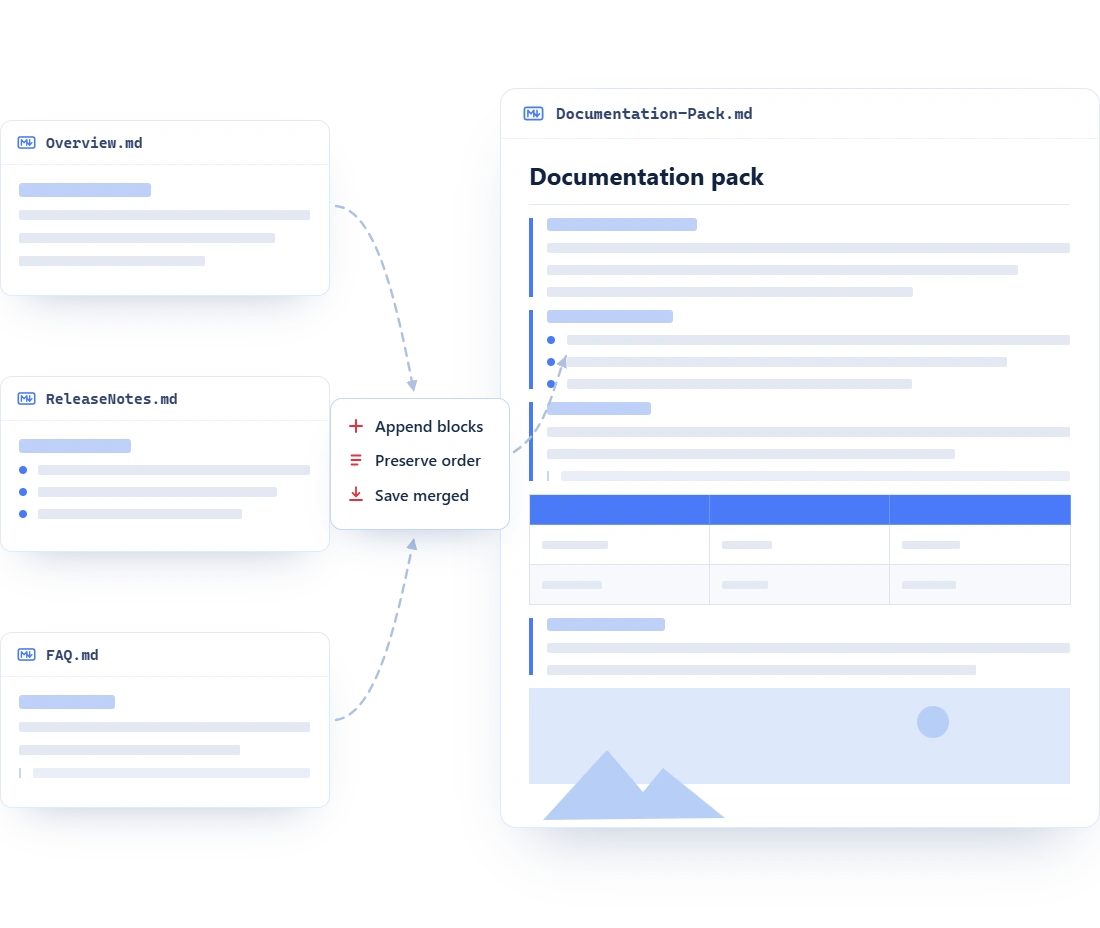
Assemble a single Markdown file from multiple source documents or content blocks when your workflow spans different teams, systems, or generation steps. Combine release notes, policy sections, knowledge articles, or AI-generated fragments into one clean output file that is easier to publish, review, and version.
- Consolidate multiple Markdown sources into one unified
.mddocument file for distribution. - Clone and append document blocks to combine approved content without reauthoring it repeatedly.
- Automate content assembly for reports, onboarding kits, product updates and documentation portals.
Convert Office files to Markdown
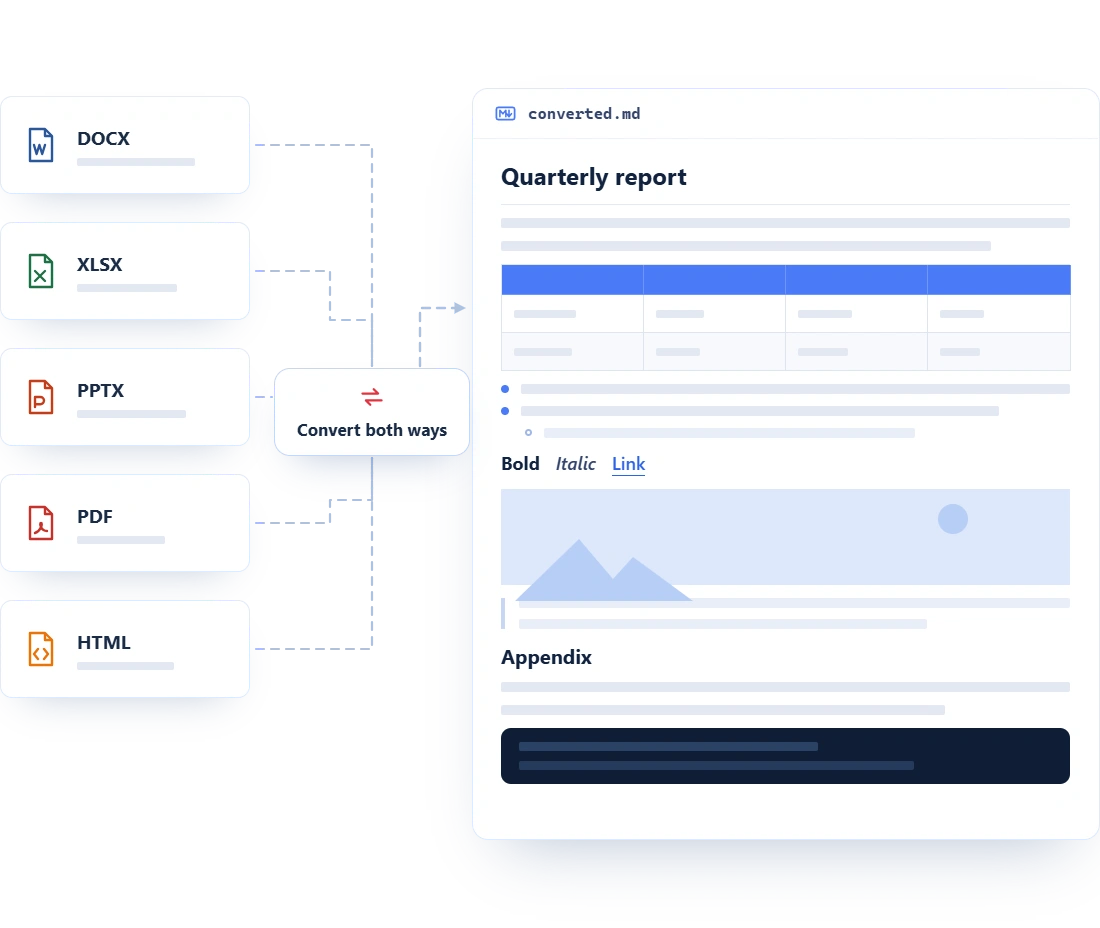
Bring existing business content into Markdown-based workflows without rewriting it by hand. Convert documents from common business formats into clean Markdown for docs-as-code systems, developer portals, internal knowledge bases, AI ingestion pipelines, and version-controlled content repositories.
- Create Markdown from multiple resources, including Word, Excel, PowerPoint, PDF, and HTML files.
- Standardize content migration into portable
.mdfiles for downstream editing and publishing. - Combine Markdown creation with Word, Excel, PowerPoint, and data extraction automation workflows.
Frequently Asked Questions
Can I easily create Markdown files programmatically using C#?
Yes. The Syncfusion .NET Markdown Library lets you create Markdown documents from scratch in C# and build them with headings, paragraphs, lists, tables, hyperlinks, images, code blocks, and other common Markdown elements.
Can I generate Markdown document from other document formats?
Yes. Syncfusion supports broader Markdown conversion workflows that help you create Markdown from Word, Excel, PowerPoint, PDF, and HTML content, making the library useful for migration, publishing, and content-automation scenarios.
Can I merge multiple Markdown documents into one file?
Yes. You can combine content from multiple Markdown documents by working with the document object model, making it practical to assemble one deliverable from separate content sources.
Can I use an existing Markdown file as a reusable template?
Yes. You can open an existing Markdown file, clone the full document, and update the content programmatically. This is useful for repeatable release notes, documentation pages, onboarding guides, and other structured content workflows.
Does the library require a Markdown editor, Microsoft Office, or any external dependency?
No. It is a native .NET library designed for in-process document generation. You do not need a Markdown editor, Microsoft Office, or third-party tools installed on the machine.
Which content elements can I generate in a Markdown document?
You can create headings, paragraphs, bulleted and numbered lists, tables, hyperlinks, images, code blocks, blockquotes, and inline formatting such as bold, italic, strikethrough, inline code, superscript, and subscript.
Documentation
Create a Markdown from scratch
Build complete Markdown output with headings, paragraphs, lists, tables, code blocks, and formatting.
Merge Markdown documents
Combine multiple Markdown files into a single document for unified content assembly and publishing workflows.
Word to Markdown conversion
Convert Word documents to Markdown while preserving headings, tables, lists, images, and text formatting.
Excel to Markdown conversion
Export Excel data into Markdown tables for documentation and developer content workflows.
Convert PowerPoint to Markdown
Convert PowerPoint slide content into structured Markdown for reuse in knowledge bases and documentation.
PDF to Markdown conversion
Extract and convert PDF content into clean Markdown format for downstream content workflows.
Resources
Learn more about our Markdown creation
Explore demos, knowledge base articles, and documentation to get the most out of Markdown creation.
Explore guides, setup details, and quick-start tips
See live use cases in action
Ask, share, and connect with peers
Find solutions and best practices fast.
Get expert help when needed.
Feature requests and bug reports
Track issues and suggest improvements
Awards
Greatness—it’s one thing to say you have it, but it means more when others recognize it. Syncfusion® is proud to hold the following industry awards.









