
 Vijayakumar Mariappan
TL;DR: Syncfusion® Flutter 2025 Volume 2 delivers powerful new features, including directional chart zooming, significantly faster PDF performance with a new Android-specific package, Linux platform support, enhanced slider accessibility, and AI-powered chart generation capabilities.
Syncfusion® Flutter widgets are written natively in Dart to help you create rich, high-quality applications for iOS, Android, Web, Windows, macOS, and Linux from a single code base.
In this blog, we’ll explore the exciting new features coming with our Essential Studio® 2025 Volume 2 release.
Flutter products are now an Essential Studio® add-on
Starting with this release, Flutter products will no longer be included as part of Essential Studio® but will be offered as an add-on. If you purchase Essential Studio®, Flutter will not be bundled by default, but it will remain licensed under Essential Studio®. This is the only change from the previous version. All other aspects remain the same.
If you need to use Syncfusion® Flutter widgets in your application, you will still need to obtain a community or commercial license, as this requirement remains unchanged.
Common
All Syncfusion® Flutter widgets have been upgraded to be compatible with the latest Flutter SDK v3.32.
Charts
Directional zooming support
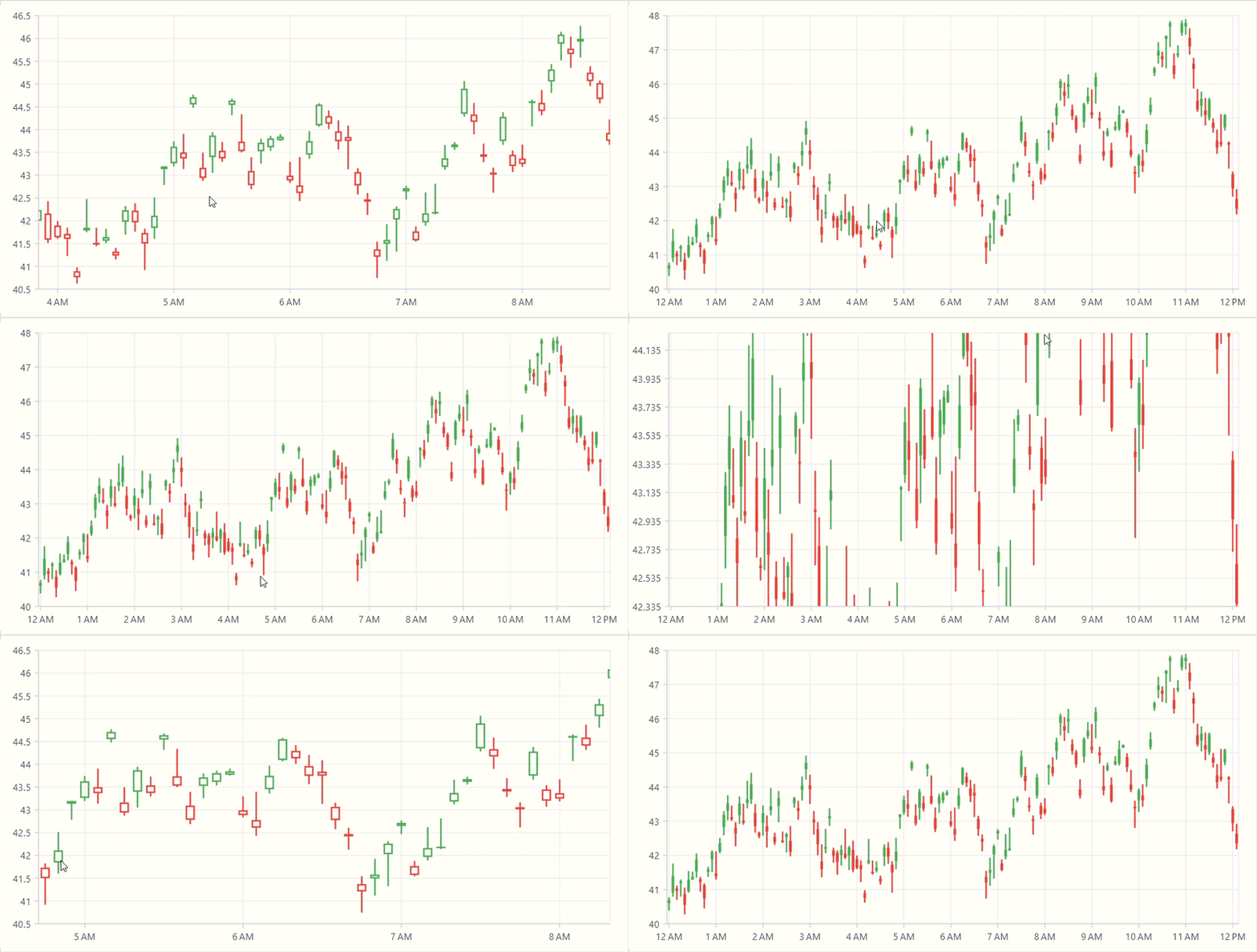
This feature enhances user interaction by providing greater zooming flexibility. By enabling the enableDirectionalZooming property, users can now zoom the chart horizontally, vertically, or on both.
Users can place two fingers on the screen and move their fingers vertically, enabling vertical zooming without affecting horizontal zooming. Conversely, moving their fingers horizontally will not enable vertical zooming. However, if users want horizontal and vertical zooming, they can achieve this by moving their fingers diagonally.
DataGrid
Checkbox filter popup menu customization
This support is used to customize the visual appearance of the checkbox filter menu built-in widgets.

Advanced filter pop-up menu customization
This support is used to customize the visual appearance of the advanced filter menu’s built-in widgets.

PDF Viewer
New Android-specific package
The new optional syncfusion_pdfviewer_android package, which utilizes the PDFium engine for PDF rendering on Android devices, represents a significant advancement, particularly for those running API level 34 and below. This is not a replacement package for the main syncfusion_flutter_pdfviewer package. The syncfusion_flutter_pdfviewer package is still live and receives regular updates, and it supports Android from API level 21 to the latest version.
We are bringing the syncfusion_pdfviewer_android package to enhance the performance of loading large password-protected PDF files. With this integration, we have achieved impressive load times, up to 13 times faster than previous methods.
Linux support
The Syncfusion_Flutter_PDF Viewer package now extends its support to the Linux platform, enabling users to effortlessly view PDF documents. It retains all the features available on existing platforms, such as magnification, page navigation, text selection, text searching, bookmark navigation, form filling, and reviewing with text markup annotations.
Sliders
Individual label style customization (Slider, range slider, and range selector)
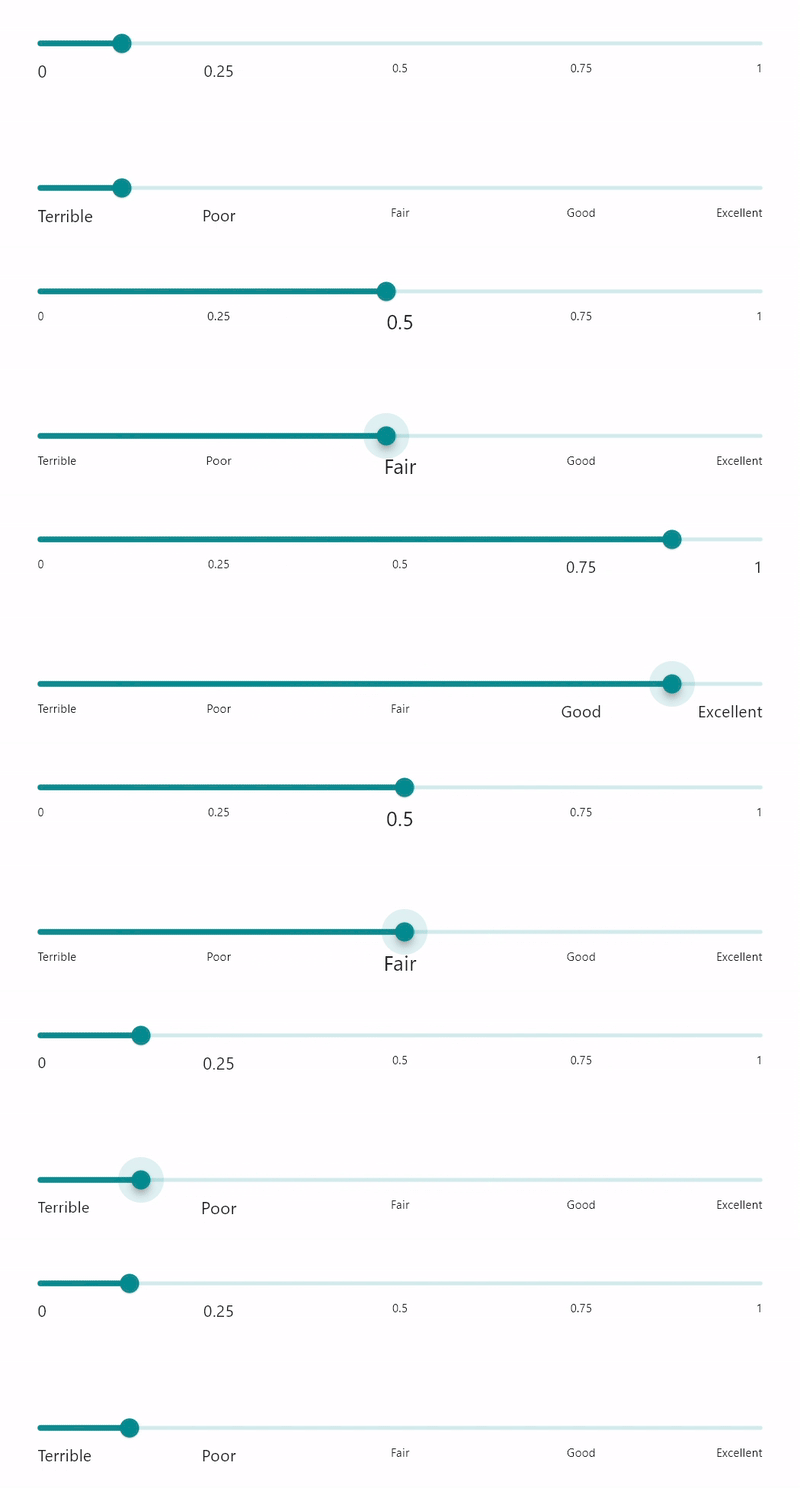
This feature enables users to customize the group of labels or individual labels, such as text, size, color, weight, and more. The existing activeLabelStyle and inactiveLabelStyle can customize all active and inactive region labels simultaneously.
Furthermore, the existing labelFormatterCallback is now deprecated, as it was used to customize the slider label text. Instead, onLabelCreated can be used for this purpose.
| Widget |
Previous API – deprecated
|
New API |
| SfSlider | labelFormatterCallback | onLabelCreated |
| SfRangeSlider | labelFormatterCallback | onLabelCreated |
| SfRangeSelector | labelFormatterCallback | onLabelCreated |
Keyboard accessibility support
- Focusing the Widget: Users can navigate to the Slider, Range Slider, and Range Selector widgets using the TAB key. This allows users to easily access these controls without relying on a mouse.
- Adjusting Values: Once the widget is focused, users can adjust the selected values using the arrow keys:
- Left / Down Arrow: Decrease the selected value.
- Right / Up Arrow: Increase the selected value.
AI-powered chart generation sample
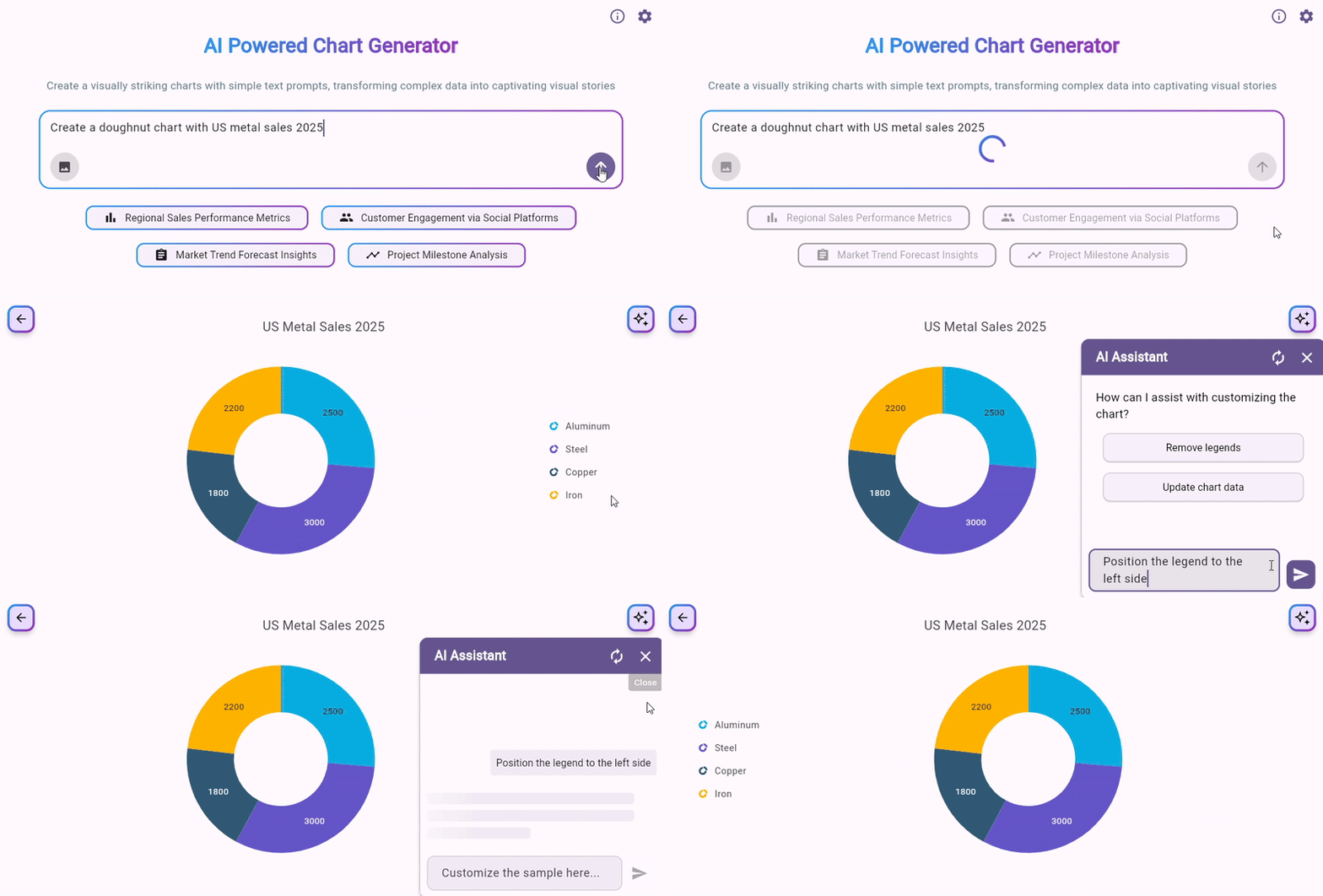
This sample showcases how to create charts using user prompts or uploaded images. It supports creating various chart types, including Area, Bar, Bubble, Column, Pie, Doughnut, Line, Radial Bar, and Scatter Charts. The sample also offers features like customization, data source handling, data labels, and legends.
Try out this sample.
Stock chart sample
The sample designed using our Charts, DateRangePicker, and RangeSelector widgets demonstrates a real Stock Chart Analysis sample.

Try out this sample.

Conclusion
Thanks for reading! In this blog, we’ve explored the new features introduced in our Syncfusion® Flutter widgets for the 2025 Volume 2 release. To explore all the updates in this release, please refer to our release notes and What’s New pages. We encourage you to try our Flutter packages and share your feedback in the comments below.
You can also access our complete user guide and explore our Flutter project examples for more information.
If you require a new widget in our Flutter framework or additional features in our existing widgets, please contact us via our support forum, support portal, or feedback portal. We are always delighted to assist you!










 No spam, just valuable updates.