
 Prabhavathi Kannan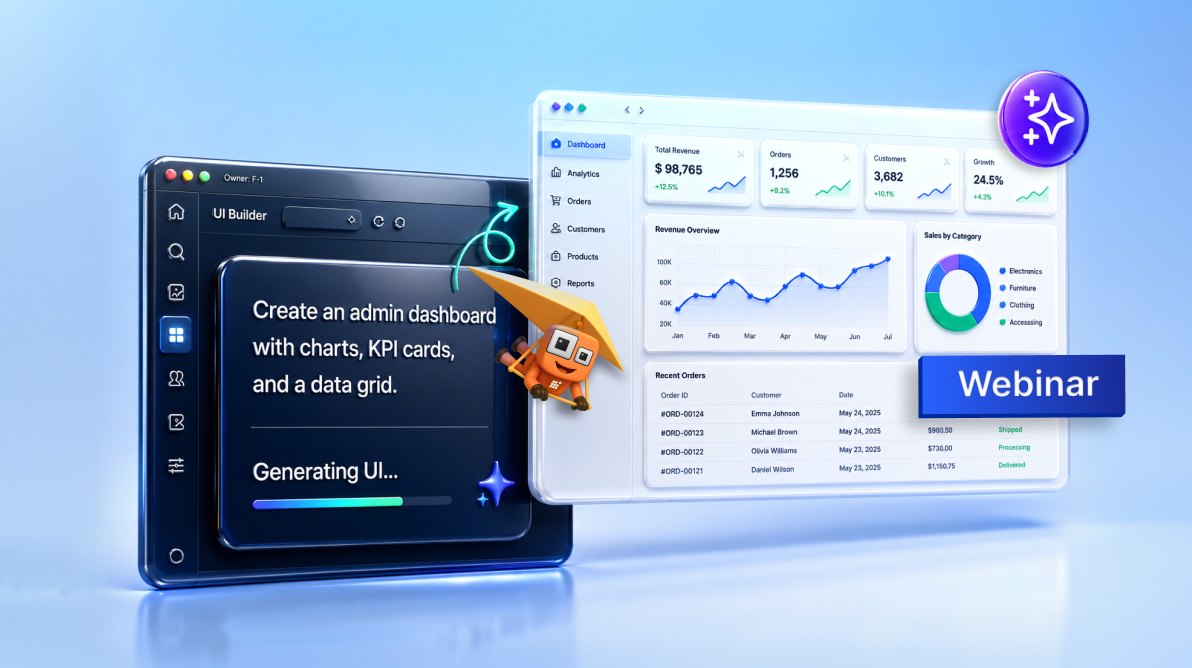
TL;DR: Learn how the Syncfusion Agentic UI Builder transforms natural-language prompts into complete enterprise React dashboards using structured agentic processes and Syncfusion components. This webinar demonstrates AI-assisted UI generation with responsive layouts, charts, grids, navigation, dependency management, validation, and code insertion to help developers build maintainable, production-ready interfaces faster.
AI can generate UI quickly, but fast output isn’t always usable output. Developers often still need to correct component choices, fix API usage, complete configuration, refine styling, and align the generated code with project standards before it becomes usable in an enterprise application.
In this webinar, Syncfusion® Software Engineer Prabhavathi Kannan demonstrated how the Syncfusion Agentic UI Builder helps developers move from a natural-language prompt to a complete, responsive, and interactive React dashboard built with real Syncfusion components.
If you missed the webinar or would like to revisit the session, the recording has been uploaded to our YouTube channel and is embedded below.
At a glance
This session explored how the Syncfusion Agentic UI Builder makes AI-assisted UI development more practical for enterprise applications. Instead of producing isolated snippets, the Builder uses embedded Syncfusion Agent Skills and an eight-stage workflow to create structured, responsive, and maintainable UI inside a real project environment.
The demo focused on creating a modern React admin dashboard that combined sidebar navigation, a top bar, summary cards, a task-completion trend chart, recent activities, and an interactive projects grid.
The challenge
AI-generated UI can be fast, but enterprise applications require more than quick code generation. The UI must be structured, responsive, accessible, maintainable, and aligned with the application’s architecture and design standards.
Common challenges include:
- Incorrect component or API usage.
- Partial UI instead of a complete screen.
- Missing modules or incomplete configuration.
- Inconsistent layout, spacing, or styling.
- Code that does not follow project architecture or standards.
- Extra cleanup that reduces the time saved by AI generation.
A smarter approach to agentic AI automation
Agentic automation helps AI move through UI generation step by step instead of jumping directly from prompt to code. It can analyze the request, understand the project structure, map requirements to suitable components, generate code, validate the output, and insert the final UI into the project.
This approach helps reduce trial and error, minimize cleanup, improve consistency, and create a smoother path from prompt to usable interface.
Introducing the Syncfusion Agentic UI Builder
The Syncfusion Agentic UI Builder helps developers create structured enterprise UI using real Syncfusion components instead of generic code. It is designed to support responsive layouts, maintainable architecture, and enterprise-grade UI standards, making the generated UI easier to review, refine, and integrate into real applications.
The Agentic UI Builder is available across multiple platforms, including React, Angular, Blazor, .NET MAUI, WinForms, WPF, and more. In this webinar, the demo focused on the React experience using the Syncfusion React UI Builder.
How Syncfusion Agent Skills power the builder
The latest Syncfusion Agentic UI Builder is powered by embedded Syncfusion Agent Skills. These skills provide Syncfusion-aware implementation guidance inside the project environment.
When a prompt requires grids, charts, navigation, inputs, lists, or other UI elements, the Builder can use relevant component guidance rather than relying solely on generic AI knowledge. This helps it select, configure, and compose Syncfusion components using supported patterns.
Prerequisites
To follow along with the demo, you need:
- APM (Agent Package Manager).
- Node.js version 18 or later.
- A React application (existing or new).
- A supported AI agent or IDE (VS Code, Cursor, Syncfusion Code Studio, etc.).
- An active Syncfusion license.
Demo: Building a React admin dashboard
The demo started by installing the React UI Builder skill into the development workflow.
apm install syncfusion/react-ui-builder -t copilot
The session moved into a practical project management scenario, creating a modern admin dashboard to track projects, active tasks, team updates, and overall progress in one place.
Prompt used in the demo:
Create a modern admin dashboard UI similar to a clean SaaS product. Keep the design simple, professional, and easy to use.

Use a sidebar layout with navigation on the left and the main content on the right. Add a top bar with a page title, search input, notification icon, and user profile.

Include a dashboard page with:
- A few summary cards (projects, tasks, team members, and revenue).
- A chart showing task completion trends.
- A list section of recent activities.
- A data grid listing projects with status and progress.

Make sure everything looks clean and well-spaced, with soft shadows and rounded corners.

Ensure the layout works across desktop, tablet, and mobile (the sidebar can collapse or be hidden on smaller screens).

Use realistic sample data and keep the UI minimal and polished.
After the prompt was entered, the Builder processed the request through its eight-stage workflow:
- Intent analysis
- Project detection
- Component mapping
- Theming and design system
- Code generation
- Dependency management
- Validation
- Code insertion
This workflow helped turn the original prompt into a working dashboard rather than a disconnected code snippet.
Final output
The generated dashboard included the following UI sections and Syncfusion components:
| Generated UI section | Syncfusion component(s) used |
| Sidebar navigation with menu items, active state, and profile area | Sidebar |
| Top bar with page title, search input, notification, and profile area | AppBar, Button, TextBox |
| Summary cards for projects, tasks, team members, and revenue | Card |
| Task completion trend chart with tooltips, legend, and markers | Chart |
| Recent activities section with avatar, icon, text, and time details | ListView |
| Projects grid with paging, sorting, filtering, and search | Grid |
The final output was also responsive across desktop, tablet, and mobile views. Overall, the implementation showed that the generated UI was not just a static mockup, but a functional interface that developers could review, refine, and extend.
Best practices
To get better results from the Builder:
- Start with a clear prompt.
- Add design preferences.
- Check the setup and installation target.
- Review the generated output.
- Extend and refine as needed.
Timestamps
[00:00] Welcome and session introduction
[00:44] Webinar agenda and overview
[01:15] Common challenges with AI-generated UI
[02:19] Poll: Biggest AI-generated UI challenge
[02:55] What developers need from AI-assisted UI generation
[04:00] Introducing the Syncfusion Agentic UI Builder
[04:54] How agent skills power the UI Builder
[05:39] Prerequisites and project setup
[06:10] Poll: Most time-consuming UI development task
[06:46] Demo setup in Syncfusion Code Studio
[07:48] Installing the UI Builder skill
[10:18] Exploring the installed agent skills
[11:46] Preparing the AI prompt
[12:21] Defining the enterprise dashboard scenario
[13:32] Behind the scenes: The 8-stage workflow
[14:38] Confirming design decisions before generation
[15:03] AI-powered code generation begins
[17:27] Validation and project updates
[18:25] Previewing the generated dashboard
[19:37] Reviewing the generated project structure
[20:07] Exploring the generated CSS architecture
[21:48] Reviewing the main dashboard component
[22:24] Sidebar and navigation components
[22:45] Top bar implementation
[23:08] Projects grid component
[23:44] Recent activity component
[24:12] Summary cards component
[24:27] Task trend chart component
[24:55] Reviewing project file updates
[25:35] Running the completed dashboard
[26:22] Exploring the generated dashboard features
[27:31] Grid interactions: Paging, sorting, filtering, and search
[28:51] Responsive layout demonstration
[30:07] Key advantages of structured UI generation
[30:40] Best practices for AI-assisted UI development
[31:28] Session recap and key takeaways
[32:15] Additional learning resources
Q&A
Q: I’ve spent a weekend and 500+ credits on a layout page that doesn’t work. I only required 3 things
- An appbar at the top that does not scroll out of sight; it need to be sticky and cover the whole width of the screen.
- A SideBar for a menu at the left that docks and can expand and collapses by clicking a hamburger placed at the left end of the AppBar.
- A content area that fills the area beneath the AppBar and to the right of the SideBar. The content should scroll under the AppBar. The SideBar should push the content when expanding. The menu items in the SideBar should open a new page in the content area.
The AI was unable to achieve this with over 500+ tokens. What plan and agent are required to achieve the described layout page?
A: We recommend using advanced models such as Claude Sonnet or other high-capability models. These models generally follow detailed UI instructions and multistep processes more accurately, resulting in more reliable layout generation and fewer iterations.
Q: Will this work on VS Code or does it require Code Studio as a mandatory env?
A: Agentic UI Builder is not limited to Syncfusion Code Studio. You can install and use it in any supported IDE that provides AI agent and skill integration, including:
- Visual Studio Code.
- Cursor.
- Syncfusion Code Studio.
Q: Is there a plan included for Syncfusion customers?
A: Yes. The Agentic UI Builder is available to all Syncfusion customers.
Q: Does that include Community License users?
A: Yes. Community License users can also install and use Agentic UI Builder.
Q: Do the skills installed along with UI agents provide some testing-specific abilities? Or does it rely on already-there IDE capabilities?
A: The Agentic UI Builder installation includes:
- UI Builder agent functionality.
- Component-specific skills for UI generation.
- Layout and component configuration assistance.
For automated testing, you can install additional testing-focused tools, such as Playwright, depending on your workflow requirements.
Q: What is the difference with Code Studio?
A: The Syncfusion Agentic UI Builder:
- Focuses on generating enterprise UI web pages from natural-language prompts.
- Uses Syncfusion component knowledge and skills to generate production-ready UI code.
- Can be used within supported IDEs.
Syncfusion Code Studio:
- Is a full AI-powered integrated development environment (IDE).
- Understands your codebase and provides context-aware assistance for development tasks.
- Includes AI-powered modes such as ask, edit, agent, plan, and autocomplete.
- Supports feature implementation, debugging, code explanation, and workflow automation.
Q: Does this work with ASP.NET Core?
A: The ASP.NET Core UI Builder support is planned for release this month.
Key takeaways
- Generic AI-generated UI often needs refinement before it is ready for real applications.
- The Syncfusion Agentic UI Builder guides AI through a structured UI generation workflow.
- Embedded Syncfusion Agent Skills provide component-aware implementation guidance.
- Developers can move from prompt to usable UI faster while keeping control over quality and structure.
Related links
- Syncfusion Agentic UI Builder
- Syncfusion Agent Skills
- Syncfusion React UI Builder documentation



 No spam, just valuable updates.