
 Paul Anderson
TL;DR: The 2026 Volume 2 release brings major enhancements to .NET MAUI, including multi-agent AI AssistView experiences, conversation management, advanced chart visualization, DataGrid productivity improvements, built-in filtering, and TreeView checkbox support. These updates help you build more intelligent, data-driven, and user-friendly cross-platform applications with less custom code and better user experiences.
Modern applications are evolving rapidly, with growing demand for AI-powered experiences, interactive data visualization, and productivity-focused user interfaces. To help you meet these expectations, the Essential Studio® 2026 Volume 2 release for .NET MAUI introduces enhancements across AI experiences, data management, and visualization.
This release brings new capabilities that make it easier to build intelligent applications, work with data more effectively, and deliver richer user experiences. From improved AI interactions and conversation management to enhanced charting and productivity-focused data features, these updates help you create modern cross-platform applications with less effort.
| Area | Highlights |
| AI AssistView | Multi-agent support, conversation management, and chat experience enhancements. |
| Cartesian Charts | Point color mapping and multilevel labels. |
| DataGrid | Multi-row dragging, built-in search, and undo/redo operations. |
| ListView | Built-in filtering UI |
| TreeView | Easier hierarchical item selection |
Let’s explore the highlights of the 2026 Volume 2 release.
AI AssistView
AI-powered applications continue to evolve, and this release expands AI AssistView with features that make it easier than ever to build sophisticated conversational experiences.
Agent picker
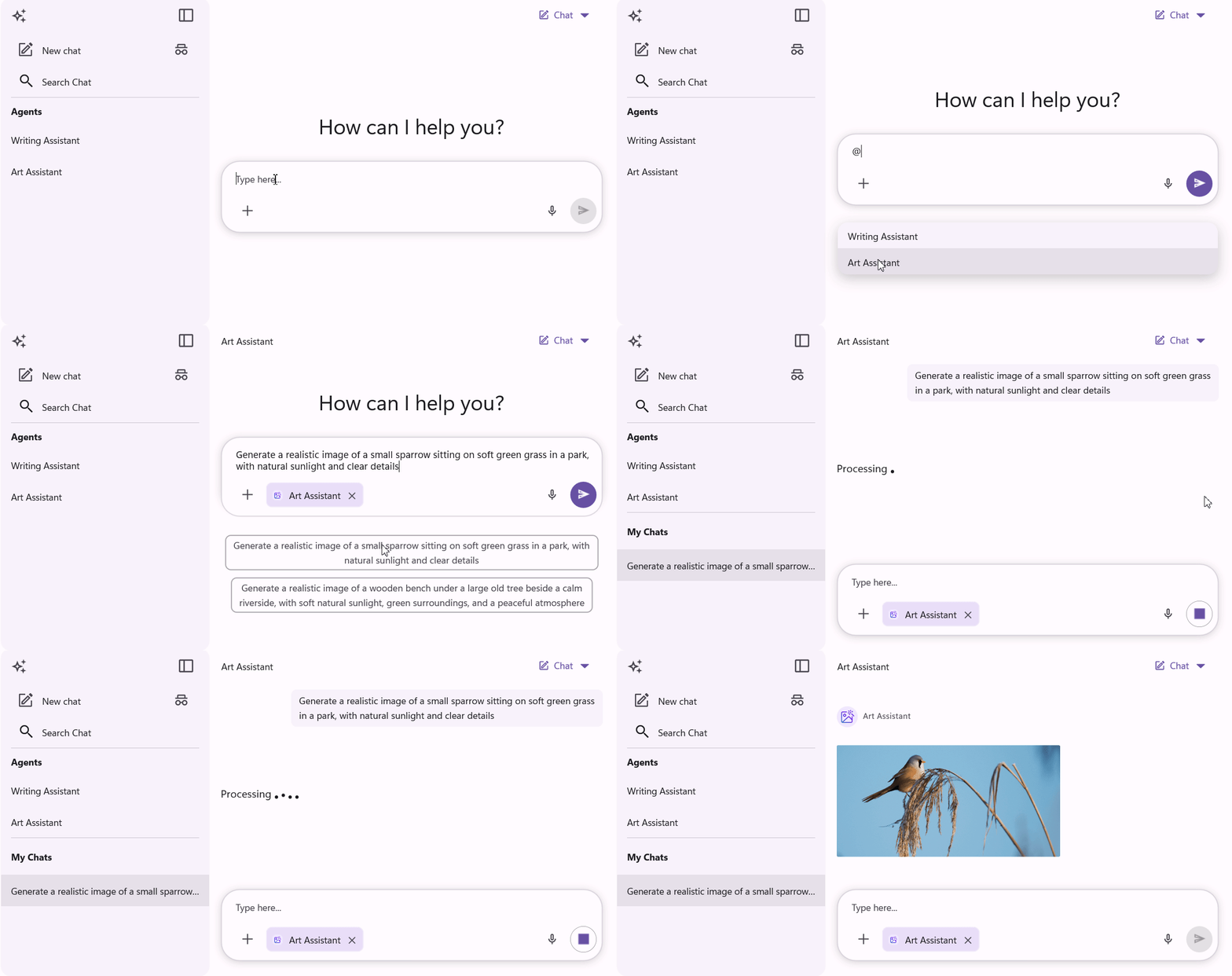
Today’s applications often rely on multiple AI agents, each tailored for a specific task such as document summarization, coding assistance, customer support, or translation. With the new Agent Picker, users can switch between agents directly from the prompt editor without interrupting their workflow.
The selected agent appears as a compact chip with an icon and label, making it easy to identify the active assistant at a glance.
Conversation management
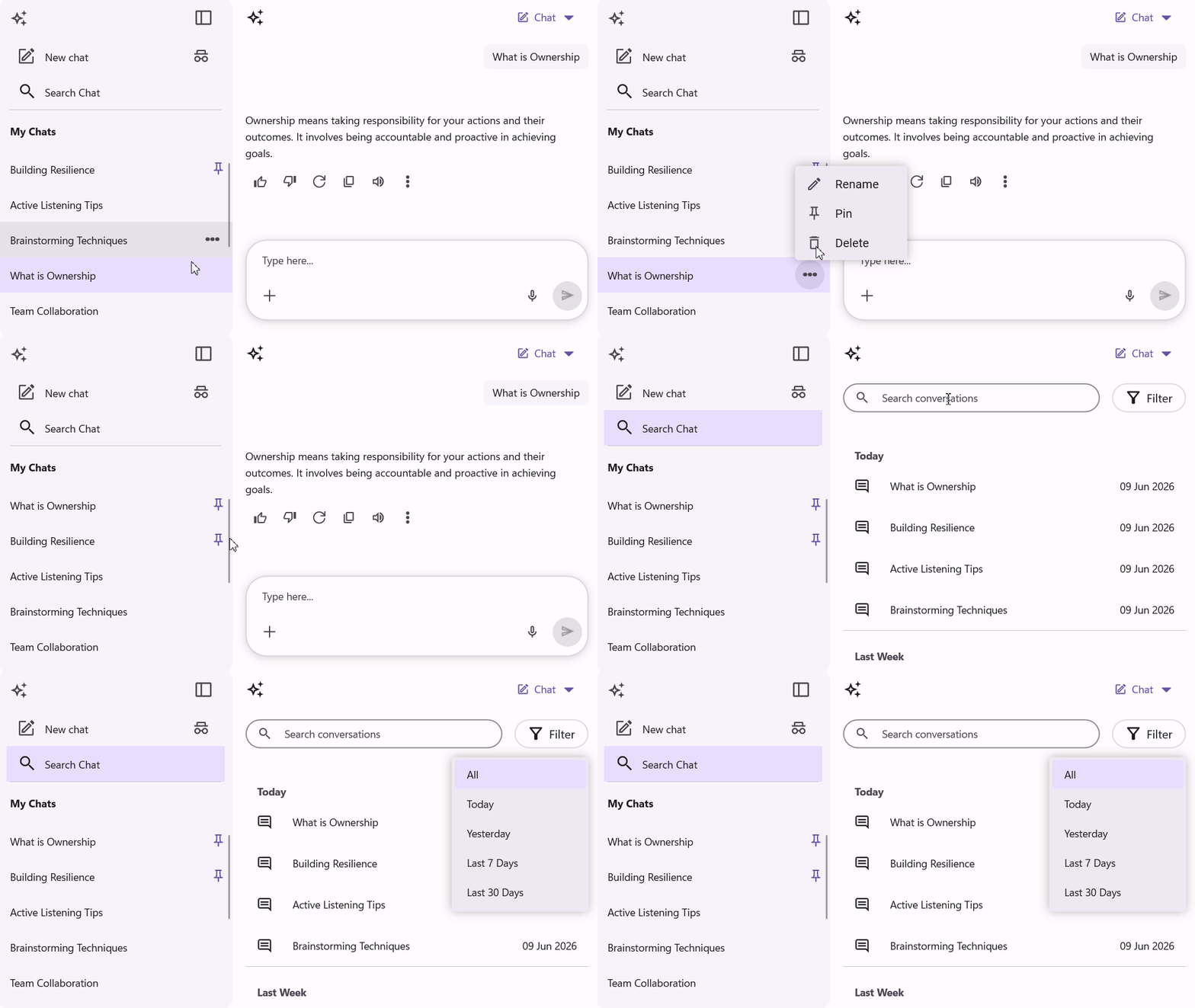
As AI applications grow, managing conversations becomes just as important as generating responses. The new Conversation Management support enables developers to provide a dedicated conversation panel where users can:
- Pin important conversations
- Rename chats for easier identification
- Filter conversations
- Remove conversations that are no longer needed
This creates a familiar experience similar to modern AI chat platforms while keeping conversation history organized and accessible.
AI chat experience enhancements
Several usability improvements have also been added to make AI interactions more seamless:
- Image Preview allows users to open attached images in a larger view for easier inspection of screenshots, diagrams, and other visual content.
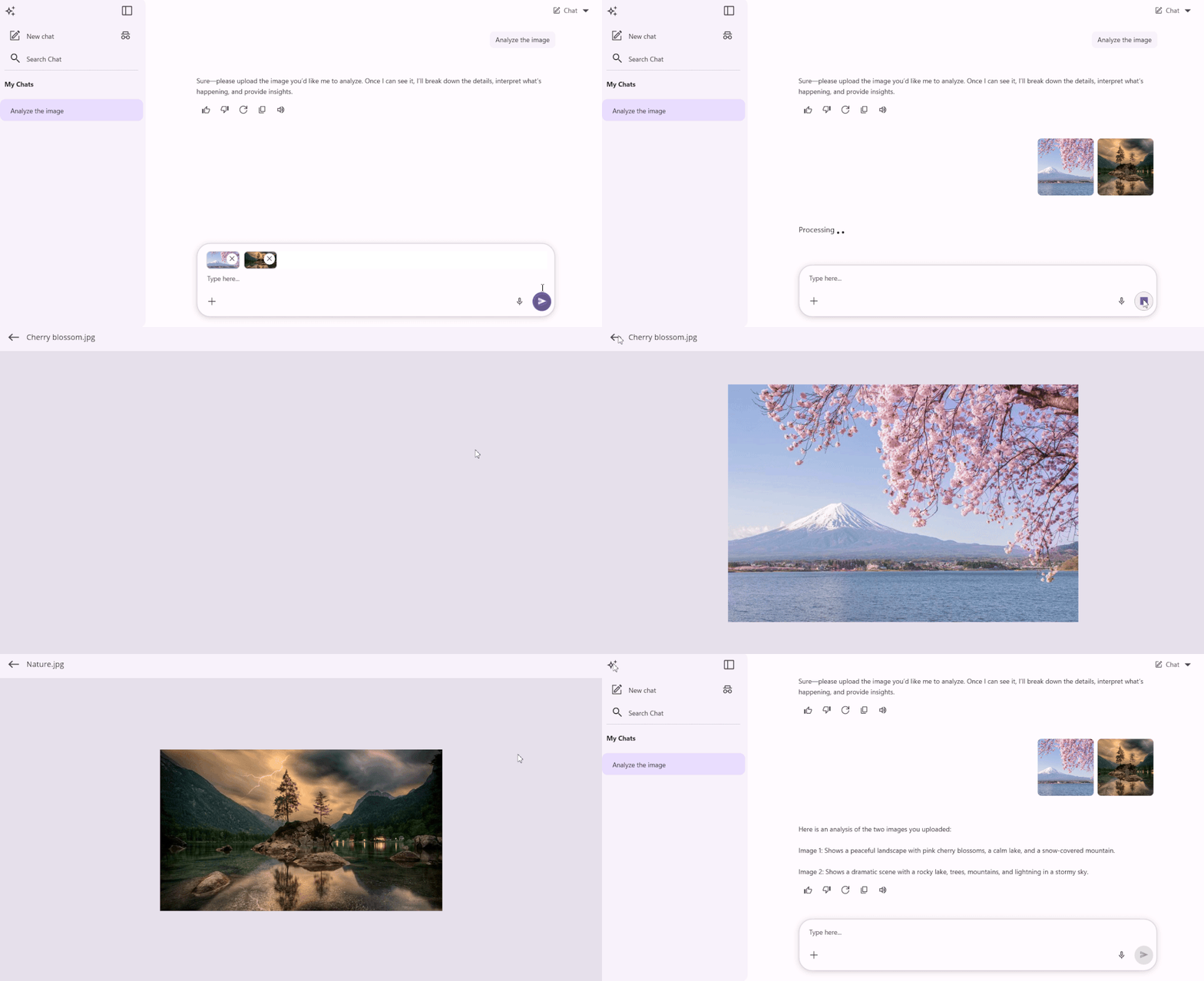
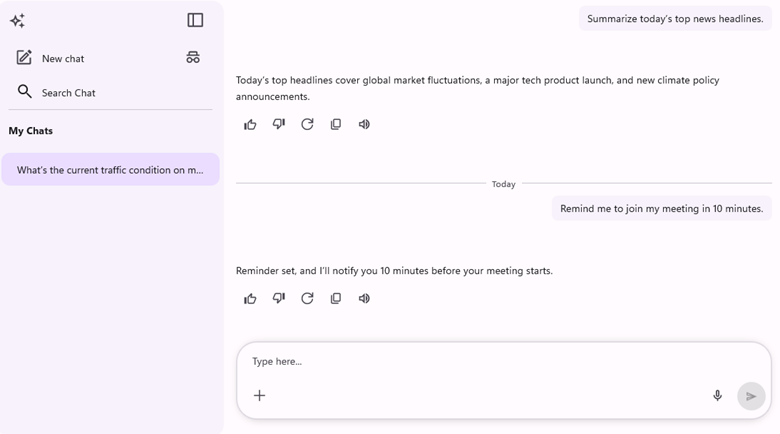
Image Preview support in AI AssistView - Time-based Message Grouping automatically organizes conversations into sections such as Today, Yesterday, and earlier dates, making long chat histories easier to navigate.
Time-based Message Grouping support in AI AssistView - Resizable Prompt Input provides additional editing space for longer prompts, detailed instructions, and code snippets.
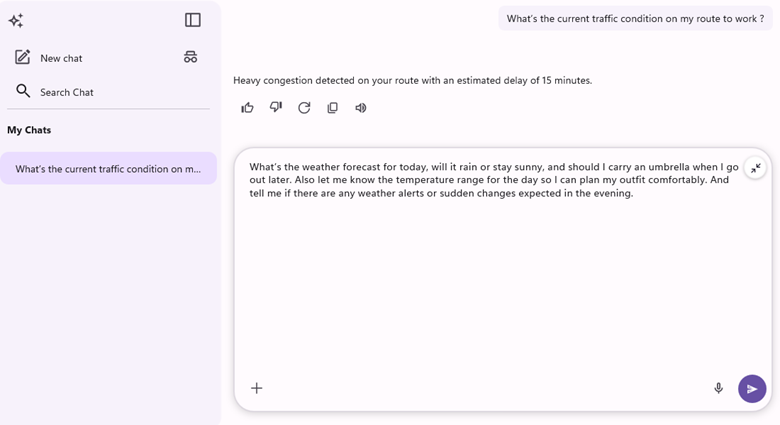
Resizable Prompt Input support in AI AssistView
Together, these enhancements create a more natural and productive chat experience without requiring additional customization.
Cartesian Charts
The Cartesian Charts control gains new visualization capabilities that help developers present complex information more effectively.
Point color mapping
Data often needs visual differentiation to highlight categories, trends, or exceptions. Point Color Mapping allows colors to be assigned directly from the data source using brushes, color values, or hexadecimal color codes.
This makes it simple to create more expressive charts while keeping configuration straightforward.
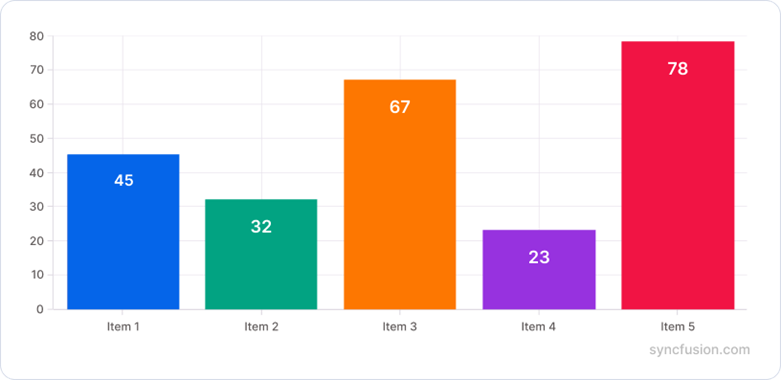
Multilevel labels
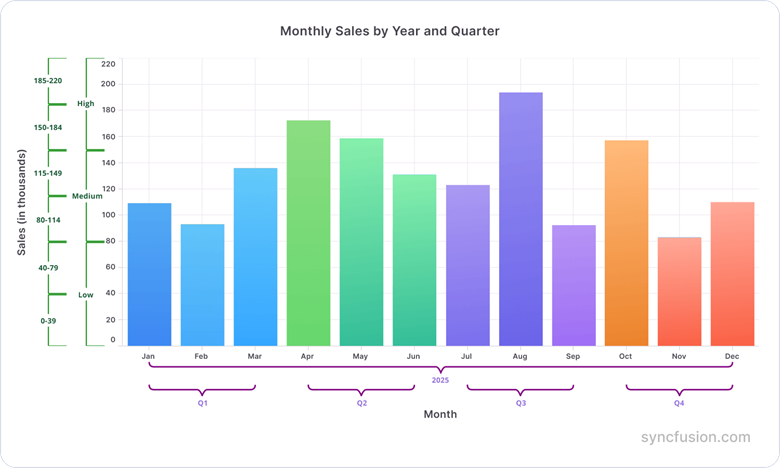
Large datasets frequently contain multiple layers of categorization. Multilevel Labels help organize axis labels into hierarchical groups, making complex information easier to interpret.
This enhancement is especially useful for dashboards, scheduling applications, financial reports, and business analytics solutions.
DataGrid
This release introduces several DataGrid enhancements focused on improving productivity and reducing the effort required to work with large datasets.
Undo and redo support
Data entry mistakes are inevitable, especially when working with large collections of records. Undo and Redo support allows users to quickly reverse or reapply changes, providing greater confidence during editing operations.
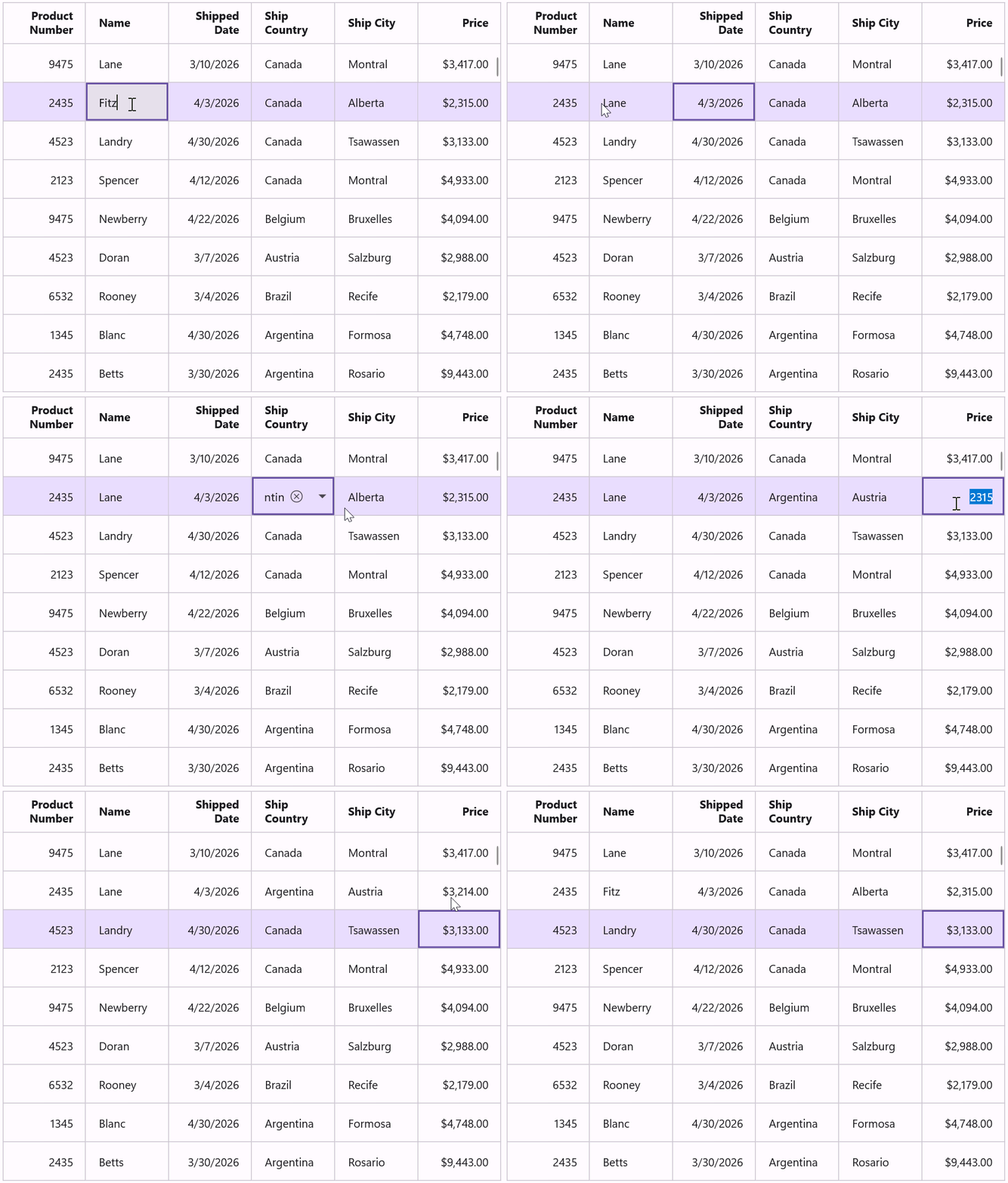
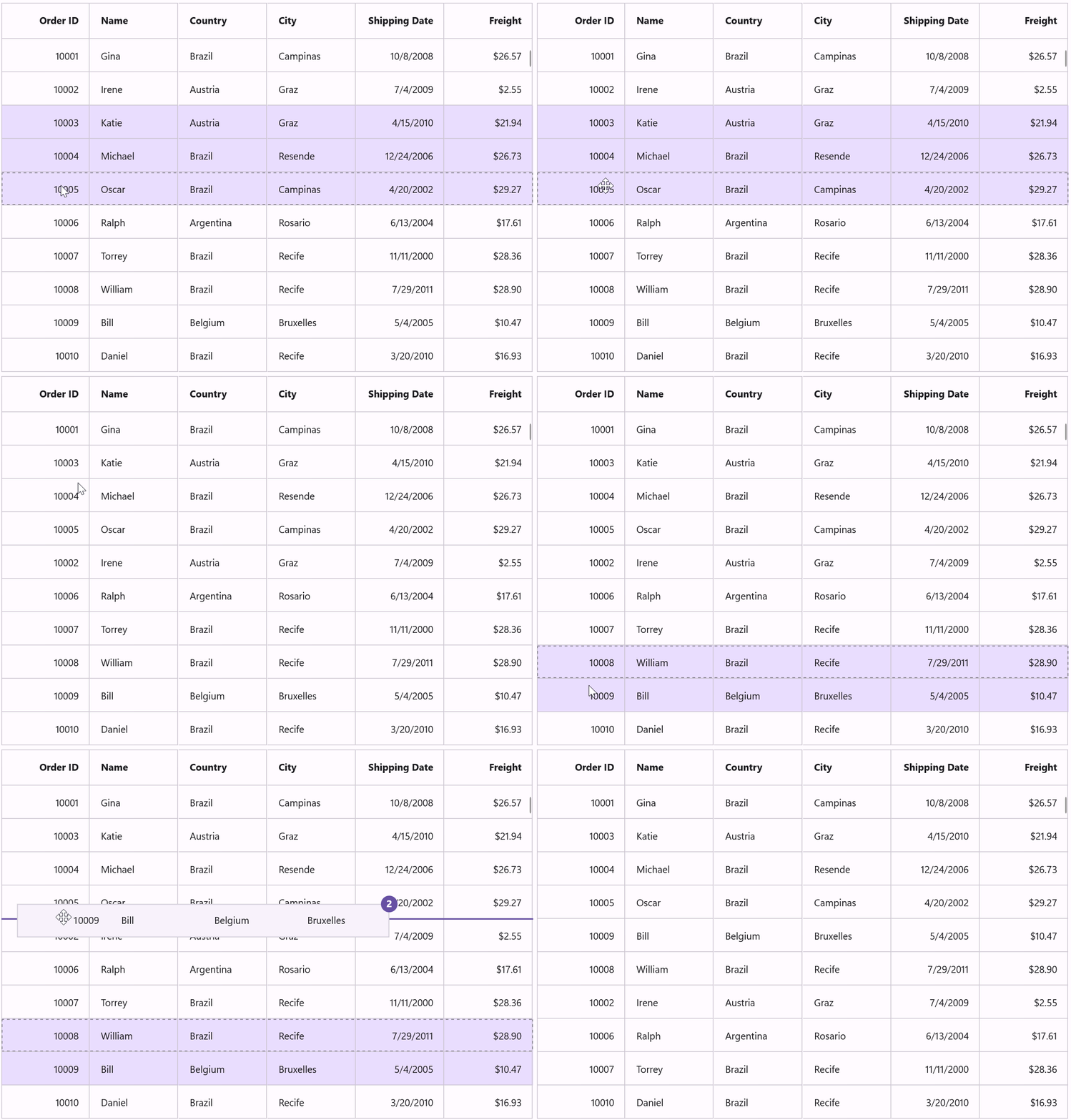
Multi-row dragging
Reordering records is now faster with Multi-row Dragging. Users can select multiple rows and move them together instead of rearranging records one at a time.
This is particularly useful when organizing large datasets or adjusting priorities in business applications.
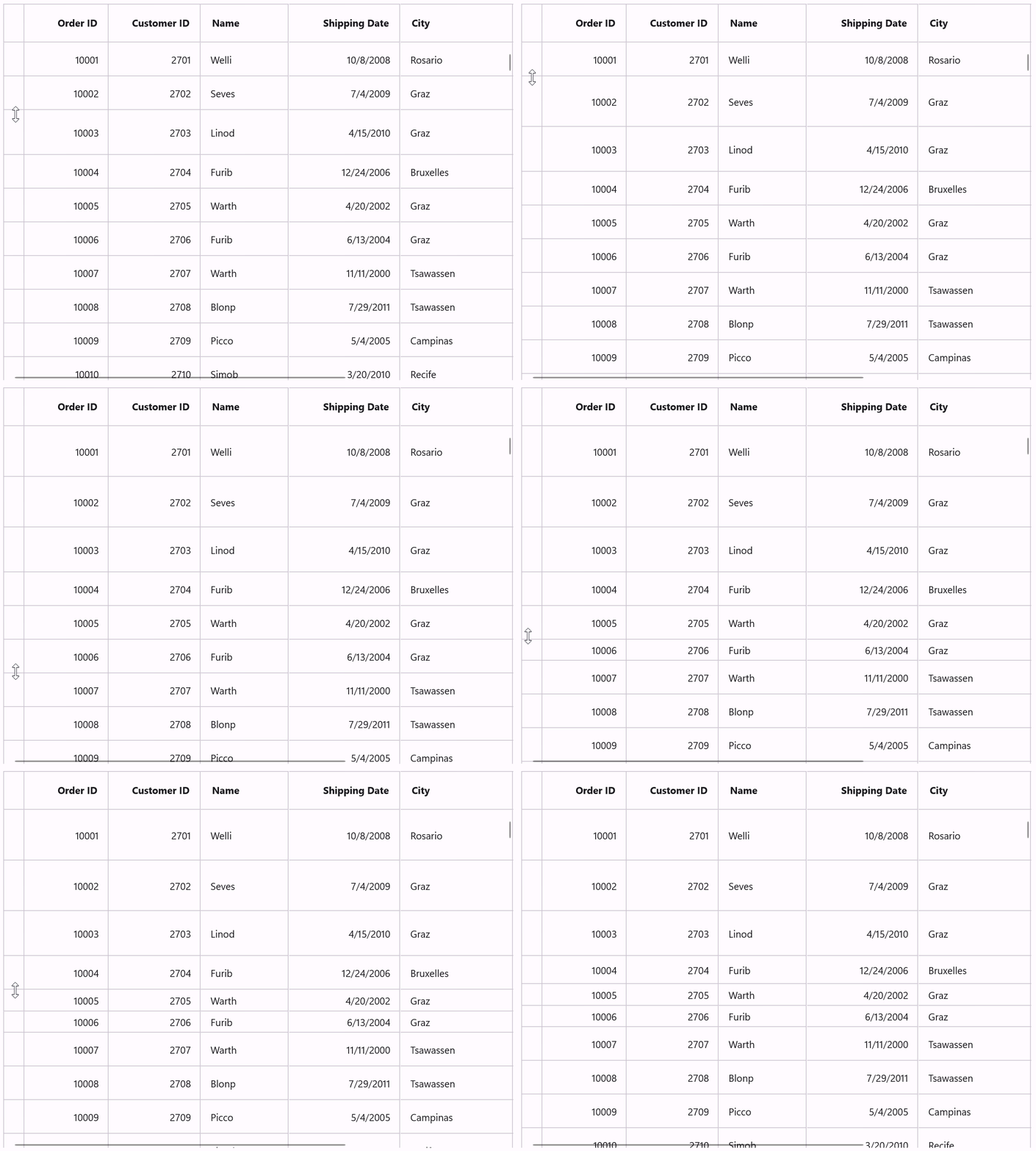
Row resizing
DataGrid also introduces interactive row resizing, allowing users to adjust row height when working with larger amounts of text or custom content. This helps improve readability without requiring fixed layouts.
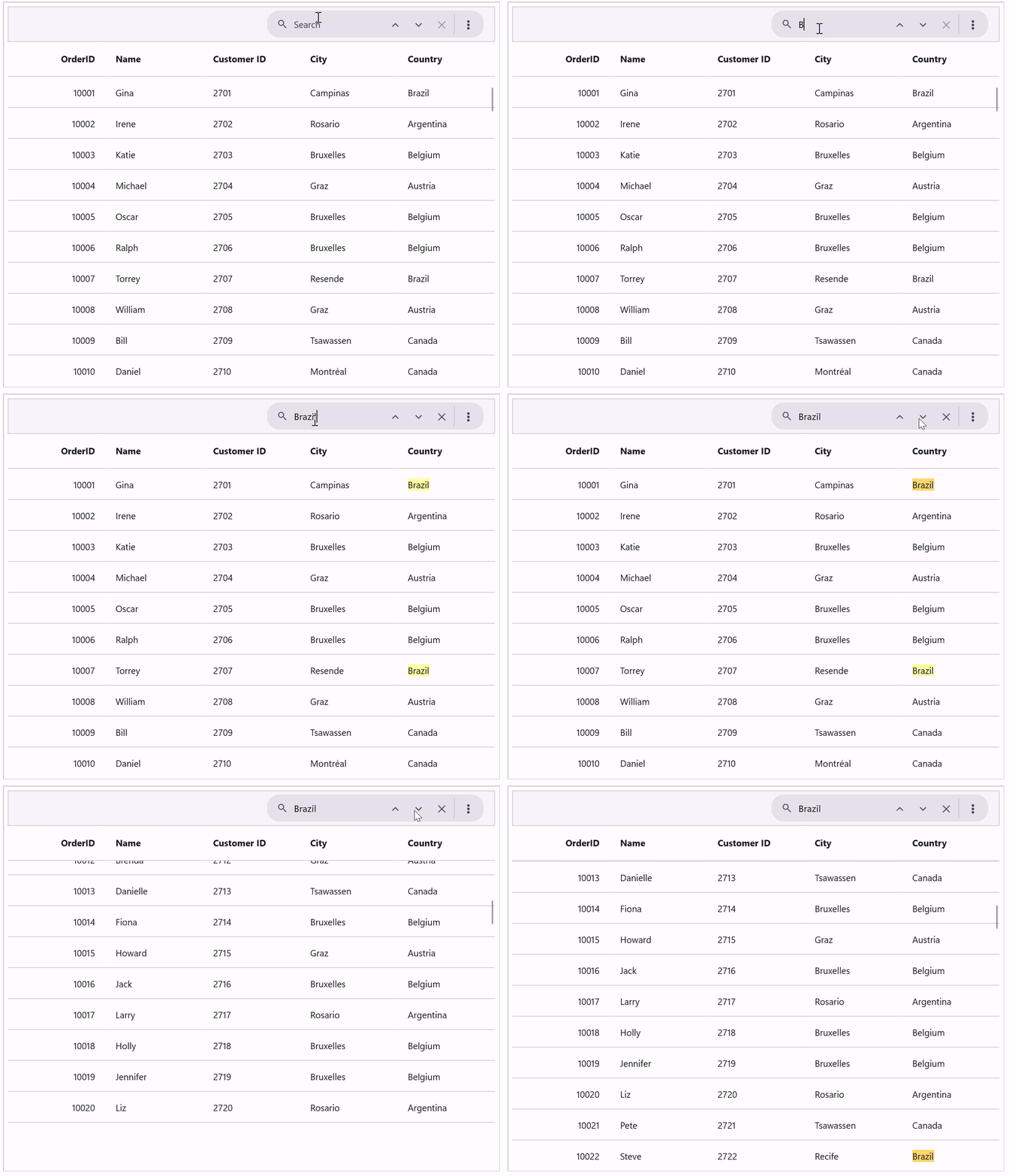
Built-in search UI
Finding information within extensive datasets is now much easier. The new built-in Search UI enables users to search directly inside the DataGrid, with matching results automatically highlighted for quick identification.
ListView
The ListView control gains new features that improve data presentation and filtering.
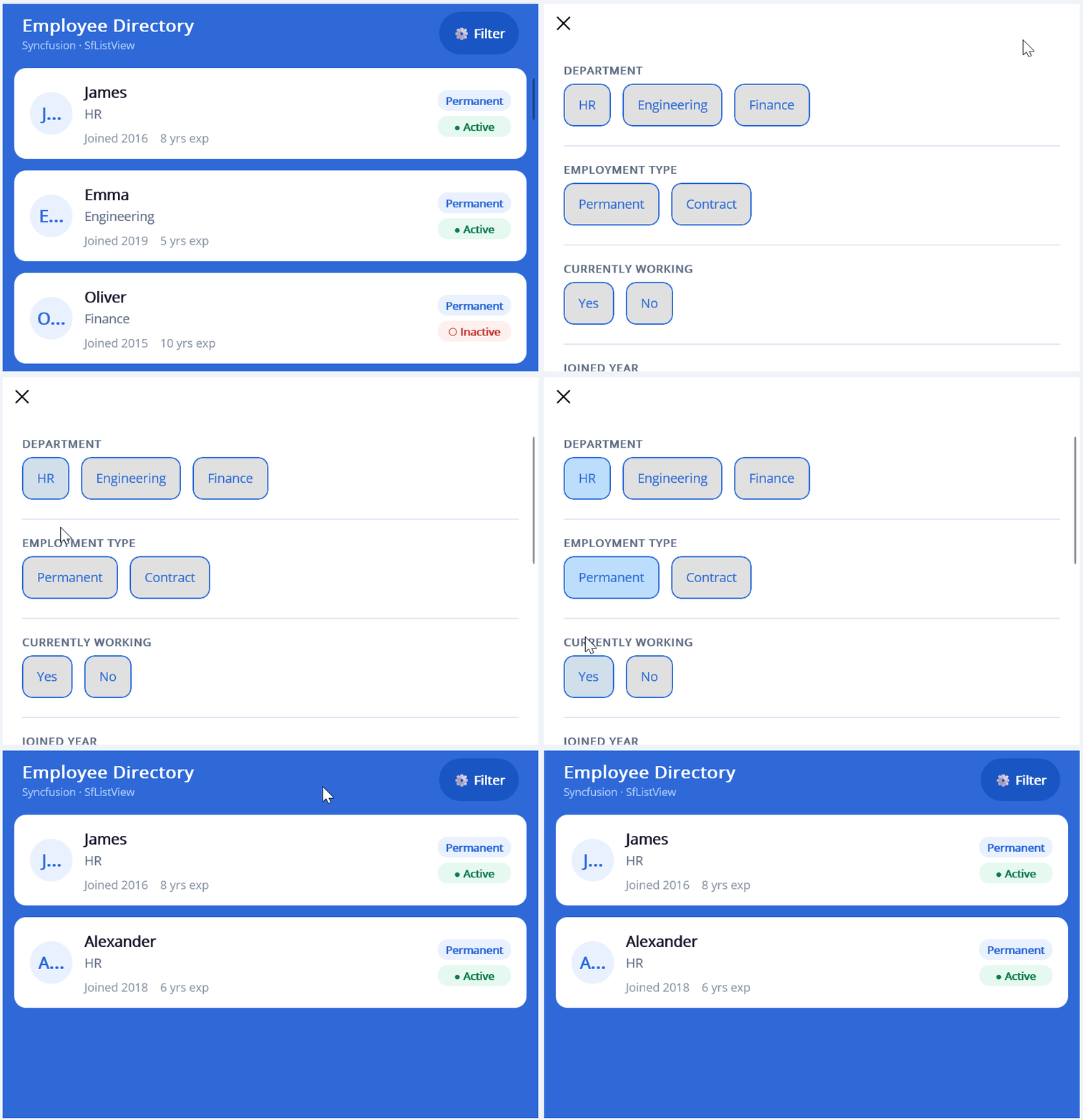
Built-in Filtering UI
ListView now includes a customizable filtering interface that allows users to quickly narrow down large datasets using an intuitive filtering experience. Rather than building filtering functionality from scratch, developers can enable filtering capabilities with less effort while providing a familiar experience for end users.
TreeView
Built-in checkboxes
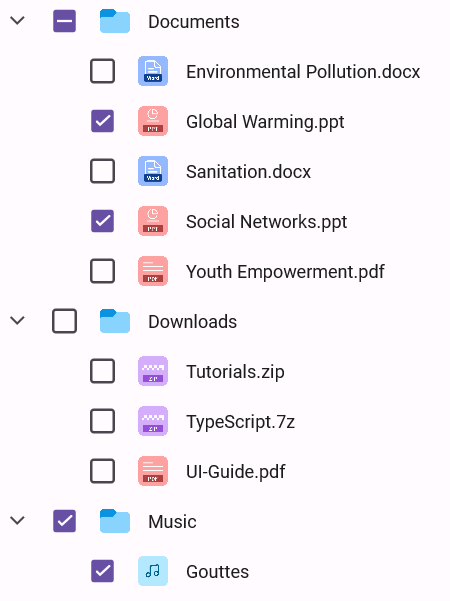
Applications that manage hierarchical data often require users to select multiple items without relying on custom templates or additional interaction logic. The new built-in checkbox support simplifies these scenarios and makes TreeView implementations easier to build.
This enhancement is ideal for scenarios such as:
- File and folder explorers
- Permission management systems
- Category selection interfaces
- Hierarchical settings screens
By reducing implementation complexity, developers can deliver richer TreeView experiences more efficiently.

Conclusion
Thanks for reading! The Essential Studio 2026 Volume 2 focuses on delivering smarter AI experiences, more capable data visualization, richer data management, and improved user interaction across the framework.
From multi-agent AI experiences and conversation management to advanced charting and productivity-focused DataGrid enhancements, this release is packed with features that make building modern .NET MAUI applications faster and more efficient.
Ready to explore? Visit the .NET MAUI page to view full details, browse the interactive demos, and check out the What’s New and Release Notes. You can share your insights or suggestions in the comments section below.
You can also reach out to us through our support forums, support portal, or feedback portal. We are always happy to assist you!







 No spam, just valuable updates.