 Vijayakumar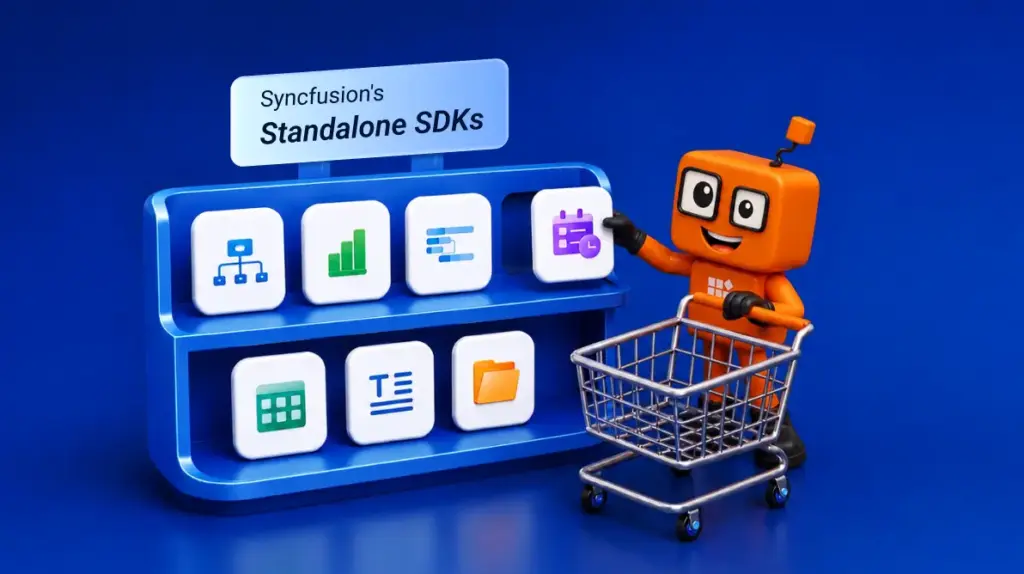
TL;DR: Syncfusion Essential Studio 2026 Volume 2 introduces Standalone UI SDKs, giving you the flexibility to license focused UI toolkits such as Grid, Chart, Scheduler, File Manager, Diagram, Gantt, and Rich Text Editor SDKs. Whether you need a specialized SDK or the complete UI Component Suite, you can choose the option that best fits your application’s architecture while continuing to build with the same trusted Syncfusion components, APIs, documentation, and support.
Modern applications are no longer built with one-size-fits-all requirements.
Some teams are building data-heavy enterprise portals. Others are creating analytics dashboards, file management systems, scheduling platforms, workflow designers, project planning tools, or rich content editing experiences.
While many development teams still need a complete UI component suite, some projects are focused on one specific capability. In those cases, purchasing a broad component suite may not always be the most efficient path.
To give developers more flexibility, Syncfusion is introducing a new set of Standalone UI SDKs with the Essential Studio® 2026 Volume 2 release.
These focused SDK packages allow teams to choose the UI capabilities their applications need, while continuing to build with the same trusted Syncfusion components, consistent APIs, documentation, performance, and professional support.
What’s new in this release?
Starting with the 2026 Volume 2 release, Syncfusion now offers the following Standalone UI SDKs:
These SDKs are designed to complement the Syncfusion UI Component Suite. You can choose a focused SDK when your application has a specific requirement, or choose the UI Component Suite when your project needs a broader collection of enterprise-ready UI components.
Note: Existing Syncfusion customers are not affected. Current product entitlements remain unchanged, and existing customers will continue to receive the products included with their subscription.
Why Standalone UI SDKs?
Every application has a different center of gravity.
- For a business intelligence application, charts and dashboards may be the core experience.
- For an ERP system, data grids and pivot tables may matter most.
- For a booking platform, scheduling is the priority.
- For a workflow automation tool, diagrams may be essential.
Standalone UI SDKs make it easier to choose a product based on what your application is actually built around.
- Choose a Standalone UI SDK when your application focuses on a specific UI capability.
- Choose the UI Component Suite when your application requires a broader set of components across multiple functional areas.
This gives development teams more control over product selection, licensing, and long-term scalability without changing the Syncfusion development experience.
Meet the new Standalone UI SDKs
Each Standalone UI SDK is built around a focused application scenario and includes the components commonly required for that type of solution.
Explore the 7 New Standalone SDKs
Pick the SDKs you need. Build smarter. Deliver faster.


Build enterprise-grade data applications using a powerful SDK that includes:

Provide a familiar file explorer experience for managing files and folders.

Create feature-rich scheduling experiences for appointments, meetings, and resource management.

Design interactive diagramming experiences for visualizing complex relationships and processes.

Build advanced project management applications with an SDK that includes:

Deliver powerful content editing experiences with advanced tools for creating and formatting rich content.

Create interactive data visualization experiences with a comprehensive SDK that includes:
Grid SDK
The Grid SDK is designed for applications that need to display, manage, edit, and analyze structured data.
Includes:
- DataGrid
- TreeGrid
- Pivot Table
Ideal for: ERP systems, CRM platforms, financial applications, inventory management systems, admin portals, reporting interfaces, and data-heavy enterprise applications.
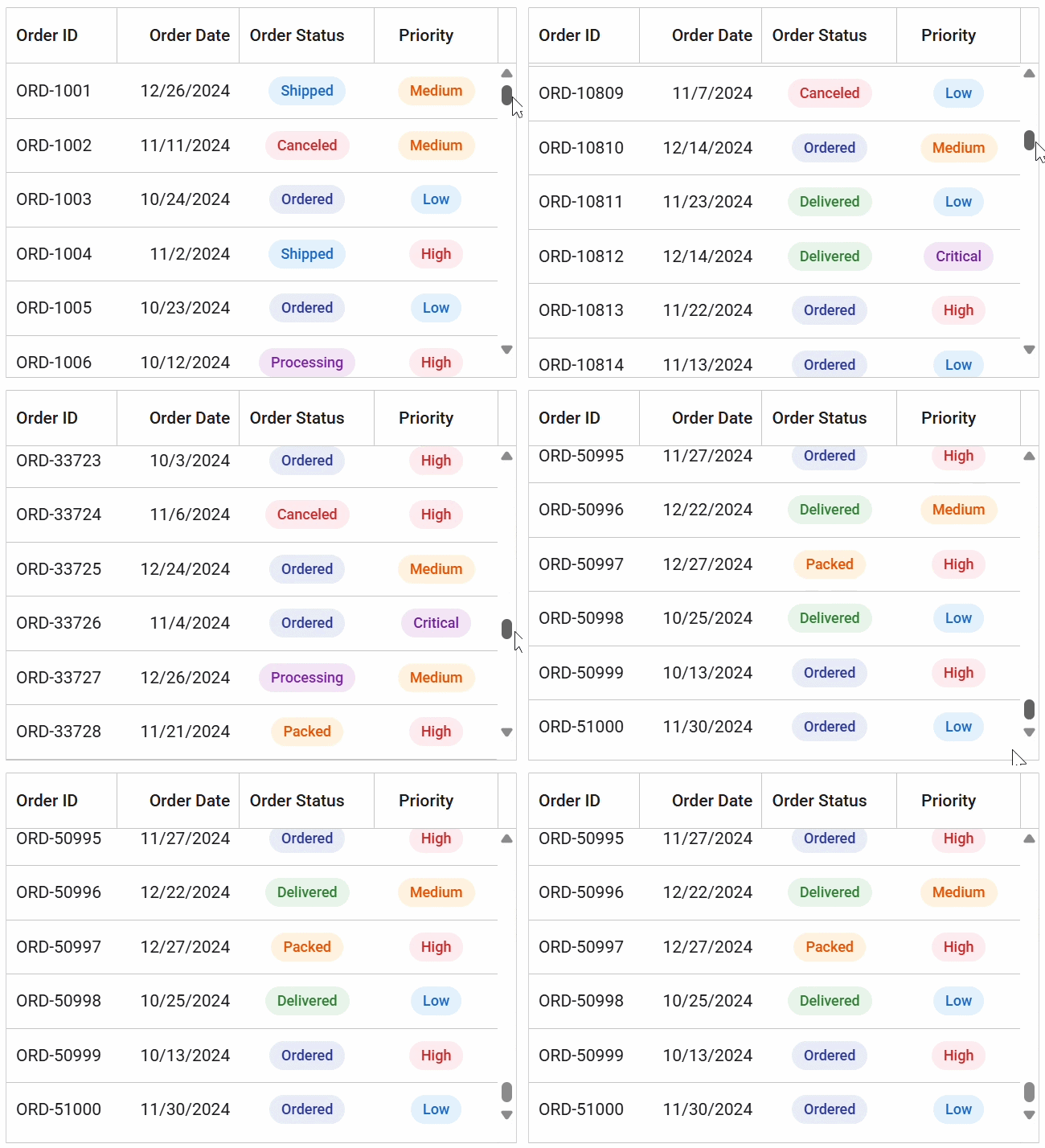
Chart SDK
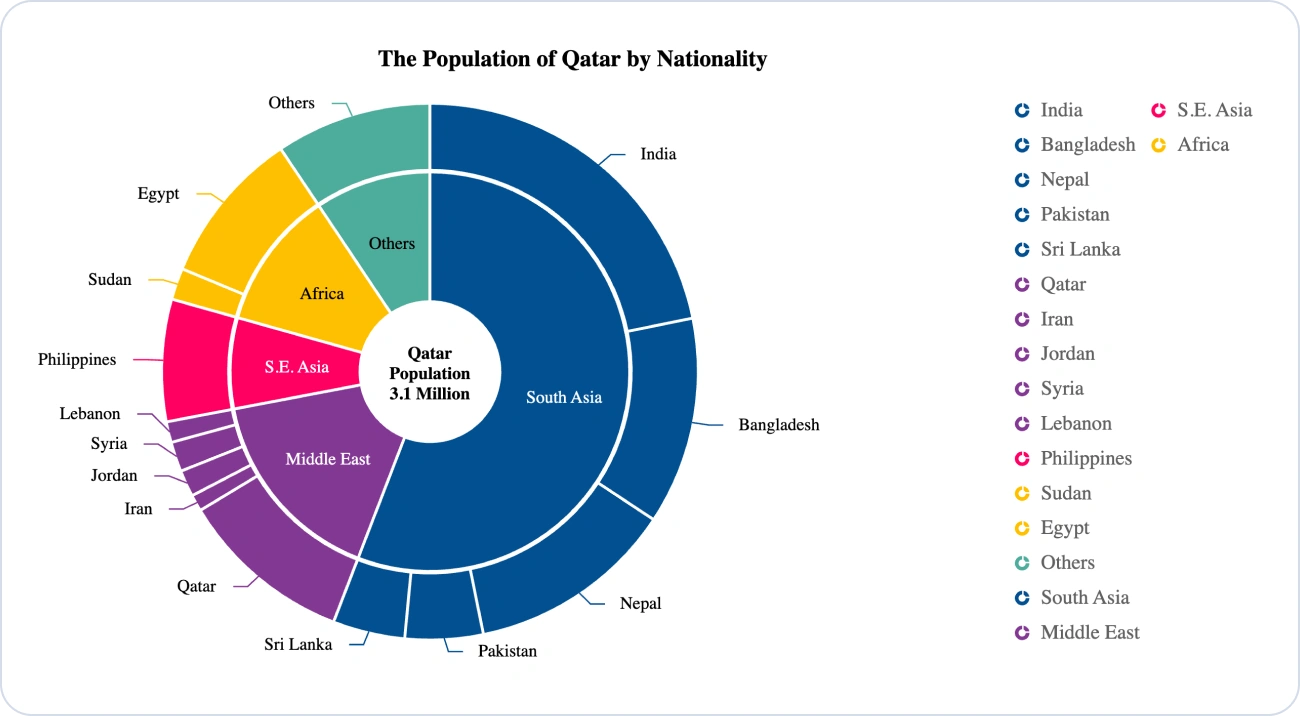
The Chart SDK is built for dashboards, analytics applications, and interactive data visualization experiences.
Includes:
- 2D and 3D Charts
- Circular Charts
- Stock Chart
- Sankey Diagram
- HeatMap
- TreeMap
- Maps
- Gauges
- Sparkline
- Barcode Generator
- Range Selector
- Smith Chart
- Bullet Chart
- Dashboard Layout
Ideal for: Business intelligence dashboards, analytics platforms, monitoring systems, financial dashboards, reporting tools, and data visualization applications.
Scheduler SDK
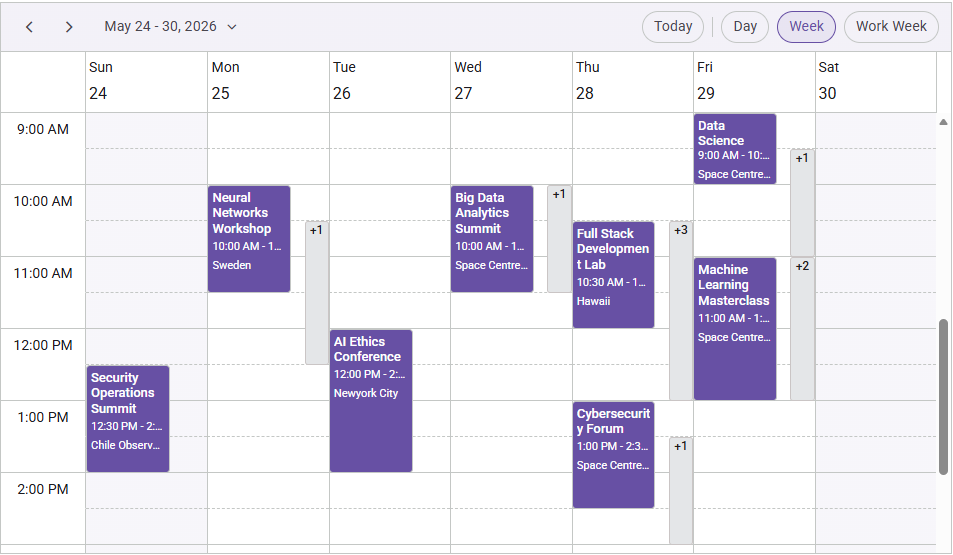
The Scheduler SDK is designed for applications that need calendar, appointment, and resource scheduling capabilities.
Includes:
- Scheduler
Ideal for: Healthcare appointment systems, booking platforms, workforce management tools, education portals, event management applications, and calendar-based business solutions.
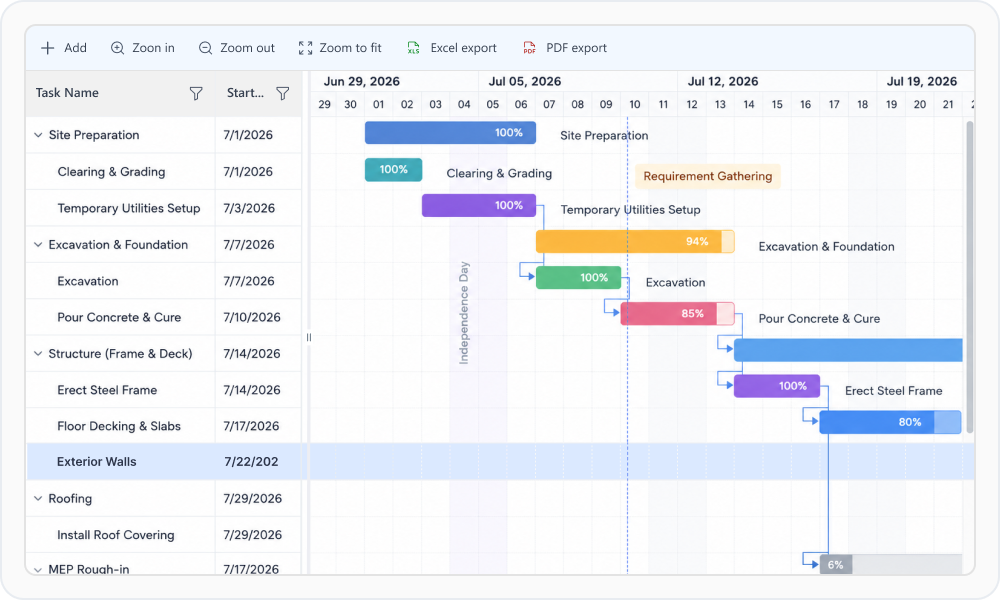
Gantt SDK
The Gantt SDK is designed for project planning, timeline management, and task tracking applications.
Includes:
- Gantt Chart
- Kanban
Ideal for: Project management systems, agile planning tools, resource management applications, task tracking platforms, and work planning solutions.
Rich Text Editor SDK
The Rich Text Editor SDK helps developers build modern content creation and editing experiences.
Includes:
- Rich Text Editor
- Block Editor
Ideal for: Content management systems, blogging platforms, documentation tools, knowledge bases, email composition experiences, and collaborative content editing applications.
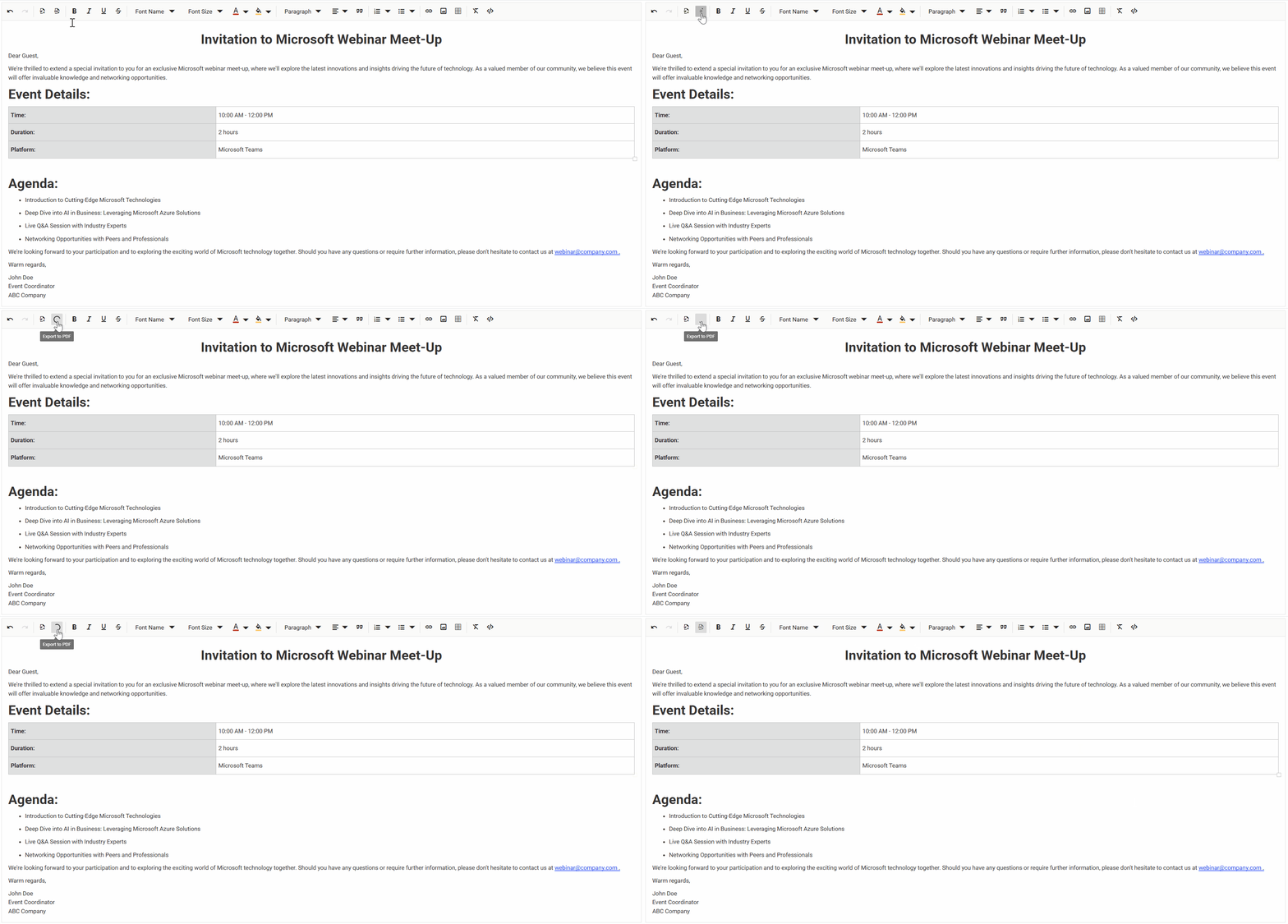
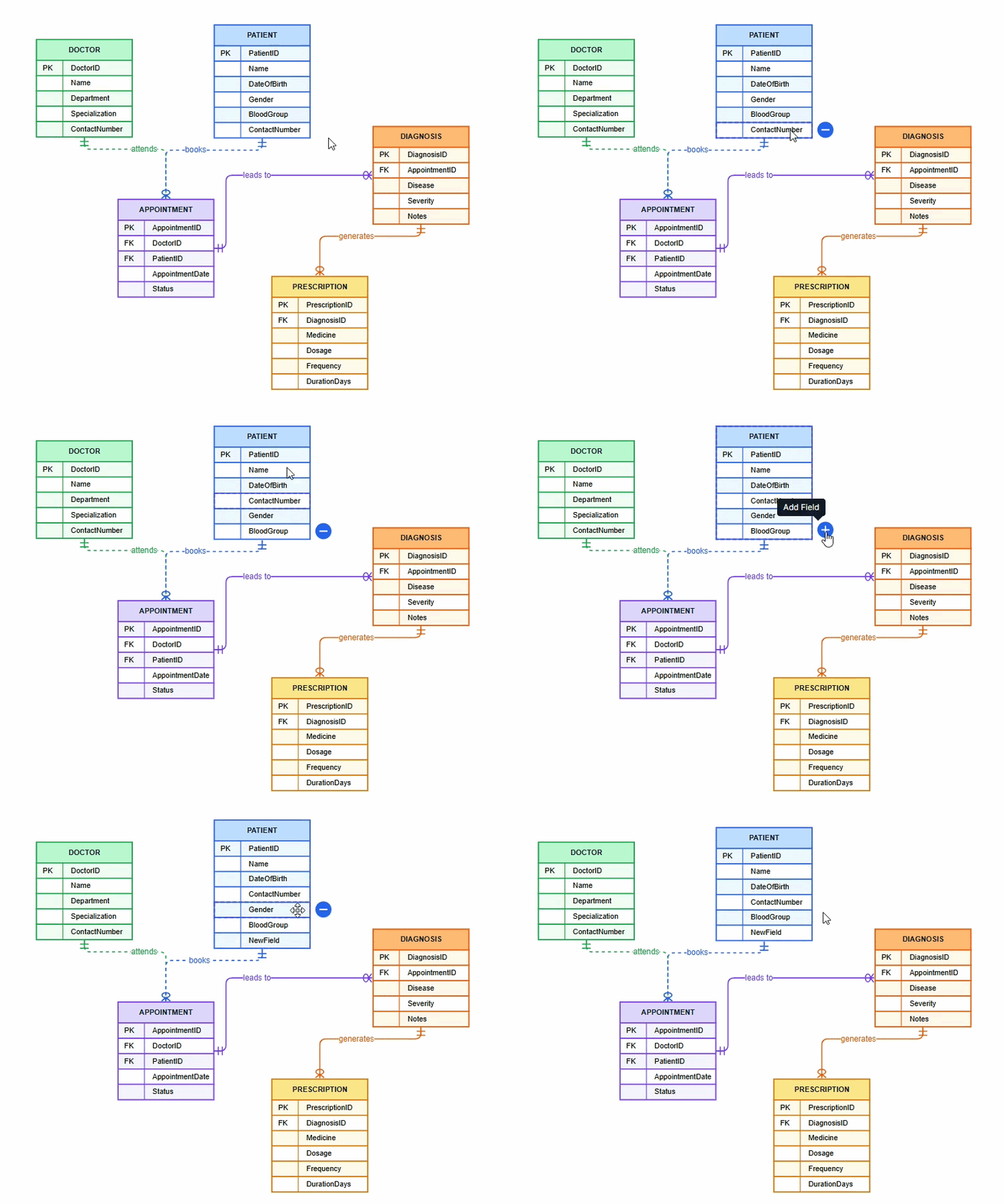
Diagram SDK
The Diagram SDK helps developers create interactive diagramming, visualization, and workflow design experiences.
Includes:
- Diagram
Ideal for: Flowcharts, BPMN diagrams, organizational charts, workflow builders, network diagrams, process visualization tools, and visual modeling applications.
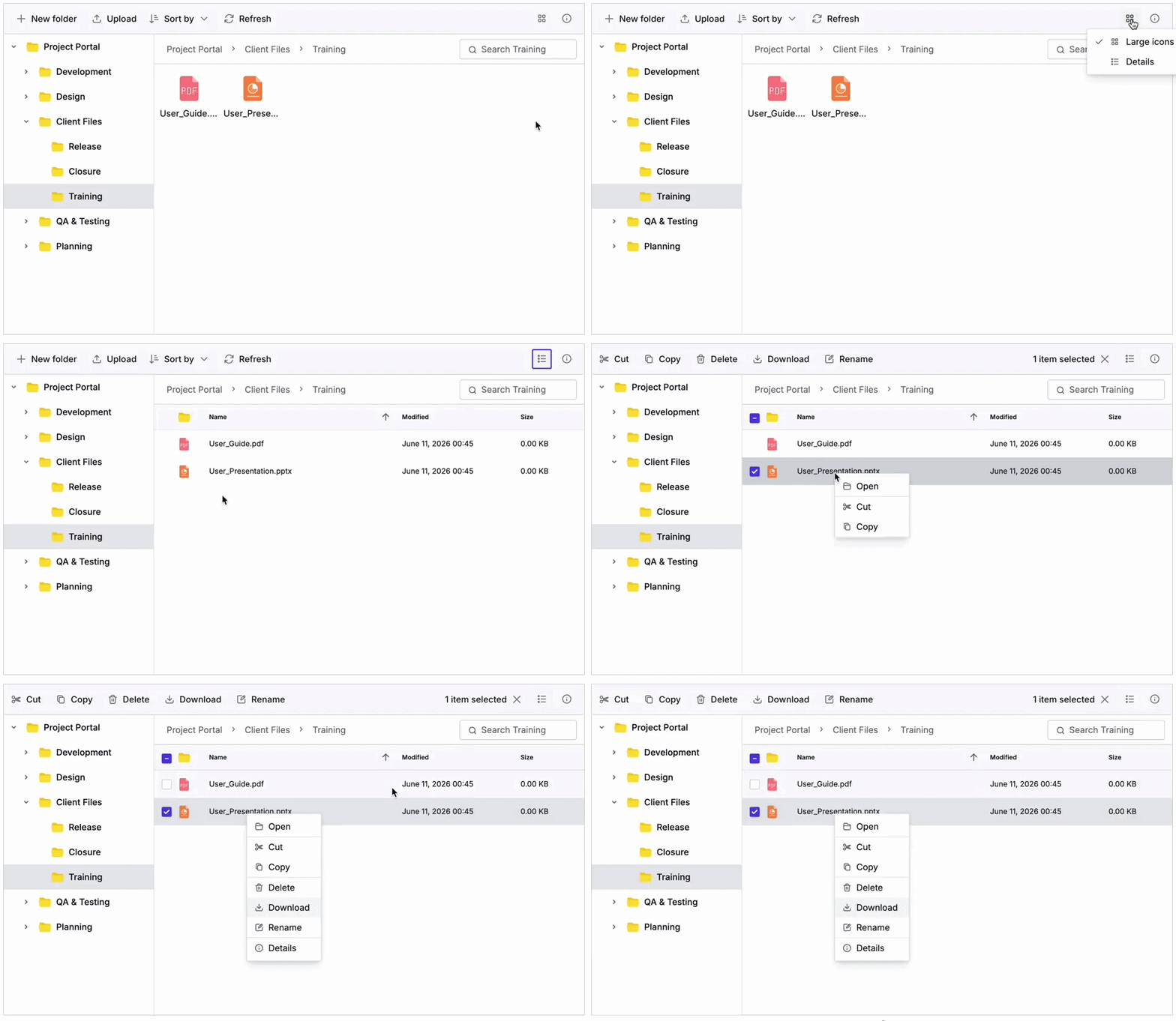
File Manager SDK
The File Manager SDK helps developers build secure and intuitive file and folder management experiences.
Includes:
- File Manager
Ideal for: Document management systems, digital asset management platforms, cloud storage applications, enterprise portals, and internal file operation tools.
Which product should you choose?
Choosing the right product depends on the type of application you are building.
| If you are building… | Recommended product |
|---|---|
| Data-driven business applications | Grid SDK |
| Dashboards and analytics applications | Chart SDK |
| File management systems | File Manager SDK |
| Calendar and booking applications | Scheduler SDK |
| Workflow automation and diagramming tools | Diagram SDK |
| Project planning applications | Gantt SDK |
| Content authoring applications | Rich Text Editor SDK |
| Applications requiring multiple UI capabilities | UI Component Suite |
When should you choose the UI Component Suite?
The UI Component Suite continues to be the best choice when your application requires a broad collection of UI components across multiple functional areas. It is ideal for teams building full-featured enterprise applications that need components for data management, visualization, navigation, layouts, forms, editors, calendars, notifications, and more.
The UI Component Suite provides a comprehensive toolkit with consistent APIs, themes, documentation, and professional support across the Syncfusion UI ecosystem.
Note: Starting with the 2026 Volume 2 release, Scheduler, Diagram, Gantt, and Rich Text Editor are available as standalone SDKs and are licensed separately. Existing customers retain their current product entitlements without any changes.
What does this mean for existing customers?
There is no change for existing Syncfusion customers.
If you already have an active Syncfusion subscription, your current product access and entitlements remain unchanged. You will continue to receive the products, updates, and support included with your existing license.
The new Standalone UI SDKs simply provide an additional purchasing option for new customers or teams that want to license a focused set of UI capabilities based on specific project needs.
Support, updates, and product quality
Although the packaging model is expanding, the development experience remains the same.
Each Standalone UI SDK continues to receive:
- Regular product updates
- New feature enhancements
- Performance improvements
- Bug fixes
- Documentation and demos
- Professional support from the Syncfusion team
- Long-term maintenance and enterprise-grade reliability
Whether you choose a Standalone UI SDK or the UI Component Suite, you can continue building with the same Syncfusion quality, performance, and support.
Build with more flexibility
The introduction of Standalone UI SDKs gives developers a more flexible way to choose Syncfusion products.
- If your application is focused on a specific area, such as data management, dashboards, scheduling, file management, workflow design, project planning, or content editing, you can now choose the SDK that best matches your needs.
- If your application needs a wider range of UI components, the UI Component Suite remains available as the complete solution.
With the 2026 Volume 2 release, Syncfusion gives teams more choice in how they build, scale, and license their applications, while continuing to deliver the same trusted components and support developers rely on.
Explore the new Standalone Syncfusion UI SDKs and choose the product that best fits your application needs.
Frequently Asked Questions
Why is Syncfusion introducing Standalone UI SDKs?
Syncfusion is introducing Standalone UI SDKs to give developers more flexibility. Many applications are built around a specific UI capability, such as data grids, charts, scheduling, file management, diagramming, project planning, or rich text editing. Standalone UI SDKs allow teams to choose the product that closely matches their application requirements.
Is the UI Component Suite still available?
Yes. The UI Component Suite continues to be available and remains the recommended choice for applications that require a broad collection of enterprise-ready UI components.
Are existing Syncfusion customers affected?
No. Existing customers are not affected. Current product entitlements remain unchanged, and customers will continue to receive the products included with their existing subscription.
Can I purchase only one SDK?
Yes. You can choose a specific Standalone UI SDK based on your application needs. For example, if your application mainly requires advanced data management, you can choose the Grid SDK
Can multiple SDKs be used together?
Yes. You can combine multiple SDKs depending on your application architecture. For example, an enterprise application may use the Grid SDK for data management, the Chart SDK for dashboards, and the File Manager SDK for file operations.
How do I decide between a Standalone UI SDK and the UI Component Suite?
Choose a Standalone UI SDK when your application focuses on one specific UI capability. Choose the UI Component Suite when your application requires a broader collection of components across multiple functional areas.
Will Standalone UI SDKs receive updates and support?
Yes. Standalone UI SDKs will continue to receive product updates, new features, bug fixes, performance improvements, documentation updates, and professional support from Syncfusion.




Be the first to get updates