 Arun Kumar Chandrakesan

TL;DR: The new Syncfusion JavaScript Word Library helps developers create, read, edit, and format DOCX documents programmatically using JavaScript or TypeScript. It works in browser and Node.js applications without requiring Microsoft Word or Office Interop, making it easier to automate document-generation workflows.
Introduction
Working with Word documents in modern applications requires more than simply creating or editing text. Developers need programmatic control over document structure, formatting, and content while keeping document-processing workflows integrated with their application architecture.
With the growing adoption of JavaScript and TypeScript across web and server-side development, having document-processing capabilities directly within these environments can simplify development and reduce dependencies on desktop applications.
To support this, Syncfusion® introduced the JavaScript Word Library in Essential Studio® 2026 Volume 3. It provides APIs to create, open, edit, format, and save DOCX documents programmatically using JavaScript or TypeScript. The library supports both browser and Node.js environments without requiring Microsoft Word or Office Interop.
In this blog, we’ll explore the key features of the JavaScript Word Library and walk through a practical TypeScript example to create and download a Word document.
Traditional Office Interop vs. Syncfusion JavaScript Word Library
Developers can automate Word document creation and editing using Microsoft Office Interop. However, this approach requires Microsoft Word to be installed on the machine running the automation and is not recommended for unattended server-side processing.
The Syncfusion JavaScript Word Library provides a modern alternative. It allows developers to create and manage Word documents directly through JavaScript or TypeScript in browser and Node.js applications without requiring Microsoft Word.
Let’s compare the two approaches:
| Comparison | Traditional Office Interop | Syncfusion JavaScript Word Library |
|---|---|---|
| Word installation | Word must be installed wherever the code runs | No Word installation needed |
| Extra dependencies | Depends on Office Interop components | No external document-processing components |
| Where it runs | Hard to fit into web and cloud setups | Browser and Node.js |
| Creating and updating documents | Done by hand or scripted through desktop Word | Handled automatically in application code |
| Formatting and content reuse | Formatting and content changes are repeated for each document | Layouts and business logic are defined once and reused |
| Tables, images, and rich content | Added manually | Generated from code |
Key features of the JavaScript Word Library
Business documents often need more than plain text. They may include structured layouts, formatted paragraphs, tables, images, charts, and fields that hold dynamic information.
The Syncfusion JavaScript Word Library provides APIs to create and manage these elements programmatically.
Here are some of its key capabilities:
-
Section-based page layouts: Organize documents into sections and configure page settings, columns, headers, and footers. This is useful for creating reports, newsletters, and manuals with different layouts.
-
Paragraph and text formatting: Apply character formatting, paragraph settings, and heading styles to organize content and maintain consistent document formatting.
-
Bullet and numbered lists: Present instructions, key points, and other information in easy-to-read lists.
-
Tables: Organize structured information such as invoices, inventory records, and schedules. Create nested tables, format cells and rows, and insert images into table cells.
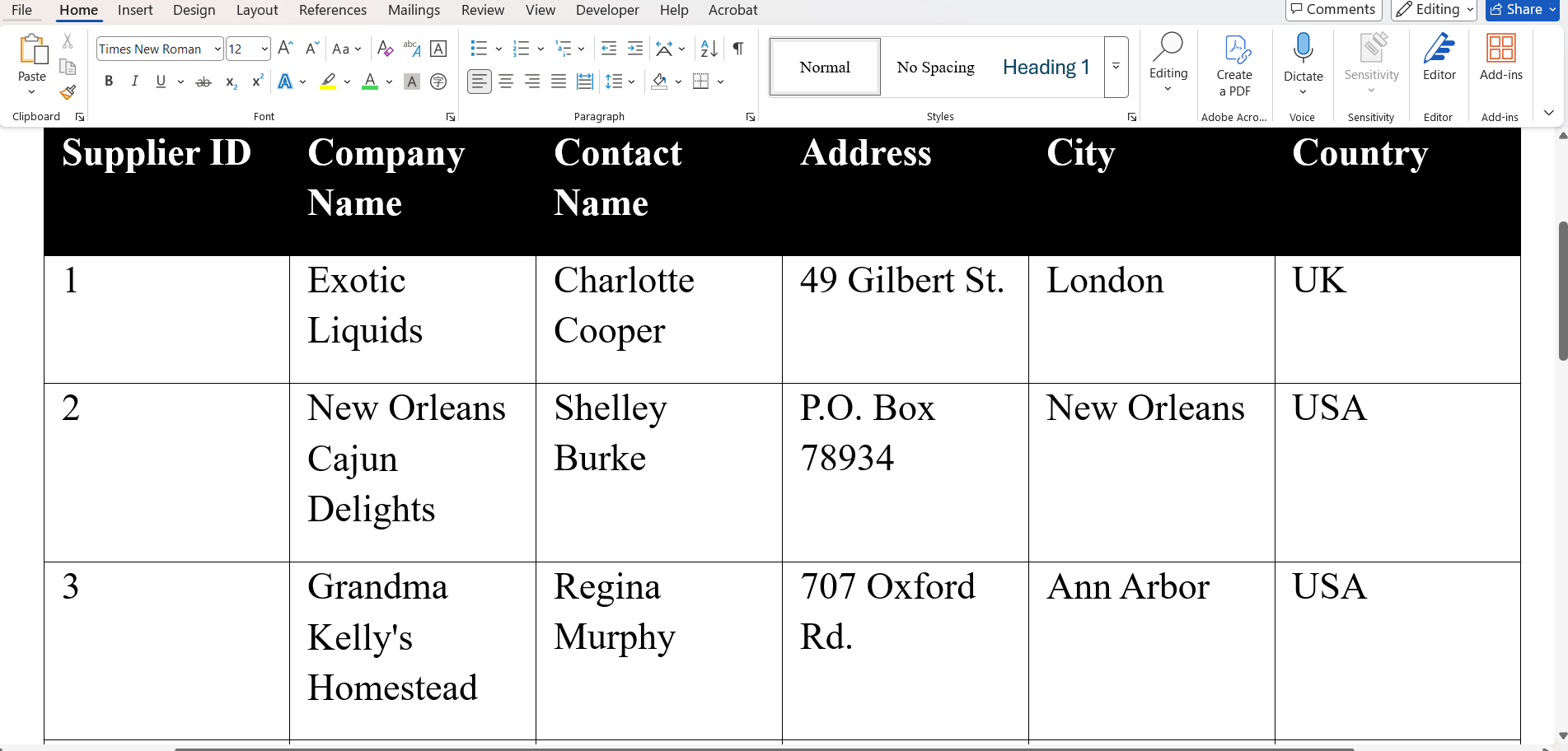
Adding a table in a Word document -
Images, shapes, and charts: Add visual elements to reports and business documents. Create charts such as column, bar, line, pie, and doughnut charts, and use shapes to illustrate processes or highlight information.
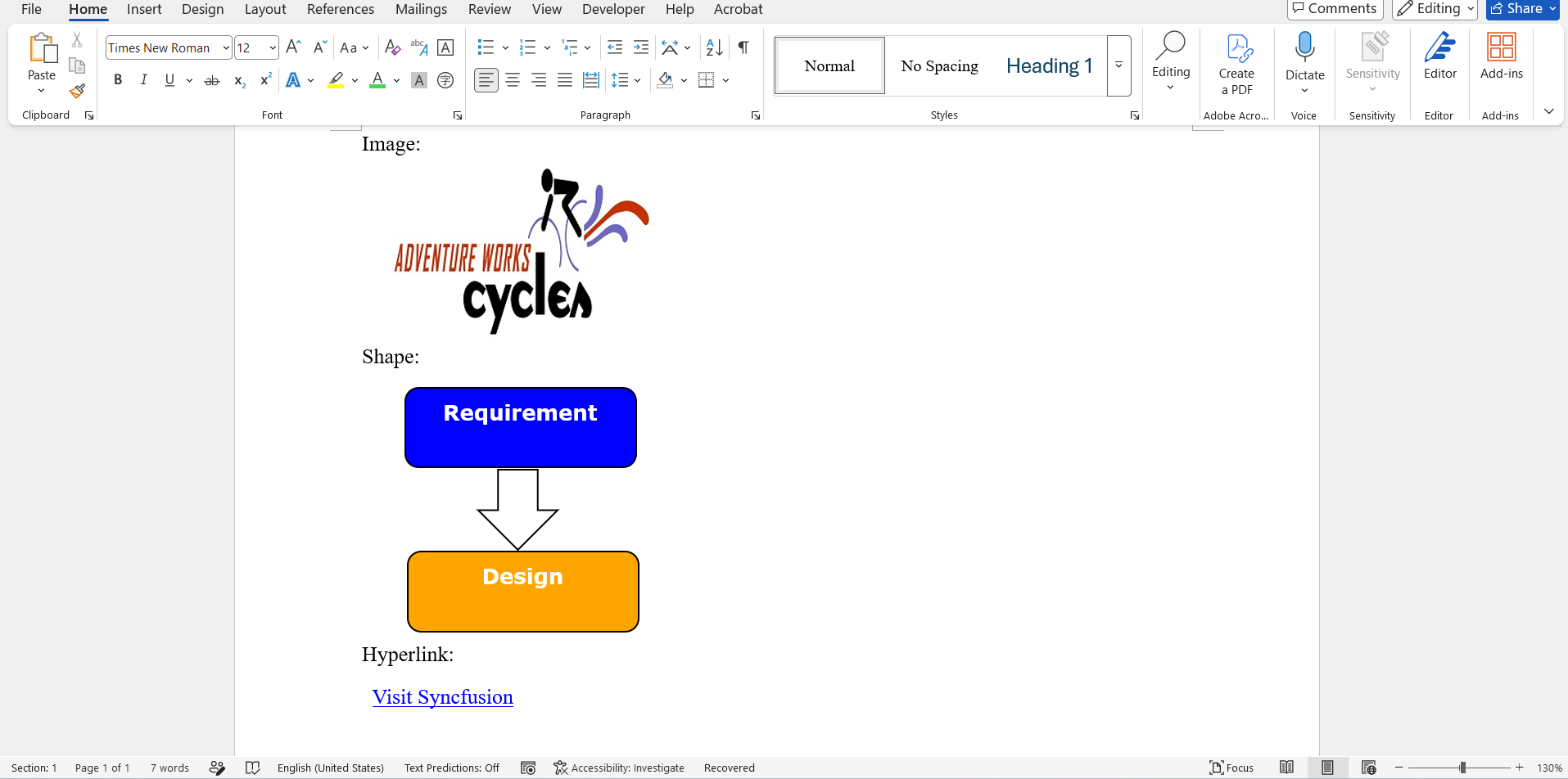
Adding shape and images in a Word document -
Hyperlinks and mathematical equations: Add links to supporting resources and include equations in technical and educational documents.
-
Document fields: Insert fields such as page numbers, conditional fields, and merge fields to represent dynamic document content.
-
Content controls: Add editable regions such as text fields, check boxes, date pickers, drop-down lists, and combo boxes to create structured forms and templates.
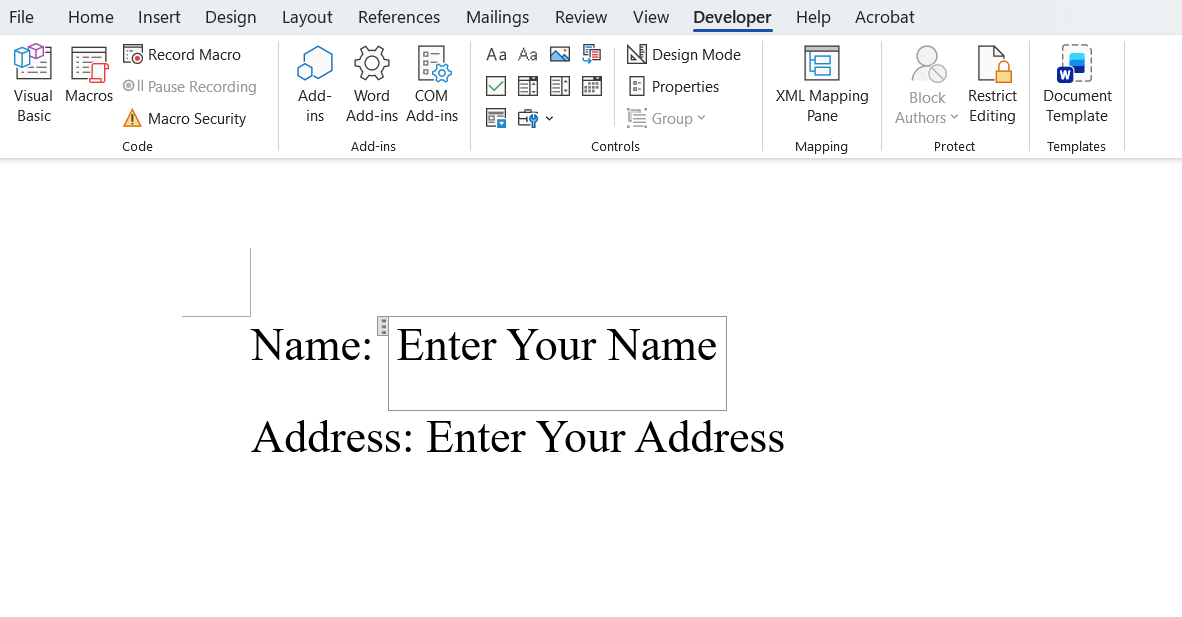
Content controls in JavaScript Word Library
These features help developers build structured Word documents directly from application data instead of manually creating each document.
For detailed examples, refer to the JavaScript Word Library documentation.
Get started with the JavaScript Word Library in TypeScript
In the following example, we’ll build a TypeScript application that creates a Word document, adds content, and downloads it with just a few lines of code. Once you’ve learned this core process, you can use the same approach to automate contracts, reports, invoices, forms, and other business documents.
While this tutorial uses TypeScript, the Syncfusion JavaScript Word Library also supports Angular, React, Vue, JavaScript, and Node.js, making it easy to bring Word document generation and processing to the frameworks you already use.
Prerequisites
Before starting, make sure you have:
- Node.js 18 or later.
- npm 9 or later, or Yarn 1.22 or later.
- TypeScript 4.5 or later.
- Visual Studio Code or another code editor.
- A browser-based development server or bundler.
Step 1: Create a TypeScript application
Create a project folder and initialize it:
mkdir word-typescript-app
cd word-typescript-app
npm init -y
Install TypeScript and Vite:
npm install typescript vite --save-dev
Initialize the TypeScript configuration:
npx tsc --init
For this example, configure tsconfig.json with the following settings:
{
  "compilerOptions": {
    "target": "ES2020",
    "module": "ESNext",
    "lib": ["DOM", "ES2020"],
    "strict": true,
    "moduleResolution": "bundler"
  }
}
Next, add the following scripts to the package.json file:
{
  "scripts": {
    "start": "vite",
    "build": "vite build",
    "preview": "vite preview"
  }
}
Step 2: Install the JavaScript Word Library
Install the Syncfusion JavaScript Word Library from npm:
npm install @syncfusion/ej2-docx --save
This package provides the APIs required to create and work with Word documents.
Step 3: Create a Word document
Create an index.html file in your project root:
<!DOCTYPE html>
<html>
  <head>
    <title>Create Word Document</title>
  </head>
  <body>
    <button id="normalButton">Create Word Document</button>
    <script type="module" src="/src/index.ts"></script>
  </body>
</html>
Next, create the src/index.ts file and add the following code:
import { WordDocument } from '@syncfusion/ej2-docx';

const button = document.getElementById('normalButton');

if (button) {
    button.onclick = (): void => {
        // Create a Word document.
        const wordDocument = WordDocument.create();

        // Access the first section.
        const section = wordDocument.section[0];

        // Access the first paragraph.
        const paragraph = section.body.paragraphs[0];

        // Add text to the paragraph.
        paragraph.appendText('Hello World!!!');

        // Save and download the Word document.
        wordDocument.save('Output.docx');
    };
}
Let’s understand the main steps:
- WordDocument.create() creates a new Word document.
- wordDocument.section[0] accesses the first section.
- section.body.paragraphs[0] accesses the first paragraph.
- appendText() adds text to the paragraph.
- save() saves the document and triggers a browser download.
Step 4: Run the application
Start the Vite development server:
npm start
Open the application at http://localhost:5173 and select Create Word Document.
The browser downloads an Output.docx file containing the text “Hello World!!!”.
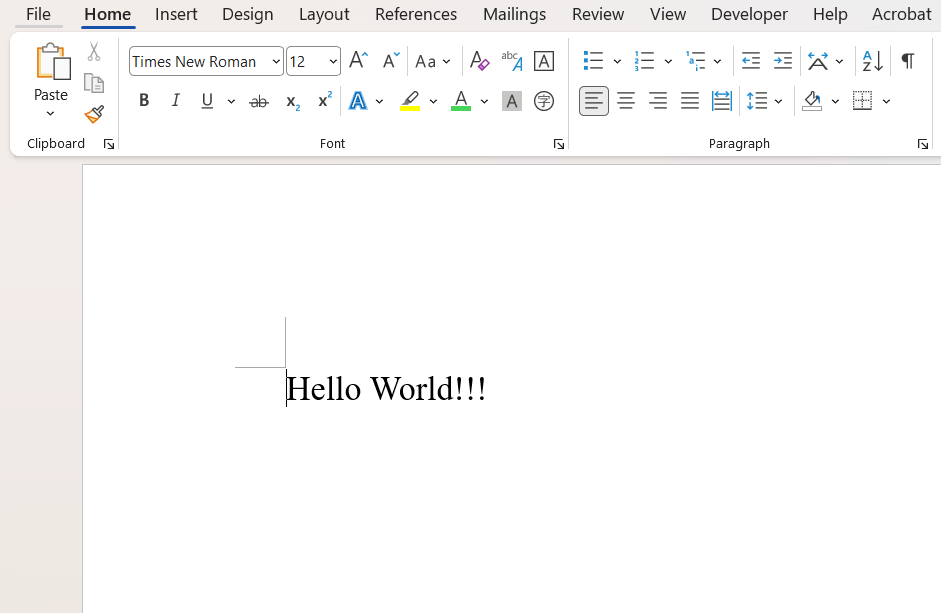
Note: This example demonstrates browser-based document creation and downloading. It does not require server-side document processing.
What’s coming next?
Document requirements keep evolving. As applications mature, teams often need to convert documents to other formats, edit content in more advanced ways, and add review and security controls to protect sensitive files.
Here are the areas the product roadmap covers for upcoming releases:
-
Document handling: Merging, splitting, and comparing documents, plus advanced mail merge with external data sources.
-
Format conversions: Word-to-PDF, HTML, EPUB, RTF, and ODT conversion.
-
Advanced editing: Find and replace text with formatting, bookmarks, form fields, and tables of contents.
-
Additional document objects: Footnotes, endnotes, watermarks, macros, smartart, grouped shapes, ink, canvas, and OLE objects.
-
Review and collaboration: Comments and track changes for approval workflows.
-
Protection and security: Document protection, encryption and decryption, and digital signatures to help preserve document integrity.
These planned enhancements aim to broaden what the library can do across document handling, advanced editing, format conversion, and secure review workflows. Refer to the official release notes for the latest availability information.
Frequently Asked Questions
What is the Syncfusion JavaScript Word Library?
The Syncfusion JavaScript Word Library is a document-processing library that enables developers to create, read, edit, and format Word documents programmatically using JavaScript or TypeScript. It works in browser and Node.js environments without requiring Microsoft Word.
Do I need Microsoft Word installed to use the JavaScript Word Library?
No. The library processes DOCX documents through its JavaScript APIs. It does not require a Microsoft Word installation or Office Interop.
Can I edit existing DOCX files using the JavaScript Word Library?
Yes. You can open existing DOCX files, access their content, make changes to supported document elements, and save the updated documents.
Can I create Word documents with tables, images, and charts?
Yes. The library provides APIs to add and format tables, insert images and shapes, and create charts. You can combine these elements with application data to build structured business documents.
Can I use the JavaScript Word Library in Node.js?
Yes. You can use the library in Node.js applications to create, open, and modify DOCX documents. Node.js filesystem APIs handle reading input files and writing the document bytes returned by the library.
Can I create reusable Word document templates?
Yes. You can use document fields and content controls to create structured document templates with placeholders and editable regions. Your application can then work with these elements as part of its document-generation workflow.

Conclusion
Creating and updating Word documents doesn’t have to involve manual editing or Microsoft Word installations. The Syncfusion JavaScript Word Library gives developers APIs to generate, read, and modify DOCX documents directly from JavaScript and TypeScript applications.
With support for structured content, formatting, tables, images, charts, fields, and content controls, you can build document-processing workflows that fit your application’s needs.
Ready to explore the new JavaScript Word Library? Check out the official documentation, review the Essential Studio 2026 Volume 3 release notes, and start your 30-day free trial.
Have questions or suggestions? Connect with the Syncfusion team through the support forum, support portal, or feedback portal.




Be the first to get updates